
Shopify stores designed and launched
Done-for-you workflow rescue and debugging for Shopify
Shopify Zapier Troubleshooting, Found, Fixed and Protected Against Happening Again
Shopify Zapier troubleshooting starts by finding why the Zap stopped or misfired: switched off, connection broken, wrong trigger event, a webhook that changed, a rate limit hit or a Make scenario that auto-deactivated after errors. Zapier lists the usual causes and Make switches off scenarios after repeated errors, so most breaks have a findable reason. We reproduce it, repair it, add alerts and test, from $190.
- Root cause found and written down, not guessed
- Connection, trigger and mapping repaired and tested on a real order
- Alerts and a retry route added so a repeat is caught
- Test log and a short handover note
From$190
Delivery1 to 7 working days
Revisions2 rounds
Our track record
450+ Shopify Stores, 4.9+ From Verified Clients. Your Workflow Is Handled by the Same Team.
Verified clients rate us 4.9+ on average. Your workflow rescue and debugging job gets the same standards as a full store build: written scope, a copy to test in and a record of what was checked.
Average rating from verified clients
Building Shopify stores since
Secure checkout
Pay through a protected checkout and keep a full order record.
Two revision rounds
Included in every package, so the result matches what you pictured.
Backup before changes
We work on a duplicate of your theme, never on your live store.
Who this is for
Six Situations Where Shopify Zapier Troubleshooting Pays Off
A broken automation costs money while it stays broken. These are the cases we repair.
You are a good fit if
- Your store runs on Shopify
- You can describe the rule in a few sentences
- You want a fixed price and a written scope
- You can share the access we ask for
Zaps that stopped overnight
Typical causes are a broken connection, a Zap switched off or the wrong trigger event.
Owners with a Shopify reconnect prompt
Reconnecting the Shopify connection fixes many cases, but we also check permissions.
Webhook-triggered Zaps that stopped
Each Zap has its own webhook URL, so a new Zap needs a new webhook in Shopify.
Make scenarios that switched themselves off
Scheduled scenarios deactivate after three consecutive errors by default.
Teams with failed runs to recover
Replaying later can work for time-based failures like rate limits.
Owners who inherited a broken setup
We read the history, find what changed and document it.
Problems solved
Why Shopify Zapier troubleshooting Projects Go Wrong, and How We Prevent It
Most breaks have one of a few causes. These are the six we check first.
The problem
Zap or scenario switched off
The outcome
We check status and history.
The problem
Connection broken
The outcome
We reconnect and verify permissions.
The problem
Wrong trigger event
The outcome
We pick the right one.
The problem
Webhook mismatch
The outcome
We update Shopify.
The problem
Rate limit or timeout
The outcome
We pace and replay.
The problem
No alerts
The outcome
We add them.
What we can do
How We Build Your Workflow Rescue and Debugging Automation
How we repair an automation, in order.
Evidence
History, logs and recent changes.
Diagnosis
Root cause named.
Repair
Targeted fix.
Test
Real order through the fix.
Recovery
Replay or backfill missed runs.
Prevention
Alerts and a note.
What is included
Everything Included in Our Shopify Zapier Troubleshooting Packages
Here is the full list, grouped by job. Smaller packages cover the first items in each group; bigger ones go further.
Diagnosis
- Failing runs inspected
- Cause identified
- Related workflows checked
- Access and limits reviewed
Repair
- Fix made at the cause
- Edge cases tested
- Connections renewed
- Schedules corrected
Recovery
- Missed records listed
- Safe re-run in batches
- Duplicates prevented
- Counts compared
Protection
- Failure alert added
- Daily check scheduled
- Renewal dates noted
- Silent-stop test run
Note
- Cause written down
- Change recorded
- Other risks flagged
- Rollback steps included
Handover
- Walkthrough of the fix
- Questions answered
- Two revision rounds
- Account kept in your name
You share access, approve the rules and confirm the test results. Everything else, from the first trigger to the final log, is ours.
What we build and check
From Trigger to Result: How Workflow Rescue and Debugging Is Automated
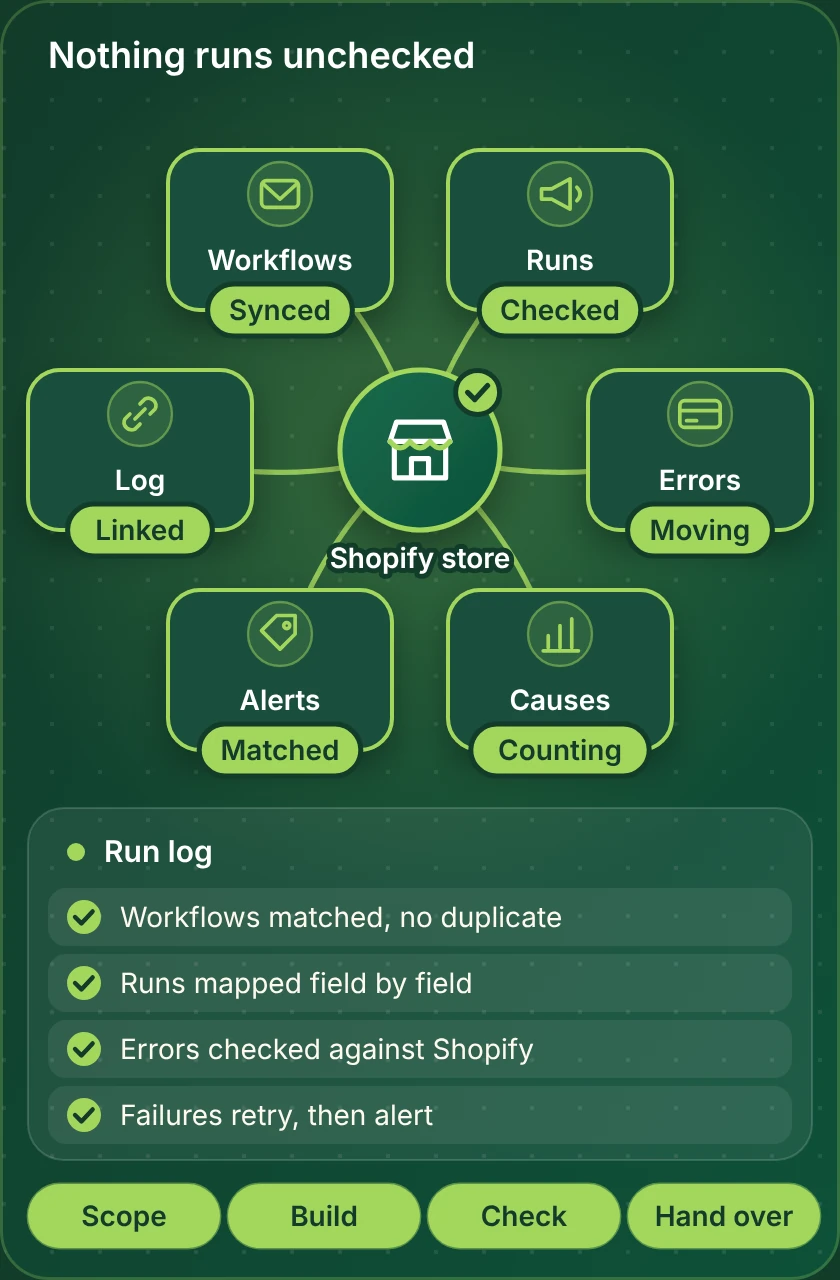
A workflow is easiest to judge when you can see it. The picture shows the parts we build for workflow rescue and debugging: the records involved, the status of each step and the log a person can read.
Portfolio
Stores We Designed That Run Smoothly Behind the Scenes
We build the stores and the workflows behind them. These launches show the standard your automation will be built on.

Auralink Audio Shopify Visual
Audio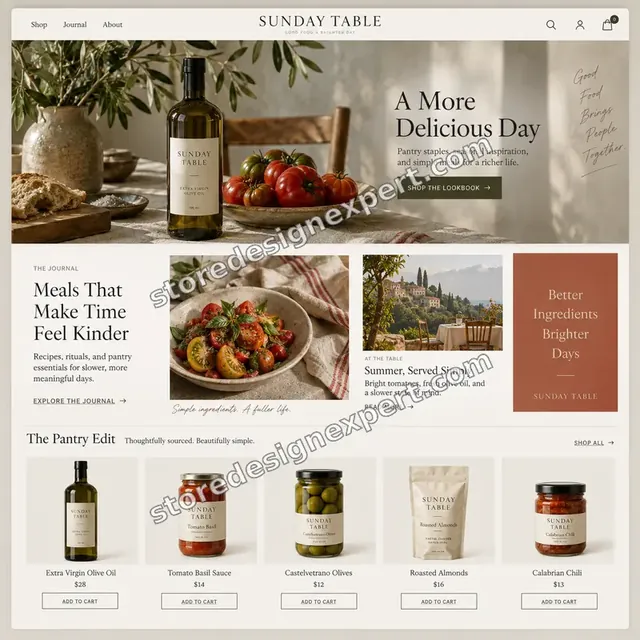
Sunday Table Food Shopify Visual
Food
Sunward Summer fashion Shopify Visual
Summer fashion
Orbit Sound Technology Shopify Visual
Technology
Fine Jewelry Luxury Shopify Store
Fine jewelry and watches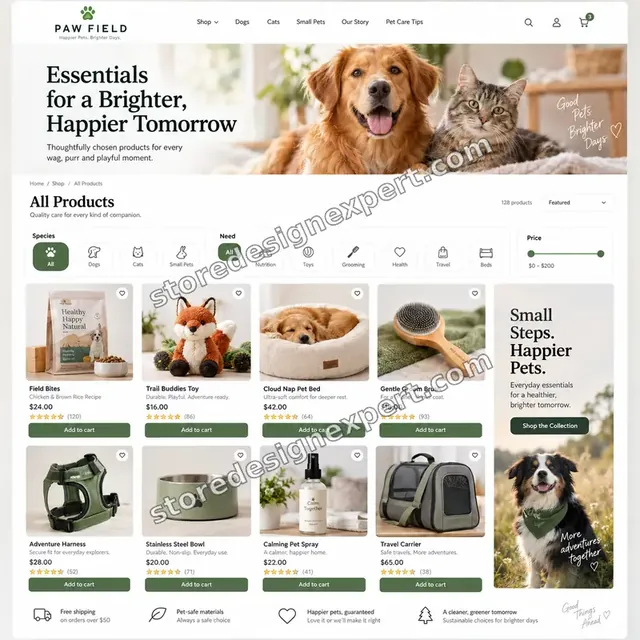
Paw Field Pet Shopify Visual
PetProcess and timeline
How We Build Your Workflow Rescue and Debugging Automation, Step by Step
A fixed order of work keeps the project predictable. You know what happens next at every point.
- 1
Describe the problem
You tell us what stopped, when it started and what changed. We ask for read access to the platform and the Shopify store.
- 2
Reproduce and diagnose
We read the run history and payloads, reproduce the fault if we can and find the real cause.
- 3
Repair
The fix is made in a copy where the platform allows it, then tested on typical and awkward cases.
- 4
Recover missed records
Anything missed during the outage is listed and re-run safely, with counts compared afterwards.
- 5
Add protection
We add an alert and note any other workflows that share the same weakness.
- 6
Hand back
You receive a short note on the cause and the change, and the workflow is switched back on.
Compare your options
Do It by Hand, Use an App, Build It Yourself or Hire Us for Shopify Zapier Troubleshooting?
Each route has a place. Read across the rows that matter to you and see which one you would trust with your orders.
| What matters | Manual process | Single-purpose app | Zapier, Make or n8n | Store Design Expert |
|---|---|---|---|---|
| Rules written down and agreed | No | Not often | If you write them | Yes |
| Refund, edit and partial cases tested | When remembered | Seldom | If you test | Yes |
| Retries cannot repeat actions | Easy to slip | Depends | If you add it | Yes |
| Failures alert a named person | No | Sometimes | Optional extra | Yes |
| Fixed price up front | Staff time | Plan fees only | Plan fees and your time | Yes |
| Documentation and video handover | No | No | No | Yes |
| Accounts stay in your name | Yes | Yes | Yes | Yes |
| Help after go-live | No | Vendor support | Platform help desk | Included window |
Inside every project
How We Protect Your Orders and Customer Data
Automations act on live orders and customer data, so mistakes are costly. These practices come with every package and explain why a fixed fee can still be a careful one.
Plain scope, two revision rounds
You know the cost up front. Two revision rounds cover changes within scope, which keeps tweaks from becoming extra invoices.
Counts compared, not assumed
Once past orders are processed, we count both sides, so missing or doubled records show up early.
Narrow access, in your name
We request only the permissions the workflow needs, and you own every account.
Failures raise a flag
A named person receives an alert, with the order and the reason, whenever a run fails.
Nothing sent without approval
Anything that emails, texts or posts to a customer is reviewed with you before it is switched on.
Build in a copy, never live
Test data comes first. Live orders and workflows are left alone until you sign off.
Interactive price calculator
Choose Your Workflow Rescue and Debugging Scope and See the Price
Start with the scope that matches your case, then adjust for platform, volume and the number of connected tools. You see the fixed price before you pay.
Request a custom quote
Workflows that span many systems, need custom code, handle very high volumes or depend on an on-premise system are quoted separately at a fixed price.
Request a QuoteChanged your mind? Choose Single Fix, Workflow Repair or Full Repair above to return to the instant calculator.
Packages and comparison
Shopify Zapier Troubleshooting Package Comparison
Here is each package line by line. When you compare our fee with a marketplace listing for Shopify Zapier troubleshooting, count how many of these checks the cheaper offer actually names.
| What is included | Single Fix $190 | Workflow Repair $390Recommended | Full Repair $790 |
|---|---|---|---|
| One workflow diagnosed | Included | Included | Included |
| Repair at the cause | Included | Included | Included |
| Edge cases tested | Included | Included | Included |
| Failure alert added | Included | Included | Included |
| Handover walkthrough | Included | Included | Included |
| Up to three workflows repaired | Not included | Included | Included |
| Missed records recovered | Not included | Included | Included |
| Duplicates prevented | Not included | Included | Included |
| Connections renewed | Not included | Included | Included |
| Up to eight workflows repaired | Not included | Not included | Included |
| Daily health check set up | Not included | Not included | Included |
| Renewal dates documented | Not included | Not included | Included |
| Rollback steps written | Not included | Not included | Included |
| Typical delivery | 1 to 2 days | 2 to 4 days | 4 to 7 days |
The calculator above is the source of truth for your final price and delivery estimate.
Why Store Design Expert
Why Owners Choose Our Shopify Zapier Troubleshooting Over Doing It Alone
Templates cover the happy path. We cover the rest, and we put the result in writing.
Tested on your real cases
Your real scenarios are the test plan: a stopped zap, a failing scenario and wrong data.
A price you can plan around
The calculator shows the price and extra days for every package and option. Platform subscriptions come from the platform, and we say what to expect.
4.9+ from verified clients
You can read verified client reviews on this page before paying, so past results are visible.
Notes a colleague can follow
The handover notes say what happens when and why each setting was chosen, so nobody has to guess later.
Safety designed in
Retries, alerts, unique keys and limited access come as standard in every build.
A direct line to the builder
You talk to the person working on your workflow, and questions about a rule or field get a plain answer.
What we need to get started
Getting Started: What We Ask For
We need a way into your store, a short brief and a decision-maker. Pick the access route that suits you.
Approve a collaborator request
Selling already? Send the address and accept a collaborator request. You keep ownership, we get a limited role, and you can revoke it at any moment.
Starting from nothing? We build first
We can start in our own Partner account, set up the store and the workflow, then transfer ownership to you. A Shopify plan is chosen at the end.
Or share a staff login
A staff login works if that is easier. We still recommend the collaborator route, since it can be revoked in one click and leaves no password in circulation.
Access to the other tools
Add us to the tools the workflow uses, or have us create accounts under your email. You stay the owner in both cases.
Examples of the work today
Two or three recent cases are enough. They show us how the process runs in practice.
A decision-maker
Name the person who approves the rules and the test, and tell us which rule wins when two disagree.
Your Shopify owner password and card details never reach us. Changes are made in a copy, and we note every setting we touch.
Testimonials
Client Words, Not Ours
Read how past projects went before you pick a package.
Verified
The website development work was truly impressive. Their attention to detail and ability to exceed expectations made the project a success. Working with them was a breeze, thanks to quick responsiveness and a willingness to go above and beyond.
KD
Kevin D.United States
Verified
Store Design Expert was very knowledgeable about what I needed done to fix my Shopify store and how to improve the store layout. The project was completed very quickly, and I will definitely use them for support as my business grows.
ST
Samuel T.United States
Verified
Very satisfied with the work. Most importantly, Store Design Expert responded promptly to my questions and concerns. Thank you!
KB
Kyle B.United States
Verified
Outstanding work and outstanding customer service. Five stars! I will absolutely use Store Design Expert again for my next book.
KM
Katharine M.United States
Verified
Store Design Expert was great! They delivered exactly what I asked for and even offered helpful extra suggestions. Highly recommended.
PW
Paul W.United States
Verified
I request Store Design Expert every time I have a project. They are professional and give real attention to detail, which makes the work stand out.
LK
Laura K.United States
Verified
They kept communicating until the problem was fully resolved, and the result was great.
HJ
Henry J.United States
Verified
Super helpful and patient. I am new to ecommerce and Store Design Expert talked me through the whole process and even fixed my payment bridging for me!
LR
Lois R.United Kingdom
Verified
I am beyond satisfied! Store Design Expert went above and beyond on my project. Highly recommended!
MD
Michael D.United States
FAQ
Questions About Workflow Rescue and Debugging Automation
Straight answers on price, scope, timing and what we need from you.
How much does Shopify Zapier troubleshooting cost?
Single Fix costs $190, Workflow Repair $390 and Full Repair $790. Platform, volume, the number of connected tools and add-ons change the total, and the calculator shows it before you pay. Most projects land between about $190 and $1110, with delivery from 1 to 7 working days. This also answers "zapier troubleshooting automation shopify".
How long does workflow rescue and debugging automation take?
Single Fix takes 1 to 2 working days, Workflow Repair 2 to 4 and Full Repair 4 to 7. The usual variables are how many tools are involved and how quickly you approve the rules and the test. The Sooner and Fastest options shorten the schedule when a date is fixed. The same service covers "shopify zapier troubleshooting app".
Why is my Shopify Zap not triggering?
Zapier lists causes such as the Zap being off, a broken connection, the wrong trigger event or insufficient permissions. The same job is behind "hire shopify zapier troubleshooting developer".
Do I need to update the Shopify webhook?
For webhook-triggered Zaps, each Zap has its own URL, so a new Zap needs a new webhook. If you typed "shopify zapier troubleshooting zapier", you are in the right place.
Can failed Zaps be replayed?
Replaying later can work for time-based failures such as rate limits. Queries such as "shopify zapier troubleshooting make.com" describe the same work.
Why did my Make scenario turn off?
By default a scheduled scenario deactivates after three consecutive errors. Another way to phrase it: "shopify zapier troubleshooting n8n"; the work is the same.
Can you recover missed orders?
Usually, by replaying runs or a controlled backfill. This also answers "shopify zapier troubleshooting expert".
Do you need my password?
No, an invite is enough. Related searches such as "how to automate zapier troubleshooting on shopify", you are in the right place.
Can you stop it happening again?
We add alerts, retries and a note. Another way to phrase it: "shopify zapier troubleshooting workflow"; this page covers that too.
Ready when you are
Ready to Automate Workflow Rescue and Debugging?
Pick your scope, see the price and delivery window, and start. We build in a copy, test on a stopped zap, a failing scenario and wrong data, and hand over notes you can use. This page covers Shopify Zapier troubleshooting.
- Secure checkout
- Two revision rounds
- Test log and walkthrough included