
Shopify stores designed and launched
WooCommerce to Shopify migration services
WooCommerce to Shopify Migration Services That Move Every Record and Protect Your Rankings
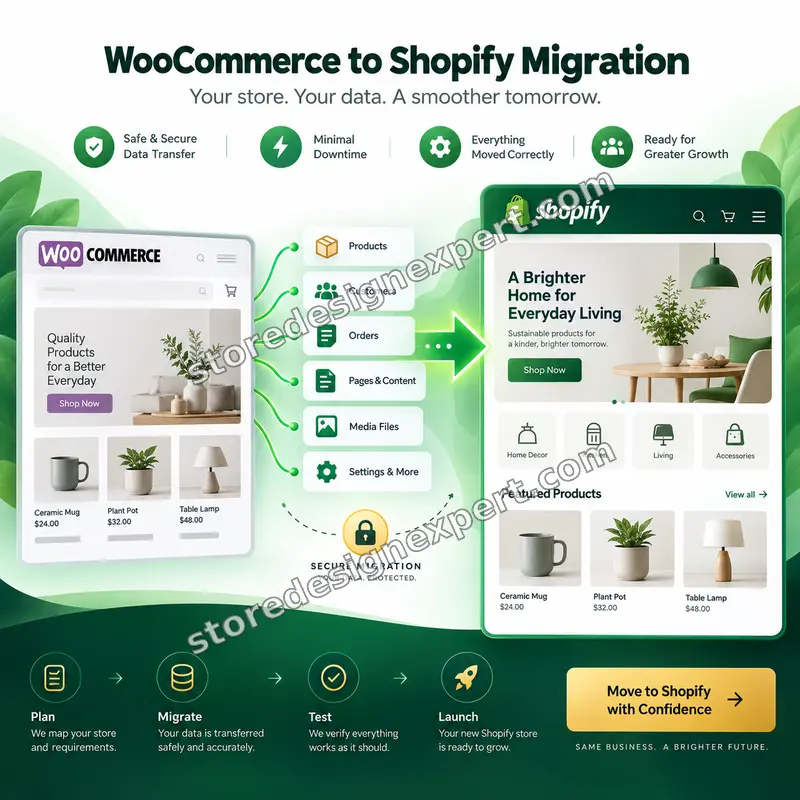
WooCommerce to Shopify migration services from the team behind 450+ Shopify launches since 2015. Products, variants, customers, orders, reviews, coupons and blog posts move across with a redirect map, a tested checkout and a reconciliation report that proves the counts match, from $1,490. Your WooCommerce store keeps selling until you approve the cutover.
- Full data scope agreed in writing before anything moves
- URL redirect map and an SEO preservation plan
- Rehearsal on a test store, a cutover plan and a rollback path
- Counts reconciled and signed off at handover
Our track record
Over 450 Shopify Stores Launched Since 2015. Now Let Us Move Yours Safely.
Every platform move we plan starts from the same question: what would a store owner be most upset to lose? We have spent nine years on Shopify, hold a 4.9+ average rating from verified clients and treat your WooCommerce data like our own.
Average rating from verified clients
Building Shopify stores since
Secure checkout
Pay through a protected checkout and keep a full order record.
Two revision rounds
Included in every package, so the result matches what you pictured.
Backup before changes
We work on a duplicate of your theme, never on your live store.
Who this is for
Who Needs WooCommerce to Shopify Migration Services
Whether you want a WooCommerce to Shopify migration expert on your side or a second opinion on your own exports, these are the stores we move most often, and the situations where a planned migration pays for itself within a few months of maintenance savings and fewer outages.
Owners tired of maintaining WordPress
Plugin conflicts, core updates, security patches and hosting bills eat the time you would rather spend selling. Shopify takes hosting, uptime and checkout security off your list, so you stop being your own IT department.
Stores outgrowing their hosting
Traffic spikes slow the site down and checkout fails exactly when a campaign works. Shopify's infrastructure absorbs sale days without a server upgrade, a caching plugin audit or a late-night call to your host.
Catalogs with real complexity
Thousands of variations, years of orders, tangled coupons and custom fields do not survive a one-click importer. You need someone to map the structure first, then import it in rehearsed batches.
Stores with loyal repeat customers
Your returning buyers expect their account, their addresses and their order history to still be there. We move customer records with consent status and plan the invite that brings them back to a new login.
Owners whose organic traffic pays the bills
If search sends you customers, a careless URL change can erase years of work. We treat redirects, metadata and sitemaps as data to be mapped and tested, not as an afterthought on launch day.
Teams comparing a rebuild with a move
You are weighing a full redesign against a like-for-like move. We can migrate first, keep your look close and redesign later, or combine both. Either way the data scope and price are fixed up front.
Problems solved
Why DIY Migrations Lose Traffic, Orders and Customers
The risk in a platform move is rarely the products. It is everything attached to them: the URLs search engines know, the accounts customers use, the orders finance needs and the plugins that quietly did half of the work. These are the failures we plan around.
The problem
URLs change, old links break and search traffic falls off a cliff.
The outcome
We export every live WooCommerce URL, map each to its Shopify equivalent, test them in bulk and load the redirects before the domain switches.
The problem
Customers lose their accounts and order history, then email support instead of reordering.
The outcome
Customers and past orders move across with addresses and consent status, and a clear invite email explains how to set a new password.
The problem
The cutover goes wrong at 2 a.m. and nobody knows how to go back.
The outcome
We write the cutover and rollback plan in advance, rehearse on a test store and keep WooCommerce intact until you approve.
The problem
Nobody counts, so missing products and orders are found weeks later.
The outcome
We reconcile counts for every record type and hand you a report with source and Shopify totals side by side.
The problem
A plugin did something quietly, such as bundles, deposits or custom fields, and nothing replaces it.
The outcome
We audit every active plugin before scoping, decide what Shopify does natively, what needs an app and what is left behind.
The problem
Tax, shipping and coupon rules behave differently and the first orders come out wrong.
The outcome
We rebuild shipping zones, tax settings and discount logic to match how you sell today, then test each with real test orders.
What we can do
What We Can Do for a WooCommerce Store Moving to Shopify
Every WooCommerce store has quirks: a theme with custom post types, a plugin that stores its data in post meta, an attribute naming scheme that grew over years. These are the situations we handle, so you can judge whether your store is something we have seen before.
WooCommerce to Shopify migration: variable products turned into clean variants
WooCommerce variable products, attributes and global terms are mapped to Shopify options and variants, with SKUs, prices, weights, images and stock preserved. Products with more attribute combinations than Shopify allows are split or restructured by agreement.
WooCommerce to Shopify migration expert help with customers and order history
Customer records, addresses, notes, tags and marketing consent move across. Past orders import as historical records without sending emails, reducing stock or charging anyone, and totals are checked against your WooCommerce reports.
SEO-safe URL mapping at scale
Paths such as /product/, /product-category/ and dated blog URLs become /products/, /collections/ and /blogs/ with 301 redirects. We handle changed slugs, duplicates, query strings and old redirects already living on your WordPress site.
Plugin and extension replacement
Product add-ons, bundles, subscriptions, wishlists, reviews, loyalty and filters each have a Shopify route. We tell you which app replaces which plugin, what it costs per month and which behavior will differ before you commit.
Domains, DNS and zero-surprise cutover
We lower DNS time-to-live ahead of the switch, freeze edits, sync late orders, connect the domain, verify SSL and watch the first orders. If anything fails, the documented rollback returns traffic to WooCommerce.
Content, blog and page migration
Blog posts, authors, categories, images and key pages move with their metadata. Shortcodes and page-builder blocks are rebuilt as Shopify sections, so the content works instead of showing raw shortcode text.
What is included
What Your WooCommerce to Shopify migration Services Include
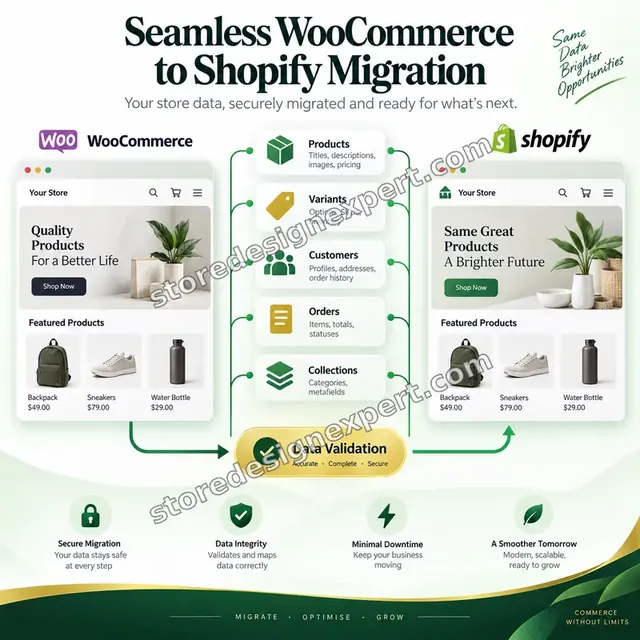
A WooCommerce to Shopify product migration is only the start. The work below is grouped by what moves, so you can see the full data scope, what is rebuilt rather than copied and what is deliberately left behind.
Catalog and inventory
- Products, variants, SKUs, prices, compare-at prices and weights
- Images with alt text, plus galleries and variant images
- Inventory counts and tracking settings per location
- Product types, tags, vendors and custom fields as metafields
Collections and navigation
- WooCommerce categories rebuilt as Shopify collections
- Automated collection rules where tags or types fit
- Menus and footer navigation rebuilt for Shopify
- Filter and search structure planned with the theme
Customers and orders
- Customer records with addresses, notes and marketing consent status
- Historical orders imported as records without emails or stock changes
- Order totals reconciled against WooCommerce reports
- Account invite email drafted for the first login
Offers, reviews and content
- Coupons and discount rules recreated as Shopify discount codes
- Reviews imported to your Shopify reviews app in Complete and Zero-Risk
- Blog posts and key pages with images in Complete and Zero-Risk
- Shortcode content rebuilt as Shopify sections
SEO and redirects
- 301 redirect map for products, collections, pages and posts
- Titles, meta descriptions and image alt text checked
- Sitemap resubmission and Search Console change checklist
- Before and after crawl comparison on Complete and Zero-Risk
Checkout, cutover and handover
- Payment gateways, shipping zones and tax settings configured and tested
- Domain, DNS and cutover plan with a documented rollback path
- Reconciliation report and handover notes
- Two revision rounds after your review
Passwords cannot be copied between platforms. Customers are invited to set a new one on Shopify, and we draft the email that tells them how.
See how it works
From WooCommerce Data to a Counted, Verified Shopify Store
Follow the data through a real migration. Each record type leaves WooCommerce, lands in Shopify and is checked before we call it done, so the report you receive is evidence rather than a status message.
Animated walkthrough
- 1
We map every record type
Products, customers, orders, reviews and redirects each get a clear path to their Shopify home, including variants, SKUs, addresses and consent status, written down before any import runs.
- 2
Data moves in rehearsed batches
Records transfer to a development store first, in logged batches, so problems appear in testing instead of on your live shop. Fixes are re-run until the batch is clean.
- 3
Counts are compared side by side
Source and Shopify totals are lined up record type by record type, so a missing order, product or customer shows up immediately and is fixed before anyone sees it.
- 4
Everything matches before launch
When every count reconciles and the old URLs redirect correctly, you receive the report and handover notes, and we schedule the cutover for your quietest hours.
Portfolio
Store Designs From Our Studio
Different niches need different layouts. These store designs show how we shape a storefront around its products, and WooCommerce to Shopify Migration Services follows the same approach.

Wall art store design
Wall art
Outdoor apparel store design
Outdoor apparel
Stationery store design
Stationery
Kids clothing store design
Kids clothing
Home goods store design
Home goods
Fitness apparel store design
Fitness apparelProcess and timeline
Migration Process and Timeline
From audit to verified cutover in six clear stages. Essentials delivers in 10 to 14 working days, Complete in 16 to 24 and Zero-Risk in 24 to 40, before catalog size, order history and checkout options in the calculator add days.

- 1
Audit and scope
We inventory products, customers, orders, plugins, URLs and integrations, then agree in writing what moves, what is rebuilt and what stays behind.
- 2
URL and SEO map
Every live URL is exported and matched to a Shopify destination, with titles, descriptions and structured data noted for each template.
- 3
Export, clean and map
Data is cleaned, deduplicated and mapped to Shopify fields, then imported into a test store, never into your live one.
- 4
Checkout and settings
Payments, shipping, tax, discounts and notifications are configured and tested with test orders in each gateway.
- 5
QA and reconciliation
Counts, sample pages, redirects and prices are verified against a checklist, then you review and request up to two rounds of changes.
- 6
Cutover and handover
We sync late orders, switch the domain, verify redirects and send handover notes with the reconciliation report.
Technical approach
Technical Map: How Your WooCommerce Data Actually Moves
A WooCommerce to Shopify migration tool can move rows. It cannot decide what maps where, which plugin data matters or what to check afterward. This is the layer-by-layer map we follow on every project, with what we do and what you receive for each layer.

| Area | What we do | What you receive |
|---|---|---|
| Source audit and export | We inspect the WordPress install, active plugins, custom post types, product attributes and permalink structure. Data is exported through WooCommerce exports, the REST API or a database dump, depending on volume and access. | Audit sheet and clean source exports |
| Products, attributes and variations | Simple and variable products are mapped to Shopify products and variants. Global attributes become options, extra attributes become metafields, and products beyond Shopify's three option limit are restructured by agreement. | Field mapping sheet and product import files |
| WooCommerce to Shopify migration Matrixify imports | For large catalogs we load data with Matrixify bulk import files, which can be re-run after fixes, and use the Shopify API or native importers where they fit better. Each batch is logged and spot-checked before the next. | Import logs and re-runnable import files |
| Customers, addresses and consent | Customers are imported with addresses, tags, notes and marketing consent. Passwords cannot transfer, so we prepare the account invite and confirm how guest orders will be handled. | Customer import report and invite email draft |
| Orders, notes and history | Past orders are imported as historical records with line items, shipping, tax and status, without triggering emails, payments or stock changes. Totals are compared with WooCommerce reports. | Order import log and totals comparison |
| URL inventory and 301 redirects | Product, category, tag, page and post URLs are crawled and exported, matched to new handles and imported as a redirect file. We test status codes in bulk and review chains and loops. | Redirect file and test results |
| Metadata, structured data and sitemap | Titles, descriptions, canonical behavior, image alt text and structured data are compared between the old and new templates. The sitemap is checked, and we prepare the Search Console steps for launch day. | SEO comparison and launch checklist |
| Payments, shipping, tax and discounts | Gateways are replaced by Shopify equivalents, shipping zones and rates are rebuilt, tax settings are matched and coupons become discount codes. Each rule is tested with a test order. | Checkout configuration sheet and test order log |
| Domain, DNS and cutover | We lower DNS time-to-live, freeze edits, run a final sync of late orders and customers, connect the domain, verify SSL and monitor errors and the first live orders. | Cutover runbook and rollback steps |
Risk, dependencies and success plan
WooCommerce to Shopify migration checklist: risks, dependencies and rollback plan
This WooCommerce to Shopify migration checklist of duties, milestones, gates and exit criteria is what we agree before data moves. It keeps the project predictable, shows where your decisions are needed and makes the cutover a planned event instead of a gamble.
Your responsibilities
- Provide WordPress admin access, or a full export, and a Shopify collaborator invite
- List the plugins, gateways and integrations you rely on
- Confirm which data to leave behind, such as old orders or inactive customers
- Approve the field mapping and the redirect map before import
- Choose a Shopify plan before the build starts
- Pause large catalog and content edits during the final sync
- Approve the cutover window and name who watches the first orders
Milestones
- Scope signed offData scope, exclusions and the rebuild list are agreed in writing.
- Test import completeA full import into a test store is ready for your review.
- Checkout configuredPayments, shipping, tax and discounts pass test orders.
- Reconciliation approvedCounts and samples are checked and you approve the report.
- Cutover and watchDomain switch, redirect verification and first-week monitoring.
- HandoverNotes, reconciliation report and next-step list are delivered.
QA gates
- Record counts match for products, variants, customers, orders and reviews
- Sample pages pass on mobile and desktop
- Every redirect returns the expected status with no chains or loops
- Test orders succeed with each gateway, shipping rule and discount type
- A duplicate theme and a WooCommerce backup exist before any live change
- Order totals match WooCommerce reports within the agreed tolerance
- Customer invite and order emails render correctly
Launch criteria and support
- Domain connected with SSL verified and a documented rollback path
- Sitemap resubmitted and Search Console checked after launch
- Late orders and customers synced just before the switch
- WooCommerce left untouched as a fallback until you approve
- Analytics and ad pixels confirmed firing on Shopify
- Handover notes and reconciliation report delivered
- Optional 30-day post-launch support; Zero-Risk includes 30 days of monitoring
Compare your options
Migration App, DIY Import or a Specialist?
Three common ways to leave WooCommerce, compared on the things that decide whether launch day is calm or stressful: what data moves, who checks the counts, how redirects are handled and what you are left holding afterwards.

| What matters | Migration app | DIY CSV import | Freelancer marketplace | Store Design Expert |
|---|---|---|---|---|
| Orders and customers included | Varies by plan | Manual work | Varies | Yes |
| Record counts reconciled | You check | You check | Rarely | Yes |
| 301 redirects for old URLs | Sometimes | You build them | Varies | Yes |
| Rehearsal on a dev store | No | Up to you | Rarely | Yes |
| Plugin gap review | No | You check | Rarely | Yes |
| Rollback path documented | No | No | Rarely | Yes |
| Cost model | Per record | Your time | Varies | Fixed scope price |
| Handover notes | No | No | Rarely | Yes |
Inside every project
What Is Inside Every Migration Project
A platform move is only as safe as the process around it. These standards apply to every package, from Essentials to Zero-Risk, and they are why a fixed price is possible.
A duplicate theme and a test store
Your live Shopify store, if you have one, is never edited directly. We build and rehearse on a duplicate theme or a development store, and publish only after you approve the result.
Backups and rollback before changes
Before any live change we back up the theme and the settings involved, and WooCommerce stays untouched. Every migration has a written rollback step, not a hope that nothing breaks.
A QA matrix across devices and gateways
We test key templates on phone, tablet and desktop, run test orders through each payment gateway and shipping rule and check emails, redirects and prices against a signed-off list.
Documentation you keep
You receive the field mapping sheet, the redirect file, the reconciliation report and handover notes, so anyone you hire later can understand exactly what moved and why.
A clear communication cadence
You get a status update at each stage, with decisions framed as simple choices. When we need an answer, we say what, why and by when, so the schedule stays honest.
Access handled safely
We use collaborator access wherever possible, never ask for passwords by chat and recommend removing access when the project ends. Fixed scope price and two revision rounds are included.
Interactive price calculator
Build Your WooCommerce to Shopify migration Package
Choose a package, answer three questions about catalog size, history and checkout, then set your speed. Price and delivery update instantly.
Request a custom quote
Shopify Plus migrations, multi-store or multi-language stores, WooCommerce Subscriptions, memberships, B2B pricing rules, custom plugins and catalogs above 10,000 products receive a custom quote with agreed deliverables.
Request a QuoteChanged your mind? Choose Essentials, Complete or Zero-Risk above to return to the instant calculator.
Packages and comparison
WooCommerce to Shopify migration pricing: compare every package
WooCommerce to Shopify migration pricing is fixed per package, and the calculator adds the size of your catalog, your order history and your checkout complexity. Complete is the most common choice because it carries orders, reviews and the full redirect map. Compare each tier below.
| What is included | Essentials $1,490 | Complete $2,990Recommended | Zero-Risk $5,200 |
|---|---|---|---|
| Products, variants, images and inventory | Included | Included | Included |
| Categories rebuilt as collections | Included | Included | Included |
| Customer records and consent status | Included | Included | Included |
| Core product and collection redirects | Included | Included | Included |
| Order history import | Not included | Included | Included |
| Reviews and coupons migrated | Not included | Included | Included |
| Blog posts and pages | Not included | Included | Included |
| Full URL redirect map and SEO checks | Not included | Included | Included |
| Record count reconciliation report | Not included | Included | Included |
| Parallel run on a test store | Not included | Not included | Included |
| Cutover runbook and rollback path | Not included | Not included | Included |
| Late-order sync and 30 days of monitoring | Not included | Not included | Included |
| Typical delivery | 10 to 14 days | 16 to 24 days | 24 to 40 days |
Choose your options in the calculator above: the total and the delivery estimate it shows for WooCommerce to Shopify Migration Services are final.
Why Store Design Expert
Why Store Design Expert for Your WooCommerce Exit
Think of us as a WooCommerce to Shopify migration agency that treats a platform move as a controlled project, not a file transfer: senior people, a written scope, a rehearsal and a fixed price, backed by 450+ Shopify stores launched since 2015.
Scope before import
We write down what moves and what does not before touching a single record, so there are no surprises on launch day and no argument about what was included.
SEO treated as data
Redirects, metadata and sitemaps are planned and tested as carefully as products, because lost URLs are the most expensive mistake in a replatform.
Your live store stays safe
We build on a duplicate theme and a test store, and your WooCommerce site keeps running until you approve the cutover.
Proof, not promises
The reconciliation report shows source and Shopify counts side by side, so you can see what moved instead of trusting a status message.
Fixed, visible pricing
You see the price and the delivery estimate before checkout. Scope changes are quoted before they are built, never billed by the hour afterwards.
You own the result
Store, data and access stay yours. We work through invited access, and a store built in our Partner account is transferred to you at the end.
What we need to get started
What We Need to Get Started on Your Migration
A migration needs two kinds of access: to the Shopify side and to your WooCommerce data. Choose whichever Shopify route suits you; all three are simple and none of them requires you to hand over a password.
Collaborator access to your Shopify store
If you already have a Shopify store, send us the store URL and approve our collaborator request. You stay the owner, no password is shared and you can remove access at any time.
No Shopify store yet? We build and transfer it
We build the new store in our own Shopify Partner account as a development store and transfer ownership to you when the work is done, so you only pick a Shopify plan at the end.
Or send staff login details
You can send staff login details instead. We recommend collaborator access because it is easy to revoke, but either route works for the project.
WooCommerce access or exports
Provide a WordPress admin login, or product, customer and order exports, plus the live site URL. If you host with a managed provider, tell us which one so we can plan the export.
Plugins, gateways and integrations
List the plugins, payment gateways, shipping services and marketing tools you use today. A screenshot of the plugin list is enough to start the audit.
Decisions and one approver
Tell us what to leave behind, your preferred cutover window and who approves the mapping, redirects and the final switch, so decisions never wait on a committee.
Not sure what to send? Start the order and we will send a short checklist for your platform and host.
Testimonials
What Store Owners Say After Launch
Real words from verified clients who trusted Store Design Expert with their Shopify stores.
Verified
Store Design Expert was very knowledgeable about what I needed done to fix my Shopify store and how to improve the store layout. The project was completed very quickly, and I will definitely use them for support as my business grows.
ST
Samuel T.United States
Verified
Very satisfied with the work. Most importantly, Store Design Expert responded promptly to my questions and concerns. Thank you!
KB
Kyle B.United States
Verified
Outstanding work and outstanding customer service. Five stars! I will absolutely use Store Design Expert again for my next book.
KM
Katharine M.United States
Verified
Store Design Expert was great! They delivered exactly what I asked for and even offered helpful extra suggestions. Highly recommended.
PW
Paul W.United States
Verified
I request Store Design Expert every time I have a project. They are professional and give real attention to detail, which makes the work stand out.
LK
Laura K.United States
Verified
They kept communicating until the problem was fully resolved, and the result was great.
HJ
Henry J.United States
Verified
Super helpful and patient. I am new to ecommerce and Store Design Expert talked me through the whole process and even fixed my payment bridging for me!
LR
Lois R.United Kingdom
Verified
I am beyond satisfied! Store Design Expert went above and beyond on my project. Highly recommended!
MD
Michael D.United States
Verified
The experience was tailored to my brand and specifications to the letter. I love the result.
EP
Eric P.United States
Related searches
What People Search For Before Ordering WooCommerce to Shopify Migration Services
People describe WooCommerce to Shopify Migration Services in different ways when they search. These are the common ones.
People who look up “woocommerce to shopify migration”, “woocommerce to shopify migration agency” or “woocommerce to shopify migration app” usually want WooCommerce to Shopify Migration Services; the calculator above shows the price and delivery estimate before you commit.
“woocommerce to shopify migration plugin”, “woocommerce to shopify migration tool” or “woocommerce to shopify migration matrixify”: owners type these when they need WooCommerce to Shopify Migration Services, and the packages above are priced for that job.
People who look up “woocommerce to shopify migration checklist”, “woocommerce to shopify product migration” or “woocommerce to shopify migration expert” usually want WooCommerce to Shopify Migration Services; the calculator above shows the price and delivery estimate before you commit.
“woocommerce to shopify migration cost”, “woocommerce to shopify migration pricing” or “hire woocommerce to shopify migration specialist”: owners type these when they need WooCommerce to Shopify Migration Services, and the packages above are priced for that job.
FAQ
WooCommerce to Shopify Migration Services: Your Questions Answered
Straight answers about cost, timing, data scope, SEO and what happens if something goes wrong.
How much does WooCommerce to Shopify migration cost?
Packages start at $1,490 for Essentials, $2,990 for Complete and $5,200 for Zero-Risk. Catalog size, order history, checkout complexity and extras are added in the calculator, so most stores land between about $2,500 and $6,500. Shopify subscription and app fees are separate.
How much do WooCommerce to Shopify migration services cost compared with doing it myself?
Doing it yourself costs time rather than money, and the risk lands on you: broken URLs, missing orders and a stressful cutover. The packages are fixed in scope, so you know the price and the deliverables up front, and the reconciliation report proves the result.
What does WooCommerce to Shopify migration pricing include?
WooCommerce to Shopify migration pricing covers the data scope shown in the package table, a redirect plan, checkout configuration, two revision rounds and handover notes. Order history, reviews, blog content and parallel runs depend on the tier you choose.
How long does the migration take?
Essentials takes 10 to 14 working days, Complete 16 to 24 and Zero-Risk 24 to 40, before extras. Large catalogs and full order history add days, and the Sooner and Fastest options shorten the range where the schedule allows.
Will my store go offline during the migration?
No. Your WooCommerce store keeps selling while we build and test on a separate Shopify store. The only moment that matters is the cutover, which we schedule for your quietest hours with a rollback path ready.
What happens to my SEO rankings?
We map every important URL to its Shopify address, add 301 redirects, carry over titles and descriptions and resubmit the sitemap. Rankings can still move for a few weeks after any platform change, and nobody can promise they will not.
Which data do you migrate?
Products, variants, images, inventory, categories as collections, customers, orders, reviews, coupons and blog posts, depending on your package. Passwords cannot move, so customers set a new one on Shopify.
Can I use a WooCommerce to Shopify migration app myself?
For a simple store, yes. A WooCommerce to Shopify migration app moves rows quickly but does not plan redirects, test your checkout or reconcile counts. We use apps where they help and add the planning and checks around them.
Is a WooCommerce to Shopify migration plugin good enough?
A WooCommerce to Shopify migration plugin is fine for a small catalog with no history to protect. It cannot decide how attributes map, which plugin data matters or what to verify. If your store earns real revenue, planning matters more than the transfer.
Do you use Matrixify or another tool?
Our WooCommerce to Shopify migration Matrixify workflow suits large bulk imports, because files can be re-run after fixes. Shopify's own importers cover simpler jobs, and we pick the tool per record type rather than forcing one.
What happens to orders placed during the migration?
Orders placed after the data export are synced just before cutover, so nothing is left behind. In the Zero-Risk package this late-order sync is part of the written runbook.
What if something goes wrong at cutover?
We document a rollback path before the switch. Because WooCommerce stays intact until you approve, pointing the domain back is a defined step rather than an emergency.
Do my payment gateways and shipping rules carry over?
Gateways are not transferable, so we configure the Shopify equivalents and test them with test orders. Shipping zones, rates and tax settings are rebuilt to match how you sell today.
Can you migrate subscriptions or memberships?
Not in the standard packages. WooCommerce Subscriptions and membership plugins need a custom plan, so choose the custom option and we will send a fixed quote.
Hire WooCommerce to Shopify migration specialist or a general developer: which is safer?
A specialist has seen the failure modes: attribute explosions, duplicated slugs, redirect chains, orders that trigger emails. A fixed scope, a rehearsal and a reconciliation report remove most of the risk a general developer would be learning on your store.
Do you guarantee sales or rankings after the move?
No. We protect what can be protected, such as data, URLs and metadata. Traffic, offers and competition decide results. What we guarantee is the process: a fixed scope, a tested checkout, two revision rounds and a written handover.
Ready when you are
Move to Shopify Without Losing What You Built
Want to hire a WooCommerce to Shopify migration specialist without the guesswork? Choose your package, see your exact price and delivery estimate and start your WooCommerce to Shopify migration services today. Prefer to talk first? Request a quote.
- Secure checkout
- Two revision rounds
- Handover notes included