
Shopify stores designed and launched
Image compression and WebP conversion for Shopify
Shopify Image Optimization: Lighter Photos, Same Sharp Look
Shopify image optimization from a team that has launched over 450 Shopify stores since 2015 and holds a 4.9+ average rating from verified clients. We compress your source files, right-size every image, make sure WebP is really delivered and fix the theme code that serves the wrong version. Fixed packages from $390, finished in 3 to 12 working days.
- Catalog, banner and theme images compressed without visible loss
- Image sizes matched to the layout, with responsive versions
- WebP delivery confirmed on the pages that matter
- Original files backed up before a single image is replaced
From$390
Delivery3 to 12 working days
Revisions2 rounds
Our track record
450+ Shopify Stores Launched Since 2015. We Have Seen Every Way a Photo Can Slow a Page.
Photography is the heaviest thing most stores load, and also the thing owners are least willing to degrade. Years of building product pages taught us where the bytes go and how to cut them while the pictures still look expensive.
Average rating from verified clients
Building Shopify stores since
Secure checkout
Pay through a protected checkout and keep a full order record.
Two revision rounds
Included in every package, so the result matches what you pictured.
Backup before changes
We work on a duplicate of your theme, never on your live store.
Who this is for
Who Benefits From Custom Shopify Image Optimization
Image weight tends to sneak up. Nobody decides to upload a 9 MB photo, it simply happens one product at a time. These are the owners we usually hear from.
You are a good fit if
- Your photos are heavier than they look
- You want quality kept, not just a smaller number
- You would like the originals backed up first
- You prefer a fixed price over a monthly app fee
Brands with studio photography
Your photographer delivers huge files and the team uploads them as they are. The pictures are lovely, and every collection page pays for it in seconds of waiting.
Dropshippers with imported listings
Supplier images arrive in odd sizes, mixed formats and heavy files. Cleaning a catalog of hundreds of imported pictures by hand is slow, and a bulk app alone leaves many of them badly cropped.
Large catalogs with many variants
Each color and size can carry its own image. A few thousand files means the usual one by one routine is not practical, and mistakes hide in the volume.
Stores with poor mobile scores
Phones on mobile data feel image weight first. If your product pages show a large image warning in PageSpeed Insights, the photos are probably the largest share of the page.
Owners who already tried an image app
The app compressed some files, but banners, theme images and photos in blog posts were skipped, and your monthly fee keeps running. You want to know what it missed.
Stores about to change theme or run a sale
A new theme asks for different image sizes, and a campaign sends a spike of visitors. Fixing the files first means the launch day pages do not struggle.
Problems solved
Why Shopify Image Weight Gets Out of Hand
Shopify's content delivery network does a lot for you, which is why the real causes are easy to miss. These are the faults we find when we audit image weight, with what we do about each one.
- Photos saved as PNG, or exported at maximum quality.
A product photo saved as PNG can weigh several times more than a well-exported JPEG with no visible difference. We re-export at sensible quality, keeping transparent PNG only where transparency is needed.
- Files far larger than the space they fill.
A 6,000 pixel photo shown in a 600 pixel slot sends pixels no screen can use. We cut sources to the size the layout and zoom actually need, and Shopify's own tools never enlarge them again.
- Theme code that ignores responsive sizes.
Older themes call image functions that return one fixed width, so a phone downloads the desktop file. We switch the markup to the current image tag so a srcset and correct dimensions are produced.
- Hero and banner images set as CSS backgrounds.
A background image is found late by the browser and skips responsive versions. Shopify's own performance guidance recommends a real image element for hero content, and that is what we change it to.
- Pictures that do not come from your store's CDN.
Review widgets, social feeds and some page builder apps pull images from other servers, outside Shopify's automatic format handling. We list them so you can decide whether to host, resize or drop them.
- Upload errors that push people to bad workarounds.
A file over 20 megapixels or 20 MB is refused, and merchants sometimes squash it to a blurry image just to pass. We prepare the file correctly once, so the upload goes through and the picture stays crisp.
What we can do
What Our Shopify Image Compression Work Covers
Knowing how to optimize images for Shopify takes more than pressing a compress button. These six areas are where we spend the time, along with the checks that stop quality loss.
Image weight audit: where the bytes are
We crawl your key templates, list every image with its file size, displayed size and source, and rank them by wasted weight. You see the worst offenders first, and nothing is touched before you approve the list.
Shopify image compression with a visual check
We choose format and quality per image type, such as JPEG for photos, PNG for flat graphics and transparency, and compare each result against the source at full zoom so soft edges and banding never get through.
Right sizing and zoom-ready masters
We set a master size per image role, for example one for product gallery with zoom, another for collection cards and another for banners, so files are no bigger than a customer can use. We keep the aspect ratio consistent across a collection.
Shopify WebP: confirming modern formats arrive
Shopify's network serves WebP to browsers that accept it. We check your pages in the browser's network panel to confirm that happens for each image type, and we find the images that bypass it.
Theme image code corrected
We update Liquid that uses outdated image filters, add dimensions and responsive sets, remove lazy loading from the first visible image, and turn background banners into proper images where the design allows.
Safe replacement with originals kept
We back up every original, replace files in batches, check product pages and collection grids after each batch, and flag any hard-coded links in blogs or emails that point at an old file address.
What is included
What Your Image Optimization Package Includes
Everything we do is grouped into six parts. Packages differ in how many images and which sources they reach, and the table below shows where each item sits.
Audit
- Every image on key templates listed with file and displayed size
- Wasted weight ranked, largest first
- Non-store images identified by source
- Approved list before any change
Shrinking
- Format and quality chosen per image type
- Side by side check at full zoom
- Transparent PNG kept only where needed
- HEIC and oversize files converted for upload
Sizing
- Master sizes per image role
- Consistent aspect ratio across collections
- Zoom-ready product masters
- Oversized banners cut to what the layout shows
Theme code
- Outdated image filters replaced in Liquid
- Responsive sets and dimensions added
- First visible image loaded eagerly
- Background banners converted to real images
Delivery checks
- WebP delivery confirmed in the network panel
- Images from outside the CDN reported
- Mobile and desktop page weight compared
- Pages retested after each batch
Backup and handover
- Originals backed up before replacement
- Hard-coded image links in blogs and emails checked
- Short upload guide for your team
- Two revision rounds
Each step exists to cut bytes the visitor never sees, so the pictures look the same while the page gets lighter.
See how it works
How Shopify Image Optimization Lightens a Storefront Without Changing Its Look
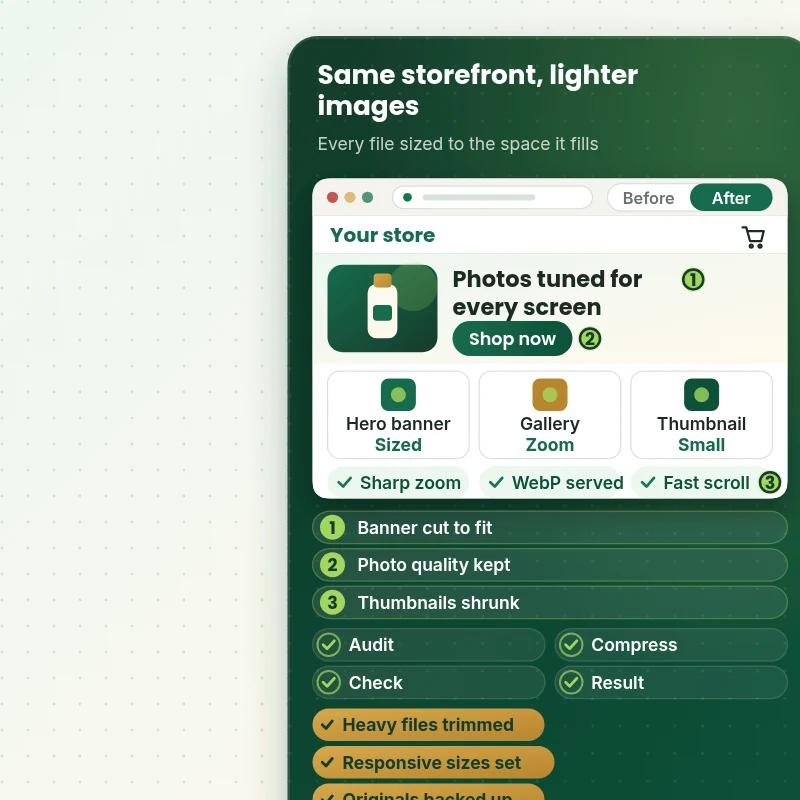
Slide from the heavy storefront to the optimized one. Photos, banners and thumbnails look the same to shoppers, but each file is cut to the size its place needs, compressed with a visual check and delivered in a modern format where the browser supports it.
Portfolio
Store Designs From Our Studio
A look at store designs across fashion, home, beauty, pets and gifts, to show the standard of layout and finish behind Image Compression & WebP Conversion.

Interior design store design
Interior design
Craft creator store design
Craft creator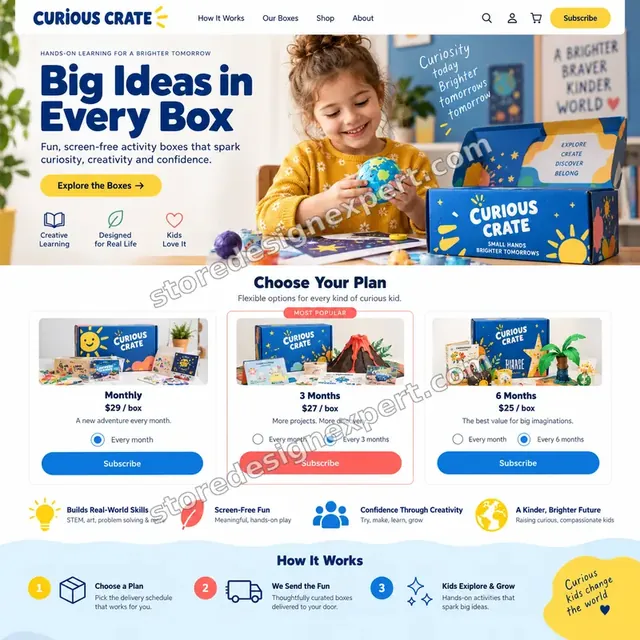
Kids activities store design
Kids activities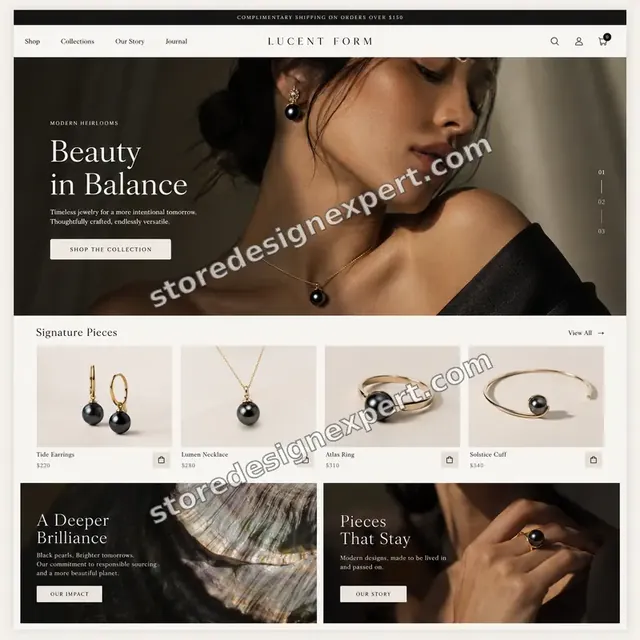
Jewelry store design
Jewelry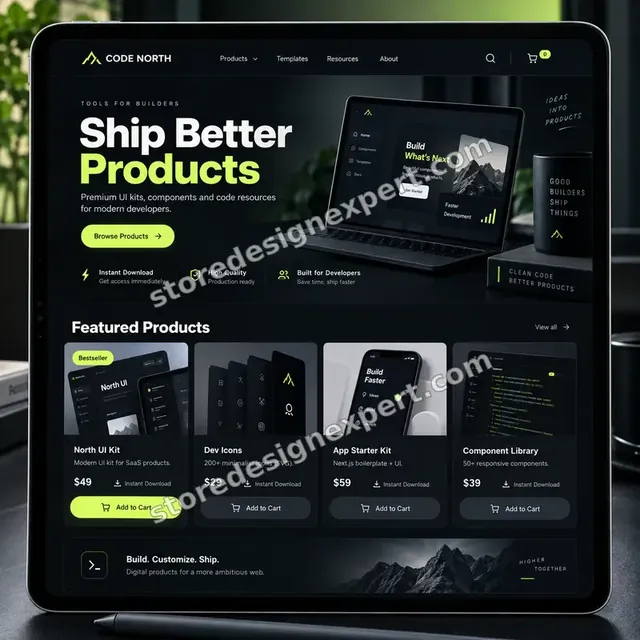
Developer resources store design
Developer resources
Fitness equipment store design
Fitness equipmentProcess and timeline
How We Run Image Optimization, From Audit to Verified Pages
The route is short but careful: measure, back up, optimise in batches, then prove the pages are lighter. Catalog Lightener projects finish in 3 to 5 working days, and bigger jobs follow the ranges in the calculator.
- 1
Weigh every image
We load your key templates, record each image with its file size and displayed size, and send the ranked list. You see exactly which photos waste the most weight.
- 2
Back up the originals
We export what Shopify holds, collect your original files if you have them and store both before anything is replaced. The backup is the way back from any batch you dislike.
- 3
Compress and resize in batches
Files are exported at the chosen quality and size, then checked against the source at full zoom. Batches are small enough that a problem shows up before it spreads.
- 4
Correct the theme code
We replace outdated image filters, add responsive sets and dimensions, and change background banners into real images, working in a duplicate theme so your live pages are not disturbed.
- 5
Swap and verify
New files go in, and we review collection grids, product galleries, zoom and the mobile layout. Hard-coded links to old image addresses in blog posts or emails are corrected.
- 6
Compare and hand over
We record page weight again, confirm WebP delivery in the network panel and give you the before and after, the backup location and a short upload guide.
Compare your options
Image App, Gig Seller, DIY Tools or a Specialist Project?
There are four common ways to slim down store images. They differ in who checks quality, who fixes the theme code and what happens to images an app cannot reach.
| What matters | Image app | Gig seller | DIY tools | Store Design Expert |
|---|---|---|---|---|
| Photos compressed | Yes | Yes | One by one | Yes |
| Quality checked by eye at full zoom | No | Rarely | You judge | Yes |
| Right sizing to the layout | Limited | Rarely | You measure | Yes |
| Theme image code corrected | No | No | You edit | Yes |
| Banners and background images handled | No | Sometimes | No | Yes |
| Images from other servers reported | No | No | No | Yes |
| Originals backed up first | Some apps | Unclear | You do it | Yes |
| Fixed price, no monthly fee | Monthly | Low | Free | Yes |
Inside every project
How We Protect Your Photos and Your Pages
Replacing images touches every product page, so we work cautiously. These safeguards apply to every image optimization project.
Originals saved before any swap
Whatever Shopify currently holds, and whatever you send us, is stored first. If a compressed version ever looks wrong, the source is one step away.
A visual check, not only a number
Each image type is compared with its source at full zoom. Banding in gradients, ringing around text and soft edges on jewelry or fabric are caught by eye, which no file size figure will reveal.
Duplicate theme for code edits
Liquid and CSS changes are made in a copy of your theme, tested there and published after your approval. The theme you use today stays available as the fallback.
Old file addresses accounted for
A replaced file can get a new address on the content network. We search blog posts, pages and email templates for links to the old address and update them so nothing shows as a broken picture.
Limited access
We work through a collaborator request with only the permissions the job needs. You can see the list in your admin, and you can take it away whenever you wish.
No promised speed score
We cannot promise a particular number, because scripts and apps weigh on the page too. We do commit to the scope, a fixed price and a measured page weight comparison.
Interactive price calculator
Price Your Image Optimization Project
Select a package, then tell us roughly how many images you have, where they live and whether you still have the originals. Your total and delivery window update with every click.
Request a custom quote
Catalogs above 5,000 images, stores with many languages or markets that use different images, or media tied to a custom app receive a custom quote with an agreed scope.
Request a QuoteChanged your mind? Choose Catalog Lightener, Format and Fit or Full Media Overhaul above to return to the instant calculator.
Packages and comparison
Shopify Image Size Recommendation and Package Comparison
Here is what each package covers, line by line. Any mix of image count, sources and original files is priced instantly in the calculator above, with no surprises at checkout.
| What is included | Catalog Lightener $390 | Format and Fit $790Recommended | Full Media Overhaul $1,390 |
|---|---|---|---|
| Image weight audit of key templates | Included | Included | Included |
| Top 150 images compressed | Included | Included | Included |
| Hero and banner right-sizing | Included | Included | Included |
| Originals backed up | Included | Included | Included |
| Before and after page weight | Included | Included | Included |
| Two revision rounds | Included | Included | Included |
| Full product catalog processed | Not included | Included | Included |
| Master sizes and consistent ratios | Not included | Included | Included |
| Theme image code and srcset fixed | Not included | Included | Included |
| WebP delivery check | Not included | Included | Included |
| Collections, blog and page images | Not included | Not included | Included |
| Background banners converted to images | Not included | Not included | Included |
| Non-store image report | Not included | Not included | Included |
| 21-day fix window | Not included | Not included | Included |
| Typical delivery | 3 to 5 days | 5 to 8 days | 8 to 12 days |
For Image Compression & WebP Conversion, the price and the delivery estimate shown in the calculator above are the ones that apply.
Why Store Design Expert
Why Pick a Specialist Over an Image App Alone
An app is a fair tool, and we are happy to say so. A specialist adds judgement and the theme work that an app cannot reach.
We know the themes the images live in
After more than 450 Shopify launches since 2015, we know how galleries, zoom, sliders and collection cards ask for images. That knowledge shows where a single wrong size repeats across hundreds of pages.
Quality judged by people
Automatic tools apply one setting to everything. We tune by image type and check results by eye, so a product with fine texture is not treated like a flat background.
One fixed fee, no subscription
Apps charge every month for as long as you stay. We charge once for the work, and the files you receive stay light afterwards, with a short guide so new uploads follow suit.
We look beyond product photos
Banners, theme assets, blog images and widgets from other servers often outweigh the catalog. We cover them so the result shows up on the pages shoppers actually open.
Proof on the page
Page weight and delivery are measured before and after, in the same way. You get the comparison for your own pages instead of a promise taken from an average.
Everything stays yours
Files, theme and accounts remain in your hands. Should we build a store for you first, it is handed over to your own Shopify account when the project ends.
What we need to get started
What We Need to Start Your Image Optimization
Little is required to begin, and most of it is access. The three options below cover every store setup.
Approve a collaborator request
Give us your store address and accept the request that arrives in your Shopify admin. You keep ownership, see exactly what we can open and can withdraw access with a click.
Starting a store from nothing
If you do not have a store yet, we can set it up in our Shopify Partner account and transfer it once everything is ready, so you choose a plan only at the end. Photos are prepared properly from the first upload.
A staff account if you prefer
Create a staff user with permission for products, files and themes, and send us its login. A collaborator request is easier to take away later, but both routes work.
Your original photos
Send a link to the folder where your photographer or supplier files live. If you only have the copies in Shopify, tell us, and we will plan around that.
Pages that earn the most
List the products, collections and landing pages that bring most visitors or ad clicks so we examine them first and set the order of work.
Quality rules and an approver
Tell us if some images must stay lossless, such as jewelry or art prints, and name who approves samples. A quick yes on the first batch keeps the project moving.
We never ask for your owner password or any payment card. Originals are saved before changes, code edits happen in a copy of your theme and a written summary ends the job.
Testimonials
What Verified Clients Say About Working With Us
Store owners describe the builds, fixes and clean-ups we have done for them.
Verified
Store Design Expert delivered an outstanding website development experience! Their professionalism and attention to detail exceeded my expectations, and their proactive communication kept everything running smoothly. Truly impressed by their deep understanding and dedication.
WG
Warren G.United States
Verified
Superb work! Store Design Expert is incredibly patient, and even when I did not fully understand my own questions, everything was explained again in detail. My vision was implemented perfectly, and the work is worth every cent I spent.
KB
Katrin B.Germany
Verified
Very impressed with the build-out. My store is ready to get started, and I am sure I will reach out for edits down the road, but this is everything I could ask for to get the party started. Thanks again, and I will be in touch for future projects.
DH
Dale H.United States
Verified
Very quick and detailed work! Store Design Expert does exactly what you want, in a very professional manner.
LF
Lena F.Germany
Verified
Store Design Expert did an outstanding job with top-notch professionalism on my website project. Everything was delivered quickly without compromising quality. I could not have asked for better!
JM
Jason M.United States
Verified
The website development work was nothing short of professional, with top-notch quality. Their exceptional level of cooperation made the collaboration seamless and enjoyable. Highly recommend working with Store Design Expert!
JC
Jeremy C.United States
Verified
Super great to work with, and super fair!
RO
Robert O.United States
Verified
The website development work was truly impressive. Their attention to detail and ability to exceed expectations made the project a success. Working with them was a breeze, thanks to quick responsiveness and a willingness to go above and beyond.
KD
Kevin D.United States
Verified
Store Design Expert was very knowledgeable about what I needed done to fix my Shopify store and how to improve the store layout. The project was completed very quickly, and I will definitely use them for support as my business grows.
ST
Samuel T.United States
Related searches
Related Searches for Image Compression & WebP Conversion
Owners reach this page from different searches. Here is how the common ones relate to Image Compression & WebP Conversion.
If you searched for “best shopify image optimizer”, “image optimizer shopify app”, “shopify image compression” or “shopify webp”, Image Compression & WebP Conversion is the work that answers it.
If you searched for “does shopify support webp images”, “product image size shopify”, “shopify image size recommendation” or “shopify online image resizer”, Image Compression & WebP Conversion is the work that answers it.
“custom shopify image optimization”, “shopify image exceeds 20 megapixels” or “how to change product image on shopify”: owners type these when they need Image Compression & WebP Conversion, and the packages above are priced for that job.
Related searches include “how to compress images for shopify” or “how to optimize images for shopify”.
FAQ
Shopify Image Optimization FAQs
Straight answers on pricing, file formats, quality, limits and what you receive.
How much does Shopify image optimization cost?
Packages start at $390 for Catalog Lightener, $790 for Format and Fit and $1,390 for Full Media Overhaul. Image count, sources and missing originals add to that in the calculator, so most stores pay between $500 and $2,200. Apps cost $4 to $35 monthly, and market agency quotes run $500 to $2,000.
Does Shopify support WebP images?
Yes. You can upload WebP files, and Shopify's content network also serves WebP automatically to browsers that accept it, even from a JPEG or PNG upload. We therefore check delivery rather than flipping every file, and we focus on the weight and size that still hurt.
Do I need Shopify WebP conversion if the network does it already?
Usually not by hand. A Shopify webp upload makes little difference when the CDN already converts the file. The real savings come from smaller sources, correct dimensions and responsive code, which is why those are the focus of our work.
How to compress images for Shopify without losing quality?
Export photos as JPEG at a moderate quality, keep PNG only for transparency or flat graphics, cut the dimensions to the largest size shown, and compare at full zoom. We do this per image type and keep the originals in case you want to revert any file.
What is the best Shopify image optimizer?
The best Shopify image optimizer depends on how often you add products. Apps suit stores that upload daily and accept a monthly fee. A one time project suits stores with a heavy catalog and theme code to fix. Many owners use our project first and an app after.
Can an image optimizer Shopify app do the same job?
An image optimizer Shopify app compresses files you point it at, and some do it on upload. It will not rewrite theme code, convert background banners or flag images served from other servers. We handle those parts and can advise on an app if you want ongoing automation.
What is the best product image size for Shopify?
For product image size Shopify has no single rule. We usually set masters near 2,048 pixels on the long edge for zoom, smaller sizes for collection cards, and wide banners sized to their container. Shopify's own tools never enlarge a file past its original size.
Is there a Shopify image size recommendation for banners and collections?
Our Shopify image size recommendation is to size each image to the largest space it fills on screen, not to the biggest file you have. A full width hero often needs about 2,000 to 2,400 pixels, a collection card far less. We confirm sizes against your actual layout.
Why does Shopify say my image exceeds 20 megapixels?
The message "Shopify image exceeds 20 megapixels" means the picture has more than 20 million pixels or the file passes 20 MB. Shrink the dimensions or export a lighter file and upload again. We prepare such files correctly, so the upload succeeds without blurring the picture.
How to change product image on Shopify without breaking pages?
Open the product in your admin, delete or replace the media and upload the new file, keeping the position. A replaced file can receive a new address, so links in blog posts or emails may break. We batch the swaps and check those links for you.
Is a Shopify online image resizer enough?
A Shopify online image resizer helps with a single image and takes time for hundreds. It also cannot check how your theme requests the file. We resize in batches against your layout, so the file that arrives on the page matches the space it fills.
How long does Image Compression & WebP Conversion take?
Catalog Lightener takes 3 to 5 working days, Format and Fit 5 to 8 and Full Media Overhaul 8 to 12. Large catalogs add days, and the calculator displays the total. Faster pace options shorten the window if you have a launch or a sale coming.
Will the photos look worse?
No visible loss is the aim, and we verify it by comparing every image type against its source at full zoom. If something such as fine fabric or jewelry needs lossless handling, we tell you before we start and keep the original ready for any file you want back.
Do you guarantee a faster store?
We guarantee the scope, the originals backup, a fixed price and a measured page weight comparison. We do not guarantee a score, because scripts, fonts and apps also affect speed. If those are the main cause, we say so in the summary and point to the right next step.
Ready when you are
Order Shopify Image Optimization That Keeps Photos Sharp
Choose a package, see your fixed price and delivery window and start your Shopify image optimization project with a team that has launched more than 450 Shopify stores. Your photos are compressed, right-sized and checked on the live pages, with every original saved first.
Secure checkout · Two revision rounds · Originals backed up