
Shopify stores designed and launched
Shopify header and navigation task
Shopify Header Background Color: One Brand Colour From the Top of the Page Down
Looking for Shopify header background color that matches your brand without leaving unreadable menu text or a white dropdown? We change it in a duplicate theme, match every state and test it on real devices. From $39, fixed price.
- Header set to your exact brand colour
- Menu text and icons stay readable
- Sticky, hover and dropdown states matched
- Checked on phones, tablets and desktops
From$39
Delivery1 to 3 working days
Revisions2 rounds
Our track record
450+ Shopify Stores Launched Since 2015. Now Let Us Handle Your Header Background Color.
More than 450 Shopify stores launched since 2015 and a 4.9+ average from verified clients sit behind this task. Your header background color is small in scope and handled with the same planning and testing as our biggest builds.
Average rating from verified clients
Building Shopify stores since
Secure checkout
Pay through a protected checkout and keep a full order record.
Two revision rounds
Included in every package, so the result matches what you pictured.
Backup before changes
We work on a duplicate of your theme, never on your live store.
Problem and result
Shopify Header Background Color: A Header That Looks Like Your Brand, Not the Theme Default
The theme's default white or grey header is the first thing every shopper sees on every page. Changing it to your brand colour is the quickest way to make the store feel like yours, as long as the menu text, icons, cart badge and dropdowns are changed with it.
The colour is off in half the states
Changing one colour setting often leaves dark text on a dark background, a white dropdown under a coloured bar or a sticky header that jumps back to the default. The store looks half finished and the menu becomes hard to read.
One consistent header in every state
The header background, menu text, icons and cart badge share one colour system. The sticky, hover and dropdown states follow it, and contrast is checked so the menu stays easy to read on every screen.
What is included
What Your Header Colour Change Includes
When you ask for Shopify header background color, you get the change made where your theme actually controls it, every connected element adjusted and the result tested, so no state is left in the old colour.
Implementation checklist
- Header background set to your brand colour using your theme's own colour settings
- Menu text, logo area and icon colours changed to keep strong contrast
- Cart count badge and search icon colours matched to the new background
- Hover, focus and active menu states restyled to suit the colour
- Dropdown and mega menu panels aligned with the header colour
- Sticky and scrolled header states carrying the same colour
- Announcement bar colour checked next to the header so the two work together
- Handover note showing which setting controls each colour
If your theme already lets you pick the header colour in the theme editor, we say so before you spend anything. The task then covers what the setting misses: dropdowns, sticky state, mobile menu and contrast.
See how it works
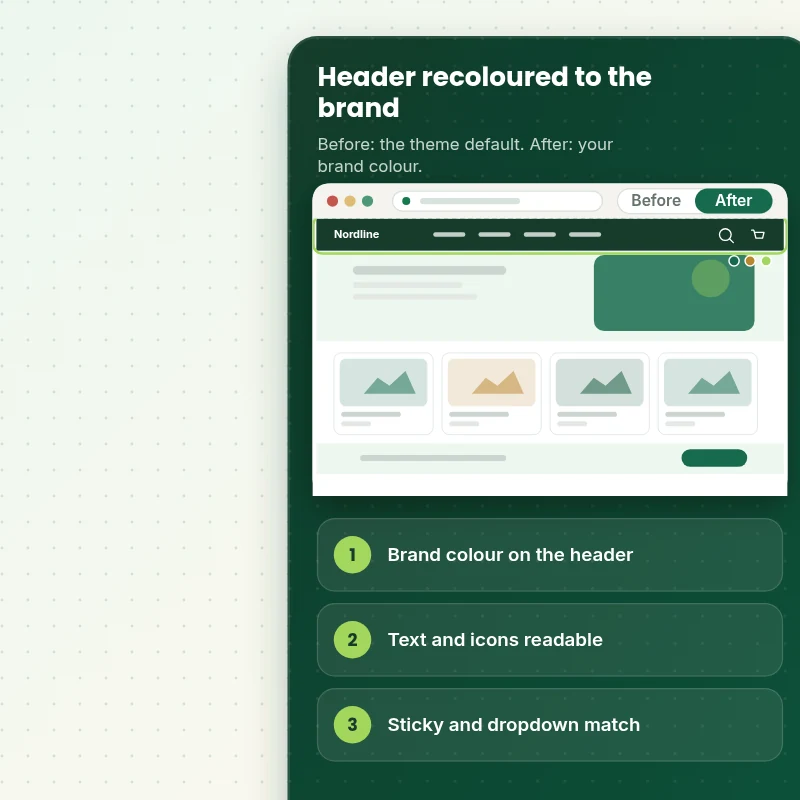
From the Default Header to One Brand Colour in Every State
Follow one visit. The header carries your colour on the first view, keeps it when the menu opens and holds it on mobile.
Scope boundaries
Exactly What Is and Is Not Covered for Your Header Background Color
Here is exactly where the header background color begins and ends, what we need from you to start and the cases we would quote on their own.
Included
- A new header background colour on your live theme
- Matching menu, icon and dropdown colours
- Contrast and mobile checks
- A handover note and two rounds of revisions
Not included
- Designing a new logo or brand palette
- Recolouring the footer or the rest of the store
- Rebuilding the menu structure
- Edits to checkout areas that only Shopify can change
Access we need
- Collaborator access to your Shopify store
- Your brand colour as a hex code
- Light or dark menu text preference
Quote triggers
- Several colour schemes across many templates
- A custom header built with a page builder
- Seasonal colour sets you can switch between
Typical turnaround
- 1 to 2 working days for most header background color jobs
- Faster options in the calculator
- Timing confirmed before work starts
After launch
- Two revision rounds before go-live
- A short handover note for your header background color
- Questions answered; bigger changes quoted separately
Compare your options
Shopify Header Background Color With a Theme Setting, DIY CSS or a Freelancer?
Before you choose how to do your header background color, look at what each option covers and which parts are left to you.
| What matters | DIY or app | Freelance gig | General agency | Store Design Expert |
|---|---|---|---|---|
| Dropdown and sticky states matched | Sometimes | If you code it | Varies | Yes |
| Contrast checked on devices | No | You check | Rarely | Yes |
| Works on themes with no colour setting | No | If you can code | Varies | Yes |
| Handover note for later changes | No | No | Sometimes | Yes |
| Price known before work begins | Free but time-costly | Varies | Quote only | Yes |
| Theme backup before any change | No | Rarely | Usually | Yes |
| Two revision rounds included | No | Varies | Extra cost | Yes |
| Handover note for what changed | No | Rarely | Sometimes | Yes |
Price calculator
Price Your Header Background Color
Pick a package, adjust the options for your header background color and set your speed. The fixed price and delivery estimate update with every click, with no hidden fees.
Request a custom quote
Headers with several colour schemes, custom builds made with page builder apps and seasonal colour sets are scoped separately and quoted at a fixed price.
Request a QuoteChanged your mind? Choose Tint Basic, Tint Standard or Tint Plus above to return to the instant calculator.
How it works
How We Handle Your Header Background Color, Step by Step
The header background color follows six steps from checkout to handover, and each one has a clear owner and a clear outcome.
- 1
Purchase
Set up your header background color in the calculator, review the total and pay at checkout, and the scope is agreed from that moment.
- 2
Access
Accept our collaborator request from your Shopify admin and answer the short brief, so we can start the header background color without ever holding your owner login.
- 3
Build in a duplicate theme
We set the header background color up on a duplicate of your current theme and keep the original running for your customers.
- 4
QA
The header background color is verified in the main browsers and on real phones before we ask for your approval.
- 5
Handover
Once you sign off, the header background color goes live and you receive a written note on what changed and where.
- 6
Support
Should the header background color need a tweak once it is live, tell us and we will either fix it or quote it, never surprise you.
Compatibility and QA
Header Colour Checks and Acceptance Criteria
Your header background color is tested on real devices before you see it, and a backup of your theme means every change can be reversed, so here is what we verify and what counts as done.
What we test
- ContrastMenu text, icons and badges checked against the new background.
- StatesDefault, hover, focus, sticky, scrolled and open-dropdown states.
- DevicesDevice checks for the header background color run on recent iPhone and Android models, tablets and desktop browsers at several window sizes.
- BrowsersChange Header Background Color is checked in current Chrome, Safari, Firefox and Edge.
- TemplatesHome, collection, product, cart and content pages checked for colour consistency.
- PerformanceColours set through theme settings or CSS variables, with no extra apps or scripts.
Acceptance criteria
- The header shows your brand colour on every chosen page
- Menu text and icons stay readable in every state
- Dropdowns, mobile menu and sticky header follow the same colour
- Nothing flashes or reverts to the old colour while scrolling
- The handover note explains how to change the colour again
What we need to get started
What We Need to Get Change Header Background Color Started
There are three ways to let us in and a handful of details to share, and for the header background color the list below is everything we need.
Collaborator access
Collaborator access is all the header background color requires from your side, and it stays under your control from first request to final handover.
No store yet? We build it first
We create the store in our own Shopify Partner account as a development store, finish the header background color there and transfer ownership to you, so you only pick a plan at the end.
Prefer to share a login?
If a staff account suits you better for the header background color we will use it, and we still point out that collaborator access is easier to revoke.
Your brand colour
Send a hex code, or a logo and we will match it. If you are unsure, tell us the mood you want and we will propose one.
Pages and states
Tell us if the colour should apply everywhere, including the sticky header and mobile menu.
One decision maker
Someone who can approve the finished header background color, so revisions stay inside the two included rounds.
If you are unsure how to give access for the header background color, the short form after checkout lets you ask and we will recommend a route.
Testimonials
What Store Owners Say Before You Order Change Header Background Color
Verified feedback from clients who trusted us with their Shopify stores and quick tasks alike.
Verified
Store Design Expert delivered an outstanding website development experience! Their professionalism and attention to detail exceeded my expectations, and their proactive communication kept everything running smoothly. Truly impressed by their deep understanding and dedication.
WG
Warren G.United States
Verified
Store Design Expert did an outstanding job with top-notch professionalism on my website project. Everything was delivered quickly without compromising quality. I could not have asked for better!
JM
Jason M.United States
Verified
The website development work was nothing short of professional, with top-notch quality. Their exceptional level of cooperation made the collaboration seamless and enjoyable. Highly recommend working with Store Design Expert!
JC
Jeremy C.United States
Verified
Super great to work with, and super fair!
RO
Robert O.United States
Verified
The website development work was truly impressive. Their attention to detail and ability to exceed expectations made the project a success. Working with them was a breeze, thanks to quick responsiveness and a willingness to go above and beyond.
KD
Kevin D.United States
Verified
Store Design Expert was very knowledgeable about what I needed done to fix my Shopify store and how to improve the store layout. The project was completed very quickly, and I will definitely use them for support as my business grows.
ST
Samuel T.United States
Verified
Very satisfied with the work. Most importantly, Store Design Expert responded promptly to my questions and concerns. Thank you!
KB
Kyle B.United States
Verified
Outstanding work and outstanding customer service. Five stars! I will absolutely use Store Design Expert again for my next book.
KM
Katharine M.United States
Verified
Store Design Expert was great! They delivered exactly what I asked for and even offered helpful extra suggestions. Highly recommended.
PW
Paul W.United States
Related searches
Searches That Bring Owners to Change Header Background Color
The searches below are the ones that lead people to Change Header Background Color.
“change header background color”, “header background color dawn theme shopify” or “shopify change header background color” all point to the same job, which Change Header Background Color covers from start to finish.
“how to change header background color in shopify”, “how to change header in shopify” or “how to change background color shopify”: owners type these when they need Change Header Background Color, and the packages above are priced for that job.
“how to change background color on shopify”: owners type these when they need Change Header Background Color, and the packages above are priced for that job.
FAQ
Shopify Header Background Color Questions
Straight answers about cost, scope, timing, apps and what we need from you for your header background color.
What does a Shopify header background color change cost?
Packages start at $39. The calculator adds options such as sticky and dropdown states, template-specific colours and an accessibility contrast check, and shows your exact price and delivery estimate before checkout.
How soon can I have the header background color live?
Plan on 1 to 3 working days for a header background color, counted from the day access arrives, with Sooner and Fastest delivery in the calculator when a date matters.
Will the menu text stay readable?
Yes. We change menu text, icons and badges together with the background, then check contrast in every state. The accessibility check option compares text against recognised contrast ratios.
Is Change Header Background Color safe for my live store?
Yes. Your live store keeps trading while the header background color is built in a theme copy, and the original theme stays saved so a rollback takes about a minute.
What do you need from me for Change Header Background Color?
Collaborator access to your store and your brand colour as a hex code. If you have no store yet, we can build the header background color in our Partner account and transfer ownership to you.
How are the Change Header Background Color packages different?
You can choose between Tint Basic at $39 (1 working day), Tint Standard at $69 (1 to 2 working days) and Tint Plus at $119 (2 to 3 working days) for Change Header Background Color.
What is in the Tint Basic package of Change Header Background Color?
Your header background switched to your brand colour, with menu, logo and icon colours adjusted so everything stays readable. It includes: Header background set to your colour; Menu and icon colours matched; Hover and active states styled; Desktop and mobile checked; Colour for sticky and scrolled states. Tint Basic costs $39 and takes 1 working day.
What does the Change Header Background Color calculator ask me?
The Change Header Background Color calculator asks for a package and 3 more choices: where should the new colour apply (Header on all pages, Header plus sticky and dropdown states, Different colours on different templates); how should we handle readability (Standard contrast check, Accessibility contrast check); how soon do you need it live (Standard, Sooner, Fastest).
What can I add on top of Change Header Background Color?
Optional extras for Change Header Background Color include Light or dark logo swap (+$15), Announcement bar colour match (+$10), Different sticky colour (+$15), Custom hover effect (+$15) and Seasonal colour switch (+$25).
Ready when you are
Shopify Header Background Color: Make the Top of Every Page Look Like Your Brand
Pick your package, see the exact price and delivery estimate and get a header that carries your colour through every state and device. If your header is built with a page builder or several colour schemes, request a quote and we will scope it with you.
Fixed price · Two revision rounds · Backup before changes