
Shopify stores designed and launched
ReConvert post purchase upsell setup
ReConvert Post Purchase Upsell Setup for Shopify, Built Around Your Best Add-Ons
A ReConvert post purchase upsell lives or dies on small decisions: which product follows which, who sees it, what happens to the order afterwards. Installing the app takes minutes; getting offers to appear for the right buyers, price correctly and reach fulfilment takes care. We configure the offers, build the thank-you page and prove everything with real test orders, from $390. Choose a package below and the fixed price updates instantly.
- One-click offers tested with the payment methods you really accept
- Targeting rules written so the right add-on meets the right basket
- Thank-you page styled to match your theme on phone and desktop
- A fixed price and a written test log you keep
From$390
Delivery3 to 14 working days
Revisions2 rounds

Our track record
Over 450 Shopify Stores Launched Since 2015. We Know What Happens After the Order, Too.
Most of our work sits in front of the checkout. Post-purchase is the stretch behind it, and it only pays if the order, the tracking and the fulfilment still behave once an offer has been accepted. Years inside Shopify stores make us careful about exactly that.
Average rating from verified clients
Building Shopify stores since
Secure checkout
Pay through a protected checkout and keep a full order record.
Two revision rounds
Included in every package, so the result matches what you pictured.
Backup before changes
We work on a duplicate of your theme, never on your live store.
Who this is for
Who This ReConvert Setup Is For
Shoppers have already paid when these offers appear, so the buying decision is behind them and attention is high. These are the store owners who usually ask us to take the configuration over.
You are a good fit if
- Your store runs Shopify checkout with typical payment methods
- You know which products pair well, or will let us propose pairs
- You can approve offers within a few days
- You will own the ReConvert account
Stores with a strong low-price add-on
You sell a hero product and a cheap accessory that nearly everyone could use. A single follow-up offer is the natural place for it, and we make sure it is shown to the right buyers only.
Owners moving from another upsell tool
You are leaving a tool such as a legacy cart popup or another funnel app and want the offers rebuilt faithfully, with their targeting rather than copied loosely.
Merchants who installed the app and stopped
The app is on the store, a few widgets exist and nothing shows after checkout. We trace what is missing and finish the funnel.
Brands collecting data on the thank-you page
You want a short survey, a birthday field or a reorder prompt at the one moment every customer sees. We build it and connect where the answers go.
Shops with several product families
A skincare buyer should not be offered a phone case. We create separate funnels per family so each basket gets a relevant follow-up.
Teams short on time before a sale
A launch or seasonal promotion is close. A fixed package with a delivery window lets you plan, and a faster speed option is there when the date cannot move.
Problems solved
Why a Reconvert Upsell & Cross Sell Shopify Funnel Often Underperforms
The app is easy to switch on, which is why so many stores run it badly. These six faults are what we find most often, and the way we deal with each.
- The offer is shown to everyone, whatever they bought.
Without rules, a buyer of a gift card may be offered a refill for a product they do not own. We write conditions on the purchased item, collection or order value so the follow-up always makes sense.
- An accepted offer never reaches the warehouse.
The extra item is added to the order after payment. We check how your fulfilment app or 3PL reads edited orders so nothing accepted is silently missed.
- The thank-you page looks like a different website.
Default widgets carry their own spacing and fonts. We style every block to your colors and type scale, then check it on a narrow phone, where most buyers see it.
- Purchase events fire twice, or not at all.
A thank-you page with extra widgets can duplicate a pixel or drop it. We compare the events in your ad and analytics tools against real test orders.
- The discount on the add-on is wrong.
A percentage off a variant, a fixed price and a free gift behave differently. We test each against the final order total, tax and shipping so the number the shopper accepts is the number charged.
- The offer product is unavailable.
A draft, out-of-stock or channel-restricted product produces an empty offer or an error. We confirm every offered product is active, stocked and sellable before the funnel goes live.
What we can do
What We Configure Inside Your ReConvert App Shopify Account
Six pieces make up the work. Which ones you receive depends on the package, and the notes show the awkward cases we plan for.
Installation and checkout compatibility
We install the app, approve its scopes and review the surrounding checkout setup. Inside the checkout itself, upsells are limited to Shopify Plus stores, so we explain which placements your plan allows before building anything.
One-click post-purchase offers
We build the offer page that appears between payment and the thank-you screen: product, headline, image, price and a clear accept and decline choice. This is the Shopify post purchase extension in practice, and we test it with the payment methods you offer.
Thank-you page builder
The confirmation page becomes a designed screen: order summary, a related product row, a video or a reorder prompt, laid out in blocks that match your theme and tested on mobile.
Segment targeting and funnel order
We set who sees which offer using product, collection, order value or customer history. Where you want two offers in sequence, we decide what follows an accept and what follows a decline.
Survey, birthday and data capture
To get a Shopify post purchase survey running, we add a short question on the thank-you page, choose answer types and decide where responses go. Fewer questions get more answers, so we keep it brief.
Reporting and integrations
We connect the app to the email and review tools you already use where it supports them, check that attribution reads sensibly and leave a note on which numbers to watch.
What is included
What Is Inside Your ReConvert Post Purchase Upsell Setup
The deliverables fall into six groups. The package comparison further down shows which groups each price covers.
App and plan check
- ReConvert installed and permissions approved
- Placement options confirmed for your Shopify plan
- Payment methods listed and tested
- Existing upsell or popup apps reviewed for overlap
Offers and funnels
- First one-click offer written and priced
- Accept and decline paths chosen
- Extra funnels in the larger packages
- Discount behavior checked against the final order
Thank-you page
- Order summary block styled to your brand
- Related products or reorder widget placed
- Phone and desktop spacing corrected
- Optional video and countdown blocks
Targeting rules
- Conditions based on product, collection or value
- Exclusions so nobody sees a product they just bought
- Segments for new and returning buyers in larger packages
- Rule sheet explaining every condition
Tracking and data
- Purchase events compared against test orders
- Survey or birthday capture where chosen
- Integration with your email or review tool
- A short note on which figures to read
Handover
- Test log of each offer path
- Recorded walkthrough of the app screens
- Written settings notes
- Two revision rounds after review
Your part is small: give access, answer a short questionnaire about products and margins, and approve the offers before they go live.
See the offer path
How a Post-Purchase Offer Fits Into Your Checkout, Step by Step
A post-purchase upsell is a short detour after payment. This view follows a basket through the cart, an add-on offer and the confirmation, showing where the app steps in, what the shopper must tap and how the order total changes. We trace every one of these moments for your own products before launch.
Portfolio
Shopify Store Designs We Create
A look at store designs across fashion, home, beauty, pets and gifts, to show the standard of layout and finish behind ReConvert Post-Purchase Upsell Setup.
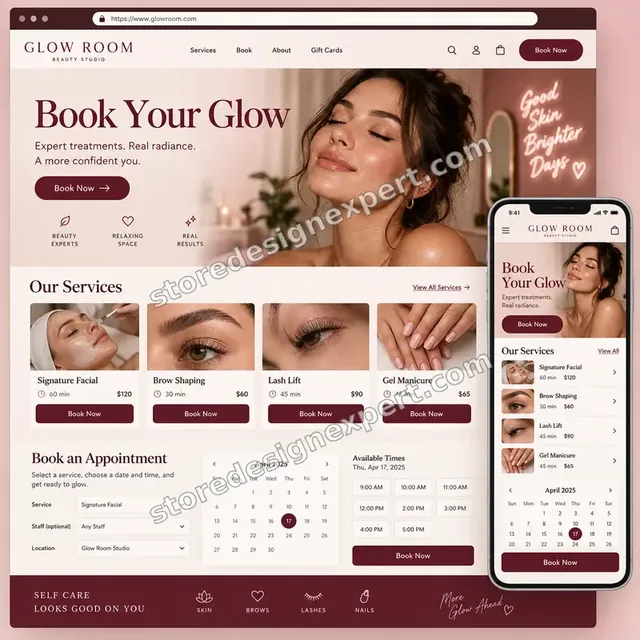
Beauty studio store design
Beauty studio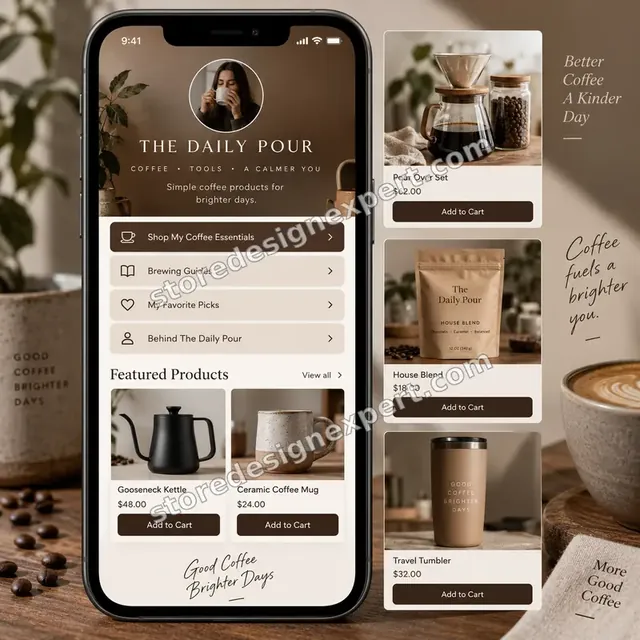
Coffee creator store design
Coffee creator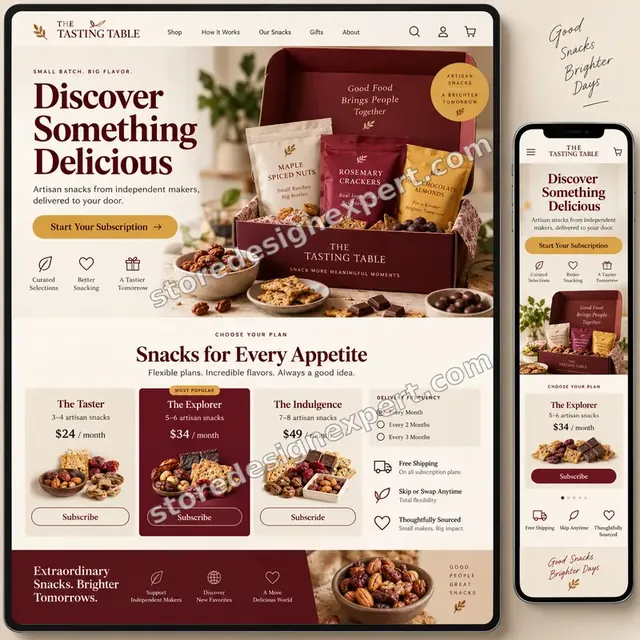
Artisan snacks store design
Artisan snacks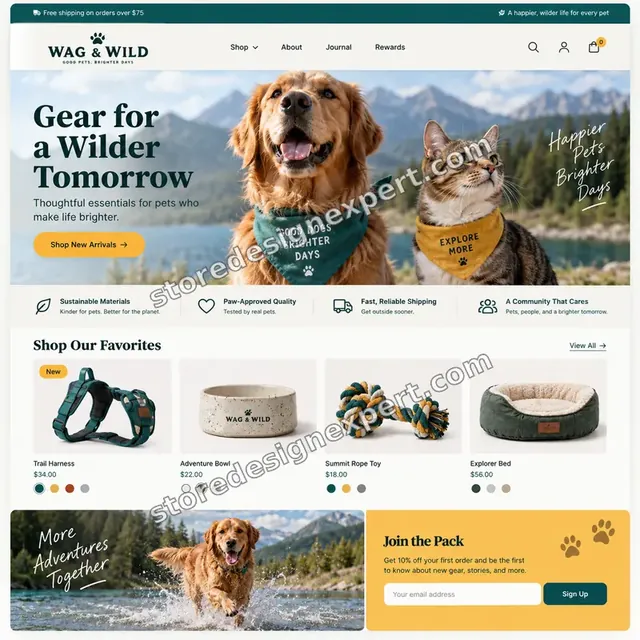
Pet store design
Pet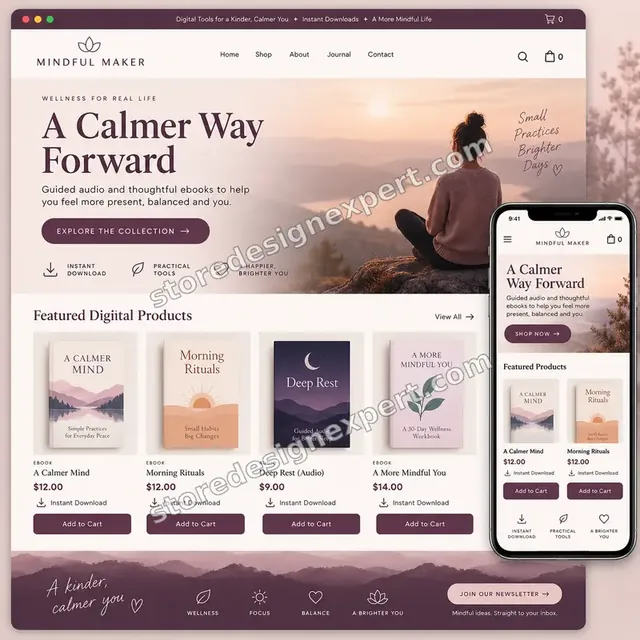
Wellness ebooks store design
Wellness ebooks
Wall art store design
Wall artProcess and timeline
From Store Access to a Working Offer: How We Run Your Shopify Post Purchase Upsell Build
Six stages, each with something you can see. Nothing reaches your customers until you have clicked through it yourself. The options you tick in the calculator stretch or shorten each stage.
- 1
Offer planning
We review your catalogue, margins and best sellers and agree which products follow which. If the app is already installed we note what is live, draft or broken.
- 2
Install and check
The app is installed, permissions approved and your plan's placement options confirmed. We list the payment methods you accept so we know what must be tested.
- 3
Rules and funnels
Offers are created as drafts with conditions written on product, collection or order value. Accept and decline paths are set before any design work begins.
- 4
Page design
The thank-you page and offer page are styled to your theme. You see previews on phone and desktop and can change wording, order and imagery.
- 5
Order testing
We place real test orders with different baskets and payment methods, accept and decline every offer and compare totals, tax, shipping and tracking events afterwards.
- 6
Launch and handover
With your approval the funnels are switched on. We record a walkthrough and send notes explaining each rule so you can edit them confidently.
Compare your options
DIY Install, Marketplace Gig, Agency Retainer or Our ReConvert Setup?
You can reach a working funnel four ways. This comparison covers the checks that decide whether an offer earns money safely.
| What matters | Install it yourself | Marketplace gig | Agency retainer | Store Design Expert |
|---|---|---|---|---|
| Targeting rules written per product family | Often left default | Rarely | Yes | Yes |
| Payment methods tested with real orders | You test | Rarely | Yes | Yes |
| Discount checked against final total | Easy to miss | Rarely | Yes | Yes |
| Fulfilment reads accepted offers | No | No | Sometimes | Yes |
| Price known before work begins | Yes | Yes | Quote only | Yes |
| Written test log and recorded handover | No | Rarely | Extra cost | Yes |
| No retainer or minimum spend | Yes | Yes | No | Yes |
| Account owned by you | Yes | Varies | Varies | Yes |
Inside every project
What Protects Your Orders, Your Margin and Your Budget
Offers change real orders, so mistakes cost money. These six habits come with every package and are why a fixed price can still be a careful one.
Offers stay in draft until you approve
Every funnel is built unpublished, previewed with you and published only after sign-off. A half-finished offer never meets a customer.
Discounts are checked against the final total
We confirm that the price on the offer page, the order total, the tax and the shipping all agree. A misread discount is the most expensive mistake in this kind of work.
Theme edits happen in a copy
If the work touches the theme, we make a backup and work in a duplicate. Your live store keeps trading until you approve the change.
A written definition of done
A funnel is finished when it shows to the intended basket, hides from the wrong one, charges the right amount, appears on mobile and sends the expected events. The log shows each result.
Your account stays yours
The ReConvert account is under your email. We ask for the access the work needs, and you can remove us at any time without losing a thing.
Fixed scope, two revision rounds
You see the cost before you pay. Edits to wording, order or design within scope go through two structured rounds, with no hourly extension.
Interactive price calculator
Build Your ReConvert Post-Purchase Package
Pick a starting package, say how many offer funnels you want, whether the thank-you page needs a rebuild and whether data capture is required, then set your speed. Price and delivery days move as you choose.
Request a custom quote
Shopify Plus checkout upsells, several storefronts under one account, subscription products in the offer, custom-coded offer blocks and moves of hundreds of existing offers from another tool are priced separately with a fixed quote.
Request a QuoteChanged your mind? Choose One-Click Starter, Thank-You Funnel or Post-Purchase Program above to return to the instant calculator.
Packages and comparison
ReConvert Post-Purchase Package Comparison
This table puts the three packages side by side line by line. When you weigh a professional service against a $30 install on a gig site, count how many of these checks the cheaper listing names.
| What is included | One-Click Starter $390 | Thank-You Funnel $690Recommended | Post-Purchase Program $1,190 |
|---|---|---|---|
| App installed and plan placements confirmed | Included | Included | Included |
| Payment method test | Included | Included | Included |
| First targeted post-purchase offer | Included | Included | Included |
| Written test log and recorded walkthrough | Included | Included | Included |
| Thank-you page styled to your theme | Included | Included | Included |
| Second offer funnel with accept and decline paths | Not included | Included | Included |
| Survey or reorder widget | Not included | Included | Included |
| Purchase event check in analytics | Not included | Included | Included |
| Up to four funnels by product family | Not included | Not included | Included |
| Email or review tool integration | Not included | Not included | Included |
| Fulfilment read-through of edited orders | Not included | Not included | Included |
| A/B test plan for the first offer | Not included | Not included | Included |
| Typical delivery | 3 to 5 days | 5 to 8 days | 8 to 14 days |
For ReConvert Post-Purchase Upsell Setup, the price and the delivery estimate shown in the calculator above are the ones that apply.
Why Store Design Expert
Why Store Owners Hire Us for Their ReConvert App Shopify Setup
The app is friendly enough to install yourself. Owners hire us because the value hides in rules, tests and order handling, which is the part nobody sees until it breaks.
Checkout-aware, not just app-aware
We spend our time in Shopify themes and checkouts, so we know what the offer page sits between and what it can interfere with.
Rated 4.9+ by verified clients
The reviews on this page are from verified Store Design Expert clients, so you can read how earlier projects went.
Honest about app costs
The calculator shows our fee only. The app's plan is billed to you by the app, so check its current pricing before choosing a plan.
You talk to the person building it
Questions about wording, rules or an odd report go to whoever has your funnel open.
Documentation your next hire can use
Every rule and widget is written down, so a colleague or a later agency can adjust the funnel without guessing.
Experience since 2015
More than 450 Shopify stores launched means we have met most theme quirks and app conflicts that touch the order flow.
What we need to get started
What We Need to Begin Your ReConvert Setup
We need a route into your Shopify store, an app account and a short brief about the products you want offered. Pick whichever access route suits you.
Approve a collaborator request
Send your store address and accept the request we send. You remain the owner, we see only what the role allows, and removing us takes a single click.
Starting without a store
We can build the store in our own Shopify Partner account, set the offers up there and transfer ownership once it is finished. You pick a plan only at that final step.
Or send staff login details
A staff login works if you prefer it, though we lean towards the collaborator route since it can be revoked easily and keeps passwords out of messages.
Your product pairings
List hero products and the add-ons that suit them, or ask us to propose pairs from your sales. Include the price floor you can accept on each add-on.
Brand colors and fonts
Send your logo file and the theme's fonts and colors if they differ from the live store, so the thank-you page matches.
Who approves and which tools you use
Name the person who signs off offers and tell us which email, review and fulfilment tools are connected, so we can test the whole path.
Neither your owner password nor your card details are ever requested. Theme changes happen in a duplicate after a backup, and we keep a record of everything we touched.
Testimonials
What Store Owners Say Before You Order ReConvert Post-Purchase Upsell Setup
Verified Store Design Expert clients describe their brief, the build and the handover in their own words.
Verified
Store Design Expert delivered an outstanding website development experience! Their professionalism and attention to detail exceeded my expectations, and their proactive communication kept everything running smoothly. Truly impressed by their deep understanding and dedication.
WG
Warren G.United States
Verified
Super great to work with, and super fair!
RO
Robert O.United States
Verified
The website development work was truly impressive. Their attention to detail and ability to exceed expectations made the project a success. Working with them was a breeze, thanks to quick responsiveness and a willingness to go above and beyond.
KD
Kevin D.United States
Verified
Store Design Expert was very knowledgeable about what I needed done to fix my Shopify store and how to improve the store layout. The project was completed very quickly, and I will definitely use them for support as my business grows.
ST
Samuel T.United States
Verified
Very satisfied with the work. Most importantly, Store Design Expert responded promptly to my questions and concerns. Thank you!
KB
Kyle B.United States
Verified
Outstanding work and outstanding customer service. Five stars! I will absolutely use Store Design Expert again for my next book.
KM
Katharine M.United States
Verified
Store Design Expert was great! They delivered exactly what I asked for and even offered helpful extra suggestions. Highly recommended.
PW
Paul W.United States
Verified
I request Store Design Expert every time I have a project. They are professional and give real attention to detail, which makes the work stand out.
LK
Laura K.United States
Verified
They kept communicating until the problem was fully resolved, and the result was great.
HJ
Henry J.United States
Related searches
Searches That Bring Owners to ReConvert Post-Purchase Upsell Setup
The searches below are the ones that lead people to ReConvert Post-Purchase Upsell Setup.
If you searched for “reconvert upsell & cross sell”, “reconvert upsell & cross sell shopify”, “how to use reconvert upsell & cross sell” or “reconvert post purchase upsell shopify”, ReConvert Post-Purchase Upsell Setup is the work that answers it.
If you searched for “shopify post purchase upsell”, “post purchase upsell shopify”, “best upsell app for shopify” or “aftersell post purchase upsell”, ReConvert Post-Purchase Upsell Setup is the work that answers it.
“shopify post purchase extension”, “shopify upsell on product page”, “get shopify post purchase survey” or “reconvert app shopify” all point to the same job, which ReConvert Post-Purchase Upsell Setup covers from start to finish.
People who look up “how to upsell a product” usually want ReConvert Post-Purchase Upsell Setup; the calculator above shows the price and delivery estimate before you commit.
Related searches include “how to add upsells on shopify”.
FAQ
ReConvert Post-Purchase Upsell FAQs
Answers on cost, timing, access, plan limits, testing and how this compares with other upsell options.
How much does a ReConvert post purchase upsell setup cost?
One-Click Starter is $390, Thank-You Funnel $690 and Post-Purchase Program $1,190. Extra funnels, a fuller thank-you page, data capture and add-ons change the total, and the calculator shows it before checkout. Most projects land between about $390 and $2,000. The app's own plan is billed separately by the app.
How long does ReConvert Post-Purchase Upsell Setup take?
Expect 3 to 5 working days for One-Click Starter, 5 to 8 for Thank-You Funnel and 8 to 14 for Post-Purchase Program. The main variables are how quickly you approve offers and how many payment methods need testing. Sooner and Fastest speed options compress the schedule when you have a sale date.
What does a ReConvert post purchase upsell Shopify offer actually do?
After the shopper pays, it shows a one-click offer before the final confirmation. If they accept, the item joins the order they just placed without retyping card details. Decline, and they move straight on. Because payment is complete, the offer cannot lower your checkout conversion.
Do you need my Shopify password for ReConvert Post-Purchase Upsell Setup?
No. We prefer a collaborator request so you stay the owner and can withdraw access whenever you like. If you have not opened a store, we create one in our Partner account and then hand it over. A staff login is our third choice, and we do not need the owner password at all.
How to use ReConvert Upsell & Cross Sell for a first offer?
Create a funnel, pick the product that triggers it, choose the add-on, write a short headline and set accept and decline outcomes. Then test with a real order. We do exactly this and add rules so the offer shows only to buyers who would find it relevant.
Is ReConvert the best upsell app for Shopify?
The best upsell app for Shopify depends on your catalogue, volume and plan. ReConvert is strong on post-purchase offers and thank-you pages. Other tools lean towards cart, bundles or checkout. We build on ReConvert, and will say plainly if another approach suits a goal better.
How is this different from AfterSell post purchase upsell tools?
An AfterSell post purchase upsell and a ReConvert funnel work on the same principle, an offer after payment. They differ in editor, widgets, targeting options and pricing models. If you are switching from one to the other, we can rebuild your existing offers with their rules in the new app.
What is the Shopify post purchase extension and do I need Plus?
The Shopify post purchase extension is the checkout step where apps show offers after payment. One-click post-purchase offers and thank-you page work do not require Plus. Placing upsells inside the checkout itself does, so we confirm which placements your plan supports before we build.
Can you add an upsell on the product page as well?
Yes. A Shopify upsell on product page, usually a related-products block, can sit beside your post-purchase funnel. We offer it as an add-on. Keep it modest, because cluttering the page before checkout can reduce the very orders the post-purchase offer relies on.
How to add upsells on Shopify without slowing the store?
Add upsells in stages and measure. Post-purchase offers load after payment, so they do not slow the cart. Theme-level widgets add scripts, so we limit them and check page behavior on a phone. Reviewers also report heavy offer images load slowly, so we compress ours.
Can I get Shopify post purchase survey answers on the thank-you page?
Yes. We add a short question with fixed answer options to the thank-you page and decide where responses go. One question works better than five. A survey answer about how someone found you is useful for marketing decisions.
How to upsell a product without annoying customers?
Offer something clearly related, priced low enough to be an easy yes, and make declining effortless. Show it once, never block the confirmation and exclude items they just bought. We write targeting rules around these ideas so your funnel feels helpful instead of pushy.
What happens to accepted offers in fulfilment?
An accepted offer adds a line to the order after payment. Some fulfilment apps and 3PLs read edited orders late or not at all. We place a test order, accept an offer and check what your fulfilment setup receives, then tell you what to adjust.
Do you keep the ReConvert app Shopify account running after launch?
Our packages cover setup, not monthly management. You get a rule sheet and walkthrough so you can edit offers yourself. A 30-day support extra covers questions after launch, and we can quote ongoing optimisation separately if you want a regular partner.
Ready when you are
Order Your ReConvert Post Purchase Upsell Setup
Pick a package, watch the fixed price settle and have your ReConvert post purchase upsell set up by a team that has launched 450+ Shopify stores. Every offer is tried with real test orders before a customer sees it.
Paid securely online · 2 rounds of edits · Order-test record and video tour