
Shopify stores designed and launched
Structured data that Google can actually use
Schema Markup for Shopify, Set Up Properly: Clean JSON-LD on Every Template
Schema markup for Shopify that matches what is on your page: Product, ProductGroup, Organization, BreadcrumbList and Article data written as JSON-LD, with duplicate blocks from your theme and apps removed and every template checked in Google's Rich Results Test. Fixed packages from $490, backed by 450+ launches since 2015 and a 4.9+ rating from verified clients.
- Audit of what your theme and apps already output
- Duplicate and conflicting schema removed, not stacked
- Product, Organization, Breadcrumb and Article data completed
- Validation evidence for every page type before handover
From$490
Delivery3 to 12 working days
Revisions2 rounds
Our track record
Over 450 Shopify Stores Launched Since 2015. Let Us Fix What Search Engines Read.
Every store we have launched has a theme, a handful of apps and a layer of code that search engines read before any human sees the page. After more than 450 builds, we know where Shopify stores leave that layer thin, doubled or wrong.
Average rating from verified clients
Building Shopify stores since
Secure checkout
Pay through a protected checkout and keep a full order record.
Two revision rounds
Included in every package, so the result matches what you pictured.
Backup before changes
We work on a duplicate of your theme, never on your live store.
Who this is for
Who Needs a Shopify Schema Markup Specialist
Most owners come to us after a warning in Search Console, a competitor with stars and prices in the results or an app install that changed something nobody can explain. These are the situations where a careful hand pays off.
You are a good fit if
- Your theme or apps output schema you cannot verify
- You see warnings or errors in Search Console
- You need a fixed price and a written scope before work starts
- You would rather not edit Liquid yourself
Stores with Search Console warnings
Your Merchant listings or Product snippets report shows items flagged for missing fields, and the advice you found online contradicts itself. You want someone to decide which warnings matter and fix those.
Owners who installed a schema app on top of a theme
A theme already prints a Product block and the app prints a second one. Google may read both, neither or the wrong one, and you cannot tell which from the storefront.
Stores on an old or heavily edited theme
Pre-2021 themes often use microdata sprinkled through the HTML, or JSON-LD that was copied from a blog post and never updated. Rebuilding that layer cleanly beats patching it.
Sellers across several markets and currencies
Price and currency in the markup have to match what each visitor sees. With Shopify Markets, that takes deliberate Liquid work, because a hardcoded number will drift.
Brands with a blog, brand pages and a story
Articles, the organization itself and its social profiles carry weight in how search engines describe you. We connect those entities to the product data so they tell one consistent story.
Stores preparing for AI answer engines
Clean, consistent structured data helps machines read prices, availability and who you are. It is not magic, but messy markup is a known way to be misread.
Problems solved
Why Shopify Schema Markup Goes Wrong Even With a Good Theme
Structured data is invisible, so faults can sit unnoticed for years. Understanding schema in Shopify means knowing where the markup comes from and how each source can fail. These are the faults we find most often, and what we put in their place.
- A theme block and an app block describe the same product twice.
We map every source of JSON-LD on each template, keep one, and merge the useful fields into it, so Google receives a single description that does not disagree with itself.
- Brand, SKU and barcode identifiers are missing from the output.
Most themes print name, image, price and availability only. We feed brand, SKU and GTIN from your product data into the markup, which is what opens up merchant listings.
- Prices and stock are typed in once and never updated.
Hardcoded values go stale the day you run a sale. We build the markup from live Liquid variables, so it follows the same numbers the shopper sees.
- Microdata and JSON-LD are mixed on one page.
Old microdata attributes fight with newer JSON-LD. We choose JSON-LD, which Google recommends, and strip the leftover attributes from the theme templates.
- Shipping and return details trigger recurring warnings.
Search Console flags missing hasMerchantReturnPolicy and shippingDetails even when Merchant Center holds them. We decide per store whether to add the fields to the offer or document the exception.
- Nobody knows which pages are covered.
A page-type table lists each template, the types it outputs and its test result, so the state of your structured data is written down instead of guessed.
What we can do
What Our Schema Markup Service Can Do for Your Shopify Store
Structured data work touches theme code, product data and Google's tools. These six capabilities cover the ground, including the awkward cases that app installs tend to miss.
A full audit of every JSON-LD and microdata source
We view source on product, collection, blog, page and home templates, list every script and attribute that outputs structured data and note whether it came from the theme, an app or leftover code. You receive the table before anything changes.
Product and ProductGroup markup built in Liquid
Shopify's own structured_data filter outputs Product or ProductGroup depending on variants. We use it where it fits and extend it where it does not, adding brand, identifiers, shipping and return details from your real data.
Organization, WebSite and logo entities
Your name, logo, contact points and social profiles are described once on the home page and referenced elsewhere. Consistent entity data helps search engines connect your brand to your products.
Breadcrumbs, articles and collection data
BreadcrumbList follows the real navigation path, blog posts carry Article markup with author and dates, and collection pages are marked up honestly, without claiming a rating that belongs to a single product.
Validation in the tools Google provides
Each template is run through the Rich Results Test and the schema.org validator. After launch we use URL inspection and the Search Console enhancement reports to confirm that Google reads what we wrote.
Schema apps configured or retired
If an app is doing a good job we configure it and switch off the theme's duplicate. If it adds noise, we replace it with theme code and tell you exactly what to uninstall.
What is included
What Your Structured Data Setup Includes
The work falls into six groups. Packages differ in how many templates and entities are covered, which the comparison table below spells out row by row.
Audit and plan
- Source view of every template type on your live theme
- List of schema scripts and microdata and where each comes from
- Recommended set of types for your catalog
- Written scope agreed before any edit is made
Product data
- Product or ProductGroup JSON-LD with live price and availability
- Brand, SKU and GTIN taken from your product fields
- Variant offers built to match what the shopper sees
- Shipping and return details where they apply
Brand entities
- Organization data with logo and contact points
- Social profiles linked as sameAs references
- WebSite data on the home page
- One consistent name and URL across all entities
Navigation and content
- BreadcrumbList on collections and products
- Article markup on blog posts with author and dates
- Collection and page templates reviewed
- Optional video and FAQ markup in the larger packages
Testing
- Rich Results Test run per template
- Syntax check on schema.org's validator per template
- Search Console report review after go-live
- Before and after source captured for your records
Release and handover
- Changes built on a duplicate theme and published after approval
- Backup of your current theme
- Written notes on where each block lives in the code
- Two rounds of schema edits and a screen recording of the markup
Every schema markup implementation we deliver ends with written proof: a template-by-template record of what is output and how it tested, so you can show a developer or an auditor exactly what changed.
See how it works
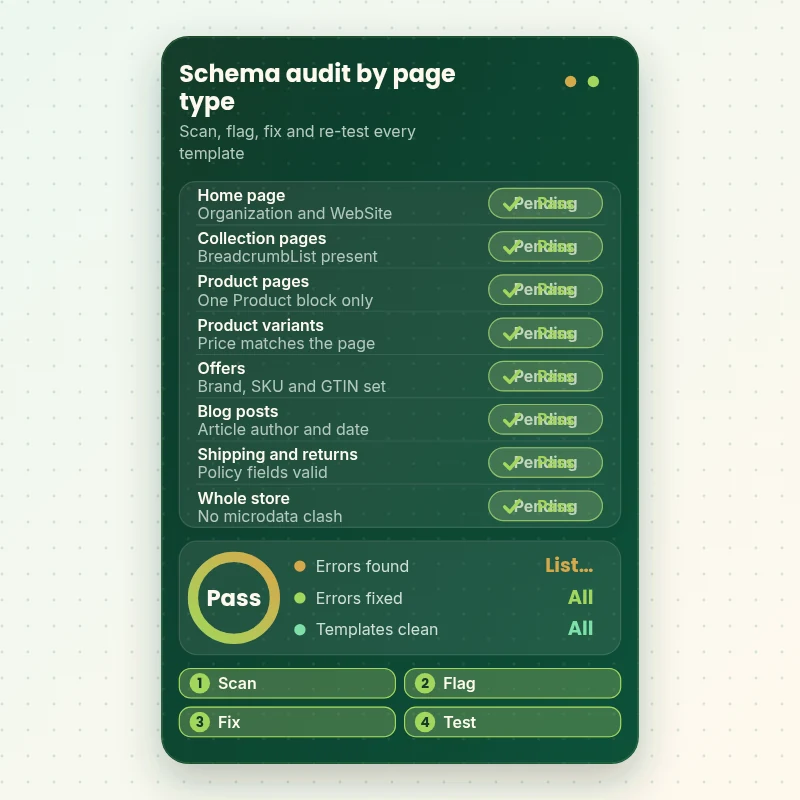
From Unknown Output to a Verified Schema Table
Here is the audit at the heart of the job. Each page type on your store is scanned for the structured data it prints, anything duplicated or invalid is flagged, we fix the code on a copy and re-test until each template passes Google's checks and the table reads clean.
Portfolio
Store Design Styles We Build
Different niches need different layouts. These store designs show how we shape a storefront around its products, and Schema Markup and Structured Data Setup follows the same approach.
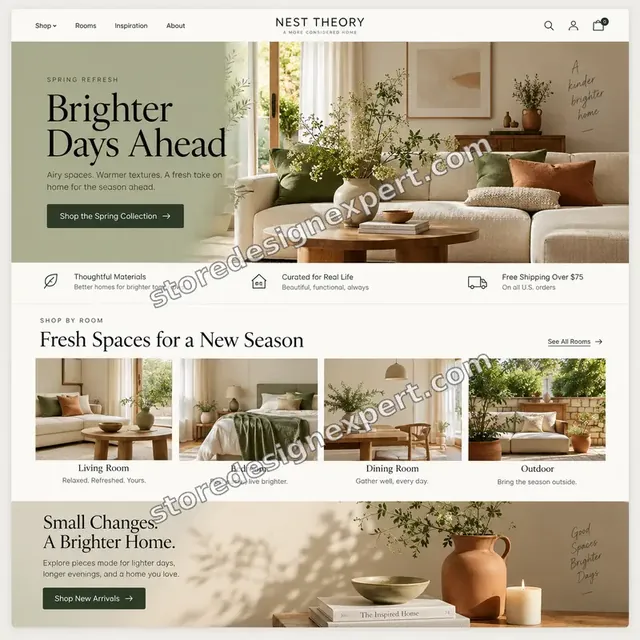
Home decor store design
Home decor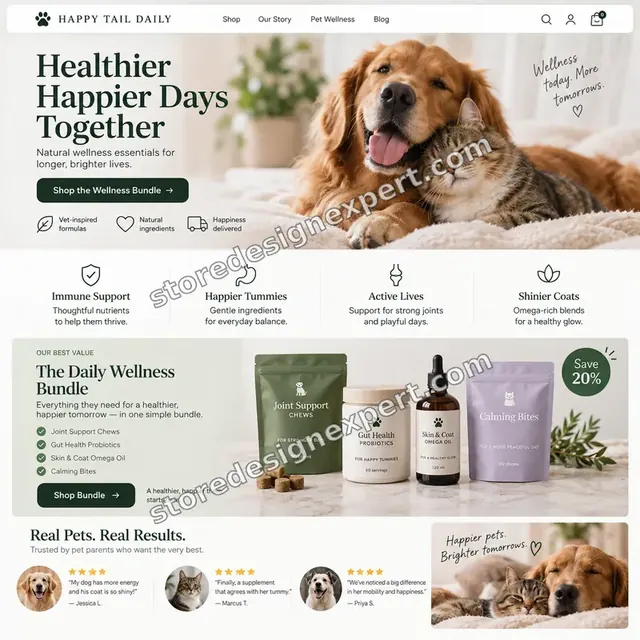
Pet store design
Pet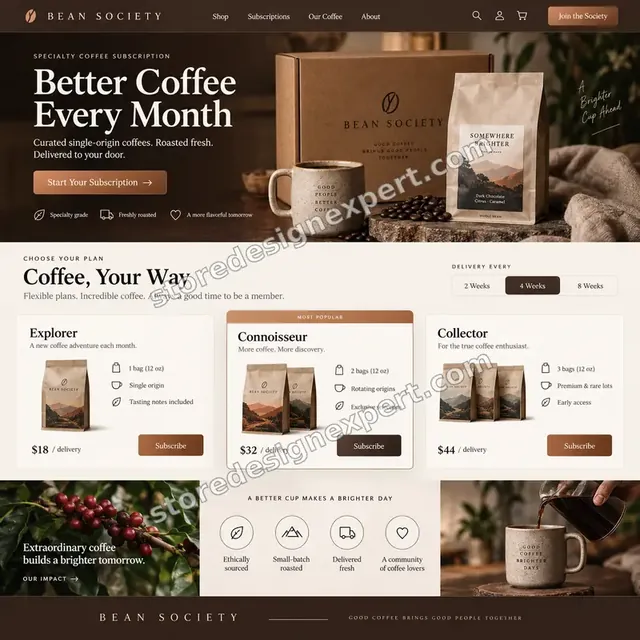
Coffee store design
Coffee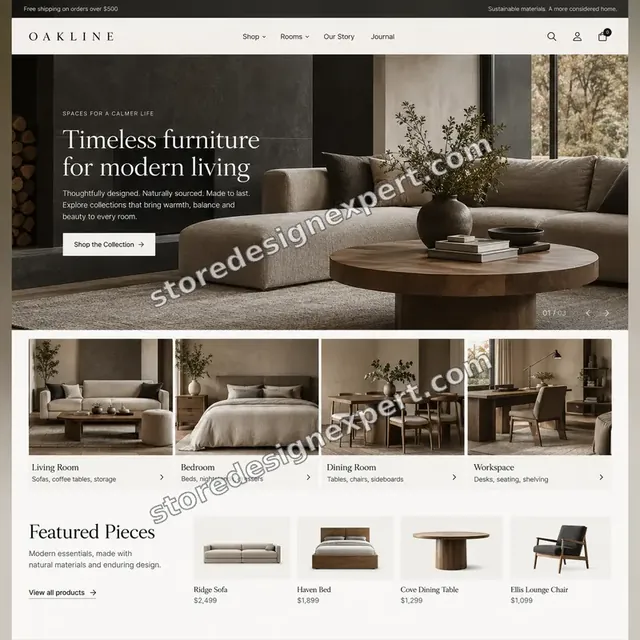
Furniture store design
Furniture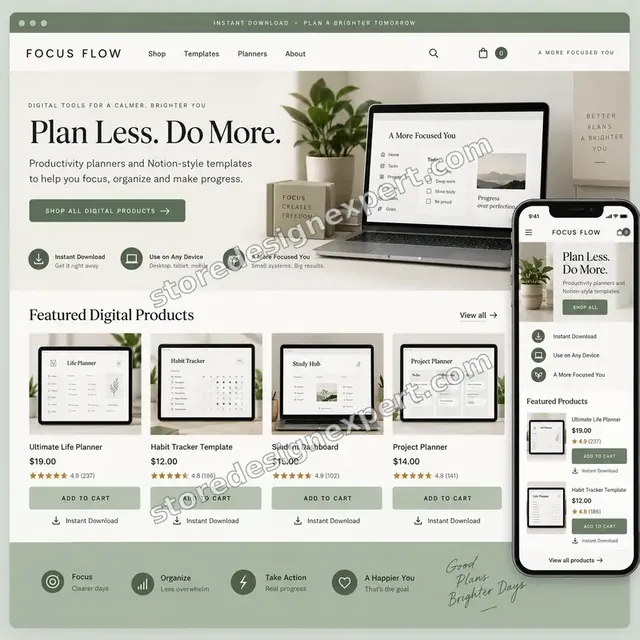
Productivity templates store design
Productivity templates
Pet technology store design
Pet technologyProcess and timeline
Our Schema Markup Implementation Process Step by Step
Six stages move your store from unknown output to documented, tested structured data. All edits happen on a duplicate theme, and Schema Tune-Up is normally ready in 3 to 5 working days.
- 1
Source audit
We request collaborator access, then read the raw HTML of each template type, plus the apps that inject scripts. The result is a table of everything that outputs structured data.
- 2
Plan the graph
You see which types we propose per template and which existing blocks we keep, merge or remove. Nothing is built until you approve that written plan.
- 3
Build on a copy
Liquid snippets are written in a duplicate theme, using live variables for price, availability and identifiers instead of copied static values.
- 4
Validate each template
Every page type goes through the Rich Results Test and the schema.org validator. Errors are fixed and re-run until the records are clean.
- 5
Review and revise
You get a preview link and the test records. Up to two rounds of changes are included before anything touches the live theme.
- 6
Publish and monitor
We publish, request indexing for key URLs and review the Search Console reports. Google recrawls on its own schedule, so we tell you what to expect and when.
Compare your options
Schema App, Freelance Gig, DIY Code or a Schema Markup Service From Us?
Four routes lead to structured data on a Shopify store. An app is the quickest start, a gig is cheap and variable, DIY code costs your time and a specialist service handles the conflicts the others leave behind. Compare what you receive on each.
| What matters | Schema app | Freelance gig | DIY Liquid code | Store Design Expert |
|---|---|---|---|---|
| Duplicate blocks found and removed | No | Rarely | You do it | Yes |
| Brand, SKU and GTIN in the markup | Some apps | Varies | You do it | Yes |
| Live price and availability values | Yes | Varies | You do it | Yes |
| Organization and breadcrumb data | Some apps | Varies | You do it | Yes |
| Tested in Rich Results Test per template | No | Rarely | You do it | Yes |
| Written record of before and after | No | Rarely | No | Yes |
| Works on a duplicate theme first | No | Varies | You set it up | Yes |
| Fixed price up front | Monthly fee | Varies | Your time | Yes |
Inside every project
How We Keep Your Store Safe While We Edit Code
Structured data lives in the same theme files that draw your product pages, so a careless edit can break the layout or the checkout path. These safeguards come with every project.
Edits on a duplicate theme only
We never type into your live theme. Everything is built on a copy, and your published theme keeps selling until you approve a switch.
Collaborator access, no shared password
We work through Shopify's collaborator permissions with only the access the job requires. You remain the owner and can revoke access whenever you like.
Before and after source on record
We save the page source of each template before and after the change, so any difference is visible and any claim can be checked.
Backup and a clean way back
Your current theme is duplicated before work begins. If anything surprises you after launch, the earlier version is a click away.
Markup that matches the visible page
We only describe content a shopper can see. Prices, availability and any ratings must agree with the page, because Google can ignore or penalise markup that does not.
Fixed scope and two revision rounds
You approve the plan and the price before work starts. Two rounds of changes are included, and changes inside the agreed scope never add hourly charges.
Interactive price calculator
Price Your Schema Markup Setup
Choose a package, say how many templates need markup, where your product identifiers come from and how many markets you sell in, then set your speed. A fixed total and a delivery estimate follow each choice.
Request a custom quote
Headless or Hydrogen storefronts, Shopify Plus checkout customisations, catalogs above 5,000 products that need variant-level identifier work, or stores in several languages with separate domains are quoted against a written scope.
Request a QuoteChanged your mind? Choose Schema Tune-Up, Catalog Markup or Entity Suite above to return to the instant calculator.
Packages and comparison
Compare Schema Markup Setup Packages Side by Side
Each row below is a deliverable you can hold us to. Your total depends on how many templates, identifiers and markets are involved, and the calculator above adds them as you choose.
| What is included | Schema Tune-Up $490 | Catalog Markup $890Recommended | Entity Suite $1,490 |
|---|---|---|---|
| Audit of all schema sources | Included | Included | Included |
| Duplicate blocks removed | Included | Included | Included |
| Product or ProductGroup markup corrected | Included | Included | Included |
| Rich Results Test evidence per template | Included | Included | Included |
| Backup and duplicate theme | Included | Included | Included |
| Recorded handover and two revision rounds | Included | Included | Included |
| Brand, SKU and GTIN in the markup | Not included | Included | Included |
| BreadcrumbList markup | Not included | Included | Included |
| Article markup for blog posts | Not included | Included | Included |
| Organization and WebSite data | Not included | Included | Included |
| Shipping and return policy fields | Not included | Not included | Included |
| Social profiles as sameAs | Not included | Not included | Included |
| Documented code map | Not included | Not included | Included |
| 21 days of monitoring and fixes | Not included | Not included | Included |
| Typical delivery | 3 to 5 days | 5 to 8 days | 8 to 12 days |
Your Schema Markup and Structured Data Setup price and delivery estimate come from the calculator above, so there is no surprise at checkout.
Why Store Design Expert
Why Shopify Brands Choose Us as Their Schema Markup Service
You get a technical SEO job done by people who build Shopify themes every week, priced as a fixed project. Here is what that means for you.
We build the themes we are fixing
More than 450 Shopify stores launched since 2015 means we know how themes print their markup and where apps tend to interfere.
Liquid skills, not just a plugin
A schema app covers common cases. We handle the stores where the app, the theme and the data disagree and a plugin alone cannot decide.
Written evidence of every result
You receive test records for each template, not a promise. If a page fails a check, you will see that in black and white.
Priced above gigs, below a retainer
A senior-built, documented project costs far less than a monthly SEO retainer and delivers a lasting fix instead of an ongoing fee.
Honest about what markup can do
Structured data makes pages eligible for richer results and easier to read. Google decides what to show, and we say so up front.
Your store and code stay yours
Everything lives in your own Shopify theme, documented so another developer can read it. Nothing depends on us afterwards.
What we need to get started
Inputs Needed Before Schema Work Starts
No technical preparation is needed. We need a way into the store, a view of Search Console if you have it and a few decisions.
Approve a collaborator request
Share the store address and accept the collaborator invitation we send. You remain the owner, we never see a password and you can end our access in one click.
No store yet? We start it in our account
We create the store in our own Shopify Partner account and transfer ownership to you when it is finished. You choose a Shopify plan only at the very end.
Prefer to share staff credentials
A staff login works if that is easier for you. We suggest collaborator access because removing it later is simple, but either route is fine.
Search Console access
Add us as a restricted user, or send screenshots of the Merchant listings, Product snippets and Breadcrumbs reports so we start from your real warnings.
Product identifier source
Tell us where barcodes and brands are kept, such as a supplier sheet or Merchant Center, so the markup can read them.
Apps and an approver
List the review, SEO and schema apps installed, and name one person who approves the plan and the test results.
Do not uninstall any app before we have audited it. Knowing which script comes from which source is the first thing we establish.
Testimonials
What Store Owners Say Before You Order Schema Markup and Structured Data Setup
Verified clients describe working with Store Design Expert on builds, fixes and technical improvements.
Verified
The website development work was truly impressive. Their attention to detail and ability to exceed expectations made the project a success. Working with them was a breeze, thanks to quick responsiveness and a willingness to go above and beyond.
KD
Kevin D.United States
Verified
Super great to work with, and super fair!
RO
Robert O.United States
Verified
Store Design Expert was very knowledgeable about what I needed done to fix my Shopify store and how to improve the store layout. The project was completed very quickly, and I will definitely use them for support as my business grows.
ST
Samuel T.United States
Verified
Very satisfied with the work. Most importantly, Store Design Expert responded promptly to my questions and concerns. Thank you!
KB
Kyle B.United States
Verified
Outstanding work and outstanding customer service. Five stars! I will absolutely use Store Design Expert again for my next book.
KM
Katharine M.United States
Verified
Store Design Expert was great! They delivered exactly what I asked for and even offered helpful extra suggestions. Highly recommended.
PW
Paul W.United States
Verified
I request Store Design Expert every time I have a project. They are professional and give real attention to detail, which makes the work stand out.
LK
Laura K.United States
Verified
They kept communicating until the problem was fully resolved, and the result was great.
HJ
Henry J.United States
Verified
Super helpful and patient. I am new to ecommerce and Store Design Expert talked me through the whole process and even fixed my payment bridging for me!
LR
Lois R.United Kingdom
Related searches
Searches That Bring Owners to Schema Markup and Structured Data Setup
The searches below are the ones that lead people to Schema Markup and Structured Data Setup.
If you searched for “how to add schema markup to shopify”, “shopify structured data”, “schema markup service” or “schema markup setup”, Schema Markup and Structured Data Setup is the work that answers it.
“schema markup implementation”, “what is schema in shopify”, “schema markup for products” or “faq schema markup”: owners type these when they need Schema Markup and Structured Data Setup, and the packages above are priced for that job.
If you searched for “how to test schema markup”, “schema markup validator”, “types of schema markup” or “schema markup and structured data setup”, Schema Markup and Structured Data Setup is the work that answers it.
If you searched for “shopify schema markup implementation”, Schema Markup and Structured Data Setup is the work that answers it.
You may also have come across “json ld shopify” or “json ld for seo shopify app” while reading about Schema Markup and Structured Data Setup.
FAQ
Schema Markup for Shopify FAQs
Straight answers on price, timing, tools, apps and what structured data can and cannot do for your store.
How much does schema markup for Shopify cost as a done-for-you service?
Packages start at $490 for Schema Tune-Up, $890 for Catalog Markup and $1,490 for Entity Suite. Template count, identifier clean-up and the number of markets add priced options, so most stores land between roughly $890 and $2,300. The calculator shows your fixed total before you pay.
What does a Shopify schema markup implementation actually include?
We audit every source of structured data, remove duplicates, rebuild Product or ProductGroup output with live price and identifiers, and add Organization, Breadcrumb and Article data in the larger packages. Each template is tested and the records are handed to you.
What is schema in Shopify, and does my theme already have it?
Schema is vocabulary from schema.org that labels page content for machines. Most current themes output basic Product data covering name, image, price and availability, but usually lack brand and barcode identifiers, ratings, and shipping or return details. Our audit shows exactly what yours prints.
How to add schema markup to Shopify without breaking my theme?
Edit a duplicate theme, never the live one. Add JSON-LD in a snippet, use Liquid variables so values stay live, remove any competing markup and test before publishing. That is the process we follow, so a mistake never reaches your customers.
Is a schema app enough, or do I need Shopify structured data work by hand?
An app is enough when your theme has no schema of its own, the data is complete and the output validates. Trouble starts when the theme and the app both print Product blocks. We configure whichever source is better and switch the other off.
Which types of schema markup does a store need?
Product or ProductGroup on product pages, Organization and WebSite on the home page, BreadcrumbList on collections and products, and Article on blog posts. Video and FAQ markup are optional extras. We recommend only types that match visible content.
Is JSON-LD Shopify output better than microdata?
Google recommends JSON-LD because it sits in a separate script and is easier to maintain than attributes scattered through the HTML. Mixing both on one page is a common cause of conflicts, so we convert leftovers and keep a single format.
How do you do schema markup implementation and testing?
We run each template through Google's Rich Results Test and the schema.org validator, fix every error and keep the results. After launch we inspect key URLs in Search Console and watch the enhancement reports as Google recrawls.
How to test schema markup myself, and which schema markup validator should I use?
Paste a live product URL into Google's Rich Results Test to see eligible rich results, and use the Schema Markup Validator at validator.schema.org for general syntax. Search Console's enhancement reports then show the sitewide picture over time.
Can schema markup for products give me stars and prices in search?
It can make product pages eligible for price, availability and, with real visible reviews, star ratings. Google decides whether to show them and when. We prepare the data correctly, but no one can promise a rich result or a ranking.
Do I need FAQ schema markup on my pages?
Probably not for results. Google limited FAQ rich results to a narrow set of sites, so most stores will not see the dropdown. A genuine on-page FAQ still helps shoppers, and we add the markup only where it matches visible questions.
What is the difference between a JSON-LD for SEO Shopify app and custom code?
An app such as JSON-LD for SEO costs a recurring fee and applies one set of rules to your whole catalog. Custom Liquid fits your exact fields, adds no app weight and stays under your control. We help you pick whichever fits your store.
How long does schema markup and structured data setup take?
Schema Tune-Up takes 3 to 5 working days, Catalog Markup 5 to 8 and Entity Suite 8 to 12, before options. Google then recrawls on its own schedule, which can take days to weeks, and we monitor the reports during that time.
What happens after Schema Markup and Structured Data Setup is finished?
Afterwards you get a screen recording, the old and new JSON-LD side by side and a map of which template outputs each block. Entity Suite adds 21 days of monitoring and fixes, and a 30-day support extra is available for questions as Google recrawls.
Ready when you are
Order Schema Markup for Shopify That Validates Cleanly
Choose a package, see your fixed price and delivery date and order schema markup for Shopify from a team that has launched over 450 stores. Your templates are audited, rebuilt on a duplicate theme and handed over with test records you can check yourself.
Protected payment · Markup adjusted twice after review · Validator reports included