
Shopify stores designed and launched
Okendo reviews setup
Okendo Reviews Shopify Setup, Built Into Your Theme Rather Than Bolted On
Okendo reviews Shopify setup looks easy, and Okendo is a polished platform, but its widgets only help if each block sits in the right template, its request sequence fires at the right time and your old reviews arrive intact. We install Okendo, place the stars, widgets and carousels in your Shopify theme, time the review requests and test the whole path on a real order, from $420 at a fixed scope. Choose a package below and the price updates as you click.
- App embed and every widget block placed and checked
- Review request timing set from fulfillment or delivery
- Old reviews moved in with ratings, names and dates
- A fixed price plus a written Okendo test log for you
From$420
Delivery3 to 12 working days
Revisions2 rounds
Our track record
Over 450 Shopify Stores Launched Since 2015, and Reviews Belong on Every One
Reviews are the first thing a skeptical shopper looks for, and a half-working widget does more damage than none. We have spent ten years in Shopify themes, which is why we know how a block behaves in each kind of section.
Average rating from verified clients
Building Shopify stores since
Secure checkout
Pay through a protected checkout and keep a full order record.
Two revision rounds
Included in every package, so the result matches what you pictured.
Backup before changes
We work on a duplicate of your theme, never on your live store.
Who this is for
Who We Set Up Okendo For
The Okendo reviews app attracts brands that care how their social proof looks. These are the six owners who most often send us the job.
You are a good fit if
- Your store is on Shopify
- You prefer a fixed price over hourly billing
- You can approve request wording and widget styling quickly
- You will own the Okendo account
Stores starting a review program
You have sales but no ratings. You want stars under every product title and a review section on the page, plus a request that goes out after the parcel arrives.
Brands leaving another review tool
Judge.me, Yotpo, Stamped or a spreadsheet currently holds your reviews. You want them in Okendo without losing dates, photos or star values.
Visual brands who want photo reviews
Customer pictures are your best creative. You need a media grid or carousel and a request that actually asks for an image.
Owners on a newly purchased theme
The theme is fresh and the review area is empty. You want blocks added to the correct sections without breaking the layout the theme designer intended.
Teams on a headless storefront
Your store uses Hydrogen or a custom front end. You need developer-grade components and the API connected, not just a theme embed.
Merchants whose widget goes blank
Okendo is installed, yet a product page shows nothing or a section refuses the block. We find which switch or template is responsible.
Problems solved
Okendo Reviews Shopify Problems That Cost You Conversions
An okendo Shopify integration feels easy because the install wizard is friendly, which hides how many small things can go wrong. These six are the ones we correct most often.
- The reviews widget is blank even though reviews exist.
Either the app embed is off or widgets are switched off inside Okendo's settings. We check both places, then confirm the widget appears for a visitor who is not logged in.
- A section will not accept the Okendo block.
Not every theme section supports app blocks. We move the block to a section that does, or add the widget through the method your theme documents, and then re-check spacing.
- Reviews tab is missing from the product tabs.
A tab-style layout cannot be built from a plain app block and needs the separate Widget Plus route. We set it up that way when your theme uses tabs.
- Request emails arrive too soon, or never.
Timing can run from the fulfillment date or the delivery date. We choose the right trigger for your shipping times and make sure the sequence is enabled.
- Carousels crowd a phone screen.
Wide media layouts can push content out of view on small devices. We test card counts, image ratios and tap targets on actual mobile widths.
- A theme update erased the blocks.
Replacing a theme file can remove app blocks someone placed earlier. We record every placement in the handover so repairs take minutes.
What we can do
What We Build With Okendo Inside Your Store
The work falls into six areas. The package you choose decides how many are included, and each description lists the detail that usually gets missed.
Okendo Shopify app and theme embed
We install the app, finish the account steps and turn on the Okendo embed under theme settings. Then we open Okendo's own widget settings and confirm the storefront widgets are enabled, since both switches must agree.
Star ratings, badges and the reviews widget
A Star Rating block goes under the product title and on collection cards, and the Reviews Widget goes on the product template with reviews, questions or both. We also add a Reviews Badge if you want a store-level score in the header or footer.
Media grid and carousel for customer photos
Pictures from real customers are placed on the home page or product pages through a Media Grid or Media Carousel. We filter by product where it makes sense and check that the images keep their ratio on every device.
Okendo review request sequences
We set the first message, reminder and incentive rules, choose whether the clock starts at fulfillment or delivery and match the tone to your brand. If you send through Klaviyo, we configure the handoff and test it with a real order.
Okendo review syndication and Google Shopping checks
Okendo documents feeding reviews to Google Shopping. We confirm the feed settings, explain that eligibility is decided by Google, and flag whether imported reviews can be included or only reviews collected on your own store.
Headless and custom front ends
For Hydrogen or another custom build we install Okendo's components for stars, reviews and carousels and connect the API. This is quoted separately because it depends on your codebase, and we agree the scope first.
What is included
What Is Inside Your Okendo Reviews Setup
Every deliverable falls under one of six headings. The comparison table further down shows how deep each heading goes in each package.
Install and activation
- Okendo app installed and account connected
- Theme app embed enabled in the live theme
- Storefront widgets enabled in Okendo settings
- Backup of the current theme taken first
Ratings and widgets
- Star Rating on product titles and collection cards
- Reviews Widget set to reviews, questions or both
- Reviews Badge in a store-wide position
- Zero, one and many review cases tested
Photo and video proof
- Media Grid or Media Carousel placed
- Product filtering chosen for each block
- Image ratios checked on phone and desktop
- Extra carousels in the larger packages
Collecting reviews
- Request message written in your voice
- Timing set from fulfillment or delivery
- Reminder and incentive rules agreed
- Test order sent through the sequence
Imports and syndication
- Previous reviews cleaned and imported
- Google syndication settings checked
- Notes on what Google will and will not count
- Export instructions for your own records
Handover
- Written test log of every check
- Recorded walkthrough of the Okendo dashboard
- Placement map of every block we added
- Two rounds of revisions after review
You give us access and decisions. We install, place and test, and you approve everything shoppers will read before it is switched on.
See the connections
How Okendo Connects to Your Shopify Store, Step by Step
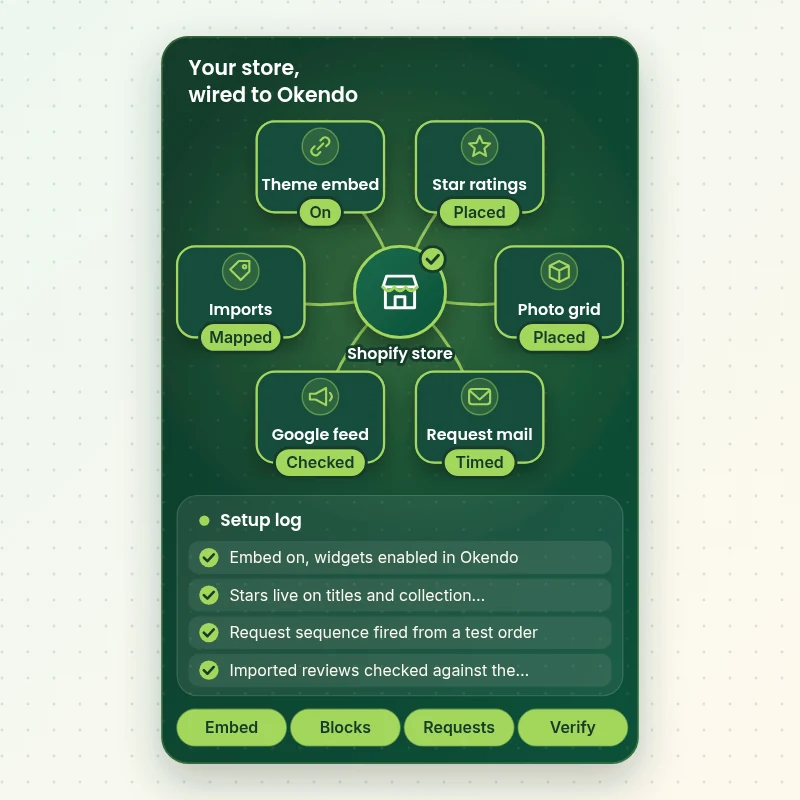
Okendo reaches shoppers in layers: an embed that loads its scripts, blocks that show ratings, a request sequence that gathers new reviews and a feed that can share them with Google. This view shows each layer we connect and test, so the full path is proven before launch.
Portfolio
Shopify Storefront Designs by Niche
Different niches need different layouts. These store designs show how we shape a storefront around its products, and Okendo Reviews Setup follows the same approach.

Stationery store design
Stationery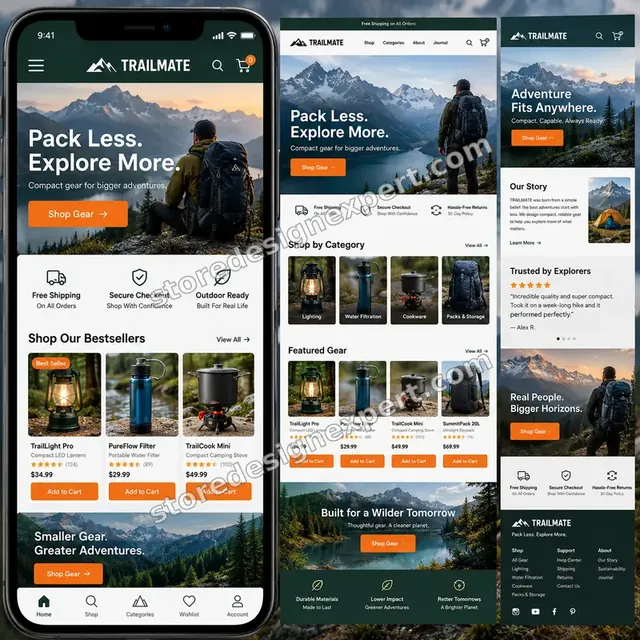
Outdoor camping gear store design
Outdoor camping gear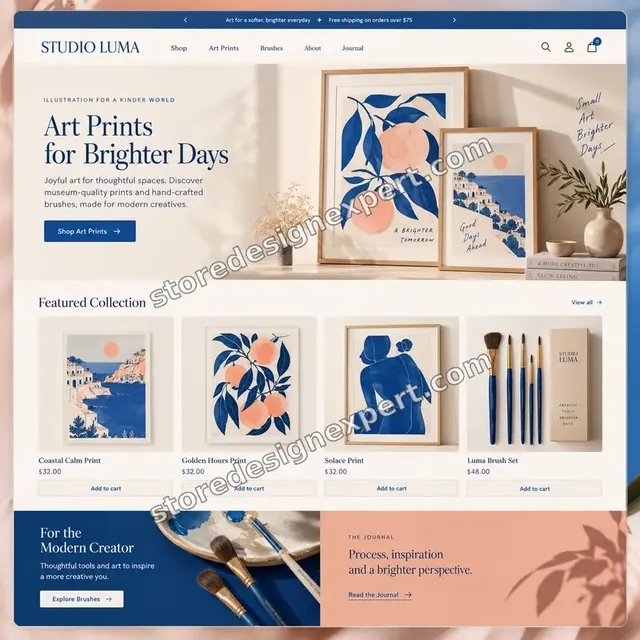
Artist creator store design
Artist creator
Restaurant ingredients store design
Restaurant ingredients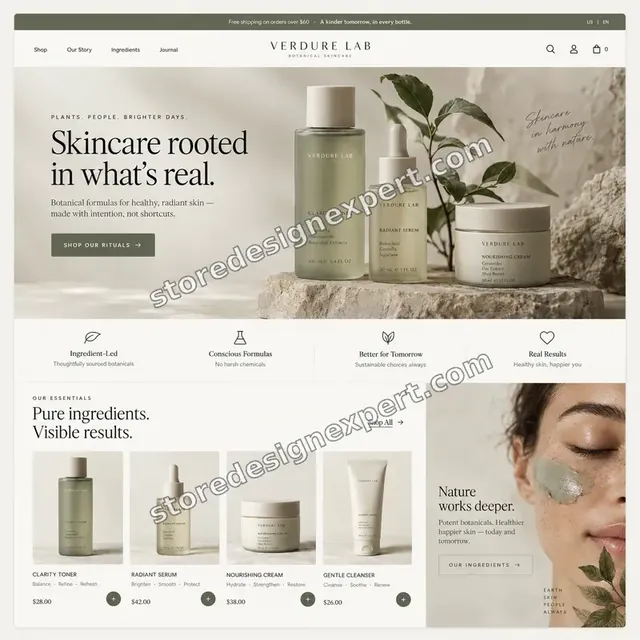
Skincare store design
Skincare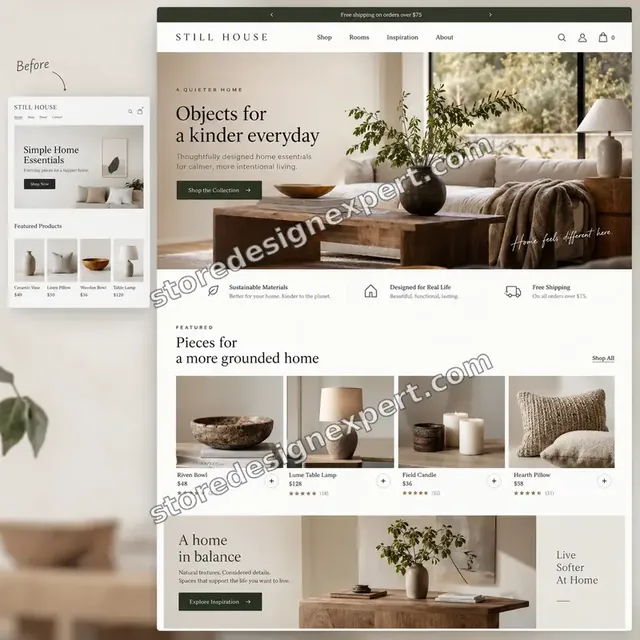
Home decor store design
Home decorProcess and timeline
How an Okendo Reviews Shopify Integration Runs With Us
The job passes through six stages, and customers see nothing until you have approved it. Choices in the calculator decide how long each takes.
- 1
Brief
We look at your theme, your current review tool if any and the pages that matter most. Together we pick where stars, widgets and carousels should live.
- 2
Install
Okendo goes in through your admin and the embed is switched on. We then open Okendo's own settings and confirm storefront widgets are enabled before moving on.
- 3
Place blocks
Blocks are added to a duplicate theme. Sections that will not take an app block are noted, and we either choose another section or use the documented alternative.
- 4
Set requests
Request wording, timing, reminders and incentives are configured and previewed. If Klaviyo is in your stack, the handoff is wired and tested.
- 5
Test
A real order runs through fulfillment, the request and a published review. We check the result on phone and desktop and note anything we changed.
- 6
Launch
After your approval the changes go live. You receive the walkthrough, the placement map and the test log the same day.
Compare your options
Do It Yourself, Hire a Gig, Retain an Agency or Choose Our Okendo Setup?
There are four typical routes to a working Okendo store. This comparison covers the checks that decide whether reviews display and keep arriving.
| What matters | Install it yourself | Marketplace gig | Agency retainer | Store Design Expert |
|---|---|---|---|---|
| Embed and widget settings both verified | Often one only | Varies | Yes | Yes |
| Blocks placed on cards and product pages | Product only | Rarely | Yes | Yes |
| Request timing matched to your shipping | Defaults | Rarely | Sometimes | Yes |
| Test order through the full sequence | You test | Rarely | Yes | Yes |
| Price known before work begins | Yes | Yes | Quote only | Yes |
| Written test log and placement map | No | Rarely | Extra cost | Yes |
| No retainer or minimum spend | Yes | Yes | No | Yes |
| Account owned by you | Yes | Varies | Varies | Yes |
Inside every project
What Protects Your Theme, Your Reviews and Your Brand
Review blocks sit on your most valuable pages, so a careless edit costs sales. These six rules come with every package.
Blocks are placed in a copy first
We back up the live theme and build in a duplicate. Shoppers keep browsing the current theme until you approve the preview.
Done means seen by a visitor
A block counts as finished when it appears for a signed-out shopper on phone and desktop and pulls real review data. The log records every result.
Requests stay in draft until approved
No review request reaches a customer until you have read the wording and agreed the timing, so a test never lands in a real inbox.
Every placement is mapped
The handover lists each template and section where a block was added, which makes future theme updates quick to repair.
The Okendo account stays yours
It sits under your email, we request only the permissions the work needs, and you can remove us whenever you choose.
A fixed scope and two revision rounds
You see the full price before paying. Adjustments to wording, spacing and placement go through two structured revision rounds.
Interactive price calculator
Build Your Okendo Setup Package
Pick a package, tell us about imports and your theme, then choose a speed. The fixed price and delivery window change with each selection.
Request a custom quote
Hydrogen or other headless builds, custom API integrations, several storefronts on one Okendo account and very large review migrations are scoped separately with a fixed quote.
Request a QuoteChanged your mind? Choose Stars and Widgets, Requests and Syndication or Full UGC Build above to return to the instant calculator.
Packages and comparison
Okendo Setup Package Comparison
Compare the rows below. If another okendo reviews pricing quote seems far lower, count how many of these items it promises in writing.
| What is included | Stars and Widgets $420 | Requests and Syndication $790Recommended | Full UGC Build $1,290 |
|---|---|---|---|
| Okendo installed and embed enabled | Included | Included | Included |
| Star ratings on titles and collection cards | Included | Included | Included |
| Reviews Widget on the product template | Included | Included | Included |
| One tested review request message | Included | Included | Included |
| Test log and recorded handover | Included | Included | Included |
| Timing from fulfillment or delivery | Not included | Included | Included |
| Reminder and incentive rules | Not included | Included | Included |
| Reviews Badge and Media Carousel | Not included | Included | Included |
| Google syndication check | Not included | Included | Included |
| Questions Widget | Not included | Not included | Included |
| Extra carousels on key pages | Not included | Not included | Included |
| Klaviyo handoff configured | Not included | Not included | Included |
| One review import | Not included | Not included | Included |
| Typical delivery | 3 to 5 days | 5 to 8 days | 8 to 12 days |
What the calculator above shows for Okendo Reviews Setup, the total and the estimated delivery, is what your order will use.
Why Store Design Expert
Why Brands Choose Us for Okendo Product Reviews Shopify Projects
Anyone can press Install. Brands hire us for the placement, timing and testing that decide whether reviews actually sell.
We know how themes are built
Years of theme work tell us which section can host a block and which cannot, so stars end up where shoppers look.
Rated 4.9+ by verified clients
Reviews on this page come from verified Store Design Expert clients, so you can see how earlier projects turned out.
Pricing laid out in advance
Packages, options and extras all appear in the calculator. Okendo's own subscription is billed to you by Okendo, and we point you to its current plans.
Direct line to the builder
You message the person doing the setup, with your theme open on their screen.
Honest about limits
If a theme section refuses a block, or Google will not count imported reviews, we tell you before you pay, not after.
A decade in Shopify
More than 450 stores launched since 2015 means we have met most theme quirks and app clashes along the way.
What we need to get started
What We Need From You to Start Your Okendo Setup
We need a way into Shopify, an Okendo login and a few decisions about wording and placement. Pick the access route that feels right.
Accept a collaborator invitation
Give us your store address and approve the request we send. You remain the owner, our view is limited to the permissions of the role, and you may revoke it at any moment.
No store yet? We start it in our account
We can assemble the store in our Shopify Partner account, install and configure Okendo there, and then transfer ownership to you. You select a Shopify plan at the end.
Or provide a staff account
A staff login is acceptable when it suits you. Collaborator access is still our recommendation because it is easy to cancel and avoids passing a password around.
Your Okendo account
Create one and invite us, or ask us to register it under your email. Either way, keep the owner role for yourself.
Existing reviews and brand assets
Send exports from any previous review tool, your logo and brand colors, and a few lines of voice guidance for the request message.
Decisions about requests and display
Tell us when requests should go out, whether you offer an incentive, and who approves reviews and replies. A short note is plenty.
We do not need your Shopify owner password or payment details. Theme edits are made in a duplicate after a backup, and we list every file we touch.
Testimonials
What Store Owners Say Before You Order Okendo Reviews Setup
Verified clients describe the brief, the build and the handover in their own words.
Verified
Store Design Expert delivered an outstanding website development experience! Their professionalism and attention to detail exceeded my expectations, and their proactive communication kept everything running smoothly. Truly impressed by their deep understanding and dedication.
WG
Warren G.United States
Verified
Very impressed with the build-out. My store is ready to get started, and I am sure I will reach out for edits down the road, but this is everything I could ask for to get the party started. Thanks again, and I will be in touch for future projects.
DH
Dale H.United States
Verified
Very quick and detailed work! Store Design Expert does exactly what you want, in a very professional manner.
LF
Lena F.Germany
Verified
Store Design Expert did an outstanding job with top-notch professionalism on my website project. Everything was delivered quickly without compromising quality. I could not have asked for better!
JM
Jason M.United States
Verified
The website development work was nothing short of professional, with top-notch quality. Their exceptional level of cooperation made the collaboration seamless and enjoyable. Highly recommend working with Store Design Expert!
JC
Jeremy C.United States
Verified
Super great to work with, and super fair!
RO
Robert O.United States
Verified
The website development work was truly impressive. Their attention to detail and ability to exceed expectations made the project a success. Working with them was a breeze, thanks to quick responsiveness and a willingness to go above and beyond.
KD
Kevin D.United States
Verified
Store Design Expert was very knowledgeable about what I needed done to fix my Shopify store and how to improve the store layout. The project was completed very quickly, and I will definitely use them for support as my business grows.
ST
Samuel T.United States
Verified
Very satisfied with the work. Most importantly, Store Design Expert responded promptly to my questions and concerns. Thank you!
KB
Kyle B.United States
Related searches
What People Search For Before Ordering Okendo Reviews Setup
People describe Okendo Reviews Setup in different ways when they search. These are the common ones.
“okendo reviews”, “okendo shopify app”, “okendo shopify integration” or “okendo reviews pricing”: owners type these when they need Okendo Reviews Setup, and the packages above are priced for that job.
“okendo reviews widget”, “okendo reviews import”, “okendo export reviews” or “okendo review request”: owners type these when they need Okendo Reviews Setup, and the packages above are priced for that job.
“okendo review syndication”, “okendo google reviews”, “okendo shopify theme” or “okendo product reviews” all point to the same job, which Okendo Reviews Setup covers from start to finish.
People who look up “okendo reviews api”, “okendo reviews app” or “what is okendo reviews” usually want Okendo Reviews Setup; the calculator above shows the price and delivery estimate before you commit.
FAQ
Okendo Reviews Setup FAQs
Answers on cost, timing, access, widgets, imports and Google.
How much does Okendo reviews Shopify setup cost with you?
Stars and Widgets is $420, Requests and Syndication $790 and Full UGC Build $1,290. Theme type, imports, extra pages and add-ons change the total, and the calculator shows it before you pay. Most projects fall between about $420 and $2,200, taking 3 to roughly 16 working days.
How long does an Okendo setup take?
The smallest package takes 3 to 5 working days, the middle one 5 to 8 and the largest 8 to 12. Imports, older themes and how quickly you approve wording are the usual variables. The Sooner and Fastest options shorten the schedule when a launch date is fixed.
What is Okendo Reviews and who is it for?
Okendo Reviews is a Shopify platform for collecting and showing customer ratings, photos and questions. It tends to suit brands that care about presentation and want loyalty or referrals alongside. Smaller catalogs sometimes do fine with lighter tools, and we will say so.
Do you need my Shopify password for Okendo Reviews Setup?
No. A collaborator request is our preferred route, so you stay the owner and can revoke access. When there is no store yet, we build it in our Partner account and transfer it. Staff login details are possible, but the owner password is never required.
Why is my Okendo reviews widget not appearing?
Check that the Okendo embed is on in theme settings, that widgets are enabled in Okendo, and that the block sits in a section that supports app blocks. Reviews Tab layouts need a separate route. We test each cause and fix whichever applies.
Will the Okendo Shopify theme embed work with my own theme?
Okendo shows widgets as blocks on Online Store 2.0 themes, and older themes need manual snippet files instead. Heavily customized themes need extra testing. We identify which case you are in during the brief and price any extra work upfront.
Can you import my old reviews with the Okendo reviews import?
Yes. We clean the export, map ratings, names, dates and product handles, import it and compare the result with the file. Reviews from other sources may not count toward Google programs that require reviews collected on your own store, and we explain this clearly.
Can I export reviews from Okendo later?
Yes, Okendo lets account owners export reviews, and an okendo export reviews backup is a sensible habit before any migration. Our optional export extra produces a clean copy and stores it with your handover notes, so you are never locked in.
How does an Okendo review request work?
After an order, Okendo schedules a message asking the buyer for a review, timed from either fulfillment or delivery. We choose the trigger that matches your shipping speed, write the wording, add a reminder if you want one and test the sequence on a real order.
Do Okendo Google reviews appear as stars in search results?
Okendo describes syndicating reviews to Google Shopping, though Google decides eligibility. We check the settings, confirm what is being sent and tell you plainly whether imported reviews will count. Do not assume stars will appear in Google until you have seen them.
Can Okendo show customer photos from my reviews?
Yes. A Media Grid or Media Carousel shows customer images and can be filtered by product. We place it where it helps conversion, check the ratios on phones and write the request so that buyers are asked for a picture, not just a score.
What is the Okendo reviews API for?
The API and the headless components let developers fetch ratings and reviews for custom storefronts, including Hydrogen. Most theme-based stores never need it. If yours does, we scope that work separately because it depends on your code.
What does Okendo itself cost each month?
Okendo plans depend on order volume and products, and the vendor changes them, so check its current pricing page before deciding. Our fee covers setup only. We can tell you which tier your volume points toward, and where you might be paying for more than you use.
Can you hire me an Okendo expert for ongoing management?
Our packages cover setup and handover, not monthly management. Many owners then reply to reviews themselves with our notes. The 30-day support extra covers questions after launch, and we can quote ongoing help separately if you want it.
Ready when you are
Order Your Okendo Reviews Shopify Setup Today
Pick a package, watch the fixed price settle and book an Okendo reviews Shopify setup from a team that has launched 450+ stores. Stars, widgets and request emails are tested on a real order before shoppers see them.
Secure checkout · Two revision rounds · Okendo test log and walkthrough included