
Shopify stores designed and launched
Backup and restore setup for Shopify
How to Backup Shopify Store So You Can Actually Restore It
How to backup Shopify store content is easy to look up and easy to get wrong: exports miss pages and settings, and an untested backup is only a hope. We set up automatic backups, keep theme copies, test a real restore and write down the recovery plan. From $390, fixed price.
- Automatic backups for products, customers, themes and content
- Theme copies kept before every change
- A restore tested on a sample item, not assumed
- A one-page recovery plan your team can follow
Our track record
450+ Shopify Stores Launched Since 2015. Your Backups Get the Same Care.
Nobody thinks about backups until a bulk edit wipes descriptions, an app deletes a collection or a theme change breaks the store. The difference between a bad afternoon and a bad month is whether a backup exists and whether anyone has ever restored from it.
Average rating from verified clients
Building Shopify stores since
Secure checkout
Pay through a protected checkout and keep a full order record.
Two revision rounds
Included in every package, so the result matches what you pictured.
Backup before changes
We work on a duplicate of your theme, never on your live store.
Who this is for
Who Needs a Shopify Store Backup and Restore Setup
Owners usually set up backups after a scare. Most people ask about Shopify store backup & restore setup in one of these six situations.
You are a good fit if
- You have data you cannot afford to lose
- You want a fixed price and written scope for backup work
- You will own the backup account and its plan
- You can give us collaborator access
Stores that have lost data before
A bulk edit, a deleted collection or an app removed information. You want it never to happen again without a way back.
Owners who edit the theme
Code changes can break a store in seconds. A theme copy before each change is the cheapest insurance.
Teams with several staff
More people mean more chances for a mistake. Backups protect against honest errors.
Merchants before a migration or redesign
A big change deserves a safety net. A backup lets you compare and roll back.
Sellers with a large catalog
Rebuilding thousands of products by hand is not an option. A restore is.
Founders who never tested a restore
You have a backup somewhere, but you have never tried to use it.
Problems solved
Why Shopify Backups Often Fail When Needed
Having a backup and being able to restore are different things. These six gaps explain most failures.
Exports miss most of the store.
Outcome: Product and customer exports do not capture pages, blog posts, menus, theme settings, app data or metafields.
Theme code is not backed up.
Outcome: A theme edit with no copy can only be undone by rewriting it from memory.
Backups are old.
Outcome: A monthly manual export misses everything changed since, and nobody remembers to run it.
Restores were never tested.
Outcome: A backup that cannot restore a collection correctly is not a backup.
Nobody owns the process.
Outcome: Without an owner, backups lapse, apps expire and notifications go to someone who left.
Backups sit in one place.
Outcome: A backup in the same account, or on one laptop, is lost with it.
What we can do
What Our Shopify Store Backup and Restore Setup Covers
Six jobs make up the service. Your package decides how many data types and restore tests are included.
Backup needs review
We list what you cannot afford to lose: products, collections, customers, orders, content, theme, metafields and app data.
Automatic backup app
We compare backup apps for your catalog and budget, install the one you choose and configure its schedule and scope.
Theme backup routine
We set up a routine to copy the theme before every change and keep a downloaded copy outside Shopify.
Export schedule
For data the app does not cover, we set up regular exports and store them somewhere safe with clear names and dates.
Restore test
We restore a sample collection, a product and a theme setting, and confirm they come back correctly.
Recovery plan
A one-page plan says who does what, in which order, if something is lost, with the steps for each type of data.
What is included
What Is Inside Your Backup and Restore Setup
Everything in your Shopify Store Backup & Restore Setup order falls into one of six groups. The comparison table below shows how far each group goes by package for backup work.
Review
- Data inventory
- Risk list
- What must never be lost
- Gaps in current backups
App
- Options compared
- App installed
- Schedule set
- Scope set
Theme
- Theme copy routine
- Downloaded copy
- Naming rules
- Change log
Exports
- Export schedule
- File naming
- Storage location
- Reminder owner
Restore
- Sample restore tests
- Result log
- Fix of issues found
- Repeat test
Plan
- One-page recovery plan
- Roles and contacts
- Step by step by data type
- Review date
You provide access and decisions. We handle review, configuration and testing.
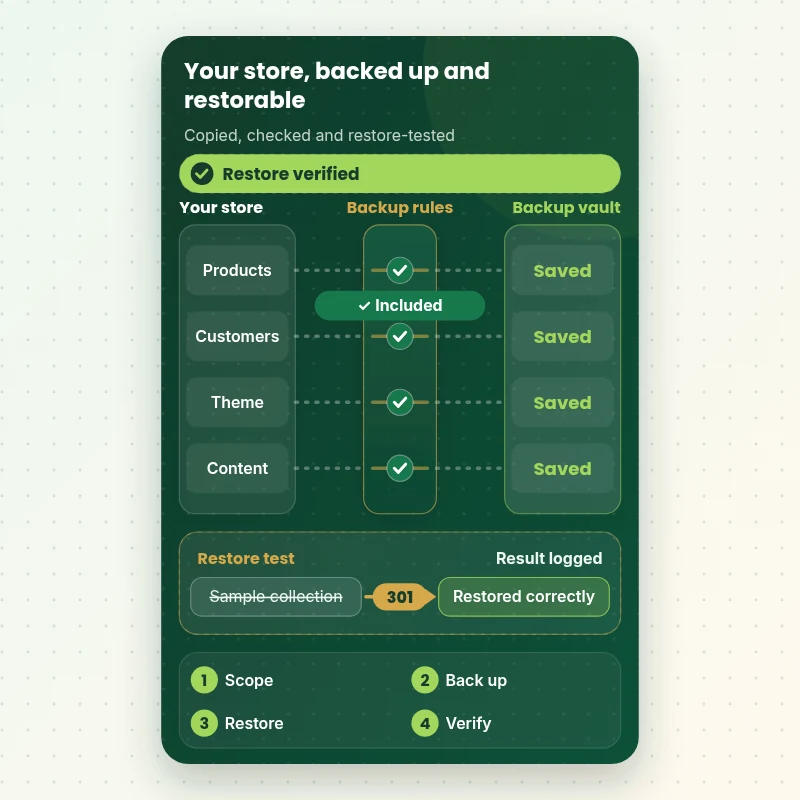
Backup data flow
How Your Store Data Flows Into a Backup and Back Out Again
The walkthrough shows data moving from your store into a backup: products, customers, orders and theme pass a mapping gate, a check catches anything missing and a restore path proves the way back. We test that last step, not just the first.
Portfolio
Store Designs From Our Studio
A look at store designs across fashion, home, beauty, pets and gifts, to show the standard of layout and finish behind Shopify Store Backup & Restore Setup.

Pet creator store design
Pet creator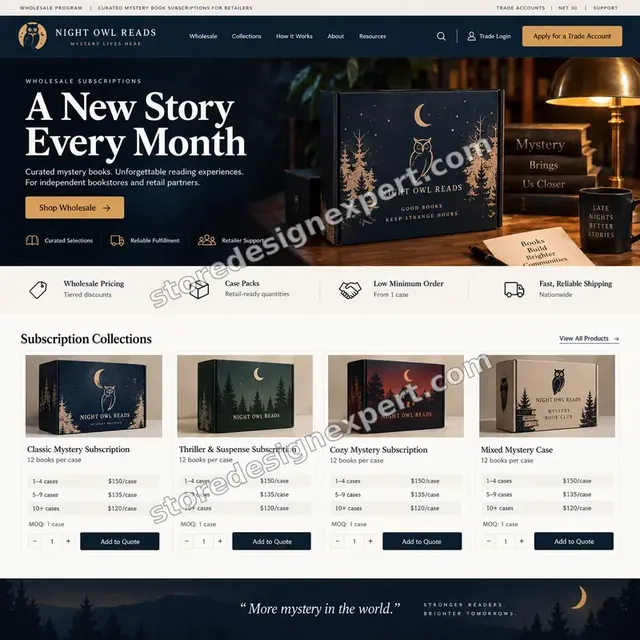
Books store design
Books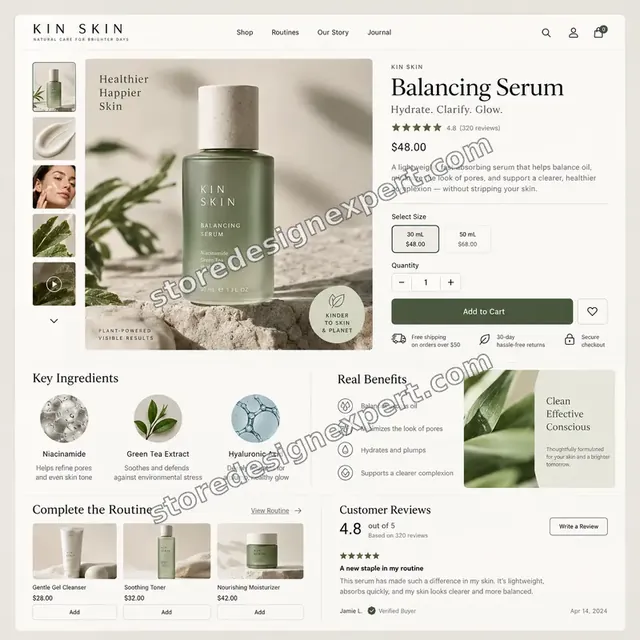
Skincare store design
Skincare
Interiors store design
Interiors
Stationery store design
Stationery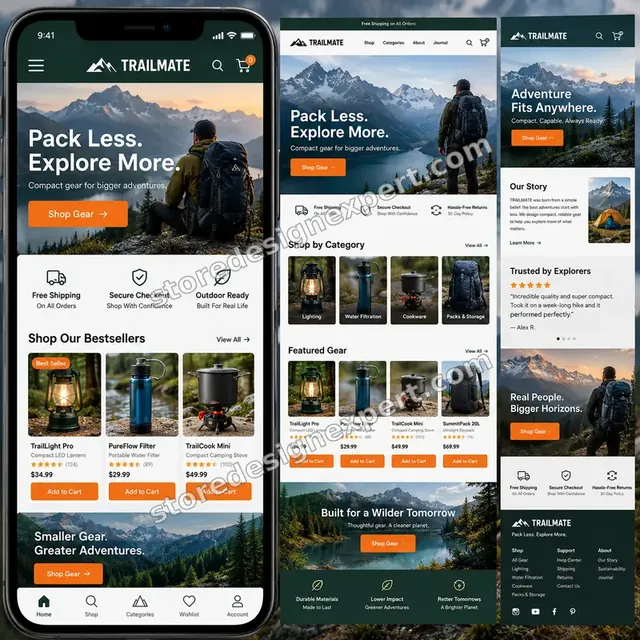
Outdoor camping gear store design
Outdoor camping gearProcess and timeline
How a Backup and Restore Setup Runs, Start to Finish
Six steps, with nothing changing on your store beyond the backup app and settings. Your calculator choices decide how long each step takes for backup work.
- 01
Brief and data inventory
You tell us what you cannot lose. We list data types and where each lives.
- 02
Give access
Add us as a collaborator. We never ask for your owner password in backup work.
- 03
Set up the backup
The backup app is installed and configured, and the theme copy routine and exports are set up.
- 04
Test a real restore
We restore a sample collection, product and theme setting, and confirm they return correctly.
- 05
Write the recovery plan
A one-page plan names who does what in which order, for each type of loss.
- 06
Hand over
You receive the plan, the test log and a short video. Access to the backup account is yours.
Compare your options
CSV Exports, Backup App Alone, Agency or Our Backup and Restore Setup?
Four usual routes to protecting a store. This comparison shows who proves that a restore actually works.
| What matters | CSV exports | App alone | Agency retainer | Store Design Expert |
|---|---|---|---|---|
| Covers pages, menus and theme settings | No | Mostly | Yes | Yes |
| Runs automatically | No | Yes | Yes | Yes |
| Theme copied before every change | Rarely | Partly | Yes | Yes |
| Restore tested on a sample | No | No | Sometimes | Yes |
| Written recovery plan | No | No | Extra cost | Yes |
| Price known before work begins | Free | Yes | Quote only | Yes |
| Backups stay in your accounts | Yes | Yes | Varies | Yes |
| Team trained to restore | No | No | Extra cost | Optional |
Inside every project
What Protects Your Data While We Set Up Backups
Backups hold copies of everything, so these six habits come with every package.
Backups stay in your accounts
The backup app and storage belong to you. We never keep a private copy of your data.
Least access needed
A collaborator request is enough. Owner passwords and card details are never requested for backup work.
Restore tests on samples
Restore tests use sample items in a safe way, never your whole live catalog.
Everything written down
The plan, the schedule and the test log are yours, so anyone can run the process.
Schedules you can see
Backup times and failures are visible to you, so a lapse does not go unnoticed.
Fixed scope, a restore test included
The price is agreed before work starts, and a restore test is part of every package.
Interactive price calculator
Build Your Backup and Restore Setup
Choose a package, then tell us how big your catalog is, how much theme code you have and how many staff edit the store. The fixed price and delivery window update with every click for backup work.
Request a custom quote
Shopify Plus multi-store backups, very large catalogs above fifty thousand products, custom data warehouses, compliance retention rules and disaster recovery drills are scoped separately and quoted at a fixed price.
Request a QuoteChanged your mind? Choose First Backup, Tested Restore or Recovery System above to return to the instant calculator.
Packages and comparison
Backup and Restore Package Comparison
Line-by-line detail of what each package covers, useful when choosing between exporting CSVs yourself and a tested backup and restore system.
| What is included | First Backup $390 | Tested Restore $790Recommended | Recovery System $1,490 |
|---|---|---|---|
| Backup needs review | Included | Included | Included |
| Backup app installed and configured | Included | Included | Included |
| Theme copy routine | Included | Included | Included |
| One restore test | Included | Not included | Not included |
| Short recovery notes | Included | Included | Included |
| Export schedule for uncovered data | Not included | Included | Included |
| Three restore tests | Not included | Included | Included |
| Downloaded theme copy outside Shopify | Not included | Included | Included |
| One-page recovery plan | Not included | Included | Included |
| Restore drill with your team | Not included | Not included | Included |
| App data and metafield review | Not included | Not included | Included |
| Roles and contacts | Not included | Not included | Included |
| Review call at 90 days | Not included | Not included | Included |
| Typical delivery | 2 to 4 days | 3 to 6 days | 5 to 8 days |
For Shopify Store Backup & Restore Setup, the price and the delivery estimate shown in the calculator above are the ones that apply.
Why Store Design Expert
Why Owners Choose Us for Shopify Backups
Anyone can install a backup app. Owners hire us for the scope decisions, the restore tests and the plan that makes a backup useful.
Daily work inside Shopify stores
Themes, catalogs and apps are everyday material for us, so we know what a backup must hold.
Rated 4.9+ by verified clients
These are verified client reviews from Store Design Expert, unedited.
Prices you can plan around
Each package, option and extra has a price you can see. Backup app fees go to the vendor, so check current plans.
A direct line to the person doing the work for backup work
You write to the team member who set it up, not a ticket queue.
Honest about what is enough
If a simple routine is enough for your store, we say so before you pay for more.
Experience since 2015
More than 450 Shopify stores launched means we know what is worth protecting.
What we need to get started
What We Need Before We Set Up Your Backups
Three ways to give access, then a short list of facts about your store for backup work.
Accept our collaborator request
Give us your store address and approve the request we send. You stay the owner and can remove our access in one click for backup work.
No store yet? We build it first
We can create the store in our Partner account, set backups up there and transfer ownership when finished.
Or share a staff login
A restricted staff account works too, though the collaborator route is easier to revoke for backup work.
What you fear losing
Tell us which data would hurt most, so we protect it first.
Who edits the store
Tell us who has staff access and what they edit.
Who receives alerts
Tell us the inbox that should receive backup failure alerts.
Owner passwords and card details are never requested for backup work. Backups live in your accounts, and we log what we set up.
Testimonials
What Store Owners Say Before You Order Shopify Store Backup & Restore Setup
Verified Store Design Expert clients describe the brief, the build and the handover in their own words.
Verified
Super helpful and patient. I am new to ecommerce and Store Design Expert talked me through the whole process and even fixed my payment bridging for me!
LR
Lois R.United Kingdom
Verified
Very satisfied with the work. Most importantly, Store Design Expert responded promptly to my questions and concerns. Thank you!
KB
Kyle B.United States
Verified
Outstanding work and outstanding customer service. Five stars! I will absolutely use Store Design Expert again for my next book.
KM
Katharine M.United States
Verified
Store Design Expert was great! They delivered exactly what I asked for and even offered helpful extra suggestions. Highly recommended.
PW
Paul W.United States
Verified
I request Store Design Expert every time I have a project. They are professional and give real attention to detail, which makes the work stand out.
LK
Laura K.United States
Verified
They kept communicating until the problem was fully resolved, and the result was great.
HJ
Henry J.United States
Verified
I am beyond satisfied! Store Design Expert went above and beyond on my project. Highly recommended!
MD
Michael D.United States
Verified
The experience was tailored to my brand and specifications to the letter. I love the result.
EP
Eric P.United States
Verified
They definitely get the job done. Very patient and understanding throughout the whole project.
BS
Brian S.United States
Related searches
What People Search For Before Ordering Shopify Store Backup & Restore Setup
People describe Shopify Store Backup & Restore Setup in different ways when they search. These are the common ones.
“shopify store backup and restore setup”, “how to backup shopify website”, “backup shopify store” or “shopify store backup” all point to the same job, which Shopify Store Backup & Restore Setup covers from start to finish.
“how to change your shopify backup settings”, “shopify ecommerce auto backup”, “shopify store backup app” or “can you backup shopify store” all point to the same job, which Shopify Store Backup & Restore Setup covers from start to finish.
If you searched for “how to backup entire shopify store”, “how to take backup of shopify store” or “how to restore shopify store from backup”, Shopify Store Backup & Restore Setup is the work that answers it.
Related searches include “how to recover shopify store”, “shopify store recovery page” or “how to copy shopify store”.
FAQ
How to Backup Shopify Store FAQs
Answers on cost, what is covered, apps, restores and recovery.
How much does a Shopify store backup and restore setup cost?
First Backup is $390, Tested Restore $790 and Recovery System $1,490. Catalog size, theme code and staff count add to that, and the calculator shows the total before you pay. Backup app fees are billed by the vendor.
How to backup Shopify store content without an app?
How to backup Shopify store content manually: export products, customers and orders as CSV, copy the theme and save pages and menus by hand. It misses a lot, which is why we recommend an app for most stores.
What does a Shopify store backup and restore setup include?
A Shopify store backup and restore setup includes a needs review, a backup app, a theme copy routine, an export schedule, restore tests and a recovery plan.
How to backup Shopify website theme and settings?
How to backup Shopify website theme and settings: duplicate the theme, download a copy and export key settings. We set up the routine so it happens before every change.
Can you backup Shopify store content that CSV exports miss?
Can you backup Shopify store pages, blog posts, menus and metafields? A backup app covers many of them, and we set up exports for what it does not. We list the gaps.
How to backup entire Shopify store, including orders?
How to backup entire Shopify store data: use an app for products, collections and content, and scheduled exports for orders and customers. We combine both and test a restore.
How to take backup of Shopify store before a big change?
How to take backup of Shopify store before a redesign: run a fresh backup, duplicate the theme and note the date. We do this and keep the copy until you are happy.
How to restore Shopify store from backup after a mistake?
How to restore Shopify store data from backup: open the backup app, choose the item or date and restore it, then check it. We test the process in advance and write the steps.
How to change your Shopify backup settings later?
How to change your Shopify backup settings: open the backup app, adjust frequency and scope and save. Our notes show where each setting lives.
Is Shopify ecommerce auto backup better than manual?
Shopify ecommerce auto backup runs on a schedule, so nothing depends on memory. Manual exports are fine as a supplement. We combine them for full coverage.
Do you need my Shopify password for Shopify Store Backup & Restore Setup?
No. A collaborator request keeps you as owner and can be revoked instantly for backup work. A restricted staff login is a last resort for backup work.
How to recover Shopify store data if something is deleted?
How to recover Shopify store data after deletion: stop making changes, open the backup app and restore the affected items. Our recovery plan lists the steps by data type.
Where is the Shopify store recovery page?
Searches for a Shopify store recovery page usually mean one of two things: regaining account access, which Shopify support handles, or restoring deleted content, which needs a backup. We set up the second.
How to copy Shopify store to another store, and which Shopify store backup app should I use?
How to copy Shopify store data to another store is possible with migration apps or exports. Which Shopify store backup app is best depends on catalog size and budget, and we compare two or three first.
Ready when you are
How to Backup Shopify Store: Order Your Setup
Choose a package, watch the fixed price settle and have a team that has launched 450+ Shopify stores set up automatic backups and prove the restore works. You receive a one-page recovery plan your team can follow.
Fixed price · Restore tested · Recovery plan included