
Shopify stores designed and launched
Shopify lazy loading
Lazy Loading Implementation for Shopify That Speeds Up Pages Without Slowing the Hero
Lazy loading implementation is the one speed fix that can make a store faster or slower depending on which images it touches. We defer what sits below the first screen, load the hero image first on purpose, reserve space so the page never jumps and prove the change with before and after readings. Fixed prices from $450, built by a team that has launched 450+ Shopify stores since 2015 and is rated 4.9+ by verified clients.
- Collection grids, product galleries and footers deferred until needed
- Hero and first-row images kept eager with fetch priority set
- Width and height reserved so deferred images cause no layout shift
- Embeds such as video and maps held back until a shopper reaches them
From$450
Delivery2 to 8 working days
Revisions2 rounds
Our track record
Over 450 Shopify Stores Launched. Your Product Pages Can Load Lighter Too.
Lazy loading looks like a one-line change until it hides a hero image from Google or drops a product photo that never appears. After hundreds of theme builds we know which images to wait on, which never to delay and how to test both.
Average rating from verified clients
Building Shopify stores since
Secure checkout
Pay through a protected checkout and keep a full order record.
Two revision rounds
Included in every package, so the result matches what you pictured.
Backup before changes
We work on a duplicate of your theme, never on your live store.
Who this is for
Who Needs Shopify Lazy Loading Work
Most owners who ask us for this have already pasted a snippet, installed an app or been told by a speed report that images are the problem. These are the situations where a careful rollout pays off.
You are a good fit if
- Your pages carry many images below the fold
- You want the hero to stay fast
- You prefer a tested fix to a pasted snippet
- You want proof from PageSpeed Insights, not a promise
Stores with long collection pages
A collection of sixty products fires sixty image requests before anyone scrolls. You want the first row to arrive quickly and the rest to follow as shoppers move down.
Brands with photo-heavy product pages
Six angles, a lifestyle strip and a size chart all compete for bandwidth on a phone. You want the gallery to start fast and the extra frames to wait their turn.
Merchants whose traffic is mostly mobile
A shopper on a patchy connection pays for every byte at the top of the page. Deferring what is out of sight gives that visitor the product first.
Anyone who tried lazy loading and broke something
A missing hero, blank thumbnails or a jumpy page after a script went in. You need someone to find the cause and put the images back safely.
Owners watching Core Web Vitals in Search Console
Your LCP or CLS group is flagged and you suspect images. You want a change that moves the right metric and is checked on real templates.
Stores on older or heavily customised themes
Your theme predates native lazy loading or mixes lazysizes, page-builder code and app widgets. Each needs a different treatment, and they have to agree with each other.
Problems solved
Where Lazy Loading Goes Wrong on Shopify Stores
Deferring an image is simple. Deferring the right ones, on every template, without side effects is where most attempts fail. These are the faults we find again and again, and how we correct them.
- The hero image is lazy loaded and LCP gets worse.
A deferred hero waits for layout before it is requested. We load every image in the first viewport eagerly, add fetch priority to the largest one and keep the rest of the page light.
- Deferred images pop in and shove the page down.
Without width and height the browser cannot reserve space. We set dimensions or an aspect ratio on each deferred image so the layout is steady while pictures arrive.
- Shopify images not loading after a script was added.
A data-src pattern with no fallback leaves blank boxes if the script fails or runs late. We keep a real source in the markup so an image appears even when scripts are slow.
- CSS background images ignore the loading attribute.
Banners set as backgrounds are fetched at once. We convert the important ones to real image elements or add a controlled loader, and leave decorative ones alone.
- Sliders and quick-view windows load everything on open.
A carousel with eight slides asks for eight images, and a hidden modal can fetch a gallery nobody opened. We load the first slide eagerly and hold the rest until they are needed.
- Google cannot see images that need a scroll.
Googlebot does not scroll like a shopper, so content that waits for a scroll event can stay unseen. We use methods that fire when an image enters the viewport and confirm it in Search Console.
What we can do
What Our Lazy Loading Implementation Service Can Do
Good Shopify page speed optimization starts with knowing which assets decide the first screen. This service covers six areas, from the markup of a single image to the loading order of a whole template.
Lazy loading for images in grids and galleries
We apply the loading attribute through Shopify's image filter where the theme allows it, and use a vetted loader where it does not, so each thumbnail waits until it is close to view.
Eager and priority loading where it matters
The largest image in the first viewport is marked high priority and, on some templates, preloaded. Everything else above the fold loads eagerly, so nothing important is held back.
Dimensions and responsive sources
We check width, height and the sizes attribute on each image type so the browser picks the right file and reserves the right space, which protects layout stability.
Backgrounds, sliders and hidden panels
Hero banners, carousels, tabs and quick-view windows get their own rules, because each one hides images in a different way and none responds to a generic script.
Video, maps and embedded widgets
YouTube players, map frames and review widgets are heavier than most images. We defer the frame, or swap in a click-to-play preview, until the shopper reaches it.
Measurement before and after
We record PageSpeed Insights results for the same URLs, compare Largest Contentful Paint and layout shift and check key pages in Search Console's URL Inspection.
What is included
What a Lazy Loading Implementation Includes
Six workstreams make up the job, which shows what your money buys. The table below the calculator maps each stream to a package.
Template audit
- Home, collection and product templates inspected in the theme code
- Largest image in the first viewport identified on each template
- Existing lazy-loading scripts and app injections listed
- Plain-language list of what will change and what will not
Image deferral
- Loading attribute applied to below-the-fold images
- Collection cards, gallery thumbnails and footer images covered
- Real image sources kept in the markup as a fallback
- Decorative and tiny images left alone on purpose
First-screen protection
- Hero and first-row images loaded eagerly
- Fetch priority set on the main image
- Loading rules based on section position in the theme
- Mobile and desktop first viewports both checked
Layout stability
- Width and height or aspect ratio on deferred images
- Placeholders sized so content does not jump
- Sizes attribute reviewed for the most-used images
- Layout shift checked while scrolling on a phone
Media and embeds
- Video and map frames held back until near view
- Click-to-play previews in the higher tiers
- Slider rules written for the first slide and the rest
- Widgets from apps tested for their own image loading
Proof and handover
- PageSpeed Insights readings before and after
- Search Console URL Inspection on key pages
- Recorded walkthrough and written notes
- Two revision rounds after your review
Every package keeps the hero out of the deferral. That rule is part of the scope, not an upgrade, because lazy loading for images only helps when the first screen stays prompt.
See the check
How We Test Every Template After Lazy Loading
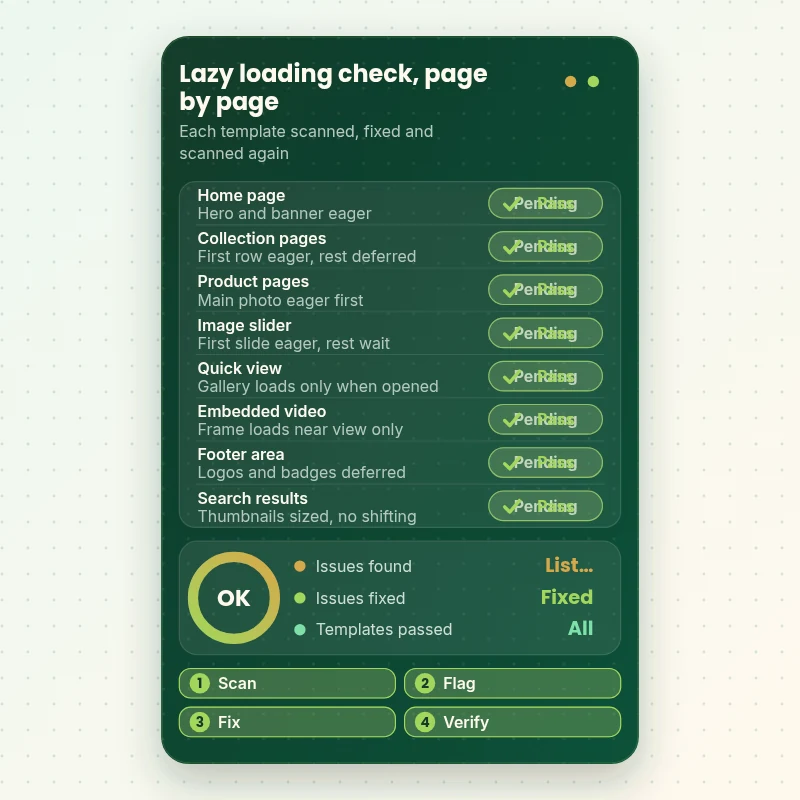
Each template is scanned and the result is marked pass or issue. Pages are listed on the left and the specific lazy-loading check beside them. Anything flagged is fixed and scanned again, so the list you receive ends with every row passing rather than a promise that it should.
Portfolio
Store Design Styles We Build
Different niches need different layouts. These store designs show how we shape a storefront around its products, and Lazy Loading Implementation for Shopify follows the same approach.

Fitness recovery store design
Fitness recovery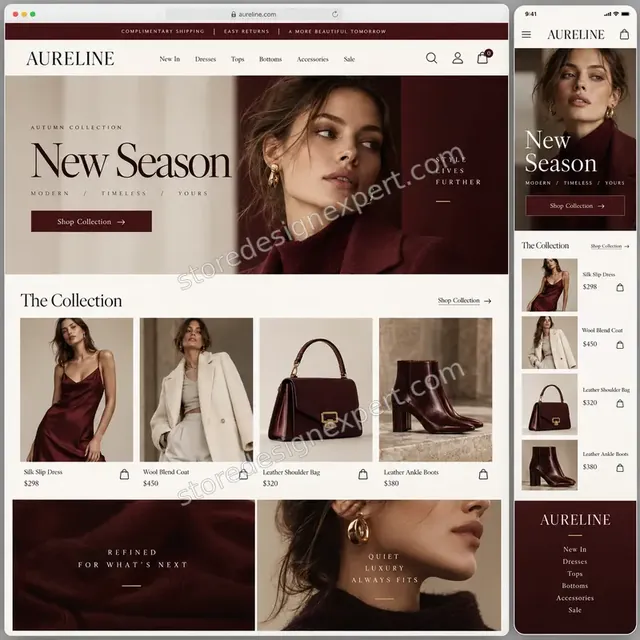
Luxury fashion store design
Luxury fashion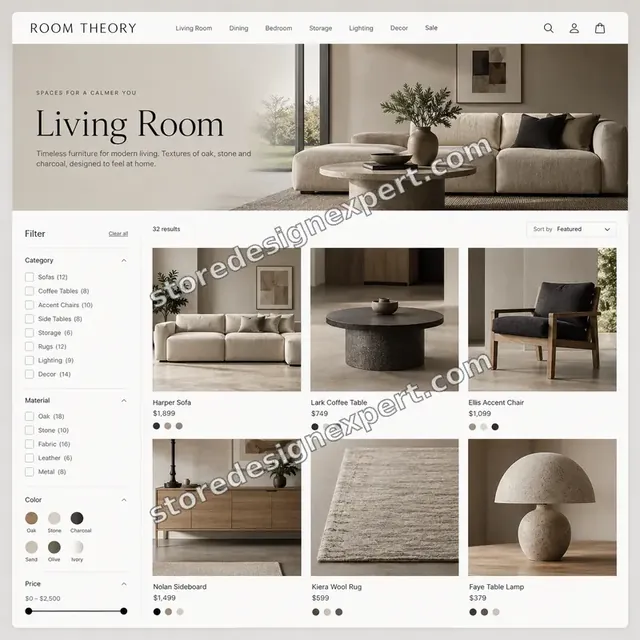
Furniture store design
Furniture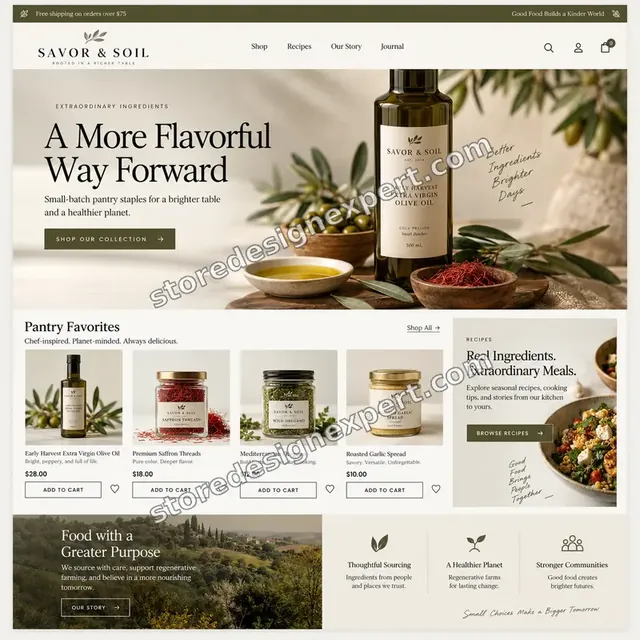
Food store design
Food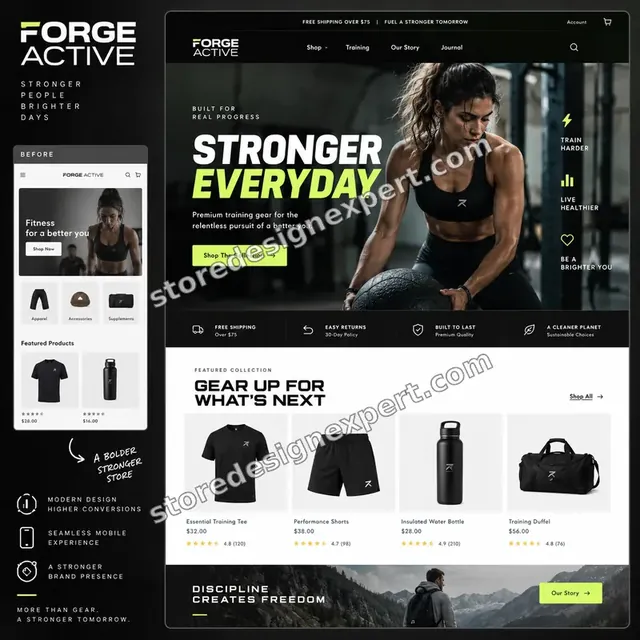
Fitness store design
Fitness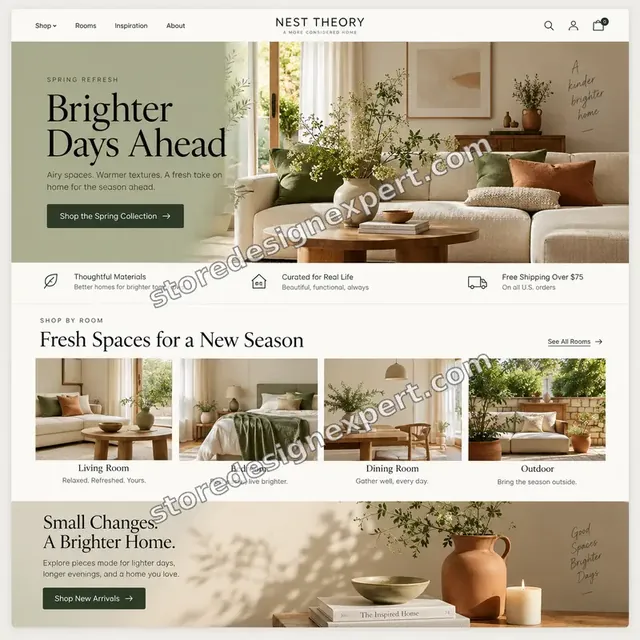
Home decor store design
Home decorProcess and timeline
How Our Lazy Loading Implementation Runs, Step by Step
Changes are made on a duplicate of your live theme and published only after you approve them. Image Deferral takes 2 to 4 working days, and the calculator shows the window for larger combinations.
- 1
Measure and map the first screen
We run PageSpeed Insights on your key URLs and find the Largest Contentful Paint element on each template, so we know exactly which images must never wait.
- 2
Read the theme code
We open the image markup in your sections and snippets, note where the loading attribute is already present and find scripts or apps that inject pictures of their own.
- 3
Apply the loading rules
First-viewport images stay eager, the main one gets high priority, and the remainder are deferred. Dimensions are added wherever the theme leaves them out.
- 4
Handle sliders, hidden panels and embeds
Carousels, quick-view windows, tabs and video frames each get a rule suited to how they hide content, then we test them by hand.
- 5
Review on real devices
You see the duplicate theme on your own phone and desktop. We watch for blank spots and shifting while scrolling and make up to two rounds of changes.
- 6
Publish and re-measure
We publish the approved theme, repeat the PageSpeed readings and send you the comparison with notes on anything left alone and why.
Compare your options
App, Gig, Freelancer or Lazy Loading Implementation From Us?
Owners fixing image loading usually compare four routes: an automatic app, a marketplace gig, an independent developer or a specialist team. This table sets them against the parts of the job that most often go wrong.
| What matters | Speed app | Marketplace gig | Freelance developer | Store Design Expert |
|---|---|---|---|---|
| Hero image kept eager | Check it | Rarely | Varies | Yes |
| Main image given fetch priority | No | Rarely | Varies | Yes |
| Width and height reserved | Partly | Rarely | Varies | Yes |
| Sliders and quick view handled | No | Rarely | Extra cost | Yes |
| Video and map embeds deferred | Some | Rarely | Varies | Yes |
| Search Console check for images | No | No | Rarely | Yes |
| Before and after readings | Own score | Rarely | Varies | Yes |
| Fixed price known up front | Yes | Yes | Varies | Yes |
Inside every project
What Protects Your Images and Your Rankings
A speed change should never cost you sales or search visibility. These safeguards apply to every project, whichever package you choose.
Work on a copy, never the live theme
Everything is built on a duplicate theme. Your published store keeps selling until you have seen the result on your own devices and approved it.
No image hidden from shoppers or from Google
We keep real image sources in the markup and use loaders that trigger on entering the viewport, so pictures appear for people and for crawlers that do not scroll.
The first screen is never delayed
Any image in the initial viewport is excluded from deferral. That rule exists because lazy loading it is a documented way to make Largest Contentful Paint slower.
No layout jumps
Space is reserved for each deferred image. We scroll the finished pages on a phone and watch for movement before anything is handed over.
Careful access handling
We use collaborator access wherever possible and never ask for your payment card or your store owner password. Access can be removed in one click when the work ends.
Changes written down
You receive a plain list of files edited, loading rules applied and images left alone, so a future developer or theme update does not undo the work unknowingly.
Interactive price calculator
Build Your Lazy Loading Package
Pick a package, then say how many templates are involved, how your theme is built and how much video or widget content the pages carry. The fixed price and delivery window move with each choice.
Request a custom quote
Headless storefronts, Shopify Plus stores with several themes or catalogs with heavy third-party image apps are scoped individually, and we agree a fixed fee before any work starts.
Request a QuoteChanged your mind? Choose Image Deferral, Media Deferral or Load Order Rebuild above to return to the instant calculator.
Packages and comparison
Lazy Loading Package Comparison
The table beneath lists every tier on its own row. Use the calculator to add templates, theme complexity and media weight and see the price and delivery time for your own store.
| What is included | Image Deferral $450 | Media Deferral $850Recommended | Load Order Rebuild $1,450 |
|---|---|---|---|
| Home, collection and product templates | Included | Included | Included |
| Below-the-fold images deferred | Included | Included | Included |
| Hero and first row kept eager | Included | Included | Included |
| Width and height set on deferred images | Included | Included | Included |
| PageSpeed readings before and after | Included | Included | Included |
| Recorded handover and two revision rounds | Included | Included | Included |
| Slider and quick-view rules | Not included | Included | Included |
| Video and map frames deferred | Not included | Included | Included |
| Fetch priority on the main image | Not included | Included | Included |
| Search Console check on key pages | Not included | Included | Included |
| Preload hints where they help | Not included | Not included | Included |
| Responsive sizes review | Not included | Not included | Included |
| App-injected image audit | Not included | Not included | Included |
| Fortnight of follow-up fixes | Not included | Not included | Included |
| Usual turnaround | 2 to 4 days | 3 to 6 days | 5 to 8 days |
For Lazy Loading Implementation for Shopify, the price and the delivery estimate shown in the calculator above are the ones that apply.
Why Store Design Expert
Why Owners Choose Us Over Shopify Experts for Hire on Marketplaces
You get the care of a specialist team with a fixed scope and a plain handover, without paying for hours spent on things you did not ask for. These are the reasons clients return to us.
Shopify specialists since 2015
We build and tune only Shopify themes, so we know how sections, snippets and the image filter behave. 450+ launches means the odd cases in your theme have usually been met before.
We protect the metric, not only the file size
Many quick fixes shrink page weight and leave Largest Contentful Paint worse. We aim at the first-screen readings that Google reports, and we show them to you.
Rated 4.9+ by verified clients
Every review shown here was left by a verified Store Design Expert client, which lets you read the experience of past projects before you pick a tier.
A fixed fee that names every image template covered
Each package lists what is included, and the calculator adds options before checkout. No hourly meter runs while we investigate your theme.
The developer on your theme answers your questions
Questions go to the developer on your theme, not through an account manager, so a surprising result is explained quickly and in plain words.
Your theme and your files stay yours
The code lives in your own store and the notes explain every change. Should we start a new store in our Partner account, it moves to you on completion.
What we need to get started
What We Need to Start Your Lazy Loading Work
No code needs writing or gathering by you. We need theme access plus the handful of pages that earn the most. Choose the easiest of the three entry routes below.
Send us a collaborator request
For an existing store, give us its address and accept the collaborator invitation we raise. The theme stays in your account, passwords are never shared and you may withdraw our access whenever you wish.
Let us build it in our Partner account
If there is no store yet, we set it up in our own Shopify Partner account, do the work there and transfer ownership to you at the end. You pick a plan only once everything is finished.
Or share a staff account
A staff login is also fine if that is simpler for you. Collaborator access is easier to remove later, but either way lets us begin.
Your key page addresses
Send the addresses of your home page, best-selling collection, top product pages and any landing page that carries paid traffic, so we measure what matters most.
Any speed report you already have
Share PageSpeed Insights or Search Console reports if you have them, along with the date. They show what you already know and give us a baseline.
Apps and past changes
Tell us which apps add images, sliders or popups and whether someone has pasted lazy-loading code before, so we do not apply two loaders to one picture.
Your owner password and payment card are off limits to us. Nothing goes live until you have reviewed the copy of your theme, and every original file is kept so any change can be reversed.
Testimonials
What Store Owners Say After Launch
Verified clients describe working with Store Design Expert on builds, fixes and speed work.
Verified
Store Design Expert delivered an outstanding website development experience! Their professionalism and attention to detail exceeded my expectations, and their proactive communication kept everything running smoothly. Truly impressed by their deep understanding and dedication.
WG
Warren G.United States
Verified
The website development work was nothing short of professional, with top-notch quality. Their exceptional level of cooperation made the collaboration seamless and enjoyable. Highly recommend working with Store Design Expert!
JC
Jeremy C.United States
Verified
Super great to work with, and super fair!
RO
Robert O.United States
Verified
The website development work was truly impressive. Their attention to detail and ability to exceed expectations made the project a success. Working with them was a breeze, thanks to quick responsiveness and a willingness to go above and beyond.
KD
Kevin D.United States
Verified
Store Design Expert was very knowledgeable about what I needed done to fix my Shopify store and how to improve the store layout. The project was completed very quickly, and I will definitely use them for support as my business grows.
ST
Samuel T.United States
Verified
Very satisfied with the work. Most importantly, Store Design Expert responded promptly to my questions and concerns. Thank you!
KB
Kyle B.United States
Verified
Outstanding work and outstanding customer service. Five stars! I will absolutely use Store Design Expert again for my next book.
KM
Katharine M.United States
Verified
Store Design Expert was great! They delivered exactly what I asked for and even offered helpful extra suggestions. Highly recommended.
PW
Paul W.United States
Verified
I request Store Design Expert every time I have a project. They are professional and give real attention to detail, which makes the work stand out.
LK
Laura K.United States
Related searches
Related Searches for Lazy Loading Implementation for Shopify
People describe Lazy Loading Implementation for Shopify in different ways when they search. These are the common ones.
If you searched for “shopify lazy loading”, “how to implement lazy loading” or “lazy loading for images”, Lazy Loading Implementation for Shopify is the work that answers it.
People who look up “how to lazy load images shopify”, “how to add lazy loading in shopify” or “what is lazy loading” usually want Lazy Loading Implementation for Shopify; the calculator above shows the price and delivery estimate before you commit.
“eager vs lazy loading” or “shopify images not loading”: owners type these when they need Lazy Loading Implementation for Shopify, and the packages above are priced for that job.
Related searches include “shopify page speed optimization”, “shopify website speed optimization” or “shopify speed optimization cost”.
You may also have come across “shopify experts for hire” while reading about Lazy Loading Implementation for Shopify.
FAQ
Lazy Loading Implementation FAQs
Direct answers on price, timing, what to defer, what never to defer and how we check the result.
How much does a lazy loading implementation cost?
Packages start at $450 for Image Deferral, $850 for Media Deferral and $1,450 for Load Order Rebuild. Templates, theme age and media weight are added in the calculator, so most stores land between roughly $600 and $2,000. You see the total, fixed, at checkout and never after it.
What is lazy loading?
Lazy loading means a browser requests an image, video or frame only when it is near the screen instead of at page open. Pages with many pictures send fewer requests at the start, and the rest arrive as the shopper scrolls.
Eager vs lazy loading: which images should wait?
Eager loading suits anything in the first viewport, especially the largest image on screen. Lazy loading suits everything that needs a scroll to be seen. The mistake is applying one rule to every image. We decide image by image on each template.
How to add lazy loading in Shopify without breaking the hero image?
Use the theme's image filter for deferred images, exclude the first viewport, give the main image high priority and set dimensions. Shopify's own guidance says to load initial-viewport images eagerly. We apply this on a copy of your theme and test it before publishing.
How to lazy load images Shopify themes do not handle themselves?
Check the markup first. Current themes often defer card images already, while older ones rely on a script. Gaps usually sit in background banners, sliders, quick-view windows and app widgets, and each needs its own rule, which is the part we do by hand.
How to implement lazy loading on a theme that already uses lazysizes?
We avoid stacking two loaders. Either the old script is kept and tuned, or it is replaced by the browser's native attribute, depending on what your theme and apps need. Then we test the product gallery, sliders and collection pages, where double loading usually shows up first.
Why are my Shopify images not loading after adding lazy loading code?
Usual causes are a source attribute left empty with no fallback, a script that runs late or fails, a typo in a class name, or an app that rewrites the image tags. We find which applies, restore a real source in the markup and retest on mobile.
Will lazy loading hurt my SEO?
Done well it does not. Googlebot does not scroll, so we avoid methods that depend on scroll events and keep real sources in the markup. We then inspect key URLs in Search Console to confirm the page renders with its images.
Does lazy loading for images improve Core Web Vitals?
It can lower the bytes fetched before first paint, which often helps. Largest Contentful Paint only improves if the main image is not deferred, and layout shift only stays low if dimensions are reserved. We measure both before and after.
Is this the same as Shopify website speed optimization?
No. It is one part of it. Shopify website speed optimization also covers apps, scripts, fonts, image formats and theme code. If your readings point to those, we say so and quote them separately instead of stretching this scope.
What does Shopify speed optimization cost compared with this service?
Broad Shopify speed optimization cost guides quote $2,000 to $8,000 for full programmes, with image and lazy-loading work at $500 to $2,000. Our fixed packages sit inside that lower band because the job is narrow and well defined.
Can you defer video and map embeds as well?
Yes. Media Deferral and Load Order Rebuild hold video and map frames until the shopper is near them, and the higher tier can add a click-to-play preview. Those embeds often weigh more than an entire gallery of product photos.
When should I hire Shopify experts instead of using an app?
An app fits a simple theme with straightforward images. If your hero, sliders, quick view or embeds need individual rules, a person has to read the theme. Shopify experts for hire on marketplaces vary a lot, so look for a fixed scope and proof of measurement.
What happens after the work is published?
We re-measure your key URLs and send the comparison. Load Order Rebuild includes 14 days of follow-up fixes, and a 30-day regression check can be added for when your theme or apps update.
Ready when you are
Start Your Lazy Loading Implementation With the Hero Image Protected
Choose a package, see your exact price and delivery estimate and order a lazy loading implementation from a team that has launched over 450 Shopify stores. You get deferred images, a fast first screen, steady layouts and before and after readings.
Encrypted checkout · Two review rounds · Video walkthrough with written notes