
Shopify stores designed and launched
Upsell and cross-sell strategy implementation
Shopify Upsell and Cross Sell Strategy, Planned and Built Into Your Store
Shopify upsell and cross sell work for owners who want offers that feel helpful instead of pushy. We map which product should lead to which, build the placements on your product page, cart and post-purchase step, and set up the tracking that shows what each offer does. From $690, backed by 450+ stores launched since 2015 and a 4.9+ rating from verified clients.
- An offer map that pairs products by real buying logic
- Product page, cart and post-purchase placements built and tested
- Tooling matched to your Shopify plan, native first
- Tracking notes so every offer can be judged on its own
From$690
Delivery5 to 16 working days
Revisions2 rounds
Our track record
Over 450 Shopify Stores Launched Since 2015. Now Let Us Give Yours Smarter Offers.
Anyone can install an app that throws a popup at every visitor. Years of building stores have taught us where an extra offer feels like help and where it feels like a toll booth, and that judgement is what you are paying for.
Average rating from verified clients
Building Shopify stores since
Secure checkout
Pay through a protected checkout and keep a full order record.
Two revision rounds
Included in every package, so the result matches what you pictured.
Backup before changes
We work on a duplicate of your theme, never on your live store.
Who this is for
Made for Stores With Good Traffic and a Thin Basket
Extra offers help most when shoppers already like what you sell. These are the situations in which owners ask us to step in, along with what each usually needs first.
Single-item orders everywhere
Most of your orders contain one product, even though your range invites a second. You need pairings and placements that make the second item obvious, not a random carousel of bestsellers.
Stores with a pile of half-working apps
Two upsell apps, a bundle plugin and a theme carousel all compete for the same screen. We untangle them, keep what earns its place and rebuild the rest cleanly.
Consumables and refills
Coffee, skincare, supplements and pet food sell again and again. Larger sizes, multipacks and subscription-style add-ons fit naturally, and we set them up with sensible limits.
Brands buying paid traffic
When every click costs money, each order has to carry more value. We build offers that raise the basket without adding a step that scares paid visitors away.
Catalogs with obvious accessories
Cameras with straps, mattresses with protectors, boards with wax. If your products have natural companions, we encode that logic so it shows on the right pages automatically.
Owners planning a sale or launch
Before a promotion you want bundles, thresholds and offers ready and tested. We prepare them in a duplicate theme so launch day is a publish, not a scramble.
Problems solved
Why Most Shopify Upsell Efforts Annoy Shoppers or Quietly Do Nothing
Offers fail in predictable ways. Here is what we find when we open a store that already has an upsell tool installed, and the way each issue gets resolved.
The problem
Offers are generic, so they feel irrelevant.
The outcome
We write pairing rules from how your products are actually used together, then override automation where it suggests something odd. Relevance comes first, volume second.
The problem
Three popups fire before the shopper has chosen anything.
The outcome
We decide which touchpoint owns each offer and cap what appears at once, so a visitor meets one clear suggestion at the right moment.
The problem
Add-ons cost more than the main product.
The outcome
Offers are priced and ordered with a ratio in mind, so an accessory never dwarfs the item being bought and discounts never eat the margin.
The problem
Cart offers slow the drawer or break on mobile.
The outcome
We test the drawer on phones and weak connections, trim scripts and make sure the add button sits where a thumb lands, because a laggy offer costs more than it earns.
The problem
Nobody knows whether an offer works.
The outcome
Offer clicks and offer-attached orders are tagged, so you can tell revenue the offer added from revenue that would have arrived anyway.
The problem
The tool does not fit your Shopify plan.
The outcome
Checkout-step blocks are restricted to Plus, and post-purchase has its own rules. We choose placements your plan actually supports rather than promising one it cannot run.
What we can do
What Our Shopify Upsell and Cross Sell Implementation Covers
Upsell work sits across strategy, theme code, apps and measurement. These are the six areas where our hours go, with the edge cases we deal with regularly.
Offer mapping before any build
We list your top sellers, find what customers buy together in your own order history, and define upgrade, accessory, refill and bundle paths for each. The map becomes the specification, so every placement has a reason.
Product page offers that stay out of the way
Complementary items appear beside the add to cart area through Shopify's own recommendation logic or hand-picked links. Where a checkbox add-on suits the product, we build it so variants and inventory still work.
Cart drawer and cart page cross-sells
We add a short, relevant row of suggestions plus a free delivery progress element if you want one. Items already in the cart are excluded, out-of-stock items are skipped and quantity changes update the totals correctly.
Post-purchase one-click offers
For stores on supported plans we configure the post-purchase step so a shopper can add an item after paying, without re-entering a card. We set eligibility, order of offers and a decline path that leads straight to confirmation.
Checkout-step offers on Shopify Plus
If you run Plus, checkout UI extensions can place an offer inside the checkout itself. We scope what is permitted, keep it light and avoid cluttering the one page where hesitation is most expensive.
Measurement you can read yourself
We tag offer interactions and agree what to compare: average order value, units per order and the share of orders containing an offer item. You receive a short guide so the numbers mean the same thing next quarter.
What is included
What Your Shopify Upsell Build Includes
Everything is grouped into six streams, so you can see where the effort goes. The comparison table further down shows which stream appears in which package.
Offer map
- Review of your best sellers and product relationships
- Upgrade, accessory, refill and bundle paths per product group
- Rules for which items never appear together
- Written map approved by you before the build
Product page placements
- Complementary product block configured and styled
- Hand-picked pairings for your top products
- Optional checkbox add-on for single accessories
- Mobile layout check of every placement
Cart and bundles
- Cart drawer or cart page cross-sell row
- Free delivery progress bar on request
- Fixed bundles and multipacks set up in Shopify Bundles or a chosen app
- Quantity, discount and inventory behaviour tested
Post-purchase offers
- One-click offer flow after payment in Basket Builder and Offer Funnel
- Eligibility and order of offers defined
- Decline path to the confirmation page
- Test orders on a real payment method
Tracking and reporting
- Offer clicks and offer-attached orders tagged
- Agreed comparison metrics written down
- Short reporting guide for your team
- Dashboard view in Offer Funnel
Launch and handover
- Everything built in a duplicate theme and previewed
- Backup of your live theme before publishing
- Recorded walkthrough and written notes
- Two revision rounds after your review
Each stream ends with something you can open and check, whether that is a map, a live placement or a tracking sheet, so nothing in the scope is vague.
See how it works
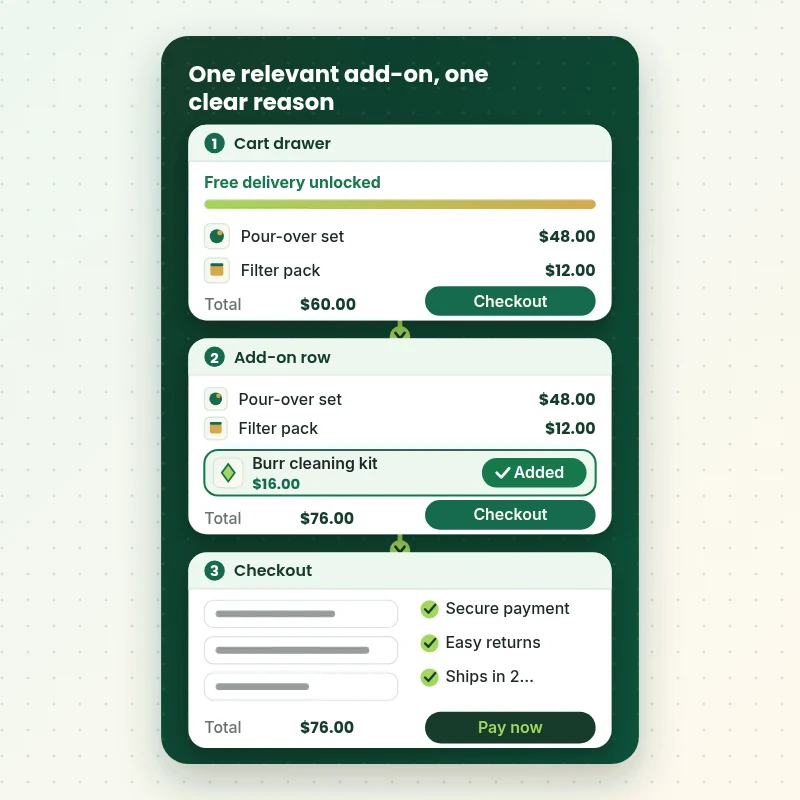
A Cart Offer That Unlocks Free Delivery
A good cart suggestion solves something for the shopper. In this walkthrough the basket sits just under the free delivery threshold, one relevant add-on appears, and a single tap moves the order over the line. The same logic can drive cart drawer rows, bundles and post-purchase offers.
Portfolio
Shopify Store Designs We Create
These storefront designs show how layout, product detail and trust cues change from one niche to the next, which is the same care that goes into Shopify Upsell and Cross-Sell Strategy Implementation.
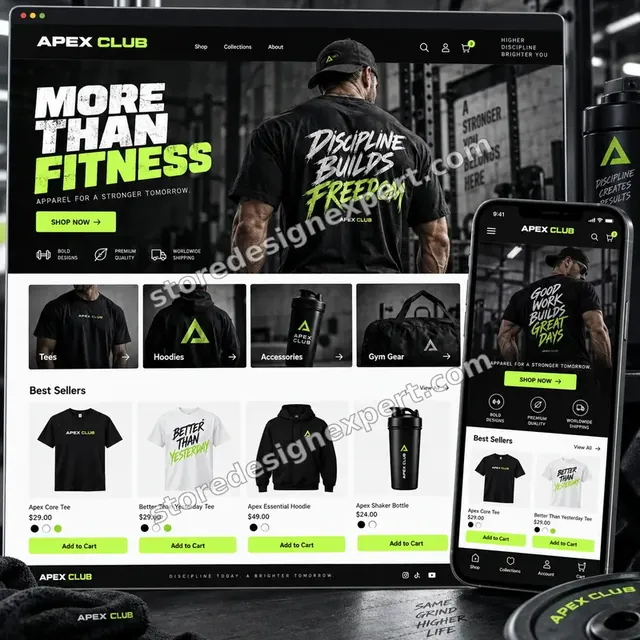
Fitness apparel store design
Fitness apparel
Fitness store design
Fitness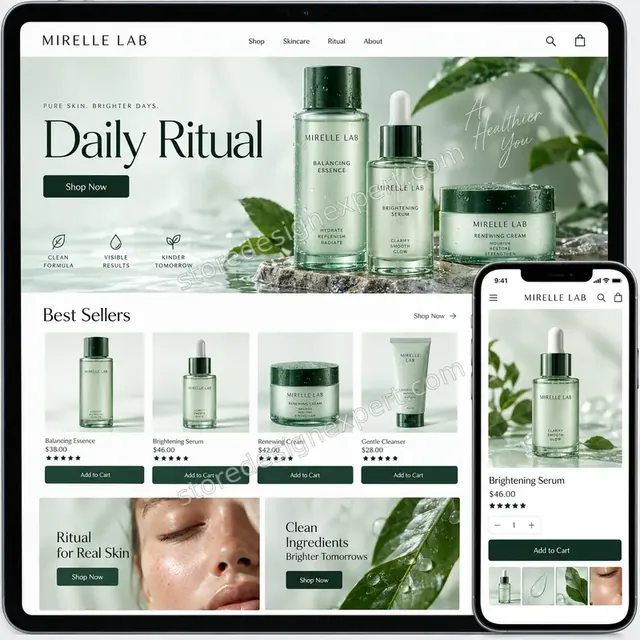
Premium skincare store design
Premium skincare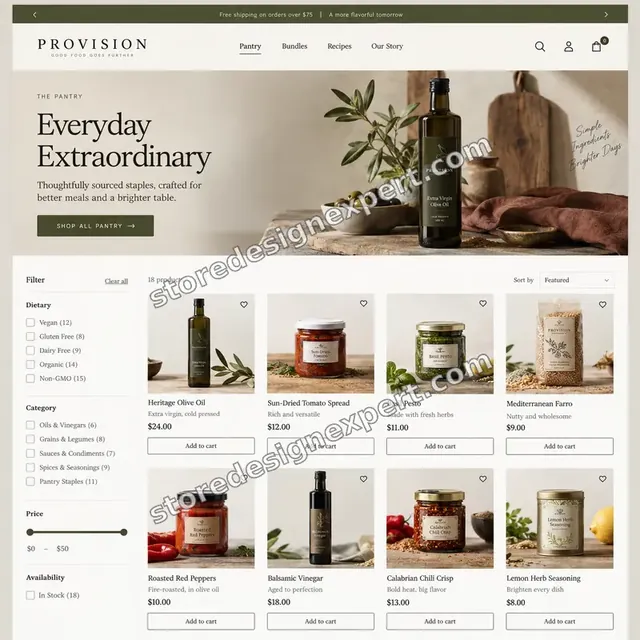
Food store design
Food
Audio store design
Audio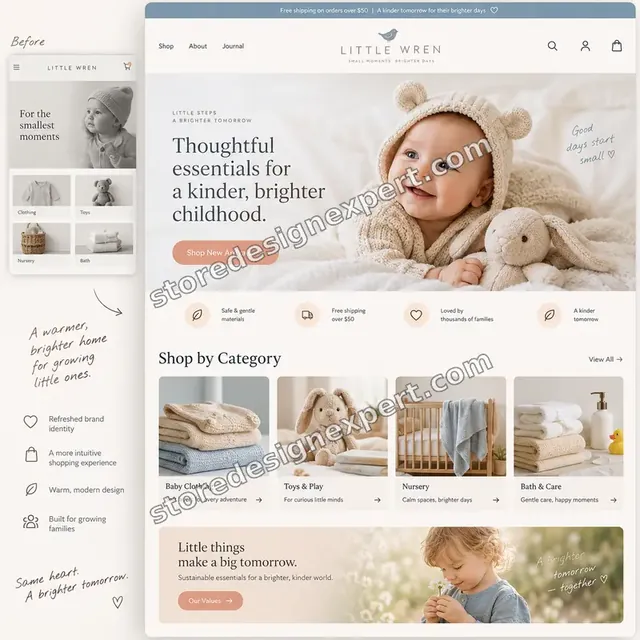
Baby store design
BabyProcess and timeline
From Offer Map to Live Placements: Process and Timeline
Six stages take you from a blank map to tested offers, all built in a duplicate theme so the live store keeps trading. Add-On Pass usually takes 5 to 7 working days, while the calculator shows how options extend that.
- 1
Product relationships
We study your catalog and order history to see which items already travel together, then draft upgrade, accessory and refill paths for the groups that matter most.
- 2
Offer map sign-off
You review the written map, strike anything that feels pushy and confirm margins and exclusions, so building starts on rules you have approved.
- 3
Placements in a duplicate theme
We build product page, cart and bundle placements in a copy of your theme, using native tools first and an app or custom section only where needed.
- 4
Post-purchase and checkout step
Where your plan allows, we configure the one-click offer after payment and any Plus checkout block, with eligibility and decline paths defined.
- 5
Testing with real orders
We run test orders with discounts, mixed carts, out-of-stock items and different devices, and fix whatever misbehaves before your review round.
- 6
Publish and hand over
After your approval we publish, keep the old theme as a rollback, and send a recorded walkthrough plus the notes you need to read the results.
Compare your options
Native Tools, an Upsell App, a Freelance Gig or Store Design Expert?
There are four common routes to better offers. Shopify's own tools cost nothing, an app adds features for a monthly fee, a gig is cheap and varies widely, and a specialist build covers strategy, code and tracking. Compare what each really delivers.
| What matters | Native Shopify tools | Upsell app alone | Freelance gig | Store Design Expert |
|---|---|---|---|---|
| Offer map based on your own orders | No | No | Rarely | Yes |
| Product page pairings set by hand | You do it | Automated | Varies | Yes |
| Cart drawer cross-sell row | Theme dependent | Yes | Varies | Yes |
| Post-purchase one-click offer | No | Paid plans | Varies | Yes |
| Margin and exclusion rules documented | No | No | Rarely | Yes |
| Tested with discounts and mixed carts | You do it | You do it | Rarely | Yes |
| Offer tracking and reporting guide | No | App reports only | Rarely | Yes |
| Fixed price up front | Yes | Monthly fee | Varies | Yes |
Inside every project
What Protects Your Margin and Your Live Store
Offers touch prices, discounts and the cart, so a careless change can cost real money. These safeguards sit inside every project and explain why a fixed price is realistic.
Built in a copy of your theme
Every placement is created in a duplicate theme and previewed on a link. Shoppers keep using the current theme until you approve, and the original stays in your library afterwards.
Margin rules written down
Before building we agree discount ceilings, price ratios and items that must never be discounted or paired. Those rules go into the settings, not into somebody's memory.
Test orders with awkward carts
We try mixed carts, discount codes, sold-out items, large quantities and wallet payments, because upsell logic usually breaks at the edges, not in the happy path.
Collaborator access only
We work through Shopify's collaborator permissions scoped to the project. Your owner credentials remain yours, and you can end our access whenever you like.
Rollback in a click
Your live theme is backed up before publishing. If an offer behaves unexpectedly, switching back is a single action instead of an emergency rebuild.
Fixed scope and two revisions
The price covers the touchpoints in your package and two rounds of changes after review. Extra ideas are quoted in writing before any time is spent on them.
Interactive price calculator
Price Your Shopify Upsell and Cross Sell Build
Choose a package, then tell us how many products need offer logic, which tooling route you prefer and how deep the tracking should go. Fixed price and timeline refresh with every selection.
Request a custom quote
Shopify Plus checkout extensions with custom logic, headless storefronts, subscription platforms, multi-store setups or catalogs beyond 300 products receive a custom quote with a written scope.
Request a QuoteChanged your mind? Choose Add-On Pass, Basket Builder or Offer Funnel above to return to the instant calculator.
Packages and comparison
Compare Upsell and Cross-Sell Packages Row by Row
Every line below is a deliverable you can hold us to. The calculator above totals the exact price once catalog scope, tooling route and tracking depth are chosen.
| What is included | Add-On Pass $690 | Basket Builder $1,190Recommended | Offer Funnel $1,990 |
|---|---|---|---|
| Offer map for top products | Included | Included | Included |
| Product page pairings | Included | Included | Included |
| Cart cross-sell row | Included | Included | Included |
| Phone, tablet and desktop checks | Included | Included | Included |
| Backup of your live theme | Included | Included | Included |
| Recorded handover and two revision rounds | Included | Included | Included |
| Bundles and multipacks | Not included | Included | Included |
| Free delivery progress bar | Not included | Included | Included |
| Post-purchase one-click offer | Not included | Included | Included |
| Tagged offer events | Not included | Included | Included |
| Offers on every allowed touchpoint | Not included | Not included | Included |
| Written measurement plan | Not included | Not included | Included |
| Offer dashboard view | Not included | Not included | Included |
| 14 days of fixes | Not included | Not included | Included |
| Typical delivery | 5 to 7 days | 8 to 12 days | 12 to 16 days |
The calculator above gives the exact price and delivery estimate for your Shopify Upsell and Cross-Sell Strategy Implementation order, and that is what you pay.
Why Store Design Expert
Shopify Specialists Who Treat Offers as Part of the Design
Upselling goes wrong when it is bolted on after the design is done. Here is how our approach differs from installing an app or hiring a one-off gig.
Shopify only, since 2015
We build themes, carts and product pages daily, so we know where an offer block can sit without breaking spacing, variants or the cart drawer.
Strategy before software
The map comes first, and the tool is picked to fit it. That order stops you paying monthly for features your plan or your catalog never needed.
Senior people, no retainer
A fixed price buys a defined project with a clear end date. Billing is per project, so no timesheet runs and no subscription to end once we finish.
Honest about Shopify's limits
We tell you which placements your plan supports and which it does not, instead of promising a checkout offer your store cannot run.
Commercial judgement
Offers are weighed against margin and shopper patience. A suggestion that lifts basket value but harms trust is not one we will build.
You own everything
Theme changes, settings and tracking live in your store. Whatever we assemble in our Partner account moves over to your ownership when the work is done.
What we need to get started
What We Need From You to Start Your Offer Build
You do not need a finished upsell plan, only access and a view of which products belong together. Pick the route that fits.
Approve a collaborator request
Send your store URL and accept our collaborator invitation inside Shopify admin. You stay the owner, nothing secret changes hands and you can withdraw access at any moment.
Starting without a store
If nothing exists yet we assemble the store in our own Shopify Partner account and transfer ownership once it is finished, leaving you to choose a plan as the last step.
Share staff login details instead
A staff account is fine if you prefer. Collaborator access is easier to revoke, which is why we suggest it first, but we will work either way.
Order and product data
Give us reporting access, or export your orders and products, so we can see which items already sell together and where single-item orders dominate.
Margin and discount limits
Tell us the lowest margin you accept, any products that must never be discounted and how much of a discount you are comfortable showing.
Apps already installed
List the upsell, bundle and review apps you use now, and name one person who approves offers and wording so changes do not stall.
You keep your owner login and card details; we never ask for either. All changes happen in a duplicate theme with a backup and a written handover.
Testimonials
What Store Owners Say About Working With Us
Verified clients describe their experience with Store Design Expert on builds, fixes and conversion work.
Verified
Store Design Expert delivered an outstanding website development experience! Their professionalism and attention to detail exceeded my expectations, and their proactive communication kept everything running smoothly. Truly impressed by their deep understanding and dedication.
WG
Warren G.United States
Verified
A pleasure to work with. They did pretty much everything I asked and definitely exceeded my expectations. I will be working with Store Design Expert again soon.
JL
Jerry L.United States
Verified
Superb work! Store Design Expert is incredibly patient, and even when I did not fully understand my own questions, everything was explained again in detail. My vision was implemented perfectly, and the work is worth every cent I spent.
KB
Katrin B.Germany
Verified
Very impressed with the build-out. My store is ready to get started, and I am sure I will reach out for edits down the road, but this is everything I could ask for to get the party started. Thanks again, and I will be in touch for future projects.
DH
Dale H.United States
Verified
Very quick and detailed work! Store Design Expert does exactly what you want, in a very professional manner.
LF
Lena F.Germany
Verified
Store Design Expert did an outstanding job with top-notch professionalism on my website project. Everything was delivered quickly without compromising quality. I could not have asked for better!
JM
Jason M.United States
Verified
The website development work was nothing short of professional, with top-notch quality. Their exceptional level of cooperation made the collaboration seamless and enjoyable. Highly recommend working with Store Design Expert!
JC
Jeremy C.United States
Verified
Super great to work with, and super fair!
RO
Robert O.United States
Verified
The website development work was truly impressive. Their attention to detail and ability to exceed expectations made the project a success. Working with them was a breeze, thanks to quick responsiveness and a willingness to go above and beyond.
KD
Kevin D.United States
Related searches
What People Search For Before Ordering Shopify Upsell and Cross-Sell Strategy Implementation
The searches below are the ones that lead people to Shopify Upsell and Cross-Sell Strategy Implementation.
“shopify upsell apps”, “best upsell app for shopify”, “shopify upsell at checkout” or “shopify upsell on product page” all point to the same job, which Shopify Upsell and Cross-Sell Strategy Implementation covers from start to finish.
If you searched for “shopify cross sell app”, “shopify post purchase upsell”, “how to upsell on shopify” or “shopify cart upsell app”, Shopify Upsell and Cross-Sell Strategy Implementation is the work that answers it.
People who look up “shopify upsell app free”, “one click upsell shopify app”, “shopify checkout upsell app” or “what is upsell and cross sell in shopify” usually want Shopify Upsell and Cross-Sell Strategy Implementation; the calculator above shows the price and delivery estimate before you commit.
If you searched for “cross sell upsell difference” or “upselling and cross selling strategies”, Shopify Upsell and Cross-Sell Strategy Implementation is the work that answers it.
FAQ
Shopify Upsell and Cross Sell FAQs
Straight answers on how to upsell on Shopify, what it costs, tooling, platform limits and what happens once the offers are live.
How much does Shopify upsell and cross sell setup cost?
Packages start at $690 for Add-On Pass, $1,190 for Basket Builder and $1,990 for Offer Funnel. Catalog scope, tooling route and tracking depth add their own prices, so most builds land between about $1,200 and $3,300. Any app subscription is billed separately by its vendor. Your exact total appears in the calculator before checkout.
What is upsell and cross sell in Shopify?
An upsell encourages a shopper to buy a better, larger or upgraded version of the item they are viewing. A cross-sell suggests something that goes with it. On Shopify both can appear on product pages, in the cart, at checkout on Plus and in a post-purchase step. We plan which belongs where.
What is the cross sell upsell difference in practice?
Think of an upsell as a step up, such as a 500 ml bottle in place of 250 ml, and a cross-sell as a companion, such as a cleaning kit beside a grinder. Upsells replace the choice, cross-sells add to it. Both need clear relevance, or shoppers ignore them.
Which upselling and cross selling strategies suit a small catalog?
Small ranges usually do best with a few hand-picked pairings, a bundle or multipack and a free delivery threshold, rather than clever automation. With few products, a person can choose better matches than an algorithm. We use your sales history to pick them and review them when the range changes.
Do I need a Shopify upsell app, or can native tools do it?
Often native tools are enough. The free Search & Discovery app sets complementary and related products by hand, and Shopify Bundles handles fixed bundles. Apps become useful for post-purchase offers, tiered rules or richer cart behaviour. We start native and add an app only where it earns its monthly fee.
What is the best upsell app for Shopify?
No single entry among Shopify upsell apps wins for every store. The right one depends on your plan, catalog, theme and whether you need post-purchase offers. We compare a short list against your needs, check its effect on page weight and set it up properly. You pay the app vendor directly, so you are never locked into our choice.
Can you set up a Shopify upsell at checkout?
Checkout-step blocks are controlled by Shopify and currently reserved for Plus stores through checkout UI extensions. Even a Shopify checkout upsell app cannot add blocks inside checkout on other plans, where the closest options are cart offers and post-purchase one-click offers, which appear just after payment. We tell you what your plan allows before any scope is agreed.
How does a Shopify post purchase upsell work?
After the shopper pays, Shopify shows a one-click offer before the thank-you page, and the item is charged without another card entry. Whether you use a one click upsell Shopify app or Shopify's own extension, it works for Online Store orders paid through supported gateways, and a shopper can accept only a limited number of offers per checkout. We set eligibility and a clean decline path.
How do you handle a Shopify upsell on product page without slowing it down?
We favour native recommendation blocks and light theme code, load nothing until the section is needed and test the page on phones. If an app is chosen, we check what it adds to load time and remove leftovers from earlier apps. A product page should feel quick before it feels clever.
Is there a Shopify upsell app free option?
Yes. Shopify's own Search & Discovery and Bundles apps are free, and several third-party apps have free tiers with limits on orders or features. Free is fine when the limits suit your volume. We explain what each tier restricts, so you do not hit a wall during a busy sale.
Do you build a Shopify cart upsell app experience or custom code?
Either. We can configure and style a Shopify cross sell app for the cart drawer, or write a cart section into your theme when you want fewer scripts and more control. The calculator shows both routes with prices, so you can compare a monthly subscription against a one-off build.
Will upsells increase my average order value?
We cannot promise a figure, and nobody honest can. Results depend on traffic, products, pricing and how relevant the pairings are. What we do promise is a documented offer map, tested placements and tracking that lets you compare order value and units per order before and after.
Can you work alongside my existing apps?
Yes. We list every installed app, find overlaps and decide which ones stay. Overlapping popups are a common cause of poor results, so removing duplicates is often part of the job. Anything we remove is noted in the handover, with the original theme kept as a rollback.
What happens after the offers go live?
You receive a recorded walkthrough and written notes, and Offer Funnel includes 14 days of fixes. A 30-day support extra is available in the calculator if you want a longer window. The measurement plan tells you what to check and when, so you can tune pairings yourself.
Ready when you are
Start Your Shopify Upsell and Cross Sell Build Today
Choose a package, see your fixed price and delivery date, and order your Shopify upsell and cross sell project from a team that has launched over 450 Shopify stores. You receive an offer map, tested placements and clear tracking notes, with a rollback copy of your theme for peace of mind.
- Secure payment
- Two revision rounds
- Recorded handover included