
Shopify stores designed and launched
Loox photo reviews setup for Shopify
Loox Reviews Shopify Setup, Photo Proof That Actually Shows Up
Loox reviews Shopify setup goes wrong in quiet ways: the core script is off so widgets never render, a theme change wipes the integration, or the photo incentive fires on the wrong orders. We install Loox, place each widget, tune the request emails and test every piece on real products, from $320 and a fixed scope. Select a package below and the price updates as you click.
- Core script confirmed active in the live theme
- Widgets placed on product, home and collection pages
- Photo and video reviews encouraged with a tested incentive
- A fixed price and a written Loox test log you keep
From$320
Delivery3 to 14 working days
Revisions2 rounds
Our track record
450+ Shopify Stores Launched Since 2015. Your Customers' Photos Deserve That Experience.
Photo reviews sell because shoppers see real people using the product, but only if the gallery loads, fits the layout and appears in the right spot. Placing visual proof inside finished store designs is something we do every week.
Average rating from verified clients
Building Shopify stores since
Secure checkout
Pay through a protected checkout and keep a full order record.
Two revision rounds
Included in every package, so the result matches what you pictured.
Backup before changes
We work on a duplicate of your theme, never on your live store.
Who this is for
Who Books Our Loox Shopify App Setup
Loox suits brands whose products photograph well. These are the six kinds of store that most often hand the installation to us rather than work through the help centre alone.
You are a good fit if
- Your store runs on Shopify
- Your products suit customer photos
- You will own the Loox account
- You can approve the request email wording within a few days
Fashion, beauty and home brands
Your products look better on customers than in studio shots. You want shoppers to upload images and have those images appear beside the buy button without slowing the page.
New stores preparing to launch
The catalogue is done and the first orders are close. You want the photo request mechanism live from order one, so reviews accrue from day one.
Owners moving from another reviews app
Your current tool costs too much or feels dated. We import the existing reviews, switch the widgets and remove the old code so nothing double-loads.
Merchants whose widgets vanished
Everything looked fine until the theme was updated or replaced. We reconnect the integration and make sure the right embed is on in the right theme.
Stores that want photos from buyers
You want customers to send pictures and perhaps receive a discount for doing so. That needs careful rules about who qualifies and what the code applies to.
Agencies and freelance builders
You deliver stores for clients and would rather hand off a tested review layer. We leave notes your client can follow after you move on.
Problems solved
Loox Reviews Shopify Problems: Where the Integration Usually Breaks
Installing Loox is quick. Keeping a Loox Shopify theme integration working across templates and theme changes takes attention. These are the six faults we fix most, with the remedy for each.
- The Loox core script is off, so widgets never render.
Loox asks you to activate its core script in the theme's app embeds. We switch it on in the published theme and show you how to repeat it if you ever change themes.
- The theme changed and the integration did not follow.
A new live theme needs the core script and widgets set up again. We reintegrate, then compare the old and new product pages so no placement is lost.
- The star rating appears on products but not on collection cards.
Ratings on cards use their own placement. We add the Star Rating widget to each card layout, including search results and sliders that use different snippets.
- Review request emails are sent too soon or too late.
Loox lets you choose days after purchase, fulfilment or delivery, within a wide range. We choose the timing around your shipping speed so shoppers are asked after the item arrives.
- The photo discount is given to the wrong people.
A photo or video incentive creates a discount code and tags the order. We set the value, review the rules and place a test order so you see exactly how it behaves.
- Imported reviews attach to wrong products or fail to load.
Imports depend on correct product handles and clean columns. We prepare the file, fix errors reported on upload and compare counts before publishing.
What we can do
What We Set Up Inside Loox
The work covers six areas. Packages decide how many you receive, and each description names the edge cases we check so they do not emerge after launch.
Install, permissions and core script
We add the app from the Shopify App Store, approve what it asks for and turn on the Loox Core Script in the theme. After that, the Widgets screen can add blocks to the theme, and we confirm that each one saves cleanly.
How to add Loox reviews to a product page
On an Online Store 2.0 theme, we add the Reviews Widget block to the product template and position it. On vintage themes or custom spots, we paste the widget code into the right file inside a duplicate theme.
Six widgets, placed with purpose
Loox offers star ratings, a reviews widget, a cards carousel, a trust badge, snippets and a video slider. We choose the ones that fit your layout, so the page tells one clear story instead of repeating the same proof.
Review requests and bonus requests
We set when emails go out, from a day to several weeks after purchase, fulfilment or delivery. We also configure the reminder known as a bonus request, plus sender details and wording, then check what a customer sees.
Photo and video incentives
If you want to reward visual reviews with a discount, we set the amount, what it applies to and any limits. Orders placed with that code carry a tag, so you can later see what the incentive produced.
Imports from other review apps
Loox can take reviews from Judge.me, Yotpo, Okendo, Shopify's older reviews app, Stamped, Reviews.io and Junip, plus custom files and AliExpress. We choose the route, fix errors and verify the result.
What is included
What Is Inside Your Loox Setup
Everything we deliver belongs to one of six groups. The package table below shows how much of each group your price covers, which makes the gap between tiers easy to judge.
Connection
- Loox installed and permissions approved
- Core script active in the published theme
- Store and product data visible in Loox
- Theme integration confirmed in the Widgets screen
Product page
- Reviews Widget block on the product template
- Star rating near the title
- Photo gallery checked on phones
- Layout tested with live reviews
Home and collections
- Star rating on collection cards
- Cards carousel or video slider where it fits
- Trust badge in larger packages
- Every card style covered
Requests and incentives
- Request timing set around your delivery speed
- Email wording and sender set
- Photo or video discount configured in larger packages
- Test order placed to prove the code
Imports
- Source chosen from the supported list
- File cleaned and errors fixed
- Reviews loaded and counts compared
- Leftover code from the previous review app removed from the theme
Handover
- Test log covering every placement
- Short recorded walkthrough of your account
- Written notes on blocks and settings
- Two revision rounds after review
You share access and approve the wording. The embeds, widgets, imports and tests are our side of the work.
See reviews on a phone
How Loox Photo Reviews Look to a Shopper on a Phone
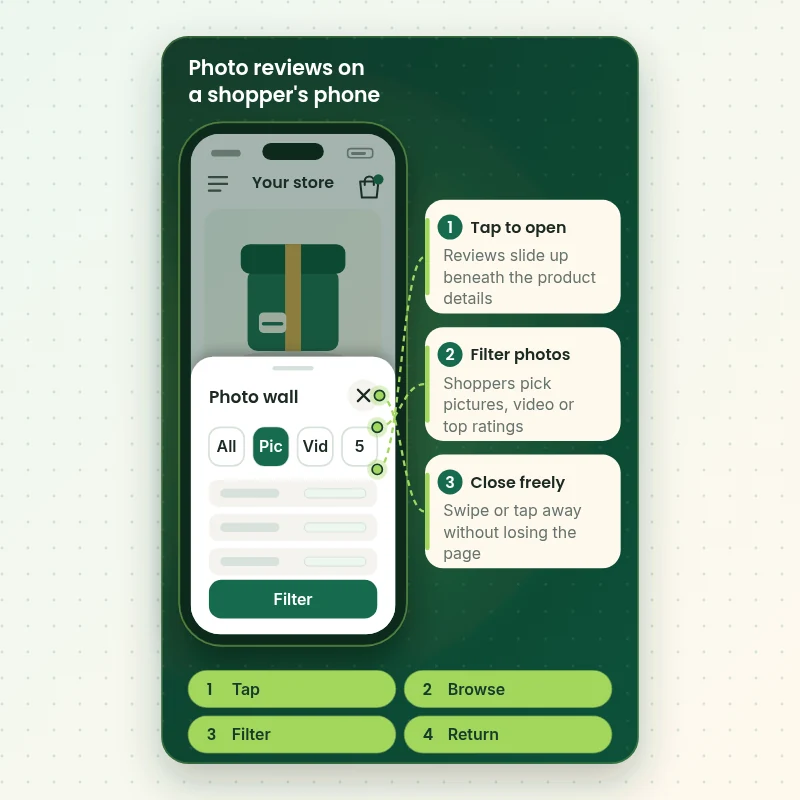
Most buyers meet your reviews on a small screen. This walkthrough shows a customer opening the review area, filtering for photos and tapping an image to see the full review. We test each step on real devices so images load, buttons are reachable and nothing covers the add-to-cart bar.
Portfolio
Store Design Styles We Build
A look at store designs across fashion, home, beauty, pets and gifts, to show the standard of layout and finish behind Loox Photo Reviews App Setup for Shopify.
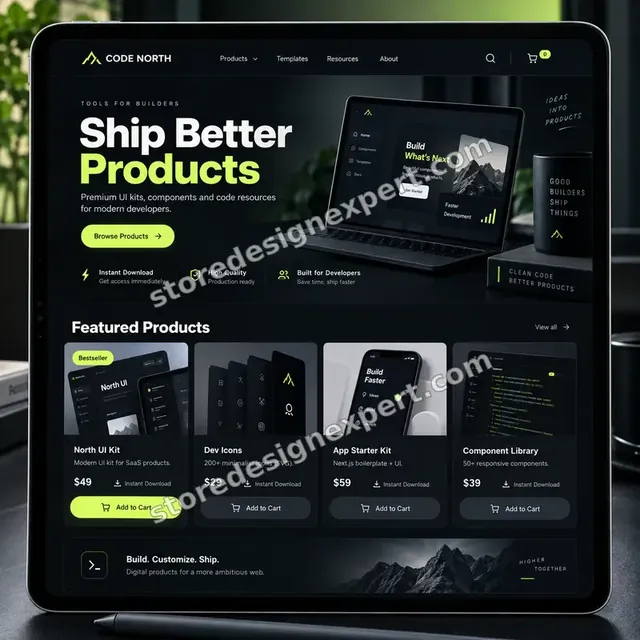
Developer resources store design
Developer resources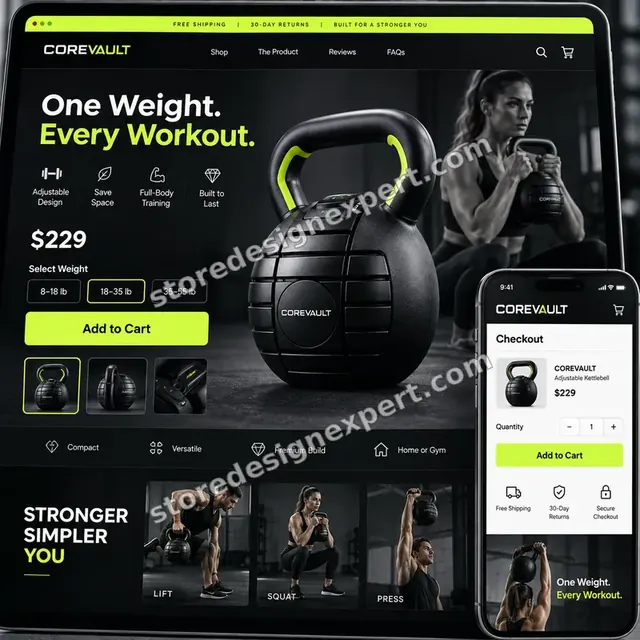
Fitness equipment store design
Fitness equipment
Pet travel accessories store design
Pet travel accessories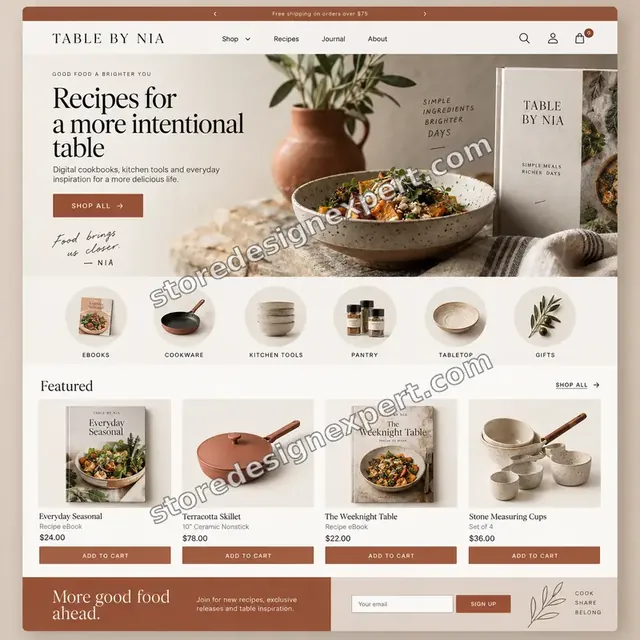
Fitness creator store design
Fitness creator
Electronics store design
Electronics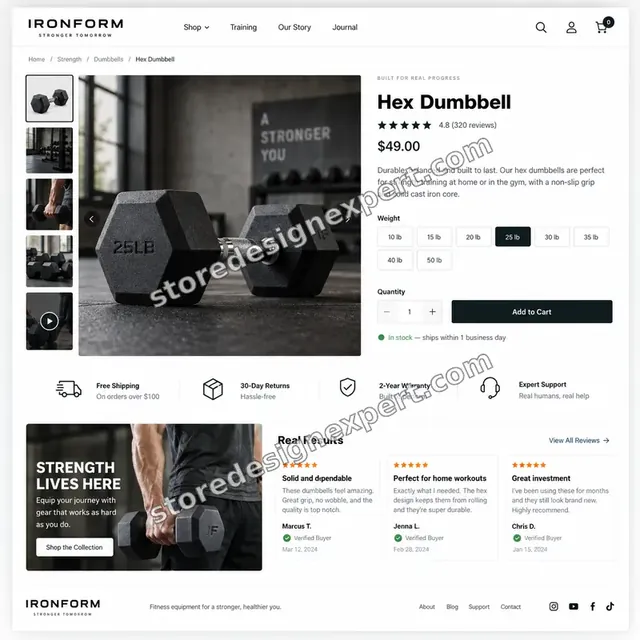
Fitness store design
FitnessProcess and timeline
From Install to Live Photo Wall: Our Loox Reviews Shopify Setup Steps
Six stages in sequence. No customer email is switched on before you have read it, and your calculator answers decide how long each stage takes.
- 1
Brief and theme check
We ask what you sell, which theme runs the store and what review history exists. We also open your templates to find where a gallery will sit comfortably.
- 2
Install and activate
Loox is installed or checked, permissions are approved and the core script is switched on. The Widgets screen is then used to confirm that the theme is integrated.
- 3
Place the widgets
In a duplicate of your theme we add the chosen widgets as app blocks, or as code on vintage themes. You preview the pages before the live theme changes.
- 4
Import what you have
If reviews exist elsewhere, we choose the import route, clean the file and fix any errors reported on upload. We compare counts with the source.
- 5
Configure requests and rewards
Timing, wording and any photo incentive are set. We then place a test order so you can see the email and the discount code behave as agreed.
- 6
Publish, test and hand over
Once you approve, the duplicate goes live and every placement is checked again on the live theme. You receive a recorded walkthrough and written notes.
Compare your options
Install It Yourself, Marketplace Gig, Agency Retainer or Our Loox Setup?
There are four common routes to a working Loox gallery. This table compares the checks that decide whether widgets render, requests arrive on time and incentives behave.
| What matters | Install it yourself | Marketplace gig | Agency retainer | Store Design Expert |
|---|---|---|---|---|
| Core script active in the live theme | Often missed | Varies | Yes | Yes |
| Widgets on product and collection pages | Product only | Varies | Yes | Yes |
| Photo incentive tested with an order | Rarely | Rarely | Yes | Yes |
| Old reviews counted after import | Manual | Rarely | Yes | Yes |
| Price known before work starts | Yes | Yes | Quote only | Yes |
| Written test log and handover | No | Rarely | Extra cost | Yes |
| No retainer or minimum spend | Yes | Yes | No | Yes |
| Account owned by you | Yes | Varies | Varies | Yes |
Inside every project
What Protects Your Theme, Your Discount Codes and Your Customers
Photo incentives and customer emails carry real consequences. These six habits come with every package and explain why a fixed price can still be a careful one.
Theme work happens in a copy
We back up the theme and make every change in a duplicate. Shoppers keep browsing the live theme until you have previewed and approved the result.
Test orders before real customers
We place orders ourselves to see request emails, photo prompts and discount codes work. Nothing reaches a customer until you have signed off.
Imports are counted, not trusted
After any import we compare the review totals against the source and read a sample of products. Mismatches stay unpublished until you decide.
A written definition of done
A widget is finished when it renders with real reviews, works on phone and desktop and survives a refresh. Every result is entered in the test log.
You remain the account owner
The Loox account is created or kept in your name. We request only the access the job needs, and removing us later costs you nothing.
Clear scope and two revision rounds
The price is visible before you pay. Changes within scope run through two structured revision rounds, so small requests do not become hourly invoices.
Interactive price calculator
Build Your Loox Setup Package
Choose a package, say where widgets go, where existing reviews live and how you want to encourage photos, then pick a speed. The fixed price and the delivery window change with every selection.
Request a custom quote
Shopify Plus storefronts with several themes, headless builds, multi-store setups, custom-coded review galleries and imports from more than one other platform are quoted separately at a fixed price.
Request a QuoteChanged your mind? Choose Photo Review Launch, Visual Proof Build or Wall and Migration Suite above to return to the instant calculator.
Packages and comparison
Loox Setup Package Comparison
Each package appears line by line below. If you compare it with a $10 gig, count how many of these checks that listing actually mentions.
| What is included | Photo Review Launch $320 | Visual Proof Build $640Recommended | Wall and Migration Suite $1,190 |
|---|---|---|---|
| Loox installed and connection checked | Included | Included | Included |
| Core script active in the live theme | Included | Included | Included |
| Reviews Widget on the product page | Included | Included | Included |
| Star rating beside the product title | Included | Included | Included |
| Test log and recorded handover | Included | Included | Included |
| Star ratings on collection cards | Not included | Included | Included |
| Cards carousel or video slider | Not included | Included | Included |
| Branded request emails | Not included | Included | Included |
| Photo or video discount configured | Not included | Included | Included |
| One review import with error fixing | Not included | Not included | Included |
| Bonus review request configured | Not included | Not included | Included |
| Trust badge on the home page | Not included | Not included | Included |
| Old reviews app removal | Not included | Not included | Included |
| Typical delivery | 3 to 5 days | 5 to 9 days | 8 to 14 days |
Choose your options in the calculator above: the total and the delivery estimate it shows for Loox Photo Reviews App Setup for Shopify are final.
Why Store Design Expert
Why Stores Choose Us for Loox Instead of Going It Alone
You can install Loox over lunch. People ask us because placement, timing and tidy imports separate a gallery that sells from one that sits unseen.
Theme work is our daily routine
We spend our days in Shopify themes, so app blocks, snippets and layout clashes are familiar territory. That is different from knowing the app's menus.
Rated 4.9+ by verified clients
Reviews on this page come from verified Store Design Expert clients, so you can read how projects went before you commit.
Pricing you can plan around
Each package, option and extra shows its price and added days in the calculator. Loox bills its own plan separately, so check the app's current pricing.
Direct contact with the builder
You talk to the person working inside your theme. Questions about placement, timing or an odd-looking gallery get a straight reply.
Notes that outlive the project
We record where each block sits and what each setting does, so a later developer or staff member can edit confidently.
Experience since 2015
We have launched more than 450 Shopify stores and met most of the theme quirks that make a review gallery misbehave.
What we need to get started
What We Need From You to Start Your Loox Setup
We need a way into your store, a Loox account and a short brief. Choose whichever access route you prefer.
Accept our collaborator request
If your store already trades, send the web address and approve the request we create. You remain the owner, our view is limited to the role you grant, and you can cancel it whenever you like.
No store yet? We begin it for you
We can build the store inside our Shopify Partner account, install Loox there and then transfer ownership to you. You choose a Shopify plan only once the transfer happens.
Alternatively, send staff login details
A staff login is acceptable if it is simpler for you. We still prefer collaborator access, because it can be removed in a click and leaves no password to track.
Your Loox account
Create the account and invite us, or let us create it under your email. In both cases you should hold the owner role.
Review files and sources
If reviews exist in another app, name it and send any export. We will tell you what can and cannot be carried over before work starts.
Incentive rules and approver
Tell us whether you want a photo discount, how large it may be and who signs off the emails. Add any claims or phrases you must avoid.
Your Shopify owner password and payment details never come to us. Theme edits are made in a copy after a backup, and we record every file touched.
Testimonials
What Store Owners Say Before You Order Loox Photo Reviews App Setup for Shopify
Verified clients describe the brief, the build and the handover in their own words.
Verified
Store Design Expert is the best. The work is very professional, they pay close attention to detail and, more importantly, they listen. Their level of cooperation is second to none, and everything was delivered in a very timely manner. I will keep them in mind for future projects.
BN
Barbara N.United States
Verified
The experience was tailored to my brand and specifications to the letter. I love the result.
EP
Eric P.United States
Verified
They definitely get the job done. Very patient and understanding throughout the whole project.
BS
Brian S.United States
Verified
Thank you so much to Store Design Expert and the team. My site looks far more appealing to customers, and I will happily recommend your services to other new small businesses.
JS
Jennifer S.United States
Verified
Very patient, informative and transparent, and they did exactly what they said they would do. Thanks for all the help!
RO
Raymond O.United States
Verified
Store Design Expert is the only one I use for all things WordPress. They have a high level of understanding, deliver quality work and are easy to deal with.
SC
Scott C.United States
Verified
A pleasure to work with. They did pretty much everything I asked and definitely exceeded my expectations. I will be working with Store Design Expert again soon.
JL
Jerry L.United States
Verified
Superb work! Store Design Expert is incredibly patient, and even when I did not fully understand my own questions, everything was explained again in detail. My vision was implemented perfectly, and the work is worth every cent I spent.
KB
Katrin B.Germany
Verified
Very impressed with the build-out. My store is ready to get started, and I am sure I will reach out for edits down the road, but this is everything I could ask for to get the party started. Thanks again, and I will be in touch for future projects.
DH
Dale H.United States
Related searches
Related Searches for Loox Photo Reviews App Setup for Shopify
Owners reach this page from different searches. Here is how the common ones relate to Loox Photo Reviews App Setup for Shopify.
If you searched for “loox shopify”, “loox shopify app”, “how to set up loox reviews on shopify” or “loox reviews shopify setup”, Loox Photo Reviews App Setup for Shopify is the work that answers it.
People who look up “how to add loox reviews to product page”, “loox shopify tutorial”, “how to import reviews from loox to shopify” or “how to remove loox reviews from shopify” usually want Loox Photo Reviews App Setup for Shopify; the calculator above shows the price and delivery estimate before you commit.
“how to cancel loox shopify subscription”, “loox shopify pricing”, “loox product reviews & photos” or “loox alternative shopify”: owners type these when they need Loox Photo Reviews App Setup for Shopify, and the packages above are priced for that job.
If you searched for “loox photo reviews” or “loox shopify theme”, Loox Photo Reviews App Setup for Shopify is the work that answers it.
FAQ
Loox Setup FAQs
Answers on cost, timing, access, imports, incentives and what to do when Loox needs to be removed or cancelled.
How much does a Loox reviews Shopify setup cost?
Photo Review Launch costs $320, Visual Proof Build $640 and Wall and Migration Suite $1,190. Widget placement, imports, incentives and extras change the total, and the calculator shows it before you pay. Most projects fall between about $320 and $1,800, with delivery from 3 to roughly 18 working days.
How long does Loox Photo Reviews App Setup for Shopify take?
The smallest package takes 3 to 5 working days, the middle one 5 to 9 and the largest 8 to 14. Import clean-up and your approval speed are the usual variables. The Sooner and Fastest speed options shorten the schedule if you have a sale or launch date.
How to set up Loox reviews on Shopify the right way?
Install the app, approve permissions, activate the Loox Core Script in the theme's app embeds, then add widgets through the Widgets screen. We follow that order and test with real reviews and a test order, because gaps usually show up when the page meets real data.
How to add Loox reviews to product page layouts that are heavily customized?
On a 2.0 theme we add the Reviews Widget as an app block in the product template. If your layout is custom or the theme is older, we paste the widget code into the right file inside a duplicate theme, check phones, and keep the live theme untouched until you approve.
Is there a Loox Shopify tutorial that is enough?
A good Loox Shopify tutorial gets you through install and one widget. It rarely covers collection cards, theme changes, import errors or incentive rules. Hire us if you want every template covered and tested, and a record of what was done.
Do you need my Shopify password for Loox Photo Reviews App Setup for Shopify?
No. We prefer a collaborator request so you stay the owner and can revoke access. With no store yet, we build the Loox setup in our Partner account and then hand it to you. A staff login is a last option for Loox work, and the owner password is never needed.
Why are my Loox widgets not showing after a theme change?
Loox integration is tied to the theme, so a new live theme needs the core script activated and the widgets added again. Loox suggests re-integrating when widgets do not appear in the theme editor. We do that, compare old and new pages and test again.
How to import reviews from Loox to Shopify or from another app into Loox?
Loox can import from Judge.me, Yotpo, Okendo, Shopify's older reviews app, Stamped, Reviews.io and Junip, plus custom files and AliExpress. A custom file needs product handles, ratings, names and text. We choose the route, fix upload errors and compare totals before publishing.
Can you set up Loox photo reviews with a discount?
Yes. Loox photo reviews can be encouraged by offering a discount to customers who add a picture or video. We configure the amount and rules, place a test order and check the order tag Loox adds, so you know the code behaves before shoppers see it.
What does Loox Shopify pricing look like?
Loox sells monthly plans that rise with your order volume and features, and the app changes its prices from time to time, so read its pricing page before you pick one. Our fee covers setup only. We can tell you which tier your store size points to.
How to remove Loox reviews from Shopify if I change my mind?
Remove the widgets from your theme blocks, turn off the core script, export your reviews if you want them elsewhere, then uninstall the app. Skipping the theme clean-up leaves broken blocks. We handle the steps in a duplicate theme and check the live store afterwards.
How to cancel Loox Shopify subscription billing?
Plans for Shopify apps are managed in your Shopify admin, where you can change or end the subscription, and the Loox help centre explains the steps. Cancelling does not remove theme code on its own. We can handle the cancellation order and clean the theme in one project.
Which Loox alternative Shopify owners use, and should I switch?
Yes, several review apps exist, and Judge.me is a common one with a free plan. The right pick depends on photo features, pricing and design. We build on Loox or an alternative and can migrate reviews between them, so the choice is yours.
Does Loox Product Reviews & Photos work with any theme?
Loox works best with Online Store 2.0 themes, where widgets are app blocks. Older and heavily customized themes need code placement. We check your theme first and tell you honestly which approach it needs, along with any layout limits.
Ready when you are
Get Your Loox Reviews Shopify Setup Done
Pick a package, watch the fixed price settle and book a Loox reviews Shopify setup from a team that has launched 450+ Shopify stores. Core script, widgets, requests and incentives are tested before you are asked to approve anything.
Secure checkout · Two revision rounds · Loox test log and walkthrough included