
Shopify stores designed and launched
Squarespace to Shopify migration services
Squarespace to Shopify Migration That Keeps Your Look, Your Content and Your Rankings
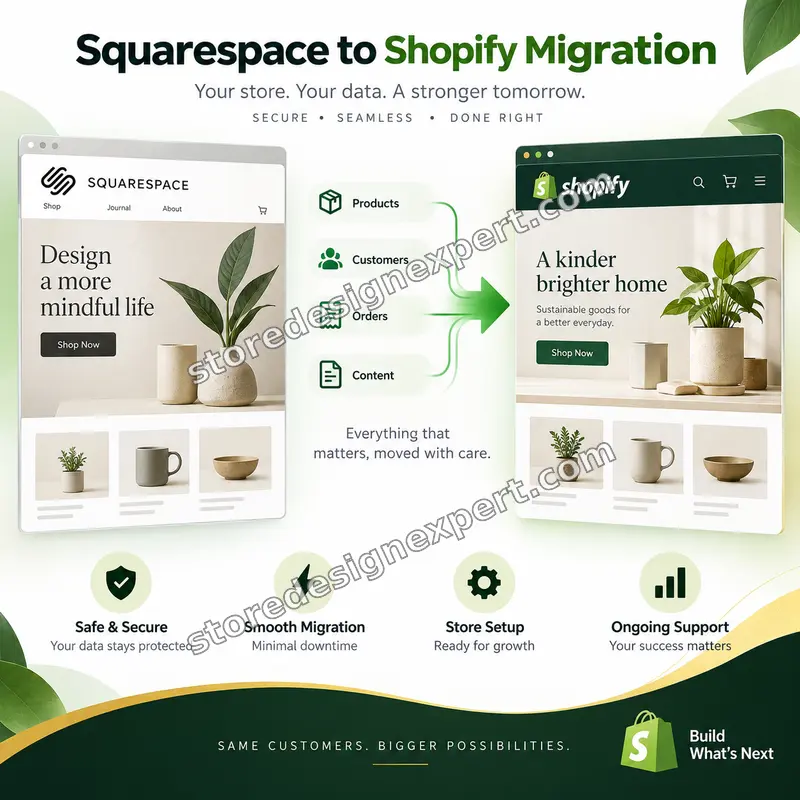
Squarespace to Shopify migration for brand owners who loved the design but have outgrown the store. We convert your product export, move the blog from its XML file, redirect every address and take care of the domain, from $790, so the new store looks like you from day one. Reviewers who hired us score the team 4.9+ on average across 450+ Shopify stores built since 2015. Price your project in the calculator.
- Product CSV rebuilt in Shopify's format, options included
- Blog XML converted and images moved off the Squarespace CDN
- Redirects from /shop/p/ and /blog/ addresses to Shopify pages
- Domain transfer handled in the right order, with no dead hours
From$790
Delivery5 to 18 business days
Revisions2 rounds
Our track record
Over 450 Shopify Stores Launched Since 2015, Many by Design-Led Brands
Squarespace owners tend to care about how their store looks, which makes a careless move expensive. Across more than 450 launches we have learned how to keep a considered visual identity while the platform underneath it changes completely.
Average rating from verified clients
Building Shopify stores since
Secure checkout
Pay through a protected checkout and keep a full order record.
Two revision rounds
Included in every package, so the result matches what you pictured.
Backup before changes
We work on a duplicate of your theme, never on your live store.
Who this is for
Who We Run Squarespace to Shopify Migration Services For
Squarespace suits brands that start with a beautiful site and add a few products. The people below are the ones who decide to migrate Squarespace to Shopify because selling now needs more than the builder offers.
Makers and creative brands
You sell prints, ceramics, clothing or stationery through a store you styled yourself. You want that look kept, plus the stock tools, apps and checkout that a growing catalog needs.
Owners with complex products
Your items come in sizes, colors, materials and engraving options. Squarespace limits what can be exported, so you need someone to restructure them before they reach Shopify.
Brands with a content-led blog
Years of articles bring buyers in from search. You need them moved from the XML file with images, links and addresses preserved, since the blog is half your traffic.
Service sellers adding a shop
You began with bookings or a portfolio and products came later. You want a storefront that sells properly while the content side keeps its place on the site.
Sellers who want local payments
Customers in other countries ask for their own currency and checkout methods. Shopify Markets covers that, and we set it up as part of the move.
Owners comparing running costs
You have compared Shopify vs Squarespace pricing and decided the app ecosystem is worth the difference. You want the switch done once, correctly, at a known price.
Problems solved
Where Squarespace Moves Usually Fail, and How We Prevent It
Squarespace exports more than some builders, but not enough to finish the job. These are the gaps that catch owners on their own, and the work we do to close each one.
Product pages live under a /p/ path that Shopify does not use.
Outcome: We export your URLs, pair each with its new /products/ handle and import the full redirect file, so shoppers and ranking signals arrive at the right pages.
The blog leaves as a WordPress-style XML file that Shopify cannot read directly.
Outcome: We convert the XML, import the posts and move the images off Squarespace's servers, so articles do not lose their pictures when you cancel the plan.
The export holds three options per product, and some stores use more.
Outcome: We restructure items that outgrow Shopify's three options into separate products or combined listings, keeping every size and color orderable.
Customers arrive without country codes and without passwords.
Outcome: We add the ISO country and region codes Shopify requires and prepare an account invitation, so customers can set a fresh password on their first visit.
Reviews, discount codes and gift card balances stay behind.
Outcome: We rebuild codes by hand, bring reviews across through a review app and agree how outstanding gift card balances will be honored.
Redirects configured inside Squarespace disappear when you cancel.
Outcome: We export your existing URL mappings first and fold them into the new map, so older shared links keep working after the old plan is gone.
What we can do
What We Do During a Squarespace to Shopify Migration
If you are researching how to migrate squarespace to Shopify, expect to transform data, recreate design and handle the domain without a gap. These six areas hold most of the effort, along with the edge cases that need a decision.
Product CSV reshaped for Shopify
We convert the Squarespace inventory file into Shopify's columns, clean handles to letters, dashes and numbers, change pound weights to grams and map images and categories to collections, then confirm counts against the original.
Blog XML conversion and import
We take the XML export, convert it for import, check titles, authors and publication dates, and re-host images that point at the Squarespace CDN. Every article keeps its headings and internal links.
Redirect map from your real address list
Squarespace nests products under the store page slug, so a tidy pattern rarely covers everything. We list your real addresses, including old redirects, and match each to a Shopify page.
Your design, rebuilt on Shopify sections
Squarespace templates do not transfer, so we recreate your fonts, colors, spacing and page structure in a Shopify theme. Galleries and image-led homepages are rebuilt with sections you can edit.
Customers, orders and consent
Customer and order files move across with the country codes Shopify requires. If you collect newsletter sign-ups, we keep consent flags attached and avoid emailing anyone who never agreed.
Domain transfer in the right sequence
Domains must be registered for 60 days before they move. We plan the unlock, authorization code and DNS change, and point the domain at Shopify only once the preview is approved.
What is included
What Your Squarespace to Shopify Migration Includes
The scope splits into six streams, each described below. Higher tiers go deeper in design and history, and the comparison table shows exactly which items sit where.
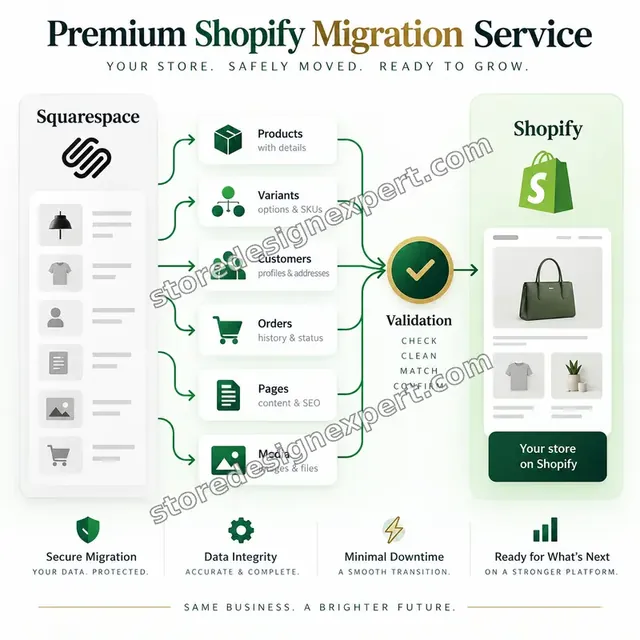
Products and options
- Squarespace inventory CSV exported and rebuilt for Shopify
- Any tier covers 100 products; bigger ranges are priced by the catalog question below
- Options restructured when a product uses more than three
- Weights, SKUs, prices and stock counts carried over
Blog and content
- Blog XML exported, converted and imported
- Post images moved off the Squarespace CDN
- Core pages rebuilt: about, contact, shipping, returns
- Internal links updated to Shopify addresses
Buyers and purchase history
- Customer file completed with ISO country and region codes
- Newsletter consent status preserved
- Order history imported in higher tiers
- Discount codes recreated by hand
Redirects and search
- Export of your address list and old Squarespace redirects
- 301 file imported into Shopify and tested
- Titles and descriptions carried across
- New sitemap submitted to Google Search Console
Design rebuild
- Theme styled to your Squarespace fonts, colors and logo
- Header, footer, homepage and product page layouts built
- Gallery and portfolio sections rebuilt in Brand Match and above
- Checked on mobile, tablet and desktop
Domain and launch
- Domain eligibility and unlock checked early
- Authorization code and DNS change planned
- Test order before cutover
- Video guide with written notes
Every tier follows a squarespace to Shopify migration checklist built around the redirect plan and the domain sequence, so the risky steps never depend on an extra purchase.
Switch day
What Switch Day Looks Like for a Squarespace Store
Before the domain moves, every item below is ticked: your products, posts and customers have arrived, the redirects answer correctly and a test order has gone through. Then the store goes live and the first real order comes in.
Portfolio
Store Design Styles We Build
A look at store designs across fashion, home, beauty, pets and gifts, to show the standard of layout and finish behind Squarespace to Shopify Migration Services.

Restaurant ingredients store design
Restaurant ingredients
Skincare store design
Skincare
Home decor store design
Home decor
Jewelry store design
Jewelry
Coffee store design
Coffee
Specialty coffee store design
Specialty coffeeProcess and timeline
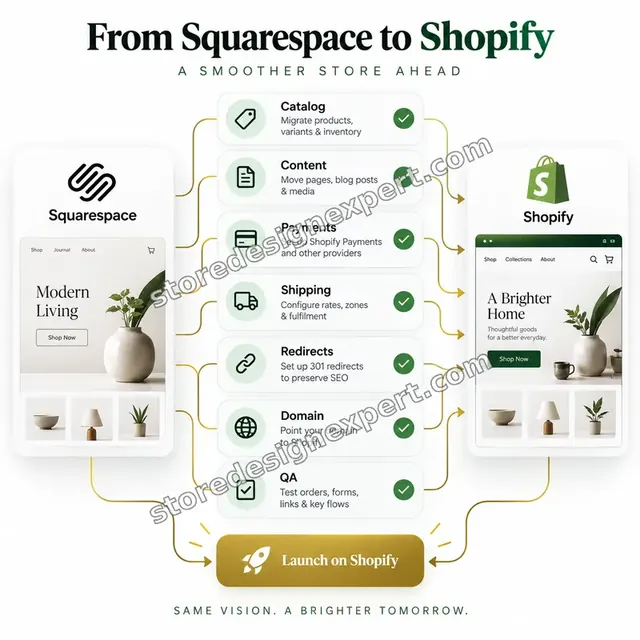
A Squarespace to Shopify Migration Checklist, Stage by Stage
Your Squarespace site keeps running untouched while we work in a development store. Essential Switch launches in 5 to 7 working days, and the calculator gives the window for bigger combinations.
- 01
Inventory of the old site
We export your address list, note every redirect already set inside Squarespace and record which features you use: galleries, scheduling, memberships, digital downloads. You see a plain list of what moves and what is replaced.
- 02
Export and conversion
We download the product, customer and order files and the blog XML, then convert each to Shopify's rules: handles, weights, ISO codes and a maximum of three options.
- 03
Build in a development store
We import the cleaned data, set up the theme and recreate your fonts, colors and page structure. The blog is imported and its images are re-hosted at this stage.
- 04
Redirect file and testing
We pair each old address with its Shopify page, import the redirect file and test a sample of products, collections, posts and pages in a browser.
- 05
Your review and a test order
You review on your own devices and request up to two rounds of changes. We then place a test order through your real payment and shipping settings.
- 06
Domain switch and monitoring
We change the domain at a quiet hour, submit the new sitemap and watch for broken addresses. We suggest keeping Squarespace active for a short period after launch.
Compare your options
Do It Yourself, Use an App, Hire a Freelancer or Choose a Specialist Team?
Owners leaving Squarespace choose between working through it themselves, running an automated app, hiring a freelancer or bringing in specialists. The table compares them on the steps that tend to be missed.

| What matters | Do it yourself | Migration app | Freelancer | Store Design Expert |
|---|---|---|---|---|
| Product options restructured past three | You do it | Rows only | Varies | Yes |
| Blog XML converted and imported | Manual | No | Extra cost | Yes |
| Images moved off Squarespace CDN | Rarely | No | Varies | Yes |
| Redirects from your own address list | You build | Basic | Varies | Yes |
| Design recreated in a Shopify theme | Template | No | Varies | Yes |
| Domain steps sequenced | Risky | No | Varies | Yes |
| Trial order ahead of launch | Rarely | No | Rarely | Yes |
| Fixed price known up front | Yes | Yes | Varies | Yes |
Inside every project
What Keeps Your Brand, Your Data and Your Search Traffic Safe
A platform change touches everything customers see and everything Google remembers. These protections come with each project, and they are why a fixed price with a specialist beats a quick automated run.
Built beside your live Squarespace site
The new store is created in a development store, so your current site keeps selling until the preview is approved and the redirects have been proven.
Original exports archived
We keep each Squarespace file exactly as it left your account. If a figure looks off later, we compare it with the source instead of relying on memory.
Your own redirects preserved
Rules you set up inside Squarespace are recorded before cancelling and folded into the new file, so older links shared on social media and in newsletters still land correctly.
Careful access handling
We work through collaborator access wherever we can and never ask for your payment card or owner password. You can remove access in one click when we finish.
Test order through real settings
We pay for an order using your payment and shipping setup and check tax, shipping lines, the confirmation email and stock levels before the domain moves.
Fixed scope, two revision rounds
The price is shown before checkout and changes inside scope carry no hourly charge. Two structured rounds of revisions are included in every package.
Interactive price calculator
Build Your Squarespace to Shopify Migration Package
Choose a package, then say how many products move, how complicated their options are and how much blog and gallery content comes with them. The fixed price and delivery estimate update with each answer.
Request a custom quote
Shopify Plus, subscriptions or memberships that need custom logic, several Squarespace sites combined into one store and catalogs above 1,000 products are quoted separately, with deliverables and a fixed fee agreed first.
Request a QuoteChanged your mind? Choose Essential Switch, Brand Match or Whole Site Move above to return to the instant calculator.
Packages and comparison
Squarespace to Shopify Migration Package Comparison
Each tier is set out row by row here. Combine it with the product, option and content choices in the calculator to price your own Squarespace project and see how long it takes.
| What is included | Essential Switch $790 | Brand Match $1,390Recommended | Whole Site Move $2,290 |
|---|---|---|---|
| A hundred products moved | Included | Included | Included |
| Customers with ISO country codes added | Included | Included | Included |
| Essential pages rebuilt in Shopify | Included | Included | Included |
| Redirect file for products and pages | Included | Included | Included |
| Theme in your fonts and colors | Included | Included | Included |
| Handover recording and two edit rounds | Included | Included | Included |
| Design matched to your Squarespace site | Not included | Included | Included |
| Blog XML converted and imported | Not included | Included | Included |
| Titles and descriptions carried across | Not included | Included | Included |
| Test order before domain switch | Not included | Included | Included |
| Galleries and portfolio rebuilt | Not included | Not included | Included |
| Previous orders imported | Not included | Not included | Included |
| Tracking confirmed once live | Not included | Not included | Included |
| Two-week window for fixes after launch | Not included | Not included | Included |
| Delivery time | 5 to 7 days | 8 to 12 days | 12 to 18 days |
Choose your options in the calculator above: the total and the delivery estimate it shows for Squarespace to Shopify Migration Services are final.
Why Store Design Expert
Why Brands Pick Our Squarespace to Shopify Migration Agency
You get a specialist team that treats design and data with equal care, at a price you can plan around. These are the points clients bring up most.

We protect the look you built
Many migrations hand back a generic theme. We rebuild your typography, spacing and imagery, so customers recognize the brand after the switch.
Shopify only, since 2015
Our work is Shopify from end to end, so imports, theme code and settings follow platform conventions. That experience across 450+ launches means fewer unknowns on your store.
Clients we verified rate us 4.9+
The reviews shown here come from real clients of Store Design Expert, so you can see what working with us was like before you order.
A fixed price with no open meter
Each package has a visible price and delivery window. The calculator adds options before checkout, so surprises come out in the planning stage and not on an invoice.
Redirects and domain treated as core work
Search traffic is usually the largest asset on a Squarespace site. We plan the address map and the domain order first and the design second.
You own the finished store
Theme, data and access remain yours. A store built in our Partner account is transferred to you at handover.
What we need to get started
What We Need to Begin Your Squarespace Move
You do not need to prepare anything on the Shopify side. A way into your Squarespace data and a view on what must stay the same are enough to start.
Collaborator request on Shopify
If a Shopify store exists, send its address and approve our request. You remain the owner, no password is passed on and you can end our access whenever it suits you.
Starting with no Shopify store
We set one up in our Shopify Partner account, run the whole migration there and transfer ownership once it is finished, so you choose your plan at the very end.
Staff accounts if you prefer
You can invite us with staff logins instead. Collaborator access is simpler to revoke, but either route lets us start the work.
Squarespace contributor access
Invite us as a contributor or send the product, customer and order files and the blog export yourself. Tell us about galleries, scheduling, memberships or downloads.
Domain and registrar details
Say where your domain is registered and when it was bought. If it is under 60 days old, we plan around the transfer wait and connect it by DNS in the meantime.
Brand decisions and an approver
Name the person who signs off on design and redirects, and send brand fonts, logo files and a short list of pages that must look exactly as they do now.
We do not need your Squarespace owner password or any card details. The live site is untouched until you approve the preview, and each export is stored as supplied.
Testimonials
What Squarespace Owners Tell Us After Switching
Reviews come from verified clients of Store Design Expert covering builds, migrations and fixes.
Verified
The website development work was truly impressive. Their attention to detail and ability to exceed expectations made the project a success. Working with them was a breeze, thanks to quick responsiveness and a willingness to go above and beyond.
KD
Kevin D.United States
Verified
Super great to work with, and super fair!
RO
Robert O.United States
Verified
Store Design Expert was very knowledgeable about what I needed done to fix my Shopify store and how to improve the store layout. The project was completed very quickly, and I will definitely use them for support as my business grows.
ST
Samuel T.United States
Verified
Very satisfied with the work. Most importantly, Store Design Expert responded promptly to my questions and concerns. Thank you!
KB
Kyle B.United States
Verified
Outstanding work and outstanding customer service. Five stars! I will absolutely use Store Design Expert again for my next book.
KM
Katharine M.United States
Verified
Store Design Expert was great! They delivered exactly what I asked for and even offered helpful extra suggestions. Highly recommended.
PW
Paul W.United States
Verified
I request Store Design Expert every time I have a project. They are professional and give real attention to detail, which makes the work stand out.
LK
Laura K.United States
Verified
They kept communicating until the problem was fully resolved, and the result was great.
HJ
Henry J.United States
Verified
Super helpful and patient. I am new to ecommerce and Store Design Expert talked me through the whole process and even fixed my payment bridging for me!
LR
Lois R.United Kingdom
Related searches
What People Search For Before Ordering Squarespace to Shopify Migration Services
People describe Squarespace to Shopify Migration Services in different ways when they search. These are the common ones.
People who look up “squarespace to shopify migration services”, “squarespace to shopify migration cost”, “squarespace to shopify migration without losing seo” or “squarespace to shopify migration agency” usually want Squarespace to Shopify Migration Services; the calculator above shows the price and delivery estimate before you commit.
“how to switch from squarespace to shopify”, “how to import squarespace to shopify”, “migrate squarespace to shopify” or “how to migrate squarespace to shopify”: owners type these when they need Squarespace to Shopify Migration Services, and the packages above are priced for that job.
If you searched for “migrate from squarespace to shopify”, “can you transfer squarespace to shopify”, “transfer squarespace domain to shopify” or “how to move squarespace domain to shopify”, Squarespace to Shopify Migration Services is the work that answers it.
“shopify vs squarespace pricing” or “can you link shopify to squarespace” all point to the same job, which Squarespace to Shopify Migration Services covers from start to finish.
FAQ
Squarespace to Shopify Migration FAQs
Plain answers about price, timing, SEO, domain transfers and what Squarespace can and cannot export.
What is the Squarespace to Shopify migration cost with Store Design Expert?
Packages start at $790 for Essential Switch, $1,390 for Brand Match and $2,290 for Whole Site Move. Product volume, option complexity and blog or gallery content are added in the calculator, so most complete moves land between about $1,100 and $3,200. The fixed fee is on screen before any card is charged.
What do your Squarespace to Shopify migration services include?
They cover products rebuilt for Shopify, customers with the right country codes, core pages, a redirect file for every old address, a theme in your fonts and colors, a test order and a recorded handover. Higher tiers add the blog import, galleries and order history.
How long does it take to migrate from Squarespace to Shopify?
Essential Switch takes 5 to 7 working days, Brand Match 8 to 12 and Whole Site Move 12 to 18. Big catalogs, option restructuring and gallery rebuilds add days. The calculator shows an estimate, and the Sooner and Fastest options shorten it for a launch date.
Can you transfer Squarespace to Shopify, or only the products?
Products, customers and orders move as data and the blog moves as an XML import. Design, galleries and memberships cannot be exported, so we recreate the look in a Shopify theme and replace features with apps where needed.
How to switch from Squarespace to Shopify without taking my site offline?
Keep Squarespace running while we build and test the new store. The domain changes only after you approve the preview and the redirects pass testing. We time the DNS change for a quiet hour, so visitors see little or no gap.
How to import Squarespace to Shopify products correctly?
Export the inventory file, then convert it: handles with letters, dashes and numbers only, weights in grams and no more than three options per item. A raw file often fails or leaves gaps. We do the conversion and check counts against the original.
Will a Squarespace to Shopify migration without losing SEO really work?
It reduces the avoidable damage. We redirect every old address, keep titles and descriptions and submit a fresh sitemap. We cannot promise rankings, because competitors and Google's changes matter, but missing redirects are the most common cause of traffic loss.
How to transfer Squarespace domain to Shopify?
Check that the domain is at least 60 days old, unlock it and request an authorization code, then start the transfer in Shopify. We handle it for you and connect the domain by DNS first if you need the new store live sooner.
How to move Squarespace domain to Shopify without breaking email?
Leave your mail records alone and change only the web records that point to the site. We copy the existing mail settings before touching DNS and test sending afterwards. If a transfer is needed, it follows once everything works.
What happens to my Squarespace blog?
It exports as an XML file, which we convert and import into Shopify's blog. Images that sit on Squarespace's servers are re-hosted, headings and internal links are checked and each old post address is redirected to its new one.
Can you link Shopify to Squarespace instead of moving?
You can embed Shopify buy buttons on a Squarespace page, but products, orders and customers then live in two systems with two logins. That suits a very small shop. For one store and one checkout, a full migration is cleaner.
Is Shopify vs Squarespace pricing really different?
Plan fees are close at the entry level, but costs diverge as you add apps, transaction fees and extra features. Shopify's app store adds monthly charges, while Squarespace bundles more in. We explain what applies to your store before you commit.
Which Squarespace features have no direct Shopify equivalent?
Galleries, scheduling, member areas and some blog layouts are rebuilt rather than moved. Reviews, discount codes and gift card balances do not export either. We list each in the audit and agree the replacement before building.
Why hire a Squarespace to Shopify migration agency instead of using an app?
Apps such as LitExtension move product, customer and order rows from $59. They do not rebuild your design, convert the blog XML, plan redirects or handle the domain order. An agency owns those steps and checks the result.
Ready when you are
Start Your Squarespace to Shopify Migration With the Domain and Redirects Planned
Choose a package, see your exact price and delivery estimate and order your squarespace to Shopify migration from a team that has launched over 450 Shopify stores. You get your catalog converted, your blog imported, your design carried over and a launch that has been tested.
Secure checkout · Two revision rounds · Video guide and written notes