
Shopify stores designed and launched
App conflict diagnosis for Shopify
Shopify App Not Working? We Find the Conflict and Fix It Safely
When a Shopify app not working is the problem, the cause is often another app, old code or a theme change rather than the app itself. We reproduce the fault, isolate the cause one app at a time, fix it in a copy of your theme and test it. From $390, fixed price.
- Fault reproduced and isolated app by app
- Leftover code from old apps found and removed
- Fix built in a duplicate theme and tested
- A written note on what conflicted and why
Our track record
450+ Shopify Stores Launched Since 2015. Your App Fixes Get the Same Care.
App problems waste time because the symptom and the cause sit in different places. A popup breaks after a reviews update, or a cart button fails because of an app you removed months ago. We follow the evidence one step at a time until the cause is certain.
Average rating from verified clients
Building Shopify stores since
Secure checkout
Pay through a protected checkout and keep a full order record.
Two revision rounds
Included in every package, so the result matches what you pictured.
Backup before changes
We work on a duplicate of your theme, never on your live store.
Who this is for
Who Needs a Shopify App Conflict Diagnosis
Owners usually arrive after trying support emails and a few guesses. These are the six situations behind most Shopify app conflict diagnosis & fix requests.
You are a good fit if
- An app or feature is misbehaving
- You want a fixed price before work starts for app conflict work
- You will own the store and app accounts
- You can give us collaborator access quickly for app conflict work
Stores where an app stopped working
A widget vanished or a feature stopped after an update. We find what changed.
Owners with many apps installed
Fifteen or thirty apps all inject code. Conflicts are almost certain, and finding which is slow.
Stores that slowed down
Pages feel heavier after new apps. We find which apps add the most and which can go.
Merchants with leftover code
An uninstalled app left snippets in the theme. They cause errors that nobody connects to the old app.
Teams with broken tracking
Analytics or pixels stopped counting after an app change. We find the break.
Founders with no developer
Support emails go in circles between app vendors and Shopify. You want someone to find the cause.
Problems solved
Why Shopify App Conflicts Are Hard to Pin Down
Each app works in isolation. The trouble comes from how they share one theme. These six patterns explain most cases.
Two apps edit the same element.
Outcome: A reviews app and a bundles app both rewrite the product form, and one of them loses.
An uninstalled app left code behind.
Outcome: Orphaned snippets call scripts that no longer load, producing errors on every page.
A theme update removed app hooks.
Outcome: Updating or switching a theme can strip the blocks or embeds that apps rely on.
Scripts load in the wrong order.
Outcome: A script that needs another to run first fails when loaded earlier, and only sometimes.
The fault only shows on some devices.
Outcome: A conflict visible only on certain browsers or phones is hard to reproduce without the right setup.
Vendors point at each other.
Outcome: Each support team says it is the other app, and you are left in the middle.
What we can do
What Our Shopify App Conflict Diagnosis Covers
Six steps make up every diagnosis. Your package decides how many faults and apps are covered.
Reproduce and rule out platform issues
We reproduce the fault on the right devices and check Shopify's status page, so we do not chase a platform incident.
Isolate the app
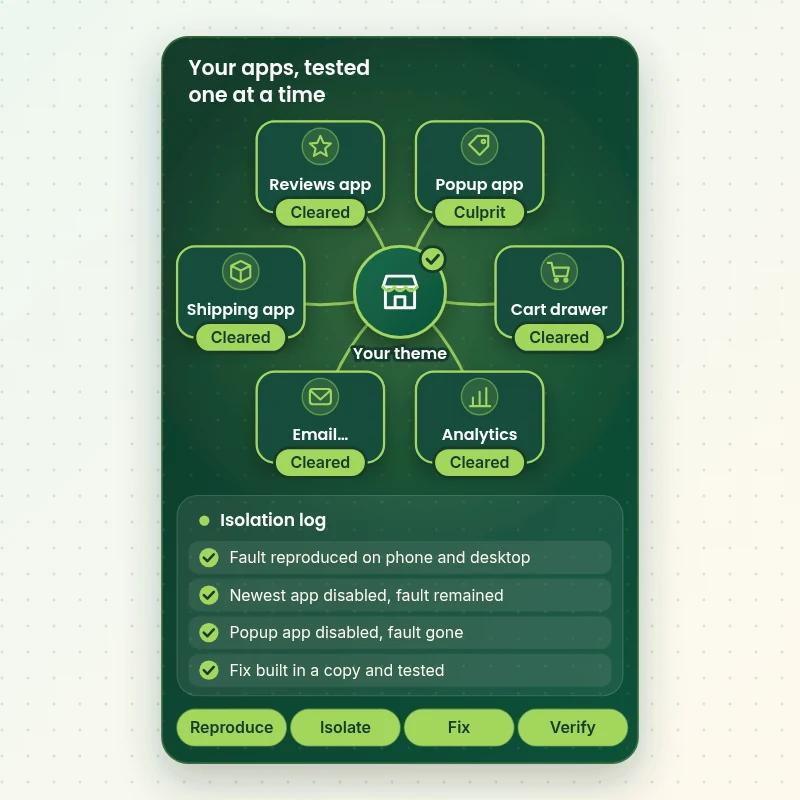
We disable app embeds and apps one at a time, newest first, or by halves when there are many, until the fault disappears.
Read the code and errors
We read browser console errors and theme render times, and search theme files for leftover snippets from old apps.
Fix or contain it in a copy
The fix is built in a duplicate theme: a settings change, a code correction, a load-order fix or removal of leftover code.
Test before publishing
We test the fix on phone and desktop, recheck the other apps and run a test order if checkout is touched.
Written conflict note
A short note records which apps conflicted, why and what we changed, plus what to tell the vendor if the fault is inside an app.
What is included
What Is Inside Your App Conflict Fix
Each deliverable in Shopify App Conflict Diagnosis & Fix sits in one of the six groups below. The comparison table below shows how far each group goes by package for app conflict work.
Diagnosis
- Fault reproduced
- Platform status checked
- Devices tested
- Timeline built
Isolation
- Embeds disabled in turn
- Apps tested by halves
- Culprit confirmed
- Second cause checked
Code
- Console errors read
- Render time checked
- Leftover snippets found
- Theme compared
Fix
- Built in a duplicate theme
- Minimal change
- Backup taken
- Other apps rechecked
Testing
- Phone and desktop
- Test order if needed
- Regression check
- Your approval
Record
- Conflict note
- Vendor message draft
- What changed
- How to avoid it
You describe the fault and give access for app conflict work. We handle isolation, fixing and testing.
App isolation
How We Isolate Which App Is Causing the Fault
The map shows the apps in a typical store and what we do to each: disable, test, confirm and either fix or contain. Working one app at a time, newest first, turns a vague fault into a named cause.
Portfolio
Shopify Storefront Designs by Niche
A look at store designs across fashion, home, beauty, pets and gifts, to show the standard of layout and finish behind Shopify App Conflict Diagnosis & Fix.

Photography presets store design
Photography presets
Home lighting store design
Home lighting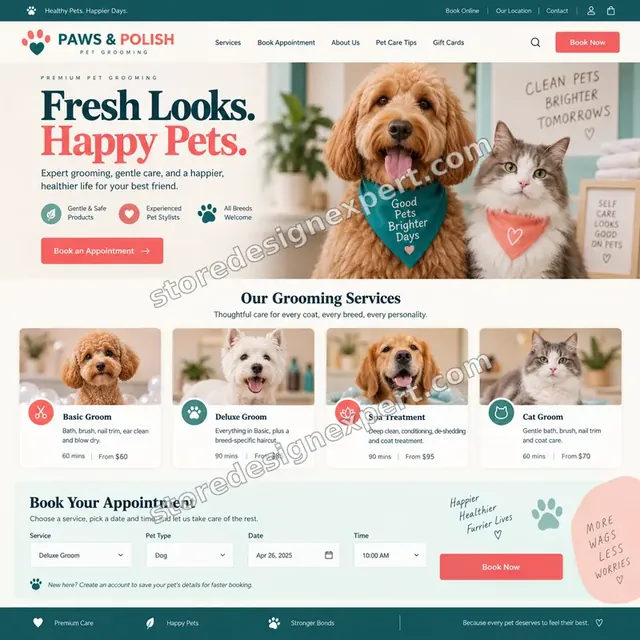
Pet grooming store design
Pet grooming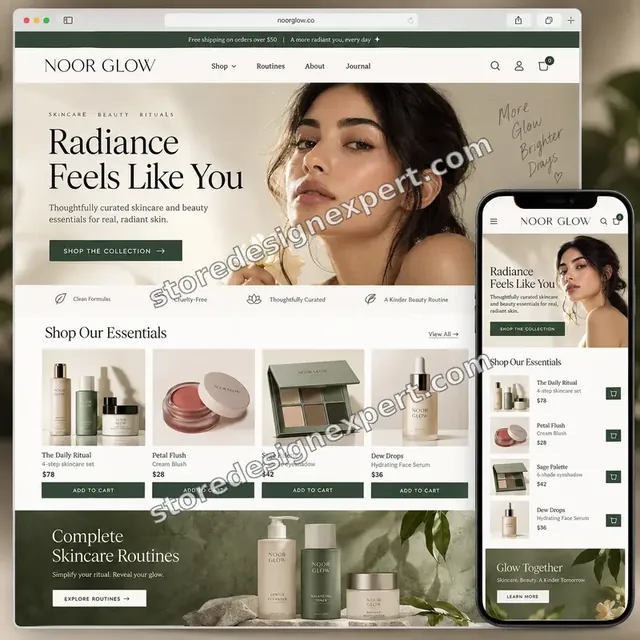
Beauty creator store design
Beauty creator
Garden supplies store design
Garden supplies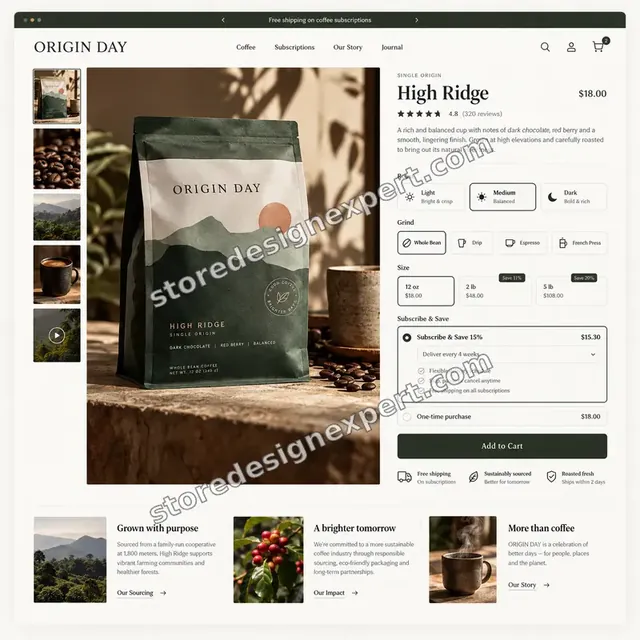
Coffee store design
CoffeeProcess and timeline
How an App Conflict Fix Runs, Start to Finish
Six steps, with nothing changing on your live theme until the fix is tested and you say go for app conflict work. Your calculator choices decide how soon each step starts for app conflict work.
- 01
Describe the fault
You tell us what stopped working, where and since when, and any recent app or theme changes.
- 02
Give access
Add us as a collaborator. We never ask for your owner password in app conflict work.
- 03
Reproduce and isolate
We reproduce the fault and disable apps and embeds one at a time until it disappears.
- 04
Find the cause
We read errors, compare code and search for leftover snippets, so the cause is certain before anything is changed.
- 05
Fix in a copy and test
The fix is built in a duplicate theme and tested on phone and desktop, with a test order if needed.
- 06
Publish and note
With your go-ahead the fix goes live with a backup for app conflict work. You receive a written conflict note.
Compare your options
DIY, Support Emails, Marketplace Gig or Our App Conflict Fix?
Four usual routes to a working store for app conflict work. This comparison shows who finds the cause across all your apps rather than one.
| What matters | Do it yourself | Vendor support | Marketplace gig | Store Design Expert |
|---|---|---|---|---|
| Looks across every app, not just one | Slowly | No | Sometimes | Yes |
| Isolation done in a duplicate theme | Often live | No | Often live | Yes |
| Leftover code from old apps removed | Rarely | No | Sometimes | Yes |
| Tested on phone and desktop | Spot check | Their app only | Rarely | Yes |
| Written cause note | No | Ticket reply | Rarely | Yes |
| Price known before work begins | Yes | Yes | Yes | Yes |
| Backup before publishing | Often skipped | No | Rarely | Yes |
| Evidence for the vendor if needed | No | No | Rarely | Yes |
Inside every project
What Protects Your Store While We Diagnose It
Testing apps on a live theme carries risk, so these six habits come with every fix.
Backup before any change
Your theme is saved before anything is edited, so a rollback is one step for app conflict work.
Isolation in a copy
We disable and test apps in a duplicate theme where possible, so your live store keeps selling.
Least access needed
A collaborator request is enough. Owner passwords and card details are never requested for app conflict work.
No lock-in
You own the store and every account for app conflict work. We leave nothing that needs us to keep running for app conflict work.
Cause written down
You receive a plain note of which apps conflicted and why, usable by you or another developer.
Fixed price, stated before work
The price is agreed before work starts for app conflict work. If the cause is inside an app, we tell you and do not bill for a fix we cannot make.
Interactive price calculator
Build Your App Conflict Fix
Choose a package, then tell us how many apps are installed, how complex your theme is and how urgent the fault is. The fixed price and fix window update with every click for app conflict work.
Request a custom quote
Faults inside an app that needs a vendor fix, custom-built apps, headless storefronts, Shopify Plus checkout extensions and security incidents are scoped separately and quoted at a fixed price.
Request a QuoteChanged your mind? Choose Single Conflict Fix, Multi-App Isolation or Full App Audit and Fix above to return to the instant calculator.
Packages and comparison
App Conflict Fix Package Comparison
Line-by-line detail of what each package covers, useful when choosing between disabling apps yourself and a tested, fixed-price diagnosis.
| What is included | Single Conflict Fix $390 | Multi-App Isolation $790Recommended | Full App Audit and Fix $1,490 |
|---|---|---|---|
| One fault reproduced | Included | Included | Included |
| Apps isolated one at a time | Included | Included | Included |
| Fix built in a duplicate theme | Included | Included | Included |
| Tested on phone and desktop | Included | Included | Included |
| Written conflict note | Included | Included | Included |
| Up to 3 linked faults | Not included | Included | Included |
| Leftover app code removed | Not included | Included | Included |
| Load order review | Not included | Included | Included |
| Vendor message drafted | Not included | Included | Included |
| Every installed app reviewed | Not included | Not included | Included |
| Speed impact per app | Not included | Not included | Included |
| Keep, replace or remove list | Not included | Not included | Included |
| Follow-up fixes | Not included | Not included | 7 days |
| Typical turnaround | 1 to 3 days | 2 to 4 days | 3 to 6 days |
The calculator above gives the exact price and delivery estimate for your Shopify App Conflict Diagnosis & Fix order, and that is what you pay.
Why Store Design Expert
Why Owners Choose Us for Shopify App Problems
App support emails go in circles. Owners hire us for a person who reads their theme, finds the real cause and tests the fix in app conflict work.
Daily work inside Shopify themes
Theme code, app embeds and checkout are everyday material for us, so isolation is quick.
Rated 4.9+ by verified clients
Verified Store Design Expert clients wrote the reviews shown here.
Prices you can plan around
Every package, option and extra has a visible price, and urgency options are optional.
A direct line to the person fixing it for app conflict work
You write to the team member who has your theme open, not a ticket queue for app conflict work.
Honest about whose fault it is
If the app itself is at fault, we say so and give you the evidence to send to the vendor.
Experience since 2015
More than 450 Shopify stores launched means we have met most app conflicts before.
What we need to get started
What We Need Before We Start the Diagnosis
Three ways to give access, then a short description of the fault for app conflict work.
Accept our collaborator request
Share your store address and accept our request so Shopify App Conflict Diagnosis & Fix can begin. You stay the owner and can remove our access in one click for app conflict work.
Built by someone else? That is fine
Tell us who built it and share any notes for app conflict work. We read the theme before touching it for app conflict work.
Or share a staff login
A restricted staff account works too, though the collaborator route is easier to revoke for app conflict work.
What stopped working
Describe the fault, the page where it shows and since when. Screenshots or a short video help.
Recent app and theme changes
List apps installed, updated or removed recently, and any theme edits.
Who approves the fix
Tell us who can say go, so we can publish quickly once tests pass for app conflict work.
Owner passwords and card details are never requested for app conflict work. Fixes are made in a duplicate theme after a backup, and we log what changed for app conflict work.
Testimonials
What Store Owners Say Before You Order Shopify App Conflict Diagnosis & Fix
Verified Store Design Expert clients describe the brief, the build and the handover in their own words.
Verified
Store Design Expert is the best. The work is very professional, they pay close attention to detail and, more importantly, they listen. Their level of cooperation is second to none, and everything was delivered in a very timely manner. I will keep them in mind for future projects.
BN
Barbara N.United States
Verified
I request Store Design Expert every time I have a project. They are professional and give real attention to detail, which makes the work stand out.
LK
Laura K.United States
Verified
They kept communicating until the problem was fully resolved, and the result was great.
HJ
Henry J.United States
Verified
Super helpful and patient. I am new to ecommerce and Store Design Expert talked me through the whole process and even fixed my payment bridging for me!
LR
Lois R.United Kingdom
Verified
I am beyond satisfied! Store Design Expert went above and beyond on my project. Highly recommended!
MD
Michael D.United States
Verified
The experience was tailored to my brand and specifications to the letter. I love the result.
EP
Eric P.United States
Verified
They definitely get the job done. Very patient and understanding throughout the whole project.
BS
Brian S.United States
Verified
Thank you so much to Store Design Expert and the team. My site looks far more appealing to customers, and I will happily recommend your services to other new small businesses.
JS
Jennifer S.United States
Verified
Very patient, informative and transparent, and they did exactly what they said they would do. Thanks for all the help!
RO
Raymond O.United States
Related searches
Searches That Bring Owners to Shopify App Conflict Diagnosis & Fix
People describe Shopify App Conflict Diagnosis & Fix in different ways when they search. These are the common ones.
People who look up “shopify app conflict diagnosis and fix”, “shopify app conflict”, “shopify app embed not working” or “shopify working with apps” usually want Shopify App Conflict Diagnosis & Fix; the calculator above shows the price and delivery estimate before you commit.
“shopify analytics not working” or “shopify theme app conflict”: owners type these when they need Shopify App Conflict Diagnosis & Fix, and the packages above are priced for that job.
Owners also search for “you don't have this app installed shopify”, “shopify help for apps”, “shopify apps customer support” or “shopify app config link”.
Related searches include “shopify app conflicts how to find and fix”, “shopify app slowing down store” or “shopify leftover app code”.
FAQ
Shopify App Not Working FAQs
Answers on cost, causes, vendors, leftover code and speed.
How much does fixing a Shopify app not working cost?
Single Conflict Fix is $390, Multi-App Isolation $790 and Full App Audit and Fix $1,490. Apps installed, theme complexity and urgency add to that, and the calculator shows the total before you pay.
What does a Shopify app conflict diagnosis and fix include?
A Shopify app conflict diagnosis and fix includes reproducing the fault, isolating the app, reading errors, fixing in a duplicate theme, testing and a written note. We tell you if the fault is inside an app.
What is a Shopify app conflict?
A Shopify app conflict is when two apps, or an app and your theme, interfere with each other so one stops working or a page breaks. Conflicts often appear after updates, and we isolate them one app at a time.
Why is my Shopify app embed not working?
A Shopify app embed not working is usually switched off in the theme editor, blocked by a theme update or overridden by another app. We check each and fix the cause.
How does Shopify working with apps go wrong in a theme?
Shopify working with apps relies on blocks, embeds and snippets. When a theme update or another app changes them, the app stops showing or behaving. We restore the connection safely.
What does the message you don't have this app installed in Shopify mean?
You don't have this app installed Shopify messages often mean a link points to an app removed from the store or installed on another one. We trace the link and fix or remove it.
Can you provide Shopify help for apps I do not understand?
Shopify help for apps from us means configuring them correctly and explaining what each does. We also advise which apps you can remove, since fewer apps mean fewer conflicts.
What does Shopify apps customer support not do for me?
Shopify apps customer support from each vendor covers that app only. They rarely see the whole theme. We look across all apps to find where they interfere.
What is a Shopify app config link and why does it break?
A Shopify app config link points to an app's settings page. It breaks when the app is removed or the store address changes. We find and repair such links.
Do you need my Shopify password for Shopify App Conflict Diagnosis & Fix?
No. A collaborator request keeps you as owner and can be revoked instantly for app conflict work. A restricted staff login is a last resort for app conflict work.
How to fix Shopify analytics not working after an app change?
Shopify analytics not working after an app change is often a duplicated or removed tracking snippet. We check scripts, events and consent settings and restore a single working setup.
Shopify app conflicts: how to find and fix them without a developer?
To find Shopify app conflicts yourself, disable apps one at a time, newest first, and reload after each. Our service does this safely in a copy, reads the errors and tests the fix.
Is it a Shopify theme app conflict or a Shopify app slowing down my store?
A Shopify theme app conflict breaks behaviour, while a Shopify app slowing down store pages adds weight. We check both, find the cause and tell you which apps to keep.
How do you remove Shopify leftover app code?
Shopify leftover app code is found by searching theme files for the app's name and domain. We remove it in a duplicate theme, test the pages and keep a backup.
Ready when you are
Fix Your Shopify App Not Working Problem
Choose a package, watch the fixed price settle and have a team that has launched 450+ Shopify stores find the conflict, fix it in a safe copy and test it before it touches your live store. You receive a written note on what conflicted and why.
Fixed price · Tested before publishing · Written conflict note