
Shopify stores designed and launched
Shopify store redesign
Full Shopify Store Redesign and Makeover That Keeps What Earns and Fixes What Does Not
A Shopify store redesign should raise conversion without wiping out the rankings, customers and apps you already have. We audit the live store, rebuild its look, navigation and templates on a copy, map every changed URL and launch in a controlled switch. Fixed packages from $1,490, from a team with 450+ Shopify launches since 2015. Price your own redesign in the calculator below.
- Audit of traffic, pages and apps before any design starts
- New look, navigation and key templates built on a duplicate theme
- URL map and 301 redirects so earned rankings carry over
- Fixed price, two revision rounds and a staged go-live with rollback

From$1,490
Delivery7 to 35 working days
Revisions2 rounds
Our track record
Over 450 Shopify Stores Launched Since 2015. Now Let Us Rework Yours.
Redesigning a store that already takes orders is riskier than building a new one, because there is revenue, search visibility and customer habit to protect. A decade on one platform and a 4.9+ average rating from verified clients is why owners trust us with that job.
Average rating from verified clients
Building Shopify stores since
Secure checkout
Pay through a protected checkout and keep a full order record.
Two revision rounds
Included in every package, so the result matches what you pictured.
Backup before changes
We work on a duplicate of your theme, never on your live store.
Who this is for
Who Our Shopify Store Redesign Services Are Made For
Thinking, I need to redesign my Shopify store but I do not know where to start? These are the six situations that bring owners to us, each with its own reason for changing things.
You are a good fit if
- You already sell on Shopify and want to keep customers and rankings
- You want a clear redesign scope and a fixed price
- You want data-led changes, not a purely cosmetic refresh
- You want the switch planned so you can roll back
Stores that look dated next to competitors
Your catalog grew and your branding matured, but the storefront still reflects launch day. A makeover brings the site up to the standard your products have earned.
Owners with traffic but weak conversion
Visitors arrive and leave. A redesign aimed at the pages where they drop off beats starting from a blank canvas and guessing.
Brands that have rebranded
New logo, palette and tone must reach every page, email and template together, not as a patchwork of old and new.
Stores weighed down by years of apps and edits
Dozens of small changes have piled up and pages feel slow. We rebuild on a clean base and keep only what justifies itself.
Shops whose phone experience lags
Most visitors browse on phones but the layout was designed on desktops. We rebuild the mobile journey first and verify it on real devices.
Merchants outgrowing a template theme
A single-theme look can no longer carry bundles, collections and campaigns. A redesigned structure gives each its own place.
Problems solved
Why a Shopify Redesign Can Go Wrong, and How We Prevent It
Most failed redesigns repeat the same few errors. The list below shows what to watch for and how each one is handled in our process.
The problem
Old URLs vanish and organic traffic falls after launch.
The outcome
We crawl the live store, map every changed address to its closest new page and import the redirects before the switch, then re-crawl afterward.
The problem
Thin new copy strips keywords from product and collection pages.
The outcome
We keep the existing wording that ranks, move it into the new templates and only tighten it where it demonstrably helps shoppers.
The problem
A beautiful design hides the things people came to find.
The outcome
We structure navigation around how shoppers browse and test it with real tasks, such as finding a product, size or delivery answer.
The problem
Apps break or double up after the theme changes.
The outcome
We list every app, remove the dead weight, reinstall what stays and test each one against the new theme before it goes live.
The problem
The new design is heavier and slower than the old one.
The outcome
We budget image sizes and scripts from the start and compare speed readings before and after, so a prettier store is not a slower one.
The problem
Checkout, tracking or discount rules stop working unnoticed.
The outcome
We run test orders, verify analytics events and recheck discounts and shipping rules on the staged theme before anyone shops on it.
What we can do
What a Full Shopify Store Design and Redesign Covers
A makeover touches strategy, design, code and data. These six capabilities explain where the effort goes and why a redesign priced below a mid-size agency can still be done properly.
Evidence-based audit
We study analytics, search data, page speed, top landing pages, exit points and your current URL set, then summarize what to keep, change or remove. Design choices then rest on your store's data rather than taste.
Navigation and information architecture
We restructure menus, collection hierarchy and filters so shoppers reach products in fewer clicks, including a mobile drawer, mega-menu where the catalog needs it and predictable breadcrumbs.
Visual system and templates
We design a consistent set of colors, type, buttons and cards, then apply it across home, collection, product, cart, content and account pages so the whole store reads as one brand.
Theme build and custom sections
We build on Online Store 2.0, writing Liquid sections and blocks where the design needs them, so you can reorder and edit content in the editor without a developer afterward.
SEO preservation and URL mapping
We export titles, descriptions, headings, canonicals and URLs, preserve what ranks, and create a redirect file for every changed address, so earned authority transfers to the new pages.
Staged launch and rollback
The new theme is previewed, tested and published in a planned window, with the old version saved. If anything misbehaves after launch, we can restore it quickly while the cause is fixed.
What is included
What Your Shopify Store Redesign Includes
The project is organised into six streams. The packages differ in depth rather than in direction, and the comparison table further down places each deliverable against its package.
Audit and strategy
- Review of analytics, top pages and search entry points
- Inventory of apps, scripts and integrations
- Written keep, change and remove list
- Competitor and reference review in higher packages
Navigation and layout
- Menu and collection structure redesigned
- Mobile navigation drawer designed and tested
- Filters and sorting reviewed per collection
- Wireframes for key templates in Full and Complete
Visual design
- Colors, type and components set as one system
- Home, collection and product templates restyled
- Cart, content and account pages brought in line
- Bespoke sections in Full and Complete
Theme build
- Built on a duplicate of your theme or a fresh one
- Editable sections and blocks, not hard-coded layouts
- Custom Liquid where the design needs it
- Product and collection data kept intact
SEO and data safety
- Crawl and export of existing URLs and metadata
- 301 redirect map imported before the switch
- Titles, headings and alt text carried over
- Post-launch crawl in Complete
Testing and launch
- Test orders and discount, shipping and tax checks
- Device and browser testing, plus speed comparison
- Staged publish with the old theme saved
- Recorded walkthrough, editing guide and two revision rounds
From audit to a monitored launch, every package is delivered by the same people, with fixed scope and written sign-off at each stage.
Preview the before and after
From a Cluttered Storefront to a Clear One, Step by Step
Slide through the change a redesign makes to one screen. Watch the weak first impression give way to a clear offer, a single path to products and visible proof, the same shifts we make on every page of your store.
Portfolio
Shopify Store Designs We Create
Different niches need different layouts. These store designs show how we shape a storefront around its products, and Full Shopify Store Redesign and Makeover follows the same approach.

Travel creator store design
Travel creator
Skincare store design
Skincare
Technology store design
Technology
Jewelry store design
Jewelry
Outdoor apparel store design
Outdoor apparel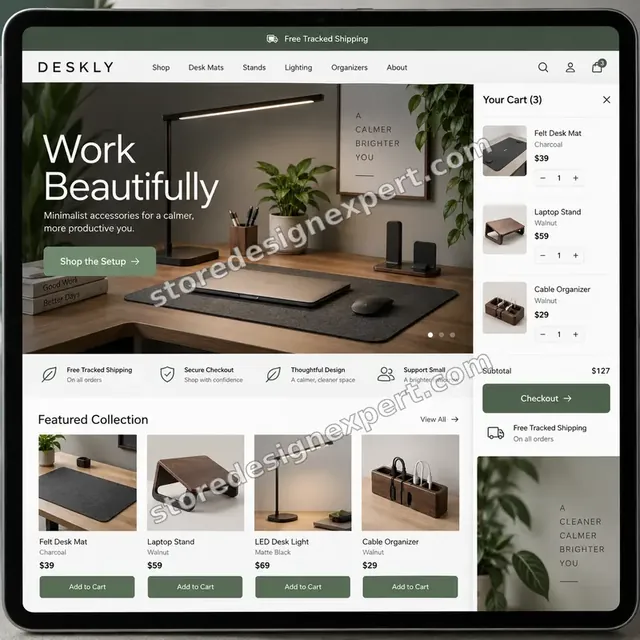
Home office accessories store design
Home office accessoriesProcess and timeline
How We Redesign Your Shopify Store, Step by Step
Every redesign follows six stages on a copy of your store, with written approval between each. The calculator shows the effect your catalog size, design depth and SEO choices have on the schedule.
- 1
Audit and decide
We read your data and crawl the store, then show what earns, what drags and what should go. You approve the scope before any design time is spent.
- 2
Plan structure
We redraw menus, collections and key templates as wireframes so the shape of the new store is agreed while changes are still cheap.
- 3
Design the system
Colors, type, buttons and cards are designed once, shown on your real products and approved in review links on your own devices.
- 4
Build on staging
Templates and sections are built on a duplicate theme with your data in place, apps reinstalled and every page checked as a shopper would see it.
- 5
Protect and test
We finalize redirects and metadata, place test orders, compare speed readings and check devices and browsers. Anything found is fixed before sign-off.
- 6
Launch and watch
We publish in the planned window, re-crawl the live store, review search and analytics for early warnings and hand over a recorded guide.
Technical approach
Technical Map of a Shopify Store Redesign
Here is how each layer of a redesign is handled, what we do inside it and what you receive when it is finished. It is the checklist behind every project, from the first crawl to the final post-launch check.
| Area | What we do | What you receive |
|---|---|---|
| Audit and baseline | Export analytics, search queries, top landing pages, conversion by device and page speed readings. Crawl the live store to capture every URL, title, heading, canonical and status code. This becomes the baseline we compare against after launch. | Audit summary and a baseline spreadsheet |
| Navigation and architecture | Redraw the menu, collection tree, filter groups and footer links around how buyers browse. Decide which pages merge, move or retire, and write the destination for each so no page is orphaned. | Sitemap, menu spec and page decisions |
| Theme and templates | Work on a duplicate of your theme or a freshly installed one on Online Store 2.0. Rebuild home, collection, product, cart and content templates as sections with settings, and keep custom code in clearly named files. | Duplicate theme and a section guide |
| Content and data | Keep product handles, metafields, collections and structured data intact. Check that variants, images and descriptions render in the new templates, and that nothing is truncated by a redesigned card or tab. | Data checks and a template content log |
| URL mapping and redirects | Where a URL changes, map it to the closest equivalent, avoid chains, and prepare a bulk redirect file for import. Retired pages get an intentional destination rather than a blanket send to the homepage. | Redirect CSV and a mapping sheet |
| Apps and integrations | List every app and injected script, remove duplicates and abandoned code, then reinstall and configure each remaining one on the staged theme. Test reviews, search, loyalty and email forms against the new layout. | App inventory with keep and remove notes |
| Performance | Set image sizes and loading rules, defer non-essential scripts and compare readings against the baseline on mobile and desktop. Fix regressions before approval rather than after launch. | Before and after speed readings |
| Checkout, tracking and QA | Place test orders, check discount codes, shipping, tax and email notifications, and confirm analytics and ad pixels still fire. Test across common phones, tablets and browsers and fix everything found. | Test log and signed-off checklist |
Risk, dependencies and success plan
Redesign Risks, Dependencies and Launch Plan
A redesign changes pages that already bring in revenue, so we agree the plan in writing and verify each gate before moving on. Here is what we ask from you, how the project is paced, the quality gates that must pass and what launch day looks like.
Your responsibilities
- Give us collaborator or staff access to the store, analytics and search console where available
- Name one decision-maker who approves designs and the go-live date
- Share brand assets, logo files and any rebrand guidelines
- List products, pages or features you refuse to lose
- Tell us about promotions and seasonal peaks so launch avoids them
- Supply any copy or photography that must be updated
- Review each milestone inside the agreed window so the schedule holds
Milestones
- Audit and plan approvedBaseline, keep and remove list and scope are signed off in writing.
- Design direction approvedNavigation, visual system and key templates are approved before building starts.
- Build on staging completeTemplates, sections and apps run on the duplicate theme for your review.
- Redirects and SEO checks completeThe redirect file is ready and metadata is verified against the baseline.
- QA passedTest orders, devices, browsers and speed readings meet the checklist.
- Launch and monitoringWe publish in the agreed window and re-crawl to catch problems early.
QA gates
- Every changed URL has a mapped, tested redirect destination
- Titles, headings and alt text match or improve on the baseline
- Test orders complete with correct discounts, shipping and tax
- Analytics events and ad pixels fire on the new theme
- Mobile and desktop speed is no worse than the baseline
- Every kept app works on the new templates
- The previous theme is saved and ready to restore
Launch criteria and support
- Publish outside your busiest trading hours
- Redirect file imported and spot-checked before traffic returns
- Live crawl run after publishing, then again after a week
- The old theme stays saved so a rollback is a few clicks
- Search console and analytics checked for crawl errors and drops
- A handover guide shows how to edit sections and menus
- A month of follow-up help can be added in the calculator
Compare your options
DIY, Gig Marketplace, Freelancer or Store Design Expert for a Redesign?
Owners usually weigh four routes before a redesign. This table compares them on the factors that decide whether the new store sells and whether the move is safe.
| What matters | Do it yourself | Low-cost gig | Freelancer | Store Design Expert |
|---|---|---|---|---|
| Audit before design starts | Rarely | Rarely | Varies | Yes |
| Built on a duplicate theme | Your risk | Rarely | Varies | Yes |
| Redirect map for changed URLs | Rarely | Rarely | Varies | Yes |
| App clean-up and retest | You do it | Rarely | Sometimes | Yes |
| Test orders and tracking checks | No | Rarely | Sometimes | Yes |
| Speed compared before and after | No | Rarely | Sometimes | Yes |
| Saved theme for rollback | Manual | Rarely | Varies | Yes |
| Recorded handover and two revisions | No | No | Rarely | Yes |
Inside every project
What Protects Your Revenue During a Redesign
A store that is selling needs a change process, not a risky overwrite. These safeguards are part of every package and are why a fixed price from us is safer than an unplanned DIY rework.
Nothing changes on the live store until you approve
All design and code work sits in a duplicate theme or a development store, so customers keep shopping on the existing site while you review the new one.
Rankings are protected by a written plan
Before launch we compare the baseline crawl against the staged store, and every changed URL receives a destination. We cannot promise rankings, but we prevent avoidable loss.
Access stays under your control
Collaborator access can be withdrawn by you at any moment, so there is no password transfer and no lasting entry once the project ends.
A saved theme and a rollback path
The current theme is backed up before anything changes. If a problem emerges after publishing, we restore it quickly and fix the cause on staging.
A checklist that defines done
We test orders, discounts, shipping, tax, emails, tracking, devices and speed, and show you the results before asking for approval to go live.
Handover you can keep using
A recorded walkthrough and a written guide explain how to edit sections, update menus, add products and keep the redirect list current.
Interactive price calculator
Build Your Shopify Store Redesign Package
Choose a package, tell us the size of your catalog, how far the design should go and how much SEO protection you need, then pick a schedule. Your total and delivery estimate update with each choice.
Request a custom quote
Shopify Plus, headless builds, multi-store and multi-language redesigns, ERP or custom app integration, catalogs beyond 2,000 products and platform migrations receive a custom quote with agreed deliverables.
Request a QuoteChanged your mind? Choose Visual Refresh, Full Makeover or Complete Rebuild above to return to the instant calculator.
Packages and comparison
Shopify Store Redesign Package Comparison
Every deliverable appears below row by row. Use the calculator to add catalog size, design depth and SEO protection and see the fixed price and schedule for your own redesign.
| What is included | Visual Refresh $1,490 | Full Makeover $2,790Recommended | Complete Rebuild $4,690 |
|---|---|---|---|
| Audit summary and keep, change, remove list | Included | Included | Included |
| Restyled home, collection and product pages | Included | Included | Included |
| Mobile checks on real devices | Included | Included | Included |
| Speed comparison before and after | Included | Included | Included |
| Recorded handover and two revision rounds | Included | Included | Included |
| Wireframes for key templates | Not included | Included | Included |
| Restructured menu and collections | Not included | Included | Included |
| Cart, content and account pages redesigned | Not included | Included | Included |
| Redirect map for changed URLs | Not included | Included | Included |
| App clean-up and retest | Not included | Included | Included |
| Custom design system and components | Not included | Not included | Included |
| Full crawl and metadata carry-over | Not included | Not included | Included |
| Post-launch crawl and fixes | Not included | Not included | Included |
| 14 days of post-launch support | Not included | Not included | Included |
| Typical delivery | 7 to 12 days | 14 to 22 days | 22 to 35 days |
The calculator above gives the exact price and delivery estimate for your Full Shopify Store Redesign and Makeover order, and that is what you pay.
Why Store Design Expert
Why Owners Choose Our Shopify Design Agency for a Redesign
You get an agency's discipline with the directness of a small team. These are the six reasons verified clients give most often.
A decade of Shopify-only work
We have designed and launched 450+ stores since 2015, so we know which redesign choices help and which quietly hurt.
Design led by your own data
We start with your analytics and crawl, not a mood board, which keeps the budget on changes that matter to conversion.
Rated 4.9+ by verified clients
The rating comes from real clients of Store Design Expert, so you can read about earlier projects before you commit.
Pricing you can plan around
Packages, options and extras display their cost in advance, and large totals use a clear 50 percent deposit step.
Direct line to the people doing the work
You talk to the designer and developer, so feedback is short and decisions are not lost in account-manager relays.
Everything stays in your store
Theme, content and settings belong to you. Anything built in our Partner account is transferred when the work is complete.
What we need to get started
What We Need to Begin Your Redesign
A live store, an honest list of what bothers you and a person who can approve decisions are enough to start. Choose whichever access route you are comfortable with.
Approve our collaborator request
Send the store address and accept our request in Shopify. You remain the owner, no password is exchanged, and you can close our access whenever the project is done.
Rebuilding from a new account
If you would rather start clean, we can build the redesigned store in our Shopify Partner account and transfer ownership to you at the end, so you pick a plan last.
Or send staff login details
A staff account works too. We recommend collaborator access because it is easy to revoke, but either route allows us to begin the audit straight away.
Analytics and search access
Share read access to analytics and Google Search Console if you have them, so the audit uses real traffic, queries and landing pages.
Brand files and what must stay
Send logo files, brand guidelines and any pages, products or features you refuse to lose, plus designs you love and ones you dislike.
Dates, promotions and approver
Tell us about sale periods, campaigns or deadlines so launch avoids your peak, and name the single person who signs off each stage.
We never ask for the owner password or any card details. All changes happen on a duplicate theme, after a backup, with written notes at handover.
Testimonials
What Store Owners Say After Launch
Verified clients describe working with Store Design Expert on redesigns, builds and fixes.
Verified
Store Design Expert is the best. The work is very professional, they pay close attention to detail and, more importantly, they listen. Their level of cooperation is second to none, and everything was delivered in a very timely manner. I will keep them in mind for future projects.
BN
Barbara N.United States
Verified
Thank you so much to Store Design Expert and the team. My site looks far more appealing to customers, and I will happily recommend your services to other new small businesses.
JS
Jennifer S.United States
Verified
Very patient, informative and transparent, and they did exactly what they said they would do. Thanks for all the help!
RO
Raymond O.United States
Verified
Store Design Expert is the only one I use for all things WordPress. They have a high level of understanding, deliver quality work and are easy to deal with.
SC
Scott C.United States
Verified
A pleasure to work with. They did pretty much everything I asked and definitely exceeded my expectations. I will be working with Store Design Expert again soon.
JL
Jerry L.United States
Verified
Superb work! Store Design Expert is incredibly patient, and even when I did not fully understand my own questions, everything was explained again in detail. My vision was implemented perfectly, and the work is worth every cent I spent.
KB
Katrin B.Germany
Verified
Very impressed with the build-out. My store is ready to get started, and I am sure I will reach out for edits down the road, but this is everything I could ask for to get the party started. Thanks again, and I will be in touch for future projects.
DH
Dale H.United States
Verified
Very quick and detailed work! Store Design Expert does exactly what you want, in a very professional manner.
LF
Lena F.Germany
Verified
Store Design Expert did an outstanding job with top-notch professionalism on my website project. Everything was delivered quickly without compromising quality. I could not have asked for better!
JM
Jason M.United States
Related searches
Related Searches for Full Shopify Store Redesign and Makeover
People describe Full Shopify Store Redesign and Makeover in different ways when they search. These are the common ones.
“shopify website redesign”, “shopify redesign”, “how to redesign shopify store” or “redesign my shopify store”: owners type these when they need Full Shopify Store Redesign and Makeover, and the packages above are priced for that job.
“shopify store redesign services”, “shopify website redesign cost” or “shopify store design and redesign”: owners type these when they need Full Shopify Store Redesign and Makeover, and the packages above are priced for that job.
You may also have come across “shopify store design ideas”, “shopify store design services”, “shopify website design company” or “shopify design agency” while reading about Full Shopify Store Redesign and Makeover.
You may also have come across “shopify done for you agency”, “shopify designer near me”, “shopify agency near me” or “hire someone to help with shopify store” while reading about Full Shopify Store Redesign and Makeover.
FAQ
Shopify Store Redesign FAQs
Direct answers about cost, timing, SEO, ownership and what happens to your live store while we work.
How much does a Shopify store redesign cost with you?
Packages start at $1,490 for Visual Refresh, $2,790 for Full Makeover and $4,690 for Complete Rebuild. Catalog size, design depth, SEO protection, speed and extras are added in the calculator, so most redesigns fall between roughly $1,500 and $7,500. Before you pay, the calculator gives you one fixed redesign figure.
What do your Shopify store redesign services include?
An audit, restructured navigation, restyled templates built on a duplicate theme, app clean-up, redirects for changed URLs, test orders, device and speed testing, a staged launch, a recorded handover and two revision rounds. Higher packages add wireframes, a design system and post-launch crawls.
How long does a Shopify website redesign take?
Visual Refresh takes 7 to 12 working days, Full Makeover 14 to 22 and Complete Rebuild 22 to 35, before options. A larger catalog, bespoke components and deeper SEO work add days that the calculator shows. If you have a launch date, you can pick a faster schedule.
How to redesign Shopify store pages without losing sales?
Build on a copy, never on the live theme. Record your current traffic and speed, keep the wording that ranks, map every changed URL to a redirect and publish outside peak trading hours. That is the sequence we follow, with a saved theme ready if anything misbehaves.
Will a Shopify redesign hurt my SEO?
Any redesign carries risk, and a short dip while search engines recrawl is possible. We reduce it by crawling before and after, carrying over titles, headings and content that rank and importing a complete redirect map. We cannot promise rankings, but we prevent avoidable loss.
Can you redesign my Shopify store while it stays open for orders?
Yes. The new design is built in a duplicate theme or a development store, so customers keep ordering on the live theme. When you approve, we publish in a planned window and keep the old theme saved, so the change is seamless and reversible.
What is the Shopify website redesign cost for a larger catalog?
The Shopify website redesign cost rises with products, templates and integrations. Up to 500 products adds $290 and up to 2,000 adds $690 in the calculator, with extra days for testing. Catalogs beyond 2,000 products, Plus or multi-store work are quoted separately.
Do you offer Shopify store design and redesign if my theme is very old?
Yes. If the theme is a legacy build, we install a modern Online Store 2.0 theme, move content across and write custom sections where needed. That option adds $240 or more in the calculator and gives you a layout you can edit without a developer.
Where can I find Shopify store design ideas before choosing a direction?
Our portfolio shows finished stores, and in the audit stage we send references that fit your products and buyers. We also ask which stores you admire or dislike. You choose a direction before the build starts, so the result matches expectations.
Are you a Shopify design agency or a done-for-you service?
Both. We are a Shopify design agency, working only on the platform since 2015, and we are a Shopify done for you agency in the sense that you hand us the project and we deliver it tested, redirected and documented, with fixed scope and no hourly meter.
Can you provide Shopify store design services beyond a full redesign?
Yes. We handle single templates, homepages, navigation, checkout details, speed work and new store builds. Some owners start with a smaller fix and extend it later, while others start with a complete rebuild. Tell us your goal through the quote page.
Do you work as a Shopify website design company for international stores?
We do. Our process is remote, with shared review links and written feedback, so stores in many countries and time zones work with us the same way. Multi-language and multi-currency stores can be included, or quoted separately when the structure is complex.
I searched for a Shopify designer near me. Is distance a problem?
No. We design and build remotely, and nothing in a redesign needs us in the same room. You get the same audit, staging, testing and handover wherever you are, and you speak directly to the people doing the work.
Is a Shopify agency near me better than a remote team?
Not necessarily. Skill with Shopify, a clear process and a fixed scope matter more than postcode. Most of our clients never meet us in person, and the results come from the audit, the staged build and the testing described on this page.
Can I hire someone to help with Shopify store updates after the redesign?
Yes. You can add 30 days of post-launch support in the calculator, and many clients return later for new sections, campaigns or speed work. Smaller follow-up jobs are quoted at a fixed price, so you never have to start from scratch.
What do I need to do before ordering a Shopify redesign?
Order the package, then add us as collaborators and share analytics access, brand files and a list of pages or features to keep. We begin with an audit and send a written plan for approval before any design or build work starts.
Ready when you are
Order Your Shopify Store Redesign Today
Choose a package, see your fixed price and delivery estimate and order your Shopify store redesign from a team that has launched over 450 stores. You get a tested new storefront, protected URLs and a launch you can roll back.
- Secure checkout
- Two revision rounds
- Staged launch with rollback