
Shopify stores designed and launched
Palette and identity rollout
A Shopify Color Palette and Brand Identity Applied to Every Page
Your logo says one thing and your store says another. We build a Shopify color palette from your brand, then carry it through every color scheme, button, header, badge, email and form in a theme that stays live while we work. Fixed price from $690, delivered in 3 to 14 working days by a team that has designed Shopify stores since 2015.
- Palette tested for contrast before a single page changes
- Colors, type and components applied across the whole theme
- A style guide your team can follow when they add pages
- A defined scope and two revision passes

Our track record
450+ Shopify Stores Designed Since 2015, and Every One Needed Its Colors Done Properly
Color is the cheapest part of a design to change and the hardest to get consistent. We have tuned buttons, banners and badges on more than 450 stores, so your palette lands once, correctly, instead of drifting page by page.
Average rating from verified clients
Building Shopify stores since
Secure checkout
Pay through a protected checkout and keep a full order record.
Two revision rounds
Included in every package, so the result matches what you pictured.
Backup before changes
We work on a duplicate of your theme, never on your live store.
Who this is for
Who Needs a Shopify Color Palette Implemented, Not Just Picked
Choosing colors takes an afternoon. Making a whole store obey them takes careful work in theme settings, templates and sometimes code. These are the six situations where owners ask us to do that second part.
You are a good fit if
- You already own a logo or know your style
- You want colors applied consistently, not just changed
- A fixed price suits you better than hourly billing
- Shopify is the platform you intend to stay on
Owners who just finished a logo
The new mark is approved and the old teal still runs through the store. You need Shopify brand colors applied everywhere, from the header to the cart drawer, without hunting through settings yourself.
Brands preparing a rebrand launch
A packaging change is landing in six weeks and the website must switch on the same morning. We stage the new identity in a copy of the theme and publish it on your signal.
Founders with no brand yet
You want to Shopify design your own brand but lack a designer. We derive a palette and type pairing from your products and customers, then build it into the store for you.
Stores built from a stock theme
Your shop still wears the demo's greens and grays. We replace the default scheme with colors chosen for your catalog, so you stop looking like every other store using the same theme.
Merchants with an inconsistent store
Three shades of blue, two button styles and a footer in another font. We audit the drift, name each color's job and bring every page back to one system.
Agencies and creative studios
You designed the identity and need someone to implement it faithfully in Shopify. We work from your guidelines and report any place the theme forces a compromise.
Problems solved
Why Colors Applied Half-Way Cost You Trust and Sales
A palette that lives only in a PDF does nothing for a shopper. These are the six failures we find most when someone asks us to customize Shopify website colors after a DIY attempt, and how we correct each.
The brand color fails contrast, so buttons and small text are hard to read.
Outcome: We measure every text, button and badge pairing against accessible contrast ratios and adjust shades until each one passes, keeping the brand recognizable.
Every section picks its own background, so the page looks stitched together.
Outcome: We define a short set of color schemes with fixed roles, then assign them to sections in a repeatable rhythm instead of choosing one color at a time.
Hard-coded hex values in custom code ignore the theme settings.
Outcome: We find stray colors in CSS, Liquid and app snippets, then point them at the shared variables so one future change updates everything.
Order emails, checkout and the favicon still show the old identity.
Outcome: The surfaces outside the theme get the same palette and type, so a buyer never sees two different brands in one purchase.
Third-party apps render reviews, popups and widgets in their own colors.
Outcome: We restyle each app widget through its settings or a scoped override, so the review stars and the subscribe popup match the store.
Nobody wrote the rules down, so new pages drift within months.
Outcome: We hand over a short, specific guide naming each color, its job and where it must never appear, which keeps later edits on brand.
What we can do
What We Do Inside Your Theme to Make a Palette Stick
Applying color well means working at three levels: theme settings, templates and code, and everything outside the theme. Our color work is split across six specific tasks.
Palette built from your brand
We start from your logo, product photos and audience, then build a Shopify color palette with a primary, a secondary, an accent and neutrals, plus tints for hover and disabled states. If you already have hex values, we test them first and only adjust what fails.
Shopify color schemes mapped to sections
We set up Shopify color schemes for background, text, button and outline roles, then assign them so light, dark and accent sections alternate sensibly. Themes that limit the scheme count get a plan that fits within it.
Buttons, links and form states
We style default, hover, focus, disabled and error states for buttons, inputs, links and selection highlights. Keyboard focus rings stay visible, which matters for accessibility and for real shoppers on laptops.
Custom styles for Shopify beyond the editor
When a setting does not exist, we add custom styles for Shopify using CSS variables in the theme, never scattered overrides. A single variable file means your next palette tweak takes minutes.
Dark mode and image contrast checks
We review hero banners, badges and overlay text on phones, where bright photos and small type collide. Where a photo defeats the text color, we add a scrim or move the text, instead of recoloring the brand.
Emails, favicon and sharing images
We carry the palette to order notification templates, the favicon, the social sharing image and the checkout branding settings your Shopify plan allows, so the identity holds from search result to confirmation email.
What is included
What Is Inside Your Brand Identity Implementation
Everything we deliver sits in six streams. The packages differ in how far each stream reaches, and the comparison table lower down shows which item belongs to which package.
Palette and contrast
- Brand colors confirmed or derived from your logo
- Contrast tested for text, buttons and badges
- Tints for hover, active and disabled states
- A named role for every color in the system
Theme settings and schemes
- Color schemes configured in the theme editor
- Schemes assigned across homepage sections
- Header, footer and announcement bar recolored
- Cart drawer and search overlay matched
Components and states
- Primary and secondary button styles
- Link, input, checkbox and focus styling
- Sale, new and sold-out badge colors
- Product swatch and tag styling
Typography alignment
- Heading and body fonts set from the Shopify library
- Type scale checked at phone and desktop widths
- Link and caption styles aligned to the palette
- Licensed font files uploaded on larger packages
Off-theme surfaces
- Favicon and social sharing image refreshed
- Order notification emails branded
- Checkout branding settings your plan allows
- Gift card and password page styling
Documentation and handover
- A saved copy of your running theme precedes every edit
- A short style guide with hex values and roles
- Recorded walkthrough of the editor settings
- Two review cycles and a color sign-off checklist
You hand us a brand, or the beginnings of one, and we return a store that follows it on every page. The theme editor stays simple for your team afterward.
Watch the identity roll out
From Brand Kit to a Storefront That Wears Your Colors
This walkthrough shows how a mark, a palette and a type pairing become a working storefront. First the colors are fixed and tested, then headings and body text are set, and finally every component is styled so the store looks like one brand from banner to buy button.
Portfolio
Shopify Store Designs We Create
Different niches need different layouts. These store designs show how we shape a storefront around its products, and Shopify Color Palette and Visual Identity Implementation follows the same approach.
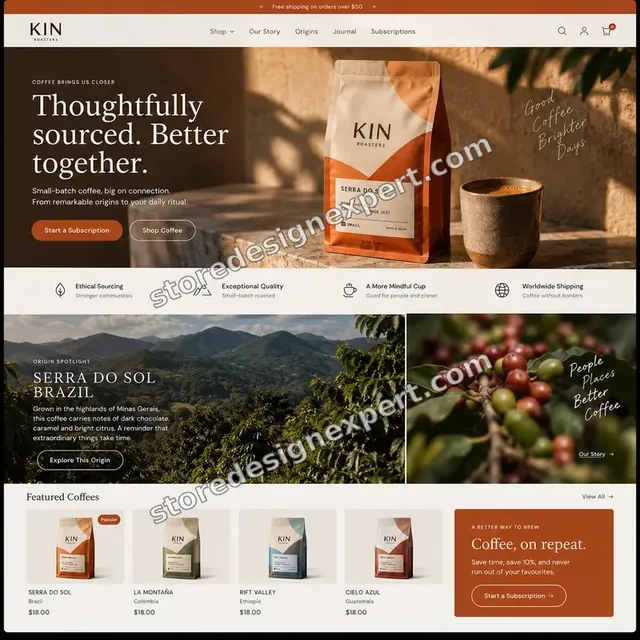
Coffee store design
Coffee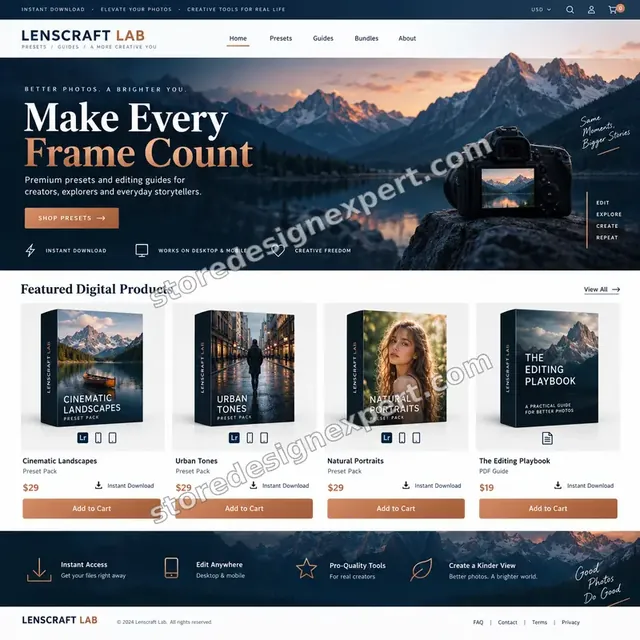
Photography presets store design
Photography presets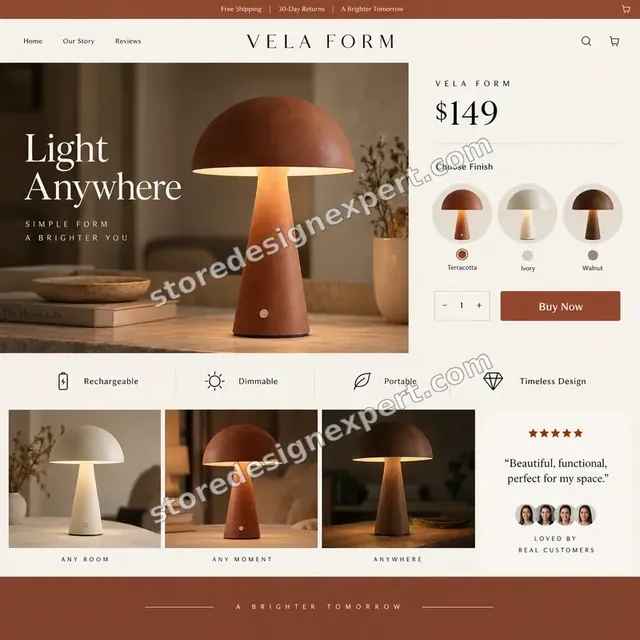
Home lighting store design
Home lighting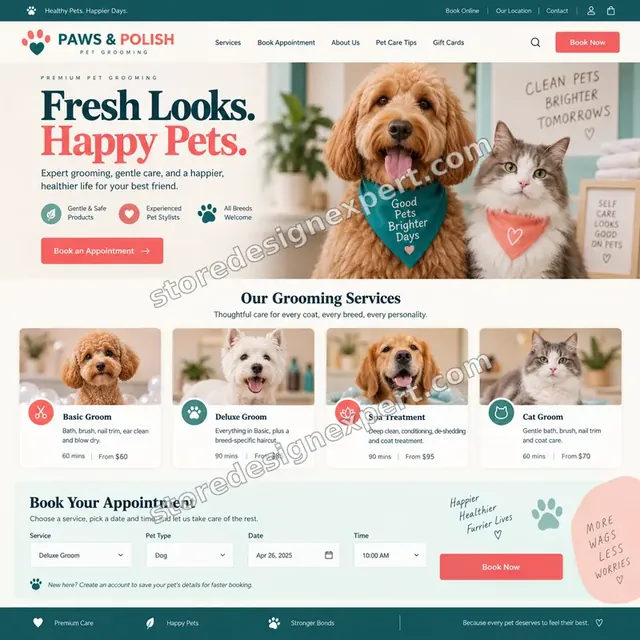
Pet grooming store design
Pet grooming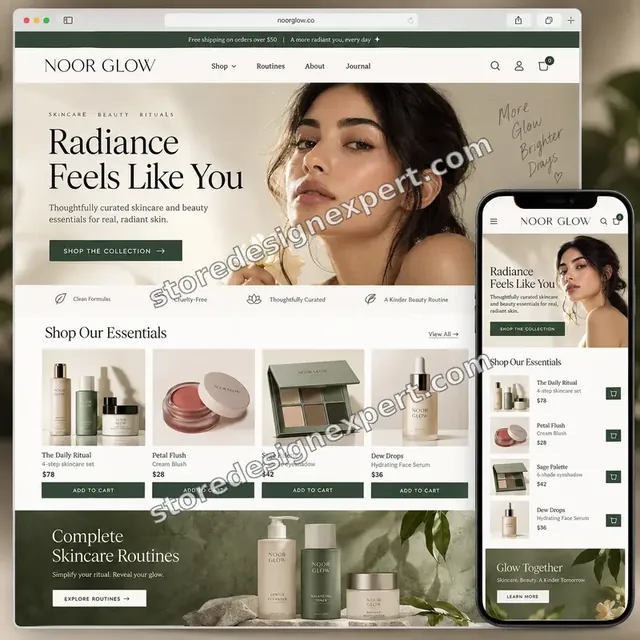
Beauty creator store design
Beauty creator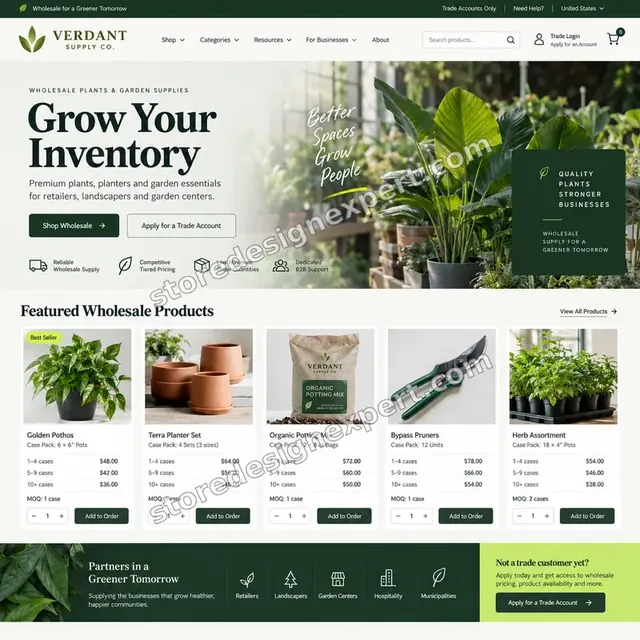
Garden supplies store design
Garden suppliesProcess and timeline
How We Take a Palette From Swatch to Live Store
Six stages, all carried out in a copy of your theme so shoppers never see a half-finished store. The calculator turns your choices into a delivery range.
- 01
Audit what is live
We catalog every color in use: theme settings, custom CSS, app widgets, emails and images. The result is a list of what stays, what changes and what conflicts.
- 02
Fix the palette
You approve a palette with named roles and contrast results. If you need one derived from a logo, we show two directions before the build begins.
- 03
Set up schemes and variables
We configure color schemes, add shared variables where the theme lacks settings and assign schemes to sections across the key templates.
- 04
Style components and states
Buttons, links, inputs, badges, swatches and app widgets get matching styles, including hover, focus and error states.
- 05
Test on real screens
We check widths from small phones to wide laptops, run contrast measurements and complete a test order, then repair what falls short.
- 06
Publish and hand over
On your approval we publish, then send the walkthrough and the short style guide so later pages follow the same rules.
Compare your options
Theme Editor, Marketplace Gig, Branding Agency or Our Fixed Package?
Four routes lead to a branded store. This table compares them on the points that decide whether the palette actually holds across every page.
| What matters | Theme editor DIY | Gig marketplace | Branding agency | Store Design Expert |
|---|---|---|---|---|
| Contrast tested for text and buttons | You check | Rarely | Yes | Yes |
| Colors applied beyond theme settings | No | Rarely | Yes | Yes |
| App widgets and emails matched | No | No | Extra cost | Yes |
| Price known before work starts | Yes | Yes | Quote only | Yes |
| Palette derived if you have only a logo | No | Varies | Yes | Yes |
| Written style guide at handover | No | No | Yes | Yes |
| Worked in a copy, live store untouched | You manage | Varies | Yes | Yes |
| No retainer or minimum spend | Yes | Yes | No | Yes |
Inside every project
What Keeps Your Live Store Safe While the Colors Change
Recoloring touches every page, so the safeguards matter. These come with every project and explain why a fixed price from us holds up beside a cheaper quote that skips them.
A copy of the theme, never the live one
We work in a duplicate theme or a development store. Orders continue through your current look until you approve the new one, and the old theme remains on the shelf.
Access you can withdraw
We prefer a collaborator request, so you remain the owner and can revoke us in a click. We ask for the permissions that styling needs and never for payment data.
A measurable definition of done
A page is finished when its contrast passes, its states respond, its images read clearly on a phone and a test order completes. What reaches you for review has already cleared those checks.
Backups before any edit
Before we change an existing store we save the theme. Any color decision you dislike can be reversed in minutes, without rebuilding anything.
Documentation your team can use
The style guide lists each color, its role and an example of right and wrong use, plus where the settings live, so small edits no longer need us.
Two revision rounds in the price
You see the total before you pay. Changes inside the agreed scope never trigger hourly charges, and you get two organized rounds of feedback in every package.
Interactive price calculator
Build Your Palette and Identity Package
Pick a package, say how many color schemes you need and where your brand stands today, then choose a speed. The fixed price and the delivery estimate follow every choice.
Request a custom quote
Shopify Plus checkout extensibility, several storefronts that must share one identity, full logo design and fully custom theme builds are scoped separately, with agreed deliverables and a fixed price before work starts.
Request a QuoteChanged your mind? Choose Palette Swap, Brand Rollout or Identity System above to return to the instant calculator.
Packages and comparison
Brand Identity Package Comparison
Row by row, here is what each package contains. If you are weighing Shopify custom theme development against a lighter restyle, this table shows how far each fixed price actually reaches.
| What is included | Palette Swap $690 | Brand Rollout $1,290Recommended | Identity System $2,190 |
|---|---|---|---|
| Palette confirmed and contrast tested | Included | Included | Included |
| Header, footer and button restyling | Included | Included | Included |
| Up to 3 color schemes | Included | Included | Included |
| Backup and recorded handover | Included | Included | Included |
| Up to 6 color schemes mapped to sections | Not included | Included | Included |
| Input, focus and badge states | Not included | Included | Included |
| App widget restyling | Not included | Included | Included |
| Branded order emails | Not included | Included | Included |
| Central CSS variable file | Not included | Not included | Included |
| Type scale across breakpoints | Not included | Not included | Included |
| Favicon, sharing image and checkout branding | Not included | Not included | Included |
| 14 days of post-launch fixes | Not included | Not included | Included |
| Typical delivery | 3 to 5 days | 6 to 9 days | 10 to 14 days |
Your Shopify Color Palette and Visual Identity Implementation price and delivery estimate come from the calculator above, so there is no surprise at checkout.
Why Store Design Expert
Why Brands Pick Us for Shopify Store Branding
You get an agency's method without a retainer or a layer of account managers. In practice that means six things.
Shopify only, since 2015
We build on one platform, so we know which theme settings exist, which do not and how to add styles that survive theme updates.
Restraint over decoration
We favor a few well-chosen colors with clear jobs. Stores with a disciplined palette read as more trustworthy, and that matters most to first-time buyers.
You talk to the people who apply the colors
Feedback goes to the person editing your theme. That shortens review loops and avoids messages getting lost between departments.
Prices that sit on the page
Every package has a fixed scope and a visible price, and the calculator adds the options before you pay. The arithmetic is yours to check.
Rated 4.9+ by verified clients
Our reviews come from real, verified buyers of Store Design Expert, so you can read how comparable projects went before committing.
You own the result
The theme, the files, the colors and the admin login are yours. If we start in our Partner account, the store is transferred before you choose a plan.
What we need to get started
What To Send Before We Start
A complete brand book is not a prerequisite. Bring Shopify access plus whatever colors, logos or swatches already exist, via the route you prefer, followed by the inputs listed below.
Invite us as a collaborator
Already have a store? Give us its URL and approve our collaborator invite. You keep ownership, passwords stay private and our access ends the moment you remove it.
No store yet: we build, then transfer
We set the store up in our own Shopify Partner account, apply your identity there and transfer ownership to you at the end. You pick a plan only once everything is done.
Or share a staff login
Staff accounts are fine too. Revoking a collaborator is faster, which is why we lean that way, but you decide.
Your logo and any brand colors
Send logo files and hex values if you have them. If you only have a logo, say so and we derive the palette from it.
Product photos and references
Share your main product images and two or three brands whose look you admire. Photos shape which colors will sit well beside them.
Rules we must respect
Tell us about printed materials, packaging colors, any legal or partner brand rules and who signs off the final look.
Card details and your Shopify owner password stay with you. Existing stores change only in a duplicate theme, after a backup, and we document the changes.
Testimonials
What Owners Say After We Rolled Out Their Brand
Verified clients describe working with Store Design Expert, from the first brief to the day the new look went live.
Verified
Store Design Expert delivered an outstanding website development experience! Their professionalism and attention to detail exceeded my expectations, and their proactive communication kept everything running smoothly. Truly impressed by their deep understanding and dedication.
WG
Warren G.United States
Verified
Very impressed with the build-out. My store is ready to get started, and I am sure I will reach out for edits down the road, but this is everything I could ask for to get the party started. Thanks again, and I will be in touch for future projects.
DH
Dale H.United States
Verified
Very quick and detailed work! Store Design Expert does exactly what you want, in a very professional manner.
LF
Lena F.Germany
Verified
Store Design Expert did an outstanding job with top-notch professionalism on my website project. Everything was delivered quickly without compromising quality. I could not have asked for better!
JM
Jason M.United States
Verified
The website development work was nothing short of professional, with top-notch quality. Their exceptional level of cooperation made the collaboration seamless and enjoyable. Highly recommend working with Store Design Expert!
JC
Jeremy C.United States
Verified
Super great to work with, and super fair!
RO
Robert O.United States
Verified
The website development work was truly impressive. Their attention to detail and ability to exceed expectations made the project a success. Working with them was a breeze, thanks to quick responsiveness and a willingness to go above and beyond.
KD
Kevin D.United States
Verified
Store Design Expert was very knowledgeable about what I needed done to fix my Shopify store and how to improve the store layout. The project was completed very quickly, and I will definitely use them for support as my business grows.
ST
Samuel T.United States
Verified
Very satisfied with the work. Most importantly, Store Design Expert responded promptly to my questions and concerns. Thank you!
KB
Kyle B.United States
Related searches
Searches That Bring Owners to Shopify Color Palette and Visual Identity Implementation
Owners reach this page from different searches. Here is how the common ones relate to Shopify Color Palette and Visual Identity Implementation.
People who look up “shopify color schemes”, “shopify color scheme generator”, “shopify logo color code” or “how to change color scheme in shopify” usually want Shopify Color Palette and Visual Identity Implementation; the calculator above shows the price and delivery estimate before you commit.
“how to change shopify theme color” or “how to change header color in shopify”: owners type these when they need Shopify Color Palette and Visual Identity Implementation, and the packages above are priced for that job.
Owners also search for “shopify brand colors”, “shopify store branding”, “shopify brand guidelines” or “shopify style guide”.
You may also have come across “customize shopify website colors”, “how to change button colour in shopify”, “shopify design your own brand” or “custom styles for shopify” while reading about Shopify Color Palette and Visual Identity Implementation.
Related searches include “shopify custom theme development”.
FAQ
Shopify Color Palette and Identity FAQs
Straight answers on price, timing, method, accessibility and what you receive.
How much does it cost to implement a Shopify color palette?
Palette Swap starts at $690, Brand Rollout at $1,290 and Identity System at $2,190. Extra color schemes, code-level styling, emails and a derived palette add to that in the calculator, so complete projects mostly fall between about $900 and $3,400. The fixed total is shown to you before any payment.
How long does a brand identity rollout take?
Palette Swap takes 3 to 5 working days, Brand Rollout 6 to 9 and Identity System 10 to 14, before options. More schemes, off-theme surfaces or a palette from scratch add days, and the calculator shows your estimate. Faster delivery options compress the schedule.
What is the difference between picking colors and implementing a Shopify color palette?
Picking colors gives you a swatch. Implementation puts those colors into theme settings, templates, app widgets, emails and code, then tests contrast and states on real devices. The second part is where inconsistency usually creeps in, and it is the part we do.
How to change color scheme in Shopify without breaking my layout?
In the theme editor you edit color schemes, then assign them to sections, but a careless change can wreck contrast or leave hard-coded colors behind. We work in a copy of the theme, adjust the schemes, search the code for stray values and review every template before publishing.
How to change Shopify theme color across the entire store?
Start with the theme settings, then check custom CSS, app widgets and emails, because they often ignore those settings. We change the theme color at the source, point loose styles at shared variables and confirm each page type, so the store updates as one piece.
How to change button colour in Shopify so it stays readable?
Set the button color in a color scheme, then test the label against the fill and the hover state. Text on buttons needs enough contrast to be legible on a phone in sunlight. We adjust the shade rather than the brand and style focus and disabled states as well.
How to change header color in Shopify, including sticky and transparent headers?
The header usually takes its colors from a scheme, but a transparent header over a hero image needs separate care. We set the default and sticky states, check text over photos on phones and fix the mobile menu so the header never turns unreadable.
Can you find my Shopify logo color code from a logo file?
Yes. We sample the exact colors from your logo file and record them as hex values, then check the logo against the background of each scheme. If a color fails on a certain background, we note it and offer a lighter or darker tint for that role.
Can I use a Shopify color scheme generator and have you apply the result?
Absolutely. Many owners arrive with a palette from a Shopify color scheme generator. We test it for contrast, assign roles, fix any shade that fails and apply it across the store. If the generator's result needs a second direction, we propose one before building.
I want to design my own brand on Shopify. Can you help if I have nothing yet?
Yes. If you want to Shopify design your own brand without a designer, choose the option for a palette from scratch. We study your products and audience, show two directions, build the one you pick and apply it to the store.
Do you create Shopify brand guidelines or a style guide?
Yes. Every package leaves a short written guide with hex values, color roles and usage rules. Identity System goes further with a variable file in the theme code, and a printable Shopify style guide is available as an extra for teams, freelancers and print suppliers.
Will recoloring affect my live store, apps or orders?
No. We work in a duplicate theme or a development store, so orders keep flowing through your existing look. Apps are restyled through their own settings or scoped styles, and we run a test order before you approve publishing. Products and customers never move.
Is this Shopify custom theme development?
It sits between a quick restyle and full Shopify custom theme development. We change the theme's design layer, sometimes with custom code, but we do not rebuild templates from scratch. If you need new layouts or sections, we scope that as a separate project.
What do I receive when the work is finished?
You receive the restyled theme, a recorded walkthrough of the settings, a short style guide with every color and its role, and a launch checklist. Two revision rounds are included, and Identity System adds 14 days of fixes after launch.
Ready when you are
Get Your Shopify Color Palette Applied Properly
Choose a package, see the exact price and delivery estimate, and order a Shopify color palette and identity rollout from a team that has launched over 450 stores. Your colors are tested on real devices, built beside your live store and documented for later.
Secure checkout · Two revision rounds · Style guide included