
Shopify stores designed and launched
Post-launch QA for Shopify
How to Test Shopify Store Properly: A Scripted QA Pass After Launch
How to test Shopify store launches properly is mostly a question of order and coverage: carts, checkout, payments, shipping, emails, tracking and devices. We run a scripted pass, place real test orders and hand you a written bug list ranked by severity. From $390, fixed price.
- Scripted test orders through every payment path
- Phone, tablet and desktop checks across browsers
- Emails, tracking and policies verified
- A written bug list ranked by severity
Our track record
450+ Shopify Stores Launched Since 2015. Your Testing Gets the Same Care.
Most launch bugs are boring: a shipping rate for one country, an email in the wrong language, a button hidden on one phone. They are easy to miss when you built the store and easy to catch when someone else tries to buy from it.
Average rating from verified clients
Building Shopify stores since
Secure checkout
Pay through a protected checkout and keep a full order record.
Two revision rounds
Included in every package, so the result matches what you pictured.
Backup before changes
We work on a duplicate of your theme, never on your live store.
Who this is for
Who Needs a Post-Launch QA and Store Testing Service
Owners usually test their own store until they stop seeing it. These are the six situations behind most post-launch qa & store testing service requests.
You are a good fit if
- You have launched, or are about to
- You want a fixed price and written scope for QA testing
- You will own the store and fix list
- You can give us collaborator access
Stores about to launch or just launched
Fresh eyes find what the builder cannot see. A scripted pass before or just after launch saves refunds.
Stores after a redesign or migration
Big changes hide small breaks. A pass across templates and paths confirms nothing was lost.
Owners worried about checkout
A payment that fails for one card type or country is invisible until a customer complains.
Brands with mostly phone traffic
A layout that works on your laptop can fail on common phones. We test on real widths.
Teams that trust their tracking
Pixels and events should match real orders. We compare them.
Founders with no time to test
You would rather hand over a script and receive a bug list than click through every page.
Problems solved
Why Stores Launch With Bugs Nobody Noticed
Builders test what they built, in the way they built it. These six gaps explain most launch bugs.
Only the happy path was tested.
Outcome: One product, one card, one country. Real customers use others, and the others break.
Shipping and tax were not tested by country.
Outcome: A missing zone or a wrong tax setting stops checkout for a whole country.
Phones were tested in a browser window.
Outcome: Resizing a laptop window is not the same as a real phone with a keyboard and a notch.
Emails were never triggered.
Outcome: Order, shipping and refund emails use their own templates, which are often left on defaults.
Tracking was assumed.
Outcome: A pixel may fire in preview and not on live orders, and nobody notices until the reports look wrong.
Policy and legal pages were left thin.
Outcome: Missing returns or shipping pages block ads, payment approval or customer trust.
What we can do
What Our Post-Launch QA and Store Testing Covers
Six jobs make up the pass. Your package decides how many templates, countries and devices are covered.
Test orders and payments
We place test orders using your payment methods in test mode, cancel them properly and report any step that fails.
Shipping and tax by country
We check shipping rates, delivery messages and tax display for each country you sell to, and note any that fail.
Devices and browsers
We test key templates on real phone and tablet widths and common browsers, and record what breaks.
Emails and notifications
We trigger order, shipping and refund emails and check wording, language, links and layout on phone and desktop.
Tracking verification
We compare pixel and analytics events with test orders to confirm they fire once and match.
Bug list and recheck
A written list ranks every issue by severity with steps to reproduce, and we recheck what you or we fix.
What is included
What Is Inside Your QA Pass
Six groups cover every deliverable in Post-Launch QA & Store Testing Service. The comparison table below shows how far each group goes by package for QA testing.
Orders
- Test orders per payment method
- Discount code tests
- Failed payment tests
- Cancel and archive
Shipping and tax
- Rates by country
- Delivery messages
- Tax display
- Free shipping thresholds
Devices
- Real phone widths
- Tablet checks
- Browser checks
- Tap target review
Emails
- Order confirmation
- Shipping and refund emails
- Language and links
- Layout check
Tracking
- Pixel events
- Analytics events
- Purchase match
- Consent behaviour
Reporting
- Bug list by severity
- Steps to reproduce
- Screenshots
- Recheck round
You provide access and priorities. We handle scripting, testing and reporting.
Launch checklist
The Checklist We Complete in a Post-Launch QA Pass
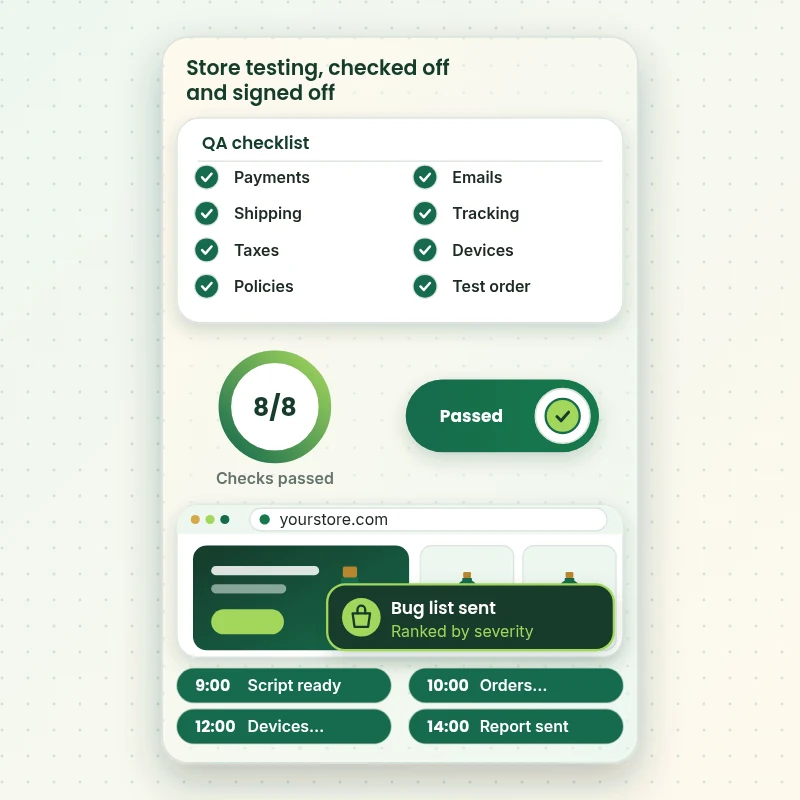
The walkthrough shows the checklist a QA pass ends with: payments, shipping, tax, policies, emails, tracking and a final test order. Each item is ticked only when it has been tried, not assumed.
Portfolio
Shopify Store Designs We Create
Different niches need different layouts. These store designs show how we shape a storefront around its products, and Post-Launch QA & Store Testing Service follows the same approach.

Outdoor apparel store design
Outdoor apparel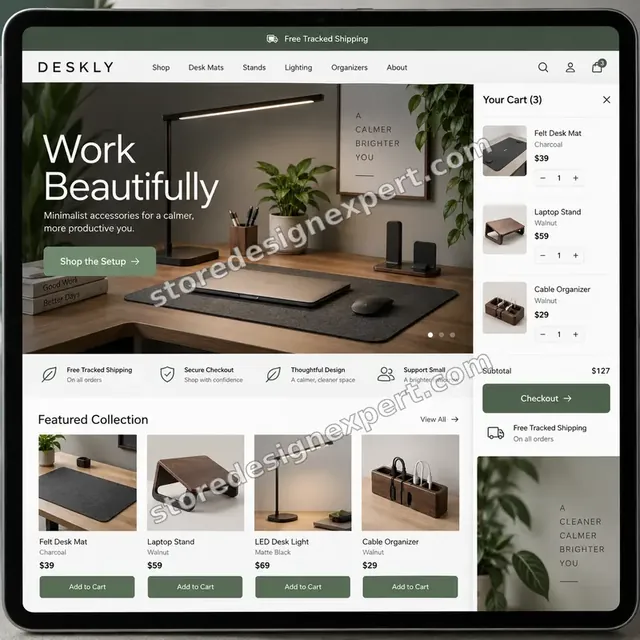
Home office accessories store design
Home office accessories
Travel creator store design
Travel creator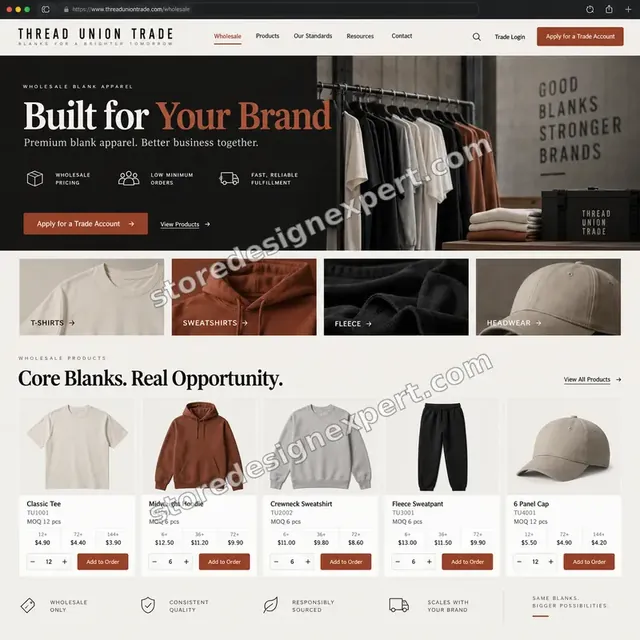
Blank apparel store design
Blank apparel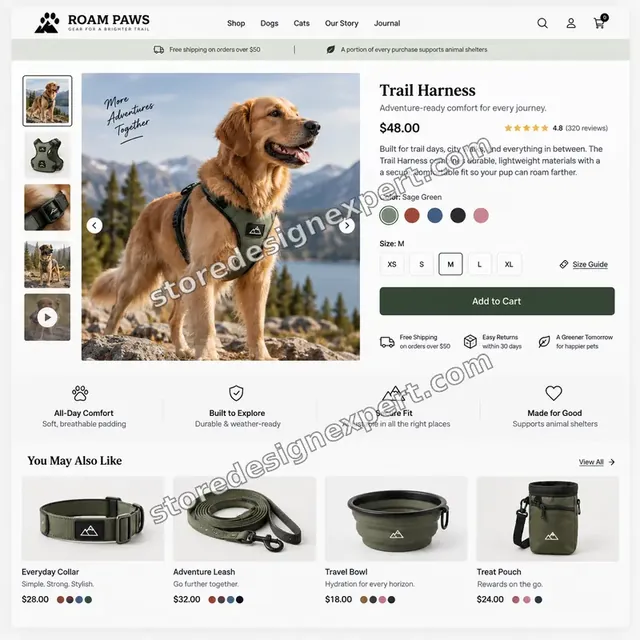
Pet store design
Pet
Beauty store design
BeautyProcess and timeline
How a Post-Launch QA Pass Runs, Start to Finish
Six steps, with your live store untouched by testing beyond cancelled test orders. Your calculator choices decide how long each step takes for QA testing.
- 01
Brief and priorities
You tell us your countries, payment methods and the pages that matter most. We write a test script.
- 02
Give access
Add us as a collaborator. We never ask for your owner password or real card details.
- 03
Test orders and payments
We place scripted test orders for each payment method and path, and cancel them properly.
- 04
Devices and emails
We test key templates on real phone and tablet widths, and trigger each email.
- 05
Tracking and policies
We compare events with orders and check policy and legal pages.
- 06
Bug list and recheck
You receive a written list ranked by severity. We recheck what is fixed.
Compare your options
DIY, Marketplace Gig, Agency QA or Our Testing Service?
Four usual routes to a tested store. This comparison shows who tests by script rather than by feel.
| What matters | Do it yourself | Marketplace gig | Agency QA | Store Design Expert |
|---|---|---|---|---|
| Scripted test orders per payment method | Spot check | One order | Yes | Yes |
| Shipping and tax tested by country | No | Rarely | Yes | Yes |
| Real phone widths and browsers | Your phone | Rarely | Yes | Yes |
| Emails triggered and checked | No | Rarely | Sometimes | Yes |
| Tracking compared with orders | No | No | Extra cost | Yes |
| Price known before work begins | Yes | Yes | Quote only | Yes |
| Bug list ranked by severity | No | Rarely | Yes | Yes |
| Recheck included | No | Rarely | Extra cost | Yes |
Inside every project
What Protects Your Store and Your Customers While We Test
Testing happens on a live store, so these six habits come with every pass.
Test mode, not real cards
We use test payment modes and test card numbers, never real card details.
Test orders cancelled and archived
Every test order is cancelled and archived so your reports and stock stay accurate.
Least access needed
A collaborator request is enough. Owner passwords are never requested.
No changes without approval
We report and recommend. We change nothing on your store unless you order fixes.
Test emails go to us
Notification emails go to test addresses we control, not to customers.
Fixed scope, one recheck round
The price is agreed before work starts, and one recheck round is included.
Interactive price calculator
Build Your QA Pass
Choose a package, then tell us how many countries and payment methods you sell with and how many templates need testing. The fixed price and delivery window update with every click for QA testing.
Request a custom quote
Shopify Plus checkout extensibility, headless storefronts, custom apps, load testing, accessibility audits and regulated product stores are scoped separately and quoted at a fixed price.
Request a QuoteChanged your mind? Choose Core QA Pass, Full Store Pass or Launch Readiness Test above to return to the instant calculator.
Packages and comparison
QA Package Comparison
Line-by-line detail of what each package covers, useful when choosing between testing yourself and a scripted, independent pass.
| What is included | Core QA Pass $390 | Full Store Pass $790Recommended | Launch Readiness Test $1,490 |
|---|---|---|---|
| Scripted test orders | Included | Included | Included |
| One country shipping and tax | Included | Included | Included |
| Main phone and desktop checks | Included | Included | Included |
| Order email check | Included | Included | Included |
| Bug list by severity | Included | Included | Included |
| Up to 4 countries | Not included | Included | Included |
| More phones and browsers | Not included | Included | Included |
| All key emails triggered | Not included | Included | Included |
| Tracking verification | Not included | Included | Included |
| Up to 8 countries | Not included | Not included | Included |
| Discount and subscription paths | Not included | Not included | Included |
| Second full pass after fixes | Not included | Not included | Included |
| Recheck rounds | 1 round | 1 round | 2 rounds |
| Typical delivery | 2 to 4 days | 3 to 6 days | 5 to 8 days |
The calculator above gives the exact price and delivery estimate for your Post-Launch QA & Store Testing Service order, and that is what you pay.
Why Store Design Expert
Why Owners Choose Us to Test Their Shopify Store
Builders cannot fully test their own work. Owners hire us for scripted, independent checks and a bug list they can act on.
Daily work inside Shopify stores
Checkout, shipping and theme code are everyday material for us, so we know where bugs hide.
Rated 4.9+ by verified clients
Every review here was written by a verified Store Design Expert client.
Prices you can plan around
Every package, option and extra has a visible price, sized by how much we test.
A direct line to the tester
You write to the person running your pass, not a ticket queue.
Honest bug list
We rank issues by what costs you sales, not by how many there are.
Experience since 2015
More than 450 Shopify stores launched means we know the usual faults.
What we need to get started
What We Need Before We Start Testing
Three ways to give access, then a short list of facts about your store for QA testing.
Accept our collaborator request
Send your store address, then approve the access request for Post-Launch QA & Store Testing Service. You stay the owner and can remove our access in one click for QA testing.
Built by someone else? That is fine
Tell us who built it. We test the store as a shopper regardless.
Or share a staff login
A restricted staff account works too, though the collaborator route is easier to revoke for QA testing.
Your countries and payment methods
Tell us where you sell and how customers pay, so the script covers them.
Your biggest worries
Tell us what you fear most, such as checkout or a landing page, so we test it first.
Who receives the report
Tell us who reads the bug list and who fixes issues.
Owner passwords and card details are never requested for QA testing. Test orders are cancelled and archived, and we log what we tested.
Testimonials
What Store Owners Say Before You Order Post-Launch QA & Store Testing Service
Verified Store Design Expert clients describe the brief, the build and the handover in their own words.
Verified
Store Design Expert delivered an outstanding website development experience! Their professionalism and attention to detail exceeded my expectations, and their proactive communication kept everything running smoothly. Truly impressed by their deep understanding and dedication.
WG
Warren G.United States
Verified
Very patient, informative and transparent, and they did exactly what they said they would do. Thanks for all the help!
RO
Raymond O.United States
Verified
Store Design Expert is the only one I use for all things WordPress. They have a high level of understanding, deliver quality work and are easy to deal with.
SC
Scott C.United States
Verified
A pleasure to work with. They did pretty much everything I asked and definitely exceeded my expectations. I will be working with Store Design Expert again soon.
JL
Jerry L.United States
Verified
Superb work! Store Design Expert is incredibly patient, and even when I did not fully understand my own questions, everything was explained again in detail. My vision was implemented perfectly, and the work is worth every cent I spent.
KB
Katrin B.Germany
Verified
Very impressed with the build-out. My store is ready to get started, and I am sure I will reach out for edits down the road, but this is everything I could ask for to get the party started. Thanks again, and I will be in touch for future projects.
DH
Dale H.United States
Verified
Very quick and detailed work! Store Design Expert does exactly what you want, in a very professional manner.
LF
Lena F.Germany
Verified
Store Design Expert did an outstanding job with top-notch professionalism on my website project. Everything was delivered quickly without compromising quality. I could not have asked for better!
JM
Jason M.United States
Verified
The website development work was nothing short of professional, with top-notch quality. Their exceptional level of cooperation made the collaboration seamless and enjoyable. Highly recommend working with Store Design Expert!
JC
Jeremy C.United States
Related searches
What People Search For Before Ordering Post-Launch QA & Store Testing Service
Owners reach this page from different searches. Here is how the common ones relate to Post-Launch QA & Store Testing Service.
“post launch qa and store testing service”, “how to test purchase on shopify”, “how to test shopify checkout” or “how to test order on shopify” all point to the same job, which Post-Launch QA & Store Testing Service covers from start to finish.
“how to test payment on shopify”, “how to do test order on shopify”, “shopify how to do a test order” or “shopify testing credit card”: owners type these when they need Post-Launch QA & Store Testing Service, and the packages above are priced for that job.
If you searched for “shopify test mode details”, “how to put shopify in test mode”, “shopify launch checklist” or “shopify pre launch checklist”, Post-Launch QA & Store Testing Service is the work that answers it.
“does shopify offer ab page testing” or “shopify qa testing” all point to the same job, which Post-Launch QA & Store Testing Service covers from start to finish.
FAQ
How to Test Shopify Store FAQs
Answers on cost, test orders, payments, checklists and A/B testing.
How much does Shopify store testing cost?
Core QA Pass is $390, Full Store Pass $790 and Launch Readiness Test $1,490. Payment methods, templates and apps add to that, and the calculator shows the total before you pay.
How to test Shopify store checkout and payments safely?
How to test Shopify store checkout safely: use a gateway in test mode and test card numbers, place orders for each method and cancel them. We run that script and report failures.
What does a post launch QA and store testing service include?
A post launch QA and store testing service includes scripted test orders, shipping and tax by country, device checks, emails, tracking verification and a bug list ranked by severity.
How to test purchase on Shopify without charging a real card?
How to test purchase on Shopify without real cards: turn on test mode for your gateway, use its test card numbers and then cancel and archive each test order.
How to test Shopify checkout with discounts and gift cards?
How to test Shopify checkout with discounts: place orders with each code type, free shipping rules and gift cards, and check totals. We script each case.
How to test order on Shopify, including the emails?
How to test order flows on Shopify: place a test order, then check the confirmation, shipping and refund emails for wording, links and language.
How to test payment on Shopify with several methods?
How to test payment on Shopify with wallets and buy now pay later: each needs its own test path, some only in live mode. We explain what can be tested and how.
How to do test order on Shopify and then clean up?
How to do test order on Shopify and clean up: place the order in test mode, then cancel and archive it so reports and stock stay right. We do this for every test.
Shopify how to do a test order for a subscription product?
Shopify how to do a test order for subscriptions: use the app's test mode where it has one and follow the first renewal. We check what each subscription app supports.
What is a Shopify testing credit card and where do I get one?
A Shopify testing credit card is a dummy card number provided for test mode, never a real card. We use the official test numbers for your gateway.
Do you need my Shopify password for Post-Launch QA & Store Testing Service?
No. A collaborator request keeps you as owner and can be revoked instantly for QA testing. We never ask for real card details.
What are Shopify test mode details I should know?
Shopify test mode details vary by gateway. Shopify Payments has a test mode, while other gateways have their own. Wallets often cannot be fully tested. We list what is possible.
How to put Shopify in test mode for a payment provider?
How to put Shopify in test mode: switch on test mode in your payment settings for that gateway, place the orders and switch it off. We confirm it is off again before finishing.
Do you also provide a Shopify launch checklist and Shopify pre launch checklist?
Yes. We provide a Shopify launch checklist and Shopify pre launch checklist as part of the pass, and our setup services use the same list. Order the full pass before a campaign starts.
Does Shopify offer AB page testing and what is Shopify QA testing?
Does Shopify offer ab page testing? Not natively, so we plan tests with an app or a manual split. Shopify QA testing, meaning the scripted checks in this service, finds faults before shoppers do.
Ready when you are
How to Test Shopify Store: Order Your QA Pass
Choose a package, watch the fixed price settle and have a team that has launched 450+ Shopify stores run a scripted pass on your payments, shipping, emails and devices. You receive a written bug list ranked by severity.
Fixed price · Test mode only · Written bug list