
Shopify stores designed and launched
GA4 and dashboard set-up for Shopify
Shopify GA4 Set Up Right, With a Dashboard You Will Actually Open
Shopify GA4 tracking often runs twice, misses purchases or reports numbers nobody trusts. We connect GA4 cleanly, check every e-commerce event, handle consent and build a dashboard of the figures you review. From $390, fixed price.
- One clean GA4 connection, no double counting
- Product, cart, checkout and purchase events tested
- Consent and filters set up on purpose
- A dashboard built around your weekly questions
Our track record
450+ Shopify Stores Launched Since 2015. Your Tracking Gets the Same Care.
A store can look busy in GA4 and still be measured wrongly. We check each event against a real test order, so the numbers you decide on are the numbers that happened.
Average rating from verified clients
Building Shopify stores since
Secure checkout
Pay through a protected checkout and keep a full order record.
Two revision rounds
Included in every package, so the result matches what you pictured.
Backup before changes
We work on a duplicate of your theme, never on your live store.
Who this is for
Who Needs a Shopify GA4 Set-up and Dashboard
Owners come to us when they cannot trust their analytics. Most people ask about google analytics 4 dashboard setup in one of these six situations.
You are a good fit if
- You have a Shopify store and a Google account
- You want a fixed price and written scope for GA4 work
- You can tell us which questions you ask each week
- You accept that GA4 and Shopify never match exactly
New stores connecting analytics for the first time
You want it correct from day one, before ad spend begins.
Stores moving from Universal Analytics to GA4
Old tracking is gone, and nobody checked what replaced it.
Owners whose GA4 and Shopify numbers disagree
Revenue, orders or sessions differ and you want the reason.
Advertisers who need reliable purchase data
Ad platforms learn from conversions, so wrong events cost money.
Founders with data but no reading routine
GA4 holds the answers, but the reports are hard to navigate.
Teams with no time to learn GA4
You want it connected, tested and presented in one dashboard.
Problems solved
Why Shopify GA4 Data Cannot Be Trusted
Most bad analytics comes from set-up, not from GA4. These six patterns are what we usually find for GA4 work.
Tracking is installed twice.
Outcome: The Google channel app, a theme snippet and a tag manager can all fire the same events.
Purchases are missing or doubled.
Outcome: Reload on a thank-you page or a payment redirect can drop or repeat the purchase event.
Events have wrong or empty values.
Outcome: Product names, prices or currencies arrive blank, so revenue reports are empty.
Consent is not connected.
Outcome: Without a plan for consent, you lose visitors silently or track people you should not.
Internal traffic and payment domains pollute reports.
Outcome: Your own team and payment returns appear as sessions and referrals.
Nobody can find the numbers.
Outcome: The default reports are broad, so owners stop looking.
What we can do
What Our Shopify GA4 and Dashboard Set-up Covers
Six jobs make up the service. Your package decides how many events, markets and dashboard pages are built.
Clean GA4 connection
We link your GA4 property to the store through the right route and remove duplicate tags, so each event fires once.
Event testing
We place test orders and compare view item, add to cart, begin checkout and purchase events with what GA4 receives.
Consent and filters
Consent mode, internal traffic filters and referral exclusions are set to match your region and policy.
Key events
Purchases and the other actions you care about are marked as key events, so reports and ads can use them.
Looker Studio dashboard
We build a dashboard of sales, funnel, sources and products that updates by itself.
Handover guide
A short written guide explains each metric, how it is counted and where Shopify's own numbers will differ.
What is included
What Is Inside Your GA4 Set-up
Six groups cover every deliverable in Google Analytics 4 Dashboard Setup. The comparison table below shows how far each group goes by package for GA4 work.
Connection
- GA4 property linked
- Duplicate tags removed
- Measurement ID check
- Data stream settings
Events
- E-commerce events tested
- Test order check
- Value and currency check
- Event gaps listed
Consent
- Consent settings review
- Internal traffic filter
- Referral exclusions
- Data retention setting
Key events
- Purchase marked as key event
- Extra key events chosen
- Ad platform link check
- Audience basics
Dashboard
- Looker Studio report
- Sales and funnel pages
- Source and product pages
- Sharing set up
Handover
- Metric guide
- Shopify versus GA4 notes
- Walkthrough recording
- Fix list
You provide access to your Google and Shopify accounts. We handle the set-up, testing and dashboard.
Event check
How We Test Every GA4 Event Before You Rely on It
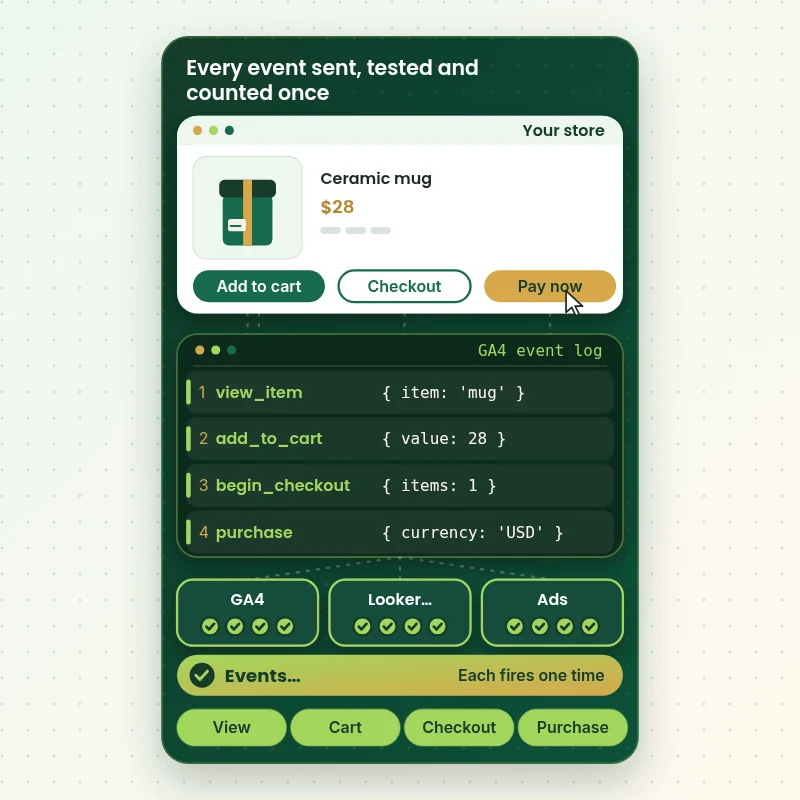
In this walkthrough a test shopper moves through a product page while a console records each event sent to GA4. We compare each one with what GA4 receives, so a missing or doubled event shows up before real traffic does.
Portfolio
Shopify Store Designs We Create
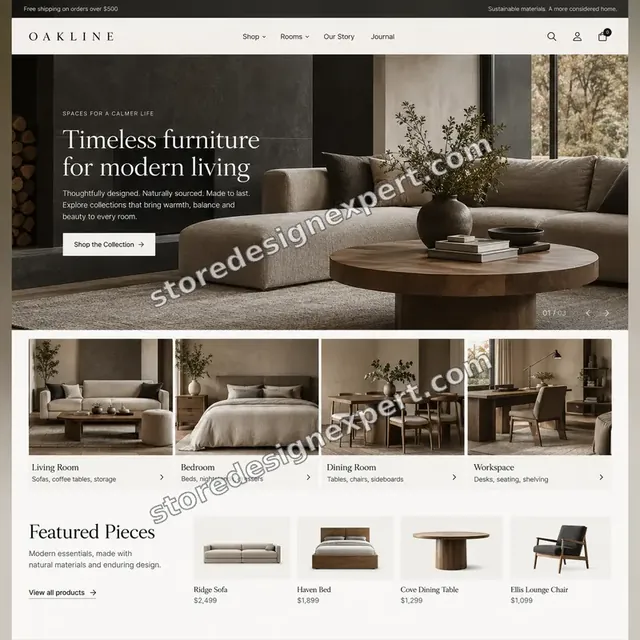
These storefront designs show how layout, product detail and trust cues change from one niche to the next, which is the same care that goes into Google Analytics 4 Dashboard Setup.
Furniture store design
Furniture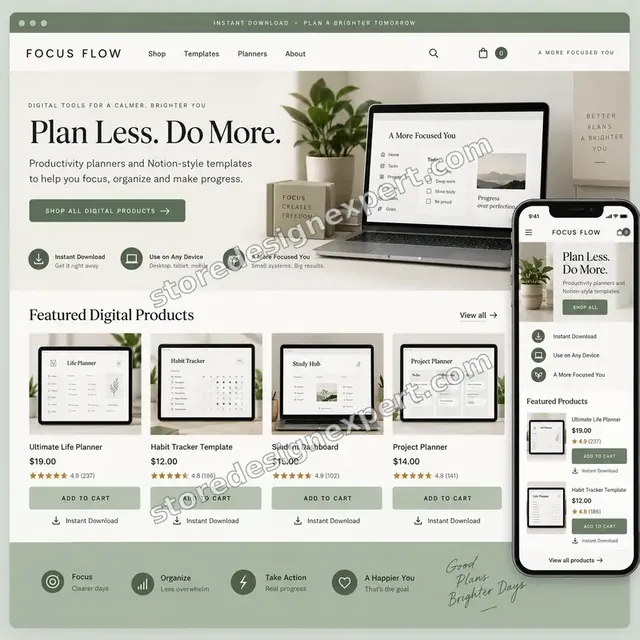
Productivity templates store design
Productivity templates
Pet technology store design
Pet technology
Photography store design
Photography
Home decor creator store design
Home decor creator
Furniture store design
FurnitureProcess and timeline
How the GA4 Set-up Runs, Start to Finish
Six steps, with every event tested on a real order. Your calculator choices decide how long each step takes for GA4 work.
- 01
Brief and questions
You tell us what you want to know each week and which tools receive purchase data.
- 02
Access
You add us to Shopify and GA4 with the roles needed. We never ask for passwords.
- 03
Audit of what exists
We find every tag, snippet and app that sends data, and note overlaps.
- 04
Connect and clean
We keep one connection, remove the rest and set consent and filters.
- 05
Test
We run test orders and compare each event with what GA4 records.
- 06
Build and hand over
We build the dashboard, write the guide and walk you through it.
Compare your options
DIY, Marketplace Gig, Analytics Consultant or Our GA4 Set-up?
Four usual routes to GA4 data. This comparison shows who tests events, handles consent and builds the dashboard.
| What matters | Do it yourself | Marketplace gig | Analytics consultant | Store Design Expert |
|---|---|---|---|---|
| Clean single connection | Often doubled | Varies | Yes | Yes |
| Events tested on a real order | Rarely | Rarely | Yes | Yes |
| Consent and filters set | Defaults | Rarely | Yes | Yes |
| Looker Studio dashboard built | You build | Extra cost | Yes | Yes |
| Shopify versus GA4 gaps explained | No | No | Sometimes | Yes |
| Price known before work begins | Free | Yes | Quote only | Yes |
| Shopify admin expertise | Learning | Varies | General | Yes |
| Written handover guide | No | Rarely | Yes | Yes |
Inside every project
What Protects Your Data While We Set Up GA4
Tracking touches customer data and ad spend, so these six habits come with every package.
Least access needed
We ask for the roles the work requires, and remove our access when we finish.
Consent respected
We set tracking to follow your consent choices and region, and we do not give legal advice.
Every event tested on a real order
We do not mark an event as working until a test order proves it.
Everything documented
Each change is written down, so another person can understand your tracking later.
No promise of matching numbers
GA4 and Shopify count differently, so we explain the gaps and never promise they will match.
Fixed scope, two revision rounds
The price is agreed before work starts, and changes inside scope run in two structured rounds for GA4 work.
Interactive price calculator
Build Your GA4 Set-up Package
Choose a package, then tell us how many markets you sell in, how many ad platforms need purchase data and what tracking is already installed. The fixed price and delivery window update with every click for GA4 work.
Request a custom quote
Shopify Plus custom checkout events, server-side tagging, BigQuery exports, several stores in one property and cross-domain tracking are scoped separately and quoted at a fixed price.
Request a QuoteChanged your mind? Choose GA4 Connect and Verify, GA4 Events and Dashboard or GA4 Measurement Plan above to return to the instant calculator.
Packages and comparison
GA4 Set-up Package Comparison
Line-by-line detail of what each package covers, useful when choosing between a clean connection and a full measurement plan.
| What is included | GA4 Connect and Verify $390 | GA4 Events and Dashboard $790Recommended | GA4 Measurement Plan $1,490 |
|---|---|---|---|
| GA4 property connection | Included | Included | Included |
| Duplicate tag removal | Included | Included | Included |
| Test order event check | Included | Included | Included |
| Purchase marked as key event | Included | Included | Included |
| Internal traffic filter | Included | Included | Included |
| Full e-commerce event audit | Not included | Included | Included |
| Consent settings review | Not included | Included | Included |
| Looker Studio dashboard | Not included | Included | Included |
| Walkthrough recording | Not included | Included | Included |
| Written measurement plan | Not included | Not included | Included |
| Audiences and extra key events | Not included | Not included | Included |
| Ad platform link checks | Not included | Not included | Included |
| 30-day numbers check | Not included | Not included | Included |
| Typical delivery | 3 to 5 days | 5 to 8 days | 7 to 10 days |
The calculator above gives the exact price and delivery estimate for your Google Analytics 4 Dashboard Setup order, and that is what you pay.
Why Store Design Expert
Why Owners Choose Us for Shopify GA4
Anyone can paste a measurement ID. Owners hire us for the testing, the clean-up and the dashboard that follow.
Daily work inside Shopify stores
We know where checkout, theme and apps each send data, so we find double counting quickly.
Rated 4.9+ by verified clients
Every review here was written by a verified Store Design Expert client.
Prices you can plan around
Every package, option and extra has a visible price, sized by markets, ad platforms and existing tracking.
A direct line to the person doing the work for GA4 work
You write to the team member doing the set-up, not a ticket queue.
Honest about what GA4 can show
We explain what the data can and cannot tell you, rather than overselling it.
Experience since 2015
More than 450 Shopify stores launched means we have seen most tracking problems.
What we need to get started
What We Need Before We Start Your GA4 Set-up
Three ways to give access, then a short list of facts about your tracking.
Accept our collaborator request
Send your store address, then approve the access request for Google Analytics 4 Dashboard Setup. The owner can grant what we need and remove us in one click for GA4 work.
Add us to your GA4 property
Give us an editor role on the property, or share an existing one.
Taking over a store? That is fine
Tell us what was installed and by whom. We start by listing what sends data.
Your key questions
Tell us the five numbers you want to see each week.
Ad accounts that use purchases
List the ad platforms that rely on your purchase data.
Who approves changes
Tell us who signs off consent and tracking changes.
Passwords are never requested. Access is granted through each account's own tools and removed when we finish.
Testimonials
What Store Owners Say Before You Order Google Analytics 4 Dashboard Setup
Verified Store Design Expert clients describe the brief, the build and the handover in their own words.
Verified
Store Design Expert delivered an outstanding website development experience! Their professionalism and attention to detail exceeded my expectations, and their proactive communication kept everything running smoothly. Truly impressed by their deep understanding and dedication.
WG
Warren G.United States
Verified
Store Design Expert is the only one I use for all things WordPress. They have a high level of understanding, deliver quality work and are easy to deal with.
SC
Scott C.United States
Verified
A pleasure to work with. They did pretty much everything I asked and definitely exceeded my expectations. I will be working with Store Design Expert again soon.
JL
Jerry L.United States
Verified
Superb work! Store Design Expert is incredibly patient, and even when I did not fully understand my own questions, everything was explained again in detail. My vision was implemented perfectly, and the work is worth every cent I spent.
KB
Katrin B.Germany
Verified
Very impressed with the build-out. My store is ready to get started, and I am sure I will reach out for edits down the road, but this is everything I could ask for to get the party started. Thanks again, and I will be in touch for future projects.
DH
Dale H.United States
Verified
Very quick and detailed work! Store Design Expert does exactly what you want, in a very professional manner.
LF
Lena F.Germany
Verified
Store Design Expert did an outstanding job with top-notch professionalism on my website project. Everything was delivered quickly without compromising quality. I could not have asked for better!
JM
Jason M.United States
Verified
The website development work was nothing short of professional, with top-notch quality. Their exceptional level of cooperation made the collaboration seamless and enjoyable. Highly recommend working with Store Design Expert!
JC
Jeremy C.United States
Verified
Super great to work with, and super fair!
RO
Robert O.United States
Related searches
Searches That Bring Owners to Google Analytics 4 Dashboard Setup
The searches below are the ones that lead people to Google Analytics 4 Dashboard Setup.
“google analytics 4 dashboard setup”, “shopify ga4 dashboard”, “google analytics in shopify” or “shopify analytics dashboard” all point to the same job, which Google Analytics 4 Dashboard Setup covers from start to finish.
If you searched for “shopify business intelligence dashboard”, “shopify free apps for analytics”, “great shopify apps for analytics” or “shopify overview dashboard analytics”, Google Analytics 4 Dashboard Setup is the work that answers it.
“shopify dashboard analytics” all point to the same job, which Google Analytics 4 Dashboard Setup covers from start to finish.
Related searches include “shopify ga4 integration”, “shopify ga4 app”, “shopify add ga4” or “shopify ga4 setup”.
FAQ
Shopify GA4 FAQs
Answers on cost, events, mismatched numbers, consent and dashboards.
How much does Shopify GA4 set-up and dashboard work cost?
GA4 Connect and Verify is $390, GA4 Events and Dashboard $790 and GA4 Measurement Plan $1,490. Markets, ad platforms and existing tracking add to that, and the calculator shows the total before you pay.
How does Shopify GA4 integration work?
Shopify GA4 integration normally runs through Shopify's Google channel app or a custom pixel with your measurement ID. We pick the route that fits your store and remove the duplicates.
Is there a Shopify GA4 app I should install?
A Shopify GA4 app, such as Shopify's own Google channel, can send the events. We check its settings, and we do not name a paid app unless your store needs one.
Shopify add GA4: can I do it myself?
Shopify add GA4 steps are short: create a property and a data stream, then link it. The careful part is testing events and removing duplicates, which is what we do.
What does a Shopify GA4 setup include?
A Shopify GA4 setup with us includes the connection, duplicate tag removal, event tests on real orders, consent and filter settings and, from the second package, a dashboard.
What is a Shopify GA4 dashboard?
A Shopify GA4 dashboard is a report, usually in Looker Studio, showing sales, funnel steps, sources and products from your GA4 data. We design it around your weekly questions.
How is Google Analytics in Shopify different from Shopify's own reports?
Google Analytics in Shopify counts visits and events your way, while Shopify's reports count orders and sales from your store. The two differ, and our guide explains where and why.
Why are my Shopify analytics dashboard numbers different from GA4?
A Shopify analytics dashboard counts differently from GA4 because of consent, ad blockers, attribution rules and timing. We list the causes and fix those that are fixable.
Do you build a Shopify business intelligence dashboard?
A Shopify business intelligence dashboard for GA4 data is a Looker Studio report with pages for sales, funnel and sources. Larger warehouse projects are scoped separately.
Which Shopify free apps for analytics are worth using?
Shopify free apps for analytics include Shopify's own Google channel and reports. We review what you run and advise whether a paid option adds anything for your store.
Are there great Shopify apps for analytics beyond GA4?
Great Shopify apps for analytics depend on your question. GA4 covers traffic and funnel, while heatmap and attribution apps cover other needs. We recommend only what you need.
What does the Shopify overview dashboard analytics page show?
The Shopify overview dashboard analytics page shows store totals such as sales, orders and sessions. We use it alongside GA4 to cross-check your figures.
Can you improve my Shopify dashboard analytics for ads?
Shopify dashboard analytics for ads depends on clean purchase events. We verify them, then check that each ad platform receives them once.
Do you need my Google password?
No. We ask for a role on your GA4 property and a collaborator request on Shopify. Both can be removed by you at any time.
Ready when you are
Order Your Shopify GA4 Set-up and Dashboard
Choose a package, watch the fixed price settle and have a team that has launched 450+ Shopify stores connect GA4 cleanly, test every event on a real order and build the dashboard you will read each week.
Fixed price · Every event tested · Dashboard included