
Shopify stores designed and launched
Core Web Vitals audit and fix for Shopify
Core Web Vitals Optimization Services for Shopify: LCP, CLS and INP Fixed at the Source
Core web vitals optimization services from a team that has launched over 450 Shopify stores since 2015 and holds a 4.9+ average rating from verified clients. We read your field data, trace each failing metric to the exact image, script, font or Liquid block behind it, fix it in a safe duplicate theme and retest. Fixed packages from $590, finished in 4 to 16 working days.
- Field data read first, so we fix what real visitors feel
- LCP element, layout shifts and slow taps traced to their cause
- Changes made in a duplicate theme with a rollback copy
- Before and after readings plus a written list of what we changed
From$590
Delivery4 to 16 working days
Revisions2 rounds
Our track record
450+ Shopify Stores Launched Since 2015. We Know What Slows Them Down After Launch.
Most Shopify stores start fast and slowly gain weight: one more app, one more banner, one more font. After years of building and rescuing stores, we can usually point at the cause of a failing page within the first hour of looking at real-user data.
Average rating from verified clients
Building Shopify stores since
Secure checkout
Pay through a protected checkout and keep a full order record.
Two revision rounds
Included in every package, so the result matches what you pictured.
Backup before changes
We work on a duplicate of your theme, never on your live store.
Who this is for
Who Needs Core Web Vitals Optimization Services for a Shopify Store
A failing assessment rarely announces itself with a broken page. It shows up as a warning in a report, a drifting ad cost or a slow feeling on your own phone. These are the owners who come to us most often.
You are a good fit if
- You can open your store in Search Console or PageSpeed Insights
- You want causes fixed, not only a score screenshot
- You accept that some platform limits stay
- You prefer a fixed scope to open hourly billing
Owners with a red Search Console warning
Google has flagged groups of URLs as poor or needing improvement and you cannot tell whether the cause is a theme, an app or a photo. You want the reason named, then the fault removed, not a general speed lecture.
Stores paying for mobile traffic
Paid visitors land on a phone over a mixed connection. If the product page jumps or hangs after the first tap, you are buying clicks that leave before the add to cart button works.
Merchants with a heavy app stack
Reviews, upsells, chat, loyalty and pop-ups each add scripts to every page. You suspect the pile is the problem but do not know which app to keep, delay or replace.
Brands after a redesign or theme change
The new look is polished and the scores dropped. Large hero sliders, animated sections and extra fonts often arrive with a redesign, and they can be tamed without losing the design.
Large catalogs and collection-heavy stores
Collection grids, filters and mega menus put a lot of markup and script on one page. Catalog size makes some problems worse, and the fix is different from a ten product store.
Stores that fixed it once and slipped back
A speed app or one-off clean-up helped for a month, then new apps and banners undid it. You want the cause removed and a short rulebook so the next change does not repeat it.
Problems solved
Why Shopify Stores Fail the Core Web Vitals Assessment
Google judges real visitors, not your best laptop. A page fails when at least one of three measures sits on the wrong side of its threshold for a quarter of visits. Here are the faults we meet again and again, and what closing each one looks like.
- The biggest element on screen arrives late, so the page feels empty.
On product and collection pages the largest element is usually the hero or main product photo. When it is lazy-loaded, hidden behind a fade-in, set as a CSS background or queued behind app scripts, it paints after 2.5 seconds. We make that one element the first thing the browser fetches.
- Content jumps while shoppers are about to tap.
Announcement bars, review stars, cookie notices and promo banners that load late push everything down. Images without set dimensions and fonts that swap in at a different size do the same. We reserve the space before the content arrives.
- Taps and filters respond a beat too late.
Several apps listen to the same add to cart button, and chat or analytics tags occupy the main thread right when someone touches the page. Interaction to Next Paint above 200 milliseconds is the result. We shorten the long tasks and delay what can wait.
- App code loads on every page, including pages that never use it.
A wishlist script still loads on the blog and a size chart script on the cart. Because many apps inject through the theme header, each one adds weight everywhere. We limit scripts to the templates that need them.
- Theme code was stretched past what it was built for.
Nested Liquid loops, repeated metafield lookups inside product grids and sliders that render every slide at once make the server and the browser work harder as the catalog grows. We simplify the loops and the markup.
- Lab scores look fine while field data stays red.
A green lab test run on a fast laptop says little about a mid-range phone on a train. Because the official report uses a 28-day window of real visits, we judge fixes on field evidence and keep lab runs as a quick check only.
What we can do
What Our Core Web Vitals Optimization Service Provider Work Covers
Each Shopify store fails in its own way, so the work is organized around the three metrics and the layers that feed them. Six areas of the theme take most of our effort.
Core web vitals assessment from field data
We start with the Chrome UX Report numbers behind your Search Console groups and PageSpeed Insights, split by mobile and desktop, and list the failing URL patterns. A lab run follows only to reproduce the cause. Nothing is changed until the failing element is named.
Core web vitals LCP: the largest element first
We identify the true LCP element on the home, collection and product templates, remove lazy loading from it, set fetch priority, right-size the file and stop animations from delaying it. Where the theme uses a slider, we render the first slide as a plain image.
Core web vitals CLS: space reserved before content loads
We add width, height and aspect ratio to media, hold a fixed height for announcement bars and app blocks, match fallback fonts to the web font's metrics and test the pages with a throttled connection to catch late shifts.
Core web vitals INP: shorter tasks and fewer listeners
We record real interactions in the Chrome Performance panel, find tasks longer than 50 milliseconds, remove duplicate handlers on the cart button, defer chat, review and loyalty scripts until idle or first touch, and break up heavy theme scripts.
Third-party scripts brought under control
We map every script that loads in the page header, mark what each app does for revenue, and keep, defer, limit to certain templates or recommend replacing it. Removing an app is always your call, with the cost of keeping it made visible.
A clean retest and an honest limits note
After the fixes we rerun the lab tests, set up a field data watch and write down what Shopify's platform does not let a merchant change, such as checkout internals and server caching, so nobody expects a promise we cannot keep.
What is included
What Your Core Web Vitals Audit and Fix Includes
The work is split into six groups. The packages vary in how many templates and how much theme code they reach, and the table further down marks which group sits where.
Diagnosis
- Search Console and PageSpeed Insights field data read for mobile and desktop
- Failing URL groups mapped to templates
- LCP element recorded for each key template
- Written diagnosis with the cause of every failing metric
Largest contentful paint
- Priority loading set on the LCP image
- Lazy loading removed from above the fold media
- Hero sizes and formats corrected
- Render-blocking CSS and font requests reduced
Layout stability
- Dimensions and aspect ratio on images and video
- Reserved space for banners and app blocks
- Fallback font metrics matched to web fonts
- Late-loading widgets tested under throttling
Interaction speed
- Long tasks measured in a real interaction recording
- Duplicate listeners on cart and variant controls removed
- Chat, review and loyalty scripts deferred
- Menu and filter scripts trimmed
App and script review
- Every header script listed with owner and purpose
- Keep, defer, limit or replace decision per script
- App blocks disabled on templates that do not use them
- Leftover code from deleted apps removed
Retest and handover
- Lab retest on each fixed template
- Field data watch set up
- Plain-language change log and limits note
- Two revision rounds and a rollback copy of the theme
Each item is chosen because it moves one of the three metrics at the 75th percentile, which is where Google's verdict is made, rather than because it raises a vanity score.
See how it works
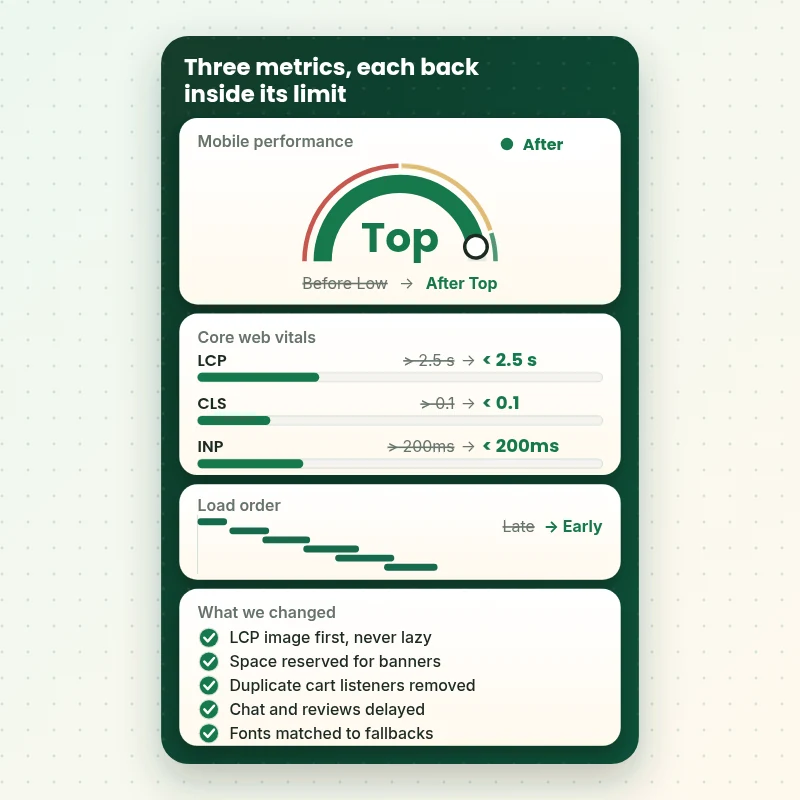
How Core Web Vitals Optimization Services Move Each Metric Inside Its Limit
Follow a Shopify page from its first field reading to the retest. LCP, CLS and INP each start beyond Google's published good limit, and the dashboard shows the cause we change for each one, so the result is tied to a real edit and not a vague clean-up.
Portfolio
Store Design Styles We Build
A look at store designs across fashion, home, beauty, pets and gifts, to show the standard of layout and finish behind Core Web Vitals Audit & Fix (LCP, CLS, INP).

Outdoor apparel store design
Outdoor apparel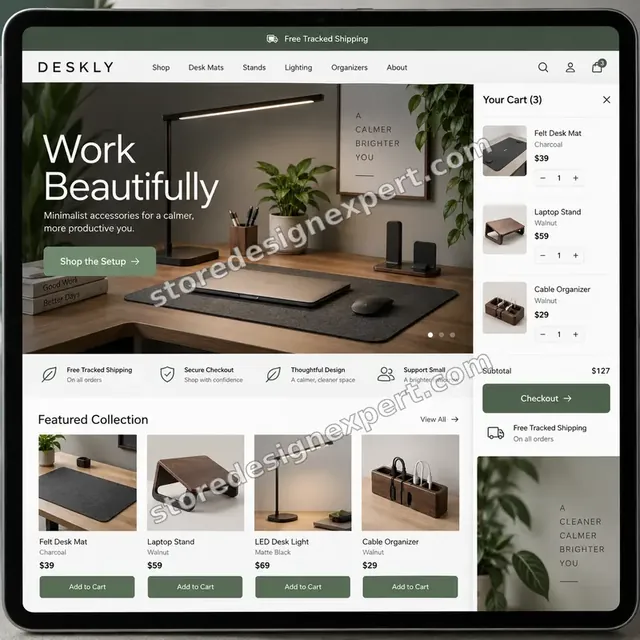
Home office accessories store design
Home office accessories
Travel creator store design
Travel creator
Blank apparel store design
Blank apparel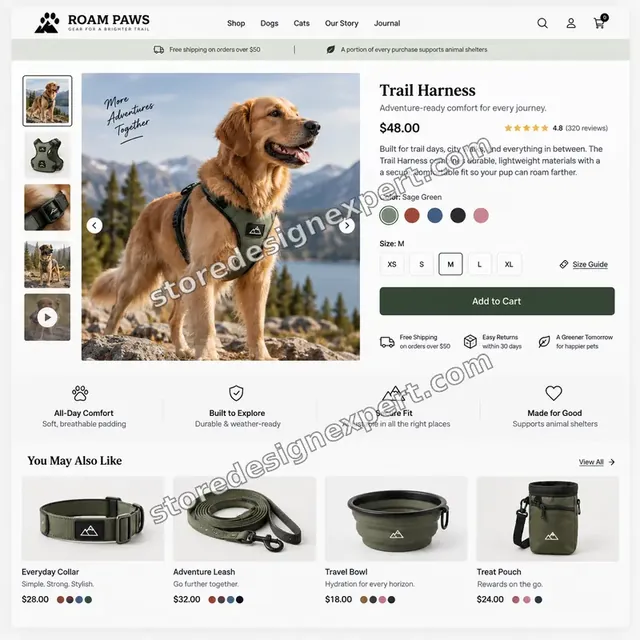
Pet store design
Pet
Beauty store design
BeautyProcess and timeline
How Core Web Vitals Optimization Services Run, Step by Step
The sequence follows the evidence: diagnose from field data, change one cause at a time in a duplicate theme, then measure again. The Vitals Triage plan runs in 4 to 6 working days, and the larger plans follow the ranges in the calculator.
- 1
Read the field data
We open your Search Console report, PageSpeed Insights results and Chrome UX Report numbers for mobile and desktop. Which URL groups fail, and which of the three metrics fails, decides everything that follows.
- 2
Reproduce the cause
On a throttled phone profile we load the failing templates, record the page, and name the LCP element, the shifting blocks and the longest tasks. A guess is never allowed to stand in for a recording.
- 3
Fix in a duplicate theme
Each change is made in a copy of your theme, one cause at a time, so we always know which edit moved which number. Your live theme keeps serving customers throughout.
- 4
Settle the app stack
You receive the script map with our recommendation for each app. We apply the agreed deferrals and template limits, and leave removal decisions with you.
- 5
Retest and compare
Lab tests run again on every fixed template and are set beside the first recording. You see which readings are now inside Google's good limits and which still depend on platform code.
- 6
Publish and set the watch
After your sign-off we publish the theme, set up the field data check and send the change log with a short rulebook for future edits. Then the 28-day window starts to turn green.
Compare your options
Speed App, Gig Seller, Theme Swap or a Specialist Fix?
Four routes lead out of a failing report. They differ in whether anyone reads your field data, whether the cause is traced to a file, and who is left holding the result.
| What matters | Speed app | Gig seller | New theme | Store Design Expert |
|---|---|---|---|---|
| Reads field data before changing anything | Lab only | Rarely | No | Yes |
| LCP element traced per template | Automatic guess | Rarely | Unchecked | Yes |
| Layout shift causes fixed in code | Partly | Sometimes | Theme default | Yes |
| Slow taps (INP) investigated | Script delay only | Rarely | Unchecked | Yes |
| App scripts reviewed one by one | Blanket delay | Sometimes | No | Yes |
| Tracking and purchase event verified | Check yourself | Rarely | Rebuild yourself | Yes |
| Before and after readings supplied | Dashboard | Screenshot | No | Yes |
| Fixed price, no monthly fee | Monthly | Low | Theme plus rebuild | Yes |
Inside every project
What Protects Your Store While We Tune It
Speed work edits the code that every customer runs, so the safeguards matter as much as the fixes. These are built into each Core Web Vitals project.
Only ever a duplicate theme
We edit a copy of your theme and never the one your customers are using. The live version stays untouched until you approve, and the old version remains in your library as the way back.
Permissions kept narrow
Access is by Shopify collaborator request, which lists exactly what we can open. You can remove it at any moment from your own admin, and we ask for nothing beyond the theme and apps pages for this job.
One change, one reading
We apply fixes in small groups and measure after each, so a regression is traced to its cause in minutes. A bundle of changes with a single before and after tells you nothing about what worked.
Tracking and checkout left intact
Pixels, consent banners and conversion tags are deferred only where we have verified they still fire. We test a purchase event on the duplicate theme, because losing ad attribution to win a score is a bad trade.
A change log you can read
Every edit is listed in plain language with the file it touched, the reason, and the reading it moved. Your next developer can pick up the thread without reverse engineering our work.
No promised scores
We do not guarantee a green badge, because traffic mix, apps you choose to keep and Google's 28-day window are outside our control. We do guarantee the scope, the fixed price and a documented before and after.
Interactive price calculator
Price Your Core Web Vitals Fix
Pick the depth of work, say how many templates and apps are involved and how your theme is built, then choose a pace. The total and the delivery window refresh as you click.
Request a custom quote
Shopify Plus stores with custom checkout needs, headless storefronts, multi-store setups or a full theme rebuild for speed receive a custom quote with an agreed scope and a clear end date.
Request a QuoteChanged your mind? Choose Vitals Triage, Pass Plan or Field Pass above to return to the instant calculator.
Packages and comparison
Core Web Vitals Test and Fix Package Comparison
This table lays the three plans side by side, line by line. Any combination of templates, app count and theme condition is priced instantly in the calculator above, so nothing is a surprise at checkout.
| What is included | Vitals Triage $590 | Pass Plan $1,090Recommended | Field Pass $1,890 |
|---|---|---|---|
| Field data diagnosis, mobile and desktop | Included | Included | Included |
| LCP element found per template | Included | Included | Included |
| Priority and sizing fixes for the LCP image | Included | Included | Included |
| Layout shift fixes on key media | Included | Included | Included |
| Written diagnosis and change log | Included | Included | Included |
| Two revision rounds | Included | Included | Included |
| App script map with keep, defer or drop | Not included | Included | Included |
| Interaction recording and INP fixes | Not included | Included | Included |
| Font loading and fallback matching | Not included | Included | Included |
| 14-day fix window | Not included | Included | Included |
| Every template including custom ones | Not included | Not included | Included |
| Liquid loop and markup tuning | Not included | Not included | Included |
| Field data watch and written speed rules | Not included | Not included | Included |
| Retest after the 28-day window | Not included | Not included | Included |
| Typical delivery | 4 to 6 days | 7 to 11 days | 10 to 16 days |
The calculator above gives the exact price and delivery estimate for your Core Web Vitals Audit & Fix (LCP, CLS, INP) order, and that is what you pay.
Why Store Design Expert
Why Shopify Owners Pick Us for Core Web Vitals Work
You get specialist theme knowledge without agency minimums or an open-ended retainer. The six items below show how that plays out on a real store.
We build themes, so we can repair them
Since 2015 we have designed and launched over 450 Shopify stores. Knowing how sections, snippets and app blocks are put together is what lets us fix a layout shift in one file instead of hiding it with a patch.
Field data before opinions
Many quotes begin with a lab score and a list of generic tips. We begin with what real visitors on your store experienced and we choose the work from that evidence.
A fixed price you can see first
The plan, templates, app count and theme condition produce one total before you pay. There is no hourly clock and no minimum project size, which is the usual barrier at larger agencies.
Apps judged by what they earn
We put the revenue a script supports next to the milliseconds it costs. Sometimes the answer is to keep it, sometimes to delay it, and you get both numbers to decide with.
Retest built into the job
A fix is only a fix once it holds under measurement, so the retest is part of every plan rather than an extra. The Field Pass plan also returns after Google's 28-day window closes.
Your store, theme and code remain with you
Theme, apps, data and accounts stay yours. If we ever build the store for you first, it is handed over to your own Shopify account at the end of the project.
What we need to get started
What We Need to Start Your Core Web Vitals Project
You do not need to understand the metrics to begin. We need a way to see your store and the data Google holds about it.
Send a collaborator request
Share your store URL and accept the request we send from your Shopify admin. You remain the owner, the permissions are listed on screen, and you can revoke access whenever you choose.
Not on Shopify yet? We build it first
We can build the store in our own Shopify Partner account and transfer ownership once it is finished, so you only pick a Shopify plan at the end. Speed work then starts on a clean foundation.
Or share a staff account
If a collaborator request is awkward, create a staff account with theme and app permissions and send us the login. We still suggest the request route because it is simpler to remove later.
Google Search Console access
Add us as a user with restricted access, or export the Core Web Vitals report as a file. This is where the failing URL groups and their status history live.
A list of apps and why you use them
Tell us which apps matter for sales and which were trials you forgot. Knowing what each script does for revenue lets us avoid delaying something that must run first.
Pages that matter most, and a decider
Name the products, collections and landing pages that carry most traffic, and one person who approves changes to scripts and banners. Quick decisions keep the schedule short.
Nothing here asks for your Shopify owner password or card number. Every edit lives in a duplicate theme with a restore point, and a written change log closes the job.
Testimonials
What Verified Clients Say About Working With Us
Store owners describe the builds, fixes and clean-ups we have handled for them.
Verified
Store Design Expert is the best. The work is very professional, they pay close attention to detail and, more importantly, they listen. Their level of cooperation is second to none, and everything was delivered in a very timely manner. I will keep them in mind for future projects.
BN
Barbara N.United States
Verified
Very patient, informative and transparent, and they did exactly what they said they would do. Thanks for all the help!
RO
Raymond O.United States
Verified
Store Design Expert is the only one I use for all things WordPress. They have a high level of understanding, deliver quality work and are easy to deal with.
SC
Scott C.United States
Verified
A pleasure to work with. They did pretty much everything I asked and definitely exceeded my expectations. I will be working with Store Design Expert again soon.
JL
Jerry L.United States
Verified
Superb work! Store Design Expert is incredibly patient, and even when I did not fully understand my own questions, everything was explained again in detail. My vision was implemented perfectly, and the work is worth every cent I spent.
KB
Katrin B.Germany
Verified
Very impressed with the build-out. My store is ready to get started, and I am sure I will reach out for edits down the road, but this is everything I could ask for to get the party started. Thanks again, and I will be in touch for future projects.
DH
Dale H.United States
Verified
Very quick and detailed work! Store Design Expert does exactly what you want, in a very professional manner.
LF
Lena F.Germany
Verified
Store Design Expert did an outstanding job with top-notch professionalism on my website project. Everything was delivered quickly without compromising quality. I could not have asked for better!
JM
Jason M.United States
Verified
The website development work was nothing short of professional, with top-notch quality. Their exceptional level of cooperation made the collaboration seamless and enjoyable. Highly recommend working with Store Design Expert!
JC
Jeremy C.United States
Related searches
What People Search For Before Ordering Core Web Vitals Audit & Fix (LCP, CLS, INP)
Owners reach this page from different searches. Here is how the common ones relate to Core Web Vitals Audit & Fix (LCP, CLS, INP).
If you searched for “core web vitals optimization service provider”, “shopify core web vitals”, “how to fix core web vitals” or “core web vitals report”, Core Web Vitals Audit & Fix (LCP, CLS, INP) is the work that answers it.
If you searched for “core web vitals lcp”, “core web vitals cls”, “core web vitals inp” or “core web vitals assessment”, Core Web Vitals Audit & Fix (LCP, CLS, INP) is the work that answers it.
“core web vitals test”, “core web vitals seo” or “core web vitals tools”: owners type these when they need Core Web Vitals Audit & Fix (LCP, CLS, INP), and the packages above are priced for that job.
Related searches include “how to improve lcp shopify” or “first contentful paint shopify”.
FAQ
Core Web Vitals Optimization Services FAQs
Direct answers on cost, timing, what can and cannot be fixed, and how we measure the result.
How much do Core Web Vitals optimization services cost on Shopify?
Plans start at $590 for Vitals Triage, $1,090 for Pass Plan and $1,890 for Field Pass. Extra templates, a large app stack and an older theme add to that in the calculator, so most stores land between about $800 and $3,000. The market range runs from $500 gigs to $8,000 agency projects.
What is the difference between a Core Web Vitals audit and a fix?
An audit tells you what is failing and why. A fix changes the theme and the scripts so the failure stops. Every plan here includes both, because a report that ends with a to-do list for you to carry out often stalls, and the visitors keep feeling the problem.
How long does Core Web Vitals Audit & Fix (LCP, CLS, INP) take?
Vitals Triage takes 4 to 6 working days, Pass Plan 7 to 11 and Field Pass 10 to 16, before extra templates or apps. The calculator shows the window for your exact choices, and the faster pace options shorten it when you have a campaign date.
How to fix Core Web Vitals on a Shopify store?
Identify which metric fails in field data, find the exact element or script behind it, then fix that cause: prioritise the LCP image, reserve space for late content, and delay scripts that block taps. Retest in the lab and wait for the 28-day field window. We do all of those steps.
How to improve LCP Shopify merchants can handle without an app?
Find the true LCP element, never lazy-load it, give it high fetch priority, serve it at the size the layout needs and keep it out of fade-in animations. Cut render-blocking scripts that load before it. These are theme edits, so no speed app is needed for most stores.
What does a Core Web Vitals test actually measure?
A lab test loads the page once in a controlled setting. The Core Web Vitals report and PageSpeed Insights field section use real visits from Chrome users over 28 days. Google's verdict uses the field numbers at the 75th percentile, so we fix against those and use the lab run to confirm.
Can you guarantee my store will pass the Core Web Vitals assessment?
No, and a guarantee should make you suspicious. We guarantee the diagnosis, the fixes in scope, a measured before and after and two revision rounds. Passing depends on your traffic, devices, the apps you keep and Google's slow 28-day window.
Will fixing Core Web Vitals help SEO and rankings?
It can help, modestly. Core Web Vitals seo value is one page experience signal among many, and relevance and links still matter more. Faster, steadier pages also keep shoppers on the page and make paid traffic cheaper to convert, which is often the larger gain.
Which Core Web Vitals tools do you use?
We use the Search Console report, PageSpeed Insights, the Chrome UX Report, Lighthouse and the Chrome DevTools Performance panel, plus throttled phone profiles for testing. Core web vitals tools differ in data source, so we compare field and lab readings before deciding on a fix.
Do I have to delete apps?
Not necessarily. We list every script and show what it costs in loading time, then recommend keeping, delaying, limiting to certain pages or replacing it. We only act on removal if you agree, because some apps carry real revenue.
What can't be fixed on Shopify?
Checkout pages and Shopify's own platform scripts sit outside theme code, and server caching is not something a merchant tunes. We write down these limits in the handover so you know which numbers are within reach.
First contentful paint Shopify reports look fine but LCP still fails. Why?
First contentful paint on Shopify only marks the first text or shape, such as the header. LCP waits for the biggest element, usually a product or hero photo. A page can show its menu quickly and still be late with the image that matters, so we target the LCP element.
Do you work on Shopify Plus or custom checkout?
We handle Plus storefront themes in the same way. Checkout customisations and headless storefronts are quoted separately through the custom option, with a defined scope, because they involve different code and different limits.
What happens after the fixes go live?
You receive the change log, the retest comparison and a short speed rulebook for new apps and banners. Field Pass includes a retest after the 28-day window, and a 30-day support extra is available if you want help while the field numbers catch up.
Ready when you are
Get Core Web Vitals Optimization Services That Fix the Cause
Choose a plan, see your fixed price and delivery window, and order core web vitals optimization services from a team that has launched more than 450 Shopify stores. Your LCP, CLS and INP problems are traced to the file behind them, repaired in a safe duplicate theme and measured again.
Secure checkout · Two revision rounds · Written change log included