
Shopify stores designed and launched
Shopify Payments setup and configuration
How to Set Up Shopify Payments So Customers Pay Smoothly and You Get Paid
How to set up Shopify Payments starts with eligibility and ends with a tested order. In between sit payout settings, wallets, fraud rules and the details that decide whether checkout converts. We configure all of it and test every payment path. From $390, fixed price.
- Eligibility and documents checked before you apply
- Payout, statement and capture settings chosen with you
- Shop Pay, wallets and local methods turned on and tested
- Fraud and chargeback settings configured sensibly
Our track record
450+ Shopify Stores Launched Since 2015. Your Checkout Gets the Same Care.
Payments are the one part of a store where a mistake costs money twice: a failed checkout loses the sale and a lax fraud setting invites the chargeback. We configure with both in mind, and we test each payment method before real customers meet it.
Average rating from verified clients
Building Shopify stores since
Secure checkout
Pay through a protected checkout and keep a full order record.
Two revision rounds
Included in every package, so the result matches what you pictured.
Backup before changes
We work on a duplicate of your theme, never on your live store.
Who this is for
Who Needs Help With Shopify Payments Setup and Configuration
Owners usually find activation easy and the settings behind it confusing. Most people ask about Shopify payments setup & configuration in one of these six situations.
You are a good fit if
- You sell physical or digital products Shopify allows
- You want a fixed price and written scope for payments set-up
- You will own the account and its documents
- You can supply verification documents
New stores approaching launch
Payments must work on day one. We check eligibility and configure everything before launch.
Owners stuck in verification
Document or bank issues delay activation. We tell you what is needed and prepare it.
Stores adding wallets and local methods
Shop Pay, Apple Pay, Google Pay and local methods each need switching on and testing.
Merchants worried about fraud
Fraud and chargebacks cost money. We set checks that block bad orders without blocking good ones.
Stores moving from another gateway
Switching processors affects subscriptions, payouts and reports. We plan the move.
Founders short on time
You would rather hand over access and receive tested payments than click through every setting.
Problems solved
Why Payments Setups Cause Lost Sales and Lost Money
Activation is the easy part. These six problems appear afterwards.
Verification stalls.
Outcome: Mismatched names, unclear business details or missing documents hold up activation and launch.
A method fails on one device.
Outcome: A wallet button that works on one phone and not another loses buyers quietly.
Fees surprise the owner.
Outcome: Processing and currency fees differ by card type, country and plan. Not knowing them makes margin decisions guesses.
Fraud settings are too loose or too tight.
Outcome: Loose settings invite chargebacks, and tight ones decline good customers.
Payouts arrive late or oddly.
Outcome: Payout schedule, currency and holds affect cash flow and bookkeeping.
Statements confuse customers.
Outcome: A billing descriptor customers do not recognise leads to disputes.
What we can do
What Our Shopify Payments Setup and Configuration Covers
Six jobs make up the service. Your package decides how many payment methods and markets are included.
Eligibility and documents
We check that your country, business type and products are eligible, and list the documents and bank details to prepare before you apply.
Payouts and statements
Payout schedule, capture method and the billing descriptor are set so cash flow suits you and customers recognise the charge.
Wallets and local methods
Shop Pay, Apple Pay, Google Pay and local methods you choose are switched on and tested on real devices.
Fraud and chargeback settings
Address and card code checks and fraud analysis settings are configured, and we write a short note on handling disputes.
Currencies and markets
Where you sell in several countries, we check which currencies and methods apply to each.
Test orders
We place test orders for each method in test mode, cancel them and confirm the checkout, emails and payout path.
What is included
What Is Inside Your Payments Setup
Six groups cover every deliverable in Shopify Payments Setup & Configuration. The comparison table below shows how far each group goes by package for payments set-up.
Eligibility
- Country and product check
- Document checklist
- Bank detail review
- Expected timeline
Settings
- Payout schedule
- Capture method
- Billing descriptor
- Notification settings
Methods
- Cards
- Shop Pay
- Wallets
- Local methods
Fraud
- Address and card code checks
- Fraud analysis settings
- Dispute note
- Evidence checklist
Markets
- Currencies reviewed
- Methods by country
- Payout currency note
- Gaps flagged
Handover
- Test order log
- Dashboard video
- Settings summary
- Two revision rounds
You provide access and verification documents. We handle review, configuration and testing.
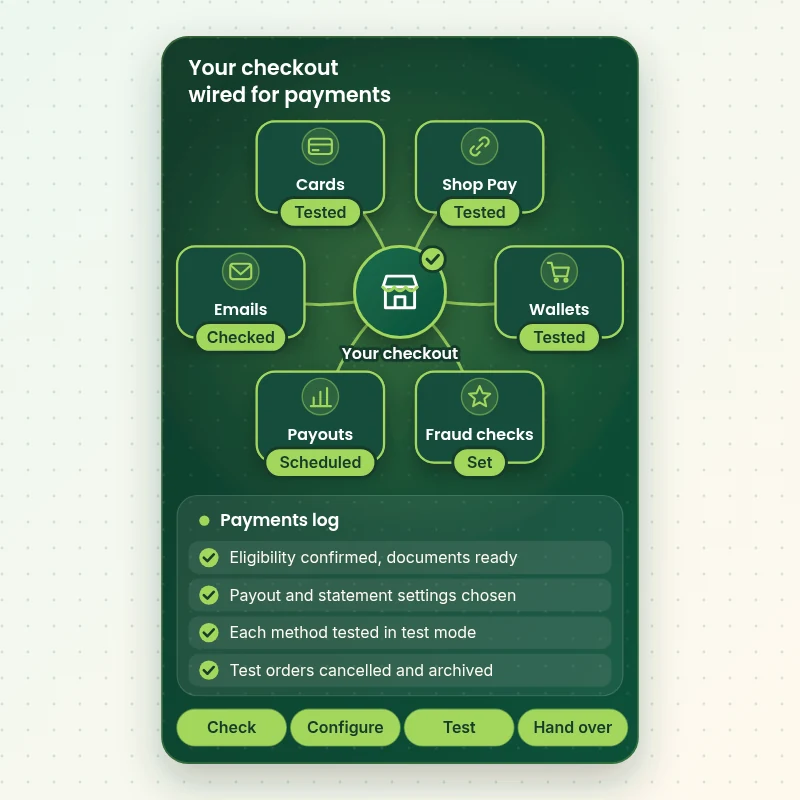
Payment connections
How Payments, Payouts and Fraud Checks Fit Together
The map shows the parts of a payments setup we connect: methods, payouts, fraud checks, tax, shipping and your bank. Each link is checked and logged, so a test order passes through every one of them.
Portfolio
Store Designs From Our Studio
Different niches need different layouts. These store designs show how we shape a storefront around its products, and Shopify Payments Setup & Configuration follows the same approach.

Furniture and interiors store design
Furniture and interiors
Electronics store design
Electronics
Children store design
Children
Beauty technology store design
Beauty technology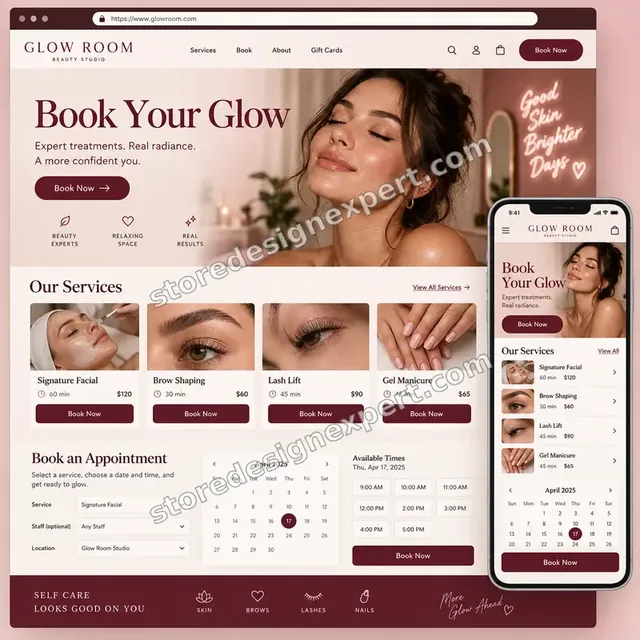
Beauty studio store design
Beauty studio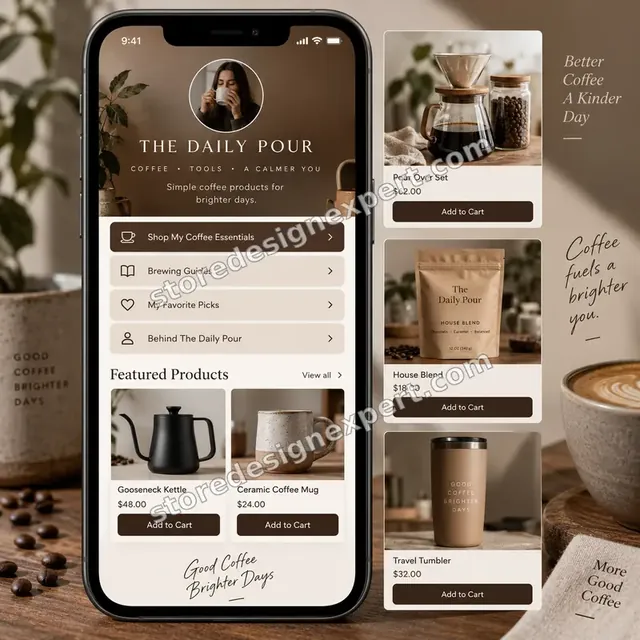
Coffee creator store design
Coffee creatorProcess and timeline
How a Payments Setup Runs, Start to Finish
Six steps, with real customers never meeting an untested method. Your calculator choices decide how long each step takes for payments set-up.
- 01
Brief and eligibility check
You tell us your countries, products and goals. We check eligibility and list documents to prepare.
- 02
Give access
Add us as a collaborator. We never ask for your owner password or bank login.
- 03
Configure settings
Payouts, capture, statements and notifications are set with you.
- 04
Switch on methods
Cards, Shop Pay, wallets and local methods are enabled and checked on real devices.
- 05
Test every path
We place test orders in test mode, cancel and archive them and check emails.
- 06
Go live and hand over
After your approval test mode is switched off and we confirm a live order path. You receive the summary and test log.
Compare your options
DIY, Marketplace Gig, Agency or Our Payments Setup?
Four usual routes to working payments. This comparison shows who configures and tests rather than only activates.
| What matters | Do it yourself | Marketplace gig | Agency | Store Design Expert |
|---|---|---|---|---|
| Eligibility and documents checked first | You check | Rarely | Yes | Yes |
| Payout and statement settings chosen with you | Defaults | Defaults | Yes | Yes |
| Wallets tested on real devices | Your phone | Rarely | Yes | Yes |
| Fraud settings configured | Defaults | Rarely | Sometimes | Yes |
| Test orders cancelled and archived | If remembered | Sometimes | Yes | Yes |
| Price known before work begins | Free | Yes | Quote only | Yes |
| Written settings summary | No | Rarely | Extra cost | Yes |
| Bank and identity details stay with you | Yes | Varies | Varies | Yes |
Inside every project
What Protects Your Money and Your Customers During Setup
Payments touch money and identity, so these six habits come with every package.
Bank and identity details stay with you
You enter your own verification documents and bank details. We never see or store them.
Least access needed
A collaborator request is enough. Owner passwords and card details are never requested for payments set-up.
Test mode, not real cards
We use test mode and test card numbers, never real card details.
Test orders cancelled and archived
Every test order is cancelled and archived so reports and payouts stay accurate.
No financial or legal advice
We configure settings. For tax, legal or accounting questions we point you to a professional.
Fixed scope, two revision rounds
The price is agreed before work starts, and changes inside scope run in two structured rounds for payments set-up.
Interactive price calculator
Build Your Payments Setup
Choose a package, then tell us how many payment methods and countries you need and whether you are moving from another gateway. The fixed price and delivery window update with every click for payments set-up.
Request a custom quote
Shopify Plus checkout extensibility, multiple payment providers with routing, B2B payment terms, subscriptions with custom billing and high-risk products are scoped separately and quoted at a fixed price.
Request a QuoteChanged your mind? Choose Payments Core, Methods and Fraud or Full Payments Configuration above to return to the instant calculator.
Packages and comparison
Payments Package Comparison
Line-by-line detail of what each package covers, useful when choosing between clicking through activation yourself and a configured, tested setup.
| What is included | Payments Core $390 | Methods and Fraud $790Recommended | Full Payments Configuration $1,490 |
|---|---|---|---|
| Eligibility and document checklist | Included | Included | Included |
| Payout and statement settings | Included | Included | Included |
| Cards and Shop Pay enabled | Included | Included | Included |
| Test orders in test mode | Included | Included | Included |
| Test log | Included | Included | Included |
| Apple Pay and Google Pay set up | Not included | Included | Included |
| Fraud analysis settings | Not included | Included | Included |
| Dispute and evidence note | Not included | Included | Included |
| Emails and checkout check | Not included | Included | Included |
| Up to 4 markets reviewed | Not included | Not included | Included |
| Local payment methods | Not included | Not included | Included |
| Gateway switch plan | Not included | Not included | Included |
| Fixes after launch | Not included | Not included | 30 days |
| Typical delivery | 2 to 4 days | 3 to 6 days | 5 to 8 days |
For Shopify Payments Setup & Configuration, the price and the delivery estimate shown in the calculator above are the ones that apply.
Why Store Design Expert
Why Owners Choose Us for Shopify Payments Setup
Anyone can click Activate. Owners hire us for the settings, the testing and the care around money.
Daily work inside Shopify checkouts
Checkout, payments and emails are everyday material for us, so problems are found quickly.
Rated 4.9+ by verified clients
The reviews below come from verified Store Design Expert clients and are shown in their own words.
Prices you can plan around
Every package, option and extra has a visible price for payments set-up. Payment fees go to Shopify and card networks, so check current rates.
A direct line to the person doing the work for payments set-up
You write to the team member who has your settings open, not a ticket queue.
Honest about what Shopify Payments cannot do
If another gateway suits your country or products better, we say so before you pay.
Experience since 2015
More than 450 Shopify stores launched means we know where payments setups snag.
What we need to get started
What We Need Before We Start Your Payments Setup
Three ways to give access, then a short list of facts about your business.
Accept our collaborator request
Send your store address and approve the request with the needed permissions. You stay the owner and can remove us in one click for payments set-up.
No store yet? We build it first
We can create the store in our Partner account, configure payments there and transfer ownership when finished.
Or share a staff login
A restricted staff account works too, though the collaborator route is easier to revoke for payments set-up.
Your countries and products
Tell us where you are based, where you sell and what you sell, so we check eligibility.
Your verification documents
Have your ID, business details and bank statement ready. You enter them yourself.
Your payout preferences
Tell us how often you want to be paid and into which account.
Owner passwords, bank logins and card details are never requested. Settings are changed with your approval, and we log what changed.
Testimonials
What Store Owners Say Before You Order Shopify Payments Setup & Configuration
Verified Store Design Expert clients describe the brief, the build and the handover in their own words.
Verified
Store Design Expert is the best. The work is very professional, they pay close attention to detail and, more importantly, they listen. Their level of cooperation is second to none, and everything was delivered in a very timely manner. I will keep them in mind for future projects.
BN
Barbara N.United States
Verified
They kept communicating until the problem was fully resolved, and the result was great.
HJ
Henry J.United States
Verified
Super helpful and patient. I am new to ecommerce and Store Design Expert talked me through the whole process and even fixed my payment bridging for me!
LR
Lois R.United Kingdom
Verified
I am beyond satisfied! Store Design Expert went above and beyond on my project. Highly recommended!
MD
Michael D.United States
Verified
The experience was tailored to my brand and specifications to the letter. I love the result.
EP
Eric P.United States
Verified
They definitely get the job done. Very patient and understanding throughout the whole project.
BS
Brian S.United States
Verified
Thank you so much to Store Design Expert and the team. My site looks far more appealing to customers, and I will happily recommend your services to other new small businesses.
JS
Jennifer S.United States
Verified
Very patient, informative and transparent, and they did exactly what they said they would do. Thanks for all the help!
RO
Raymond O.United States
Verified
Store Design Expert is the only one I use for all things WordPress. They have a high level of understanding, deliver quality work and are easy to deal with.
SC
Scott C.United States
Related searches
Related Searches for Shopify Payments Setup & Configuration
People describe Shopify Payments Setup & Configuration in different ways when they search. These are the common ones.
“shopify payments setup and configuration”, “set up shopify payments”, “setting up payments in shopify” or “how to set up credit card payments on shopify” all point to the same job, which Shopify Payments Setup & Configuration covers from start to finish.
“set up payments on shopify”, “do i have to set up shopify payments”, “shopify payments fees” or “shopify payments test mode” all point to the same job, which Shopify Payments Setup & Configuration covers from start to finish.
If you searched for “how to activate shopify payments”, Shopify Payments Setup & Configuration is the work that answers it.
Owners also search for “shopify shop pay setup”, “how to setup payment method on shopify”, “shopify payment set up” or “set up payment gateway shopify”.
Owners also search for “best shopify payment methods”.
FAQ
How to Set Up Shopify Payments FAQs
Answers on cost, eligibility, fees, wallets, fraud and testing.
How much does Shopify Payments setup cost?
Payments Core is $390, Methods and Fraud $790 and Full Payments Configuration $1,490. Your starting point, methods and markets add to that, and the calculator shows the total before you pay. Payment processing fees go to Shopify and card networks.
How to set up Shopify Payments step by step?
How to set up Shopify Payments: check eligibility, turn on two-step authentication, activate Payments in settings, enter business and bank details, set payout and fraud settings and test. We guide or do each step.
What does Shopify Payments setup and configuration include?
Shopify Payments setup and configuration includes eligibility checks, payout and statement settings, wallets, fraud settings, test orders and a settings summary.
How to set up Shopify Payments if verification is stuck?
How to set up Shopify Payments when verification stalls: check name matches, business details and documents. We trace the blocker and tell you exactly what to correct.
Can I set up Shopify Payments for another country?
Shopify Payments availability depends on your country and business location. We check eligibility first and, if it is not available, advise on alternatives.
Can you help with setting up payments in Shopify with another gateway?
Setting up payments in Shopify with another gateway is possible when Shopify Payments is not available. We configure and test the gateway you choose.
How to set up Shop Pay on Shopify?
Shopify Shop Pay setup is part of Shopify Payments: enable it in payment settings and check it appears at checkout. We turn it on and test it on real devices.
How to set up payment method on Shopify for wallets and local methods?
How to setup payment method on Shopify for wallets: enable each in payment settings and check eligibility by country. We test them in test mode where possible.
How to set up credit card payments on Shopify?
How to set up credit card payments on Shopify: activate Shopify Payments or a gateway, then choose accepted cards and test. We do this and keep a test log.
What is a Shopify payment set up checklist?
A Shopify payment set up checklist covers eligibility, documents, payouts, methods, fraud settings, tax and a test order. Ours is the list we follow on every project.
Do you need my Shopify password for Shopify Payments Setup & Configuration?
No. A collaborator request keeps you as owner and can be revoked instantly for payments set-up. We never ask for bank logins or card details.
How to set up payments on Shopify without Shopify Payments?
How to set up payments on Shopify without Shopify Payments: choose a third-party gateway or PayPal and configure it. We set up payment gateway Shopify options and test them.
Do I have to set up Shopify Payments, and how to activate Shopify Payments if I do?
Do I have to set up Shopify Payments? Not always, since other gateways exist. How to activate Shopify Payments, if you choose it: use the activation steps in settings and complete verification.
What are Shopify Payments fees, the Shopify Payments test mode and the best Shopify payment methods?
Shopify Payments fees vary by plan, card type and country, so check current rates. Shopify Payments test mode lets you place test orders safely. The best Shopify payment methods are the ones your customers expect.
Ready when you are
How to Set Up Shopify Payments: Order Your Setup
Choose a package, watch the fixed price settle and have a team that has launched 450+ Shopify stores configure your payments and test every method. Real customers never meet an untested checkout.
Fixed price · Test mode only · Settings summary included