
Shopify stores designed and launched
Done-for-you backups and exports for Shopify
Shopify Backup Store Data Automation, Set Up Once, Trusted Every Day
Shopify backup store data automation protects the things you cannot easily rebuild: products, customers, orders, pages, blog posts, theme code and settings, saved on a schedule to somewhere you control and tested by actually restoring. Shopify does not provide a full automatic backup, so merchants use apps such as Rewind or scheduled exports such as Matrixify. We choose, schedule and test a restore, from $290.
- Backup scope listed: products, customers, orders, pages, blogs, theme and settings
- Daily scheduled backups to storage you control
- A real restore test, not just a backup log
- Test log and a recorded handover
From$290
Delivery3 to 12 working days
Revisions2 rounds
Our track record
Over 450 Stores Built Since 2015. Here Is What That Means for Your Automation.
Experience shows in small decisions: which event to trigger on, when to retry, what to log. Those decisions keep backups and exports calm and trouble-free.
Average rating from verified clients
Building Shopify stores since
Secure checkout
Pay through a protected checkout and keep a full order record.
Two revision rounds
Included in every package, so the result matches what you pictured.
Backup before changes
We work on a duplicate of your theme, never on your live store.
Who this is for
Six Kinds of Store That Book Shopify Backup Store Data Automation
A backup you have never restored is a hope. These are the cases we build for.
You are a good fit if
- Your orders come through Shopify
- You know roughly how the task runs today
- You would rather pay once than by the hour
- You can review a test run with us
Owners with no backup
Shopify does not provide a full automatic backup. We set one up.
Stores that need restore, not just export
Rewind-style apps aim at restoring; export files restore by re-importing.
Teams wanting copies in their own storage
Scheduled exports can go to FTP, Sheets, Dropbox or Drive.
Owners with large catalogues
One review says Rewind can lag with big catalogues. We test timing.
Stores before a big change
A manual backup before a theme or catalogue change.
Owners comparing costs
Prices differ between sources, so we check current plans.
Problems solved
What Breaks in Backups and Exports Automation, and the Fix for Each
Backups fail on scope and testing. These are the six faults we fix.
The problem
Theme not backed up
The outcome
We include it.
The problem
Backup never tested
The outcome
We restore a sample.
The problem
Export mistaken for backup
The outcome
Files are not a snapshot. We explain.
The problem
Backups too old
The outcome
We schedule daily.
The problem
Paying for two tools
The outcome
We consolidate.
The problem
Nobody knows how to restore
The outcome
We write the steps.
What we can do
What Our Shopify backup store data automation Work Includes, Piece by Piece
How we build backup automation, in order.
Scope
What must be saved.
Tool
App or scheduled export.
Schedule
Daily and before changes.
Restore test
A real restore of a sample.
Alerts
Failed backups flagged.
Runbook
Written restore steps.
What is included
Everything Included in Our Shopify Backup Store Data Automation Packages
Deliverables fall into six groups. The package table further down shows how much of each group a given price covers, so the difference between tiers is easy to judge.
Design
- The right platform, with a monthly estimate
- Rules set out and signed off
- Edge cases agreed: refunds, edits, partials
- A list of triggers and conditions
Triggers
- Rules by tag, country or order value
- Trigger built for when a bulk change is about to start
- Triggers tested one at a time
- Trigger built for when a schedule runs
Actions
- Step built to take a snapshot first
- Blank values in date and location covered
- Wording approved before go-live
- Export type and file name passed with formats checked
Safety
- Consent and opt-outs honoured
- Idempotent steps throughout
- Rate limits respected
- A daily check catches quiet failures
Testing
- Test on a pre-change snapshot
- First live runs watched
- Edge cases: refunds and edits
- Test log handed over
Handover
- Revisions: two rounds included
- Accounts stay yours
- Help with questions after go-live
- Diagram of what happens when
You approve the plan and the test. We do the rest and leave you with the notes.
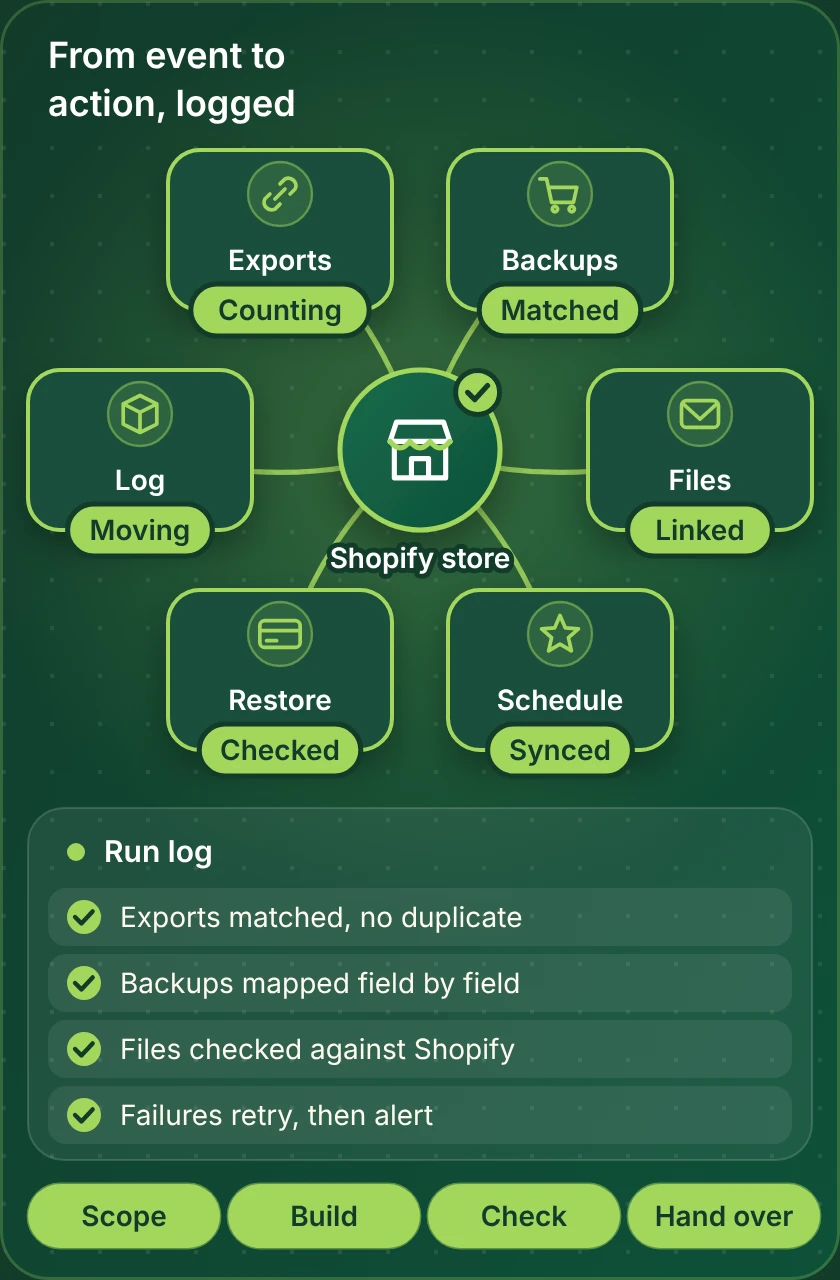
What we build and check
How Shopify Backup Store Data Automation Runs, Step by Step
Every automation follows the same path. An event arrives, the rules decide what applies, the action runs and the result is logged where your operations team can see it. The map shows the pieces we build and test before handover.
Portfolio
Our Store Work Behind Your Automation
A clean automation works best on a tidy store. Look through stores we have designed and launched, and picture each with backups and exports running behind it.

Petal Post Flowers Shopify Visual
Flowers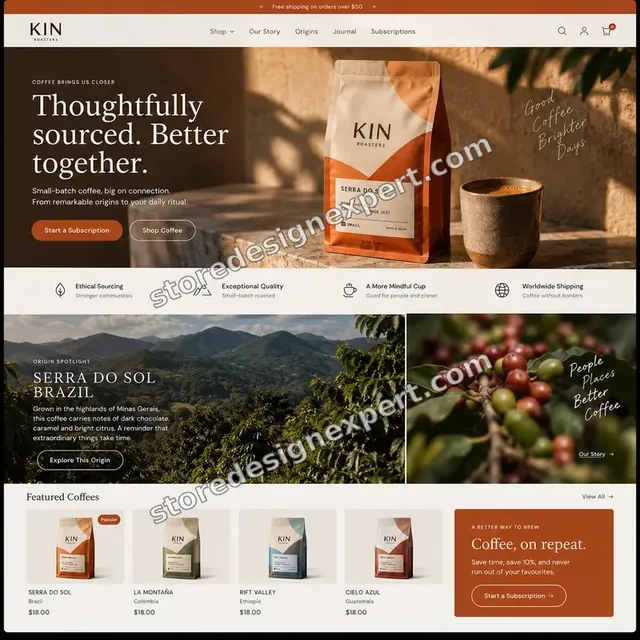
Kin Roasters Coffee Shopify Visual
Coffee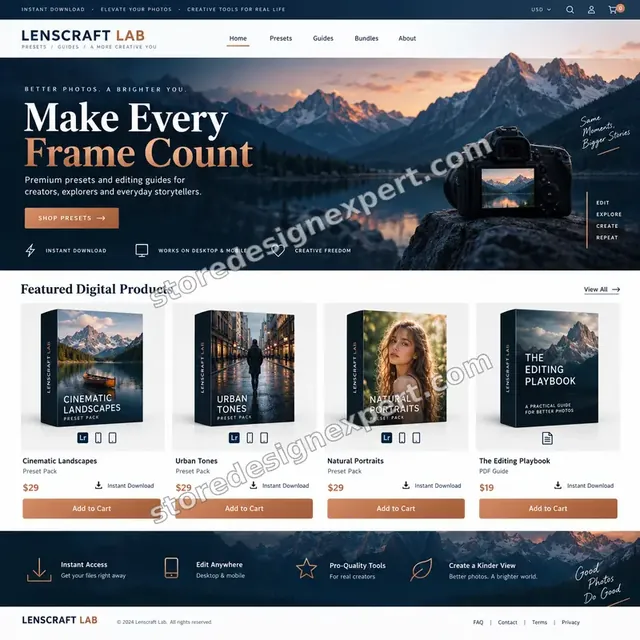
Lenscraft Lab Photography presets Shopify Visual
Photography presets
Rechargeable Lamp One-Product Store
Home lighting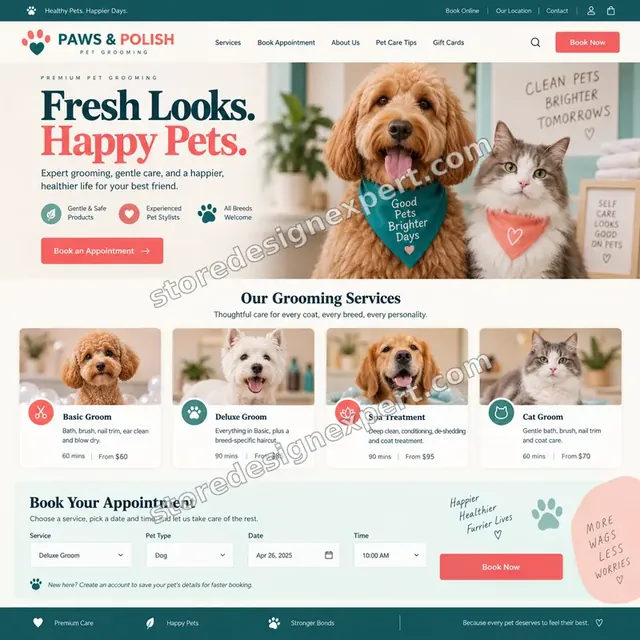
Paws & Polish Pet grooming Shopify Visual
Pet grooming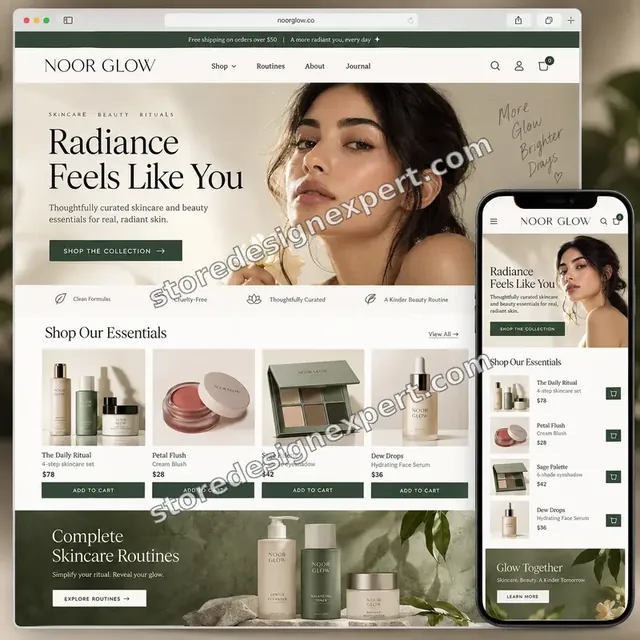
Noor Glow Beauty creator Shopify Visual
Beauty creatorProcess and timeline
Six Stages From Brief to Live Automation
Six stages, in order. Nothing touches live orders until you have seen it work on a copy, and your calculator choices decide how long each stage takes.
- 1
Brief and rules
The brief covers how backups and exports works now, who is involved and what goes wrong. Each rule is written in plain words, such as: when a schedule runs, then export products, customers and orders to storage.
- 2
Access and platform
Access is narrow and approved by you. We suggest a platform, state what it costs each month and prove the connection with a live read.
- 3
Map the data
Export type, file name, date and location are listed and matched, formats are verified, and blanks get a written rule.
- 4
Build in a copy
The workflow is built against test data, never your live orders. You see the plan and, where useful, a recorded run.
- 5
Test on real cases
We run a scheduled backup, a pre-change snapshot and a restore test, then refunds and edits, and verify each outcome against what the store shows.
- 6
Go live and hand over
On your approval the workflow is switched on and monitored through its first runs, and you receive notes, a diagram and a quick video tour.
Compare your options
Which Route Fits: Manual, App, Platform or Specialist Build?
The cheapest route is not always the best value. These rows show where the differences appear.
| What matters | By hand | Built-in app | No-code platform | Store Design Expert |
|---|---|---|---|---|
| Rules set out and agreed | No | Rarely | If you document them | Yes |
| Edge cases tested: refunds, edits, partials | If someone remembers | Not usually | When you test | Yes |
| Duplicates blocked | Easy to slip | Hit and miss | Possible with effort | Yes |
| A named person hears about failures | No | Occasionally | If you add it | Yes |
| Price known before work starts | Staff time | Just plan fees | Plan fees and your time | Yes |
| Notes and a recorded walkthrough | No | No | No | Yes |
| Accounts owned by you | Yes | Yes | Yes | Yes |
| Questions answered after launch | No | Help desk of the vendor | Help desk of the platform | Included for a period |
Inside every project
Six Safeguards Built Into Every Automation
Automations act on live orders and customer data, so mistakes are costly. These practices come with every package and explain why a fixed fee can still be a careful one.
Plain scope, two revision rounds
You know the cost up front. Two revision rounds cover changes within scope, which keeps tweaks from becoming extra invoices.
A written definition of done
A workflow is finished when it handles a scheduled backup, a pre-change snapshot and a restore test correctly and the results are logged.
Narrow access, in your name
We request only the permissions the workflow needs, and you own every account.
Failures raise a flag
Failed runs notify a named person with the order and the cause, so silence cannot hide a problem.
Build in a copy, never live
The workflow is built and tested against test data. Your live orders and exports are untouched until you approve.
Counts compared, not assumed
Once past orders are processed, we count both sides, so missing or doubled records show up early.
Interactive price calculator
Build Your Backups and Exports Package
Choose a package, tell us which platform you prefer, how busy the store is and how many tools are involved, then pick a speed. The fixed price and delivery window update with each selection.
Request a custom quote
Projects beyond these packages, such as bespoke integrations, heavy catch-up loads or multi-store designs, are scoped and quoted at a fixed price after a short call.
Request a QuoteChanged your mind? Choose Single Automation, Core Automations or Full Automation Set above to return to the instant calculator.
Packages and comparison
Shopify Backup Store Data Automation Package Comparison
Here is each package line by line. When you compare our fee with a marketplace listing for Shopify backup store data automation, count how many of these checks the cheaper offer actually names.
| What is included | Single Automation $290 | Core Automations $590Recommended | Full Automation Set $1,090 |
|---|---|---|---|
| Trigger for the event: a schedule runs | Included | Included | Included |
| An action to export products, customers and orders to storage | Included | Included | Included |
| A unique key on every step | Included | Included | Included |
| An alert when a run fails | Included | Included | Included |
| A log of the tests and a short recorded tour | Included | Included | Included |
| Three triggers: a schedule runs; a bulk change is about to start; a store export is requested | Not included | Included | Included |
| The workflow will export products, customers and orders to storage, take a snapshot first and deliver the file to the right person | Not included | Included | Included |
| Filtering on tags, countries and totals | Not included | Included | Included |
| Failed steps retried and checked daily | Not included | Included | Included |
| Edge cases built: refunds, edits and partials | Not included | Not included | Included |
| One-off catch-up of past exports | Not included | Not included | Included |
| Monitoring for 14 days | Not included | Not included | Included |
| Team runbook in plain English | Not included | Not included | Included |
| Typical delivery | 3 to 5 days | 4 to 8 days | 7 to 12 days |
The calculator above is the source of truth for your final price and delivery estimate.
Why Store Design Expert
Why Owners Choose Our Shopify Backup Store Data Automation Over Doing It Alone
Most of this job is clicking, and you could do it. People hire us because the unglamorous parts, ids, timing and edge cases, decide whether automation helps or hurts.
Notes a colleague can follow
We document what happens when and which settings we picked, so the next developer starts informed.
4.9+ from verified clients
You can read verified client reviews on this page before paying, so past results are visible.
A direct line to the builder
You talk to the person working on your workflow, and questions about a rule or field get a plain answer.
Experience since 2015
We have launched more than 450 Shopify stores since 2015 and met most of the quirks that trip up automation.
Tested on your real cases
We check against your own cases, like a scheduled backup, a pre-change snapshot and a restore test.
We live inside Shopify
Orders, refunds, edits and metafields are daily work for us. That is a different skill from knowing an automation tool's menus.
What we need to get started
What to Prepare Before We Start Your Backups and Exports Automation
The list is short. Most owners have everything ready in a day.
Approve a collaborator request
If the store is live, send us its address and approve our request. Ownership stays with you, our role is limited, and removal takes one click.
Starting from nothing? We build first
We can assemble the store in our own Shopify Partner account, set up the workflow there, then hand the whole store over by ownership transfer. You pick a Shopify plan only at the end.
Or share a staff login
Sharing a staff login is possible. The collaborator route is safer, though: one click removes it and no password is passed around.
Access to the other tools
Invite us to the tools involved or let us set up accounts with your email. In both cases you keep the owner role.
Examples of the work today
Tell us where recent cases live, or send a handful. Real examples beat assumptions.
A decision-maker
We need one person to approve the rules and the test, plus a ruling for when two rules clash.
Your Shopify owner password and card details never reach us. Changes are made in a copy, and we note every setting we touch.
Testimonials
Verified Client Feedback
Read how past projects went before you pick a package.
Verified
Store Design Expert is the best. The work is very professional, they pay close attention to detail and, more importantly, they listen. Their level of cooperation is second to none, and everything was delivered in a very timely manner. I will keep them in mind for future projects.
BN
Barbara N.United States
Verified
Super helpful and patient. I am new to ecommerce and Store Design Expert talked me through the whole process and even fixed my payment bridging for me!
LR
Lois R.United Kingdom
Verified
I am beyond satisfied! Store Design Expert went above and beyond on my project. Highly recommended!
MD
Michael D.United States
Verified
The experience was tailored to my brand and specifications to the letter. I love the result.
EP
Eric P.United States
Verified
They definitely get the job done. Very patient and understanding throughout the whole project.
BS
Brian S.United States
Verified
Thank you so much to Store Design Expert and the team. My site looks far more appealing to customers, and I will happily recommend your services to other new small businesses.
JS
Jennifer S.United States
Verified
Very patient, informative and transparent, and they did exactly what they said they would do. Thanks for all the help!
RO
Raymond O.United States
Verified
Store Design Expert is the only one I use for all things WordPress. They have a high level of understanding, deliver quality work and are easy to deal with.
SC
Scott C.United States
Verified
A pleasure to work with. They did pretty much everything I asked and definitely exceeded my expectations. I will be working with Store Design Expert again soon.
JL
Jerry L.United States
FAQ
Shopify Backup Store Data Automation FAQs
Straight answers on price, scope, timing and what we need from you.
How much does Shopify backup store data automation cost?
Single Automation costs $290, Core Automations $590 and Full Automation Set $1090. Platform, volume, the number of connected tools and add-ons change the total, and the calculator shows it before you pay. Most projects land between about $290 and $1530, with delivery from 3 to 12 working days. Queries such as "hire shopify backup store data developer" describe the same work.
How long does backups and exports automation take?
Single Automation takes 3 to 5 working days, Core Automations 4 to 8 and Full Automation Set 7 to 12. The usual variables are how many tools are involved and how quickly you approve the rules and the test. The Sooner and Fastest options shorten the schedule when a date is fixed. People also search for "shopify backup store data expert"; the same build answers that too.
Does Shopify back up my store?
Not fully. Merchants usually rely on a backup app or scheduled exports. People also search for "shopify backup store data workflow"; the work is the same.
What does Rewind back up?
Products, inventory, customers, orders, blogs, pages and themes, per one review. This also answers "how to backup shopify store". If you came here from "shopify backup store data app", you are in the right place.
Can Matrixify back up my store?
It schedules repeating exports to files, which restore by re-importing. Related searches such as "where does shopify store data", this is the page for it. If you came here from "backup store data automation shopify", this is the page for it.
How often should I back up?
Daily is common, plus before big changes. If you came here from "shopify backup store data zapier", you are in the right place.
How do I know a backup works?
By restoring a sample, which we do. The same service covers "shopify backup store data make.com".
Where can backups be stored?
FTP, Google Sheets, Dropbox or Drive, depending on the tool. People also search for "shopify backup store data n8n"; the work is the same.
Can you write a restore guide?
Yes. The same service covers "how to automate backup store data on shopify".
Ready when you are
Ready to Automate Backups and Exports?
You have seen the process, the safeguards and the price. The next step is to choose a package and tell us how your store works. This page covers Shopify backup store data automation.
- Secure checkout
- Two revision rounds
- Test log and walkthrough included