
Shopify stores designed and launched
WebP where it helps, and an honest answer where it does not
Webp Conversion: Smaller Files in the Format Browsers Prefer
Knowing what webp conversion means is only half the job. We convert your images with matched quality and fallbacks, and tell you plainly where Shopify already does it for you. From $89, fixed price.
- Quality matched to the originals
- Transparency and animation handled
- Fallbacks for older browsers
- Honest guidance on where WebP helps
From$89
Delivery1 to 10 working days
Revisions2 rounds
Our track record
450+ Shopify Stores Built Since 2015. Here Is What That Means for WebP Conversion.
WebP is a good format, but it is not always your job to convert. We convert what needs it, leave what Shopify handles and tell you which is which.
Average rating from verified clients
Building Shopify stores since
Secure checkout
Pay through a protected checkout and keep a full order record.
Two revision rounds
Included in every package, so the result matches what you pictured.
Backup before changes
We work on a duplicate of your theme, never on your live store.
Who this is for
Webp Conversion: Who We Work For
WebP conversion helps in particular cases. Here are the six situations that bring owners to webp conversion for Shopify.
You are a good fit if
- You have images that need WebP versions
- You want a fixed price and a written scope for WebP Conversion for Shopify
- You can share original files
- You own the store and approve the results
Stores with files hosted outside Shopify
External images are not converted for you.
Owners adding images through theme code
Hard-coded images need the right format.
Brands sending files to partners
A partner asks for WebP.
Sellers with large PNG graphics
Heavy PNG files could be much smaller.
Stores rebuilding image libraries
A clean, light library is the goal.
Founders short on time
You would rather send files and receive the right formats.
Problems solved
Why WebP Conversion Is Easy to Get Wrong
A format change is simple until quality, transparency and fallbacks matter. These six problems are the ones owners mention most about webp conversion for Shopify.
- Quality drops.
A rough conversion leaves blocky patches.
- Transparency is lost.
A transparent logo gains a white box.
- No fallback exists.
An older browser shows a broken image.
- Converting what does not need it.
Shopify already serves WebP for uploaded images.
- Savings are unclear.
Nobody compares the new and old sizes.
- Hundreds of files take hours.
Manual conversion is slow.
What we can do
Webp Conversion: What the Work Covers
Six jobs make up the work. Your package decides how far each one goes for your images.
Audit of where WebP helps
We separate images Shopify converts from those you must convert.
Conversion with matched quality
Files are converted at settings that match the originals.
Transparency and animation
Transparent and animated images are handled correctly.
Fallbacks
JPEG or PNG fallbacks are kept for older browsers.
Size comparison
A before and after comparison shows the saving per image.
Display check
A sample is viewed on your pages and in more than one browser.
What is included
What Is Inside Your WebP Conversion Package
The work for WebP Conversion for Shopify is organised into six groups of deliverables. The comparison table below shows how far each group goes by package for WebP conversion.
Audit
- Where-WebP-helps list
- Shopify-handled list
- Format review
- Naming check
Convert
- Conversion settings
- Quality matching
- Metadata trimmed
- Folder structure kept
Special cases
- Transparent images
- Animated images
- Large graphics
- Sprite and icon files
Fallbacks
- JPEG fallback
- PNG fallback
- Picture-element guidance
- Older browser check
Report
- Before and after sizes
- Total saving
- Largest remaining files
- Recommendations
Hand-over
- Organised folders
- Conversion recipe
- Written notes
- Recorded walkthrough
Your part: products, brand assets and approvals for WebP Conversion for Shopify. We handle the WebP conversion work and the checks.
Conversion pipeline
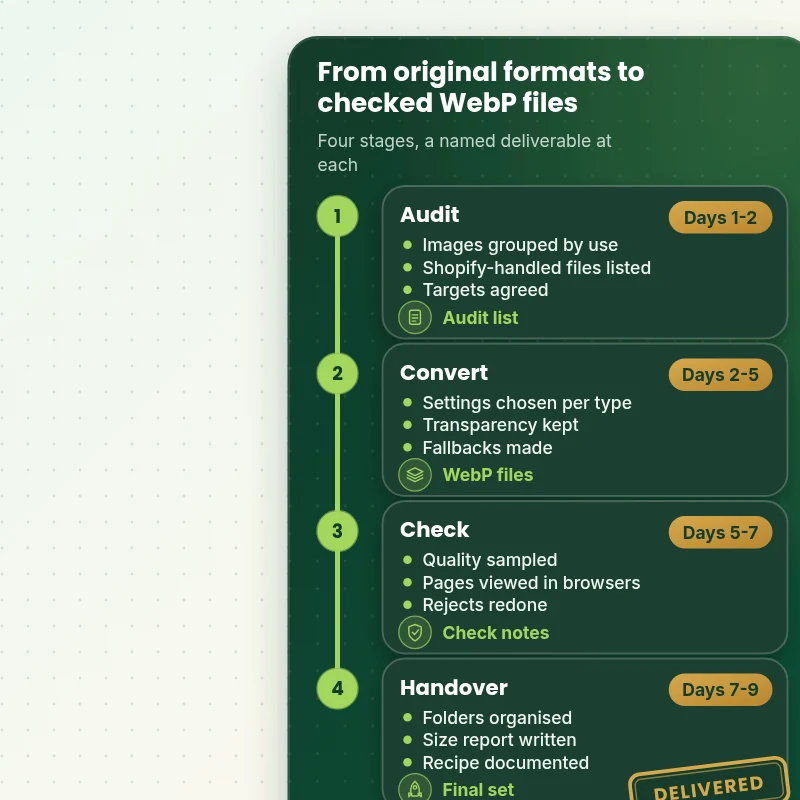
How Images Move From Original Format to WebP in Four Stages
The walkthrough shows the four stages a conversion passes through: audit, conversion, checks and handover. Each stage ends with something you can look at, so quality and compatibility are settled before the files are used.
Portfolio
Shopify Store Designs We Create
WebP Conversion for Shopify gets the same attention to layout, spacing and detail as each design below, every one built around a single catalog and one kind of buyer.

Electronics store design
Electronics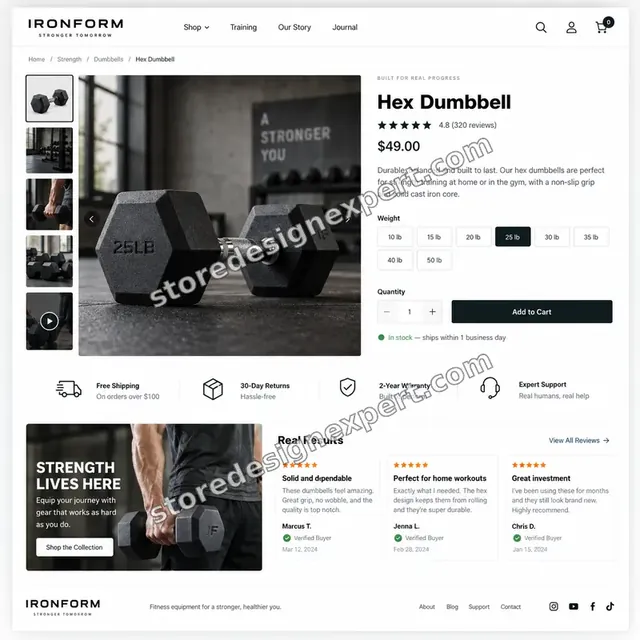
Fitness store design
Fitness
Streetwear store design
Streetwear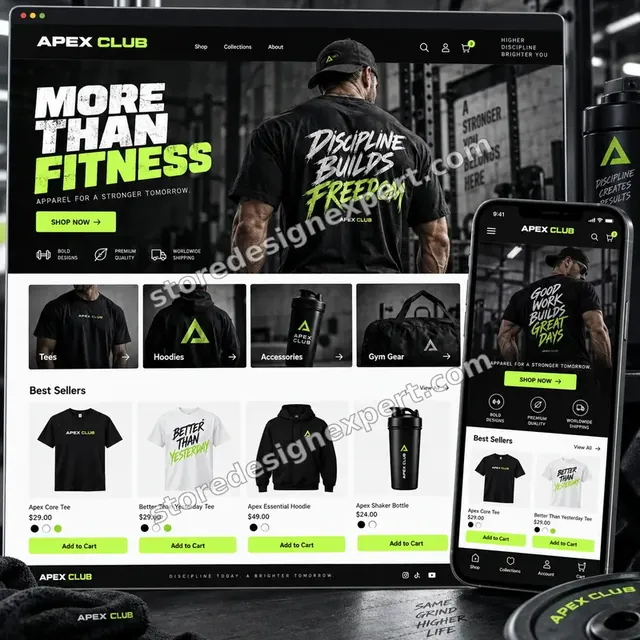
Fitness apparel store design
Fitness apparel
Fitness store design
Fitness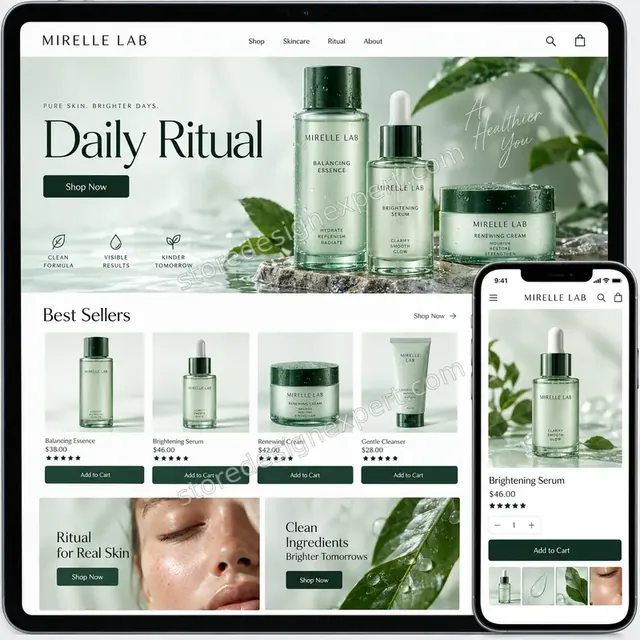
Premium skincare store design
Premium skincareProcess and timeline
How Your WebP Conversion Is Delivered, Start to Finish
Six clear steps. Nothing goes live without your approval, and your calculator choices set how long each one runs for the WebP conversion.
- 1
Brief and asset review
You describe what good WebP conversion looks like for your store and customers. We write the plan down.
- 2
Choose how we get access
A collaborator request is all it takes, though a Partner-account build and transfer is fine too. We never ask for your password during the WebP conversion job.
- 3
Audit where WebP actually helps
We list your images by where they are used, mark those Shopify already converts and agree which need WebP versions and fallbacks.
- 4
Convert, check quality and test in browsers
We convert at matched quality, keep transparency, build fallbacks and view a sample on your pages in more than one browser before handing over the files and a size report.
- 5
Measure the work against the brief and your store
Every WebP conversion item is compared with the brief, and anything that lands in your store is checked across devices. If something is off, it is put right before it gets to you.
- 6
Deliver and hand over
We hand over the WebP conversion after sign-off with files and written notes. Revisions are included and you can stop at any point.
Compare your options
Free tool alone, Gig marketplace, Generalist studio or Our WebP Conversion Service?
Four usual ways to convert images to WebP. This comparison shows who audits first, keeps transparency and builds fallbacks.
| What matters | Free tool alone | Gig marketplace | Generalist studio | Store Design Expert |
|---|---|---|---|---|
| Audit of where WebP is needed | Convert everything | Sometimes | Sometimes | Yes |
| Transparency and animation kept | No | Sometimes | Yes | Yes |
| Fallbacks for older browsers | No | Rarely | Sometimes | Yes |
| Before and after size report | No | No | Extra cost | Yes |
| Price known before work begins | Cheap but open-ended | Yes | Quote only | Yes |
| Shopify store and checkout expertise | Learning | Varies | General | Yes |
| Two structured revision rounds | No | Varies | Extra cost | Yes |
| Written notes and source files at handover | No | Rarely | Sometimes | Yes |
Inside every project
What Protects Your Store and Your Budget During WebP Conversion for Shopify
Six habits keep your store, your brand and your budget safe while we handle the WebP conversion.
We say when conversion is not needed
Where Shopify already serves WebP for an image, we tell you so rather than charge for work you do not need.
Least access needed
We ask only for the access your WebP conversion needs, through Shopify's own sharing tools where a store is involved, and remove it when we finish.
Working files are yours
Final and working files for your WebP conversion are handed over, so another person could use them later.
Checked before you look
Every WebP conversion item is checked against the brief first, so your review covers taste and wording, not faults.
No promised sales
We make WebP conversion to help shoppers decide, and we never promise revenue, rankings or reach.
Rights respected
We only use images, fonts, music and text you own or that are properly licensed in your WebP conversion, and we say which.
Interactive price calculator
Build Your WebP Conversion Package
Choose a package, then tell us about your volume, your WebP conversion needs and how soon you want it. The fixed price and delivery window update with every click.
Request a custom quote
Very large volumes, several brands or stores, rush schedules and unusual formats for WebP conversion are scoped separately and quoted at a fixed price.
Request a QuoteChanged your mind? Choose Webform Essential, Webform Plus or Webform Premier above to return to the instant calculator.
Packages and comparison
WebP Conversion Package Comparison
Line-by-line detail of what each package covers, useful when choosing between a light pass and a full WebP conversion service.
| What is included | Webform Essential $89 | Webform Plus $249Recommended | Webform Premier $590 |
|---|---|---|---|
| Up to 200 images | Included | Included | Included |
| Converted to WebP | Included | Included | Included |
| JPEG or PNG fallback | Included | Included | Included |
| Quality matched to originals | Included | Included | Included |
| Display check on your pages | Included | Included | Included |
| Up to 1,000 images | Not included | Included | Included |
| Transparency kept | Not included | Included | Included |
| Size comparison per image | Not included | Included | Included |
| Format guidance by use | Not included | Included | Included |
| Folder structure kept | Not included | Included | Included |
| Up to 3,000 images | Not included | Not included | Included |
| Batch quality sampling | Not included | Not included | Included |
| Animated image handling | Not included | Not included | Included |
| Naming map | Not included | Not included | Included |
| Repeatable conversion recipe | Not included | Not included | Included |
| Typical delivery | 1 to 3 days | 3 to 6 days | 6 to 10 days |
Your WebP Conversion for Shopify price and delivery estimate come from the calculator above, so there is no surprise at checkout.
Why Store Design Expert
Webp Conversion: Why Brands Choose Us
Anyone can drop files into a converter. Store owners hire us for the audit, the transparency handling and the fallbacks that make WebP safe to use.
We tell you where it helps
Honest scope beats a bulk conversion nobody needed.
Daily work on Shopify image delivery
Formats, fallbacks and theme markup are everyday material for us.
Rated 4.9+ by verified clients
These reviews come from verified Store Design Expert clients, in their own words, and your WebP conversion follows the same process.
Prices you can plan around
Every package, option and extra has a visible price, sized by volume, detail and speed for your WebP conversion.
No account manager in between: you reach the person doing the work
You write to the person handling your WebP conversion, not a ticket queue.
Experience since 2015
More than 450 Shopify stores launched means few catalog, content or launch problems are new to us, WebP conversion included.
What we need to get started
What We Need Before We Start Your WebP Conversion
Three ways to give access, then a short list of facts about your WebP conversion.
Your original images
Share a folder link with the files as they are.
Where they are used
Tell us whether they sit in Shopify, theme code or elsewhere.
Partner requirements
Tell us if a partner asks for WebP.
Accept our collaborator request
Give us your store address and approve the request we send. The owner can grant what we need for your WebP conversion and remove us in one click.
Taking over existing work? That is fine
Tell us what is already in place for WebP Conversion for Shopify and who made it. We review your WebP conversion first and agree what to keep.
Or share a restricted staff login
A staff account with limited permissions works too for WebP conversion, though the collaborator route is easier to revoke.
Owner passwords and card details are never requested for your WebP conversion. Shopify's own access tools are used for WebP Conversion for Shopify, and we are removed when we finish.
Testimonials
What Store Owners Say Before You Order WebP Conversion for Shopify
Verified Store Design Expert clients describe the brief, the work and the handover in their own words, and your WebP conversion follows the same path.
Verified
Store Design Expert is the best. The work is very professional, they pay close attention to detail and, more importantly, they listen. Their level of cooperation is second to none, and everything was delivered in a very timely manner. I will keep them in mind for future projects.
BN
Barbara N.United States
Verified
Very patient, informative and transparent, and they did exactly what they said they would do. Thanks for all the help!
RO
Raymond O.United States
Verified
Store Design Expert is the only one I use for all things WordPress. They have a high level of understanding, deliver quality work and are easy to deal with.
SC
Scott C.United States
Verified
A pleasure to work with. They did pretty much everything I asked and definitely exceeded my expectations. I will be working with Store Design Expert again soon.
JL
Jerry L.United States
Verified
Superb work! Store Design Expert is incredibly patient, and even when I did not fully understand my own questions, everything was explained again in detail. My vision was implemented perfectly, and the work is worth every cent I spent.
KB
Katrin B.Germany
Verified
Very impressed with the build-out. My store is ready to get started, and I am sure I will reach out for edits down the road, but this is everything I could ask for to get the party started. Thanks again, and I will be in touch for future projects.
DH
Dale H.United States
Verified
Very quick and detailed work! Store Design Expert does exactly what you want, in a very professional manner.
LF
Lena F.Germany
Verified
Store Design Expert did an outstanding job with top-notch professionalism on my website project. Everything was delivered quickly without compromising quality. I could not have asked for better!
JM
Jason M.United States
Verified
The website development work was nothing short of professional, with top-notch quality. Their exceptional level of cooperation made the collaboration seamless and enjoyable. Highly recommend working with Store Design Expert!
JC
Jeremy C.United States
Related searches
What People Search For Before Ordering WebP Conversion for Shopify
Owners reach this page from different searches. Here is how the common ones relate to WebP Conversion for Shopify.
“webp conversion for shopify”, “what is webp conversion” or “webp file conversion”: owners type these when they need WebP Conversion for Shopify, and the packages above are priced for that job.
“convert to webp in bulk”, “convert to webp format” or “how to convert to webp” all point to the same job, which WebP Conversion for Shopify covers from start to finish.
“how to convert webp files”, “convert images to webp” or “convert multiple images to webp” all point to the same job, which WebP Conversion for Shopify covers from start to finish.
“convert png images to webp” or “any to webp converter”: owners type these when they need WebP Conversion for Shopify, and the packages above are priced for that job.
FAQ
Webp Conversion: Your Questions Answered
Answers on cost, timing, access, files and what happens after delivery for WebP conversion.
How long does WebP conversion take?
Most batches take 1 to 10 working days, depending on package, image count and types. The price and timing for WebP Conversion for Shopify are on screen in the calculator before you pay.
Does Shopify not convert images to WebP already?
Yes, Shopify's content delivery network serves WebP to supporting browsers for images uploaded to your store. Conversion helps for files hosted elsewhere, theme-code images and partner requirements, and we tell you which of yours need it.
What do you need from me to start WebP Conversion for Shopify?
Send your images, a note on where they are used and a collaborator request for your store. We start by listing which images need WebP.
What is the price of WebP Conversion for Shopify?
The price for WebP Conversion for Shopify begins at $89 and tops out at $2,570 when every option is on.
How are the WebP Conversion for Shopify packages different?
You can choose between Webform Essential at $89 (1 to 3 working days), Webform Plus at $249 (3 to 6 working days) and Webform Premier at $590 (6 to 10 working days) for WebP Conversion for Shopify.
What does Webform Essential include for WebP Conversion for Shopify?
Two hundred images converted to WebP with matched quality, a fallback in JPEG or PNG and a check that they display correctly. It includes: Up to 200 images; Converted to WebP; JPEG or PNG fallback; Quality matched to originals; Display check on your pages. Webform Essential costs $89 and takes 1 to 3 working days.
What do I choose when I order WebP Conversion for Shopify?
The WebP Conversion for Shopify calculator asks for a package and 4 more choices: how many images (Up to 200 images, Up to 1,000 images, Up to 3,000 images); what kinds of image (Photographs only, Photos and transparent PNGs, Photos, PNGs and animations); how strict is the quality target (Standard quality, High quality, Near-lossless); how soon do you need it live (Standard, Sooner, Fastest).
Are there optional extras for WebP Conversion for Shopify?
For WebP Conversion for Shopify you can add Live page image audit (+$140), Repeatable recipe (+$120), Theme markup review (+$160), Compression pass as well (+$130), Alt text for every image (+$190) and Recorded walkthrough (+$60).
What if my WebP Conversion for Shopify job needs more than the packages cover?
For WebP Conversion for Shopify work outside the packages, choose Request a custom quote. We put the scope in writing and give you one fixed price before we begin.
Ready when you are
Webp Conversion: Order Your Package
Choose a package, watch the fixed price settle and have a team that has launched 450+ Shopify stores audit, convert and check your images before you decide which format to rely on.
Fixed price · Two revision rounds · Files handed over