
Shopify stores designed and launched
Klaviyo VIP segment and flow setup
Klaviyo VIP Segment and Flow Setup for Your Best Shopify Customers
A Klaviyo VIP segment is a rule that finds your best repeat buyers from Shopify order data and a flow that treats them differently from everyone else. We write the rule, build the welcome, nudge and at-risk messages, add the exits and exclusions, test it all and hand it over, from $590. Our agency has built on Shopify since 2015, with 450+ launches behind us and a 4.9+ average from verified clients.
- Tier rule written from your own order history, not a template guess
- Welcome, perk and at-risk messages built and previewed
- Exit logic so lapsed VIPs do not stay flagged forever
- Fixed price, two revision rounds, recorded handover
From$590
Delivery4 to 14 working days
Revisions2 rounds
Our track record
450+ Shopify Stores Built Since 2015, Now Teaching Their Best Buyers a Reason to Return
A VIP program is only as good as the order data and theme behind it. We have launched more than 450 stores, so we know how products, variants, discounts and refunds actually appear in Shopify, and that is what a segment definition has to survive.
Average rating from verified clients
Building Shopify stores since
Secure checkout
Pay through a protected checkout and keep a full order record.
Two revision rounds
Included in every package, so the result matches what you pictured.
Backup before changes
We work on a duplicate of your theme, never on your live store.
Who this is for
Shopify Stores That Already Have a Core of Loyal Buyers
You do not need a big list to run this. You need enough repeat orders to see a pattern and a reason to treat those people differently. These are the stores that get the most from it.
Repeat buyers with no recognition
Your fourth order gets the same generic newsletter as a first-time browser. A clear tier lets the people who keep buying hear that you noticed.
Consumable and replenishment brands
Coffee, skincare, supplements and pet food stores see natural reorder cycles. We build the rule around purchase rhythm, so a loyal customer who is simply overdue is treated differently from one who is gone.
High order value catalogs
When a handful of baskets carry the month, spend matters more than order count. We set the threshold on lifetime spend or a blend, calibrated to your average order value.
Stores running blanket discount codes
If every campaign carries a code, margin leaks to people who would have paid full price. A VIP tier moves the reward from price cuts to early access and priority, so the best customers are not trained to wait for sales.
Brands planning product drops
Limited runs and seasonal launches need an audience that hears first. A maintained segment gives you a ready early-access list without rebuilding it for every launch.
Stores that tried a rewards app and stalled
Points programs ask a lot of shoppers and of you. A lighter, rule-based tier with a handful of automated moments is often easier to keep running than a full loyalty scheme.
Problems solved
Why Most VIP Lists Quietly Stop Working
Plenty of stores tag a few customers as VIP once and never touch it again. The list goes stale, the wrong people sit on it and the flow never fires. Here is how each failure shows up, and our fix.
The problem
A segment built on a hunch, so it is far too big or far too small.
The outcome
We count your real buyers first, then set the rule so the tier is a small, meaningful share of active customers and not everyone who bought twice.
The problem
A flow that never triggers for the people you most want to reach.
The outcome
A flow triggered by joining a segment only fires for profiles that newly qualify, so people who are already VIP get nothing. We plan a catch-up send for them.
The problem
Customers who qualified once and stay on the list forever.
The outcome
A rolling window and an exit path remove people when they lapse, so the tier stays honest and the perks stay worth having.
The problem
Shopify tags, Klaviyo segments and discount rules that disagree.
The outcome
We choose one source of truth, then mirror it where needed, so the person who sees a VIP banner on the store is the same person who receives the VIP email.
The problem
Refunds, test orders and wholesale buyers counted as loyalty.
The outcome
Refunded orders, draft orders, staff tests and trade accounts are filtered out, so one big returned order does not make someone a VIP.
The problem
VIPs still receiving every sale blast and every abandoned cart nudge.
The outcome
We add exclusions and suppression rules so your best customers are not shown a discount they never needed.
What we can do
What a Klaviyo VIP Flow Build Covers From Rule to Reward
A tier needs a definition, a trigger, a message, a perk and a way out. These are the six pieces we build, with the platform behaviour that decides whether each one works.
Klaviyo VIP segment definition from real data
We read your order history, look at the spread of order counts and spend, and write the rule, for example orders placed in a rolling 365 days combined with total spend. The rule can use order count, spend, average order value or a blend, whichever your catalog supports.
Klaviyo VIP flow: entry, welcome and perk
The flow triggers when a profile newly joins the segment. The first message waits long enough not to land beside the order confirmation, explains the tier plainly and points to the first perk, such as early access, free shipping or a dedicated support line.
At-risk and anniversary messages
A VIP who has gone quiet for longer than their own usual gap gets a different message from a new customer. We add an anniversary note for people who held the tier for a year and an at-risk message built on purchase timing.
Shopify side: tags, discounts and account perks
Where it helps, we add a VIP tag on the Shopify customer, then use it to restrict a discount code to that tier through Shopify's customer eligibility setting or show a banner in the theme. It is optional and kept in step with the segment.
Existing VIP catch-up
People already above the line when you launch will not trigger a join-based flow. We send a one-off welcome to them through a campaign or a temporary flow, and then the live flow takes over for new entrants.
Exclusions and sending rules
VIPs are removed from blanket discount campaigns where you want that, Smart Sending is checked against the flow and unsubscribed or suppressed profiles are left alone. Nothing is sent to anyone without email consent.
What is included
What Your Shopify VIP Customer Segment and Flow Setup Includes
Everything you receive is grouped below so you can see the deliverable behind each part of the project. Higher packages add more flows, tiers and channels, and the comparison table shows exactly where.
Segment and data
- Order and spend analysis from your Shopify history
- VIP rule written and sized against your active buyers
- Refund, test and wholesale filters applied
- Second tier in the middle and top packages
Flow build
- VIP welcome flow with a spaced first send
- Perk reminder message a few days later
- At-risk message in the middle and top packages
- Anniversary message in the top package
Email design
- Messages styled to your brand in Klaviyo's editor
- Mobile-first layouts checked in preview
- Dynamic blocks for first name and last purchased product
- Plain subject lines written, with alternates for testing
Shopify connection
- Klaviyo and Shopify integration checked and reading orders
- Optional VIP tag via Shopify Flow
- Tier-only discount code set up on request
- Theme banner for tagged customers in the top package
Rules and safeguards
- Exclusion of VIPs from selected campaigns
- Exit logic for lapsed VIPs
- Smart Sending and flow filters reviewed
- Catch-up send for people who already qualify
Testing and handover
- Test profiles pushed through every branch
- Written rule sheet explaining each threshold
- Recorded walkthrough of the segment and flows
- Two revision rounds before the flow goes live
The work is scoped around your Shopify data, not around a fixed number of emails, so the finished set matches how your customers actually buy.
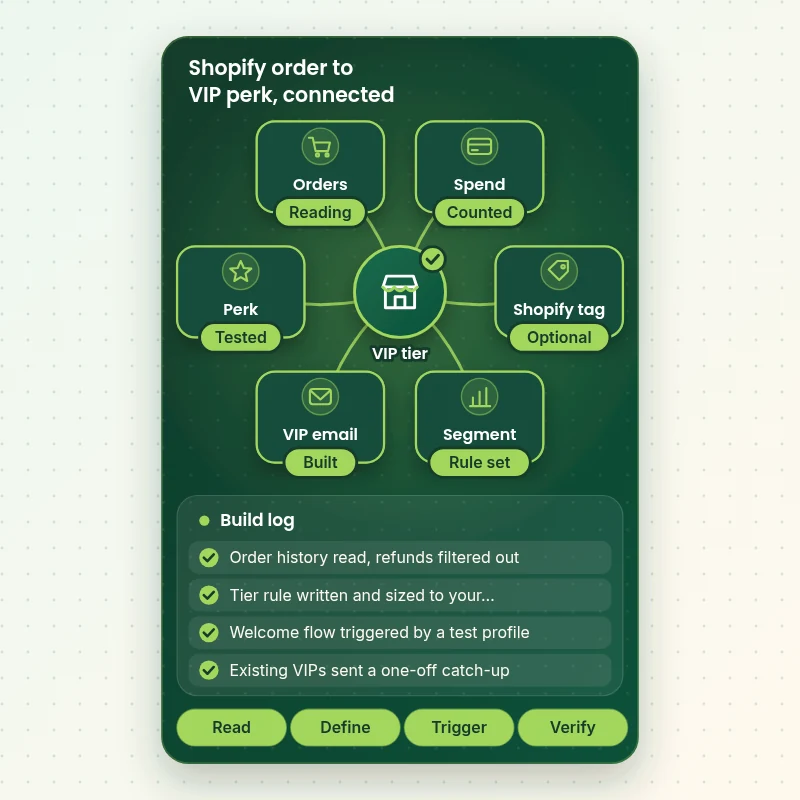
See how it connects
From Shopify Order to VIP Perk, Wired in One Line
A VIP tier is a chain: an order lands in Shopify, the spend and order count update, the profile crosses the line and a message goes out. This walkthrough shows the pieces we connect and the checks we run at each link before the flow is switched on.
Portfolio
Store Designs From Our Studio
Different niches need different layouts. These store designs show how we shape a storefront around its products, and VIP Customer Segment and Flow Setup follows the same approach.
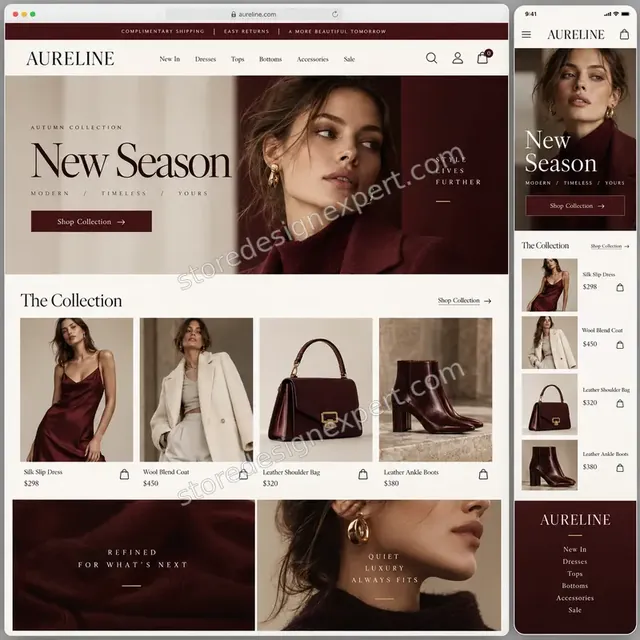
Luxury fashion store design
Luxury fashion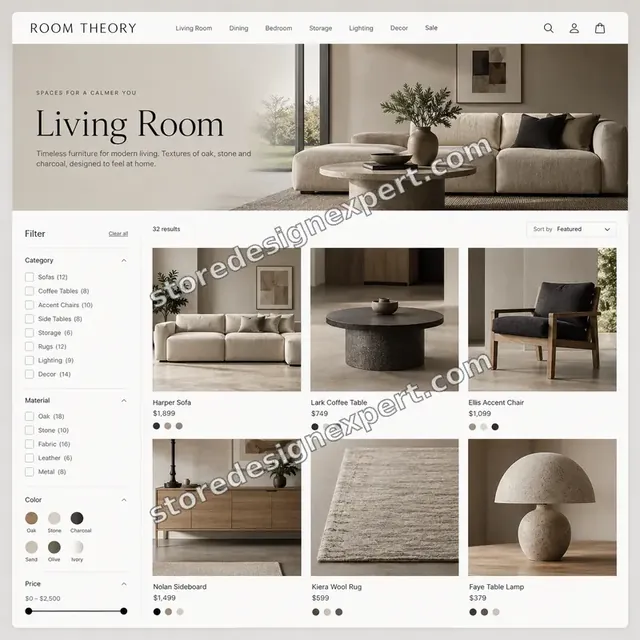
Furniture store design
Furniture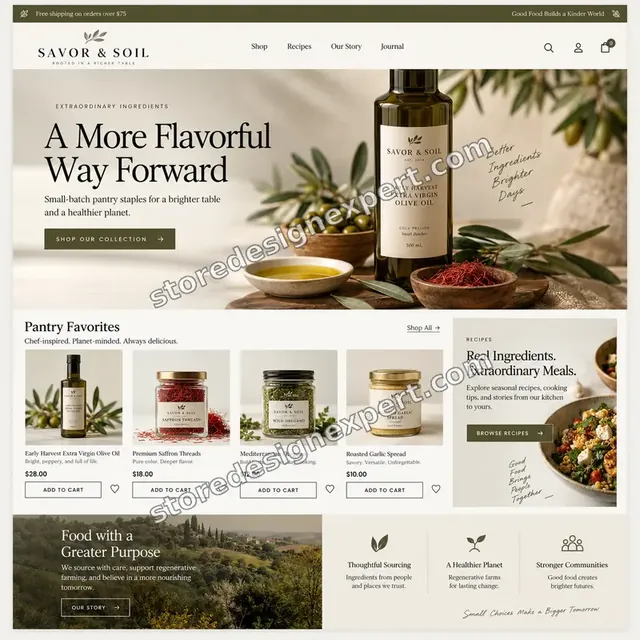
Food store design
Food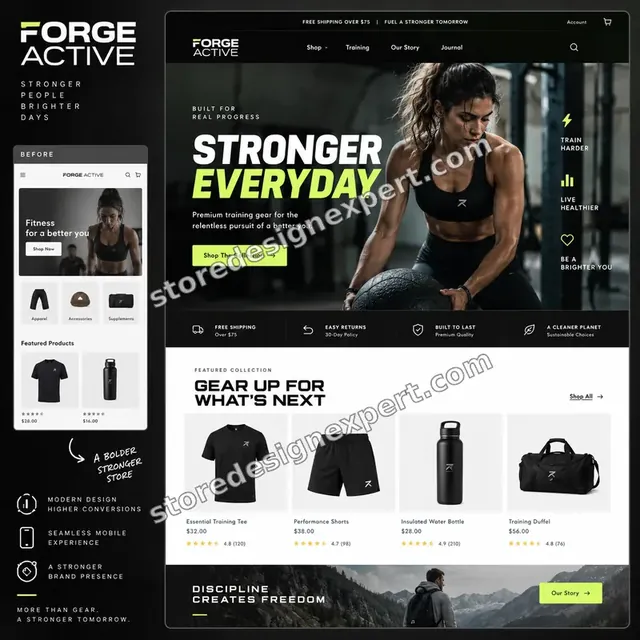
Fitness store design
Fitness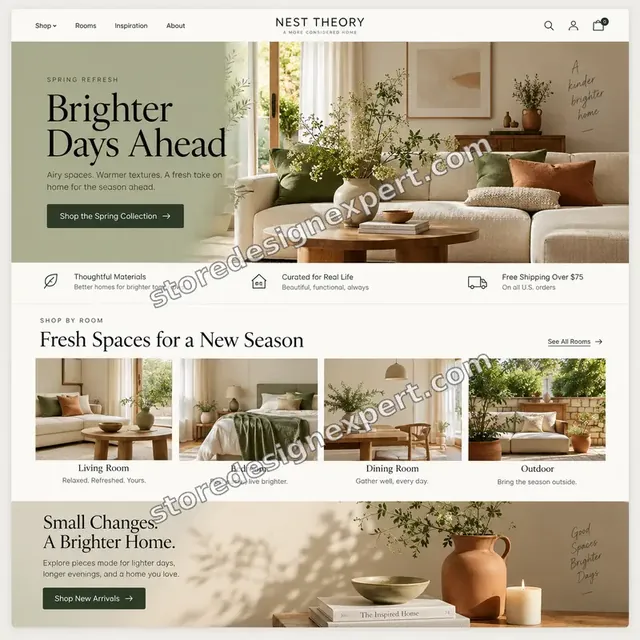
Home decor store design
Home decor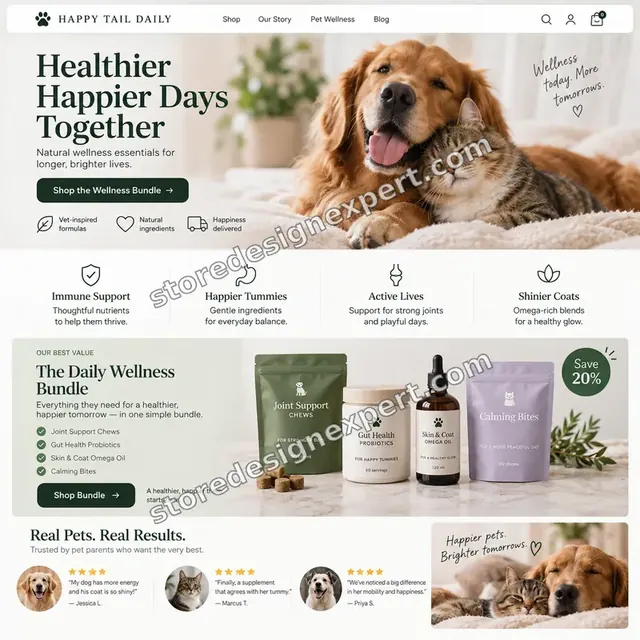
Pet store design
PetProcess and timeline
How We Build Your VIP Segment and Flow in Six Steps
Most VIP projects run 4 to 14 working days depending on the package and the number of flows. We work in a draft state, so no customer is emailed until you have reviewed everything and approved the launch.
- 1
Read the data
You give us access and we read your order history, noting order counts, spend, refunds and the gap between purchases. We report what the numbers allow before writing a rule.
- 2
Write the rule
We propose the threshold and show how many profiles it captures, then adjust until you are happy with the size of the tier. The rule goes into a short sheet you can read.
- 3
Build the flows
Messages and timing are built in Klaviyo as drafts, with the welcome spaced away from order emails and the exits written in.
- 4
Connect Shopify
If you chose tags or tier-only offers, we set up the tag, the discount rule and any theme banner and make them follow the same definition.
- 5
Test every branch
Test profiles are walked through entry, delay, exit and exclusion. We check previews on phone and desktop, links and merge fields.
- 6
Launch and hand over
After your approval we switch the flow live, send the catch-up to existing VIPs if agreed and send you the recorded walkthrough and rule sheet.
Compare your options
DIY Tutorial, Freelance Gig, Agency Retainer or a Fixed VIP Setup?
Owners usually compare four ways of getting a VIP tier into Klaviyo. Following a tutorial is free but slow, a gig is cheap but templated, a retainer is thorough but recurring and a fixed project sits in between.
| What matters | DIY tutorial | Freelance gig | Agency retainer | Store Design Expert |
|---|---|---|---|---|
| Rule written from your order data | You guess | Template | Yes | Yes |
| Refunds and test orders filtered | Often missed | Rarely | Yes | Yes |
| Existing VIPs get a catch-up send | No | Rarely | Sometimes | Yes |
| Exit logic for lapsed customers | No | Rarely | Yes | Yes |
| Shopify tag and tier-only discount | You build | Extra | Sometimes | Top package |
| Tested through every branch | You test | Varies | Yes | Yes |
| Written rule sheet and recording | No | Rarely | Sometimes | Yes |
| Fixed price, no monthly fee | Free | Yes | No | Yes |
Inside every project
What Protects Your List and Your Customers' Trust
A VIP program touches your most valuable contacts, so we treat the build as careful work in a draft state. These are the standards behind every project.
Access you can revoke
We work through a Shopify collaborator request and a Klaviyo user invite with only the permissions the job needs. Both can be removed in a click, and you never hand over an owner password.
Drafts only until you approve
Every flow stays in draft or manual mode while it is built. Nothing reaches a customer until you have previewed the messages and agreed to switch it on.
Test profiles through each branch
We create test profiles, push them through entry, delays, filters and exits and confirm the right message appears at the right time.
Existing flows left alone
Your welcome, cart and post-purchase flows keep running. We read their timing before we add a new one, so VIPs do not get two messages minutes apart.
Consent respected
Email goes only to subscribed profiles, and we check the sending status of suppressed contacts. If SMS is part of the build we confirm consent first and cover that on the SMS page.
Fixed scope and two revisions
The scope and price are fixed before you pay. Two rounds of changes to wording and rules are included, then the rule sheet and recording are delivered.
Interactive price calculator
Build Your VIP Segment and Flow Package
Pick a package, say how the tier is defined, how many messages it needs and where it is used, then choose a speed. The total and the finish date change with every choice.
Request a custom quote
Multi-store setups, Shopify Plus checkout customisation, custom loyalty apps or a points program with a rewards app build need a scoped quote with agreed deliverables.
Request a QuoteChanged your mind? Choose Segment Starter, VIP Program or Loyalty Ladder above to return to the instant calculator.
Packages and comparison
VIP Program Package Comparison
Each row below is a single deliverable and a tick shows which package carries it. Calculator options for definition, history and channels sit on top of whichever base you choose.
| What is included | Segment Starter $590 | VIP Program $1,090Recommended | Loyalty Ladder $1,790 |
|---|---|---|---|
| Order data analysis | Included | Included | Included |
| VIP segment rule written and sized | Included | Included | Included |
| VIP welcome flow | Included | Included | Included |
| Catch-up send for existing VIPs | Included | Included | Included |
| Test profiles and a recorded handover | Included | Included | Included |
| Second tier rule | Not included | Included | Included |
| Perk reminder message | Not included | Included | Included |
| At-risk message | Not included | Included | Included |
| Campaign exclusions and exit logic | Not included | Included | Included |
| Anniversary flow | Not included | Not included | Included |
| Shopify tag through Flow | Not included | Not included | Included |
| Tier-only discount code | Not included | Not included | Included |
| Theme banner for tagged customers | Not included | Not included | Included |
| 14 days of fixes | Not included | Not included | Included |
| Typical delivery | 4 to 6 days | 7 to 10 days | 10 to 14 days |
What the calculator above shows for VIP Customer Segment and Flow Setup, the total and the estimated delivery, is what your order will use.
Why Store Design Expert
Why Shopify Owners Pick a Specialist for Their VIP Tier
You could follow a tutorial and click through it yourself. Here is what you get by handing it to a team that lives in Shopify data every week.
Shopify first, since 2015
We have launched over 450 stores, so we recognise how bundles, subscriptions, gift cards and discounts show up in order data and how to keep them from skewing a tier.
A rule you can explain
You receive a plain sheet showing each threshold and why it sits where it does, so the next person to touch the account is not guessing.
Klaviyo app for segmentation experience, without a retainer
We build it, hand it over and stop. There is no monthly fee, and the segment and flows live in your own account.
Timing that respects the customer
Welcome messages sit beyond the order confirmation window, and Smart Sending is reviewed so VIPs are not flooded.
Perks that do not train discount hunting
We lean on early access, priority and recognition before percent-off offers, because a code given to everyone trains everyone to wait for it.
Everything stays yours
Segments, flows, templates and tags live in your accounts. If you want changes later, you or any marketer can open the rule sheet and carry on.
What we need to get started
What We Need to Begin Your VIP Setup
You do not need a loyalty plan on paper. You need access to your Shopify data and a view on who counts as a best customer. Pick the route that suits you.
Shopify collaborator request
Share your store URL, then approve the collaborator request we send. You remain the owner, there is no password to share and you can end our access whenever you want.
No store yet? We build it first
We can build the store in our own Shopify Partner account and transfer ownership to you at handover, so you only choose a plan once everything is finished.
Staff account instead
If collaborator requests are not an option, you can create a staff account for us. We prefer the request route because it is simpler to withdraw later.
Klaviyo or email tool access
Invite us as a user of your Klaviyo account, or tell us if you use Mailchimp, Omnisend or Shopify Email so we can plan around it.
Order export or history notes
Mention any past imports, wholesale accounts, subscription apps or marketplaces that feed orders, so we can keep them out of the rule.
Your idea of a best customer
Tell us who you would call a VIP, what perks are realistic and who signs off the tier and the wording.
We never ask for your Shopify owner password or card details, and nothing is sent to customers until you have approved it.
Testimonials
What Shopify Owners Say About Working With Us
Verified clients describe what it was like to hand their store work to Store Design Expert.
Verified
Store Design Expert is the best. The work is very professional, they pay close attention to detail and, more importantly, they listen. Their level of cooperation is second to none, and everything was delivered in a very timely manner. I will keep them in mind for future projects.
BN
Barbara N.United States
Verified
Super helpful and patient. I am new to ecommerce and Store Design Expert talked me through the whole process and even fixed my payment bridging for me!
LR
Lois R.United Kingdom
Verified
I am beyond satisfied! Store Design Expert went above and beyond on my project. Highly recommended!
MD
Michael D.United States
Verified
The experience was tailored to my brand and specifications to the letter. I love the result.
EP
Eric P.United States
Verified
They definitely get the job done. Very patient and understanding throughout the whole project.
BS
Brian S.United States
Verified
Thank you so much to Store Design Expert and the team. My site looks far more appealing to customers, and I will happily recommend your services to other new small businesses.
JS
Jennifer S.United States
Verified
Very patient, informative and transparent, and they did exactly what they said they would do. Thanks for all the help!
RO
Raymond O.United States
Verified
Store Design Expert is the only one I use for all things WordPress. They have a high level of understanding, deliver quality work and are easy to deal with.
SC
Scott C.United States
Verified
A pleasure to work with. They did pretty much everything I asked and definitely exceeded my expectations. I will be working with Store Design Expert again soon.
JL
Jerry L.United States
Related searches
Searches That Bring Owners to VIP Customer Segment and Flow Setup
People describe VIP Customer Segment and Flow Setup in different ways when they search. These are the common ones.
“klaviyo vip flow”, “shopify vip customer segment and flow setup”, “what is klaviyo segmentation” or “list vs segment klaviyo”: owners type these when they need VIP Customer Segment and Flow Setup, and the packages above are priced for that job.
“how to create segments in klaviyo”, “klaviyo tutorial for segmentation and flows”, “klaviyo app for segmentation” or “shopify app for customer segmentation”: owners type these when they need VIP Customer Segment and Flow Setup, and the packages above are priced for that job.
“shopify mailchimp segment customers”, “klaviyo welcome series flow” or “best klaviyo email flows”: owners type these when they need VIP Customer Segment and Flow Setup, and the packages above are priced for that job.
Related searches include “shopify mailing list segmentation”, “shopify rewards program” or “shopify memberships”.
FAQ
Klaviyo VIP Segment and Flow Setup FAQs
Straight answers on how it works, how it is priced, what the platform will and will not do and what you are left with.
How much does a Klaviyo VIP segment and flow setup cost?
Packages start at $590 for Segment Starter, $1,090 for VIP Program and $1,790 for Loyalty Ladder. The calculator adds options such as how the tier is defined, how much history is used and whether SMS or storefront perks are included. Most builds land between about $700 and $2,200, and you see the total before paying.
What is a Klaviyo VIP segment?
A Klaviyo VIP segment is a saved rule that groups customers who meet conditions you set, for example a certain number of orders or total spend in a rolling year. It updates as people order, so membership changes by itself. The segment is only the audience, and a flow or campaign is what actually sends to it.
What is Klaviyo segmentation, and how is it different from a list?
A list is a group people join and stay in, such as everyone who signed up. A segment is calculated from rules and updates itself as data changes. That difference settles list vs segment klaviyo questions: VIPs belong in a segment because the group has to change as customers buy or go quiet.
What does a Klaviyo VIP flow include?
The core is a welcome message when someone newly qualifies, a reminder of the first perk a few days later and an at-risk message for those whose buying slows. Larger packages add an anniversary note, a second tier and a win-back sequence. Each message is previewed and tested before it goes live.
Why would I hire someone instead of following a Klaviyo tutorial for segmentation and flows?
Tutorials explain the buttons, not your data. The hard part is choosing a threshold that suits your order values, handling refunds and existing VIPs and checking nothing clashes with your current flows. We do that work and hand back a documented setup in about one to two weeks.
How to create segments in Klaviyo for VIPs, and can I do it myself?
Yes, you can. In Klaviyo you build a segment from conditions such as orders placed and total spent over a period. Where owners stall is calibrating it and building the flow around it. If you want to do it yourself, our rule sheet approach is a good template.
Do existing VIPs get the welcome email?
Not automatically. A flow triggered by joining a segment only fires for profiles that newly qualify, so people already above the line are skipped. We plan for this with a one-off campaign or temporary flow for current VIPs, then let the live flow handle new entrants.
How fast do customers move in and out of the segment?
Most segments update close to real time when someone orders. Conditions based on a past time window are re-checked in a daily pass, so a lapsed customer may leave a day later. We account for that when we set the exit rule and when we test the flow.
Can you use a Shopify app for customer segmentation instead of Klaviyo?
Yes. Shopify mailing list segmentation starts with its own customer segments, which filter on spend, order count and last order date, and a segment can feed a Shopify Email send. A synced Shopify segment in Klaviyo is a point-in-time list, so for flows we normally rebuild the rule natively in Klaviyo. We will tell you which route suits your tool.
Do you work with Mailchimp or other platforms?
We work in Klaviyo most often, and we can build the same tier for a Shopify Mailchimp segment customers workflow, or in Omnisend or Shopify Email. Features differ, for example not every tool can trigger on entering a segment, so we confirm what your platform can do before quoting.
Is this the same as a Shopify rewards program or membership?
No. A Shopify rewards program usually means points, referrals and a dedicated app, and Shopify memberships often mean paid access. A VIP segment is a rule-based audience plus automated messages. You can add a rewards app later, and the segment still tells you who your best customers are.
Which Klaviyo email flows should I build first?
For most stores, the best Klaviyo email flows start with welcome, abandoned cart, post-purchase and win-back, then the VIP tier on top. If you have none of the base flows, tell us. The VIP program can come in a second phase, and we can bundle it with the foundations.
Do you also set up a Klaviyo welcome series flow?
Our Klaviyo welcome series flow work is separate from the VIP welcome, which only goes to qualifying customers. If your base welcome series is missing or old, add it from the extras or ask us for a quote. We check its timing against the VIP flow either way.
What happens after VIP Customer Segment and Flow Setup is finished?
You receive a recorded walkthrough of the segment and flows plus a written rule sheet. The top package includes 14 days of fixes, and a 30-day support extra is available. Revisit the thresholds every few months as your order values change, and we can do that as a separate small job.
Ready when you are
Start Your Klaviyo VIP Segment and Flow Setup Today
Choose a package, set the tier definition and see your price and finish date before you pay. Your Klaviyo VIP segment and flows come from a team that has launched over 450 Shopify stores, built in draft and tested before a single customer hears from it.
- Secure checkout
- Two revision rounds
- Recorded handover included