
Shopify stores designed and launched
Real deadlines, real stock, no fake resets
Shopify Countdown Timer and Low Stock Setup: Urgency That Stays True
A Shopify countdown timer that counts to a real end date, low stock messages that read live inventory and a clear line between honest urgency and the kind regulators now chase. Placed on the right templates, checked on phones and handed over with notes. Fixed packages from $390, backed by 450+ launches since 2015 and a 4.9+ rating from verified clients.
- Timers tied to a real sale end date
- Low stock read from live variant inventory
- Placed on product, collection, cart and launch pages
- Tested on mobile and rolled back cleanly if needed
From$390
Delivery2 to 10 working days
Revisions2 rounds
Our track record
Over 450 Shopify Stores Launched Since 2015. Now Make the Offer Feel Timely.
A message that says time or stock is running out only works when it is true and when it appears at the right moment. After more than 450 store builds, we know which Shopify templates can carry these messages cleanly and which ones turn them into clutter.
Average rating from verified clients
Building Shopify stores since
Secure checkout
Pay through a protected checkout and keep a full order record.
Two revision rounds
Included in every package, so the result matches what you pictured.
Backup before changes
We work on a duplicate of your theme, never on your live store.
Who this is for
Who Needs Urgency and Scarcity Set Up Properly
Most owners arrive after trying an app, seeing a banner jump around on mobile or worrying that a message they installed is not actually accurate. These are the situations where we do the best work.
Stores running dated sales
You run a weekend sale, a seasonal promotion or a drop with a firm end, and you want a clock that stops when the discount does, on every page that mentions it.
Brands with small batch inventory
Limited runs, handmade stock or preorders mean scarcity is real. You want it shown accurately per variant rather than as one vague label on the product.
Owners preparing a launch behind a password
Your storefront is locked while you build. A countdown on the password page gathers sign-ups and releases exactly when you open the doors.
Sellers worried about consumer law
You sell into the UK, the EU or the United States and want urgency that would survive a regulator or a skeptical customer reading the small print.
Stores with an app pile-up
A timer app, a stock app and a banner app all inject scripts. You want fewer moving parts and a clear owner for each message.
Mobile-heavy shops
Most of your visitors use a phone, and a floating bar or widget has covered the Add to cart button. You want messages that sit in the flow instead of on top of it.
Problems solved
Where Shopify Urgency Messages Go Wrong
Urgency features fail in quiet ways: they lie by accident, they collide with the theme or they distract from the button. These are the faults we meet most often and how we handle each.
The problem
The timer resets every time the page reloads.
The outcome
A script that restarts a clock for each visitor is the pattern guides and regulators warn about. We tie every clock to a fixed end stored in your store, or to a per-visitor offer that you actually honour.
The problem
The stock number does not match the warehouse.
The outcome
Counts come from tracked inventory only. We check which locations feed the number, what happens when a variant is set to keep selling at zero and where the message should stay silent.
The problem
The bar covers the buy button on small screens.
The outcome
Sticky strips and corner widgets fight with sticky Add to cart bars. We position messages in the page flow and test at phone widths so nothing sits over a tap target.
The problem
Three apps load three scripts for one idea.
The outcome
Each app adds its own code to every page. We consolidate to a theme block or one app embed and remove the rest, so the page does not pay a speed cost three times.
The problem
The same message shouts from every page.
The outcome
A timer on the home page, the collection, the product, the cart and the footer reads as noise. We choose two or three placements where the message helps a decision.
The problem
Nobody wrote down where a message comes from.
The outcome
When the sale ends, someone has to turn things off. Our handover lists each message, its data source and the exact step that ends it.
What we can do
What We Can Build for Urgency and Scarcity on Shopify
This work sits between theme code, inventory data and your promotion calendar. These six capabilities cover the cases stores bring us, including the awkward ones that apps skip.
Shopify embed countdown timer sections driven by a metafield
A date and time field on a product, collection or the shop itself holds the sale end. The clock reads it, adjusts to the visitor's time zone and removes itself when the date passes, so nobody has to remember to delete a banner.
Shopify low stock messages per variant
We read variant inventory in Liquid, show a message under a threshold you choose and stay silent for untracked products. Dawn's own inventory block covers the basics, and we extend it for collection cards and sold-out sizes.
Timer apps configured or replaced
When an app earns its place, we configure it, restrict it to the right pages and test its output. When it only adds weight, we replace it with a lighter theme section and tell you what to uninstall.
Password page and pre-launch countdowns
The locked storefront is its own template. We add a countdown to the password page, a sign-up form and a clean handover to the open store on the release date.
Cart and checkout-path messages
Messages in the cart drawer or cart page are possible in theme code. We keep claims truthful, since adding to cart does not reserve stock in Shopify, and we explain what checkout customisation depends on your plan.
Time zones, markets and languages
A sale that ends at midnight needs a definition of midnight. We set the end per market where it matters and translate messages so every storefront says the same true thing.
What is included
What Your Urgency and Scarcity Setup Includes
The work is grouped into six areas. Packages differ in how many surfaces and message types are covered, which the comparison table spells out row by row.
Review and plan
- Audit of current timers, bars and stock widgets
- List of the scripts each one loads
- Agreed list of real deadlines and stock rules
- Written scope before any edit
Countdown timers
- Fixed-end timer driven by a date field
- Styling matched to your theme
- Behaviour on expiry defined and built
- Mobile layout checked at phone widths
Stock messages
- Low stock threshold per product type
- Variant-level counts where tracked
- Sold-out and preorder wording
- Silent state for untracked products
Placement
- Product page position beside price or button
- Collection card badges in larger packages
- Cart message in theme code where it fits
- Announcement bar for sitewide events
Testing
- Test of the end date across time zones
- Stock rule tested at, above and below threshold
- Phone, tablet and desktop review
- Speed comparison before and after
Release and handover
- Developed on a theme copy, published once you approve
- Backup of your current theme
- Message register with data sources
- Recorded walkthrough and two revision rounds
Every setup ends with a one-page message register: what is shown, where it comes from and how to switch it off, so your team can run the next sale without calling us.
See how it works
From Fixed End Date to a Message That Switches Itself Off
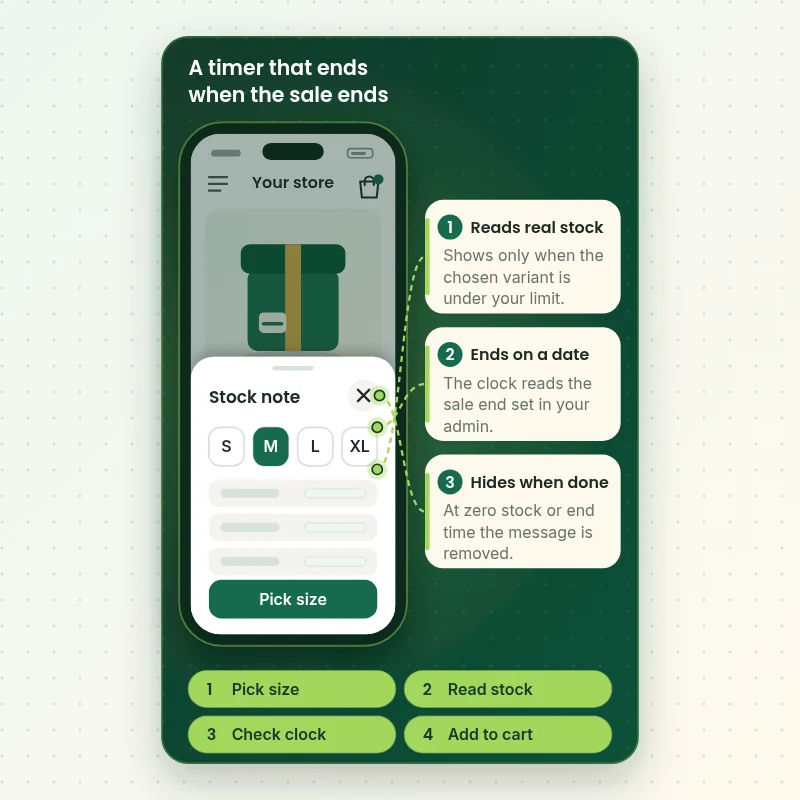
This walkthrough follows one product page on a phone. A shopper opens a variant, the stock note reads that variant's inventory and a timer reads the end date from your admin. When stock or time runs out, the message disappears by itself and nothing stale stays behind on the page.
Portfolio
Shopify Storefront Designs by Niche
Urgency and Scarcity Feature Setup gets the same attention to layout, spacing and detail as each design below, every one built around a single catalog and one kind of buyer.
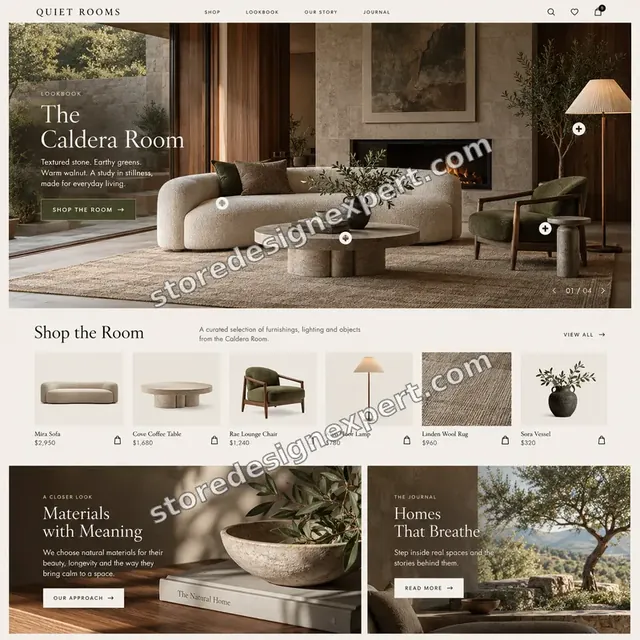
Interiors store design
Interiors
Stationery store design
Stationery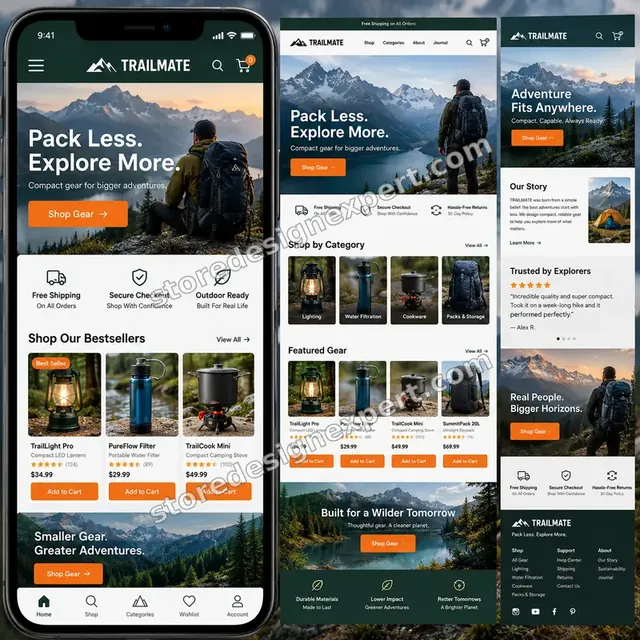
Outdoor camping gear store design
Outdoor camping gear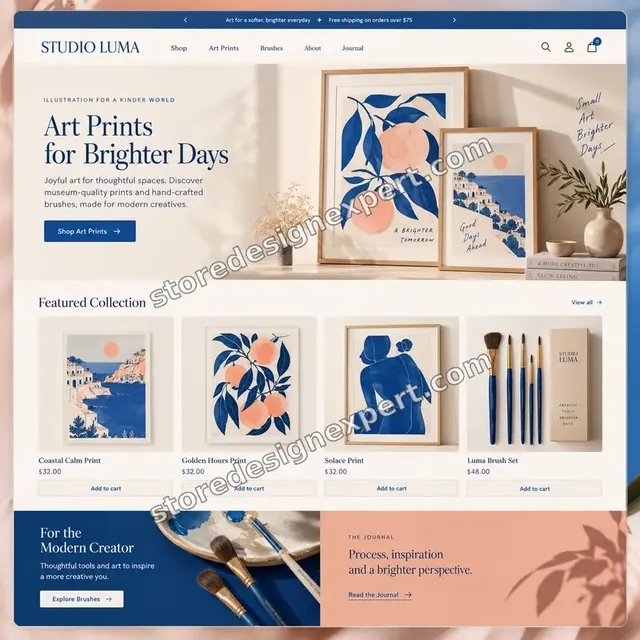
Artist creator store design
Artist creator
Restaurant ingredients store design
Restaurant ingredients
Skincare store design
SkincareProcess and timeline
How We Set Up Your Shopify Urgency Features
Six stages take you from scattered banners to a small, honest system. Everything is built on a copy of your theme, and a Stock Signal project is usually finished in 2 to 4 working days.
- 1
Read what is live
We request collaborator access and open every template on desktop and phone, noting each timer, bar and badge and the app or code behind it. You get the list before anything changes.
- 2
Agree what is true
Together we write the rules: which dates are real, which stock levels deserve a message and which pages should stay quiet. Nothing is built until the rules are approved.
- 3
Build on a duplicate theme
Timers, thresholds and badges are written as theme sections or configured app embeds, reading dates and inventory instead of fixed numbers.
- 4
Test the edges
We run the end date past midnight in two time zones, set stock to the threshold, to zero and to untracked, and review the result on phone widths.
- 5
Review and revise
You receive a preview link and a short test log. Your two change rounds are used here, before anything reaches the live theme.
- 6
Publish and hand over
We publish when you approve and send the message register with a recorded walkthrough, including the exact steps that end each message.
Compare your options
Timer App, Freelance Gig, DIY Code or a Done-for-You Setup From Us?
There are four ways to add urgency to a Shopify store. An app is quick, a gig is cheap and uneven, DIY code costs time and a done-for-you service handles placement, honesty rules and testing. Here is what you receive on each route.
| What matters | Timer app | Freelance gig | DIY code | Store Design Expert |
|---|---|---|---|---|
| Timer tied to a real end date | Some apps | Varies | You build it | Yes |
| Low stock read per variant | Stock apps only | Varies | You build it | Yes |
| No reset on reload | Check settings | Rarely checked | You decide | Yes |
| Placed to avoid covering buttons | No | Rarely | You test it | Yes |
| Time zone and expiry behaviour tested | No | Rarely | You test it | Yes |
| Fewer scripts on every page | No | Varies | Yes | Yes |
| Written message register | No | No | No | Yes |
| Fixed price up front | Monthly fee | Varies | Your time | Yes |
Inside every project
How We Protect Your Store and Your Customers' Trust
Urgency features touch the page where people decide to pay, so a careless edit costs sales and a careless claim costs credibility. These safeguards come with every project.
Duplicate theme for every edit
We never type into the theme your customers are using. Everything is built on a copy and swapped in only after you approve it.
Collaborator access only
We work through Shopify's collaborator permissions with only the access the task requires. You stay the owner and can end our access whenever you wish.
A claim rule for every message
Each message gets a plain-language rule such as 'shown only below four units' or 'ends on the date in this field'. If a rule cannot be true, the message is not built.
Backup and a clean way back
Your current theme is duplicated before work starts, so any surprise after launch can be reversed with a single publish.
Documentation your team can read
The message register names every data source and the switch-off step. Another developer or a new teammate can run the next sale from it.
Fixed scope and two revision rounds
You approve scope and price first. Two rounds of changes are included, and work within the scope never turns into hourly billing.
Interactive price calculator
Price Your Urgency and Scarcity Setup
Choose a package, tell us which surfaces carry messages, how many dated events you run and how stock is tracked, then pick your speed. A fixed total and delivery estimate appear with every change.
Request a custom quote
Headless storefronts, Shopify Plus checkout extensions, multi-warehouse stock rules that need custom logic, or large catalogs with per-variant thresholds are quoted against a written scope instead of the calculator.
Request a QuoteChanged your mind? Choose Stock Signal, Timer and Stock Kit or Urgency System above to return to the instant calculator.
Packages and comparison
Compare Countdown Timer and Stock Setup Packages
Each line is a deliverable we commit to. Your total depends on surfaces, events and stock tracking, and the calculator above adds them as you choose.
| What is included | Stock Signal $390 | Timer and Stock Kit $790Recommended | Urgency System $1,390 |
|---|---|---|---|
| Review of existing timers and stock widgets | Included | Included | Included |
| Low stock message on product pages | Included | Included | Included |
| Threshold by product type | Included | Included | Included |
| Duplicate theme and backup | Included | Included | Included |
| Recorded handover and two revision rounds | Included | Included | Included |
| Fixed-end countdown from a date field | Not included | Included | Included |
| Collection card stock badges | Not included | Included | Included |
| Sitewide announcement bar | Not included | Included | Included |
| Phone width testing report | Not included | Included | Included |
| Password page launch countdown | Not included | Not included | Included |
| Cart message in theme code | Not included | Not included | Included |
| Time zone handling per market | Not included | Not included | Included |
| Message register with data sources | Not included | Not included | Included |
| 14 days of fixes after launch | Not included | Not included | Included |
| Typical delivery | 2 to 4 days | 4 to 7 days | 7 to 10 days |
Your Urgency and Scarcity Feature Setup price and delivery estimate come from the calculator above, so there is no surprise at checkout.
Why Store Design Expert
Why Brands Pick Us to Set Up Their Urgency Features
You get a conversion feature built by people who build Shopify themes every week, with the honesty rules in the specification instead of left to chance.
We build the pages these messages live on
More than 450 launches since 2015 means we know where a clock fits a product page and where it will collide with a sticky bar.
Compliance-minded by default
We build around the consumer-law direction in the UK, the EU and the United States, so fake resets and invented counts are not in the toolbox.
Theme code first, apps when they earn it
Less script weight and fewer monthly fees, but we will say plainly when an app is the better answer.
Tested at the edges
Midnight in another time zone, a variant at zero, a product with no tracking: the cases that embarrass a store are the ones we check.
Priced above gigs, below an agency scope
A senior-built, documented job with a fixed price, rather than a gig lottery or an open-ended retainer.
Everything stays yours
The result lives in your own theme and settings, documented, with nothing that depends on us to keep running.
What we need to get started
Access and Facts We Need Before Building
No preparation is needed beyond a way into the store and a few decisions about your promotions.
Accept a collaborator request
Send the store address and approve the invitation we issue. Ownership never changes, no password is exchanged and you can remove our access at any time.
No store yet? We build it in ours
We set the store up in our Shopify Partner account and transfer ownership to you at the end, so you only choose a plan after the work is done.
Share staff login details instead
If a staff account suits you better, send those details. We prefer collaborator access because it is easy to revoke, but both are fine.
Your promotion dates
List the sales, drops or launches you plan, with exact end dates and time zones, so each timer has a real source.
Inventory facts
Tell us which products track stock, which locations count and whether any variants keep selling at zero.
Installed apps and an approver
List any timer, bar or stock apps now running and name one person who signs off the message rules and the test log.
Please keep your current apps installed until we have reviewed them. Knowing what each one injects is the first step.
Testimonials
What Store Owners Say Before You Order Urgency and Scarcity Feature Setup
Verified clients describe working with Store Design Expert on builds, fixes and conversion-focused improvements.
Verified
Store Design Expert is the best. The work is very professional, they pay close attention to detail and, more importantly, they listen. Their level of cooperation is second to none, and everything was delivered in a very timely manner. I will keep them in mind for future projects.
BN
Barbara N.United States
Verified
Super helpful and patient. I am new to ecommerce and Store Design Expert talked me through the whole process and even fixed my payment bridging for me!
LR
Lois R.United Kingdom
Verified
I am beyond satisfied! Store Design Expert went above and beyond on my project. Highly recommended!
MD
Michael D.United States
Verified
The experience was tailored to my brand and specifications to the letter. I love the result.
EP
Eric P.United States
Verified
They definitely get the job done. Very patient and understanding throughout the whole project.
BS
Brian S.United States
Verified
Thank you so much to Store Design Expert and the team. My site looks far more appealing to customers, and I will happily recommend your services to other new small businesses.
JS
Jennifer S.United States
Verified
Very patient, informative and transparent, and they did exactly what they said they would do. Thanks for all the help!
RO
Raymond O.United States
Verified
Store Design Expert is the only one I use for all things WordPress. They have a high level of understanding, deliver quality work and are easy to deal with.
SC
Scott C.United States
Verified
A pleasure to work with. They did pretty much everything I asked and definitely exceeded my expectations. I will be working with Store Design Expert again soon.
JL
Jerry L.United States
Related searches
Related Searches for Urgency and Scarcity Feature Setup
The searches below are the ones that lead people to Urgency and Scarcity Feature Setup.
“shopify urgency”, “how to add countdown timer to shopify”, “shopify countdown timer app” or “best countdown timer app shopify”: owners type these when they need Urgency and Scarcity Feature Setup, and the packages above are priced for that job.
“shopify countdown timer code”, “shopify embed countdown timer”, “shopify countdown timer free” or “shopify cart countdown timer”: owners type these when they need Urgency and Scarcity Feature Setup, and the packages above are priced for that job.
“shopify countdown timer on password page” or “urgency and scarcity on shopify” all point to the same job, which Urgency and Scarcity Feature Setup covers from start to finish.
You may also have come across “shopify low stock”, “low stock alert shopify”, “how to show low stock on shopify” or “low stock counter shopify” while reading about Urgency and Scarcity Feature Setup.
FAQ
Shopify Countdown Timer and Urgency FAQs
Direct answers on cost, honesty rules, tools, time and what we will not build.
How much does a Shopify countdown timer setup cost as a done-for-you service?
Packages start at $390 for Stock Signal, $790 for Timer and Stock Kit and $1,390 for Urgency System. Surfaces, event count and stock complexity are priced as options, and the calculator shows your fixed total before you pay. An app alone costs a few dollars a month but leaves the placement and testing to you.
How to add countdown timer to Shopify without it resetting for every visitor?
Store the end as a date and time in a metafield or discount end date, then have the clock read that value. A timer that restarts on reload is the pattern to avoid. If you want a per-visitor offer, we build it so the offer is honoured when time runs out.
Is there a good Shopify countdown timer app, or should I use theme code?
Apps are quick to install and suit simple banners. Theme code is lighter and keeps your design consistent. We configure whichever fits your store, and we replace apps that load heavy scripts for a simple job. Hurrify, for example, is a sales-event clock, not a stock tool.
What is the best countdown timer app Shopify stores can run on a small budget?
Pick an app that reads a real end date, loads one script and lets you limit it to specific pages. Prices run from about $7 a month upward. We review your shortlist, install the best fit and test it on mobile before you commit to a plan.
Is a Shopify countdown timer free of charge good enough?
Yes, within limits. Some free apps and theme sections cover a single banner, and we use them when they are accurate and light. Free options often lack date handling, per-market end times or page targeting, so we tell you plainly when paying a little is safer.
How to show low stock on Shopify product pages without editing code?
Dawn and many current themes include an inventory status block with a threshold. We switch it on, set the number per product type and style it. Where a theme lacks the block, we add it in Liquid and keep it silent for products that do not track inventory.
How does a low stock alert Shopify message work for variants?
The message reads the inventory of the selected variant, so a size that is nearly gone shows a note while the others stay quiet. It only appears when inventory is tracked, and variants set to keep selling at zero need a rule so the number does not mislead.
Which low stock counter Shopify tool is accurate?
An accurate counter reads tracked inventory per variant and shows nothing otherwise. Apps such as Hey!Scarcity do this from $5.99 a month, and theme code can do it for free. We pick based on your catalog, then test the threshold, zero and untracked cases.
Can you add Shopify countdown timer code to my theme?
Yes. We write a theme section with a small script that reads the end from a date field, formats it for the visitor's time zone and hides itself on expiry. It adds far less weight than most apps, and you can edit the date from the theme editor without touching code.
Can I add a Shopify cart countdown timer?
A timer in the cart is possible, but the claim has to be true. Adding to cart does not reserve stock in Shopify, so 'we are holding your items' would be false. We build cart messages tied to real events such as a sale ending, and avoid reservation wording.
Do you build a Shopify countdown timer on password page launches?
Yes. The password page has its own template, so we add a clock to your opening date, a sign-up form and the steps to open the store. When the date arrives, you remove the password and visitors see the live storefront.
Is urgency and scarcity on Shopify legal, and what do you refuse to build?
Real deadlines and real stock are fine. In the UK, consumer rules in force since April 2025 target misleading urgency, and US regulators treat false availability claims as deceptive. We do not build resetting clocks or invented counts. We cannot give legal advice, so check your market with a lawyer.
What does Shopify urgency do for sales, and can you promise a result?
It can make a real deadline or low stock easier to notice, and some stores see a response while others see none. We cannot promise any uplift. We build clean, honest messages and give you a way to compare periods in your own analytics.
How long does the work take and what happens after launch?
Stock Signal takes 2 to 4 working days, Timer and Stock Kit 4 to 7 and Urgency System 7 to 10, before options. You receive a message register and recorded walkthrough, and the largest package adds 14 days of fixes after launch.
Ready when you are
Order Your Shopify Countdown Timer and Stock Messages Today
Choose a package, see your fixed price and delivery estimate, and order a Shopify countdown timer and low stock setup from a team that has launched over 450 stores. Every message is tied to real data, tested on phones and handed over in writing.
- Protected payment
- Two rounds of changes
- Message register included