
Shopify stores designed and launched
Staff access and permissions for Shopify
Shopify Staff Accounts Set Up So Everyone Has Exactly the Access They Need
Shopify staff accounts make it easy to add people and easy to forget to remove them. We audit who has access, design roles by job, set up staff and collaborators properly, check two-step authentication and clear out old accounts. From $290, fixed price.
- An audit of every person and app with access
- Roles by job, not full permissions for everyone
- Two-step authentication checked on every account
- Former staff and old agencies removed

Our track record
450+ Shopify Stores Launched Since 2015. Your Access Gets the Same Care.
Most stores accumulate access like a drawer accumulates keys: a freelancer from three years ago, an agency that finished long ago, a manager who left. Each key is a risk. We count them, decide who needs which, and take the rest away.
Average rating from verified clients
Building Shopify stores since
Secure checkout
Pay through a protected checkout and keep a full order record.
Two revision rounds
Included in every package, so the result matches what you pictured.
Backup before changes
We work on a duplicate of your theme, never on your live store.
Who this is for
Who Needs Staff Account and Permission Management
Owners usually review access after something goes wrong. Six situations account for most of the staff account & permission management work we see.
You are a good fit if
- More than one person has access to your store
- You want a fixed price and written scope for access reviews
- You will own the owner account and decisions
- You can tell us who does what
Stores that have added several people
Everyone was given full permissions to get started, and nobody went back.
Owners who had a data or settings scare
A deleted product, a changed payout account or a suspicious login. You want to know who can do what.
Merchants whose agencies have changed
Old collaborator accounts and app access remain after projects end.
Teams handling customer and payment data
Access to customers and finances should be limited to the people who need it.
Growing stores hiring support and marketers
New hires need access to orders or products, not to settings and payouts.
Founders with no time for an audit
You would rather hand over access and receive a clean, documented setup.
Problems solved
Why Shopify Access Gets Out of Hand
Access grows by accident and shrinks only on purpose. These six patterns are what we usually find.
Everyone has full permissions.
Outcome: Giving full access is the fastest way to onboard someone, and it is rarely corrected.
Former people still have access.
Outcome: Staff, freelancers and agencies stay on the list long after they stop working for you.
Two-step authentication is missing.
Outcome: Accounts with access to settings or money should use two-step authentication, and some do not.
Staff and collaborator accounts are mixed up.
Outcome: Using staff seats for agencies, or collaborators for employees, causes cost and control problems.
Apps hold broad permissions.
Outcome: Installed apps may keep access to customers and orders that they no longer need.
No written policy.
Outcome: Without a policy, each new person is set up differently and nobody knows the rule.
What we can do
What Our Staff Account and Permission Management Covers
Six jobs make up the service. Your package decides how many people and apps are reviewed.
Access audit
We list every staff account, collaborator and app with access, what each can do and when each last signed in.
Role design
We group people by job, such as support, marketing or content, and design roles with only the permissions each needs.
Staff and collaborator set-up
We set up staff accounts with custom or preset roles, and collaborator accounts for agencies, so seats are used correctly.
Two-step authentication
We check that every account with sensitive access uses two-step authentication and help people turn it on.
Clean-up of old access
Former staff, finished agencies and unused apps are removed or reduced, with your approval for each.
Written access policy
A one-page policy says how access is granted, reviewed and removed, so the next person is set up the same way.
What is included
What Is Inside Your Access Management
Six groups cover every deliverable in Staff Account & Permission Management. The comparison table below shows how far each group goes by package for access reviews.
Audit
- List of staff and collaborators
- App permissions list
- Last sign-in dates
- Risk list
Roles
- Roles by job
- Permission matrix
- Custom roles built
- Approval notes
Set-up
- Staff accounts adjusted
- Collaborator access set
- Seat use reviewed
- Invitation messages
Security
- Two-step authentication checks
- Weak access flagged
- Owner account review
- Recovery contact check
Clean-up
- Former users removed
- Old agencies removed
- Unused app access reduced
- Change log
Policy
- One-page access policy
- Review schedule
- Onboarding steps
- Offboarding steps
You provide owner-level approval and information about people. We handle the audit, design and set-up.
Access audit
How We Audit and Fix Who Has Access to Your Store
The walkthrough lists what we inspect: the owner account, staff accounts, collaborators, permissions, two-step authentication, app access and former users. Each ends as passed or fixed, so you can see the state of every key at a glance.
Portfolio
Shopify Storefront Designs by Niche
Staff Account & Permission Management gets the same attention to layout, spacing and detail as each design below, every one built around a single catalog and one kind of buyer.

Electronics store design
Electronics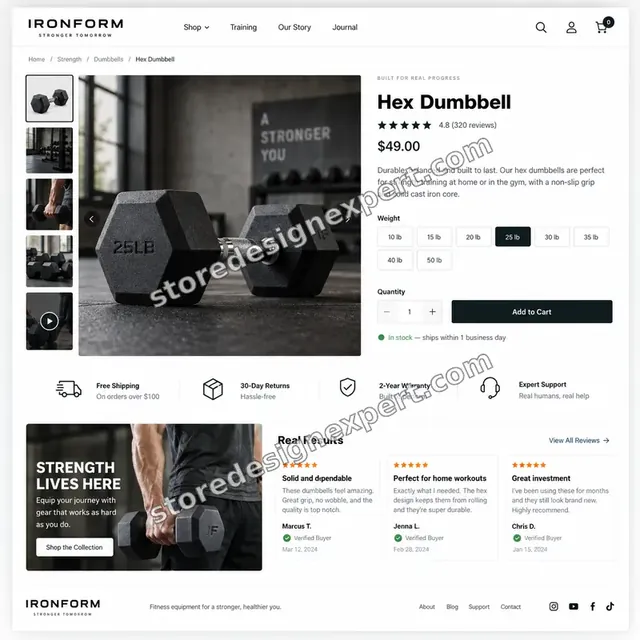
Fitness store design
Fitness
Streetwear store design
Streetwear
Fitness apparel store design
Fitness apparel
Fitness store design
Fitness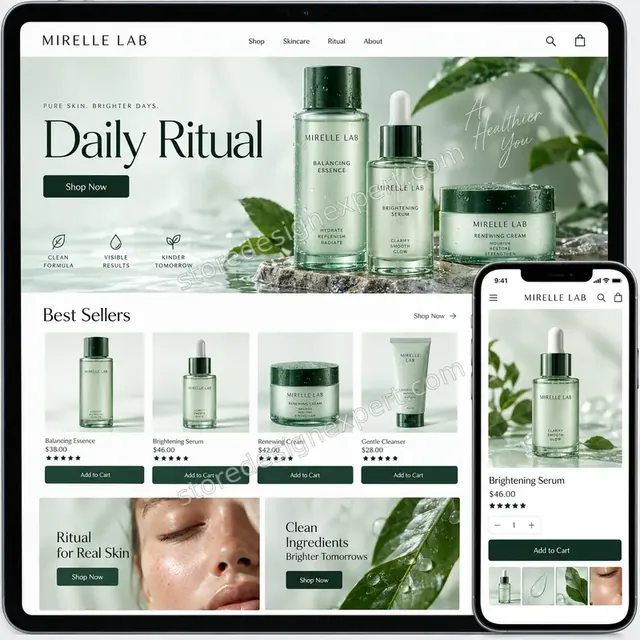
Premium skincare store design
Premium skincareProcess and timeline
How Access Management Runs, Start to Finish
Six steps, with nothing removed without your approval. Your calculator choices decide how long each step takes for access reviews.
- 01
Brief and people list
You tell us who works on the store and what each does. We note who you suspect should not have access.
- 02
Give owner-approved access
Add us as a collaborator. Only the owner can grant what we need. We never ask for your password.
- 03
Audit
We list every account and app with access and what each can do.
- 04
Design the roles
Roles are designed by job and sent to you for approval.
- 05
Apply and clean up
Staff are set up on their roles, and old access is removed with your approval.
- 06
Write the policy
A one-page policy records how access is granted, reviewed and removed.
Compare your options
DIY, Marketplace Gig, Security Consultant or Our Access Management?
Four usual routes to safer access. This comparison shows who audits, designs and documents.
| What matters | Do it yourself | Marketplace gig | Security consultant | Store Design Expert |
|---|---|---|---|---|
| Every account and app listed | Partly | Partly | Yes | Yes |
| Roles designed by job | Defaults | Rarely | Yes | Yes |
| Two-step authentication checked | You check | Rarely | Yes | Yes |
| Old agencies and staff removed with approval | If remembered | Rarely | Yes | Yes |
| Written access policy | No | No | Extra cost | Yes |
| Price known before work begins | Free | Yes | Quote only | Yes |
| Shopify admin expertise | Learning | Varies | General | Yes |
| Owner approves every change | Yes | Varies | Yes | Yes |
Inside every project
What Protects Your Store While We Review Its Access
Access review touches the keys to your store, so these six habits come with every package.
Owner approves every removal
We recommend, you approve. Nobody is removed without your say.
Least access for us too
We ask for the narrowest access that lets us do the work, and remove it when we finish.
No passwords shared
We never ask for your owner password in access reviews. Access is granted through the owner account's own tools.
Everything logged
Every change is recorded in a log, so you can see what was removed or adjusted.
No security guarantees
We improve your setup with good practice. We cannot promise that no incident will ever occur.
Fixed scope, two revision rounds
The price is agreed before work starts, and changes inside scope run in two structured rounds for access reviews.
Interactive price calculator
Build Your Access Management Package
Choose a package, then tell us how many people have access, how many apps are connected and whether agencies have access. The fixed price and delivery window update with every click for access reviews.
Request a custom quote
Shopify Plus organisation-wide permissions, single sign-on, several stores under one organisation, compliance audits and custom permission apps are scoped separately and quoted at a fixed price.
Request a QuoteChanged your mind? Choose Access Audit, Roles and Clean-up or Access Policy and Review above to return to the instant calculator.
Packages and comparison
Access Management Package Comparison
Line-by-line detail of what each package covers, useful when choosing between tidying access yourself and a documented, reviewed setup.
| What is included | Access Audit $290 | Roles and Clean-up $590Recommended | Access Policy and Review $1,090 |
|---|---|---|---|
| List of staff, collaborators and apps | Included | Included | Included |
| Last sign-in review | Included | Included | Included |
| Two-step authentication check | Included | Included | Included |
| Risk list | Included | Included | Included |
| Short report | Included | Included | Included |
| Roles by job designed | Not included | Included | Included |
| Staff accounts adjusted | Not included | Included | Included |
| Collaborator access set | Not included | Included | Included |
| Former users and agencies removed | Not included | Included | Included |
| One-page access policy | Not included | Not included | Included |
| Onboarding and offboarding steps | Not included | Not included | Included |
| App permission reduction | Not included | Not included | Included |
| Review at 90 days | Not included | Not included | Included |
| Typical delivery | 2 to 3 days | 3 to 5 days | 4 to 6 days |
What the calculator above shows for Staff Account & Permission Management, the total and the estimated delivery, is what your order will use.
Why Store Design Expert
Why Owners Choose Us for Shopify Staff Accounts and Permissions
Anyone can invite a user. Owners hire us for the audit, the role design and the clean-up that make access safe.
Daily work inside Shopify admins
Roles, permissions and apps are everyday material for us, so nothing is overlooked.
Rated 4.9+ by verified clients
These are verified client reviews from Store Design Expert, unedited.
Prices you can plan around
Every package, option and extra has a visible price, sized by how many people and apps we review.
A direct line to the person doing the work for access reviews
You write to the team member doing the review, not a ticket queue.
Honest about seats and plans
If a plan change would cost less than the way you use seats now, we say so.
Experience since 2015
More than 450 Shopify stores launched means we have seen most access problems.
What we need to get started
What We Need Before We Start Your Access Review
Three ways to give access, then a short list of facts about your team.
Accept our collaborator request
Give us your store address and approve the request we send. The owner can grant what we need and remove us in one click.
Taking over a store? That is fine
Tell us what you inherited. We start by listing who has access.
Or have the owner add us as staff
A restricted staff account works too, though the collaborator route is easier to revoke for access reviews.
Who works on your store
List the people and what each does, so roles match real jobs.
Who should not have access
Tell us about anyone who has left or whose project has finished.
Who approves changes
Tell us the owner or manager who approves each removal.
Owner passwords are never requested. Only the owner can grant access, and every change is approved by you and logged.
Testimonials
What Store Owners Say Before You Order Staff Account & Permission Management
Verified Store Design Expert clients describe the brief, the build and the handover in their own words.
Verified
Store Design Expert is the best. The work is very professional, they pay close attention to detail and, more importantly, they listen. Their level of cooperation is second to none, and everything was delivered in a very timely manner. I will keep them in mind for future projects.
BN
Barbara N.United States
Verified
They definitely get the job done. Very patient and understanding throughout the whole project.
BS
Brian S.United States
Verified
Thank you so much to Store Design Expert and the team. My site looks far more appealing to customers, and I will happily recommend your services to other new small businesses.
JS
Jennifer S.United States
Verified
Very patient, informative and transparent, and they did exactly what they said they would do. Thanks for all the help!
RO
Raymond O.United States
Verified
Store Design Expert is the only one I use for all things WordPress. They have a high level of understanding, deliver quality work and are easy to deal with.
SC
Scott C.United States
Verified
A pleasure to work with. They did pretty much everything I asked and definitely exceeded my expectations. I will be working with Store Design Expert again soon.
JL
Jerry L.United States
Verified
Superb work! Store Design Expert is incredibly patient, and even when I did not fully understand my own questions, everything was explained again in detail. My vision was implemented perfectly, and the work is worth every cent I spent.
KB
Katrin B.Germany
Verified
Very impressed with the build-out. My store is ready to get started, and I am sure I will reach out for edits down the road, but this is everything I could ask for to get the party started. Thanks again, and I will be in touch for future projects.
DH
Dale H.United States
Verified
Very quick and detailed work! Store Design Expert does exactly what you want, in a very professional manner.
LF
Lena F.Germany
Related searches
Searches That Bring Owners to Staff Account & Permission Management
People describe Staff Account & Permission Management in different ways when they search. These are the common ones.
People who look up “staff account and permission management”, “shopify staff account login”, “what is a staff account on shopify” or “what are staff accounts on shopify” usually want Staff Account & Permission Management; the calculator above shows the price and delivery estimate before you commit.
“how to add staff on shopify”, “how to add staff to shopify”, “sign in to shopify staff account” or “what is a shopify staff account”: owners type these when they need Staff Account & Permission Management, and the packages above are priced for that job.
If you searched for “shopify staff permissions” or “shopify collaborator vs staff account”, Staff Account & Permission Management is the work that answers it.
You may also have come across “shopify users and permissions”, “shopify request collaborator access” or “how to access shopify admin” while reading about Staff Account & Permission Management.
FAQ
Shopify Staff Accounts FAQs
Answers on cost, roles, collaborators, two-step and removing access.
How much does Shopify staff account and permission management cost?
Access Audit is $290, Roles and Clean-up $590 and Access Policy and Review $1,090. The number of people, apps and past agencies add to that, and the calculator shows the total before you pay.
What are Shopify staff accounts?
What are staff accounts on Shopify, and what is a Shopify staff account? They are logins for your own team, with permissions you choose, counted against a plan-based limit. We design roles so each person has only what they need.
What is a staff account on Shopify compared with a collaborator account?
What is a staff account on Shopify versus a collaborator? Staff are your team. Collaborators are outside people, such as agencies, who request access and do not count against your staff limit. We use the right one for each.
How to add staff on Shopify with limited permissions?
How to add staff on Shopify with limited access: invite them, choose a preset or custom role and tick only the permissions they need. We design the roles and set each person up.
How to add staff to Shopify if my plan has no free seats?
How to add staff to Shopify when seats run out: change plan, remove an unused account or use a collaborator for outside help. We review seat use and tell you the cheapest sensible option.
Where is the Shopify staff account login?
The Shopify staff account login is the admin sign-in page, using the email the owner invited. If someone cannot sign in, we check the invitation, two-step setup and role.
How do people sign in to Shopify staff account for the first time?
To sign in to Shopify staff account for the first time, accept the invitation email, set a password and set up two-step authentication. We include simple steps for new staff.
What do Shopify users and permissions control?
Shopify users and permissions control which areas each person can view or change, such as orders, products, customers, analytics and settings. We build roles from these categories.
What does a Shopify request collaborator access involve?
A Shopify request collaborator access flow starts with the outsider sending a request code. The owner approves it and chooses permissions. We guide you through approving only what is needed.
Do you need my Shopify password for Staff Account & Permission Management?
No. Only the owner can grant access, through the admin's own tools. We never ask for your password.
How to access Shopify admin if I lost access?
How to access Shopify admin after losing access: use account recovery from the sign-in page, contact the owner or contact Shopify support. We check recovery contacts as part of the review.
How do Shopify staff permissions work with apps?
Shopify staff permissions apply to people, while apps hold their own permissions. We review both, so an app does not hold access a person lacks.
Do I need a different Shopify account management service for agencies?
Shopify account management services for agencies mean giving them collaborator access for each project and removing it afterwards. We set that up and document it.
Can you explain Shopify collaborator vs staff account choices for my team?
Shopify collaborator vs staff account choices depend on whether the person is on your payroll and how long they stay. We map each person to the right type and tell you the reasons.
Ready when you are
Order Your Shopify Staff Accounts and Permissions Review
Choose a package, watch the fixed price settle and have a team that has launched 450+ Shopify stores audit who has access, design roles by job and remove what is no longer needed. You approve every change.
Fixed price · You approve every removal · Written policy