
Shopify stores designed and launched
Spin-to-win popup setup
Wheelio Shopify App Setup: A Spin-to-Win Popup That Pays For Its Prizes
Installing the Wheelio Shopify app takes minutes. Making the wheel look like your brand, pay out prizes you can afford, apply its codes at checkout and hand every address to your email tool is the real work. We configure all of it, test it on phones and launch it for a price that starts at $390.
- Wheel, scratch card or slot machine styled to your theme
- Prize odds worked out against your margins
- Codes tested through a real checkout
- Email and SMS tools connected and verified
From$390
Delivery2 to 9 working days
Revisions2 rounds
Our track record
450+ Shopify Stores Launched Since 2015. Every One Wanted More Subscribers.
A wheel is a small piece of a store, but it sits in front of every new visitor. Years of building storefronts have taught us how a popup should look, when it should appear and what it should promise, and that experience goes into your campaign.
Average rating from verified clients
Building Shopify stores since
Secure checkout
Pay through a protected checkout and keep a full order record.
Two revision rounds
Included in every package, so the result matches what you pictured.
Backup before changes
We work on a duplicate of your theme, never on your live store.
Who this is for
Who Hires Us to Set Up a Spin-to-Win Popup on Shopify
Plenty of owners can press install. These are the people who decide a specialist will save them time and money, and why each one ends up with us.
You are a good fit if
- You sell on Shopify or are about to launch
- You want a gamified popup without trial and error
- You use or plan to use an email or SMS tool
- You prefer a fixed quote to hourly billing
Stores whose discount code never works
Visitors win a prize, copy the code and then see an error at checkout. You want codes generated and limited properly, with the offer matched to what a cart actually contains.
Owners whose Shopify pop up email sign up has gone stale
Footer signups barely move and you want a livelier way to ask. You need a wheel that feeds the same list and the same welcome emails you already run.
Brands whose traffic is mostly on phones
Most of your visitors arrive on a handset, so the wheel has to fit a small screen, open at a polite moment and close with one tap. You want it checked on real devices.
Margin-conscious sellers
You like the idea of a game but cannot give away deep cuts to everyone. You want prize odds and minimum order rules that keep the average discount sensible.
Stores selling to several countries
Different regions need different wording, consent steps and sometimes different prizes. You want one campaign that behaves properly for each audience.
Teams preparing a sale or launch
A seasonal event is weeks away and nobody has time to learn a new app. You want a finished, tested campaign waiting for the start date.
Problems solved
Why Many Shopify Spin-to-Win Popups Frustrate Shoppers and Waste Margin
Most disappointing wheels share the same six flaws. Each one has a plain fix, and each fix is part of what we configure for you.
- The prize code is not a real, working discount.
A segment promises a percentage that the checkout never honours. We set how each code is created, what it applies to, when it expires and whether it can be combined, then redeem it in a test order.
- Every visitor can win the biggest prize.
Odds are left on defaults, so the large discount comes up far too often. We assign a chance to each segment against your margin and include a no-prize outcome when it makes sense.
- The wheel is too big for a small screen.
A wheel that spills past the edge or hides the spin button costs signups. We check layout, tap size and keyboard behaviour on iOS and Android before launch.
- It appears the moment the page loads.
An instant full-screen box irritates visitors and is the sort of interstitial Google cautions against. We set delay, scroll or exit-intent rules per page type instead.
- Returning visitors and subscribers see it again.
A spin offered to someone who already joined is wasteful and confusing. We configure when the wheel hides after a win, a close or an existing signup.
- Winners are not passed on to your email tool.
A spin without a synced address is a lost lead. We connect the tool you chose and follow a test winner to the correct list and welcome email.
What we can do
What Spin Wheel Shopify Setup Covers Beyond Pressing Install
The Wheelio app has many controls. Here are six areas where experience matters, framed as situations so you can see which ones describe your store.
Branded wheel design
Wheelio can present a wheel, a scratch card or a slot machine. We pick the format that suits your audience, then set colours, fonts, imagery and button text so the popup looks designed for your theme.
Campaigns and targeting rules
The app supports campaigns, triggers, targeting and segmentation. We turn those into a plan: one wheel for new visitors, a softer exit offer for leavers, and rules that keep it off pages where it would interrupt buying.
Spin the wheel popup Shopify discount setup: prizes, odds and codes
We choose the prize list, give each segment a chance that protects margin, and configure code generation, expiry and conditions so each prize is a real Shopify discount that works in the cart.
Email, SMS and tag connections
Wheelio lists links to Klaviyo, Mailchimp, Omnisend, Postscript and others. We connect the one you use, pass tags where available and test that every kind of winner lands in the right place.
Consent and disclosure wording
Email and SMS permission are handled with clear text beside each field and links to your privacy policy. We explain when a game should not make marketing opt-in a condition of playing.
Theme app embed and webhooks
Wheelio loads through the theme app embed, so we make sure it is switched on for the live theme and not just a preview. If you need orders or signups sent elsewhere, we set up webhook delivery.
What is included
What Your Wheelio Spin-to-Win Popup Setup Includes
The work falls into six groups. Bigger packages add more campaigns, deeper rules and longer support, and the comparison table below lists every line.
Wheel design
- Desktop and mobile layouts in your colours
- Headline, button and result-screen copy
- Segment labels written to match your offer
- Close control and spacing checked for thumbs
Prizes and codes
- Prize list agreed against your margins
- A chance set for every segment
- Code format, expiry and conditions configured
- A winning code redeemed in a test order
Timing and targeting
- Delay, scroll or exit trigger per page type
- Rules for new versus returning visitors
- Hide-after-win and hide-after-close settings
- Pages where the wheel stays off
Email and SMS link
- Your email or SMS tool connected
- Tags or fields mapped where supported
- A test winner followed to the list
- Welcome message trigger confirmed
Consent and wording
- Disclosure text beside each field
- Privacy policy link on the form
- SMS consent kept separate from email
- A note on regional rules for your review
Testing and handover
- Checks on iPhone, Android, tablet and desktop
- Embed status confirmed on the live theme
- Recorded walkthrough of every setting
- Two revision rounds before sign-off
Many store owners start by searching how to create pop up on Shopify. Our setup picks up after the installation tutorials end, with design, odds, codes, consent and testing.
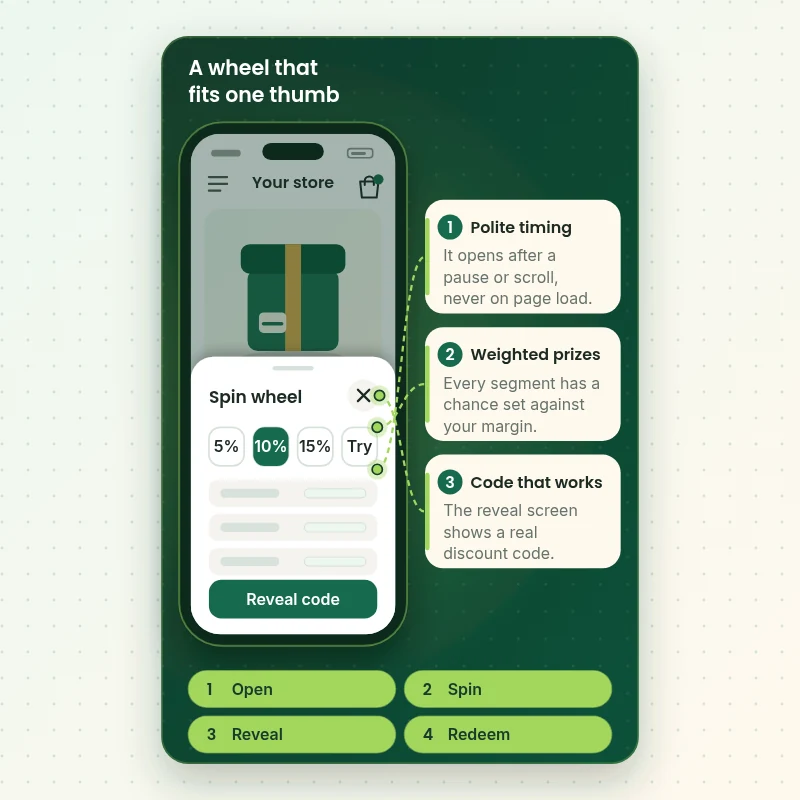
Watch the wheel on a phone
How a Spin-to-Win Popup Plays on a Shopper's Phone Before It Launches
Watch a wheel open over a product page, take an address, spin, reveal a code and close cleanly. It is the exact path we test on real handsets before the campaign is switched on, because a wheel that stumbles at any step loses the subscriber it was built to win.
Portfolio
Store Designs From Our Studio
These storefront designs show how layout, product detail and trust cues change from one niche to the next, which is the same care that goes into Spin-to-Win Wheelio Popup Setup.
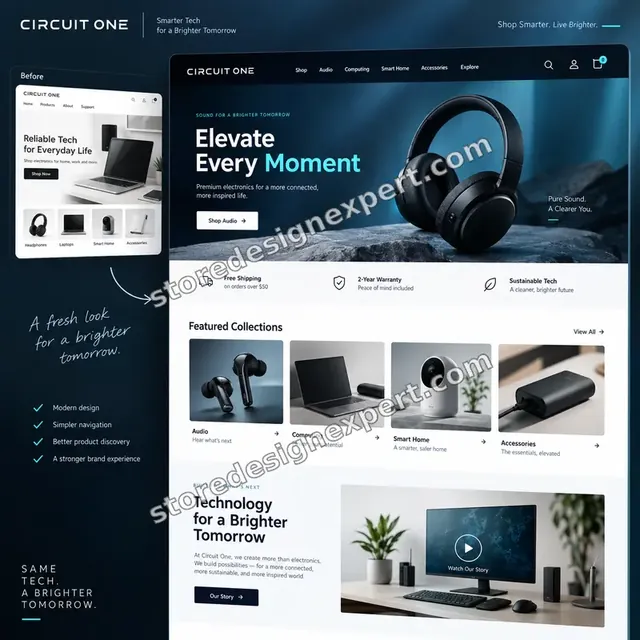
Electronics store design
Electronics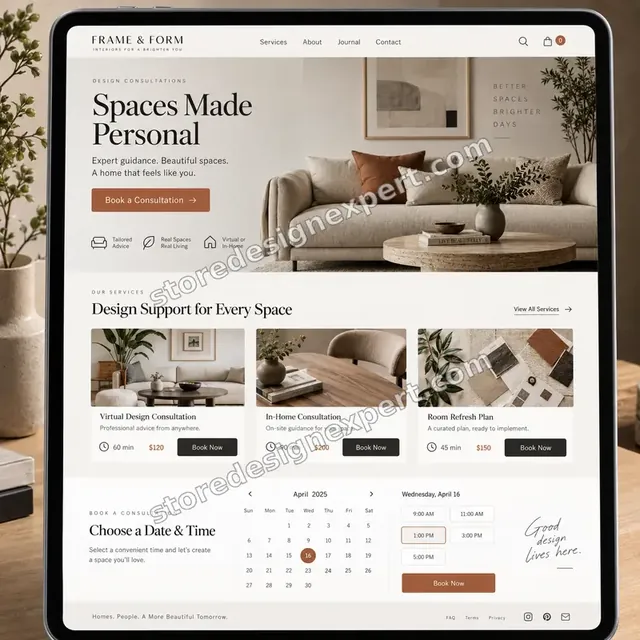
Interior design store design
Interior design
Craft creator store design
Craft creator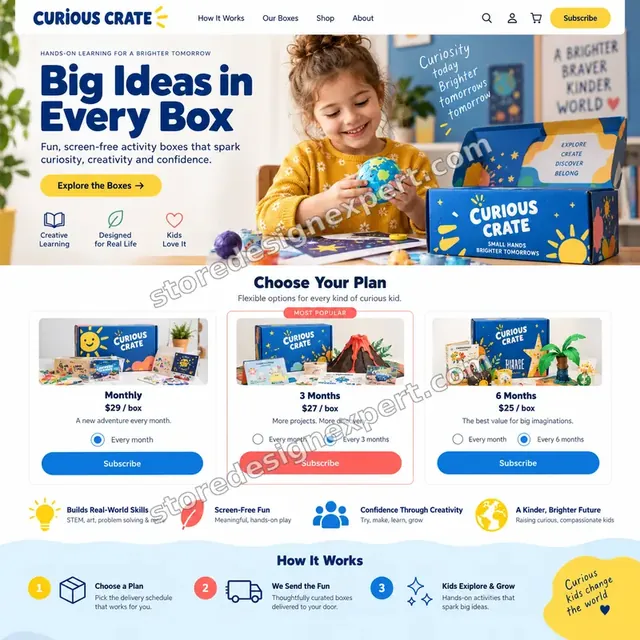
Kids activities store design
Kids activities
Jewelry store design
Jewelry
Developer resources store design
Developer resourcesProcess and timeline
From Prize Plan to Live Wheel in Six Steps
Each project follows the same order. Nothing is shown to shoppers until it has been tested, and every stage closes with something you can look at and approve.
- 1
Offer plan
We agree what you can afford to give away, who should see the wheel and where. You approve a one-page plan with prizes and odds before design starts.
- 2
Design
We build the wheel for desktop and phone in your branding and write the text on each screen. You review it on a private preview.
- 3
Prizes and codes
We create the segments, set their chances and configure the discount codes, then redeem one in a test order so you know the offer works.
- 4
Connect
We link your email or SMS tool, add consent text and confirm the theme app embed is on for the live theme.
- 5
Test
We play the wheel on phones, tablets and laptops, follow winners to your list and fix whatever behaves badly.
- 6
Launch and hand over
On your word we switch the campaign on, watch it live and send a recorded walkthrough with a short sheet of settings.
Compare your options
Default Install, Gig, Retainer Agency or a Fixed Spin Wheel Package?
There are four common ways to get a spin wheel onto a Shopify store. This table compares them on the points that decide whether the popup earns subscribers or merely irritates visitors.
| What matters | Default install | Marketplace gig | Retainer agency | Store Design Expert |
|---|---|---|---|---|
| Branded to match your theme | Basic | Varies | Yes | Yes |
| Prize odds set against your margin | No | Rarely | Varies | Yes |
| Winning code redeemed in a test order | No | Rarely | Varies | Yes |
| Separate mobile layout tested | You check | Rarely | Varies | Yes |
| Consent text beside the form | Template | Varies | Yes | Yes |
| Winner followed to your email list | No | Varies | Yes | Yes |
| Price known before work starts | Yes | Yes | Monthly fee | Yes |
| Settings written down for later | No | No | Extra cost | Yes |
Inside every project
What Protects Your Store While We Work on the Wheel
A popup runs on every page of your theme and creates real discount codes. These six habits explain why the fixed price is worth more than an install and a default setting.
Tested before shoppers see it
The campaign stays inactive or is limited to preview until you approve it, so nothing on your live store changes by surprise.
Theme copy saved first
Before we touch the theme we save a copy. If the embed or a snippet misbehaves, the earlier version is restored in a few clicks.
Limited, revocable access
We ask for only the access wheel work needs, you can remove it at any time and we never ask for card details.
A plain definition of done
The wheel is complete when it looks right on devices, appears only where planned, pays a working code and delivers a test address to your list.
Settings written down
A short document lists campaigns, odds, rules and consent text, so you or a later agency can change one item without upsetting another.
Fixed scope, two revisions
You see the total before paying. Two revision rounds are included and changes inside the agreed scope never become hourly charges.
Interactive price calculator
Build Your Wheelio Shopify App Setup Package
Choose the number of campaigns, the connection you need and the level of design, then pick a speed. Price and delivery change as you go and you see the total before paying.
Request a custom quote
Multi-store wheel rollouts, custom-coded game mechanics, loyalty-point or account-based prizes, headless storefronts and campaigns that must follow strict gambling or sweepstakes rules are scoped as separate projects.
Request a QuoteChanged your mind? Choose First Spin, Prize Loop or Wheel System above to return to the instant calculator.
Packages and comparison
Spin-to-Win Packages Compared Line by Line
The table lists what each package contains, from design through the days of fixes after handover. The calculator above shows the price of any extra.
| What is included | First Spin $390 | Prize Loop $690Recommended | Wheel System $1,190 |
|---|---|---|---|
| Branded wheel for desktop and mobile | 1 campaign | 2 campaigns | Up to 4 |
| Prize list and chance per segment | Included | Included | Included |
| Discount codes tested in a real order | Included | Included | Included |
| Email tool connected and checked | Included | Included | Included |
| Consent wording and privacy link | Included | Included | Included |
| Entry and exit-intent campaigns | Not included | Included | Included |
| Page and visitor targeting | Not included | Included | Included |
| Tags passed to your platform | Not included | Included | Included |
| SMS consent and disclosures | Not included | Not included | Included |
| Region-based wording | Not included | Not included | Included |
| Webhook delivery to other tools | Not included | Not included | Included |
| 14 days of fixes after handover | Not included | Not included | Included |
| Typical delivery | 2 to 4 days | 4 to 7 days | 6 to 9 days |
Choose your options in the calculator above: the total and the delivery estimate it shows for Spin-to-Win Wheelio Popup Setup are final.
Why Store Design Expert
Why Shopify Owners Choose Us for Their Wheelio Shopify App Setup
A spin wheel sits where design, discounting and data collection meet. A Shopify agency covers all three, which is where do-it-yourself installs usually fall down.
Shopify first, app second
We have built Shopify stores since 2015, so we see how a popup interacts with your theme, your cart and your other apps.
We think about the margin
Spin the wheel for discounts only works when the prizes are affordable, so we help you set them before the first visitor spins.
Honest advice on the tool
If another popup or a simple banner would serve you better, we tell you rather than configure something that does not fit.
Design that belongs to the store
Colour, type and tone are adjusted until the wheel feels like part of the brand rather than a pasted-on widget.
Rated 4.9+ by verified clients
Reviews come from real Store Design Expert clients, so you can see how the experience feels before you choose a package.
Everything remains yours
The campaign lives in your Wheelio account and your theme. If a build begins in our Partner account, it is transferred to you with the store.
What we need to get started
What We Need From You to Launch Your Spin-to-Win Campaign
You do not need a finished prize list or brand guide. We need a way into the store and the popup app, plus a few decisions about what you want to offer.
Approve our collaborator request
Send us your store address and accept the collaborator request. You stay the owner, nobody shares a password and you can remove our access in settings.
No store yet? We build it first
We create the store in our own Shopify Partner account and transfer ownership to you when work finishes, so choosing a plan is the last thing you do.
Or send staff login details
A staff account is available if you prefer it, though the collaborator route is easier to revoke. Card details are never requested.
Prize list and budget limits
Tell us which discounts, free shipping or gifts you can afford and any products that must be excluded. If you are unsure, we propose a list.
Access to your email or SMS tool
Invite us to the platform that will hold winners, or tell us which one you plan to use, so we can connect it and test.
Brand files and an approver
Send your logo, colours and fonts, your privacy policy link and the name of the person who signs the campaign off.
Your owner password is never needed. We save a theme copy before any change and test the campaign in preview before shoppers can see it.
Testimonials
What Store Owners Say Before You Order Spin-to-Win Wheelio Popup Setup
Verified clients describe working with Store Design Expert, from the first message to launch day.
Verified
Store Design Expert is the best. The work is very professional, they pay close attention to detail and, more importantly, they listen. Their level of cooperation is second to none, and everything was delivered in a very timely manner. I will keep them in mind for future projects.
BN
Barbara N.United States
Verified
Super helpful and patient. I am new to ecommerce and Store Design Expert talked me through the whole process and even fixed my payment bridging for me!
LR
Lois R.United Kingdom
Verified
I am beyond satisfied! Store Design Expert went above and beyond on my project. Highly recommended!
MD
Michael D.United States
Verified
The experience was tailored to my brand and specifications to the letter. I love the result.
EP
Eric P.United States
Verified
They definitely get the job done. Very patient and understanding throughout the whole project.
BS
Brian S.United States
Verified
Thank you so much to Store Design Expert and the team. My site looks far more appealing to customers, and I will happily recommend your services to other new small businesses.
JS
Jennifer S.United States
Verified
Very patient, informative and transparent, and they did exactly what they said they would do. Thanks for all the help!
RO
Raymond O.United States
Verified
Store Design Expert is the only one I use for all things WordPress. They have a high level of understanding, deliver quality work and are easy to deal with.
SC
Scott C.United States
Verified
A pleasure to work with. They did pretty much everything I asked and definitely exceeded my expectations. I will be working with Store Design Expert again soon.
JL
Jerry L.United States
Related searches
What People Search For Before Ordering Spin-to-Win Wheelio Popup Setup
Owners reach this page from different searches. Here is how the common ones relate to Spin-to-Win Wheelio Popup Setup.
“wheelio spin to win setup”, “spin to win popup shopify”, “spin wheel shopify” or “shopify spin the wheel”: owners type these when they need Spin-to-Win Wheelio Popup Setup, and the packages above are priced for that job.
If you searched for “shopify collect emails with spin to win”, “how to create a popup in shopify”, “spin the wheel popup shopify discount” or “spin the wheel landing page shopify”, Spin-to-Win Wheelio Popup Setup is the work that answers it.
People who look up “spin the wheel for discounts” usually want Spin-to-Win Wheelio Popup Setup; the calculator above shows the price and delivery estimate before you commit.
Related searches include “shopify pop up discount”, “how to add a discount pop up on shopify”, “shopify pop up window” or “how to create pop up on shopify”.
You may also have come across “shopify pop up email sign up” while reading about Spin-to-Win Wheelio Popup Setup.
FAQ
Wheelio Shopify App Setup FAQs
Straight answers on price, speed, prizes, consent and what you receive at hand-off.
How much does Wheelio Shopify app setup cost?
Packages begin at $390 for First Spin, $690 for Prize Loop and $1,190 for Wheel System. Choices such as an SMS tool, extra languages or custom artwork are added in the calculator, so most projects fall between about $400 and $1,700. Wheelio's own subscription is separate, so check the app's current pricing.
How long does spin-to-win setup take?
First Spin takes 2 to 4 working days, Prize Loop 4 to 7 and Wheel System 6 to 9 before options. Extra languages or custom artwork add days, and the calculator shows the estimate. Faster speeds are available if a sale date is fixed.
How do you handle Wheelio spin to win setup for Shopify stores?
Our Wheelio spin to win setup starts with a prize plan, then covers design, odds, discount codes, timing, consent and the connection to your email tool. We test with real phones and a real checkout before anything goes live, and you approve each stage.
How to create a popup in Shopify without hurting the experience?
How to create a popup in Shopify: install an app, design it, set when it appears and switch it on. The care lies in timing, mobile layout and the offer. We use delay, scroll or exit rules, keep it off checkout pages and check that it closes easily.
Spin to win popup Shopify: can the prize be a real discount code?
Yes. A spin to win popup should issue real Shopify discount codes with conditions you choose, such as expiry or a minimum cart. We configure code creation, redeem a winning code in a test order and show you the result before launch.
Shopify spin the wheel versus a normal popup: what is the difference?
A normal popup asks for an address and shows a code. A wheel adds a game: the visitor enters details, spins and wins a random prize. That can feel more engaging, but it needs prize odds, clear terms and testing so winners are not disappointed.
How do you set Shopify pop up discount amounts so they stay profitable?
For any Shopify pop up discount we start from your margin and average order, then give each prize a chance. Small prizes come up often and large ones rarely. A minimum order rule can protect thin items, and we write the numbers on your settings sheet.
How to add a discount pop up on Shopify if I already use another popup tool?
To add a discount pop up on Shopify next to existing tools, we first check what else displays on each page so two boxes never fight. Often one tool is retired or restricted to certain pages. We tell you before changing anything on the live theme.
Is a Shopify pop up window bad for SEO and speed?
A Shopify pop up window can annoy people and, on phones, Google cautions against intrusive interstitials that cover content. We use delays or scroll triggers and smaller mobile layouts. Wheelio loads through the theme app embed, and we check how it behaves on your theme.
Shopify collect emails with spin to win: is it compliant?
You can do it, but consent must be freely given. We add clear text beside the field, link your policy, keep SMS permission separate and flag where playing should not depend on marketing opt-in. Please also take advice for your regions.
Which email and SMS tools can the wheel connect to?
Wheelio lists links to Klaviyo, Mailchimp, Omnisend, Postscript, Push Owl and SMS Bump, and it supports webhooks and an API. We connect the one you use, map available tags and follow a test winner to the correct list before sign-off.
Can you build a spin the wheel landing page Shopify ads can point to?
Yes. It can open the wheel on arrival for visitors from ads or creators. It is an add-on in the calculator and uses the same prizes and tracking, so nobody can enter the same offer twice by accident.
What happens after the wheel goes live?
You receive a recorded walkthrough and a short settings sheet. Wheel System includes 14 days of fixes, and a 30-day support option can be added to any package for questions and small prize or text changes while real winners begin to arrive.
Ready when you are
Order Your Wheelio Shopify App Setup Today
Pick a package, see your fixed price and finish date, and order a Wheelio Shopify app setup from an agency that has launched over 450 stores. Your wheel arrives designed, weighted, connected, tested on phones and documented.
Secure checkout · 2 revision rounds · Wheel tested before it goes live