
Shopify stores designed and launched
Shopify to Zagomail, built by specialists
Shopify Zagomail Integration, Mapped Field by Field and Tested on Real Orders
A Shopify Zagomail integration is listed by directories, but its official Shopify App Store page says the app is currently not available and refers support to Zagomail. GetApp and AppSumo cite Shopify automations such as abandoned cart and purchase confirmation flows, and Albato adds and removes tags and creates or updates subscribers. Status needs confirming. We build, test and hand over, from $390.
- Subscribers synced with consent
- Abandoned cart and purchase confirmation flows built
- Tags applied per behaviour
- Test log and a recorded handover
From$390
Delivery3 to 14 working days
Revisions2 rounds

Our track record
450+ Shopify Stores Launched Since 2015. Your Zagomail Connection Gets the Same Care.
Any Zagomail and Shopify connection proves its worth only when the data is right on everyday orders. After a decade of building stores, we know where orders, customers and products tend to break an integration, and we build with it in mind.
Average rating from verified clients
Building Shopify stores since
Secure checkout
Pay through a protected checkout and keep a full order record.
Two revision rounds
Included in every package, so the result matches what you pictured.
Backup before changes
We work on a duplicate of your theme, never on your live store.
Who this is for
Who Needs a Careful Shopify Zagomail integration Build
Senders using Zagomail want store customers and carts to feed campaigns, with the unavailable app listing worked around. These are the cases we build for.
You are a good fit if
- Your orders come through Shopify
- Zagomail is, or will be, in your toolset
- You would rather pay once than by the hour
- You can review a test run with us
Stores sending campaigns
Subscribers sync from the store.
Teams recovering carts
Abandoned cart flows are listed.
Teams confirming purchases
Purchase confirmation flows exist.
Teams segmenting
Tags follow behaviour.
Teams on Zapier or Albato
Both list Shopify.
Teams checking the listing
The App Store page says unavailable.
Problems solved
Shopify Zagomail Integration: Six Faults We Fix First
Email-platform links fail on app status and consent. These are the six faults we fix.
The problem
App listing unavailable
The outcome
Install fails. We use a Zapier or Albato route.
The problem
Consent not synced
The outcome
Complaints follow. We record opt-in.
The problem
Duplicate subscribers
The outcome
Customers get two emails. We match first.
The problem
Tags inconsistent
The outcome
Segments break. We define a scheme.
The problem
Directory claims trusted
The outcome
Gaps appear. We confirm with support.
The problem
No handover
The outcome
Setup is unwritten, so the next change starts from guesswork. We write down the triggers, fields and tests.
What we can do
How We Build Your Zagomail Integration
How we connect Zagomail and Shopify, in order.
Confirm
Status.
Connect
Zapier.
Subscribers
Sync.
Flows
Build.
Test
Real order.
Handover
Notes and recording.
What is included
Everything Included in Our Shopify Zagomail Integration Packages
Here is the full list, grouped by job. Lower tiers cover the first items in each group; larger ones go further.
Connection
- Narrow Shopify access for this flow
- Tokens held in a secure vault
- Connection health check scheduled
- Zagomail linked through an API key or an OAuth sign-in
Triggers
- Trigger built for when a cart is abandoned
- Single-trigger tests before combining
- Trigger built for when a customer signs up
- Flow starts when an order is paid
Mapping
- Custom field mapping where required
- Marketing consent and order total matched, formats included
- Conflict rule set per field
- Mapping for email address
Safety
- Daily health check
- Rate limits respected
- Every write keyed to the Shopify id
- Alerting on failed runs
Testing
- Tests recorded in a log
- Test on a new subscriber
- Check against a repeat buyer
- Scenario tested: a refunded order
Handover
- Written notes on every setting
- Flow diagram included
- Ownership with you
- Short recorded walkthrough
Your part is access, a brief and a decision on conflicts. Ours is the build, the test and the handover.
How the link works
What Happens When a customer signs up: The Zagomail Flow
Every connection follows the same path. The store sends an event, we check it against what Zagomail already holds, the right record is written and the change is logged where your marketing team can see it. The picture shows the pieces we connect and test before handover.
Portfolio
Our Store Work Behind Your Zagomail Integration
We build the stores and the links behind them. These launches show the standard your Zagomail connection will be built on.

Signal City Streetwear Shopify Visual
Streetwear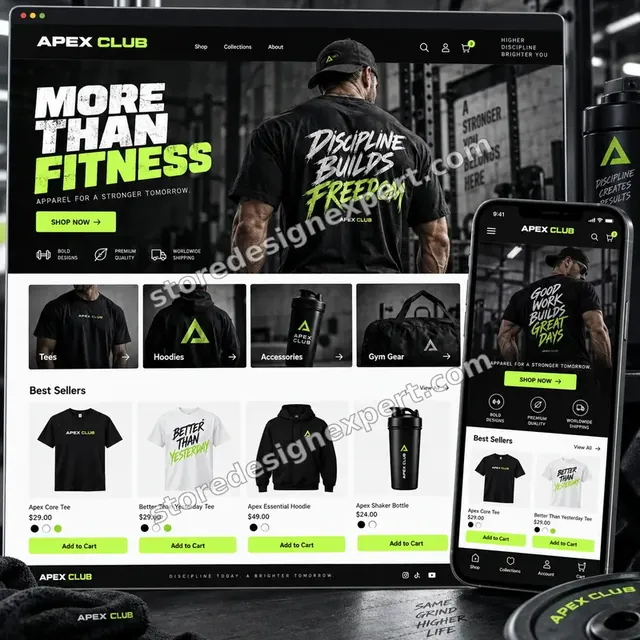
Apex Club Fitness apparel Shopify Visual
Fitness apparel
Stronger Daily Fitness Shopify Visual
Fitness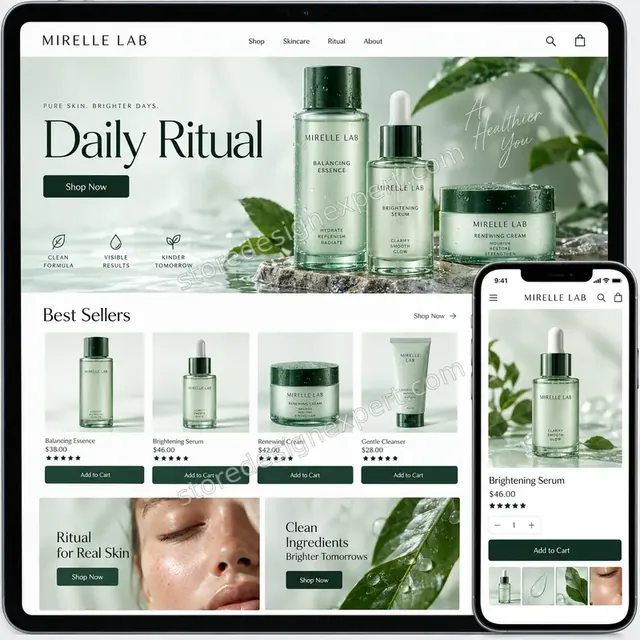
Premium Skincare Shopify Product Merchandising
Premium skincare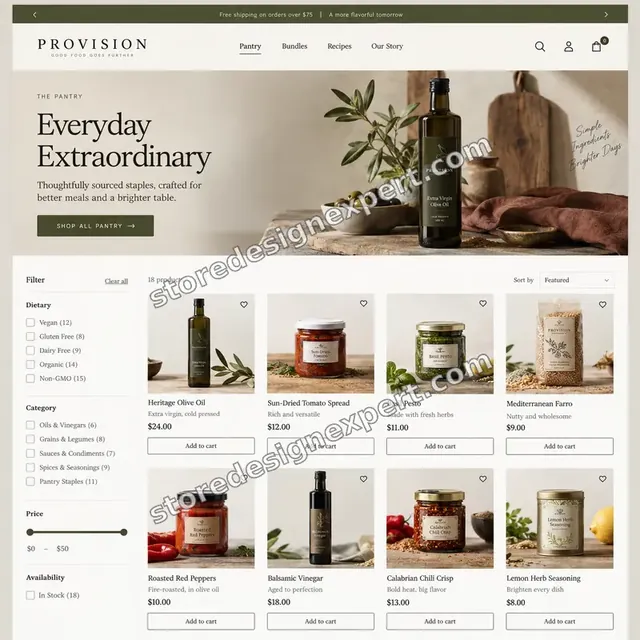
Provision Food Shopify Visual
Food
Sonora Audio Shopify Visual
AudioProcess and timeline
How We Build Your Zagomail Integration, Step by Step
We follow the same six steps on every build, which is why the price can be fixed.
- 1
Brief and scope
We ask what you sell, how Zagomail is used and which events matter. A short review of your orders and subscribers shows where the flow should start and what it must never do.
- 2
Access and connection
You approve narrow access to Shopify and Zagomail, using an API key or an OAuth sign-in. We confirm the connection with a live read before building on it.
- 3
Map and rule
Email address, marketing consent, order total and last product bought are matched across both tools, and we record who wins each conflict and how blanks are treated.
- 4
Build in a copy
The flow is built against test data, never your live records. You see the plan and, where useful, a recorded run.
- 5
Test on real cases
We run a new subscriber, a repeat buyer and a refunded order, then refunds and edits, and verify each outcome against what the store shows.
- 6
Go live and hand over
When you say go, the flow goes live. We watch the first runs and leave you notes, a diagram and a recorded walkthrough.
Compare your options
Which Route Fits: DIY, Platform, Gig or Specialist Build?
There are four common ways to connect Shopify and Zagomail. This table compares the checks that decide whether the data stays right, whether failures are noticed and whether you can hand the link on.
| What matters | Native app or DIY | Zapier, Make or n8n | Marketplace seller | Store Design Expert |
|---|---|---|---|---|
| Careful field-by-field mapping | Out-of-the-box fields | Yes, if you build it | Varies | Yes |
| Retries cannot create duplicates | Easy to overlook | If you add it | Seldom | Yes |
| Alerts when something breaks | No | Optional extra | Seldom | Yes |
| Tested on refunds and edits | Not often | If you test | Varies | Yes |
| Cost agreed before any work | Plan fees only | Plan fees and your time | Yes | Yes |
| Notes and a recorded walkthrough | No | No | Rarely | Yes |
| You own every account | Yes | Yes | Check first | Yes |
| Help after go-live | Vendor support | Platform support | Varies | Support window included |
Inside every project
What Keeps Your Store and Zagomail Data Safe
Careful beats fast when personal data is involved. These are the habits behind every build.
Build in a copy, never live
The flow is built and tested against test data. Your live orders and subscribers are untouched until you approve.
A written definition of done
The flow counts as finished only when a new subscriber, a repeat buyer and a refunded order all pass and are logged.
Failures raise a flag
When a run fails, a named person is told which order and why. Silence is never taken as success.
Narrow access, in your name
We request only the permissions the flow needs, via an API key or an OAuth sign-in, and you own every account.
Nothing sent without approval
Every customer-facing message is reviewed with you first, then switched on.
Counts compared, not assumed
Once data is loaded, we count both sides, so missing or doubled records show up early.
Interactive price calculator
Choose Your Zagomail and Shopify Package
Start with the scope that matches your store, then adjust for volume, direction and history. You see the fixed price before you pay.
Request a custom quote
If your Zagomail setup uses custom code, a private API, an on-premise system or more than one store, send a short brief and we will quote it as a fixed-price project.
Request a QuoteChanged your mind? Choose Single Workflow, Core Workflows or Full Integration above to return to the instant calculator.
Packages and comparison
Zagomail Integration Package Comparison
Here is each package line by line. When you compare our fee with a marketplace listing for Shopify Zagomail integration, count how many of these checks the cheaper offer actually names.
| What is included | Single Workflow $390 | Core Workflows $790Recommended | Full Integration $1,490 |
|---|---|---|---|
| Zagomail connected using an API key or an OAuth sign-in | Included | Included | Included |
| First trigger built: a customer signs up | Included | Included | Included |
| Mapping for email address, marketing consent and order total | Included | Included | Included |
| A unique key on every write | Included | Included | Included |
| Test log and recorded handover | Included | Included | Included |
| Events handled: a customer signs up; an order is paid; a cart is abandoned | Not included | Included | Included |
| Mapping extended to last product bought and custom fields | Not included | Included | Included |
| Filtering on tags, countries and totals | Not included | Included | Included |
| Retries, plus an alert when a run fails | Not included | Included | Included |
| Two-way sync, each field with its own rule | Not included | Not included | Included |
| History load of previous subscribers | Not included | Not included | Included |
| Monitoring for 14 days after launch | Not included | Not included | Included |
| A runbook your team can follow | Not included | Not included | Included |
| Typical delivery | 3 to 5 days | 5 to 9 days | 8 to 14 days |
The calculator above is the source of truth for your final price and delivery estimate.
Why Store Design Expert
Why Owners Choose Our Shopify Zagomail Integration Over Doing It Alone
Most of this job is clicking, and you could do it. People hire us because the unglamorous parts, ids, timing and edge cases, decide whether the connection helps or hurts.
Experience since 2015
We have launched more than 450 Shopify stores since 2015 and met most of the quirks that trip up integrations.
We live inside Shopify
Orders, refunds, edits and metafields are what we handle every day, which is a different skill from knowing Zagomail's menus.
A price you can plan around
Prices and extra days are visible for each package and option. Plan fees for Zagomail come from Zagomail directly; its pricing page has the latest.
Tested on your real cases
We check against your own cases, like a new subscriber, a repeat buyer and a refunded order.
Safety designed in
Retries, alerts, unique keys and limited access come as standard in every build.
A direct line to the builder
Your messages reach the builder who has your flow open, so trigger and field questions get clear answers.
What we need to get started
What to Prepare Before We Start Your Zagomail Integration
The list is short. Most owners have everything ready in a day.
Approve a collaborator request
If the store is live, send us its address and approve our request. Ownership stays with you, our role is limited, and removal takes one click.
Starting from nothing? We build first
Without a store, we build one in a Partner account with Zagomail connected, then transfer it to you. You pick a plan once everything works.
Or share a staff login
A staff account is an option. The collaborator route is still better, as it can be cancelled instantly and involves no shared password.
Your Zagomail access
You can create the account and invite us, or we can create it with your email. In both cases you hold the owner role, and we connect using an API key or an OAuth sign-in.
Sample records
Tell us where typical records live, or send a handful from each system. Real examples beat assumptions.
A decision-maker
We need one person to approve the plan and the test, plus a rule for what wins when Zagomail and Shopify clash.
Your Shopify owner password and card details never reach us. Changes are made in a copy, and we note every setting we touch.
Testimonials
Client Words, Not Ours
Real owners, real stores, in their own words.
Verified
The website development work was truly impressive. Their attention to detail and ability to exceed expectations made the project a success. Working with them was a breeze, thanks to quick responsiveness and a willingness to go above and beyond.
KD
Kevin D.United States
Verified
Super great to work with, and super fair!
RO
Robert O.United States
Verified
Store Design Expert was very knowledgeable about what I needed done to fix my Shopify store and how to improve the store layout. The project was completed very quickly, and I will definitely use them for support as my business grows.
ST
Samuel T.United States
Verified
Very satisfied with the work. Most importantly, Store Design Expert responded promptly to my questions and concerns. Thank you!
KB
Kyle B.United States
Verified
Outstanding work and outstanding customer service. Five stars! I will absolutely use Store Design Expert again for my next book.
KM
Katharine M.United States
Verified
Store Design Expert was great! They delivered exactly what I asked for and even offered helpful extra suggestions. Highly recommended.
PW
Paul W.United States
Verified
I request Store Design Expert every time I have a project. They are professional and give real attention to detail, which makes the work stand out.
LK
Laura K.United States
Verified
They kept communicating until the problem was fully resolved, and the result was great.
HJ
Henry J.United States
Verified
Super helpful and patient. I am new to ecommerce and Store Design Expert talked me through the whole process and even fixed my payment bridging for me!
LR
Lois R.United Kingdom
FAQ
Zagomail Integration FAQs
Answers on cost, timing, access, data and what to do when the connection misbehaves.
How much does Shopify Zagomail integration cost?
Single Workflow costs $390, Core Workflows $790 and Full Integration $1490. Order volume, data direction, existing Zagomail data and add-ons change the total, and the calculator shows it before you pay. Most projects land between about $390 and $2090, with delivery from 3 to 14 working days.
How long does the Zagomail integration take?
Single Workflow takes 3 to 5 working days, Core Workflows 5 to 9 and Full Integration 8 to 14. The usual variables are how much history you want loaded and how quickly you approve the test results. The Sooner and Fastest options shorten the schedule when a launch date is fixed.
Does Zagomail integrate with Shopify?
Per directories, yes.
Is the App Store app available?
Its page says not. Searches like "zagomail shopify email marketing abandoned cart purchase confirmation zapier albato tags subscribers app store unavailable getapp" lead to the same build.
Which flows are listed?
Abandoned cart, purchase confirmation. Another way to phrase it: "shopify to zagomail sync"; this page covers that too.
What does Albato do?
Tags and subscribers. If you typed "zagomail shopify zapier", this is the page for it.
Who confirms status?
Zagomail support. The same service covers "zagomail shopify make.com".
What does it cost?
Fixed price from $390 plus tool fees. Searches like "zagomail shopify n8n" point to this service.
Can you build it?
Yes.
Ready when you are
Get Your Shopify Zagomail Integration Done
Select a package, watch the fixed price settle and order a Shopify Zagomail integration build from a team that has launched 450+ Shopify stores. The connection is tested on real cases before you are asked to approve anything.
- Secure checkout
- Two revision rounds
- Test log and walkthrough included