
Shopify stores designed and launched
Shopify to Fillout Forms, built by specialists
Shopify Fillout Forms Integration, Connected, Tested and Documented
A Shopify Fillout Forms integration works by embedding forms on your store and sending submissions into Shopify through Zapier, Make or Relay.app. A submission can create a customer or order, generate a gift card or update an order. Fillout's embeds come as standard, popup, full screen or slider. We build, test and hand over, from $390.
- Form embedded in the style you choose
- Submission fields mapped to customer, order or gift card
- Spam and duplicate checks
- Test log and a recorded handover
From$390
Delivery3 to 14 working days
Revisions2 rounds
Our track record
450+ Shopify Stores Launched Since 2015. Your Fillout Forms Connection Gets the Same Care.
Any Fillout Forms and Shopify connection earns its keep only when the data is right on everyday orders. Having spent a decade building stores, we know where orders, customers and products most often break an integration, and we design around it.
Average rating from verified clients
Building Shopify stores since
Secure checkout
Pay through a protected checkout and keep a full order record.
Two revision rounds
Included in every package, so the result matches what you pictured.
Backup before changes
We work on a duplicate of your theme, never on your live store.
Who this is for
Who Our Shopify Fillout Forms Integration Service Is For
A form is useful when its answers reach the order or customer. These are the cases we build for.
You are a good fit if
- Your orders come through Shopify
- Fillout Forms is, or will be, in your toolset
- You would rather pay once than by the hour
- You can review a test run with us
Stores collecting custom requests
Answers can become a Shopify order through Zapier.
Stores signing up customers
A new submission can create a Shopify customer.
Stores giving rewards
Zapier lists gift card creation from a submission.
Teams choosing a look
Fillout embeds as standard, popup, full screen or slider.
Teams on polling plans
Scheduled triggers can run up to 15 minutes apart.
Teams expecting a plug-in
One comparison says embedding or webhooks are the standard paths.
Problems solved
Shopify Fillout Forms Integration: Six Faults We Fix First
Form flows fail on mapping and spam. These are the six faults we fix.
The problem
Fields unmapped
The outcome
Answers never reach the order. We map each question.
The problem
Spam submissions
The outcome
Fake orders are created. We add checks.
The problem
Duplicate customers
The outcome
A resubmission creates a second record. We match on email.
The problem
Embed looks wrong
The outcome
The form breaks the page. We test every embed style on mobile.
The problem
Slow triggers
The outcome
Submissions lag. We pick instant triggers where available.
The problem
No handover
The outcome
Setup is unwritten, so the next change starts from guesswork. We write down the triggers, fields and tests.
What we can do
Six Parts of a Reliable Fillout Forms and Shopify Connection
How we connect Fillout Forms and Shopify, in order.
Embed
Style.
Connect
Tool.
Map
Fields.
Guard
Spam.
Test
Real form.
Handover
Notes and recording.
What is included
The Fillout Forms Integration Checklist, Group by Group
Deliverables fall into six groups. The package table further down shows how much of each group a given price covers, so the gap between packages is easy to judge.
Connection
- Live read confirmed before any build
- Roles and permissions reviewed with you
- Connection health check scheduled
- Shopify permissions kept to the minimum
Triggers
- Order of events checked
- Trigger built for when a survey is completed
- Each trigger tested on its own
- Flow starts when a form is submitted
Mapping
- Custom fields added to the map
- Respondent email mapped on both sides
- Answers and score matched, formats included
- Who wins each field, in writing
Safety
- Throttling within limits
- Opt-outs and consent carried across
- A daily check catches silent stops
- Failure alerts to a named person
Testing
- Tested with a half-filled form
- Scenario tested: a complete form
- Refund and edit cases checked
- We watch the first live runs
Handover
- Ownership with you
- Revisions: two rounds included
- Questions answered after launch
- A diagram of the data paths
You share access, answer a short brief and confirm the test results. Everything else, from the first connection to the final log, is ours.
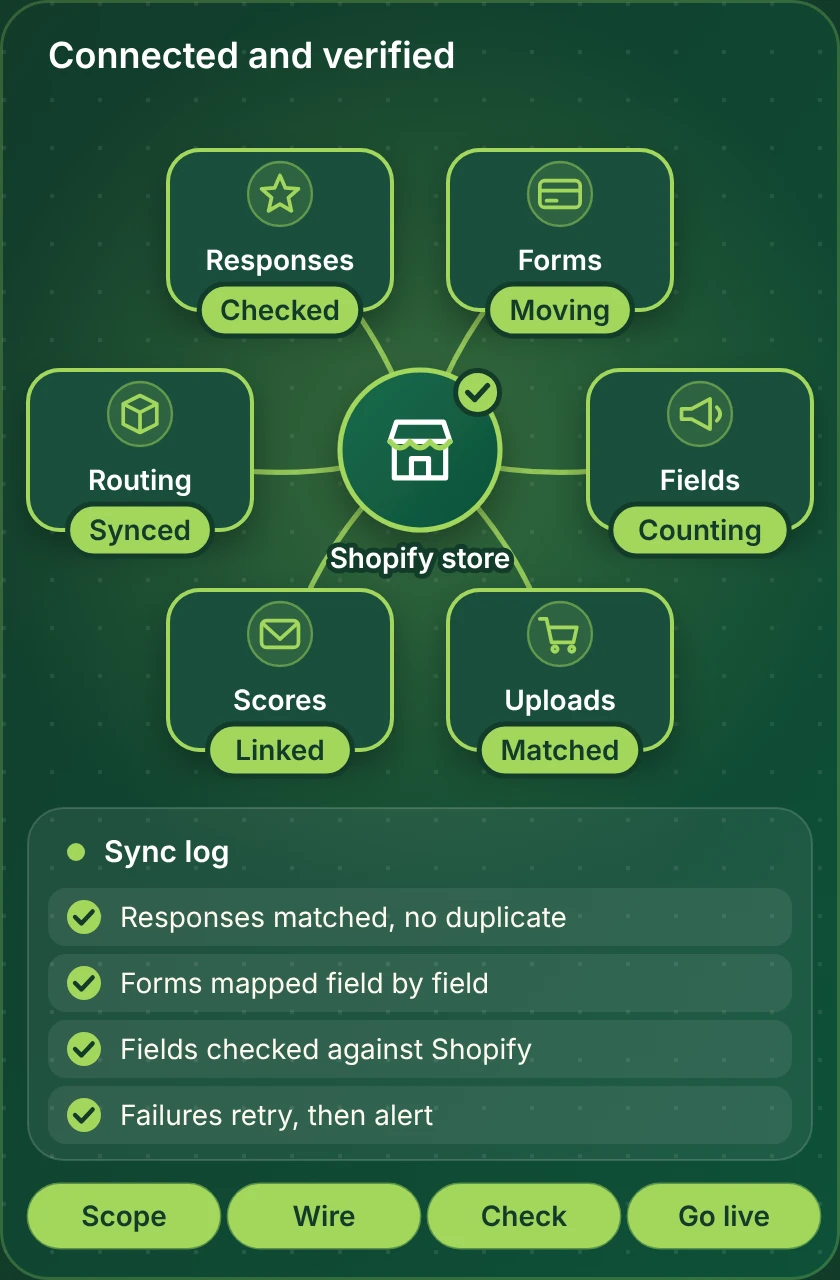
The connection, mapped
How Shopify Fillout Forms Integration Moves Data Between Shopify and Fillout Forms
Picture the build as a short chain: event, check, write, log. Each link is tested on its own and again as a whole, with real orders, before we ask you to approve anything.
Portfolio
Stores We Designed, Ready to Connect to Fillout Forms
Integrations sit behind the storefront, so here is the storefront we build. Imagine each store below with responses flowing into Fillout Forms.
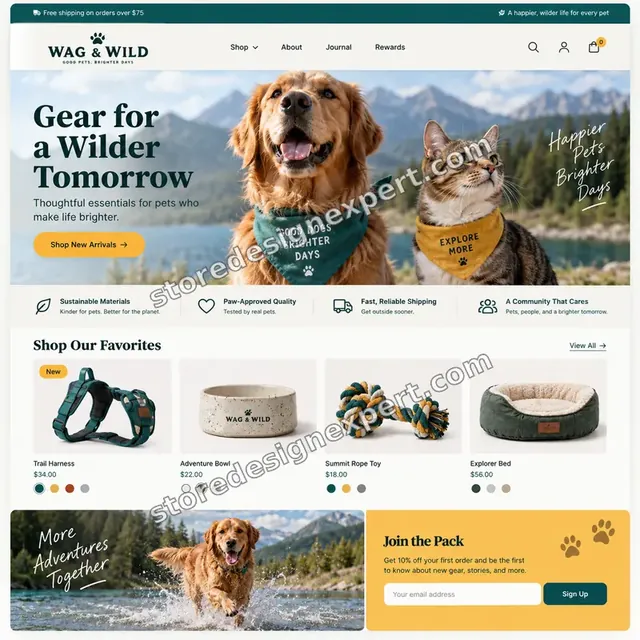
Wag & Wild Pet Shopify Visual
Pet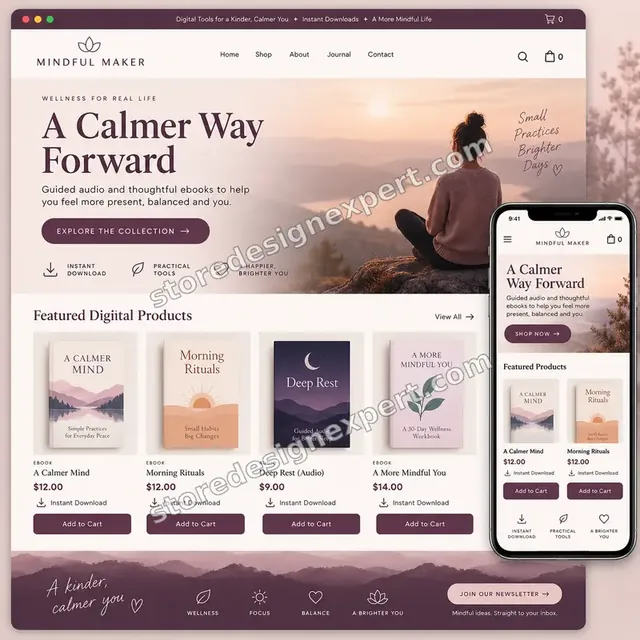
Mindful Maker Wellness ebooks Shopify Visual
Wellness ebooks
Ink & Willow Wall art Shopify Visual
Wall art
Beauty Tools Dropshipping Store
Beauty tools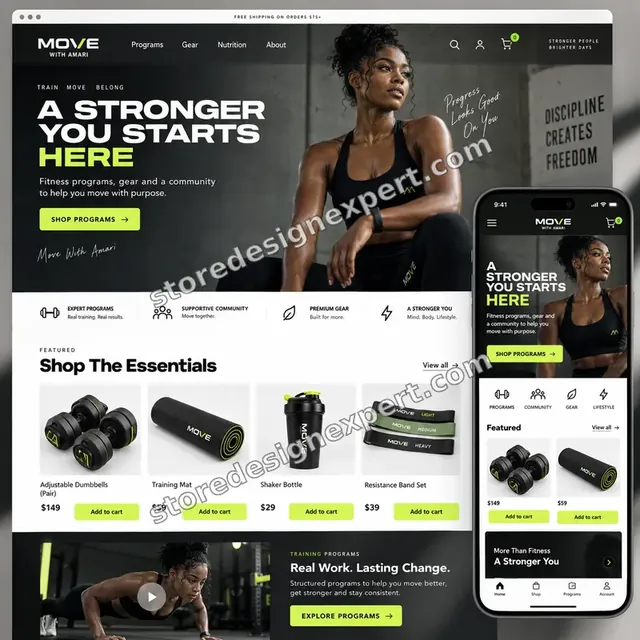
Table By Nia Food creator Shopify Visual
Food creator
Pureline Professional Salon supplies Shopify Visual
Salon suppliesProcess and timeline
From First Call to Live Sync: Our Shopify Fillout Forms Integration Process
A fixed order of work keeps the project predictable. You know what happens next at every point.
- 1
Brief and scope
We ask what you sell, how Fillout Forms is used and which events matter. A short review of your orders and responses shows where the flow should start and what it must never do.
- 2
Access and connection
Access is narrow and approved by you, using an API key or a connected account. A live read proves the connection works before any build begins.
- 3
Map and rule
Together we map respondent email, answers, score and form id, decide which system wins each clash and write down how blanks behave.
- 4
Build in a copy
We build against test data, not your live records, and show you the plan and a recorded run where it helps.
- 5
Test on real cases
We test a complete form, a half-filled form and an upload, plus refunds and edits, then compare the results with what Shopify shows.
- 6
Go live and hand over
When you say go, the flow goes live. We watch the first runs and leave you notes, a diagram and a recorded walkthrough.
Compare your options
Fillout Forms Native App, Automation Platform, Freelance Gig or Our Shopify Fillout Forms Integration?
Cheap is not always the best value. These rows show where the differences appear.
| What matters | DIY with Fillout Forms | Zapier or Make | Gig marketplace | Store Design Expert |
|---|---|---|---|---|
| Fields mapped on purpose | Basic defaults | When you set it up | Hit and miss | Yes |
| Retries cannot create duplicates | Often missed | Possible with effort | Not usually | Yes |
| Failures alert a named person | No | If you add it | Rarely | Yes |
| Refunds and edits included in testing | Seldom | If you test it | Depends | Yes |
| Cost agreed before any work | Just plan fees | Plan fees plus your time | Yes | Yes |
| Notes and a recorded walkthrough | No | No | Seldom | Yes |
| Accounts stay in your name | Yes | Yes | Depends | Yes |
| Aftercare | Help desk of the vendor | Help desk of the platform | Depends | Support window included |
Inside every project
What Keeps Your Store and Fillout Forms Data Safe
Careful beats fast when personal data is involved. These are the habits behind every build.
Failures raise a flag
A failed run alerts a named person with the order and the reason. Silence never means success.
Nothing sent without approval
Anything that emails, texts or posts to a customer is reviewed with you before it is switched on.
A written definition of done
The flow counts as finished only when a complete form, a half-filled form and an upload all pass and are logged.
Narrow access, in your name
The smallest workable access, set up through an API key or a connected account, with all accounts in your name.
Build in a copy, never live
Everything is built and tested on test data, so your live orders and responses stay untouched until you approve.
Secrets kept in a vault
We store tokens and keys in a vault and never paste them into documents or messages.
Interactive price calculator
Price Your Shopify Fillout Forms Integration
Pick a package, answer three short questions and add any extras. Your total and delivery window update as you click, with nothing hidden until checkout.
Request a custom quote
Custom objects, unusual authentication, several Shopify stores feeding one Fillout Forms account, high-volume stores above 10,000 orders a month, and builds that need your own servers are quoted separately at a fixed price.
Request a QuoteChanged your mind? Choose Single Workflow, Core Workflows or Full Integration above to return to the instant calculator.
Packages and comparison
Fillout Forms Integration Package Comparison
Here is each package line by line. When you compare our fee with a marketplace listing for Shopify Fillout Forms integration, count how many of these checks the cheaper offer actually names.
| What is included | Single Workflow $390 | Core Workflows $790Recommended | Full Integration $1,490 |
|---|---|---|---|
| Fillout Forms linked with an API key or a connected account | Included | Included | Included |
| Trigger for the event: a form is submitted | Included | Included | Included |
| Respondent email, answers and score matched across both tools | Included | Included | Included |
| Retries can never create a second record | Included | Included | Included |
| Written test log and video handover | Included | Included | Included |
| Triggers for when a form is submitted, when a survey is completed and when an order is paid | Not included | Included | Included |
| Form id and custom fields added to the map | Not included | Included | Included |
| Tag, country and value filters | Not included | Included | Included |
| Automatic retries with failure alerts | Not included | Included | Included |
| Two-way sync, each field with its own rule | Not included | Not included | Included |
| A one-off catch-up of earlier responses | Not included | Not included | Included |
| A fortnight of run checks after launch | Not included | Not included | Included |
| Team runbook in plain English | Not included | Not included | Included |
| Typical delivery | 3 to 5 days | 5 to 9 days | 8 to 14 days |
The calculator above is the source of truth for your final price and delivery estimate.
Why Store Design Expert
Why Owners Choose Our Shopify Fillout Forms Integration Over Doing It Alone
Templates cover the happy path. We cover the rest, and we put the result in writing.
A price you can plan around
Every package and option shows its price and extra days in the calculator. Any Fillout Forms plan fees are billed to you by Fillout Forms, so check its current pricing page.
Experience since 2015
Over 450 Shopify stores since 2015 mean we have seen most of the odd cases that break integrations.
Safety designed in
Every build includes retries, alerts, unique keys and narrow access; none are paid extras.
4.9+ from verified clients
You can read verified client reviews on this page before paying, so past results are visible.
Notes a colleague can follow
Handover notes record the data paths and the choices behind each setting, ready for whoever works on it next.
A direct line to the builder
Your messages reach the builder who has your flow open, so trigger and field questions get clear answers.
What we need to get started
Getting Started: What We Ask For
We need a way into your store, a Fillout Forms account and a short brief. Pick the access route that suits you.
Approve a collaborator request
Already selling? Send the store address and accept the request we raise. You stay the owner, we see only what the role permits, and you can remove us at any time.
Starting from nothing? We build first
We can assemble the store in our own Shopify Partner account, connect Fillout Forms there, then hand the whole store over by ownership transfer. You pick a Shopify plan only at the end.
Or share a staff login
A staff account is an option. The collaborator route is still better, as it can be cancelled instantly and involves no shared password.
Your Fillout Forms access
Create the account yourself and invite us, or ask us to create it with your email. Either way you hold the owner role, and we use an API key or a connected account.
Sample records
Two or three representative records from each side are enough. They show us the true shape of your data.
A decision-maker
We need one person to approve the plan and the test, plus a rule for what wins when Fillout Forms and Shopify clash.
Your Shopify owner password and card details never reach us. Changes are made in a copy, and we note every setting we touch.
Testimonials
Client Words, Not Ours
Real owners, real stores, in their own words.
Verified
Store Design Expert delivered an outstanding website development experience! Their professionalism and attention to detail exceeded my expectations, and their proactive communication kept everything running smoothly. Truly impressed by their deep understanding and dedication.
WG
Warren G.United States
Verified
Very impressed with the build-out. My store is ready to get started, and I am sure I will reach out for edits down the road, but this is everything I could ask for to get the party started. Thanks again, and I will be in touch for future projects.
DH
Dale H.United States
Verified
Very quick and detailed work! Store Design Expert does exactly what you want, in a very professional manner.
LF
Lena F.Germany
Verified
Store Design Expert did an outstanding job with top-notch professionalism on my website project. Everything was delivered quickly without compromising quality. I could not have asked for better!
JM
Jason M.United States
Verified
The website development work was nothing short of professional, with top-notch quality. Their exceptional level of cooperation made the collaboration seamless and enjoyable. Highly recommend working with Store Design Expert!
JC
Jeremy C.United States
Verified
Super great to work with, and super fair!
RO
Robert O.United States
Verified
The website development work was truly impressive. Their attention to detail and ability to exceed expectations made the project a success. Working with them was a breeze, thanks to quick responsiveness and a willingness to go above and beyond.
KD
Kevin D.United States
Verified
Store Design Expert was very knowledgeable about what I needed done to fix my Shopify store and how to improve the store layout. The project was completed very quickly, and I will definitely use them for support as my business grows.
ST
Samuel T.United States
Verified
Very satisfied with the work. Most importantly, Store Design Expert responded promptly to my questions and concerns. Thank you!
KB
Kyle B.United States
FAQ
Questions About Fillout Forms and Shopify Integration
Answers on cost, timing, access, data and what to do when the connection misbehaves.
How much does Shopify Fillout Forms integration cost?
Single Workflow costs $390, Core Workflows $790 and Full Integration $1490. Order volume, data direction, existing Fillout Forms data and add-ons change the total, and the calculator shows it before you pay. Most projects land between about $390 and $2090, with delivery from 3 to 14 working days.
How long does the Fillout Forms integration take?
Single Workflow takes 3 to 5 working days, Core Workflows 5 to 9 and Full Integration 8 to 14. The usual variables are how much history you want loaded and how quickly you approve the test results. The Sooner and Fastest options shorten the schedule when a launch date is fixed.
Does Fillout have a Shopify app?
Not a plug-and-play one per one comparison.
How is it embedded?
Standard, popup, full screen or slider. The same service covers "fillout forms shopify embed customers orders zapier".
What can a submission create?
A customer, order or gift card. You may also see it searched as "shopify to fillout forms sync"; this page covers that too.
How fast are triggers?
Instant where offered, otherwise up to 15 minutes. If you typed "connect shopify and fillout forms", this is the page for it.
Can forms be sent to new customers?
Zapier lists that template. Queries such as "fillout forms shopify zapier" point to this service.
What does it cost?
Fixed price from $390 plus tool fees. This also answers "fillout forms shopify make.com".
Can you build it?
Yes. Related searches such as "fillout forms shopify n8n", you are in the right place.
Ready when you are
Book Your Shopify Fillout Forms Integration Build
You have seen the process, the safeguards and the price. The next step is to select a package and tell us how your store works. This page covers Shopify Fillout Forms integration.
- Secure checkout
- Two revision rounds
- Test log and walkthrough included