
Shopify stores designed and launched
Robots.txt configuration and fix for Shopify
Shopify Robots.txt Configuration and Fix, Tested Against the Live File
One wrong line in a Shopify robots.txt can hide a collection from Google, and one missing line can let crawlers burn through endless filter pages. We read the file your store serves today, correct it in the robots.txt.liquid template without breaking Shopify's defaults and test the result from $250. We have built 450+ Shopify stores since 2015 and hold a 4.9+ score from verified customers. Price your fix in the calculator.
- Live file read line by line against your real URL structure
- Edits made in robots.txt.liquid so Shopify keeps updating its defaults
- Blocked collections, pages and sitemap URLs found and freed
- Crawl traps from filters, sorting and internal search closed
From$250
Delivery1 to 6 working days
Revisions2 rounds
Our track record
Over 450 Shopify Stores Launched Since 2015, Each With a Crawl Plan in Mind
Building stores gives us a practical view of what crawlers meet: theme filters, search pages, apps that add parameters and policies that should never rank. That is the context in which every rule we write is judged.
Average rating from verified clients
Building Shopify stores since
Secure checkout
Pay through a protected checkout and keep a full order record.
Two revision rounds
Included in every package, so the result matches what you pictured.
Backup before changes
We work on a duplicate of your theme, never on your live store.
Who this is for
Who Needs Help With Their Shopify Robots.txt
Few owners open this file by choice. They come to us because Search Console printed a warning, a developer pasted something risky or a ranking page quietly stopped being crawled.
You are a good fit if
- Your store runs on Shopify's Liquid themes
- You want to protect pages you wish to rank
- You prefer a fixed price to an unknown bill
- You want every change explained in plain language
Owners with a blocked-page warning
Search Console says pages are blocked by robots.txt, or indexed even though blocked. You need to know which rule is responsible and whether the page should have been blocked at all.
Stores whose key collection vanished from Google
A collection that used to bring traffic has dropped without a content change. A stray Disallow pattern is one of the first places we look.
Catalogs drowning in filter URLs
Faceted navigation and sort options create thousands of near-duplicate addresses. You want crawlers kept on pages that deserve to rank.
Teams who tried a Shopify robots.txt edit from a forum snippet
Someone pasted a rule block from a tutorial and nobody remembers what it does. We review it, keep what helps and remove what harms.
Brands running Markets or several domains
Different hosts may need different treatment, and the template can branch by domain. A rule right for one storefront may be wrong for another.
Anyone wary of editing theme code
Shopify support will not touch this file and a typo is easy to make. You would rather hand it to someone who tests before saving.
Problems solved
What Goes Wrong With a Shopify Robots.txt File
The default file Shopify serves is sensible, so trouble nearly always arrives through a custom edit, an app or a misunderstanding of what the file can do. These are the causes we meet most often.
- A broad Disallow hides pages that should rank.
A pattern meant for one path can match far more through wildcards. We test each rule against a list of your real addresses and tighten any pattern that reaches too far.
- Pages are indexed even though they are blocked.
Blocking a page stops crawling, not indexing, and Google cannot read a noindex tag on a page it may not fetch. We choose the right tool for each URL: allow it, noindex it or keep it blocked.
- A pasted static file replaced the template.
Swapping the whole file for plain text throws away Shopify's maintained defaults. We rebuild the logic using the Liquid objects Shopify provides, so default rules continue to update.
- Filter and sort combinations run wild.
Parameter URLs from filter apps or the theme are not always covered by the defaults. We crawl a sample, find the patterns and add precise rules for them.
- Sitemap URLs collide with crawl rules.
A custom line can block addresses that the sitemap lists, producing a contradiction that Search Console reports. We align the two, so every listed page is also fetchable.
- Hopes that the file cannot satisfy.
Robots.txt cannot remove a page from results, hide private data or stop badly behaved bots. We say so up front and point to the right fix instead.
What we can do
What Our Shopify Robots.txt Service Can Do
When people ask how to edit robots.txt file in Shopify, they usually mean one change. The safe version of that job has six parts, from reading the live file to checking what Google saw afterwards.
A review of your Shopify robots.txt file
We fetch the file as Google would, group by group, and compare it with Shopify's standard output. Anything that differs, such as extra Disallow lines or a lost sitemap line, is flagged with a reason.
Clean Shopify robots.txt.liquid edits in the template
We add or adjust rules through the template's objects, using whitespace control and conditions, so the output stays valid. The template is tested in a duplicate theme before it goes live.
Freeing blocked collections and pages
We trace each blocked page to its pattern, then decide whether to narrow the rule, add an Allow line or remove it. Longer, more specific rules win in Google's matching, and we use that deliberately.
Closing crawl traps
Internal search results, sort orders, preview parameters and filter stacks can be kept out of the crawl with precise lines, while the clean category pages stay open.
Per-domain and per-bot logic
With the request object we write separate behavior for each domain in a Markets setup, and with user-agent groups we set distinct rules for named crawlers, including AI training bots if you choose to restrict them.
Testing in Search Console afterwards
After saving we check the robots.txt report, request a sample of key pages and watch the Pages report for the blocked and indexed-though-blocked statuses to settle.
What is included
What a Shopify Robots.txt Fix Includes
The work is arranged in six workstreams so that you can see where each part of the price goes. The comparison table below the calculator shows which tiers include which lines.
Read and compare
- Live file fetched and read group by group
- Output compared with Shopify's standard rules
- Custom lines and pasted blocks identified
- Sitemap line checked
Template edit
- Edits made in robots.txt.liquid, never plain text
- Rules placed inside the correct user-agent group
- Whitespace and syntax validated
- Trial in a duplicate theme before publishing
Blocked pages
- Each blocked URL traced to its rule
- Patterns narrowed or Allow lines added
- Indexed-though-blocked pages sorted into allow, noindex or block
- Key pages requested for recrawl
Crawl traps
- Filter and sort parameter patterns found by crawl
- Internal search and preview URLs closed
- Collection and product pages left open
- Duplicate paths from tags reviewed
Domains and bots
- Host-based rules for Markets setups
- Named crawler groups reviewed
- Optional limits for AI training crawlers
- Crawl-delay handled where it has any effect
Report and handover
- Plain-language list of every change
- Copy of the old and new template
- Recorded tour of the Search Console report
- Two revision rounds on the written notes
Whether you need a Shopify robots.txt allow line for a collection that was hidden by mistake or a Shopify robots.txt disallow rule for a parameter trap, each edit is written, tested and logged before it reaches the live file.
See the check
How Each Crawl Rule Is Checked Before It Goes Live
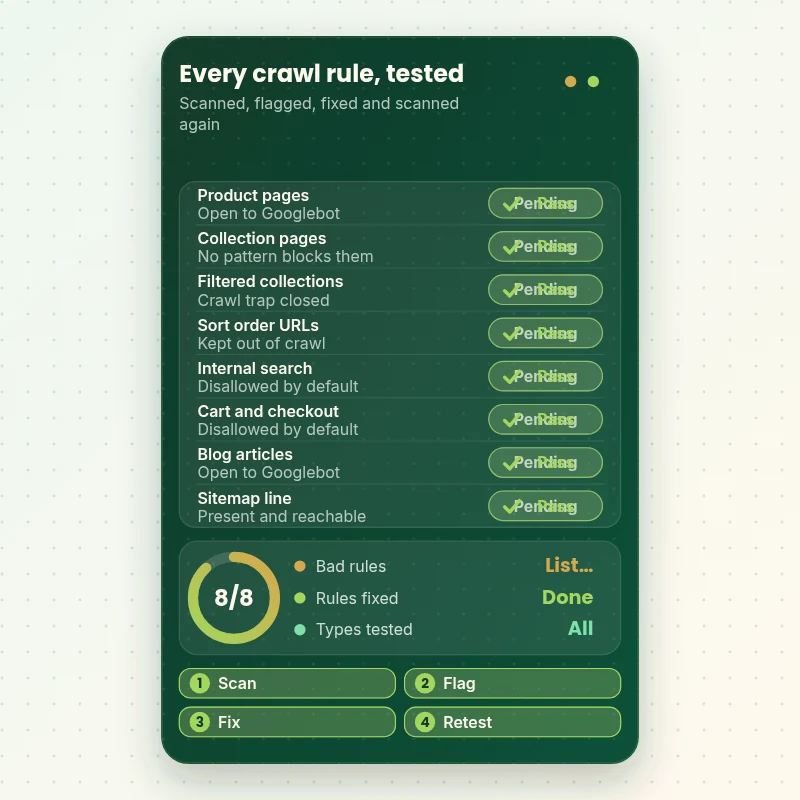
Follow a rule from your live file to a verified result. We scan the key page types, flag any that crawlers cannot reach or should not reach, correct the rule in the template and run the same scan again, so each line is proven rather than assumed.
Portfolio
Store Design Styles We Build
A look at store designs across fashion, home, beauty, pets and gifts, to show the standard of layout and finish behind Shopify Robots.txt Configuration and Fix.

Jewelry store design
Jewelry
Design templates store design
Design templates
Outdoor drinkware store design
Outdoor drinkware
Barber store design
Barber
Travel creator store design
Travel creator
Skincare store design
SkincareProcess and timeline
How a Shopify Robots.txt Fix Runs, From Read to Retest
We never edit your live theme first. Rules Review finishes in 1 to 2 working days, and the calculator shows the timing for larger or multi-domain stores.
- 1
Fetch the file and the template
We load your robots.txt in a browser and open the robots.txt.liquid template, if one exists. Any difference between what is served and what Shopify would serve by default is noted.
- 2
Test the rules against real URLs
We take a list of your actual product, collection, blog and parameter addresses and check each against the rules, so nothing depends on guessing what a pattern matches.
- 3
Write the change in a duplicate theme
Edits are made in a copy of the theme, with Liquid objects rather than plain text. We preview the output file and read it line by line before anything goes live.
- 4
Publish after your approval
You review the list of changes in plain language. When you agree, we publish the template and open the live file again to confirm it matches what we tested.
- 5
Check Search Console
We read the robots.txt report, request a sample of key pages and watch the Pages report for the blocked statuses to clear, noting how long Google takes to return.
- 6
Hand over the log
You get a copy of the old and new template, a note on each rule and a short guide to making future edits without risk, plus a recorded tour of the report.
Compare your options
Pasted Snippet, Gig, Freelancer or Our Shopify Robots.txt Service?
People who need this file corrected tend to choose between a guide's snippet, a cheap gig, a contract developer and an agency. The rows below show how each handles the points that make an edit safe or harmful.
| What matters | Pasted snippet | Marketplace gig | Freelance developer | Store Design Expert |
|---|---|---|---|---|
| Rules tested against your real URLs | No | Rarely | Varies | Yes |
| Edit built on Shopify's default groups | Often not | Rarely | Varies | Yes |
| Trial in a duplicate theme first | No | No | Sometimes | Yes |
| Choice between block, allow and noindex explained | No | Rarely | Varies | Yes |
| Per-domain rules for Markets | No | No | Extra cost | Yes |
| Search Console recheck included | No | Rarely | Extra cost | Yes |
| Old file kept for instant rollback | Check it | Rarely | Varies | Yes |
Inside every project
What Protects Your Rankings While We Edit Crawl Rules
A single mistyped pattern can hide a catalog without any visible error, so we work in a fixed sequence. Every project carries the safeguards below.
A duplicate theme first
Every change is built and previewed in a copy of your theme. Your live file stays as it is until you have seen exactly what the new one will contain.
The old file kept intact
We save the template and the served output before editing, so reverting is a matter of pasting back what was there before, in minutes.
Rules tested on real addresses
A pattern that looks harmless can match half your catalog. We check each line against a list of your actual URLs and keep only what behaves as intended.
Limited, revocable access
Access comes through a collaborator request or a staff login of your making. Owner passwords and card numbers are not part of the job, and you can withdraw access whenever you like.
Defaults preserved
Our edits sit on top of Shopify's own objects, which means the rules Shopify maintains for you keep refreshing. A static replacement would freeze them, so we never use one.
Documented, not mysterious
Each custom rule is listed with its purpose, so a future developer can read the log and understand the file without trial and error.
Interactive price calculator
Build Your Shopify Robots.txt Package
Pick a package, then tell us how many domains the file covers, how complicated your filters are and what Search Console reports today. The fixed price and delivery window update with every choice.
Request a custom quote
If your front end is headless, your robots.txt comes from a separate application or your catalog tops 10,000 products with heavy filtering, we scope it individually and agree the fee before starting.
Request a QuoteChanged your mind? Choose Rules Review, Crawl Rules Fix or Crawl Control above to return to the instant calculator.
Packages and comparison
Shopify Robots.txt Package Comparison
Three tiers appear in the rows below, ordered from the smallest fix to the fullest. Use the calculator to add domains, filter complexity and your Search Console state, and your own fee and schedule appear.
| What is included | Rules Review $250 | Crawl Rules Fix $450Recommended | Crawl Control $790 |
|---|---|---|---|
| Live file read group by group | Included | Included | Included |
| Comparison with Shopify's default rules | Included | Included | Included |
| Edits made in the robots.txt.liquid template | Included | Included | Included |
| Trial in a duplicate theme before publishing | Included | Included | Included |
| Written list of every change | Included | Included | Included |
| Crawl sample of your own URLs | Not included | Included | Included |
| Blocked pages freed | Not included | Included | Included |
| Filter and sort traps closed | Not included | Included | Included |
| Sitemap line aligned with the rules | Not included | Included | Included |
| Search Console check after publishing | Not included | Included | Included |
| Host-based rules for Markets | Not included | Not included | Included |
| Named crawler groups set | Not included | Not included | Included |
| Recheck after Google recrawls | Not included | Not included | Included |
| Usual turnaround | 1 to 2 days | 2 to 4 days | 4 to 6 days |
For Shopify Robots.txt Configuration and Fix, the price and the delivery estimate shown in the calculator above are the ones that apply.
Why Store Design Expert
Why Owners Choose Us as Their Shopify SEO Consultant for Crawl Rules
You get specialist care for a small but risky file, at a fixed price. These are the reasons clients mention when they compare us with snippets and quick gigs.
We build Shopify themes ourselves
Our 450+ launches since 2015 taught us what Liquid templates, filters and apps do to URLs, which is why our rules suit your actual store.
We decide between block, allow and noindex
Many fixes fail because the wrong tool is chosen. We pick the right one for each page type and explain the reasoning so you can follow it.
Rated 4.9+ by verified clients
Every review below was left by an actual Store Design Expert client, which lets you judge how this kind of work went for others.
Fixed prices from $250
Each package states its fee and delivery window, with options added in the calculator before checkout. Testing patterns does not add hours to your bill.
You talk to the person editing the file
Questions go straight to the specialist, so a confusing Search Console message is explained the same day.
Your theme and data remain yours
We change one template and leave the rest of the store untouched. Anything we build in our Partner account is transferred to you on completion.
What we need to get started
What We Need to Start Your Robots.txt Fix
You do not need to find the file yourself. Choose how you would like to give us access and tell us what prompted the request.
Invite us as a collaborator
Pass us the store address and say yes to the collaborator invite, so robots.txt.liquid edits are made from your admin. The store stays in your name and one click removes us.
No live store yet
Without a live store, we set one up under our Shopify Partner account, write the crawl rules there and hand the whole thing over to you when finished, so a paid Shopify plan is only chosen at that point.
Or send a staff login
A staff account with theme permissions also works. Collaborator access is easier to revoke later, but we can begin with either.
Search Console access
Invite us to your property as a user, or send screenshots of the Pages and robots.txt reports if you prefer not to share access.
The history of the file
Tell us who last edited the file, what apps you have installed for filters or search and whether a developer pasted rules from a tutorial.
Pages that must never be blocked
List your top collections, key landing pages and anything bringing in organic sales, so we protect them first and test them last.
Your owner login and your card number are never requested. Nothing replaces your live template until you have signed off the change list, and the previous version stays saved.
Testimonials
What Store Owners Say After Launch
Verified clients describe working with Store Design Expert on builds, fixes and technical work.
Verified
Store Design Expert delivered an outstanding website development experience! Their professionalism and attention to detail exceeded my expectations, and their proactive communication kept everything running smoothly. Truly impressed by their deep understanding and dedication.
WG
Warren G.United States
Verified
Store Design Expert did an outstanding job with top-notch professionalism on my website project. Everything was delivered quickly without compromising quality. I could not have asked for better!
JM
Jason M.United States
Verified
The website development work was nothing short of professional, with top-notch quality. Their exceptional level of cooperation made the collaboration seamless and enjoyable. Highly recommend working with Store Design Expert!
JC
Jeremy C.United States
Verified
Super great to work with, and super fair!
RO
Robert O.United States
Verified
The website development work was truly impressive. Their attention to detail and ability to exceed expectations made the project a success. Working with them was a breeze, thanks to quick responsiveness and a willingness to go above and beyond.
KD
Kevin D.United States
Verified
Store Design Expert was very knowledgeable about what I needed done to fix my Shopify store and how to improve the store layout. The project was completed very quickly, and I will definitely use them for support as my business grows.
ST
Samuel T.United States
Verified
Very satisfied with the work. Most importantly, Store Design Expert responded promptly to my questions and concerns. Thank you!
KB
Kyle B.United States
Verified
Outstanding work and outstanding customer service. Five stars! I will absolutely use Store Design Expert again for my next book.
KM
Katharine M.United States
Verified
Store Design Expert was great! They delivered exactly what I asked for and even offered helpful extra suggestions. Highly recommended.
PW
Paul W.United States
Related searches
Related Searches for Shopify Robots.txt Configuration and Fix
People describe Shopify Robots.txt Configuration and Fix in different ways when they search. These are the common ones.
“how to edit robots.txt file in shopify”, “blocked by robots.txt shopify”, “shopify robots.txt file” or “shopify robots txt liquid”: owners type these when they need Shopify Robots.txt Configuration and Fix, and the packages above are priced for that job.
People who look up “shopify robots txt edit”, “how to add robots.txt in shopify”, “how to update robots.txt in shopify” or “shopify robots txt example” usually want Shopify Robots.txt Configuration and Fix; the calculator above shows the price and delivery estimate before you commit.
“how to fix blocked by robots.txt shopify”, “shopify robots.txt disallow”, “shopify robots.txt allow” or “shopify default robots.txt”: owners type these when they need Shopify Robots.txt Configuration and Fix, and the packages above are priced for that job.
Owners also search for “shopify seo consultant”, “how much does shopify seo cost” or “shopify technical seo”.
FAQ
Shopify Robots.txt FAQs
Direct answers about price, timing, safety and what the file can and cannot do for your search visibility.
How much does a Shopify robots.txt fix cost?
Rules Review starts at $250, Crawl Rules Fix is $450 and Crawl Control is $790. Extra domains, filter apps and the number of flagged pages add to the total in the calculator, and the final price appears before you pay.
How much does Shopify SEO cost compared with a robots.txt fix?
How much does Shopify seo cost depends on scope: retainers typically start in the hundreds per month and audits run from a few hundred dollars. A focused robots.txt job is a one-off project with a fixed fee, so it is far smaller.
How to edit robots.txt file in Shopify safely?
In the admin, open Online Store, Themes, Edit code and add a robots.txt template, which creates robots.txt.liquid. Edit it with Shopify's Liquid objects, not plain text, then test the served file. We do the editing in a duplicate theme first.
Can I use a Shopify robots txt example from a blog?
Use one only if you understand each line. Examples often target other platforms, or block parameters your store never creates, and wildcard patterns can match more than expected. We review any snippet you have and keep only what suits your catalog.
What is the Shopify default robots.txt?
The Shopify default robots.txt disallows areas such as the admin, cart, checkout, account, internal search, policies and sort or tag-combination collection URLs, and it lists your sitemap. It also has groups for certain bots. It suits most stores unchanged.
How to add robots.txt in Shopify if there is no template?
Shopify serves a file automatically, so nothing needs adding. If you want custom rules, you create the robots.txt.liquid template in the theme code editor and add your rules there, which is when edits begin to apply.
How to update robots.txt in Shopify without losing the defaults?
Edit the template so it loops over Shopify's default groups and adds or removes only the lines you intend. Replacing the file with plain text freezes today's rules and loses future updates. We always build on the default groups.
Why is my page blocked by robots.txt on Shopify?
A page blocked by robots.txt Shopify matches a Disallow pattern, either a default one such as /search or a custom rule. We test the page against the file, name the exact line and decide whether to narrow it, allow the page or leave it blocked.
How to fix blocked by robots.txt Shopify warnings?
Find the rule that matches, decide whether the page should be crawled, then narrow the pattern or add an Allow line and save the template. Afterwards request recrawling in Search Console. If the page should stay hidden, noindex is the better tool.
When should I use a Shopify robots.txt disallow rule?
Use a Shopify robots.txt disallow for areas with no search value that crawlers can reach in endless variations, such as filter combinations or preview parameters. Do not use it to hide a page from results, since a blocked page can still be indexed.
Does a Shopify robots.txt allow line help my pages rank?
Not by itself. A Shopify robots.txt allow line only permits crawling, which is a precondition for ranking, not a boost. It matters when a broader Disallow pattern is catching a page you want Google to read.
Do you offer a Shopify SEO consultant service beyond robots.txt?
Our focus is the technical layer, such as crawl rules, sitemaps and indexing signals. As a Shopify seo consultant for those tasks we stay within scope and tell you when content, links or speed work would pay off more.
Is Shopify technical SEO possible without editing code?
Much of Shopify technical seo needs no code, such as redirects, status settings and Search Console. Robots.txt is different, because it lives in a theme template. If you are not comfortable editing Liquid, a specialist can do it with a tested rollback.
Ready when you are
Get Your Shopify Robots.txt Fixed Without Risking Your Rankings
Pick your package, check the price and date the calculator gives you and order a Shopify robots.txt fix backed by 450+ launched Shopify stores. Expect every change explained, a template that was tested and a Search Console recheck.
Secure checkout · Two revision rounds · Old template kept and change log included