
Shopify stores designed and launched
Personalisation setup for Shopify
Shopify Product Customization App Setup That Sells Made-to-Order Products Without Order Mistakes
A Shopify product customization app lets shoppers add names, text, images and options, but the details must travel correctly to the order and to whoever makes the item. We choose the app, build fields and previews, price add-ons and test personalised orders end to end. From $790, fixed scope.
- Fields, uploads and conditional options built on the product page
- Live preview and price add-ons that match the cart
- Personalisation data checked on orders and packing slips
- A personalised order traced to the person who makes it
From$790
Delivery4 to 16 working days
Revisions2 rounds
Our track record
450+ Shopify Stores Launched Since 2015. Your Personalised Products Get the Same Care.
A personalised product is only as good as the order that reaches the workshop. The shopper's text must be correct, readable and in the right place on the packing slip. We build the page and the data path as one system and test both.
Average rating from verified clients
Building Shopify stores since
Secure checkout
Pay through a protected checkout and keep a full order record.
Two revision rounds
Included in every package, so the result matches what you pictured.
Backup before changes
We work on a duplicate of your theme, never on your live store.
Who this is for
Who Needs Help With a Product Personalisation App Setup
Owners usually find the default product page cannot hold a name or an image upload. These are the six personalisation situations we meet most.
You are a good fit if
- You sell products shoppers can personalise
- You want a fixed price and written personalisation scope
- You will own the personalisation account and its plan
- You can share your production rules
Makers selling engraved or printed items
A name, date or message must be captured exactly and shown back to the shopper before they pay.
Gift brands adding personal touches
A card message, monogram or custom option raises the value of a product without a new catalog.
Stores letting shoppers upload artwork
File types, sizes and preview behaviour must be handled, or you receive unusable images.
Owners adding paid options
Extra charges for engraving or rush production must show in the price and the cart consistently.
Merchants comparing apps
You want a plain recommendation among customization apps for your catalog, fields and budget.
Founders short on time
You would rather hand over access and receive a tested personalisation flow than test every option combination.
Problems solved
Why Personalised Orders Go Wrong
Customization problems often surface after payment, when the order is already in production. These six are the most common.
- The text is missing from the order.
A field that does not save to the order leaves the maker guessing, and the shopper receives a blank or wrong item.
- No preview before paying.
Shoppers who cannot see their text on the product hesitate or complain after delivery.
- Add-on prices do not match.
An engraving fee that shows on the page but not in the cart makes totals confusing.
- Uploads are unusable.
Low-resolution or wrong-format files are accepted and discovered only at production.
- Options clash.
Conditional rules, such as hiding a colour when a size is chosen, break when variants and fields interact.
- The form is hard to use on a phone.
Long forms and tiny fields lose shoppers on small screens.
What we can do
What Our Product Personalisation App Setup Covers
Six jobs make up the service. Your package decides how many products and fields are included.
App choice and plan check
We compare two or three customization apps against your fields, previews and budget, then install the one you choose and note its limits.
Fields and options
Text boxes, dropdowns, swatches, uploads and conditional rules are built on your products, with limits on length and characters.
Live preview
Where the app supports it, a preview shows the shopper's text or image on the product before they add to cart.
Price add-ons
Extra charges for options are set so the page, cart and checkout all show the same price.
Order data and fulfilment
We check that personalisation appears on the order, the email and the packing slip, and that your fulfilment partner can read it.
Personalised test orders
Orders are placed for each product type and traced to the person who makes the item, so details arrive intact.
What is included
What Is Inside Your Personalisation Setup Package
Every personalisation deliverable belongs to one of six groups. The comparison table below shows how far each group goes in each personalisation package.
App choice
- Options compared
- Plan limits checked
- Choice recorded
- Install and permissions
Fields
- Text and dropdown fields
- Character limits
- Conditional rules
- Upload fields
Preview
- Live preview setup
- Font and position choices
- Mobile layout
- Preview wording
Pricing
- Add-on prices
- Cart and checkout agreement
- Rush option pricing
- Discount checks
Order data
- Fields on order and email
- Packing slip check
- Fulfilment partner check
- Export sample
Handover
- Personalised order log
- Dashboard video
- Notes on adding fields
- Two revision rounds
You provide access and your production rules. We handle choice, build and testing.
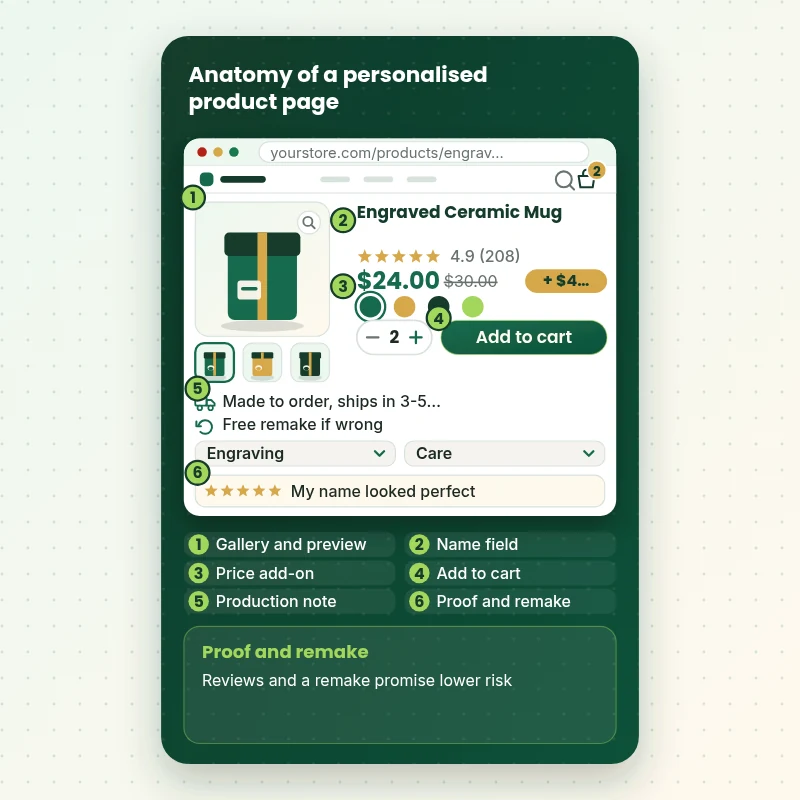
Personalised page
What a Personalised Product Page Contains and Why
The walkthrough dissects one personalised product page: gallery, name field, preview, price add-on, button and proof. Each part is built with a reason, so shoppers can see, understand and pay for what they ordered.
Portfolio
Shopify Storefront Designs by Niche
Product Personalisation App Setup for Shopify gets the same attention to layout, spacing and detail as each design below, every one built around a single catalog and one kind of buyer.
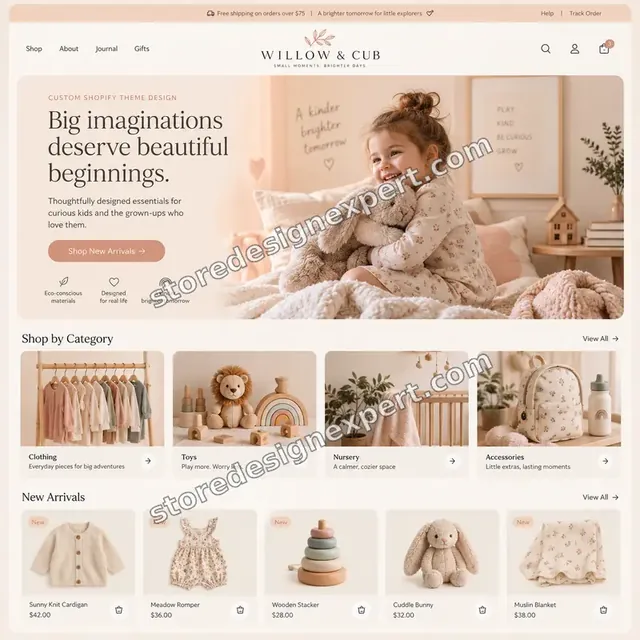
Children store design
Children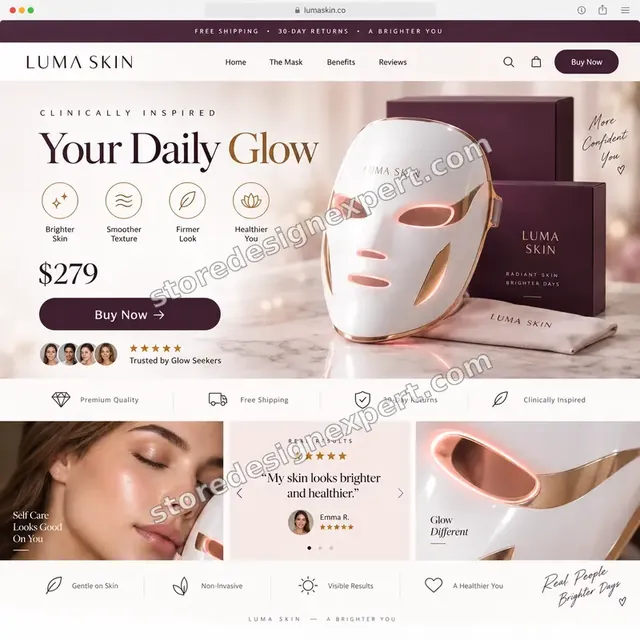
Beauty technology store design
Beauty technology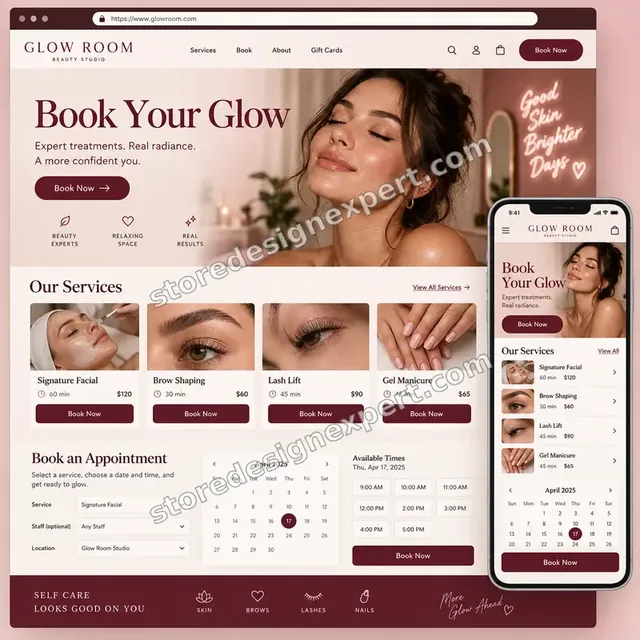
Beauty studio store design
Beauty studio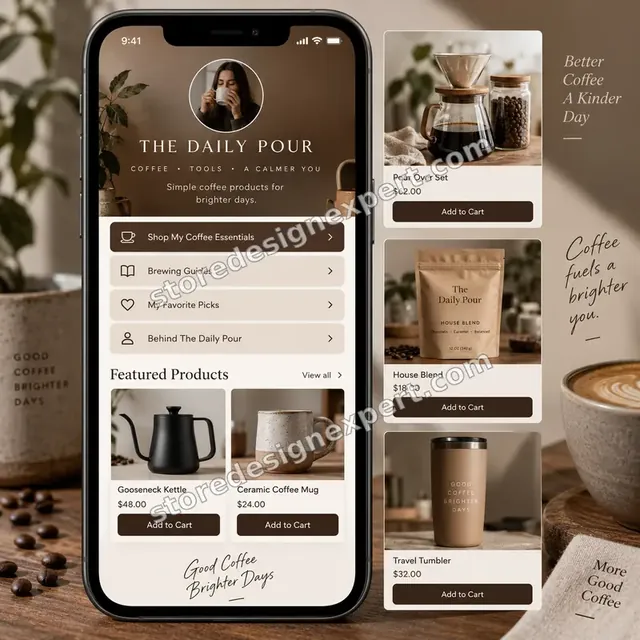
Coffee creator store design
Coffee creator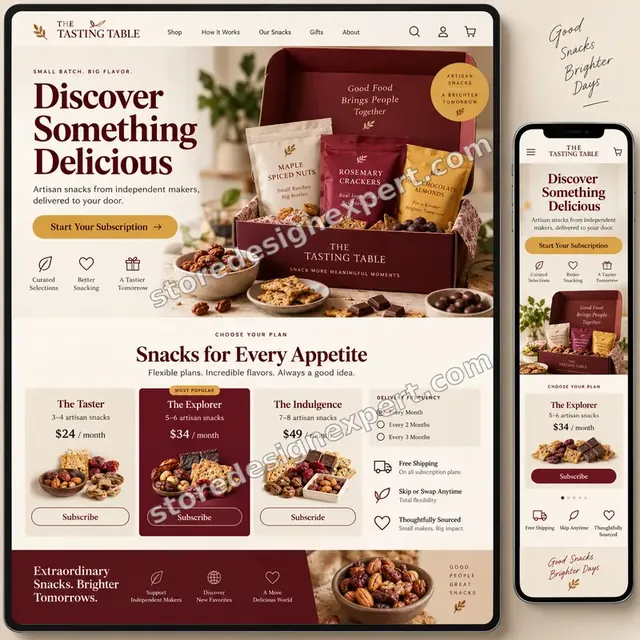
Artisan snacks store design
Artisan snacks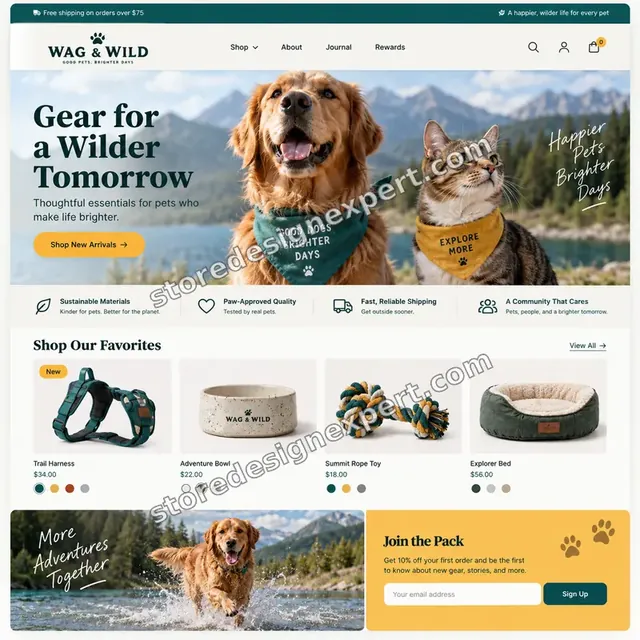
Pet store design
PetProcess and timeline
How a Personalisation Project Runs, Start to Finish
Six personalisation steps, with nothing changing on your live theme until you approve a preview. Your calculator choices decide how long each personalisation step takes.
- 1
Brief and production rules
You tell us the fields, limits and how items are made. We write your production rules down for approval.
- 2
Choose the app
We compare options on your fields, preview needs and budget and recommend one in writing.
- 3
Build fields and preview
Fields, rules and previews are built in a duplicate theme and styled for phone and desktop.
- 4
Set add-on prices
Option prices are set and tested so page, cart and checkout agree.
- 5
Trace personalised orders
Test orders are placed and followed to the order view, packing slip and fulfilment.
- 6
Publish and hand over
After sign-off the preview goes live. You receive the test log and notes on adding fields.
Compare your options
DIY, Marketplace Gig, Agency or Our Personalisation Setup?
Four usual routes to working personalised products. This comparison shows who checks the parts that decide whether the maker receives the right details.
| What matters | Set it up yourself | Marketplace gig | Agency retainer | Store Design Expert |
|---|---|---|---|---|
| Apps compared for your fields | No | No | Sometimes | Yes |
| Preview and limits built | Basic | Basic | Yes | Yes |
| Add-on prices match the cart | You test | Rarely | Yes | Yes |
| Order data and packing slip checked | No | No | Sometimes | Yes |
| Personalised order traced to the maker | No | No | Sometimes | Yes |
| Price known before work begins | Yes | Yes | Quote only | Yes |
| Written test log | No | Rarely | Extra cost | Yes |
| No retainer or minimum spend | Yes | Yes | No | Yes |
Inside every project
What Protects Your Store and Your Customers During Personalisation Setup
Personalised items cannot be resold if they are wrong, so these six habits come with every package.
Changes in a duplicate theme
Your live theme stays untouched by personalisation work until you approve a preview. A backup is saved first.
Preview before payment
Where the app supports it, shoppers see their text before paying, which reduces wrong orders.
Least access needed
A collaborator request is enough. Card details and owner passwords are never requested during personalisation work.
No lock-in
You own the personalisation account, the theme and the data. Notes let anyone else extend the personalisation setup.
Personalised orders traced
The job is not finished until a test order reaches the maker with the details intact.
Fixed scope, two revision rounds
The personalisation price is agreed before work starts, and changes inside scope run in two structured rounds.
Interactive price calculator
Build Your Personalisation Package
Choose a package, then tell us your theme type, how many products need fields and whether shoppers upload files. The fixed price and personalisation delivery window update with every click.
Request a custom quote
3D or design-your-own product builders, custom-coded configurators, headless storefronts, print-file automation and multi-vendor production are scoped separately and quoted at a fixed price.
Request a QuoteChanged your mind? Choose First Personalised Product, Preview and Options or Made-to-Order System above to return to the instant calculator.
Packages and comparison
Personalisation Setup Package Comparison
Line-by-line detail of what each package covers, useful when choosing between building personalisation yourself and having it built and tested.
| What is included | First Personalised Product $790 | Preview and Options $1,490Recommended | Made-to-Order System $2,490 |
|---|---|---|---|
| App compared, chosen and installed | Included | Included | Included |
| One product with a text field | Included | Included | Included |
| Character limits and examples | Included | Included | Included |
| Add-on price in cart | Included | Included | Included |
| Test order log | Included | Included | Included |
| Up to 10 products | Not included | Included | Included |
| Live preview | Not included | Included | Included |
| Conditional options | Not included | Included | Included |
| Packing slip and email check | Not included | Included | Included |
| Up to 30 products | Not included | Not included | Included |
| File upload rules | Not included | Not included | Included |
| Fulfilment partner check | Not included | Not included | Included |
| Fixes after launch | Not included | Not included | 30 days |
| Typical delivery | 4 to 7 days | 7 to 11 days | 11 to 16 days |
Choose your options in the calculator above: the total and the delivery estimate it shows for Product Personalisation App Setup for Shopify are final.
Why Store Design Expert
Why Owners Choose Us for Personalisation Work
Anyone can add a text box. Owners hire us for the previews, price rules and order data that make personalised products reliable.
Daily work on product pages
Product pages, variants and carts are everyday material for us.
Rated 4.9+ by verified clients
The reviews shown here come from verified Store Design Expert clients, so you can weigh them before ordering personalisation work.
Prices you can plan around
Every personalisation package, option and extra has a visible price. The fee for the personalisation app goes to the vendor, so check current plans.
A direct line to the builder
You speak with the person with your theme open while personalisation is configured, not a ticket queue.
Honest advice on apps
If a simple text field in the theme is enough, we tell you before you pay for an app.
Experience since 2015
More than 450 Shopify stores launched means we have met most product option and order data problems.
What we need to get started
What We Need Before We Open the personalisation app and Your Theme
Three ways to give access for personalisation work, then a short list of decisions only you can make.
Accept our collaborator request
Send your store address and approve the personalisation request. You stay the owner and can remove our personalisation access in one click.
No store yet? We build it first
We can create the store in our Partner account, set personalisation up there and transfer ownership when finished.
Or share a staff login
A restricted staff account works too for personalisation access, though the collaborator route is easier to revoke.
Your fields and limits
Tell us which fields you need, how long text can be and which characters you can produce.
Your production process
Tell us who makes the item and what format they need for personalised details.
Your add-on prices
Tell us the extra charges for each option and any rush fees.
For personalisation work, owner passwords and card details are never requested. Personalisation edits are made in a duplicate theme after a backup, and we log what changed.
Testimonials
What Store Owners Say Before You Order Product Personalisation App Setup for Shopify
Verified Store Design Expert clients describe the brief, the build and the handover in their own words.
Verified
Store Design Expert is the best. The work is very professional, they pay close attention to detail and, more importantly, they listen. Their level of cooperation is second to none, and everything was delivered in a very timely manner. I will keep them in mind for future projects.
BN
Barbara N.United States
Verified
They definitely get the job done. Very patient and understanding throughout the whole project.
BS
Brian S.United States
Verified
Thank you so much to Store Design Expert and the team. My site looks far more appealing to customers, and I will happily recommend your services to other new small businesses.
JS
Jennifer S.United States
Verified
Very patient, informative and transparent, and they did exactly what they said they would do. Thanks for all the help!
RO
Raymond O.United States
Verified
Store Design Expert is the only one I use for all things WordPress. They have a high level of understanding, deliver quality work and are easy to deal with.
SC
Scott C.United States
Verified
A pleasure to work with. They did pretty much everything I asked and definitely exceeded my expectations. I will be working with Store Design Expert again soon.
JL
Jerry L.United States
Verified
Superb work! Store Design Expert is incredibly patient, and even when I did not fully understand my own questions, everything was explained again in detail. My vision was implemented perfectly, and the work is worth every cent I spent.
KB
Katrin B.Germany
Verified
Very impressed with the build-out. My store is ready to get started, and I am sure I will reach out for edits down the road, but this is everything I could ask for to get the party started. Thanks again, and I will be in touch for future projects.
DH
Dale H.United States
Verified
Very quick and detailed work! Store Design Expert does exactly what you want, in a very professional manner.
LF
Lena F.Germany
Related searches
Searches That Bring Owners to Product Personalisation App Setup for Shopify
Owners reach this page from different searches. Here is how the common ones relate to Product Personalisation App Setup for Shopify.
If you searched for “product personalisation app setup”, “shopify product personalization app”, “best shopify app for product customization” or “product customization tools for shopify”, Product Personalisation App Setup for Shopify is the work that answers it.
People who look up “shopify product customizer app”, “custom product builder shopify app”, “shopify product options app” or “how to add customization on shopify product” usually want Product Personalisation App Setup for Shopify; the calculator above shows the price and delivery estimate before you commit.
If you searched for “shopify design your own product”, Product Personalisation App Setup for Shopify is the work that answers it.
You may also have come across “how to add personalization option on shopify”, “customize shopify with apps”, “shopify custom printing app” or “how to personalize shopify store” while reading about Product Personalisation App Setup for Shopify.
Owners also search for “add personalization box to shopify”.
FAQ
Shopify Product Customization App FAQs
Answers on cost, previews, uploads, order data and testing.
How much does Shopify product customization app setup cost?
First Personalised Product is $790, Preview and Options $1,490 and Made-to-Order System $2,490. Theme type, personalisation type and fulfilment add to that, and the calculator shows the total before you pay. Plan fees for the personalisation app are billed by the vendor.
What is the best Shopify app for product customization?
What is the best Shopify app for product customization? It depends on your fields, previews and budget. We compare two or three customization apps with your needs and recommend one in writing.
How to add personalization option on Shopify?
How to add personalization option on Shopify: choose an app or theme code, add a field to the product, set limits and test the order. We do it and check the data reaches the order.
How to add customization on Shopify product pages with swatches?
How to add customization on Shopify product pages with dropdowns or swatches depends on the app. We build options, set conditional rules and test combinations on phone and desktop.
How long does a product personalisation app setup take?
A first product takes 4 to 7 working days, up to ten products with previews 7 to 11 and a full system 11 to 16. Uploads, fulfilment partners and older themes add days.
Can I add personalization box to Shopify without an app?
Sometimes. To add personalization box to Shopify without an app, theme code can add a text field that saves to the order. Previews and prices usually need an app. We tell you which route fits.
What are product customization tools for Shopify and which suit me?
Product customization tools for Shopify range from simple text fields to design builders. We match the tool to your product, so you do not pay for a builder when a field will do.
How do I customize Shopify with apps without slowing the store?
To customize Shopify with apps, pick one tool, keep scripts to product pages and test speed. We check what loads and report what we observe, without promising a figure.
Do you set up a Shopify custom printing app for print-ready files?
Yes. A Shopify custom printing app can accept uploads and artwork. We set file rules, previews and the data path to your printer, then test a real order.
Do you need my Shopify password for Product Personalisation App Setup for Shopify?
No. A collaborator request keeps you as owner of the personalisation setup and can be revoked instantly. If you have no store yet we build the personalisation setup in our Partner account and transfer it.
How to personalize Shopify store products for gifts?
How to personalize Shopify store products for gifts: add a message field, a preview and a gift option with a clear price. We build and test it so the message appears on the packing slip.
Is a Shopify product personalization app different from a customizer?
Not much. A Shopify product personalization app adds fields for names and messages, while a customizer app adds visual choices. Many tools do both, and we pick by your products.
What is a Shopify product customizer app and when do I need one?
A Shopify product customizer app lets shoppers change a product visually. You need one when options are visual, such as colours or layouts. For text only, a simpler app may do.
Can you build a custom product builder Shopify app flow?
We can set up an existing custom product builder Shopify app and tune it. Fully custom coded builders are scoped separately and quoted at a fixed price.
Does a Shopify product options app help with personalised items?
A Shopify product options app adds fields and price rules beyond native variants. It is often the simplest route for personalised items. We test it against your products first.
Can shoppers use Shopify design your own product features on a phone?
Shopify design your own product features need careful phone layouts. We test input, preview and add to cart on real devices and simplify forms that are hard to use.
Ready when you are
Order Your Shopify Product Customization App Setup
Choose a package, watch the fixed price settle and have fields, previews and order data built and tested by a team that has launched 450+ Shopify stores. A personalised order is traced to the maker before any customer pays.
Secure payment · Two rounds of changes · Personalisation test log and notes included