
Shopify stores designed and launched
Stock in the right place and orders sent from the right door
Shopify Inventory Locations: Every Product Counted Where It Actually Sits
Knowing what Shopify inventory locations means is the first step; making orders route correctly is the work. We create the locations, assign stock, set fulfilment priority and test an order from each place. From $190, fixed price.
- Locations created and named clearly
- Stock assigned per product and location
- Fulfilment priority and pickup set
- An order tested from each location
From$190
Delivery2 to 12 working days
Revisions2 rounds
Our track record
450+ Shopify Stores Built Since 2015. Here Is What That Means for Location and Availability Set-up.
Once stock sits in more than one place, a wrong setting sends orders from the wrong door or shows items as available when they are not. We set it up and test the routing before customers meet it.
Average rating from verified clients
Building Shopify stores since
Secure checkout
Pay through a protected checkout and keep a full order record.
Two revision rounds
Included in every package, so the result matches what you pictured.
Backup before changes
We work on a duplicate of your theme, never on your live store.
Who this is for
Shopify Inventory Locations: Who We Work For
Location needs appear as a business grows. Six situations account for most of the product availability & location setup work we see.
You are a good fit if
- You hold or sell stock in more than one place
- You prefer to know the price and the scope in writing
- You can share a stock sheet and location addresses
- You own the store and confirm each location's role
Brands adding a shop to an online store
Online and in-store stock must be counted separately.
Sellers with several warehouses
Orders should leave from the nearest one.
Stores using a dropshipper beside own stock
Some items ship from a supplier.
Owners selling across regions
Shipping origin affects rates and times.
Shops showing wrong availability
Items look in stock when they are not.
Founders short on time
You would rather hand over the stock sheet and review the routing.
Problems solved
Why Multi-Location Stock Gets Confusing
One store with one shelf is easy; every extra location doubles the settings. These are the six problems owners raise most often.
- Stock is on the wrong location.
Counts exist but not where the goods are.
- Orders ship from the wrong place.
Priority was never set.
- Pickup shows the wrong stock.
A shop reads the warehouse count.
- Transfers are untracked.
Moves between sites change nothing in the system.
- Stock-takes are painful.
No file exists to re-count against.
- Shipping origin is wrong.
Rates are calculated from the wrong address.
What we can do
Shopify Inventory Locations: What the Work Covers
Six jobs make up the set-up. Your package decides how far each one goes for your locations.
Location creation
Each warehouse, shop or supplier is added with the right address and role.
Stock assignment
Counts are entered per product and location from your sheet.
Fulfilment priority
The order in which locations fulfil orders is set and documented.
Pickup and delivery
Local pickup and delivery are enabled for the locations that offer them.
Transfers and adjustments
Moves between locations and stock corrections are set up with reasons.
Order tests
A test order is placed against each location to confirm the routing.
What is included
What Is Inside Your Location and Availability Set-up Package
The work for Product Availability & Location Setup is organised into six groups of deliverables. The comparison table below shows how far each group goes by package for location and availability set-up.
Locations
- Location records
- Addresses and contacts
- Names that staff understand
- Active and inactive flags
Stock
- Counts per location
- Tracking switched on
- Bulk stock import
- Variance list
Routing
- Fulfilment priority
- Shipping origin per location
- Rate and zone check
- Dropship notes
Pickup
- Local pickup option
- Pickup instructions
- Local delivery area if used
- Ready-time wording
Movement
- Transfer record
- Adjustment reasons
- Stock-take file
- Negative stock check
Hand-over
- Operating guide
- Order test record
- Written notes
- Recorded walkthrough
You bring the products and brand assets, and you approve each step. We handle the location and availability set-up work and the checks.
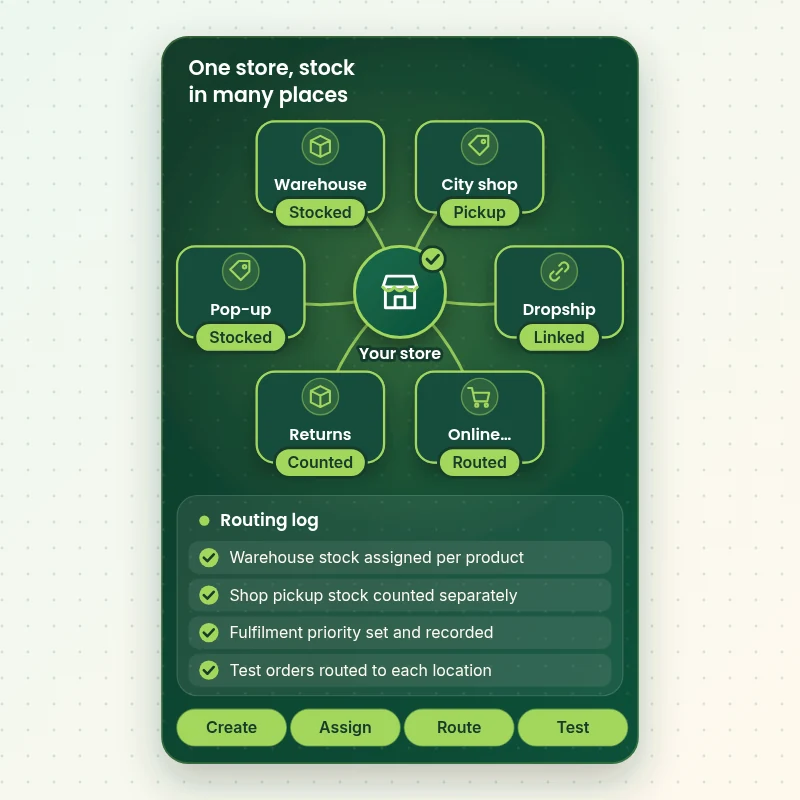
Location hub
How Stock From Several Locations Feeds One Store
The walkthrough shows a store at the centre with its locations around it. Each location reports its stock to the store, and each test order shows which one fulfilled it, so routing is checked rather than assumed.
Portfolio
Store Design Styles We Build
A look at store designs across fashion, home, beauty, pets and gifts, to show the standard of layout and finish behind Product Availability & Location Setup.
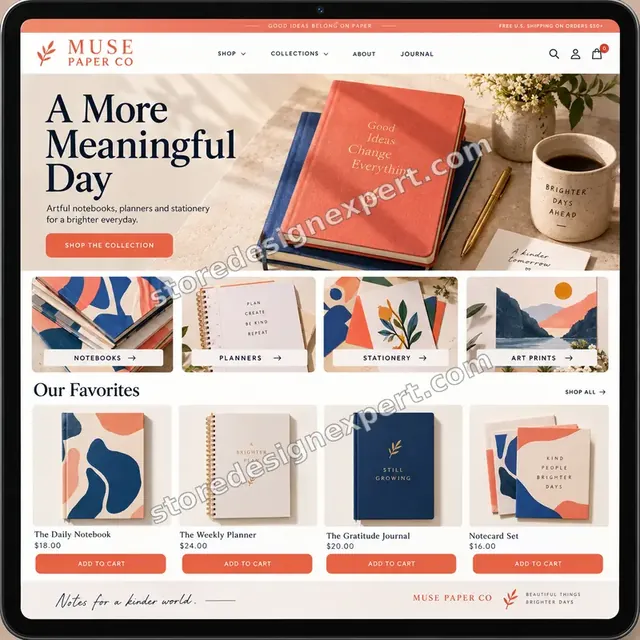
Stationery store design
Stationery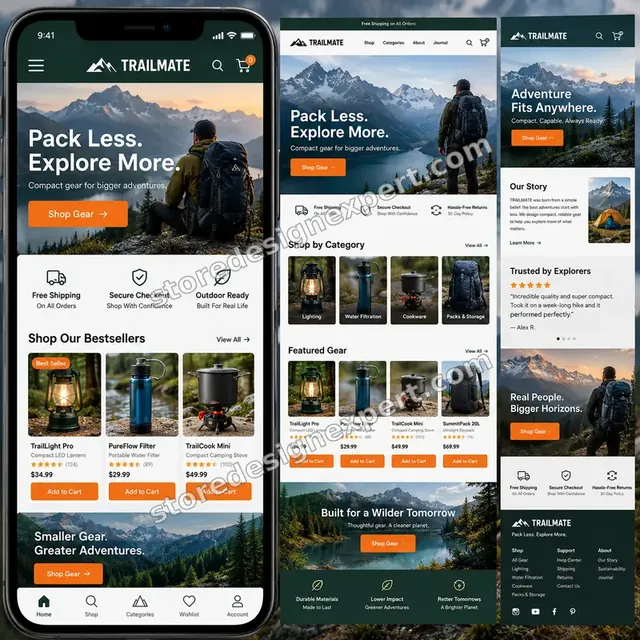
Outdoor camping gear store design
Outdoor camping gear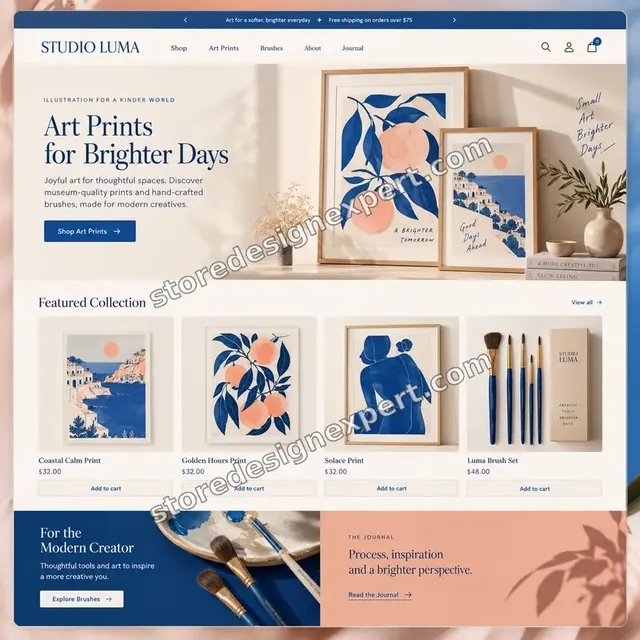
Artist creator store design
Artist creator
Restaurant ingredients store design
Restaurant ingredients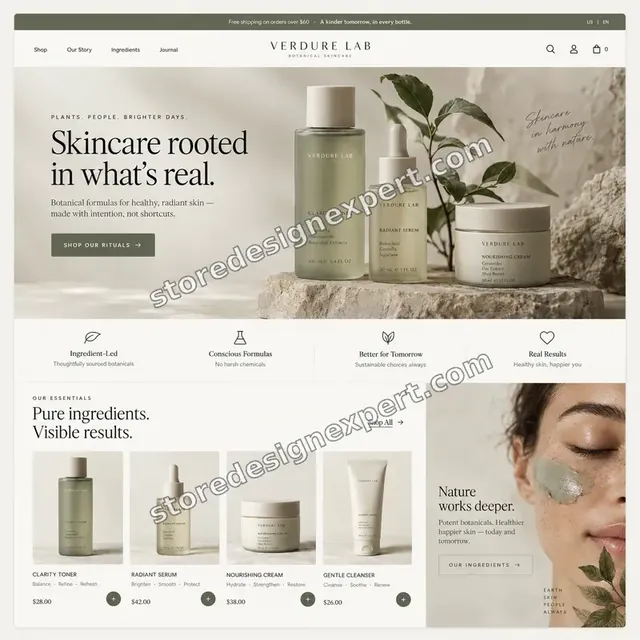
Skincare store design
Skincare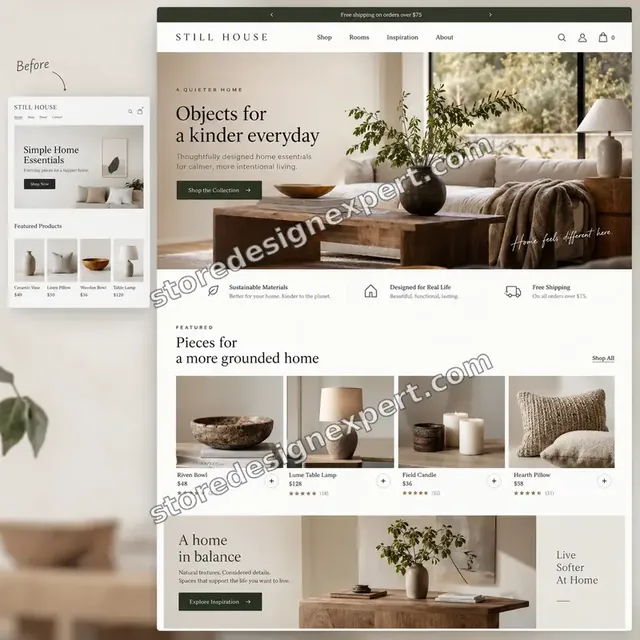
Home decor store design
Home decorProcess and timeline
How Your Location and Availability Set-up Is Delivered, Start to Finish
Six clear steps. Nothing goes live without your approval, and your calculator choices set how long each one runs for the location and availability set-up.
- 1
Brief and asset review
You describe what good location and availability set-up looks like for your store and customers. We write the plan down.
- 2
Choose how we get access
A collaborator request will do, as will working in our Partner account followed by a transfer. We never ask for your password during the location and availability set-up job.
- 3
Map your locations and stock
We list every place that holds stock, agree its role and collect a count per product so we know what belongs where.
- 4
Create, assign and test the routing
We set up the locations, enter counts, set priority and pickup options and then place test orders to see which location fulfils each one.
- 5
Review against the brief and your store
Every location and availability set-up item is compared with the brief, and anything that lands in your store is checked across devices. Anything that is off is corrected before you see it.
- 6
Deliver and hand over
We hand over the location and availability set-up after sign-off with files and written notes. Revision rounds come with the package, with no lock-in.
Compare your options
Free tool alone, Gig marketplace, Generalist studio or Our Location and Availability Set-up Service?
Four usual ways to handle stock in several places. This comparison shows who maps, sets up and tests the locations.
| What matters | Free tool alone | Gig marketplace | Generalist studio | Store Design Expert |
|---|---|---|---|---|
| Stock counted per location | One shared number | Sometimes | Yes | Yes |
| Fulfilment priority set and documented | No | Rarely | Sometimes | Yes |
| Pickup and delivery per location | Default only | Sometimes | Extra cost | Yes |
| Order tested from each location | No | No | Extra cost | Yes |
| Price known before work begins | Cheap but open-ended | Yes | Quote only | Yes |
| Shopify store and checkout expertise | Learning | Varies | General | Yes |
| Two structured revision rounds | No | Varies | Extra cost | Yes |
| Source files and notes delivered in writing | No | Rarely | Sometimes | Yes |
Inside every project
What Protects Your Store and Your Budget During Product Availability & Location Setup
Six habits keep your store, your brand and your budget safe while we handle the location and availability set-up.
Counts are yours to confirm
We enter the stock figures you supply and flag any that look odd, but the physical count stays your responsibility.
Least access needed
We ask only for the access your location and availability set-up needs, through Shopify's own sharing tools where a store is involved, and remove it when we finish.
Working files are yours
Final and working files for your location and availability set-up are handed over, so another person could use them later.
Checked before you look
Every location and availability set-up item is checked against the brief first, so your review covers taste and wording, not faults.
No promised sales
We make location and availability set-up to help shoppers decide, and we never promise revenue, rankings or reach.
Rights respected
We only use images, fonts, music and text you own or that are properly licensed in your location and availability set-up, and we say which.
Interactive price calculator
Build Your Location and Availability Set-up Package
Choose a package, then tell us about your volume, your location and availability set-up needs and how soon you want it. The fixed price and delivery window update with every click.
Request a custom quote
Very large volumes, several brands or stores, rush schedules and unusual formats for location and availability set-up are scoped separately and quoted at a fixed price.
Request a QuoteChanged your mind? Choose Depot Essential, Depot Plus or Depot Premier above to return to the instant calculator.
Packages and comparison
Location and Availability Set-up Package Comparison
Line-by-line detail of what each package covers, useful when choosing between a light pass and a full location and availability set-up service.
| What is included | Depot Essential $190 | Depot Plus $420Recommended | Depot Premier $860 |
|---|---|---|---|
| Up to 2 locations | Included | Included | Included |
| Stock assigned for up to 100 products | Included | Included | Included |
| Fulfilment priority set | Included | Included | Included |
| Local pickup and delivery settings if wanted | Included | Included | Included |
| Test orders from each location | Included | Included | Included |
| Up to 5 locations | Not included | Included | Included |
| Stock for up to 400 products | Not included | Included | Included |
| Transfer between locations | Not included | Included | Included |
| Availability and pickup messages | Not included | Included | Included |
| Order routing checks | Not included | Included | Included |
| Up to 10 locations | Not included | Not included | Included |
| Stock for up to 1,500 products | Not included | Not included | Included |
| Shipping origin per location | Not included | Not included | Included |
| Stock-take file and import | Not included | Not included | Included |
| Written operating guide | Not included | Not included | Included |
| Typical delivery | 2 to 4 days | 4 to 7 days | 7 to 12 days |
Your Product Availability & Location Setup price and delivery estimate come from the calculator above, so there is no surprise at checkout.
Why Store Design Expert
Shopify Inventory Locations: Why Brands Choose Us
Anyone can add a location. Store owners hire us for the stock mapping, the priority rules and the order tests that stop goods leaving from the wrong door.
We test the routing, not just the counts
A location is ready only when an order leaves from the place you expect.
Daily work on Shopify operations
Locations, priority and pickup settings are everyday material for us.
Rated 4.9+ by verified clients
These reviews come from verified Store Design Expert clients, in their own words, and your location and availability set-up follows the same process.
Prices you can plan around
Every package, option and extra has a visible price, sized by volume, detail and speed for your location and availability set-up.
A direct line to the person who builds your Product Availability & Location Setup
You write to the person handling your location and availability set-up, not a ticket queue.
Experience since 2015
More than 450 Shopify stores launched means few catalog, content or launch problems are new to us, location and availability set-up included.
What we need to get started
What We Need Before We Start Your Location and Availability Set-up
Three ways to give access, then a short list of facts about your location and availability set-up.
Your locations
List each place, its address and its role.
A stock sheet
Share counts per product and per location.
Pickup and delivery rules
Tell us what you offer at each place.
Accept our collaborator request
Tell us your store address and say yes to our access request. The owner can grant what we need for your location and availability set-up and remove us in one click.
Taking over existing work? That is fine
Let us know what exists, and who made it. We review your location and availability set-up first and agree what to keep.
Or share a restricted staff login
A staff account with limited permissions works too for location and availability set-up, though the collaborator route is easier to revoke.
Owner passwords and card details are never requested for your location and availability set-up. You give access through Shopify itself, and it is switched off again when Product Availability & Location Setup is finished.
Testimonials
What Store Owners Say Before You Order Product Availability & Location Setup
Verified Store Design Expert clients describe the brief, the work and the handover in their own words, and your location and availability set-up follows the same path.
Verified
Thank you so much to Store Design Expert and the team. My site looks far more appealing to customers, and I will happily recommend your services to other new small businesses.
JS
Jennifer S.United States
Verified
Outstanding work and outstanding customer service. Five stars! I will absolutely use Store Design Expert again for my next book.
KM
Katharine M.United States
Verified
Store Design Expert was great! They delivered exactly what I asked for and even offered helpful extra suggestions. Highly recommended.
PW
Paul W.United States
Verified
I request Store Design Expert every time I have a project. They are professional and give real attention to detail, which makes the work stand out.
LK
Laura K.United States
Verified
They kept communicating until the problem was fully resolved, and the result was great.
HJ
Henry J.United States
Verified
Super helpful and patient. I am new to ecommerce and Store Design Expert talked me through the whole process and even fixed my payment bridging for me!
LR
Lois R.United Kingdom
Verified
I am beyond satisfied! Store Design Expert went above and beyond on my project. Highly recommended!
MD
Michael D.United States
Verified
The experience was tailored to my brand and specifications to the letter. I love the result.
EP
Eric P.United States
Verified
They definitely get the job done. Very patient and understanding throughout the whole project.
BS
Brian S.United States
Related searches
Searches That Bring Owners to Product Availability & Location Setup
Owners reach this page from different searches. Here is how the common ones relate to Product Availability & Location Setup.
People who look up “shopify product availability and location setup”, “what are inventory locations on shopify” or “shopify transfer inventory between locations” usually want Product Availability & Location Setup; the calculator above shows the price and delivery estimate before you commit.
People who look up “shopify multiple inventory locations”, “shopify share inventory between locations” or “what does inventory locations mean on shopify” usually want Product Availability & Location Setup; the calculator above shows the price and delivery estimate before you commit.
“shopify bulk edit inventory locations”, “shopify inventory locations meaning” or “does shopify provide inventory locations”: owners type these when they need Product Availability & Location Setup, and the packages above are priced for that job.
FAQ
Shopify Inventory Locations: Your Questions Answered
Answers on cost, timing, access, files and what happens after delivery for location and availability set-up.
How long does location set-up take?
Most jobs take 2 to 12 working days, depending on package, location count and product volume. The calculator shows your Product Availability & Location Setup estimate before you pay.
Is there a limit on locations?
Shopify limits locations by plan, and the limits change, so we read Shopify's current help pages with you before building and tell you if your plan constrains the design.
What do you need from me to start Product Availability & Location Setup?
Send your location list, a stock sheet and a collaborator request for your store. We start by mapping where each product belongs.
What does Product Availability & Location Setup cost?
You can order Product Availability & Location Setup from $190; the most it reaches, with all options selected, is $3,210.
What packages are available for Product Availability & Location Setup?
There are 3 Product Availability & Location Setup packages: Depot Essential at $190 (2 to 4 working days), Depot Plus at $420 (4 to 7 working days) and Depot Premier at $860 (7 to 12 working days).
What do I get with Depot Essential for Product Availability & Location Setup?
Up to 2 locations created and stock assigned for up to 100 products, with fulfilment from the right place tested. It includes: Up to 2 locations; Stock assigned for up to 100 products; Fulfilment priority set; Local pickup and delivery settings if wanted; Test orders from each location. Depot Essential costs $190 and takes 2 to 4 working days.
What does the Product Availability & Location Setup calculator ask me?
Beyond the package, Product Availability & Location Setup needs 4 decisions from you: how many locations do you have (Up to 2 locations, Up to 5 locations, Up to 10 locations); how many products need stock counts (Up to 100 products, Up to 400 products, Up to 1,500 products); how do customers receive orders (Shipping only, Shipping and pickup, Shipping, pickup and local delivery); how soon do you need it live (Standard, Sooner, Fastest).
Which extras can I add to Product Availability & Location Setup?
Optional extras for Product Availability & Location Setup include Stock-take import file (+$150), Pickup page and wording (+$160), Low-stock list per location (+$140), Dropship location notes (+$130), Existing stock audit (+$190) and Recorded locations walkthrough (+$90).
What if Product Availability & Location Setup is not quite what I need?
If Product Availability & Location Setup needs more than the packages cover, use Request a custom quote on this page. We write the scope for your job and quote one fixed price before any work starts.
Ready when you are
Shopify Inventory Locations: Order Your Package
Choose a package, watch the fixed price settle and have a team that has launched 450+ Shopify stores create, stock and test your locations before customers meet them.
Fixed price · Two revision rounds · Files handed over