
Shopify stores designed and launched
Shopify post purchase flow optimization
Shopify Post Purchase Flow Optimization for Buyers Who Come Back
Shopify post purchase flow optimization looks at the twenty minutes after the payment and the ninety days after the parcel: the offer step, the thank you page, the order emails, the review request and the reorder nudge. We read how that journey works today, rebuild what is weak and test it with real orders, from $690. Our record: 450+ Shopify stores launched since 2015, rated 4.9+ on average from verified clients.
- Every touchpoint after payment mapped on one page
- Offer step built to Shopify's own checkout rules
- Order, shipping and review emails rewritten and tested
- Test orders placed to prove each step fires
From$690
Delivery5 to 18 working days
Revisions2 rounds
Our track record
Over 450 Shopify Stores Launched Since 2015. We Know What Happens After Their First Order.
A first sale costs you the most. What the store does in the next hours and weeks decides whether that buyer ever sees your name again, and it is the part of a Shopify conversion rate optimization plan that most owners never review.
Average rating from verified clients
Building Shopify stores since
Secure checkout
Pay through a protected checkout and keep a full order record.
Two revision rounds
Included in every package, so the result matches what you pictured.
Backup before changes
We work on a duplicate of your theme, never on your live store.
Who this is for
Who Needs Shopify Post Purchase Flow Optimization
Most stores set up checkout carefully and then leave everything after it on default. These are the situations where a dedicated review of the aftercare journey earns its fee.
Stores that win one order and lose the buyer
Customers buy once and vanish. The order emails are Shopify's plain defaults, nothing asks for a second purchase and nobody has looked at what the buyer receives after paying.
Owners who tried an upsell app and were unsure
An app was installed, an offer was created and then nobody could say whether it showed. We check eligibility rules, payment methods and ordering before blaming the offer itself.
Brands moving off the old order status scripts
Tracking snippets pasted into Additional Scripts no longer run on the order status page. If purchase events or affiliate tags went quiet, the fix lives in customer events and pixels.
Shops with a generic confirmation email
The message arrives, says thank you and offers nothing useful. Delivery expectations, care steps, support contact and a reason to return are all missing from it.
Teams with traffic but flat repeat orders
Ad spend keeps bringing first-time buyers while revenue per customer barely moves. A post-purchase review shows which step in the journey drops the relationship.
Stores selling subscriptions, bundles or consumables
Products that run out need a well-timed prompt to reorder. That prompt depends on tags, flows and a reorder path that actually works on a phone.
Problems solved
Where the Journey After Checkout Quietly Breaks
Shopify gives you a thank you page and a handful of notifications on day one. Between those defaults and a well-run aftercare journey sit the problems below, each one something we look for by name.
The problem
The offer page never appears.
The outcome
A post purchase offer is skipped for wallets such as Apple Pay, Google Pay and Klarna, for orders below fifty cents and for multi-currency checkouts with duties. We test real payment paths so you know who actually sees it.
The problem
Two apps fight for the same step.
The outcome
Shopify allows only one app's post purchase extension to be active at a time. Owners often install two, and the loser silently does nothing. We choose one and move the other app's offers to the thank you page.
The problem
The thank you page is a dead end.
The outcome
A receipt and a continue button are all most buyers see. The page is read by everyone who pays, yet it carries no delivery timeline, no account prompt and no next step.
The problem
Purchase tracking stopped without an error.
The outcome
Legacy scripts on the order status page ended on non-Plus stores on 26 August 2026. Conversions then report low, and ad platforms train on thinner data until a pixel is re-established.
The problem
Emails fire in the wrong order.
The outcome
A review request that lands before the parcel, or a delivery update repeated three times, teaches shoppers to ignore the sender. Timings need to follow shipment status, not a guess.
The problem
Buyers cannot find the order again.
The outcome
Order lookups, tracking pages and reorder buttons are scattered across emails, accounts and apps. Support tickets asking where is my order are usually a symptom of that scatter.
What we can do
What We Can Do With Your Shopify Post Purchase Extension and Emails
This is hands-on work inside Shopify, your app stack and your email platform. Six areas we are set up to handle, including the awkward cases around payment methods and plan limits.
Shopify post purchase extension setup
We configure the one-click offer that appears between payment and the thank you page: product choice, discount, copy and fallback behavior. Rules are checked against Shopify's limits, including three accepted offers per checkout.
Thank you page and order status design
App blocks go onto the thank you and order status pages, which every plan from Basic up can edit. We place a timeline, a reorder prompt and one offer, and keep the page light enough on a phone.
Customer events and pixel repair
Purchase tracking is rebuilt with web pixels, then compared with the order in Shopify admin. Duplicate or missing events are found before they distort the numbers your ad platforms learn from.
Order, shipping and delivery emails
We rewrite the notification templates in Settings, add tracking and support details and set timing rules in your email platform. Each message gets a purpose, one action and a test send on a real order.
Review and survey requests
We time the review message to delivery, not payment, and set up a short question to learn how the shopper found you. Answers return to a spreadsheet, tag or report you can use.
Reorder and win-back paths
Replenishment prompts, tags built with Shopify Flow and a simple reorder route are set for products that run out. Where subscriptions exist, we respect their separate billing rules.
What is included
What Our Shopify Post Purchase Flow Optimization Includes
Six groups of work make up the project. The audit appears in every package, and the amount of building grows from the first tier to the third.
Journey review
- Every message, page and offer after payment listed in sequence
- Payment methods tested for offer eligibility
- Plan and app limits written down for your store
- Gaps ranked by how many buyers meet them
Offer step
- One app chosen for the post purchase extension
- Offer product, price and copy drafted for approval
- Skip rules and fallback explained in plain words
- Offer previewed on a test checkout
Thank you and order status pages
- App blocks placed for the buyer's first minutes
- Delivery timeline and support route added
- Account sign-up or reorder prompt considered
- Mobile layout checked at three widths
Order and shipping emails
- Confirmation and shipping templates rewritten
- Tracking link and contact details checked
- Delivery and review timing set to shipment status
- Test sends opened on phone and desktop mail apps
Tracking and events
- Customer events and pixels reviewed
- Purchase event compared with admin orders
- Legacy script leftovers listed for removal
- Thank you page loads checked for blocked scripts
Test orders and handover
- Real test orders on each payment path we can reach
- Before and after notes for every change
- Recorded walkthrough of the finished journey
- Two revision rounds
Each item is recorded as found, changed or left alone, with the reason, so you can see which part of the journey was weak and what we did about it.
See the journey
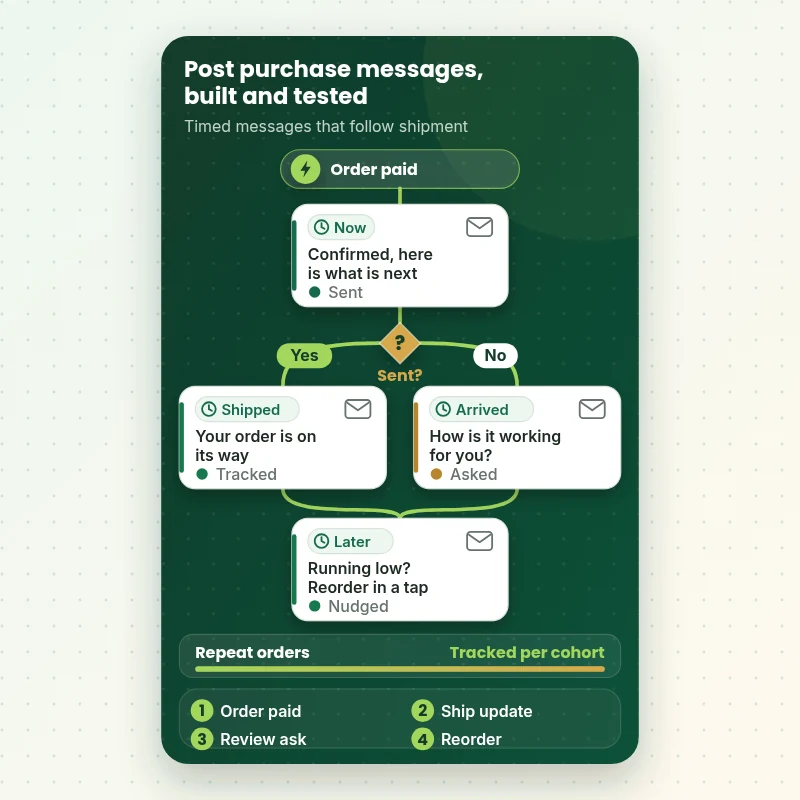
How a Post Purchase Email Flow Follows One Order
Follow a single order after payment. The trigger starts the sequence, shipment status decides which message goes next, and each email has one job. We build this timing inside your email platform or Shopify Flow, then place a test order to watch every step fire in the right place.
Portfolio
Shopify Storefront Designs by Niche
A look at store designs across fashion, home, beauty, pets and gifts, to show the standard of layout and finish behind Shopify Post-Purchase Flow Optimization.
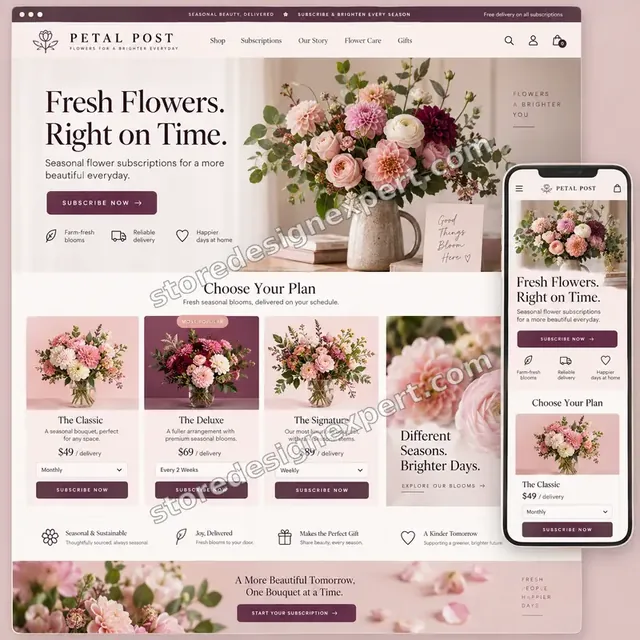
Flowers store design
Flowers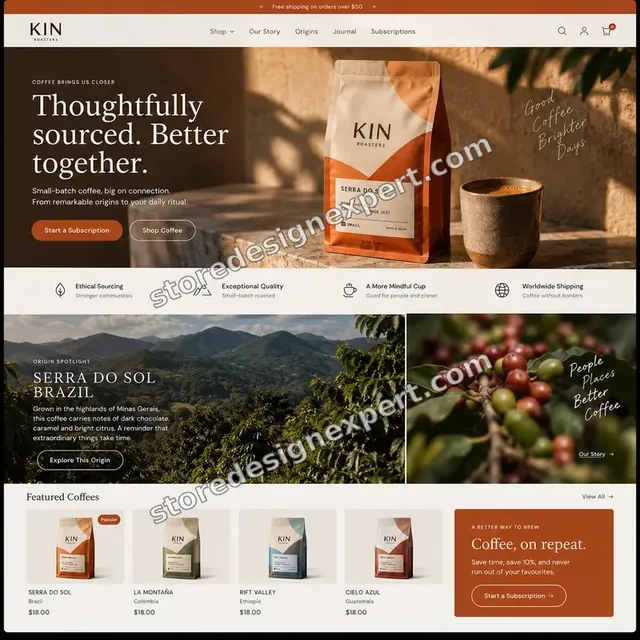
Coffee store design
Coffee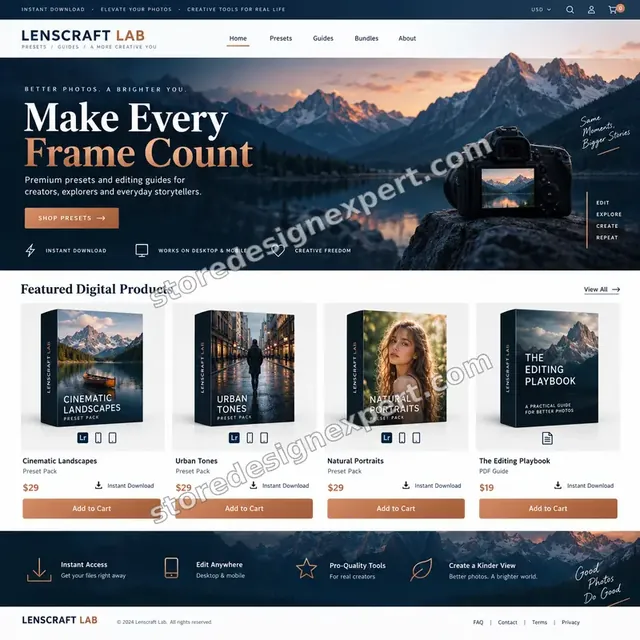
Photography presets store design
Photography presets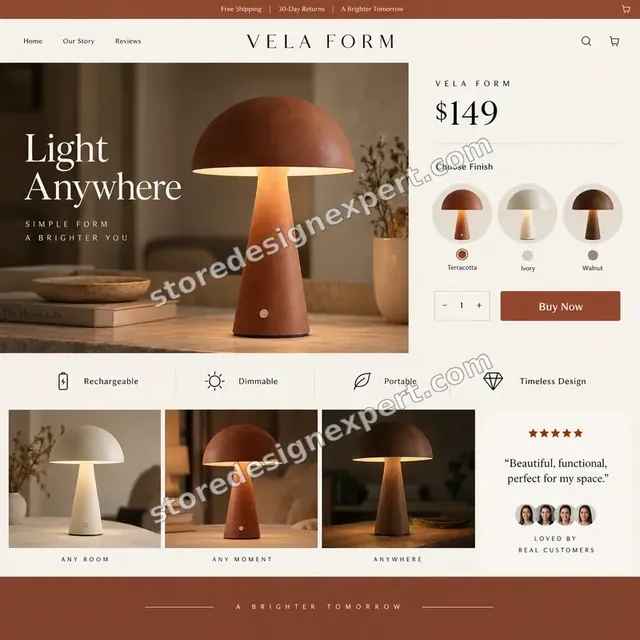
Home lighting store design
Home lighting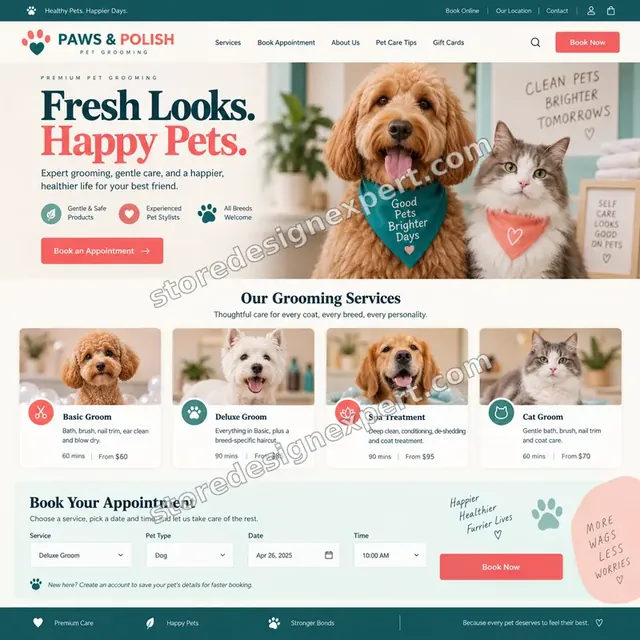
Pet grooming store design
Pet grooming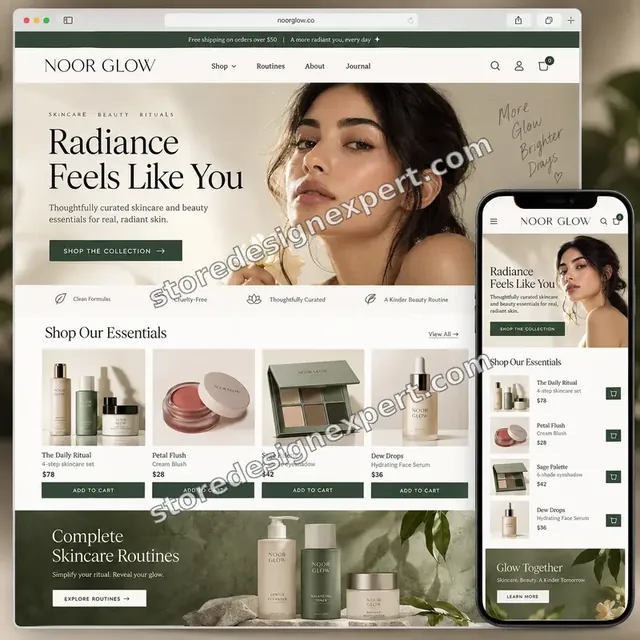
Beauty creator store design
Beauty creatorProcess and timeline
How Post Purchase Flow Optimization Runs From First Order to Handover
Your live store keeps taking orders the whole time, because new pages and emails are prepared as drafts and switched on only after your approval. Aftercare Audit lands in 5 to 7 working days.
- 1
Access and a placed order
You give us collaborator access and a view of your email platform. We place a test order ourselves so we see exactly what a real buyer receives and in what order.
- 2
Map the whole journey
Every page, offer and email after payment goes into one sequence with timings. The map often shows an overlap or a gap that nobody on the team had noticed.
- 3
Check limits before designing
Plan, payment methods and app rules decide what is possible. We write those limits down first, so the design does not depend on a feature your checkout will never show.
- 4
Draft each touchpoint
The offer, page blocks and emails are drafted with real product names and store wording. You approve copy and offers before anything is connected.
- 5
Build and switch on in a safe order
Changes are made in drafts and a duplicate theme, then switched on one touchpoint at a time. That way a mistake affects one step and not the whole journey.
- 6
Test orders and handover
We place orders through each payment path we can reach, record what fired and walk you through the result on video, with notes on how to edit each piece later.
Compare your options
Upsell App Alone, Gig, Retainer or Full Post Purchase Review?
Owners who want more from each order usually weigh four routes: install an app themselves, buy a marketplace gig, hire an agency retainer or commission a done-for-you review. The table shows what each route covers after the buyer has paid.
| What matters | App alone | Marketplace gig | Monthly retainer | Store Design Expert |
|---|---|---|---|---|
| Whole journey reviewed, not one step | No | Rarely | Varies | Yes |
| Offer eligibility tested on payment paths | No | Rarely | Varies | Yes |
| Order emails rewritten and test-sent | No | Rarely | Varies | Yes |
| Purchase tracking checked against orders | No | No | Varies | Yes |
| Review and reorder timing set to shipment | No | Rarely | Varies | Yes |
| Changes drafted before going live | No | Rarely | Varies | Yes |
| Handover video and notes | No | Rarely | Varies | Yes |
| Fixed price known up front | Yes | Yes | No | Yes |
Inside every project
What Keeps Your Orders Safe While We Edit the Journey
Changes around payment and notifications touch revenue and customer trust at once. These safeguards come with every project and explain why a careful fixed-scope job differs from installing three apps and hoping.
Drafts and a duplicate theme first
New page blocks and notification changes are prepared away from the live store. Nothing reaches a paying shopper until you have previewed it and said yes.
A written starting point
Before editing we record your current templates, flows, app settings and a screenshot of each step. If an experiment disappoints, we know exactly what to restore.
Careful with access
We use collaborator access where possible and never ask for your owner password or card details. You can remove access in a few clicks once we finish.
Test orders on real payment paths
We run orders through every payment option we can reach and watch which steps fire. Wallet and instalment methods behave differently, so each gets its own check.
Emails tested before they go live
Every message is sent to real inboxes and opened on a phone and a desktop client. Links, tracking numbers, discount codes and unsubscribe handling are clicked, not assumed.
Notes your team can use later
A recorded video and written notes show where each piece lives, how to edit it and what to retest after an app or theme update.
Interactive price calculator
Build Your Post Purchase Flow Optimization Package
Pick a package, say which email platform you use, how far you want the offer step to go and what your orders look like. Price and delivery window move with each choice.
Request a custom quote
Stores with several storefronts, wholesale accounts, headless checkouts or a large subscription base receive a written scope and fixed fee after a short call, before any work begins.
Request a QuoteChanged your mind? Choose Aftercare Audit, Thank-You and Offer Build or Full Aftercare System above to return to the instant calculator.
Packages and comparison
Post Purchase Flow Package Comparison
The rows below list each package line by line. Use the calculator to add your email platform, offer scope and order types and see the price and timing for your own store.
| What is included | Aftercare Audit $690 | Thank-You and Offer Build $1,490Recommended | Full Aftercare System $2,390 |
|---|---|---|---|
| Journey review after payment | Included | Included | Included |
| Payment paths tested for offer eligibility | Included | Included | Included |
| Tracking and customer events check | Included | Included | Included |
| Ranked fix list and recorded walkthrough | Included | Included | Included |
| Two revision rounds | Included | Included | Included |
| Post purchase offer set up and previewed | Not included | Included | Included |
| Thank you and order status page blocks | Not included | Included | Included |
| Order and shipping emails rewritten | Not included | Included | Included |
| Purchase pixel repaired and matched to orders | Not included | Included | Included |
| Review request timed to delivery | Not included | Not included | Included |
| Reorder and win-back flow | Not included | Not included | Included |
| Shopify Flow customer tags | Not included | Not included | Included |
| Survey question after checkout | Not included | Not included | Included |
| Fortnight of fixes after launch | Not included | Not included | Included |
| Usual turnaround | 5 to 7 days | 8 to 12 days | 12 to 18 days |
The calculator above gives the exact price and delivery estimate for your Shopify Post-Purchase Flow Optimization order, and that is what you pay.
Why Store Design Expert
Why Owners Pick Us for the Part of the Journey After Payment
Most help here comes from app vendors who sell their own tool or from retainers that fold aftercare into a monthly invoice. We offer a third path: one reviewer, one fixed scope and a journey you can run yourself.
Shopify only, since 2015
We build and repair Shopify stores every week, so the quirks of checkout, notifications and app extensions are familiar. More than 450 launches mean few setups will surprise us.
No app loyalty
We are not paid by any upsell or email vendor. The tool we recommend is the one that fits your plan, your catalog and your budget, even when that is a free setting.
Limits checked before promises
Shopify's own rules decide who sees an offer or an editable page. We confirm them for your store first, so you do not pay for a design that cannot appear.
Fixed price, no meter
Every add-on in the calculator carries its own price and day count, visible ahead of payment. Extra hours digging through your apps never appear on a later bill.
You talk to the person doing the work
Questions about an email or an offer go straight to the specialist who built it, with no relay through an account manager.
You keep everything
Theme, data, flows and admin access stay yours. A store we start in our Partner account is transferred to you at the end of the work.
What we need to get started
What We Need to Begin Reviewing Your Post Purchase Journey
Nothing needs preparing before we start. A way into the store and a view of your email platform are enough, and you choose how access is given.
Accept our collaborator request
Send your store address and approve the Shopify collaborator request we raise. You remain the owner, no password is shared and the access can be removed whenever you like.
No live store yet
If the store is still being planned, we build it in our own Shopify Partner account with the aftercare journey designed in, then transfer ownership to you. You choose a plan only at the end.
Staff login instead
A staff account works too. We lean toward collaborator access because it is easier to revoke, but the work comes out the same either way.
Email platform access
Invite us as a user in Klaviyo, Omnisend or whichever tool sends your messages. If you only use Shopify notifications, tell us and we start there.
Apps already installed
List any upsell, review, tracking or loyalty apps you have tried, even ones you removed. Leftover code and conflicting extensions are common causes of a silent offer.
Goals and an approver
Say what you want the journey to do first: a second order, more reviews or fewer where is my order messages. Name one person who approves copy and offers.
Nothing in this project needs your owner password, and card details only go through checkout. Pages and emails are built as drafts first, and only your approval switches them on.
Testimonials
What Store Owners Say Before You Order Shopify Post-Purchase Flow Optimization
Verified clients describe projects with Store Design Expert, from new builds to careful fixes inside live stores.
Verified
Store Design Expert is the best. The work is very professional, they pay close attention to detail and, more importantly, they listen. Their level of cooperation is second to none, and everything was delivered in a very timely manner. I will keep them in mind for future projects.
BN
Barbara N.United States
Verified
I am beyond satisfied! Store Design Expert went above and beyond on my project. Highly recommended!
MD
Michael D.United States
Verified
The experience was tailored to my brand and specifications to the letter. I love the result.
EP
Eric P.United States
Verified
They definitely get the job done. Very patient and understanding throughout the whole project.
BS
Brian S.United States
Verified
Thank you so much to Store Design Expert and the team. My site looks far more appealing to customers, and I will happily recommend your services to other new small businesses.
JS
Jennifer S.United States
Verified
Very patient, informative and transparent, and they did exactly what they said they would do. Thanks for all the help!
RO
Raymond O.United States
Verified
Store Design Expert is the only one I use for all things WordPress. They have a high level of understanding, deliver quality work and are easy to deal with.
SC
Scott C.United States
Verified
A pleasure to work with. They did pretty much everything I asked and definitely exceeded my expectations. I will be working with Store Design Expert again soon.
JL
Jerry L.United States
Verified
Superb work! Store Design Expert is incredibly patient, and even when I did not fully understand my own questions, everything was explained again in detail. My vision was implemented perfectly, and the work is worth every cent I spent.
KB
Katrin B.Germany
Related searches
Related Searches for Shopify Post-Purchase Flow Optimization
The searches below are the ones that lead people to Shopify Post-Purchase Flow Optimization.
“shopify post purchase upsell”, “shopify post purchase extension”, “shopify post purchase upsell app” or “best shopify post purchase upsell app” all point to the same job, which Shopify Post-Purchase Flow Optimization covers from start to finish.
People who look up “get shopify post purchase survey”, “shopify send email to customer after purchase”, “post purchase email flow” or “shopify conversion rate optimization” usually want Shopify Post-Purchase Flow Optimization; the calculator above shows the price and delivery estimate before you commit.
People who look up “what is shopify flow” usually want Shopify Post-Purchase Flow Optimization; the calculator above shows the price and delivery estimate before you commit.
Owners also search for “shopify email order confirmation”, “shopify thank you page”, “customize thank you page shopify” or “shopify thank you page url”.
Owners also search for “shopify send email to customers for review”.
FAQ
Shopify Post Purchase Flow Optimization FAQs
Straight answers on price, timing, what Shopify allows and what to expect once the journey is rebuilt.
How much does Shopify post purchase flow optimization cost?
Packages are $690 for the Aftercare Audit, $1,490 for Thank-You and Offer Build and $2,390 for the Full Aftercare System. Email platform, offer scope and order type are added in the calculator, so most projects land between roughly $900 and $3,200. You see the exact total before checkout, and app subscriptions are billed to you by the vendors.
What is included in the audit?
The audit lists every message, page and offer a shopper meets after paying, tests payment paths, checks tracking and ranks the gaps. You also get a recorded walkthrough and two revision rounds. The two upper packages then build the pieces that the review shows are weak.
How long does Shopify Post-Purchase Flow Optimization take?
The Aftercare Audit takes 5 to 7 working days, the build package 8 to 12 and the full system 12 to 18. Several markets, subscriptions or two email tools add days, and the calculator shows your estimate. Sooner and Fastest options shorten the window when you have a launch or season ahead.
What is a Shopify post purchase extension?
A Shopify post purchase extension is the app-powered page shown between payment and the thank you page. The buyer can add a product in one tap without re-entering card details. It follows Shopify's rules: an Online Store order of at least fifty cents, no more than three accepted offers and one active app.
Why does my post purchase upsell never show?
A Shopify post purchase upsell is skipped for Apple Pay, Google Pay, Amazon Pay, Klarna, Affirm and Afterpay, for gift-card or non-card payments, for tiny orders and for multi-currency orders with duties. If two apps are installed, only one runs. We test each payment path so you know who actually sees it.
Which Shopify post purchase upsell app should I use?
There is no single best Shopify post purchase upsell app. ReConvert, Zipify OCU, AfterSell and Rebuy differ in pricing model, templates and analytics. We pick by your plan, order volume and offer logic, set up one app, and keep your subscription costs visible so a revenue share does not surprise you.
Can you customize the thank you page on my plan?
Yes. You can customize thank you page Shopify layouts with app blocks on every plan from Basic up. Plus stores can go further, with app blocks in the information, shipping and payment steps and a Buy again button on the order status page. We confirm what your plan allows before designing anything.
What is the Shopify thank you page URL and can I change it?
The Shopify thank you page url is generated for each order, so it cannot be set to a fixed address like a normal page. You customize what it shows, not where it lives. For tracking, use customer events and pixels, because Additional Scripts no longer run there on non-Plus stores.
Can you set up Shopify to send an email to a customer after purchase?
Yes. Shopify already sends an order confirmation, and we improve it with delivery details, support contact and one useful next step. To make Shopify send email to customer after purchase beyond the defaults, we add timed messages in Shopify Email, Shopify Flow or your email platform, based on shipment status.
Can you change the Shopify email order confirmation?
Yes. The Shopify email order confirmation is a template in Settings, Notifications, and it accepts Liquid. We rewrite wording, add tracking and support details and keep required order information intact. Every change is sent as a test to real inboxes and opened on phone and desktop before it goes live.
What does a post purchase email flow look like?
A good post purchase email flow begins with the confirmation, moves to a shipping update, then asks for a review after delivery and ends with a reorder nudge when the product runs low. Timing follows shipment status rather than a calendar. Stores with subscriptions or preorders need different branches, which we map during the review.
How do I get Shopify post purchase survey answers?
To get Shopify post purchase survey answers, we add a one-question survey, for example where did you hear about us, on the thank you page. Answers go to a sheet or a customer tag. One short question gets more replies than a form, and the data helps you judge which channels deserve your budget.
How do you ask Shopify customers for reviews?
We set up Shopify send email to customers for review in your review app or email platform, timed to delivery rather than payment. A request that arrives before the parcel earns no replies. We also check the message loads quickly on a phone and links straight to the review form.
How is this different from Shopify conversion rate optimization?
Shopify conversion rate optimization usually targets visitors becoming buyers. This service covers what happens after they buy, so repeat orders, reviews and support load improve. It is complementary to product page or checkout work. We do not promise a lift, and we describe results through tracked steps, not guarantees.
What is Shopify Flow and do I need it?
What is Shopify flow? It is Shopify's automation app, which runs if-this-then-that rules on store events. We use it to tag first-time and repeat buyers, flag delayed orders and trigger messages. You do not need it for the audit, but the full system uses it where it saves manual work.
Ready when you are
Order Your Shopify Post Purchase Flow Optimization Today
Pick a package, see the exact price and delivery estimate and order Shopify post purchase flow optimization from a team that has launched over 450 Shopify stores. You receive a mapped journey, rebuilt pages and emails and test orders that prove each step works.
- Secure checkout
- Two revision rounds
- Recorded walkthrough included