
Shopify stores designed and launched
Parallax scrolling Shopify service
Parallax Scrolling Shopify Sections That Add Depth Without Slowing Your Store
Parallax scrolling Shopify work done as clean theme sections you can edit yourself: layered banners, scroll-driven product stories and depth effects tested on real phones, with a calm fallback for shoppers who prefer less motion. Fixed packages start at $390. Our 450+ Shopify launches since 2015 earned a 4.9+ average from verified clients. Work out your scroll-effect cost with the calculator underneath.
- Built as a section in your theme editor, not pasted code
- Tuned for phones, with motion switched down where it hurts
- Reduced-motion and speed checks before anything goes live
- Fixed cost, two rounds of changes and a screen-recorded handover
Our track record
450+ Shopify Stores Launched Since 2015, and Knowing When Motion Helps
Scroll effects can lift a brand story or quietly cost you a second of load time. After building hundreds of storefronts we know which pages earn their motion and which are better left still, and we tell you before we build.
Average rating from verified clients
Building Shopify stores since
Secure checkout
Pay through a protected checkout and keep a full order record.
Two revision rounds
Included in every package, so the result matches what you pictured.
Backup before changes
We work on a duplicate of your theme, never on your live store.
Who this is for
Who Hires Us for Parallax Scrolling Shopify Work
Depth effects suit brands that sell through atmosphere and story. These are the six situations that bring us the most requests.
You are a good fit if
- You have strong imagery or a clear brand story
- You want motion that never hurts phone speed
- You want to edit it yourself in the theme editor
- You would rather have a quote than a running hourly meter
Single-hero product launches
You sell one hero product and the page needs to walk a buyer from problem to proof in a few screens. We stage layers so each benefit slides into view as the visitor scrolls.
Fashion, beauty and lifestyle labels
Your photography is strong but the homepage reads like a flat grid. We give lookbook banners a gentle layered drift so the images feel editorial rather than stacked.
Craft and origin brands
Your story is a workshop, a farm or a coastline. We build a scrolling about page where textures and foreground shapes move at different speeds to carry that atmosphere.
Stores bought a flashy theme
You picked a theme because its demo scrolled beautifully, then lost it after customizing. We rebuild the effect cleanly inside your current theme, so you keep your content.
Campaign and drop pages
A seasonal launch needs a landing page with real presence for a few weeks. We build a standalone scroll experience that merges back into your normal templates afterwards.
Owners burnt by a jQuery snippet
A pasted script made the page judder on iPhones or broke after a theme update. We replace it with a maintained section and hand over notes for future changes.
Problems solved
Why DIY Parallax Often Goes Wrong on Shopify
Most tutorials end when the effect works on a desktop in a browser tab. The trouble starts afterwards, on phones, on slow connections and after the next theme update. Here is what we see and what we do about it.
The effect judders or breaks on iPhones, where fixed backgrounds are not supported the same way.
Outcome: We avoid the fixed-background shortcut and drive layers with transforms that Safari handles, then check on actual iOS and Android devices.
A big background image becomes the largest element on the page and drags the loading score down.
Outcome: We size and compress parallax images for the real frame, load the first one at full priority and defer the rest, so the banner never delays the first view.
Shoppers with motion sensitivity feel unwell, and some leave without saying why.
Outcome: We honor the visitor's reduced-motion setting and swap the effect for a still, well-composed version, so nobody is left out.
A script pasted into the theme file conflicts with the next theme update and silently vanishes.
Outcome: We package the effect as its own section and asset file with settings in the editor, so updates do not erase it and you can change it without code.
Text sits over a moving image and becomes unreadable at some scroll positions.
Outcome: We set overlays, contrast and safe zones for the copy, then scroll through every breakpoint to confirm the words stay legible.
Nobody checks whether the page still loads fast or converts after the effect goes in.
Outcome: We run speed readings before and after and keep the motion only where the numbers hold up, so style never cancels out sales.
What we can do
What We Build for Shopify Parallax Effects, Hands On
Every effect is a mix of art direction and careful front-end work. These six areas cover most requests, and each can be combined on the same page.
Shopify parallax effect for hero sections
A Shopify parallax effect on the first screen is the most common request. We layer a background, a midground and a product cut-out, set each speed so the depth feels natural and cap the movement on small screens.
Parallax scrolling banner in Shopify
A parallax scrolling banner in Shopify can be a full-width announcement, a collection header or a seasonal promotion. It lives as a block you can reorder, reskin and reuse on any page without touching code.
Shopify scroll animation beyond parallax
Beyond depth, we add reveal-on-scroll text, image zoom as a section enters and progress-linked product stories. We use browser scroll-driven animation where supported and a lightweight script as a fallback.
Settings merchants can actually use
We add editor controls for speed, direction, overlay darkness, image per device and an off switch, so your marketing team can retune a banner without a developer.
Mobile and tablet behavior
Phones get a reduced version: shorter travel, fewer layers or a static image if testing shows jank. We decide breakpoint by breakpoint instead of shrinking the desktop effect.
Performance and accessibility budget
Each build has limits for image weight, script size and layout shift. We also add focus order, text contrast and the reduced-motion alternative, then document where the limits sit.
What is included
What Your Parallax Scrolling Build Includes
The work falls into six streams. Packages differ in how many sections and layers they cover, and the comparison table lower down shows who gets what.
Section build
- One or more theme-editor sections with blocks
- Layered image slots with per-device images
- Speed, direction and overlay settings
- Reuse on any page template in higher packages
Artwork preparation
- Layer images cropped and compressed for each frame
- Transparent cut-outs prepared for the foreground
- Mobile crops chosen separately
- Alt text pattern for meaningful images
Front-end code
- Transform-based motion, no fixed-background hack
- Scroll-driven CSS where browsers support it
- Small script fallback for older browsers
- No extra app, no extra monthly fee
Mobile behavior
- Reduced travel and layers on small screens
- Static fallback where tests show jank
- Tap targets and text sizes checked
- Orientation changes tested
Accessibility
- Reduced-motion version for sensitive visitors
- Contrast checks on text over images
- Keyboard and focus order preserved
- Decorative layers hidden from screen readers
Testing and handover
- Speed readings before and after
- Device checks on iOS, Android and desktop
- Recorded walkthrough and written notes
- Two feedback cycles plus a motion-testing checklist at launch
Each package is delivered as a unit of parallax scrolling website code that lives in your theme files, with settings in the editor and a note on how to change it later.
See the depth picker
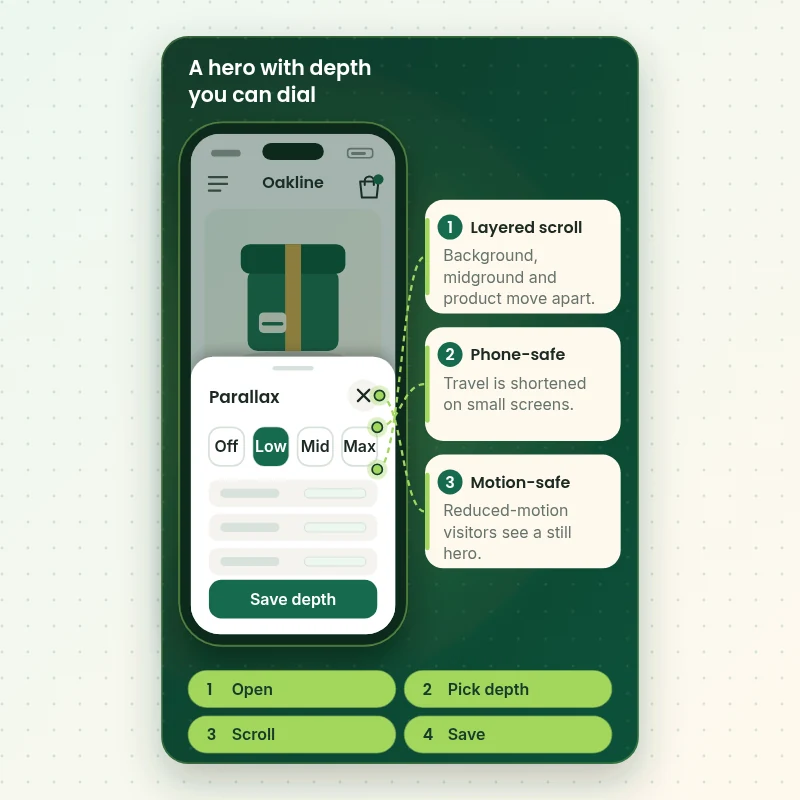
How a Parallax Hero Behaves on a Phone, Step by Step
Watch a hero section on a mobile screen: a tap opens the depth setting, the layers move apart as the shopper scrolls and the intensity can be turned up or down in the editor. It shows why the controls matter, because the right amount of motion differs for each brand and each device.
Portfolio
Shopify Store Designs We Create
A look at store designs across fashion, home, beauty, pets and gifts, to show the standard of layout and finish behind Parallax Scrolling Effects for Shopify Stores.
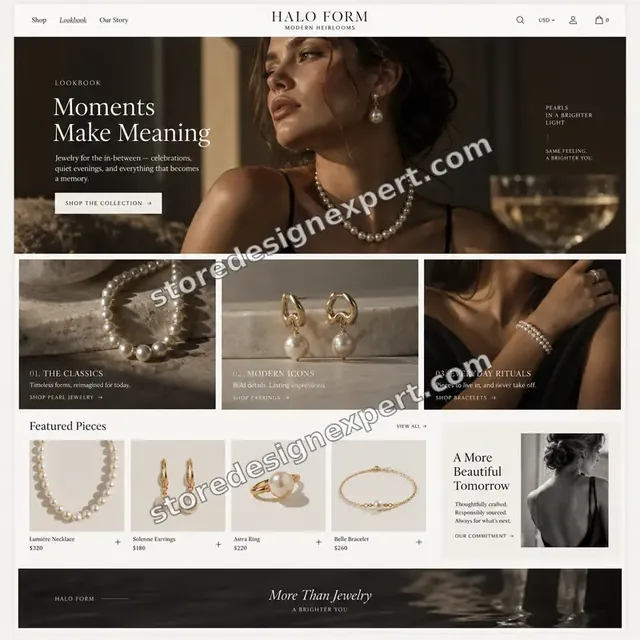
Jewelry store design
Jewelry
Outdoor apparel store design
Outdoor apparel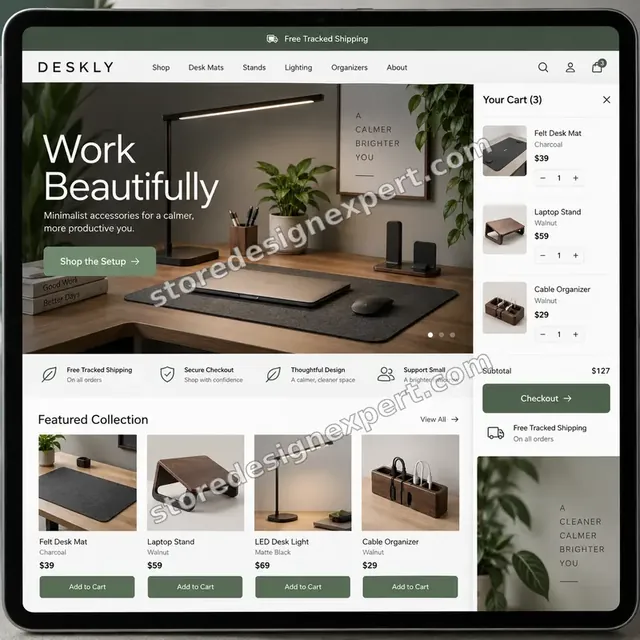
Home office accessories store design
Home office accessories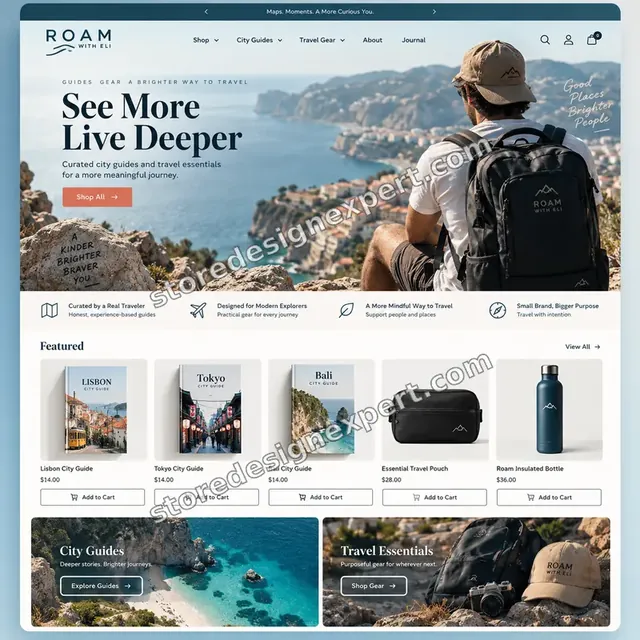
Travel creator store design
Travel creator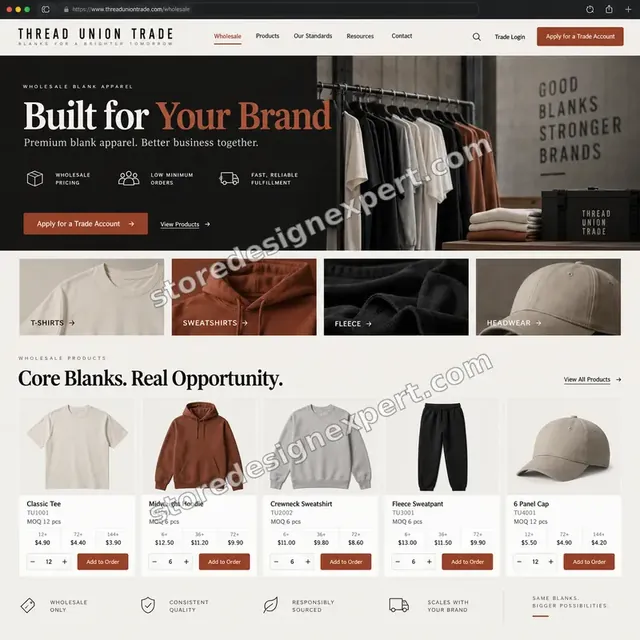
Blank apparel store design
Blank apparel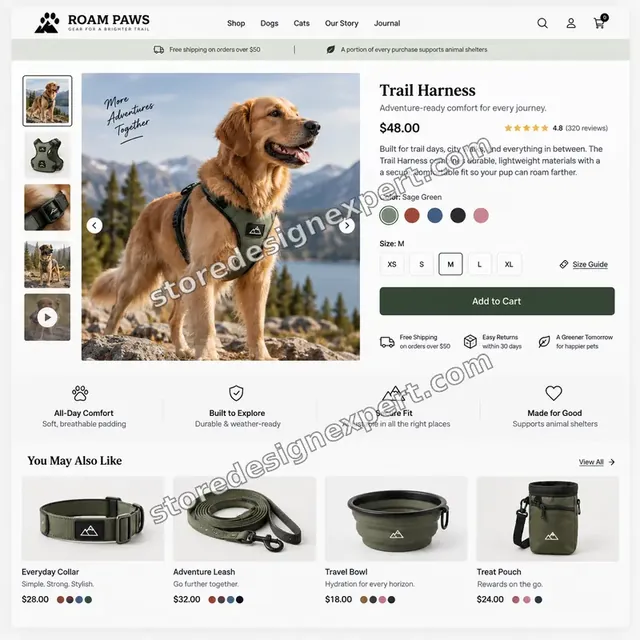
Pet store design
PetProcess and timeline
How We Do Parallax Scrolling Web Design, Step by Step
Every build runs through six stages in a duplicate theme, so your live store keeps selling. The calculator shows how long your own mix of sections, artwork and templates takes.
- 01
Scroll audit and goal
We open your store on a phone and a laptop, list where a visitor loses interest and decide which sections justify movement. Some pages are better left still, and we say so.
- 02
Storyboard and layers
We sketch the scroll beats, name each layer and agree travel distances with you. You approve the plan before any image is cut or any code written.
- 03
Artwork preparation
Photos are masked, extended where needed and exported at the right size per breakpoint, so the section is light enough to load quickly.
- 04
Section build
We write the section, its settings and the motion in a duplicate theme, using scroll-driven CSS where available and a small fallback script elsewhere.
- 05
Device and speed testing
We test on real iPhones, Android phones and desktop browsers, toggle reduced motion, and compare speed readings against the starting point. Fixes happen before your review.
- 06
Launch and handover
After your approval we publish the theme or section and send a recorded walkthrough and notes on changing speed, swapping images and turning the effect off.
Compare your options
Theme Demo, Snippet, App or Our Custom Build?
Shopify owners usually weigh four routes to a scrolling effect. This table compares them on what decides whether the effect helps or hurts the store.
| What matters | Parallax theme | Pasted snippet | Page-builder app | Store Design Expert |
|---|---|---|---|---|
| Works inside your current theme | No | Yes | Yes | Yes |
| Editable in the theme editor | Limited | No | In the app | Yes |
| Tested on real phones | Demo only | Rarely | Varies | Yes |
| Reduced-motion fallback | Rarely | No | Varies | Yes |
| Speed readings before and after | No | No | No | Yes |
| No monthly app fee | Yes | Yes | No | Yes |
| Survives theme updates | Theme specific | Often breaks | App dependent | Yes |
| Fixed price known up front | One-time fee | Yes | Monthly | Yes |
Inside every project
What Protects Your Store While We Add Motion
A scroll effect touches the part of the store customers see first, so how we work matters as much as how it looks. These safeguards come with every project.
Built in a duplicate theme
We work in an unpublished copy of your theme, so shoppers see nothing half-finished. You preview a link and approve before the live theme changes.
Backup and fast rollback
We keep a copy of the current theme before the first edit. If the effect does not perform as hoped, going back takes minutes rather than a rebuild.
Speed stays on the checklist
Readings from before and after sit in the handover notes. If an effect costs more than agreed in loading time, we adjust it or remove it.
Motion-safe by default
Every section respects the visitor's reduced-motion setting and keeps text contrast above readable limits at each scroll position.
Notes you can follow
A recorded walkthrough and a written note explain the settings, the files involved and what to do after a theme update, so the work stays maintainable.
Fixed scope, two revision rounds
The price is shown before you pay and does not grow with the hours. Two structured feedback rounds are part of every package.
Interactive price calculator
Build Your Parallax Scrolling Package
Choose a package, tell us how many sections, which pages and how bespoke the artwork is, then set your speed. The fixed price and delivery estimate update with every choice.
Request a custom quote
Headless storefronts, Shopify Plus checkout motion, multi-store rollouts and fully bespoke 3D or video-driven scroll stories are scoped separately, with deliverables and a fixed fee agreed in writing first.
Request a QuoteChanged your mind? Choose Depth Accent, Scroll Story or Full Immersion above to return to the instant calculator.
Packages and comparison
Parallax Scrolling Package Comparison
Rows below itemise what you receive in each tier. Choose sections, artwork and templates in the calculator, and your own scroll-effect price and timing appear.
| What is included | Depth Accent $390 | Scroll Story $790Recommended | Full Immersion $1,490 |
|---|---|---|---|
| Parallax section built in the theme editor | Included | Included | Included |
| Per-device images and crops | Included | Included | Included |
| Reduced-motion fallback | Included | Included | Included |
| Speed readings before and after | Included | Included | Included |
| Checks across phone, tablet and laptop | Included | Included | Included |
| Recorded handover and two feedback rounds | Included | Included | Included |
| Up to three parallax sections | Not included | Included | Included |
| Reveal-on-scroll text and images | Not included | Included | Included |
| Editor settings for speed and overlay | Not included | Included | Included |
| Real-device testing on iOS and Android | Not included | Included | Included |
| Full landing page template | Not included | Not included | Included |
| Reusable sections for other templates | Not included | Not included | Included |
| Written performance budget | Not included | Not included | Included |
| Two weeks of post-launch fixes | Not included | Not included | Included |
| Usual turnaround | 3 to 5 days | 5 to 8 days | 8 to 12 days |
Your Parallax Scrolling Effects for Shopify Stores price and delivery estimate come from the calculator above, so there is no surprise at checkout.
Why Store Design Expert
Why Brands Choose Us Over a Theme or a Code Snippet
A theme gives you one effect that you cannot change, and a pasted snippet gives you a risk. Here is what you get from us instead.
Shopify only, since 2015
We build on one platform, so sections follow current theme architecture, schema settings and editor conventions that survive platform changes.
4.9+ from verified clients
Reviews on this page come from real clients of Store Design Expert, so you can read how projects went before you commit.
Effects you control
You get sliders and switches in the editor. Marketing can tone down a banner for a sale or turn it off without writing a line of code.
A price you can plan around
The calculator adds every option before you pay. There is no hourly meter and no surprise invoice when the banner needs another crop.
You talk to the builder
Messages go to the person who writes the section, not through an account manager, so feedback on timing and travel is quick.
You own everything
The theme, the files and the admin stay yours. Anything we build in our Partner account is transferred to you when the work is finished.
What we need to get started
What We Need From You to Start Your Parallax Build
You do not need layered artwork or a storyboard to begin. A way into the store and a few reference images are enough. Start by choosing how you want to give us access.
Add us as collaborators
Store already live? Pass us the address and approve the collaborator request. You never lose ownership, no password is exchanged and you can end our access whenever.
No store yet
We set the store up in our own Shopify Partner account, build and test the scroll experience there and hand over ownership when done. You only choose a plan at the end.
Staff login instead
If it is simpler, create a staff account for us. Collaborator access is easier to revoke later, but we can begin with either route.
Images and brand assets
Send the best photography you have, ideally with transparent cut-outs or original layered files, plus your logo and colors. We will say which images need preparing.
Pages that should move
Tell us which pages or sections should carry depth and share two or three sites whose scrolling you admire, so we can match the energy without copying.
Approver and constraints
Name who signs off and mention any limits, such as an app that must stay, a launch date or markets where older phones matter.
Neither your owner password nor payment cards are ever requested. A live theme is edited only through a backed-up duplicate, and you get our notes afterwards.
Testimonials
What Store Owners Say After Launch
Verified clients describe working with Store Design Expert on theme customization, redesigns and fixes.
Verified
Super helpful and patient. I am new to ecommerce and Store Design Expert talked me through the whole process and even fixed my payment bridging for me!
LR
Lois R.United Kingdom
Verified
Very satisfied with the work. Most importantly, Store Design Expert responded promptly to my questions and concerns. Thank you!
KB
Kyle B.United States
Verified
Outstanding work and outstanding customer service. Five stars! I will absolutely use Store Design Expert again for my next book.
KM
Katharine M.United States
Verified
Store Design Expert was great! They delivered exactly what I asked for and even offered helpful extra suggestions. Highly recommended.
PW
Paul W.United States
Verified
I request Store Design Expert every time I have a project. They are professional and give real attention to detail, which makes the work stand out.
LK
Laura K.United States
Verified
They kept communicating until the problem was fully resolved, and the result was great.
HJ
Henry J.United States
Verified
I am beyond satisfied! Store Design Expert went above and beyond on my project. Highly recommended!
MD
Michael D.United States
Verified
The experience was tailored to my brand and specifications to the letter. I love the result.
EP
Eric P.United States
Verified
They definitely get the job done. Very patient and understanding throughout the whole project.
BS
Brian S.United States
Related searches
What People Search For Before Ordering Parallax Scrolling Effects for Shopify Stores
People describe Parallax Scrolling Effects for Shopify Stores in different ways when they search. These are the common ones.
If you searched for “shopify parallax effect”, “shopify parallax theme”, “how to add parallax effect in shopify” or “shopify themes with parallax scrolling”, Parallax Scrolling Effects for Shopify Stores is the work that answers it.
People who look up “parallax scrolling banner in shopify”, “parallax scrolling website examples”, “websites with parallax scrolling” or “parallax scrolling web design” usually want Parallax Scrolling Effects for Shopify Stores; the calculator above shows the price and delivery estimate before you commit.
If you searched for “how to code parallax scrolling”, “parallax scrolling website code”, “parallax scrolling effect css” or “what is parallax scrolling”, Parallax Scrolling Effects for Shopify Stores is the work that answers it.
You may also have come across “shopify scroll animation” or “shopify custom theme development” while reading about Parallax Scrolling Effects for Shopify Stores.
FAQ
Parallax Scrolling Shopify FAQs
Straight answers about price, speed, mobile behavior, themes, code and what you receive.
How much does parallax scrolling for Shopify cost?
Packages start at $390 for one section, $790 for a multi-section scroll story and $1,490 for a full landing page. Extra sections, artwork preparation and template reach are added in the calculator, so most builds land between about $400 and $2,200. Your fixed price appears prior to payment.
What do you deliver for parallax scrolling Shopify projects?
A section or set of sections inside your theme editor, prepared and compressed images, settings for speed and overlay, mobile and reduced-motion behavior, speed readings before and after, a recorded handover and two revision rounds. Higher packages add reveals, a full page and a performance budget.
How long does a parallax build take?
Depth Accent takes 3 to 5 working days, Scroll Story 5 to 8 and Full Immersion 8 to 12, before options. Preparing artwork from scratch and covering many templates add days, which the calculator shows. Sooner and Fastest options shorten the schedule if you have a campaign date.
What is parallax scrolling?
It is a design technique where background and foreground layers move at different speeds while a visitor scrolls, creating an impression of depth. On a store it works best for hero banners, brand stories and single-product pages, and worst when it covers product grids or checkout steps.
How to add parallax effect in Shopify without an app?
You can add a section file with its own CSS and a small script, then expose settings through the theme schema. That works but needs care on phones and with reduced motion. We build it for you in a duplicate theme, so there is no app fee and nothing to maintain monthly.
Do I need a Shopify parallax theme for this?
No. A Shopify parallax theme locks one effect into one design. We add parallax sections to the theme you already use, keeping your content and settings, so you avoid migrating the whole store just for a banner.
Which Shopify themes with parallax scrolling are best?
Several paid themes advertise depth effects, and the Shopify Theme Store lists others. The best Shopify themes with parallax scrolling for you depend on your products and brand. If you like your current theme, we usually add the effect to it instead of changing themes.
Can you add a parallax scrolling banner in Shopify to my homepage?
Yes. We build the banner as a block you can move, edit and reuse on other pages. It includes separate mobile images, an overlay control and a still version for reduced-motion visitors, so it behaves well wherever you place it.
Will parallax slow my store down?
It can if images are oversized or scripts are heavy, which is why we compress layers, load the first image with priority and use transforms rather than layout-shifting tricks. We record speed before and after, and we adjust or remove motion that costs too much.
Does parallax work on mobile?
Yes, with limits. Phones get shorter travel, fewer layers or a static image depending on testing on actual iOS and Android devices. Copying the desktop effect to a phone is the usual cause of judder, so we design the small-screen version separately.
How to code parallax scrolling that is safe for accessibility?
Use transforms, respect the prefers-reduced-motion setting, keep text contrast stable over moving images and make sure keyboard focus is unaffected. We implement all of that in every section, and document where the settings are so your team can maintain them.
Can you share parallax scrolling website examples and websites with parallax scrolling?
The portfolio above shows storefronts we designed, and we can send examples near your niche through the quote page. Public websites with parallax scrolling tend to share restraint: one idea per screen, readable text and quick loading, which guides how we build.
Do you provide parallax scrolling website code or only the finished design?
You receive both. The parallax scrolling website code lives in your theme as a section and asset file, with comments and notes on what each part does. You own it outright, so another developer can maintain it later.
What does parallax scrolling effect CSS look like, and do you use it?
Modern browsers can link a transform to scroll position using CSS alone. Where a browser lacks that, we fall back to a tiny script. We choose per feature after testing, because the cleanest parallax scrolling effect CSS is only useful if it works for your actual visitors.
Do you also offer wider Shopify custom theme development?
Yes. If the parallax work grows into new templates, custom sections or deeper edits, our Shopify custom theme development follows the same fixed-price, duplicate-theme and handover process. Tell us about it through the quote page.
Ready when you are
Order Your Parallax Scrolling Shopify Build Today
Pick a package, see the exact price and timeline and order parallax scrolling Shopify sections from a team that has launched more than 450 stores. You receive tested, editable depth effects that are quick on phones and kind to visitors who prefer less motion.
Secure checkout · Two feedback rounds · Walkthrough video and notes