
Shopify stores designed and launched
Omnisend setup for Shopify
Omnisend Setup and Shopify Integration, Wired Correctly the First Time
Omnisend setup is quick to start and surprisingly easy to get half right: a missed app embed means forms never appear, an unauthenticated domain means mail lands in spam, and a loose consent mapping means you email people you should not. We connect Omnisend to your Shopify store, build the forms and automation workflows, and test every trigger with real orders, from $540 and a fixed scope. Choose your package below and the price updates as you click.
- Store connection checked against live carts and orders
- Sending domain authenticated before the first email goes out
- Email and SMS consent mapped from Shopify, not guessed
- Fixed price and a written test log you can keep
From$540
Delivery4 to 15 working days
Revisions2 rounds
Our track record
Over 450 Shopify Stores Launched Since 2015. Your Omnisend Account Gets the Same Care.
Omnisend email marketing only earns its keep when the plumbing underneath is right: events arrive, consent is recorded, and each message leaves from a domain mailbox providers trust. We have spent a decade inside Shopify stores, so that plumbing is the part we are strictest about.
Average rating from verified clients
Building Shopify stores since
Secure checkout
Pay through a protected checkout and keep a full order record.
Two revision rounds
Included in every package, so the result matches what you pictured.
Backup before changes
We work on a duplicate of your theme, never on your live store.
Who this is for
Who This Omnisend Setup Is For
Omnisend appeals to owners who want email, SMS and web push under one roof without enterprise pricing. These are the six situations in which we are usually asked to take the account off your hands.
New stores about to launch
The theme is finished and the first products are live, but there is no list, no welcome message and no recovery email. You want the whole customer messaging layer ready on opening day.
Stores leaving Shopify Email
Shopify's built-in tool was fine for newsletters, yet you now want triggers based on browsing, carts and purchases. We move you across and keep existing subscribers' consent intact.
Owners who installed the app and stalled
The connection says active, but nothing is sending, forms look odd and the dashboard shows few events. We find what is missing and finish the job.
Brands adding SMS to email
You have an email list and want text messages too. The difficulty is consent: who agreed to what, where, and how that is recorded. We design the capture points properly.
Stores weighing Omnisend against Klaviyo
You like Omnisend's channel mix and pricing but worry about missing power. We build the key automations on it so you judge the tool on real flows, not a demo account.
Agencies and consultants
You run campaigns for clients but would rather not spend days on authentication and tracking. We prepare the foundation and hand over a documented, tested account.
Problems solved
What Usually Goes Wrong When a Shopify Omnisend Integration Is Rushed
Connecting the two systems takes minutes. Making them behave takes judgment. These are the six faults we repair most often, and what we do about each one.
The problem
The app embed is switched off, so forms and tracking silently stop.
The outcome
Omnisend relies on a Shopify theme app embed for forms and storefront events. We enable it in every live theme, then confirm that views, carts and checkouts register.
The problem
Emails go out from an unverified sender, and inbox providers treat them as suspicious.
The outcome
We add the SPF, DKIM and DMARC records Omnisend requires, check each shows valid, and use a from address on the same domain you authenticated.
The problem
Marketing consent is unclear, so people who never opted in end up on the list.
The outcome
We map Shopify's checkout opt-in and Omnisend's forms so only explicit subscribers are marked subscribed, and everyone else stays non-subscribed.
The problem
Cart and browse messages overlap, so one shopper receives two reminders at once.
The outcome
We set entry rules and exits so a person is in one recovery path at a time, and a completed purchase removes them from it immediately.
The problem
Templates look different from the store and read like a generic notification.
The outcome
We style a reusable template with your logo, colors, buttons and product blocks, so each message looks like it came from the same brand as the website.
The problem
Nobody trusts the numbers because Omnisend and Shopify Analytics disagree.
The outcome
We explain how attribution windows work, align what we can, and note where the two tools will always differ, so reports stop causing arguments.
What we can do
What We Build Inside Your Omnisend Account
The work divides into six pieces. Packages decide how many of them you receive, and the notes below describe the edge cases we handle so they do not surface after launch.
Shopify omnisend integration and sync check
We install the Omnisend app, approve its permissions and confirm that contacts, products and orders arrive. Most stores sync within about an hour, and a full history import can take up to a day, so we check again after it settles and compare counts.
Omnisend forms that match your store
Pop-ups, embedded forms and flyouts are designed for your brand, with timing and page targeting that avoid blocking checkout. We test them on a phone, since a full-screen pop-up that cannot be closed loses subscribers rather than gaining them.
Omnisend welcome email series
A new subscriber is the warmest a contact will ever be. We write and build a short welcome sequence with your story, best products and any incentive, and check that discount codes work and expire as intended.
Omnisend abandoned cart and browse recovery
We build cart recovery from Shopify's checkout events and, where you want it, browse recovery from product views. Both stop the moment an order is placed, and timing and content are agreed with you before anything switches on.
Omnisend SMS consent and sending rules
Text messaging needs explicit opt-in. We add the capture points, check that phone numbers arrive with the right status and set sending hours. We configure the tool; deciding legal wording remains with you and your adviser.
Segments built on Shopify behavior
Starting groups such as first-time buyers, repeat buyers, high spenders and lapsed customers use fields that really arrive from Shopify. If a segment cannot be built reliably from the data you hold, we say so rather than fake it.
What is included
What Is Inside Your Omnisend Setup
Every deliverable belongs to one of six streams. The package table further down shows how deep each stream goes at each price, so you can see what a larger package adds.
Connection and tracking
- Omnisend app installed and permissions approved
- Theme app embed enabled in the live theme
- Contacts, products and orders confirmed in Omnisend
- Cart, product view and checkout events checked
Sending identity
- Sending domain authenticated with SPF, DKIM and DMARC
- From name, from address and reply-to set
- Footer, address and unsubscribe details completed
- Test sends read in several inboxes
Consent and compliance
- Checkout opt-in mapped to subscribed status
- Non-subscribed contacts kept out of marketing sends
- SMS opt-in wording placed on forms where used
- Notes for your adviser on what was configured
Forms and templates
- Sign-up form built to your branding
- Reusable email template with your colors and logo
- Product blocks and buttons tested on mobile
- Extra form types in the larger packages
Automation workflows
- Welcome series built and tested
- Cart recovery and browse recovery in larger packages
- Post-purchase follow-up and win-back in Omnichannel Build
- Exit rules so shoppers are not messaged twice
Handover
- Test log of every trigger we fired
- Short recorded walkthrough of your account
- Written notes on settings and why they were chosen
- Two rounds of revisions after review
Because the setup is done for you, your involvement is limited to sharing access, answering a short brief and approving the messages before they go live.
Follow the data
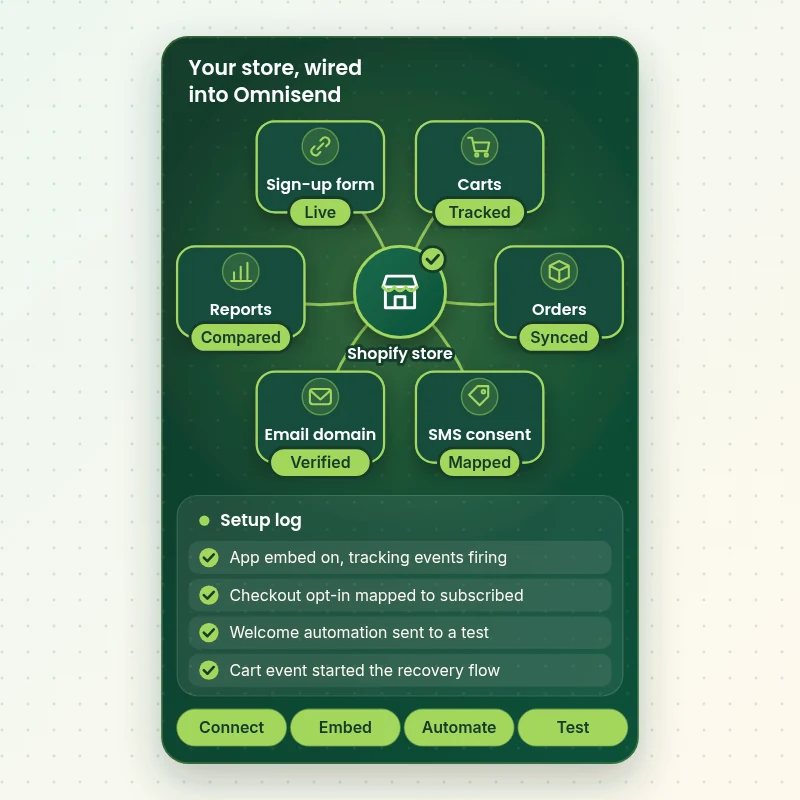
How Your Shopify Store Feeds Omnisend, Step by Step
Every automation starts with an event in your store. This view shows what we connect and check: the sign-up form, shopper carts and orders, SMS consent, the authenticated sending domain and reporting. When each stream is verified, the first automation can fire safely.
Portfolio
Shopify Store Designs We Create
Omnisend Setup and Shopify Integration gets the same attention to layout, spacing and detail as each design below, every one built around a single catalog and one kind of buyer.
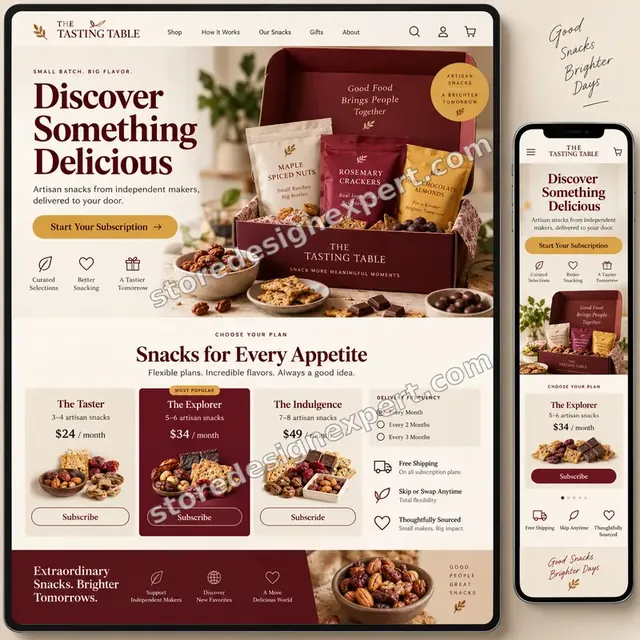
Artisan snacks store design
Artisan snacks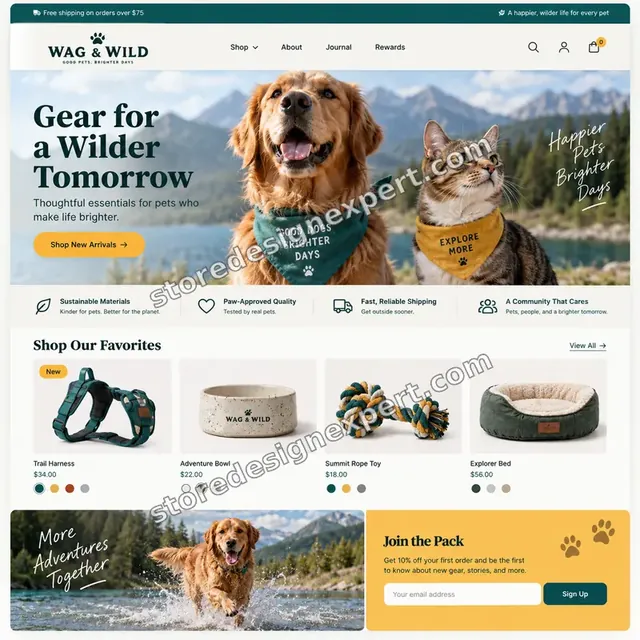
Pet store design
Pet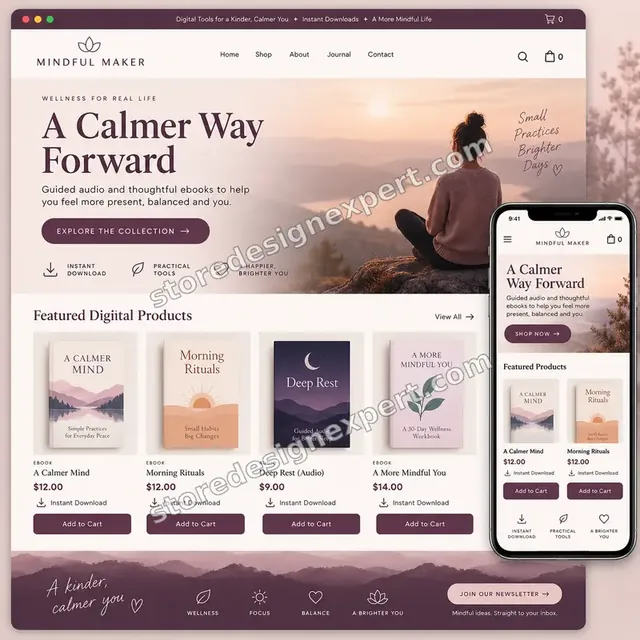
Wellness ebooks store design
Wellness ebooks
Wall art store design
Wall art
Beauty tools store design
Beauty tools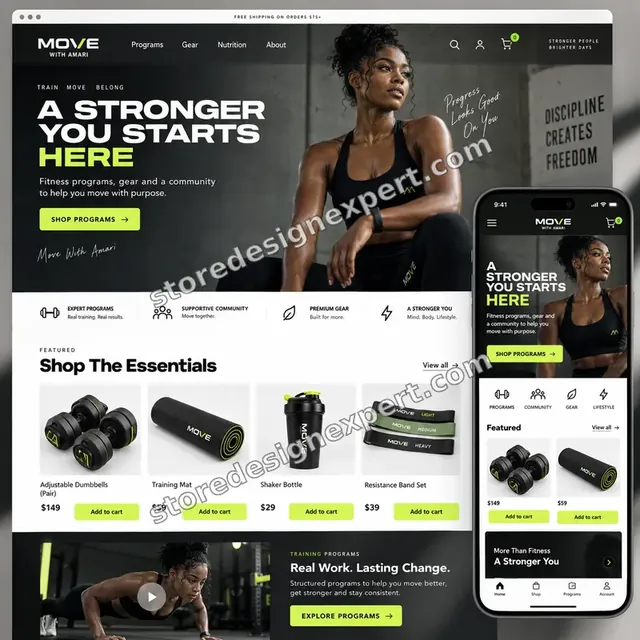
Food creator store design
Food creatorProcess and timeline
From Account Access to Live Automations: How Our Omnisend Automation Build Runs
The work moves in six stages, and nothing that sends to customers goes live before you have seen it. Your selections in the calculator decide how long each stage takes.
- 1
Brief and audit
We ask what you sell, what you already send and what you want customers to receive. If an Omnisend account exists, we look at what is connected, what is active and what is draft.
- 2
Connect
The Omnisend app is installed or checked, permissions approved and the theme app embed enabled. We then compare contact, product and order counts to see the sync arrive.
- 3
Authenticate
We add the sending-domain records, wait for them to validate and set the sender identity. Anything that could push your messages toward spam is settled before content is written.
- 4
Build
Forms, the template and automation workflows are created as drafts. You receive previews and can comment on wording, timing and design before any of it is switched on.
- 5
Test
We place test orders, abandon test carts, subscribe through each form and read the results on phone and desktop. Every trigger and exit rule is logged as passed or fixed.
- 6
Launch and handover
With your approval we activate the automations and record a walkthrough. You also get written notes covering settings, segments and what to watch in the first weeks.
Compare your options
DIY App Install, Marketplace Gig, Agency Retainer or Our Omnisend Setup?
There are four common ways to get Omnisend running. This comparison covers the checks that decide whether messages arrive, convert and stay compliant.
| What matters | Install it yourself | Marketplace gig | Agency retainer | Store Design Expert |
|---|---|---|---|---|
| Theme app embed verified | Often missed | Varies | Yes | Yes |
| Sending domain authenticated | Often skipped | Rarely | Yes | Yes |
| Consent mapped to subscribed status | Defaults only | Rarely | Yes | Yes |
| Triggers tested with real orders | You test | Rarely | Yes | Yes |
| Price known before work begins | Yes | Yes | Quote only | Yes |
| Written test log and handover | No | Rarely | Extra cost | Yes |
| No retainer or minimum spend | Yes | Yes | No | Yes |
| Account owned by you | Yes | Varies | Varies | Yes |
Inside every project
What Protects Your List, Your Domain and Your Budget
Customer messaging carries more risk than most store changes, because mistakes reach inboxes and phones. These six practices come with every package and explain why a set price can still be a safe one.
Nothing sends until you approve it
Automations are built as drafts, previewed with you and activated only after sign-off. A test message that reaches a real customer by accident is exactly the error this rule prevents.
Consent is treated as data
Every form and checkout path is traced to the status it creates in Omnisend. People who did not opt in stay non-subscribed, which also keeps your billed contact count honest.
Store changes happen in a copy
If a form or tracking snippet needs theme work, we do it in a duplicate theme after saving a backup. Customers keep shopping on the live theme until you approve.
A written definition of done
A workflow is complete when its trigger fires from a real event, its exit rule works, its links resolve and it renders on phone and desktop. The test log shows each result.
You stay the account owner
The Omnisend account is created or kept in your name, and we ask only for the access the work needs. You can remove us at any time and lose nothing.
Plain scope and two revision rounds
You see the price before paying. Wording, timing and design changes inside scope are handled in two structured revision rounds, without hourly top-ups.
Interactive price calculator
Build Your Omnisend Setup Package
Pick a package, answer three questions about channels, automations and your existing contacts, then choose how fast you need it. The fixed price and the delivery window change with each selection.
Request a custom quote
Shopify Plus checkout extensions, custom event tracking through the Omnisend API, multi-store accounts, very large imports and moves of more than one other platform's data are scoped separately with a fixed quote.
Request a QuoteChanged your mind? Choose Sync and Sign-up, Flows and Channels or Omnichannel Build above to return to the instant calculator.
Packages and comparison
Omnisend Setup Package Comparison
This table lays out each package line by line. If you are comparing an omnisend Shopify setup service against a quick marketplace gig, check how many of these items a cheaper offer actually names.
| What is included | Sync and Sign-up $540 | Flows and Channels $940Recommended | Omnichannel Build $1,640 |
|---|---|---|---|
| Omnisend connected to Shopify and sync checked | Included | Included | Included |
| Theme app embed enabled and tested | Included | Included | Included |
| SPF, DKIM and DMARC sender authentication | Included | Included | Included |
| One sign-up form | Included | Included | Included |
| Welcome email series | Included | Included | Included |
| Test log and recorded handover | Included | Included | Included |
| Abandoned cart and browse recovery | Not included | Included | Included |
| Post-purchase follow-up | Not included | Included | Included |
| Branded email template | Not included | Included | Included |
| Starter segments and SMS opt-in capture | Not included | Included | Included |
| Win-back and review-request automations | Not included | Not included | Included |
| Web push and extra form formats | Not included | Not included | Included |
| Deliverability review | Not included | Not included | Included |
| Typical delivery | 4 to 6 days | 7 to 10 days | 10 to 15 days |
Your Omnisend Setup and Shopify Integration price and delivery estimate come from the calculator above, so there is no surprise at checkout.
Why Store Design Expert
Why Store Owners Choose Our Omnisend Shopify Setup Service
You could install the app yourself in a lunch break. People hire us because the quiet parts, tracking, authentication and consent, decide whether the program works, and those are the parts we do carefully.
Shopify first, email second
We spend our days inside Shopify themes and checkouts, so we know where an event comes from and why it might not fire. That is a different skill from writing subject lines.
Rated 4.9+ by verified clients
Reviews on this page come from verified Store Design Expert clients, so you can read how previous projects went before you pay.
Pricing you can plan around
Package prices, option prices and extra days all appear in the calculator. Omnisend's monthly plan is separate and billed to you directly by Omnisend.
Direct contact with the builder
You message the person doing the setup. Questions about wording, timing or a strange report get answered by someone who has the account open.
Documentation you can reuse
The handover covers how the automations are wired, so a colleague or a later agency can pick the account up without guessing.
Experience since 2015
We have launched more than 450 Shopify stores, which means we have met most theme quirks, checkout oddities and app conflicts that can interfere with email tracking.
What we need to get started
What We Need From You to Begin Your Omnisend Setup
You need a way into Shopify, an Omnisend account (or permission for us to create one) and a short brief. Choose the access route that is comfortable for you.
Send a collaborator request
If your store is already live, give us the store address and approve the collaborator request we send. You stay the owner, we only see what that role allows, and you can withdraw us whenever you like.
No store yet? We start it for you
We can assemble the store in our Shopify Partner account first, set Omnisend up there and then transfer the whole store to you. You select a Shopify plan only when it is handed over.
Or share staff login details
A staff account is fine when that suits you better. We would still suggest collaborator access, because it can be revoked in a click and leaves no password to manage.
Your Omnisend account
Create a free account and invite us, or tell us to create it under your email. Either way the account is yours, and we recommend you hold the owner role.
DNS access for your domain
Authentication needs records added where your domain is managed. Share DNS access with us or have your domain contact add the records we provide; this takes a few minutes.
Your offers and sending rules
Tell us your discount policy, delivery times, brand voice and any claims you cannot make. Name the person who approves messages, and send existing lists if you want them imported.
Your Shopify owner password and payment details never come to us. Any theme change is made in a duplicate after a backup, and we write down what we touched.
Testimonials
What Store Owners Say Before You Order Omnisend Setup and Shopify Integration
Verified Store Design Expert clients describe the brief, the build and the handover in their own words.
Verified
Store Design Expert delivered an outstanding website development experience! Their professionalism and attention to detail exceeded my expectations, and their proactive communication kept everything running smoothly. Truly impressed by their deep understanding and dedication.
WG
Warren G.United States
Verified
Very impressed with the build-out. My store is ready to get started, and I am sure I will reach out for edits down the road, but this is everything I could ask for to get the party started. Thanks again, and I will be in touch for future projects.
DH
Dale H.United States
Verified
Very quick and detailed work! Store Design Expert does exactly what you want, in a very professional manner.
LF
Lena F.Germany
Verified
Store Design Expert did an outstanding job with top-notch professionalism on my website project. Everything was delivered quickly without compromising quality. I could not have asked for better!
JM
Jason M.United States
Verified
The website development work was nothing short of professional, with top-notch quality. Their exceptional level of cooperation made the collaboration seamless and enjoyable. Highly recommend working with Store Design Expert!
JC
Jeremy C.United States
Verified
Super great to work with, and super fair!
RO
Robert O.United States
Verified
The website development work was truly impressive. Their attention to detail and ability to exceed expectations made the project a success. Working with them was a breeze, thanks to quick responsiveness and a willingness to go above and beyond.
KD
Kevin D.United States
Verified
Store Design Expert was very knowledgeable about what I needed done to fix my Shopify store and how to improve the store layout. The project was completed very quickly, and I will definitely use them for support as my business grows.
ST
Samuel T.United States
Verified
Very satisfied with the work. Most importantly, Store Design Expert responded promptly to my questions and concerns. Thank you!
KB
Kyle B.United States
Related searches
Searches That Bring Owners to Omnisend Setup and Shopify Integration
The searches below are the ones that lead people to Omnisend Setup and Shopify Integration.
If you searched for “omnisend shopify”, “how to set up omnisend shopify”, “shopify omnisend integration” or “omnisend shopify setup service”, Omnisend Setup and Shopify Integration is the work that answers it.
“omnisend ecommerce marketing automation”, “omnisend automation”, “omnisend email marketing” or “omnisend sms” all point to the same job, which Omnisend Setup and Shopify Integration covers from start to finish.
“omnisend abandoned cart”, “omnisend welcome email”, “omnisend forms” or “omnisend vs klaviyo”: owners type these when they need Omnisend Setup and Shopify Integration, and the packages above are priced for that job.
If you searched for “omnisend vs shopify email” or “how much does omnisend cost”, Omnisend Setup and Shopify Integration is the work that answers it.
FAQ
Omnisend Setup FAQs
Answers on cost, timing, access, consent, SMS and how Omnisend compares with other tools.
How much does an Omnisend setup cost with you?
Sync and Sign-up costs $540, Flows and Channels $940 and Omnichannel Build $1,640. Channels, extra workflows, list imports and add-ons change the total, and the calculator shows it before you pay. Most projects land between roughly $540 and $2,600, with delivery from 4 to about 20 working days.
How long does Omnisend setup take?
The smallest package takes 4 to 6 working days, the middle one 7 to 10 and the largest 10 to 15. DNS validation and your approval time are the usual variables. The Sooner and Fastest speed options shorten the schedule if you have a promotion date.
How to set up Omnisend Shopify without breaking my theme?
Install the Omnisend app, approve its permissions, enable its app embed in the theme editor, then check that events register. We follow that order and test in a duplicate theme where theme changes are needed, so your live store is never the place we experiment.
What does a Shopify Omnisend integration actually sync?
Omnisend syncs contacts, products and orders, and receives storefront events such as product views, carts and checkouts. Most stores sync within about an hour, though a full history can take up to a day. We compare counts afterward so gaps are found before automations depend on them.
Do you need my Shopify password for Omnisend Setup and Shopify Integration?
No. We prefer a collaborator request, so you remain the owner and can revoke access. If you have no store yet, we build it in our Partner account and transfer it to you. Staff login details are accepted as a last option, but we never need the owner password.
What is Omnisend ecommerce marketing automation good for?
Omnisend ecommerce marketing automation sends messages triggered by shopper behavior: signing up, browsing, carting, buying and going quiet. It suits stores that want email, SMS and web push in one tool. The value depends on clean tracking, consent and honest segments, which is where we spend the time.
Can you build an Omnisend abandoned cart flow?
Yes. The Omnisend abandoned cart automation starts from Shopify checkout events, and we set its timing, content and exit rules with you. Orders remove the shopper from the flow. In larger packages we add browse recovery and make sure both paths cannot message the same person together.
What should an Omnisend welcome email include?
A good Omnisend welcome email introduces the brand, shows a few best sellers, explains delivery and returns, and delivers any promised incentive. We build a short series, test the discount code and keep the first message plain enough to land in the primary inbox.
Can you set up Omnisend SMS?
We set up Omnisend SMS capture and sending rules: opt-in wording on forms, how phone numbers arrive from Shopify and which hours messages may go out. Consent and local rules are your responsibility, so we configure carefully and leave the legal wording to you and your adviser.
How do Omnisend forms get onto my store?
Omnisend forms appear through the Omnisend app embed, so no theme code is needed. We design them to your brand, choose triggers and target pages, and check that they behave on phones. If the embed is disabled, forms vanish, so we confirm it is on.
Is Omnisend vs Klaviyo a close call for my store?
Omnisend vs Klaviyo often comes down to channel mix, pricing model and how deep your reporting needs run. Omnisend is attractive when you want email, SMS and push together at moderate cost. We can build either, and we will say honestly which fits your volume.
Why choose Omnisend vs Shopify Email?
Omnisend vs Shopify Email is mostly a question of triggers. Shopify Email is simple and good for newsletters, while Omnisend adds behavior-based workflows, segments, forms and SMS. If you only send occasional campaigns, the built-in tool may be enough; if you want automation, move.
How much does Omnisend cost each month?
Omnisend has a free tier and paid plans that scale mainly with contact count, and prices change over time, so check its pricing page before you decide. Our fee covers setup only. We can tell you which plan your list size suggests and what to avoid paying for.
Can you hire me an Omnisend expert for ongoing campaigns?
Our packages cover setup, not monthly campaign management. Many owners then run campaigns themselves using the template and notes we leave. A 30-day support extra covers questions after launch, and we can quote ongoing work separately if you want a hands-on partner.
Ready when you are
Order Your Omnisend Setup Today
Pick a package, watch the fixed price settle and book an Omnisend setup built by a team that has launched 450+ Shopify stores. Your tracking, domain and consent are checked before a single customer message goes out.
- Secure checkout
- Two revision rounds
- Test log and walkthrough included