
Shopify stores designed and launched
Mailchimp setup for Shopify
Mailchimp Shopify Integration That Syncs the Right People, Not Just Everyone
A Mailchimp Shopify integration looks finished after five clicks, yet the choices inside those clicks decide which audience receives your customers, which contacts count as subscribers and whether old automations collide with new ones. We make those choices deliberately, authenticate your sending domain and build welcome and cart journeys that are tested against real orders, starting at $490 and a fixed scope. Choose a package below and watch the price settle.
- Right audience, right contact types, right field mapping
- Existing automations paused and replaced, never doubled up
- Domain authenticated so campaigns reach inboxes
- Fixed price with a written test log at the end
From$490
Delivery3 to 14 working days
Revisions2 rounds
Our track record
Over 450 Shopify Stores Launched Since 2015. Let Us Connect Yours to Mailchimp Properly.
Most connection problems we meet have nothing to do with Mailchimp being hard. They come from a store that was set up quickly, a list that grew by accident or a domain that nobody authenticated. We have seen those traps on hundreds of Shopify stores and know where to look.
Average rating from verified clients
Building Shopify stores since
Secure checkout
Pay through a protected checkout and keep a full order record.
Two revision rounds
Included in every package, so the result matches what you pictured.
Backup before changes
We work on a duplicate of your theme, never on your live store.
Who this is for
Who Needs a Careful Mailchimp and Shopify Setup
Mailchimp is often the first email tool a shop owner meets, which means many accounts carry years of habits. These are the six cases in which we are most often asked to step in.
Founders on the free plan
You opened Mailchimp for a newsletter and now sell on Shopify. You want your customers to flow in without exporting spreadsheets each week, and a welcome message that sends itself.
Stores on the older Mailchimp app
You connected years ago through the legacy Shopify integration and things behave oddly. We switch you to the current integration without losing your audience or history.
Brands with a physical shop
Your best customers signed up on a tablet at the till. We make sure those subscribers and your online buyers sit in one audience with clear tags, rather than two disconnected lists.
Owners whose emails go missing
Messages show as sent but customers say nothing arrives. Domain authentication and sender settings are the usual cause, and both can be fixed in a few days.
Businesses running several stores
Each connected Shopify store syncs to its own audience in Mailchimp. We decide how audiences, tags and automations should be arranged before duplicates multiply.
Teams comparing tools
You are weighing Mailchimp against Klaviyo, Omnisend or Shopify Email. We build the core automations in Mailchimp so you decide with real results instead of feature lists.
Problems solved
Where a Quick Mailchimp Integration With Shopify Goes Wrong
Anyone can press the connect button on a Mailchimp Shopify integration. The trouble shows up weeks later in reports and inboxes. These are the six problems we are hired to correct, and how each is handled.
The problem
Customers land in the wrong audience, or in a brand-new one nobody planned.
The outcome
We pick the linked audience on purpose, decide which contact types sync, and label them with tags so segmentation works from the first day.
The problem
An old welcome automation keeps running next to the new Shopify one.
The outcome
Mailchimp advises pausing existing welcome automations before connecting. We audit what is live, pause or retire the overlap and keep only one welcome path.
The problem
Campaigns reach spam folders because the domain is not authenticated.
The outcome
We add the DKIM and DMARC records Mailchimp provides, wait for them to validate and set a sender address on a domain you actually control.
The problem
Cart reminders never send, or send to people who already bought.
The outcome
We set the abandoned cart trigger, choose the wait time and test it with a real cart so you know exactly when it fires and when it stops.
The problem
Discount codes in emails do not work when a subscriber tries them.
The outcome
Codes sync on a delay of a few hours rather than instantly, so we plan code creation and campaign timing around that lag and test redemption.
The problem
Reports disagree with Shopify and no one knows which to believe.
The outcome
We explain what each tool counts, set up purchase tracking correctly and write down the differences so decisions rest on consistent numbers.
What we can do
What We Configure in Mailchimp and Shopify
Below are the six areas where we do the detailed work. Each includes a scenario where the default settings tend to let people down.
How to connect Mailchimp to Shopify the careful way
We install the Mailchimp app from Shopify, approve access, link the correct account and audience, choose contact types, optionally map fields such as birthday or phone and run the first sync. Manager access in Mailchimp is needed, so we confirm roles first.
Shopify Mailchimp site code and app embed
Storefront tracking and forms depend on the app embed in your theme. Without it, behavior data and pop-ups do not appear. We switch it on in the live theme, load the store and confirm the connected-site snippet reports in.
Shopify Mailchimp signup form that earns subscribers
We design a pop-up, embedded or footer form that fits your theme, tags every subscriber by source and connects it to the audience you chose. Each version is tested on a phone, because a clumsy pop-up there costs sign-ups.
Shopify and Mailchimp automation for carts and orders
We build a welcome journey, an abandoned cart journey and a post-purchase thank-you. The cart trigger cannot be combined with other triggers in one flow, so we keep it separate and use exits to avoid duplicate messages.
Shopify Mailchimp segment customers by behavior
Tags and segments based on purchase count, product bought, spend and recency are built from fields that really sync. Mailchimp allows up to ten conditions in a segment, and we keep them simple so they stay readable.
Consent, contact status and billing hygiene
We separate subscribed, non-subscribed and transactional contacts, so you email only people who agreed. Cleaning inactive profiles also keeps your audience size, and therefore your plan, from growing for no reason.
What is included
What Is Inside Your Mailchimp Package
Everything we deliver sits in one of six streams, and the package table below shows how deep each stream goes at each price point.
Connection
- Mailchimp app installed and approved in Shopify
- Linked audience and contact types chosen
- Optional field mapping completed
- First sync run and records spot-checked
Storefront tracking
- App embed enabled in the live theme
- Connected-site snippet confirmed
- Product and cart activity checked
- Pop-up behavior tested on phone and desktop
Sender identity
- Domain authentication records added and validated
- Sender name and reply-to configured
- Footer address and unsubscribe details completed
- Inbox test sends reviewed
Forms and design
- Signup form built and tagged by source
- Branded email template saved for reuse
- Product blocks and buttons tested
- Landing page in the larger packages
Automations
- One welcome path with old overlaps paused
- Abandoned cart flow with agreed wait time
- Post-purchase thank-you in larger packages
- Customer journey for win-back in Full Mailchimp Build
Handover
- Test log of triggers and exits
- Recorded walkthrough of your account
- Notes on tags, segments and settings
- Two revision rounds after review
This is a done-for-you project: you give us access and decisions, we do the clicking, testing and documenting, and you receive an account that is ready to send.
From connect to live
How Your Mailchimp Integration Moves From Plan to Live Automations
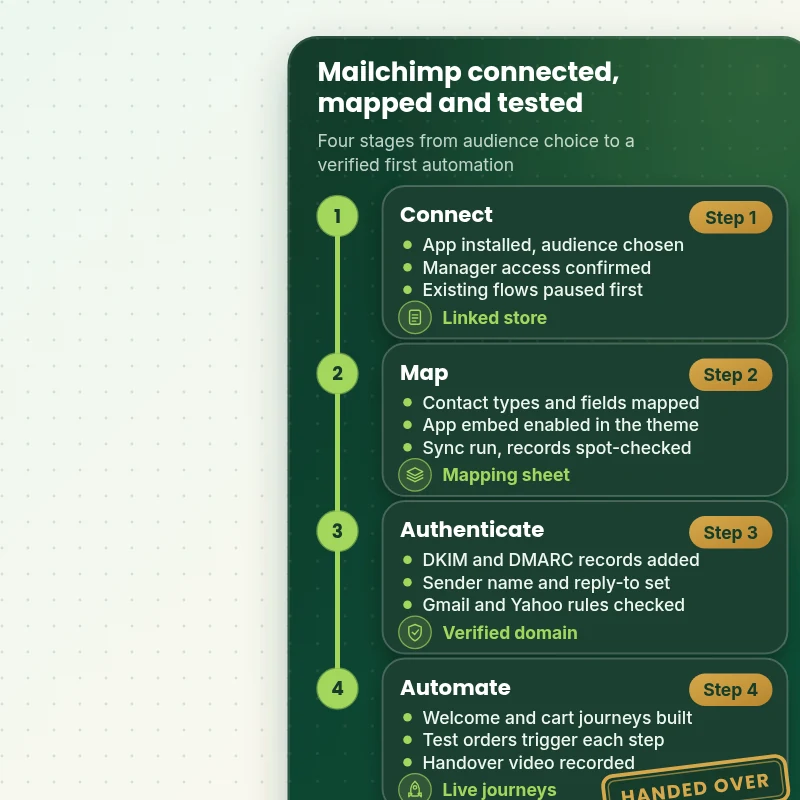
Each stage ends with something you can check. First the store and audience are linked, then data is mapped and synced, the domain is authenticated, and finally the journeys are built and tested with real orders before we hand the account to you.
Portfolio
Store Design Styles We Build
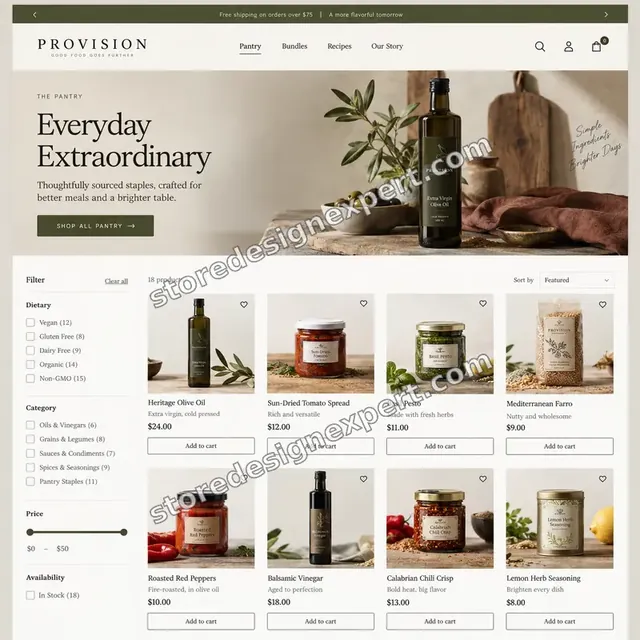
These storefront designs show how layout, product detail and trust cues change from one niche to the next, which is the same care that goes into Mailchimp Setup and Shopify Integration.
Food store design
Food
Audio store design
Audio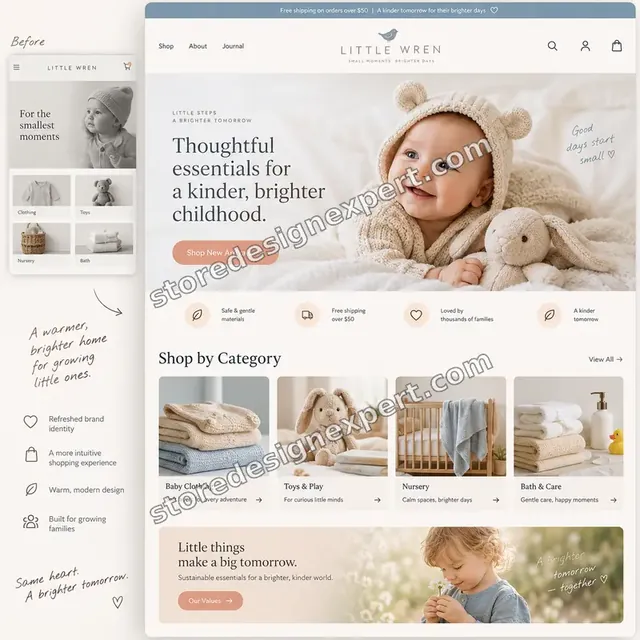
Baby store design
Baby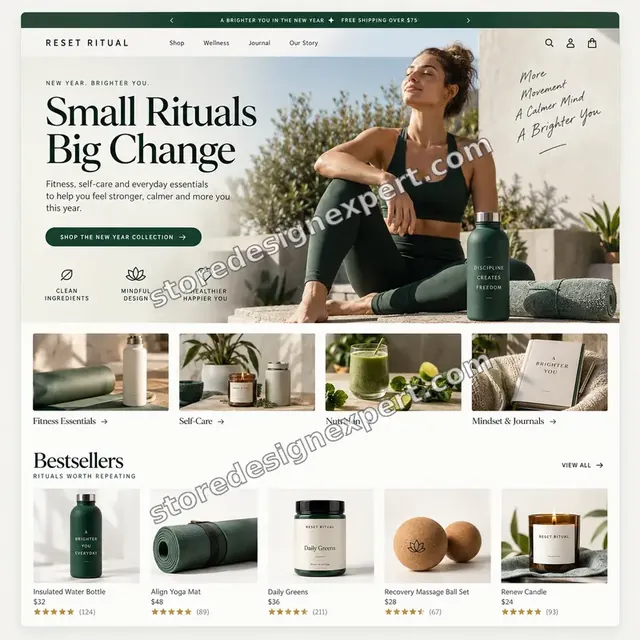
Wellness store design
Wellness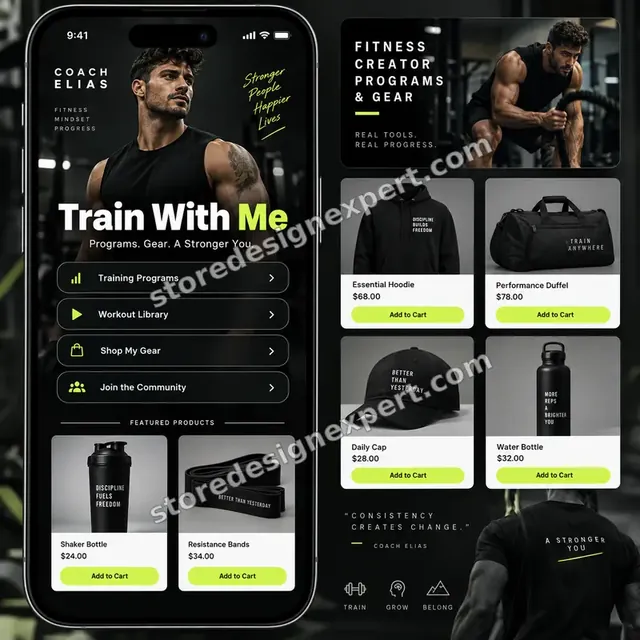
Fitness creator store design
Fitness creator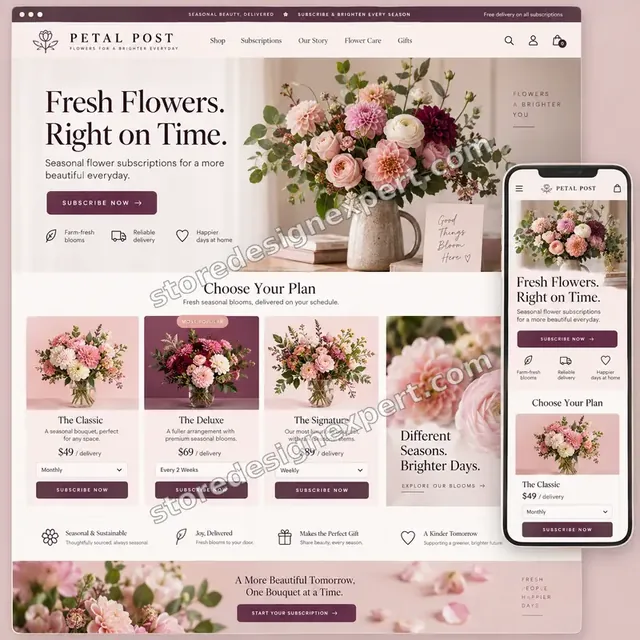
Flowers store design
FlowersProcess and timeline
From First Click to Live Journeys: How We Run the Work
The project runs in six stages, and nothing customer-facing is switched on before you have seen it. The calculator gives the timing for your own combination of options.
- 1
Brief and account audit
We learn what you sell and send. If your Mailchimp account already exists, we review audiences, tags, live automations and sender settings to decide what to keep.
- 2
Connect and map
We install the Mailchimp app, link the chosen audience, set contact types and mapping, then run the first sync and compare the records that arrive with your Shopify customers.
- 3
Storefront tracking
The app embed is enabled in the theme and the site connection confirmed. We load product pages and carts to see that activity reaches Mailchimp as expected.
- 4
Authenticate and set sender
DNS records are added and validated, which can take minutes or up to two days. Sender name, reply-to and footer details follow once the domain shows as verified.
- 5
Build and test
We create forms, the template and journeys as drafts, then place test orders and abandon test carts. Every trigger and exit is logged, and you review previews before launch.
- 6
Launch and handover
After your approval the journeys go live and we send a walkthrough video with written notes on tags, segments and settings, so you can keep going without us.
Compare your options
Quick App Install, Cheap Gig, Agency Retainer or Our Mailchimp Setup?
There are four usual routes to a working Mailchimp program on Shopify. This table sets them against the checks that decide whether data is clean and mail is delivered.
| What matters | Install it yourself | Marketplace gig | Agency retainer | Store Design Expert |
|---|---|---|---|---|
| Linked audience chosen deliberately | Default | Varies | Yes | Yes |
| Old automations paused before connecting | Often missed | Rarely | Yes | Yes |
| App embed and tracking verified | You check | Varies | Yes | Yes |
| Sending domain authenticated | Often skipped | Rarely | Yes | Yes |
| Cart and welcome flows tested with real orders | You test | Rarely | Yes | Yes |
| Price known before work starts | Yes | Yes | Quote only | Yes |
| Written test log and handover | No | Rarely | Extra cost | Yes |
| No retainer or minimum spend | Yes | Yes | No | Yes |
Inside every project
What Keeps Your Audience, Domain and Spend Safe
A Mailchimp Shopify integration touches customer data and customer inboxes. These six safeguards come with every package, so a fixed price does not mean skipped checks.
You approve before anything sends
Forms, templates and journeys stay as drafts until you have previewed them. Nothing reaches customers on our say-so alone, which prevents embarrassing test emails going out.
A deliberate choice of audience
Because the choice of linked audience decides where every customer lands, we record why it was chosen and which contact types sync. Later changes then start from facts, not memory.
Theme work happens in a copy
If your theme needs adjusting for a form or tracking, we change a duplicate after saving a backup. Shoppers continue to see the live theme until you approve the new one.
A written finish line
A journey is done when its trigger fires from a real event, its exit works, links resolve and it renders on phone and desktop. The test log records each result.
The account remains yours
Mailchimp stays in your name. We ask for the manager access the work needs, and you can remove it whenever you want without losing data or history.
Clear scope, two revision rounds
The price is shown before you pay. Adjustments to wording, timing and design inside scope are covered by two structured rounds, with no hourly meter running.
Interactive price calculator
Build Your Mailchimp Integration Package
Select a package, answer three short questions about your account, automations and stores, then choose a speed. The fixed price and delivery window update as you click.
Request a custom quote
Shopify Plus checkout customization, custom API 3.0 event work, SMS program approval, multi-brand account structures and imports from several other platforms are quoted separately with a fixed price and written scope.
Request a QuoteChanged your mind? Choose Audience Sync, Audience and Automation or Full Mailchimp Build above to return to the instant calculator.
Packages and comparison
Mailchimp Setup Package Comparison
Each package is listed below line by line. If you are comparing mailchimp experts or a mailchimp agency against a cheap gig, count how many of these items the other offer actually promises.
| What is included | Audience Sync $490 | Audience and Automation $890Recommended | Full Mailchimp Build $1,490 |
|---|---|---|---|
| Mailchimp app connected and first sync run | Included | Included | Included |
| Linked audience and contact types chosen | Included | Included | Included |
| App embed enabled and storefront checked | Included | Included | Included |
| Sending domain authenticated | Included | Included | Included |
| Signup form and welcome email | Included | Included | Included |
| Test log and recorded handover | Included | Included | Included |
| Abandoned cart journey | Not included | Included | Included |
| Post-purchase thank-you | Not included | Included | Included |
| Branded email template | Not included | Included | Included |
| Tags and starter segments | Not included | Included | Included |
| Win-back journey | Not included | Not included | Included |
| Product recommendation blocks and landing page | Not included | Not included | Included |
| Reporting and purchase tracking check | Not included | Not included | Included |
| Typical delivery | 3 to 5 days | 6 to 9 days | 9 to 14 days |
Choose your options in the calculator above: the total and the delivery estimate it shows for Mailchimp Setup and Shopify Integration are final.
Why Store Design Expert
Why Store Owners Pick Us Over Other Mailchimp Experts
Plenty of people can run a Mailchimp Shopify integration from a tutorial. What owners value from us is the Shopify-side knowledge: where events come from, which theme settings block tracking and how a store behaves after a redesign.
Shopify depth, not generic email advice
We build and launch Shopify stores for a living. When a pop-up misbehaves or a cart event goes missing, we can read the theme as well as the Mailchimp settings.
Rated 4.9+ by verified clients
Reviews on this page belong to verified Store Design Expert clients. You can read how earlier projects were run before you decide.
Fixed prices with options priced openly
The package fee, each option and any extra days are visible in the calculator. Your Mailchimp subscription is separate and paid to Mailchimp directly.
Questions go straight to your builder
There is no account manager between you and the builder, so questions about wording, tags or a puzzling report are answered by the person holding the account.
Documentation you can hand to anyone
The handover notes explain tags, segments and settings, so a colleague or a later Mailchimp agency can continue the work without reverse-engineering it.
A decade of Shopify launches
Over 450 stores since 2015 means we have met most app conflicts, theme quirks and checkout oddities that interfere with email tracking.
What we need to get started
What We Need to Start Your Mailchimp Integration
You need a route into Shopify, a Mailchimp account with the right role and a short brief. Pick whichever access option feels safest to you.
Approve a collaborator request
Send us your store address and accept the collaborator request that follows. You remain the owner, nothing else is shared, and you can end our access whenever you wish.
Starting without a store? We build first
We create the store in our Shopify Partner account, connect Mailchimp there, then transfer ownership to you. You only pick a Shopify plan once everything is handed across.
Or send a staff login
If a staff account is simpler for you, we can use it. We prefer collaborator access because it is easy to revoke and involves no shared password.
A Mailchimp login with manager access
Invite us to your account at manager level or higher, which Mailchimp requires for changing the integration. If you have no account, we can create one in your name.
Access to your domain's DNS
Authentication records must be added where your domain is managed. Share access, or forward the records to whoever manages the domain; it takes only a few minutes.
Offers, voice and existing lists
Send your discount rules, delivery and returns wording, brand tone and any lists you want imported. Name the person who approves messages before they go live.
We never need your Shopify owner password or card details. Theme edits are made in a duplicate after a backup, and we note each change we make.
Testimonials
What Shopify Owners Say After Working With Us
Verified Store Design Expert clients explain how their projects went, from the first brief to handover.
Verified
Store Design Expert delivered an outstanding website development experience! Their professionalism and attention to detail exceeded my expectations, and their proactive communication kept everything running smoothly. Truly impressed by their deep understanding and dedication.
WG
Warren G.United States
Verified
Super great to work with, and super fair!
RO
Robert O.United States
Verified
The website development work was truly impressive. Their attention to detail and ability to exceed expectations made the project a success. Working with them was a breeze, thanks to quick responsiveness and a willingness to go above and beyond.
KD
Kevin D.United States
Verified
Store Design Expert was very knowledgeable about what I needed done to fix my Shopify store and how to improve the store layout. The project was completed very quickly, and I will definitely use them for support as my business grows.
ST
Samuel T.United States
Verified
Very satisfied with the work. Most importantly, Store Design Expert responded promptly to my questions and concerns. Thank you!
KB
Kyle B.United States
Verified
Outstanding work and outstanding customer service. Five stars! I will absolutely use Store Design Expert again for my next book.
KM
Katharine M.United States
Verified
Store Design Expert was great! They delivered exactly what I asked for and even offered helpful extra suggestions. Highly recommended.
PW
Paul W.United States
Verified
I request Store Design Expert every time I have a project. They are professional and give real attention to detail, which makes the work stand out.
LK
Laura K.United States
Verified
They kept communicating until the problem was fully resolved, and the result was great.
HJ
Henry J.United States
Related searches
Searches That Bring Owners to Mailchimp Setup and Shopify Integration
People describe Mailchimp Setup and Shopify Integration in different ways when they search. These are the common ones.
“mailchimp and shopify integration”, “mailchimp integration with shopify”, “how to connect mailchimp to shopify” or “connect your shopify store to mailchimp”: owners type these when they need Mailchimp Setup and Shopify Integration, and the packages above are priced for that job.
People who look up “mailchimp setup”, “how to set up mailchimp”, “shopify and mailchimp automation” or “shopify mailchimp signup form” usually want Mailchimp Setup and Shopify Integration; the calculator above shows the price and delivery estimate before you commit.
“shopify mailchimp segment customers”, “shopify mailchimp site code”, “mailchimp set up email domain authentication” or “mailchimp vs shopify email”: owners type these when they need Mailchimp Setup and Shopify Integration, and the packages above are priced for that job.
People who look up “alternatives to mailchimp for shopify”, “mailchimp experts” or “mailchimp agency” usually want Mailchimp Setup and Shopify Integration; the calculator above shows the price and delivery estimate before you commit.
FAQ
Mailchimp Shopify Integration FAQs
Straight answers on price, timing, access, domains, automations and alternatives.
How much does a Mailchimp Shopify integration cost?
Audience Sync is $490, Audience and Automation $890 and Full Mailchimp Build $1,490. Account cleanup, extra journeys, stores and imports add to those prices in the calculator. Most projects total between about $490 and $2,300, and you see the fixed amount before paying.
How long does a Mailchimp setup take?
Audience Sync takes 3 to 5 working days, Audience and Automation 6 to 9 and Full Mailchimp Build 9 to 14. DNS validation can take from minutes up to two days, and your approval speed matters. Sooner and Fastest options compress the schedule.
How to connect Mailchimp to Shopify without losing data?
Install Mailchimp's Shopify app, link your account, choose the audience, confirm contact types, then sync. We pause old welcome automations first and compare contact counts afterward, so duplicates or gaps are found early. Nothing in Shopify is deleted by connecting.
What is the difference between a Mailchimp and Shopify integration and a plain app install?
A Mailchimp and Shopify integration done properly includes choosing the audience, mapping fields, enabling the app embed, authenticating your domain and testing triggers. A plain install only creates the link. The extra steps decide whether emails arrive and whether data is trustworthy.
Can you connect your Shopify store to Mailchimp if I already use the old app?
Yes. If you want to connect your Shopify store to Mailchimp through the current integration, we plan the switch from the legacy app, protect your audience and rebuild anything that changes. The Existing account and legacy options in the calculator cover that work.
Do you need my Shopify password for Mailchimp Setup and Shopify Integration?
No. We ask for a collaborator request, so you stay the owner and can revoke access. If you have no store, we build one in our Partner account and transfer it to you at the end. Staff login details are accepted too, but never an owner password.
Mailchimp set up email domain authentication: what is involved?
Mailchimp provides records to add at your domain host. Its guide describes two CNAME records for DKIM and one TXT record for DMARC, and validation can take minutes or up to 48 hours. We add the records, confirm they verify and set a sender address on that domain.
How to set up Mailchimp so cart emails actually send?
How to set up Mailchimp for carts: connect a supported store, then build an abandoned cart flow, choose its wait time and test it. Mailchimp notes that this trigger cannot be combined with another trigger in the same flow. We build, test with a real cart and log the result.
Can you build Shopify and Mailchimp automation for welcome and post-purchase emails?
Yes. Shopify and Mailchimp automation covers a welcome path, abandoned cart reminders and a post-purchase thank-you in the larger packages. We write the structure with you, test each step with real orders and keep one welcome path only so customers never receive duplicates.
How does a Shopify Mailchimp signup form work?
A Shopify Mailchimp signup form collects an email address and sends it to your linked audience with a tag for its source. We design it to match your theme, test it on a phone and check the subscriber lands in the right place with the right status.
Can you help me segment customers in Mailchimp?
We help you segment customers from Shopify using tags and behavior that really sync: purchase count, product bought, spend and recency. We keep conditions simple and tell you plainly where Shopify data cannot support a segment, rather than building something that looks right but misfires.
Is Mailchimp vs Shopify Email a real choice?
Mailchimp vs Shopify Email depends on your needs. Shopify Email is simple and sits inside the admin, which suits occasional campaigns. Mailchimp offers broader automations, audiences, templates and reporting. If you want journeys and segments, Mailchimp is the stronger fit, and we will say so honestly.
What are the best alternatives to Mailchimp for Shopify?
Common alternatives to Mailchimp for Shopify include Klaviyo, Omnisend and Shopify Email. Each differs in pricing model, channels and depth of ecommerce reporting. We build on Mailchimp here, and if your volume or plans suggest another tool, we tell you before you spend.
Do you work as Mailchimp experts or as a Mailchimp agency?
We are a Shopify agency that does Mailchimp setup as a fixed-scope service, rather than an ongoing Mailchimp agency retainer. You get a tested account, documentation and a walkthrough. Many owners then run campaigns themselves, and we quote ongoing support separately if you want it.
Ready when you are
Order Your Mailchimp Shopify Integration Today
Select a package, see your fixed price and book a Mailchimp Shopify integration from a team that has launched 450+ Shopify stores. Your audience, domain and automations are checked and logged before any customer message goes out.
- Secure checkout
- Two revision rounds
- Test log and walkthrough included