
Shopify stores designed and launched
Internal linking structure setup for Shopify stores
Internal Linking Structure Setup That Puts Your Best Pages Within Reach of Shoppers and Google
An internal linking structure setup for Shopify owners whose collections, products and articles are buried, orphaned or linked through duplicate URLs. We crawl the whole store, fix the theme code that leaks links, build collection hubs and menu paths and add contextual links where they belong, from $490. Behind the work sit 450+ Shopify launches since 2015 and a 4.9+ average rating from verified clients.
- Full crawl showing click depth and orphaned pages
- Theme links corrected to the canonical product address
- Collection hubs, menus and breadcrumbs built in Liquid
- Blog posts linked to the products they discuss
From$490
Delivery3 to 14 working days
Revisions2 rounds
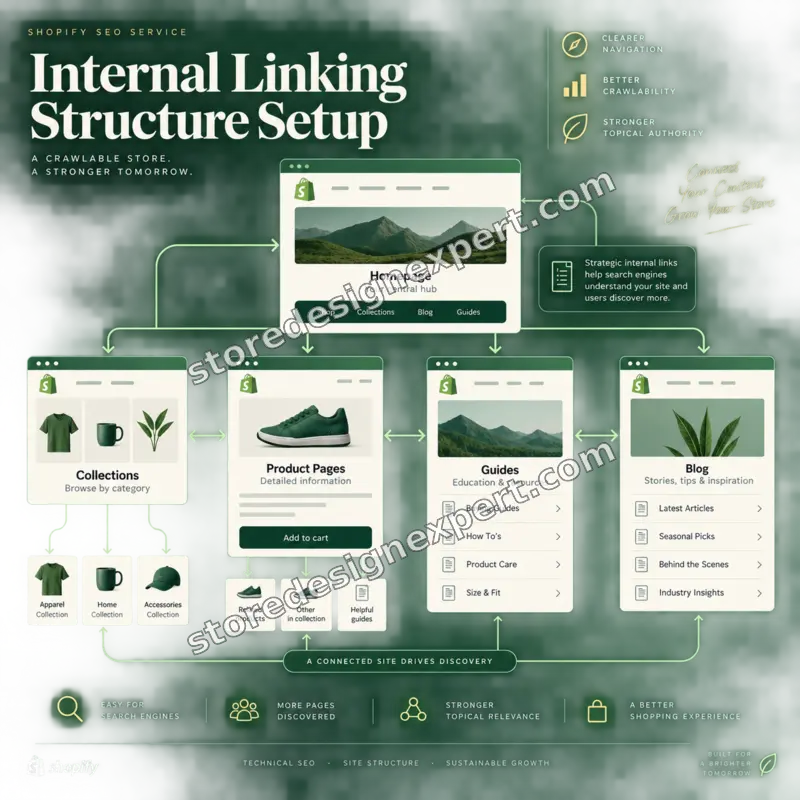
Our track record
450+ Shopify Stores Launched Since 2015. Most Have a Linking Problem Nobody Designed.
Links in a Shopify store accumulate: a menu here, a related-products block there, a blog post from three years ago. Nobody plans the whole, so the pages that earn money can end up four clicks deep. After many launches we know where those links leak, and which fixes belong in the theme rather than in a plugin.
Average rating from verified clients
Building Shopify stores since
Secure checkout
Pay through a protected checkout and keep a full order record.
Two revision rounds
Included in every package, so the result matches what you pictured.
Backup before changes
We work on a duplicate of your theme, never on your live store.
Who this is for
Who Needs an Internal Linking Structure Built for Their Shopify Store
Owners come to us with different symptoms but the same root cause: pages that matter are hard to reach. If one of these sounds familiar, a planned set of links will do more than another round of copy edits.
You are a good fit if
- You have collections, products and articles that should support each other
- You want a crawl as evidence, not an opinion
- You prefer links built into the theme over another app
- You want a fixed price and a defined end
Stores with a large catalog and thin menus
Hundreds of products sit behind a handful of top-level links. Collections that should be hubs are reachable only through search or a long scroll.
Content-led brands with an active blog
You publish guides and comparisons but they rarely send readers to products. The articles rank, yet the shop pages receive none of the strength they earn.
Owners whose new products are slow to appear in Google
Pages sit in the sitemap with no links pointing at them. Search engines find them late, if at all, because nothing in the store leads there.
Stores after a redesign or a handle clean-up
URLs were renamed and old internal links still point at redirects. The store works, but every click passes through a detour that adds friction and wastes crawling.
Merchants who rely on a few high-value collections
Your best-margin range deserves the strongest paths. We design links so those hubs receive the most routes from the rest of the store.
Teams that outgrew link-adding apps
An app that stuffs keywords into descriptions produced repeating anchors and slower pages. You want links that are planned by a person and stored in the theme.
Problems solved
Why Shopify Stores Lose Value Through Weak Internal Links
Shopify gives you a sensible structure out of the box, yet the internal linking structure of a website grows by accident, and a few default habits quietly undermine it. These are the problems we meet most often during an internal linking audit, with the repair for each.
- Orphaned products, collections and posts.
We compare a full crawl with your sitemap and product list, then link every orphan from a collection, a menu, a guide or a related block, so no live page depends on search alone.
- Links that use the collection-scoped product address.
Many themes link to /collections/name/products/handle, which canonicalizes to the plain product URL. We change the theme to link to the canonical address, so strength flows to one page.
- Internal links pointing at redirected or broken addresses.
After handles change, old links keep working through redirects. We list every internal link that hits a 301 or a 404 and update the source, instead of leaving the detour in place.
- Important pages buried four or five clicks down.
We measure click depth from the homepage and rebuild paths through collection hubs and menus so priority pages sit within two or three clicks.
- Related products and filters that crawlers cannot follow.
Load-more buttons and blocks injected after the page loads may expose no real anchors. We use proper links with addresses in the markup for the paths you want discovered.
- Generic anchors such as read more and click here.
Anchor text tells search engines and shoppers what lies ahead. We rewrite repeated vague anchors into short, descriptive phrases without stuffing exact keywords.
What we can do
What Our Internal Linking SEO Service Can Do on Shopify
This is part analysis and part theme engineering. We find where the structure leaks, decide which pages deserve strength, then write the links into templates, menus and content, so they persist after you edit products. The six areas below cover the work.
Crawl-based internal linking structure checker work
We crawl every URL with a desktop crawler, record inlinks, click depth and status codes, and merge the result with Search Console data. You receive a ranked list of the pages that are buried, orphaned or over-linked.
Internal linking architecture for collections and products
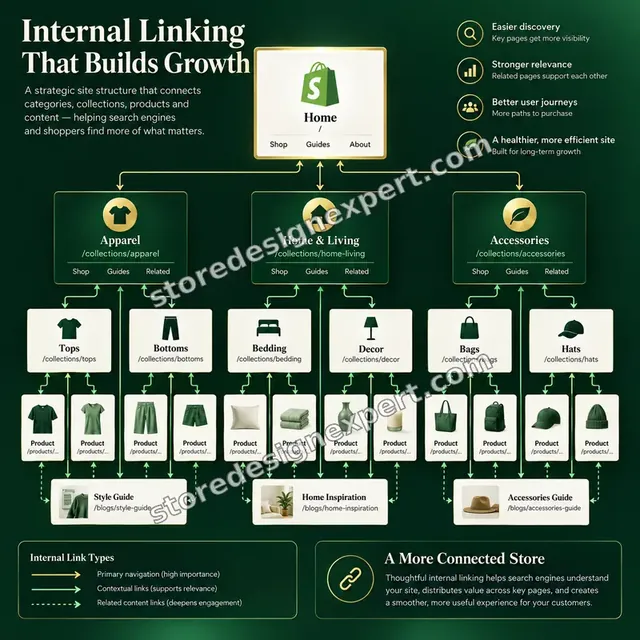
We draw the hub-and-spoke map first: parent collections, child collections and the products under each. The map decides which pages get menu slots and which receive links from content.
Theme code that links to canonical addresses
In Liquid we replace collection-scoped product links, add real anchors for paginated and filtered paths and stop templates from linking to redirected pages, so the corrections apply to every future product.
Navigation, footer and breadcrumbs
Shopify menus nest up to three levels. We use that depth deliberately, trim menus that dilute the strongest links and add breadcrumbs with BreadcrumbList markup when your theme lacks them.
Contextual links in articles and descriptions
Blog posts, collection descriptions and buying guides are where descriptive anchors read best. We add links to the right collections and products, and keep the count natural rather than hitting a quota.
Related-collection blocks driven by metafields
A list metafield on each collection or product feeds a small snippet that prints related links. Your team picks the relations in the admin, and the theme renders them consistently without a plugin.
What is included
What an Internal Linking Structure Setup for Shopify Includes
Everything is grouped into six workstreams so you can see where the effort goes. The comparison table lower on the page shows which tier contains which line.
Crawl and diagnosis
- Full crawl of products, collections, pages and articles
- Click depth and inlink count for every URL
- List of orphaned pages and pages with one weak link
- Links that point to redirects, errors or duplicate addresses
Architecture plan
- Hub-and-spoke map of collections and products
- Priority pages chosen with you from margin and demand
- Rules for anchor wording and link placement
- Agreed list of what changes before any edit starts
Theme link fixes
- Product cards linked to canonical addresses
- Real anchors for paginated and load-more paths
- Redirected internal links updated at the source
- Changes made on a duplicate theme and tested
Navigation and breadcrumbs
- Header and footer menus rebalanced for priority pages
- Mega menu or nested menu depth used on purpose
- Breadcrumb trail with structured data in higher tiers
- Mobile menu checked for tap targets and reach
Contextual links
- Collection descriptions linked to related hubs
- Articles linked to products and collections they cover
- Descriptive anchors replace repeated vague ones
- Anchor text sheet your team can reuse
Verification and handover
- Second crawl showing depth and orphan changes
- Search Console Links report compared before and after
- Recorded walkthrough and written rules
- Two revision rounds and a maintenance checklist
Every tier begins with the crawl, because Shopify internal linking decisions made without click-depth data tend to move links around without reaching the pages that need them.
See the paths
How Menu, Search and Guides Lead Shoppers to Products
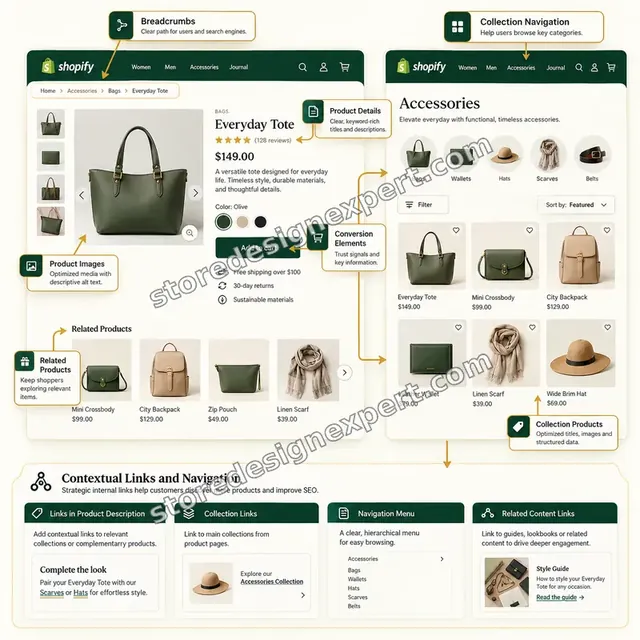
Follow the routes through a small store. The menu opens onto collection hubs, the search box offers suggestions that match real collections, and a buying guide hands the reader to the products it recommends, so every page has more than one way in.
Portfolio
Store Designs From Our Studio
These storefront designs show how layout, product detail and trust cues change from one niche to the next, which is the same care that goes into Internal Linking Structure Setup.
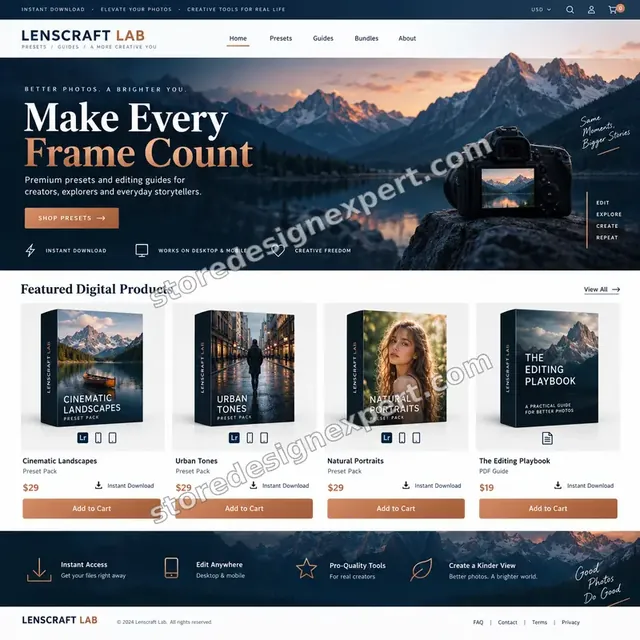
Photography presets store design
Photography presets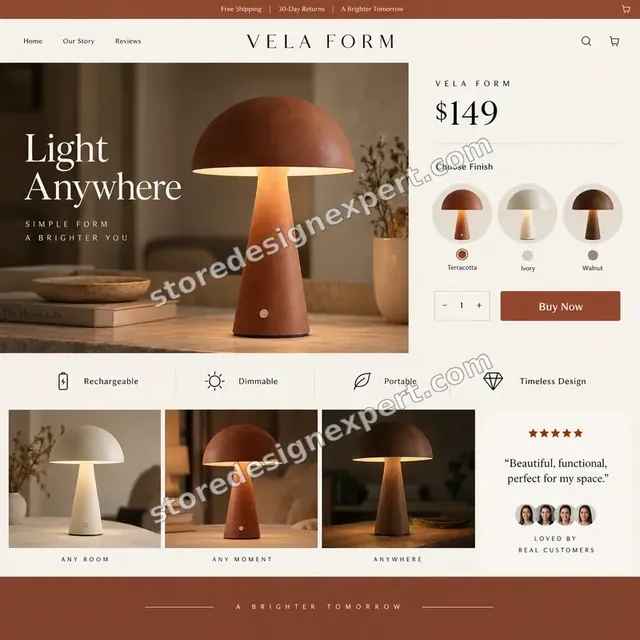
Home lighting store design
Home lighting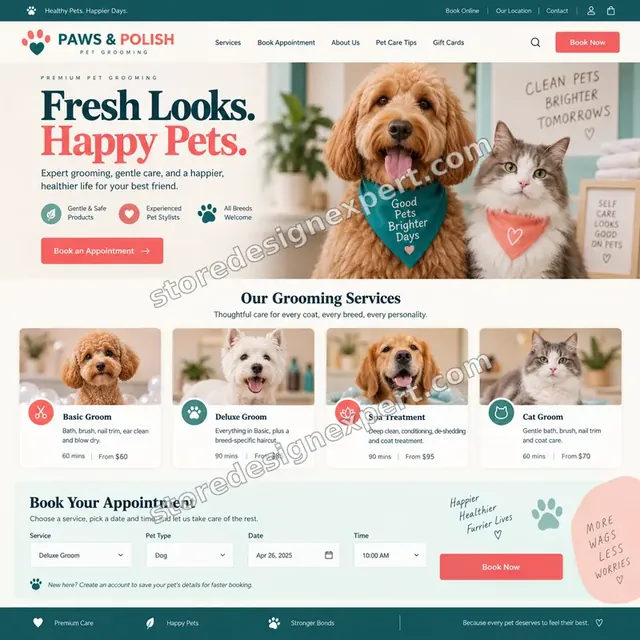
Pet grooming store design
Pet grooming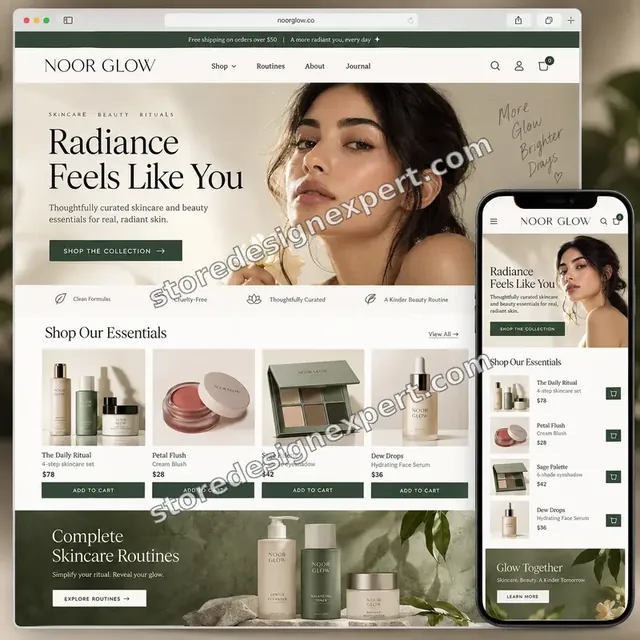
Beauty creator store design
Beauty creator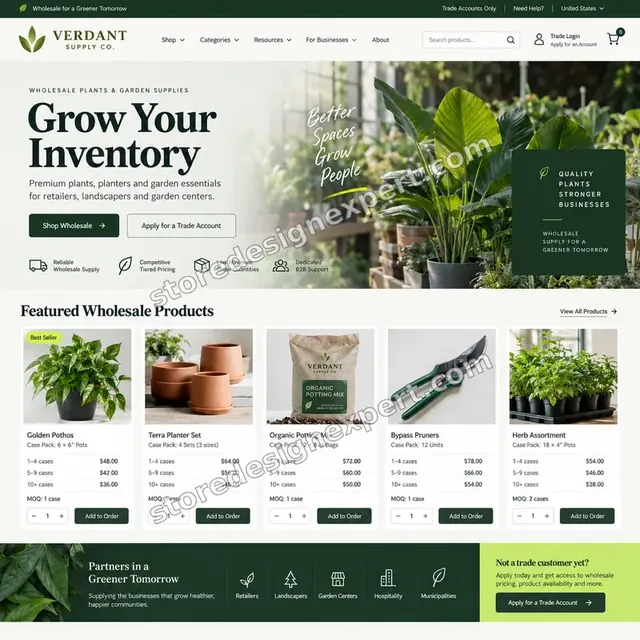
Garden supplies store design
Garden supplies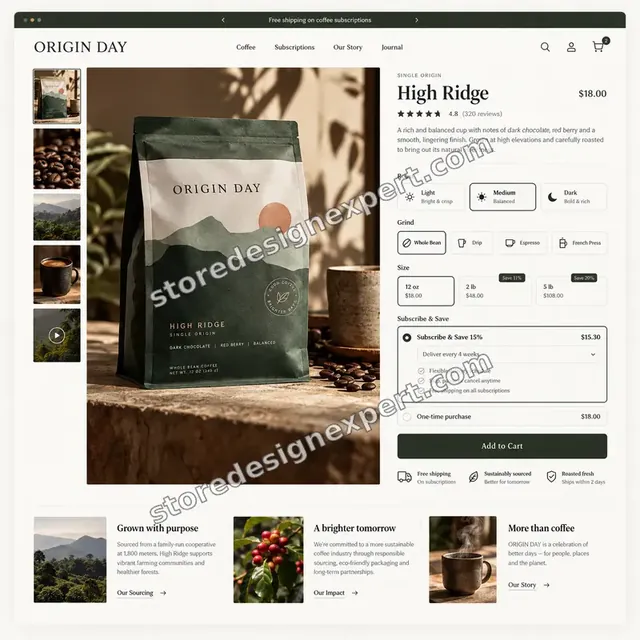
Coffee store design
CoffeeProcess and timeline
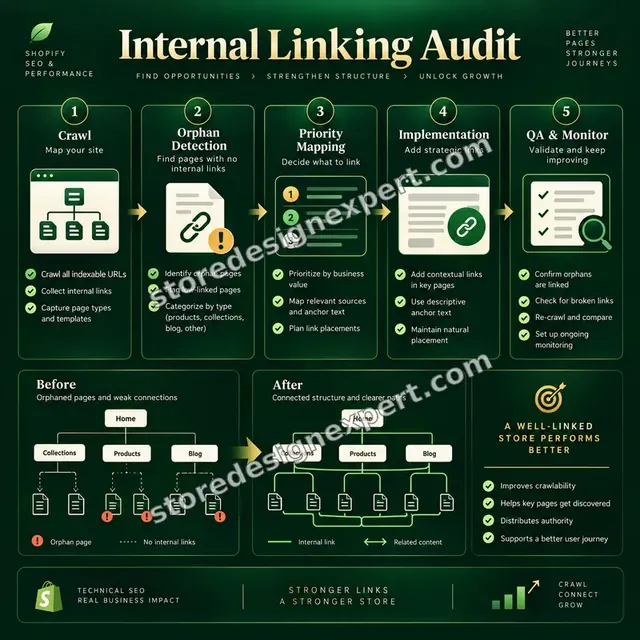
How the Internal Linking Work Runs From Crawl to Re-crawl
Your live theme stays as it is until the plan is approved. Link Map finishes in 3 to 5 working days, and the calculator shows the window for larger stores.
- 1
Crawl the store
We crawl every public URL, record inlinks, click depth and status codes, and pull the Links report from Search Console. The first result is a plain table of where the structure stands.
- 2
Choose the priority pages
Together we pick the collections and products that deserve the strongest paths, using margin, demand and what already ranks. This decides where links should lead.
- 3
Draw the link map
We sketch hubs, spokes and the menu paths that connect them, and write the anchor rules. You approve the map before any code changes.
- 4
Build in a duplicate theme
Template fixes, menu changes and new blocks are made in an unpublished copy. Contextual links in articles and descriptions are added on the same schedule.
- 5
Test the paths
We click through the main routes on phone and desktop, check that every new link returns a 200 and run a second crawl on the copy to confirm depth and orphans improved.
- 6
Publish and hand over
After your approval the copy goes live. You receive the before and after crawls, the rules we followed and a short checklist for linking new products and posts.
Compare your options
Linking App, Gig, Generic SEO Agency or an Internal Linking Structure Built by Shopify Specialists?
Store owners fixing their links usually weigh four routes: an automatic linking app, a marketplace gig, a general SEO agency or a Shopify specialist. This table compares them on the parts of the job that most often go missing.
| What matters | Linking app | Marketplace gig | General SEO agency | Store Design Expert |
|---|---|---|---|---|
| Crawl with click depth and orphans | No | Rarely | Often | Yes |
| Theme links changed to canonical product URLs | No | Rarely | Rarely | Yes |
| Redirected internal links updated at source | No | Rarely | Varies | Yes |
| Collection hubs and related blocks in Liquid | Script only | Rarely | Rarely | Yes |
| Descriptive anchors written by a person | Rule based | Basic | Varies | Yes |
| Breadcrumbs and menu depth planned | No | Rarely | Varies | Yes |
| Second crawl proving the change | No | Rarely | Varies | Yes |
| Fixed price known up front | Subscription | Yes | No | Yes |
Inside every project
What Protects Your Rankings While We Rework Your Links
Links connect everything, so a rushed edit can break paths on thousands of pages at once. These safeguards come with every project and are why a scoped specialist job beats a bulk find-and-replace.
Duplicate theme for every edit
Template and menu changes go into an unpublished copy and reach the live store only after you approve them, so shoppers never meet a half-finished menu.
Crawl data saved before and after
We store the first crawl untouched. If a page loses visibility later, the original shows what its links were and what we changed.
Collaborator access only
We use Shopify collaborator access, so you remain the owner and share no password. The permissions requested match the work and can be removed in one click.
Every new link tested
Each added link is loaded to confirm it returns a 200 and lands on the intended page, not a redirect or a hidden product.
Link volume kept natural
We do not chase a quota. Pages receive the links that help a visitor, and menus are trimmed where too many entries weaken the important ones.
Honest limits on results
We guarantee the structure, the fixes and the evidence. How far rankings move depends on content quality, competition and backlinks, and no one can promise the number.
Interactive price calculator
Build Your Internal Linking Structure Setup
Choose a tier, then tell us how many URLs your store has, how much blog content needs links and how far the menus should change. The fixed price and the delivery window follow each answer.
Request a custom quote
Shopify Plus stores with more than 5,000 URLs, headless storefronts, several languages that need separate link maps and catalogs with per-market navigation receive a scoped quote with the fee fixed in advance.
Request a QuoteChanged your mind? Choose Link Map, Hub and Spoke or Site Graph above to return to the instant calculator.
Packages and comparison
Internal Linking Structure Setup Package Comparison
Below, the table breaks each tier into its parts. Add URL volume, article count and navigation options in the calculator above to see the price and delivery time for your own store.
| What is included | Link Map $490 | Hub and Spoke $890Recommended | Site Graph $1,490 |
|---|---|---|---|
| Full crawl and click-depth report | Included | Included | Included |
| Orphaned pages listed and linked | Included | Included | Included |
| Canonical product links in the theme | Included | Included | Included |
| Redirected internal links updated | Included | Included | Included |
| Menu and footer review | Included | Included | Included |
| Recorded handover and two revision rounds | Included | Included | Included |
| Hub-and-spoke architecture map | Not included | Included | Included |
| Related-collection metafield blocks | Not included | Included | Included |
| Collection description links | Not included | Included | Included |
| Up to 15 articles linked | Not included | Included | Included |
| Navigation rebuilt to three levels | Not included | Not included | Included |
| Breadcrumbs with schema markup | Not included | Not included | Included |
| Up to 40 articles linked | Not included | Not included | Included |
| Follow-up crawl and 14 days of fixes | Not included | Not included | Included |
| Typical delivery | 3 to 5 days | 6 to 9 days | 9 to 14 days |
Your Internal Linking Structure Setup price and delivery estimate come from the calculator above, so there is no surprise at checkout.
Why Store Design Expert
Why Brands Choose Us for Their Internal Linking Strategies
A general SEO retainer lists internal links among forty tasks. We make them the whole job, written into Shopify's templates by people who work in Liquid every week.
Shopify-only experience since 2015
We know which theme habits create duplicate paths, which menu settings help and where Online Store 2.0 sections leave gaps. That comes from more than 450 launches.
Evidence you can check
You receive the crawl exports and the Search Console comparison, so any auditor can see the same orphans and depths we did.
Rated 4.9+ by verified clients
The reviews on this page come from real Store Design Expert clients, so you can read how projects went before choosing a tier.
Fixed scope, readable price
Each tier lists its content, and the calculator adds options before checkout. There is no hourly meter while we sort a menu.
Links stored in the theme
We avoid keyword-injecting apps. Links live in templates, metafields and content, so they survive an app uninstall and add no scripts.
You keep the system
The map, the anchor rules and the code stay with you. New products and posts can follow the same pattern without calling us back.
What we need to get started
What We Need Before We Crawl Your Store
You do not need to prepare a spreadsheet. We need to see your store and to know which pages matter most. Choose the route that suits you.
Accept a collaborator request
Send your store address and approve our request. You stay the owner, no password changes hands and you can end our access whenever you like.
Prefer we build the changes elsewhere first? We can
We can prepare the work in our own Shopify Partner store and transfer it to you when it is finished, so you choose a Shopify plan only at the end.
Or provide staff login details
A staff account also works. Collaborator access is easier to withdraw, but either route lets us begin the crawl straight away.
Your priority collections and products
Tell us which ranges earn the most margin or growth, and which products you want to push. This steers where the strongest links should lead.
Search Console and analytics access
Add us to Search Console and, if you use it, Google Analytics, so we can compare crawl data with queries and sessions.
Apps in use and an approver
List any apps that add related products, filters or links, and name the person who approves changes to menus and templates.
We work without your owner password and without any card information. Every edit is made on a duplicate theme, the original crawl is kept untouched and nothing goes live without your approval.
Testimonials
What Store Owners Say After Launch
Verified clients describe working with Store Design Expert on builds, fixes and technical changes.
Verified
Store Design Expert is the best. The work is very professional, they pay close attention to detail and, more importantly, they listen. Their level of cooperation is second to none, and everything was delivered in a very timely manner. I will keep them in mind for future projects.
BN
Barbara N.United States
Verified
Store Design Expert was great! They delivered exactly what I asked for and even offered helpful extra suggestions. Highly recommended.
PW
Paul W.United States
Verified
I request Store Design Expert every time I have a project. They are professional and give real attention to detail, which makes the work stand out.
LK
Laura K.United States
Verified
They kept communicating until the problem was fully resolved, and the result was great.
HJ
Henry J.United States
Verified
Super helpful and patient. I am new to ecommerce and Store Design Expert talked me through the whole process and even fixed my payment bridging for me!
LR
Lois R.United Kingdom
Verified
I am beyond satisfied! Store Design Expert went above and beyond on my project. Highly recommended!
MD
Michael D.United States
Verified
The experience was tailored to my brand and specifications to the letter. I love the result.
EP
Eric P.United States
Verified
They definitely get the job done. Very patient and understanding throughout the whole project.
BS
Brian S.United States
Verified
Thank you so much to Store Design Expert and the team. My site looks far more appealing to customers, and I will happily recommend your services to other new small businesses.
JS
Jennifer S.United States
Related searches
Searches That Bring Owners to Internal Linking Structure Setup
People describe Internal Linking Structure Setup in different ways when they search. These are the common ones.
If you searched for “internal linking in seo”, “what is internal linking”, “internal linking best practices” or “does internal linking help seo”, Internal Linking Structure Setup is the work that answers it.
If you searched for “how many internal links per page seo”, “best internal linking tools”, “seo optimize internal links” or “internal linking structure checker”, Internal Linking Structure Setup is the work that answers it.
People who look up “internal linking structure of a website”, “shopify internal linking”, “how to add internal links in shopify” or “internal linking architecture” usually want Internal Linking Structure Setup; the calculator above shows the price and delivery estimate before you commit.
If you searched for “internal linking strategies” or “internal linking seo service”, Internal Linking Structure Setup is the work that answers it.
FAQ
Internal Linking Structure FAQs
Direct answers about price, timing, Shopify's habits, link counts and what the work can and cannot change.
How much does an internal linking structure setup cost?
Packages start at $490 for Link Map, $890 for Hub and Spoke and $1,490 for Site Graph. Store size, how many articles need links and how far the menus change are added in the calculator, so most stores land between roughly $500 and $2,100. You see the exact fee on screen before payment.
What is internal linking?
What is internal linking, in plain terms? It is every link from one page of your store to another: menus, breadcrumbs, product cards, related blocks and links inside text. Search engines use them to discover pages and judge how pages relate, and shoppers use them to move around.
Does internal linking in SEO really help a Shopify store?
Does internal linking help SEO? Google uses links to find pages and understand relationships, so pages with clear, crawlable paths are found sooner and understood better. It will not replace good content or backlinks, and results vary, but pages nobody links to rarely perform.
How many internal links per page is right for SEO?
How many internal links per page SEO needs has no official figure. Google publishes no limit, so the practical rule is usefulness: each link should help a visitor go somewhere sensible. Menus add many on every page, so we keep them focused and place contextual links where they fit.
How to add internal links in Shopify yourself, and when should you not?
In content, highlight the words in the rich text editor and paste the page address. In menus, use Online Store, Navigation. Template-level links need Liquid edits. Doing this at scale is slow and easy to get wrong, which is where a planned map saves time.
Which internal linking best practices matter most on Shopify?
Link to the canonical product address, give every page at least one crawlable path, use descriptive anchors, keep priority pages within a few clicks and update links when handles change. We apply these internal linking best practices in the theme, not page by page.
Which best internal linking tools do you use?
We crawl with a desktop crawler such as Screaming Frog, compare the result with the Links report and Pages report in Google Search Console and use the Shopify admin to check collections and menus. Tools find the problems; judging which links matter is still a human decision.
Can you run an internal linking structure checker on my store first?
Yes, that is the first step of every tier. The crawl records every URL's inlinks, click depth and status code, and flags orphans and redirected links. You receive the export, so the evidence remains yours whether or not you continue.
What does an internal linking SEO service deliver that an app does not?
An internal linking SEO service decides which pages deserve strength and writes the links into templates and content. Apps usually inject keyword links by rule, which can repeat anchors and add scripts. A planned structure is cleaner and lighter.
How is Shopify internal linking different from other platforms?
Shopify exposes products at two addresses, one inside a collection and one plain, with a canonical to the plain one. Menus nest three levels, and many themes load related blocks or more products after the page appears. Each habit needs a specific check.
Will you change my URLs or handles?
No, not unless you ask. Changing handles creates redirects and risk. We fix links to point at the addresses you already use. If a rename is truly worth it, we plan the redirects first and update every internal link to the new address.
How long does Internal Linking Structure Setup take?
Link Map takes 3 to 5 working days, Hub and Spoke 6 to 9 and Site Graph 9 to 14, before options. More URLs, more articles or a rebuilt mega menu add days, and the calculator shows your estimate. Sooner and Fastest options shorten the window.
How do you seo optimize internal links without slowing the store?
We write links as plain Liquid and content, with no extra scripts, so page speed is untouched. We also leave a rule set and a checklist for new products and posts, and the metafield blocks pick up new items once related collections are chosen.
What happens after launch and can you guarantee rankings?
We cannot guarantee rankings, since competition and content decide them. We do deliver a second crawl, a Search Console comparison and a written guide. Site Graph includes 14 days of fixes, and a 30-day support extra is available.
Ready when you are
Order an Internal Linking Structure Setup Built Into Your Theme
Choose a tier, see your exact price and delivery estimate and order your internal linking structure setup from a team that has launched over 450 Shopify stores. You receive a crawl, a clear link map and theme code that keeps your best pages within easy reach.
Secure checkout · Link placements revised twice · Video tour and written notes