
Shopify stores designed and launched
Email automation audit and repair
Shopify Email Automation Audit and Fix for Flows Nobody Has Checked in Months
A Shopify email automation audit that does not end with a PDF. We follow each trigger from the Shopify event to the inbox, test the branches and filters, check sending authentication, then repair what we find in draft copies. Fixed price from $890, built by a team with 450+ launched stores and a 4.9+ rating from verified clients.
- Every flow traced from event to inbox
- Fixes made for you, not just listed
- Sending domain and consent settings checked
- Three fixed-scope tiers in a live price calculator
From$890
Delivery5 to 18 working days
Revisions2 rounds
Our track record
Over 450 Shopify Stores Launched Since 2015. Now Let Us Look Inside the Emails Yours Sends on Autopilot.
Flows are the part of a store that works while nobody is watching, which is also why they drift. We know how the storefront, the checkout and the sending platform hand data to each other, so we know where that hand-off breaks.
Average rating from verified clients
Building Shopify stores since
Secure checkout
Pay through a protected checkout and keep a full order record.
Two revision rounds
Included in every package, so the result matches what you pictured.
Backup before changes
We work on a duplicate of your theme, never on your live store.
Who this is for
Who Needs a Shopify Email Marketing Audit
Most stores ask for one after a symptom appears: a quiet inbox, an angry customer or a number that makes no sense. These are the usual starting points.
Owners who inherited flows from a previous agency
Someone else built the sequences and left no map. We document what exists, what it listens for and what it sends, so you finally know what your store says in your name.
Stores that switched platforms and kept both running
After a move, the old tool and the new one often send in parallel. Customers then get two welcome emails or two abandoned checkout reminders, and we find the overlap.
Brands whose email revenue has slowly sagged
Nothing broke on one day, yet flows convert less than they did. Stale offers, dead links and filters that exclude too many people are common quiet causes.
Teams that added SMS, reviews or subscriptions
Every new app adds events and messages. We check that they cooperate instead of stacking onto the same customer on the same afternoon.
Merchants whose emails land in spam or Promotions
Complaints, bounces and missing authentication push mail out of the inbox. We read the sending setup and fix what is in your control.
Founders about to scale paid traffic
More ad spend means more first-time buyers entering your welcome and post-purchase flows. Checking them before the spend is cheaper than repairing them after.
Problems solved
Where Shopify Email Flows Quietly Go Wrong
Automations rarely fail loudly. They keep sending, just to the wrong people, at the wrong moment or not at all. These are the faults we meet most inside Shopify email automation workflows.
The problem
A trigger no longer fires.
The outcome
A theme change, a checkout edit or a removed app can stop the event a flow waits for. The flow still shows as live while nothing ever enters it.
The problem
Two systems answer the same event.
The outcome
Shopify's own abandoned checkout email is a separate setting. Left on beside a second platform, it sends a competing reminder to the same shopper.
The problem
Filters exclude almost everyone.
The outcome
A flow filter written for an old catalogue or a deleted segment can quietly block most entrants, so the sequence looks healthy and sends very little.
The problem
Offers keep repeating or never expire.
The outcome
A discount code created for a launch can sit inside a welcome email for years. Customers learn to wait, and margin on first orders keeps shrinking.
The problem
Messages ignore consent and frequency.
The outcome
Email and SMS flows that do not check consent status, or that ignore the Smart Sending window, send to people who did not ask or send more often than intended.
The problem
Nobody can say what each flow earns.
The outcome
Without clean attribution settings and tagged links, revenue shown in the platform and in Shopify disagree, and good flows get cut while weak ones stay.
What we can do
What We Check and Repair Inside Your Automations
This is hands-on account work, carried out in your sending platform and in Shopify's settings. Six areas absorb most of the hours.
Event and data plumbing
We confirm that Placed Order, Started Checkout, Viewed Product and Added to Cart reach the platform with product, price and image properties intact. Shopify's customer events and the integration's own tracking are both inspected, and gaps are traced to their source.
Flow logic, filters and branches
Trigger filters, flow filters, conditional splits, delays and exit rules are read one step at a time. We test paths with seed profiles, then repair loops, dead ends, duplicate entry and wrong time delays.
Segments and list hygiene
Segment definitions are checked against real profiles. We look at suppression, unsubscribed and never-engaged groups, and set a sunset path so inactive addresses stop dragging down your sender reputation.
Sending authentication and compliance
SPF, DKIM and DMARC records, the sending subdomain and unsubscribe headers are examined against the published Gmail and Yahoo bulk sender rules. We also review consent wording on forms and the footer details.
Templates, links and rendering
Every email in a live flow is opened in a draft preview and on handsets. Broken buttons, missing alt text, stale product blocks, oversized images and dark mode problems are fixed in the template.
Tracking and revenue attribution
Attribution windows, UTM tags and conversion metrics are aligned so the platform and Shopify tell a similar story. You leave with a flow-by-flow reading plan instead of one blended number.
What is included
What the Audit and Repair Project Includes
The project runs in six streams. Each one ends with a record you can open, and each repair carries a note saying what was found and what was changed.
Inventory and map
- Every live, draft and manual flow listed
- Triggers, delays and exits drawn as a map
- Overlap with Shopify notifications noted
- Apps that send or capture email identified
Data and events
- Shopify events checked against the platform
- Product feed and catalogue sync reviewed
- Duplicate or missing profiles flagged
- Tracking and attribution settings aligned
Flow repairs
- Broken triggers and filters corrected
- Branch logic tested with seed profiles
- Delays reset to match buying intent
- Duplicate sends removed in draft first
Deliverability
- Authentication records read and fixed with you
- Unsubscribe and complaint handling checked
- Engagement-based sending rules proposed
- Warm-up advice for any domain change
Content and templates
- Live emails previewed on phones and desktop
- Dead links and stale blocks replaced
- Footer and consent wording reviewed
- Reusable template parts tidied
Handover
- Before-and-after change log
- Prioritised gap list for later builds
- Recorded walkthrough of each repair
- Two revision rounds after your review
Findings without repairs leave you with homework. Repairs without findings leave you guessing what changed. You get both, side by side.
See how it works
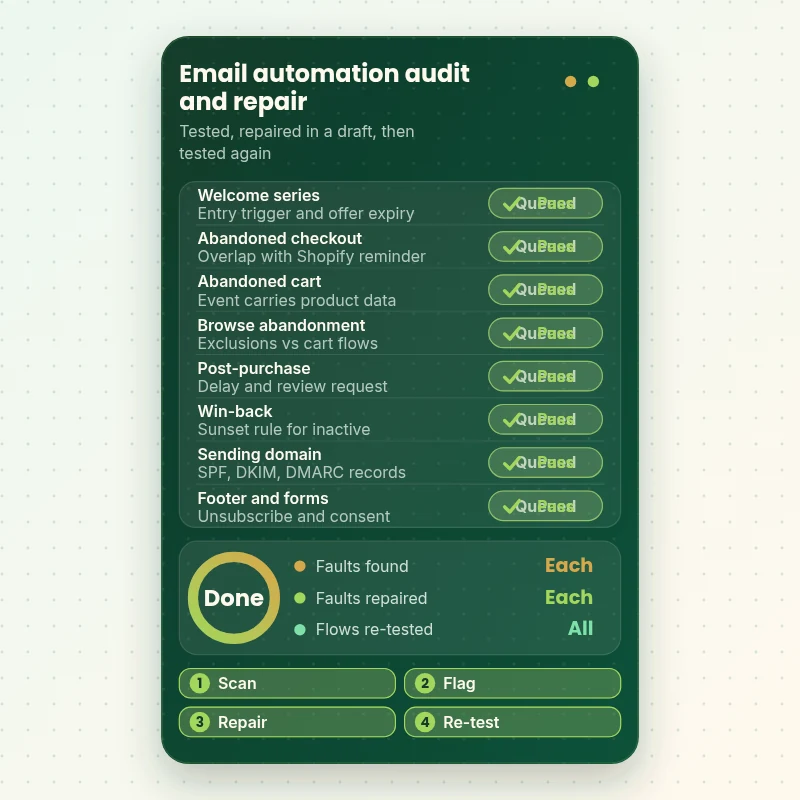
Every Flow Checked, Every Fault Fixed and Re-Tested
The scanner below shows the idea. We take each automation in turn, test what it does with a seed profile, flag the faults, repair them in a draft and run the check again. Nothing goes live until the second pass is clean, and the old version stays archived in case you want it back.
Portfolio
Store Design Styles We Build
These storefront designs show how layout, product detail and trust cues change from one niche to the next, which is the same care that goes into Shopify Email Automation Audit and Fix.

Wall art store design
Wall art
Beauty tools store design
Beauty tools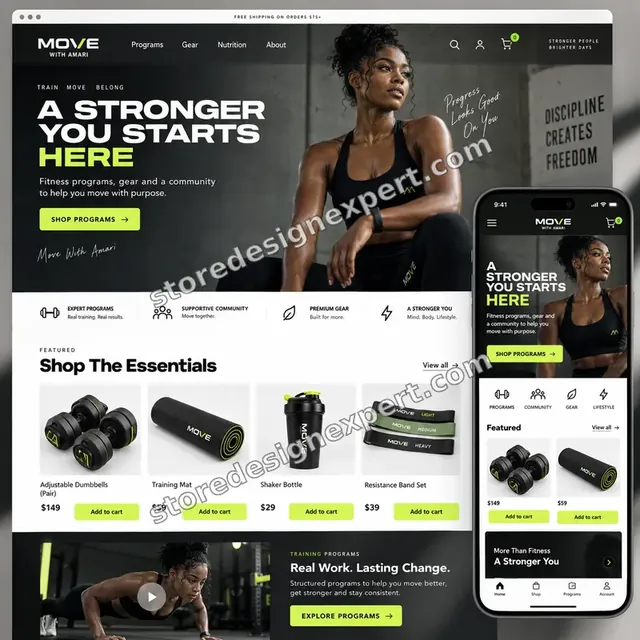
Food creator store design
Food creator
Salon supplies store design
Salon supplies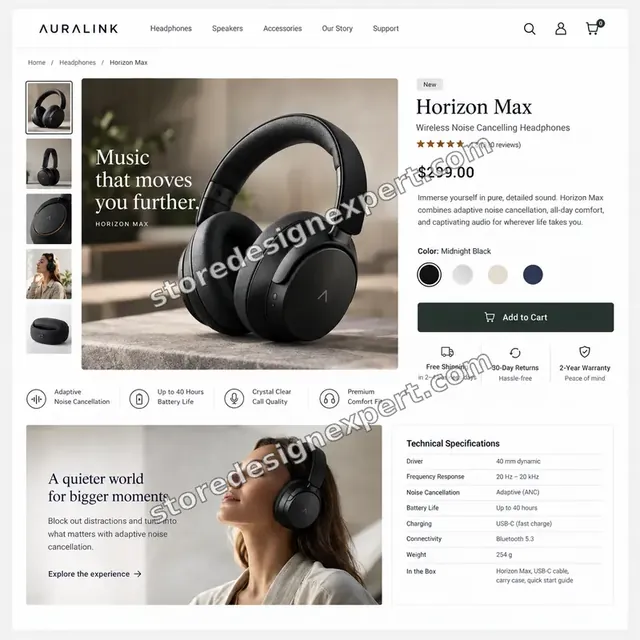
Audio store design
Audio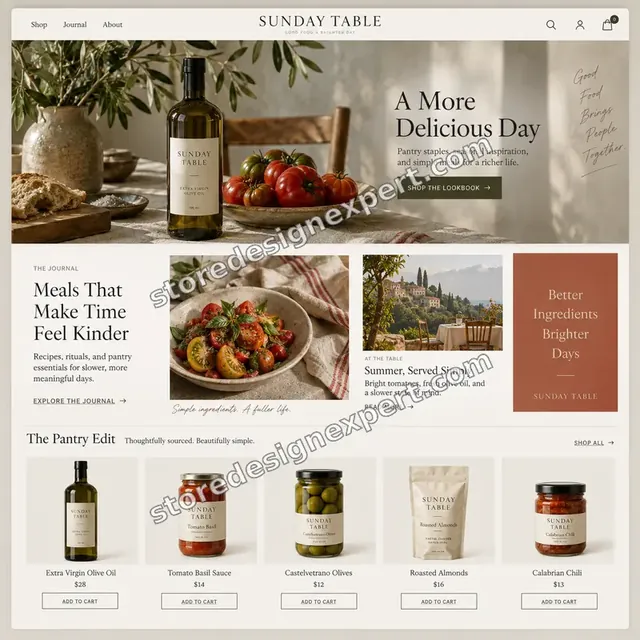
Food store design
FoodProcess and timeline
Our Shopify Email Automation Audit Process and Timeline
Six stages move from a read-only look to repairs you have approved. The Flow Health Check often finishes in 5 to 7 working days, and the calculator shows how options lengthen that.
- 1
Read-only inventory
We list every flow, campaign and form, along with each Shopify notification that touches the same customer. Nothing is edited at this stage, and the output is a single map.
- 2
Trace the events
We place test orders and abandoned carts with seed profiles, then follow each event into the platform. Missing properties and late arrivals are noted by flow.
- 3
Rank the findings
Each issue is rated by how many customers it touches and how safe it is to change. You see the ranked list and approve the repairs before anything moves.
- 4
Repair in drafts
Changes are made in cloned flows and draft templates, so live sequences keep running. Where a fix needs a DNS or Shopify setting, we guide the person who owns it.
- 5
Test and compare
Seed profiles pass through each repaired flow on phones and desktop inboxes, and links are clicked. We compare what the draft does with what the live flow did.
- 6
Switch over and brief you
After your sign-off we replace the live versions one flow at a time, keeping the old ones archived. A change log and recording close the project.
Compare your options
Platform Report, Free App Audit, Freelance Gig or Full Audit and Fix Service?
Four routes can tell you how your automations are doing. Only some of them also repair what they find, so compare them against the problem you actually have.
| What matters | Platform health report | Free app-vendor audit | Freelance gig | Store Design Expert |
|---|---|---|---|---|
| Every flow traced from event to inbox | No | Partly | Rarely | Yes |
| Shopify notification overlap checked | No | No | Rarely | Yes |
| Branches tested with seed profiles | No | No | Varies | Yes |
| Authentication and unsubscribe review | Partly | Partly | Varies | Yes |
| Repairs made for you in drafts | No | No | Rarely | Yes |
| Old versions archived for rollback | No | No | Rarely | Yes |
| Written change log and recording | No | Report only | Notes only | Yes |
| Fixed price up front | Free | Free | Varies | Yes |
Inside every project
How We Protect Live Sends While We Audit
Email touches real customers the moment a flow runs, so a repair cannot be a guess. These safeguards come with every package.
Drafts and clones only
Live flows keep running while we work. We clone a flow, edit the clone, test it and only then replace the original, which we archive rather than delete.
Least access needed
A Shopify collaborator request and a limited user in your sending platform give us what the job needs. Both can be removed the day we finish.
Seed profiles, never real customers
Tests use our own addresses and test orders, so no actual shopper receives a half-finished email. Test activity is excluded from your reports.
Everything reversible
Archived originals, a saved export of segments and the change log let you step back. If a repair misbehaves after switch-over, you restore the earlier version.
Updates at set points
You hear from us after the inventory, with the ranked findings, when repairs are ready to preview and when testing finishes, each time with screenshots.
Honest reading of results
We do not promise a revenue lift. We agree a baseline and a reading window first, and we say plainly that season, offers and traffic also move your numbers.
Interactive price calculator
Build Your Email Audit and Repair Package
Choose a package, tell us which platform you use, how many flows are involved and how much data work is needed. The total and the finish date move with each click, so you see a fixed figure before paying.
Request a custom quote
Multi-brand accounts, several Shopify stores feeding one platform, custom server-side event pipelines or a migration between sending platforms are scoped separately after a short call.
Request a QuoteChanged your mind? Choose Flow Health Check, Audit and Repair or Lifecycle Rewire above to return to the instant calculator.
Packages and comparison
Compare Audit and Repair Packages Side by Side
Every row is a deliverable you can verify. The final figure depends on the platform, number of flows and data work you pick in the calculator.
| What is included | Flow Health Check $890 | Audit and Repair $1,690Recommended | Lifecycle Rewire $2,490 |
|---|---|---|---|
| Inventory and map of every flow | Included | Included | Included |
| Trigger, filter and delay review | Included | Included | Included |
| Overlap check against Shopify notifications | Included | Included | Included |
| Urgent faults repaired in drafts | Included | Included | Included |
| Prioritised gap list | Included | Included | Included |
| Recorded handover and two revision rounds | Included | Included | Included |
| Event and data plumbing review | Not included | Included | Included |
| Core flows rebuilt where needed | Not included | Included | Included |
| Segment and suppression clean-up | Not included | Included | Included |
| Authentication records reviewed | Not included | Included | Included |
| Missing lifecycle flows built | Not included | Not included | Included |
| Attribution and UTM alignment | Not included | Not included | Included |
| Sunset and re-engagement path | Not included | Not included | Included |
| 30 days of tweaks | Not included | Not included | Included |
| Typical delivery | 5 to 7 days | 8 to 12 days | 13 to 18 days |
Choose your options in the calculator above: the total and the delivery estimate it shows for Shopify Email Automation Audit and Fix are final.
Why Store Design Expert
Why Stores Choose Us as Their Shopify Email Marketing Agency for Audits
A report is easy to write and hard to act on. Here is how our approach differs from the usual audit-then-quote model.
We know the Shopify side
Checkout settings, notification templates, customer events and theme code are our daily work, so a missing event is traced to its cause rather than blamed on the platform.
The auditor also does the repair
The person who finds a broken filter fixes it. Nothing is lost between an analyst's findings and a developer's ticket.
Evidence before opinion
Seed profiles, event logs and rendered previews decide what changes. If a flow works, we leave it alone and say so.
Priced between gigs and agencies
More thorough than a short gig review, and below the cost of an agency audit followed by a separate implementation quote.
No retainer attached
You buy a bounded project with a price and a finish date. If you want ongoing work later, that is a separate conversation.
Plain-English handover
The change log and recording are written for the next person who opens the account, whether that is your hire, an agency or you.
What we need to get started
Access and Answers We Ask For Before Auditing
Access to the store, a seat in your sending platform and a few decisions. No long brief is required.
Approve a collaborator request
Send your store address and accept the Shopify collaborator invite we issue. You stay the owner throughout and no password changes hands.
Store not live yet
We can set the store up in our own Shopify Partner account, wire the email platform and transfer ownership to you at the end, so you only choose a plan then.
Prefer to share a staff login
A staff account works if you would rather not use collaborator access. We suggest the collaborator route because revoking it takes a single click.
A user seat in your email platform
Add us as a limited user in Klaviyo or whichever tool you use, with access to flows, segments, templates and reports but not billing.
Reports and past context
Share what you already know: when revenue dipped, which apps were added, who built the flows and any complaints customers have sent.
Rules and an approver
Tell us any promises that must stay, such as discount limits or brand tone, and name the person who approves repairs before they go live.
We never ask for card numbers or the owner login. Every edit is made in a draft or clone first, and a change log arrives at the end.
Testimonials
What Store Owners Say Before You Order Shopify Email Automation Audit and Fix
Verified clients describe working with Store Design Expert on builds, fixes and store improvements.
Verified
Store Design Expert is the best. The work is very professional, they pay close attention to detail and, more importantly, they listen. Their level of cooperation is second to none, and everything was delivered in a very timely manner. I will keep them in mind for future projects.
BN
Barbara N.United States
Verified
I am beyond satisfied! Store Design Expert went above and beyond on my project. Highly recommended!
MD
Michael D.United States
Verified
The experience was tailored to my brand and specifications to the letter. I love the result.
EP
Eric P.United States
Verified
They definitely get the job done. Very patient and understanding throughout the whole project.
BS
Brian S.United States
Verified
Thank you so much to Store Design Expert and the team. My site looks far more appealing to customers, and I will happily recommend your services to other new small businesses.
JS
Jennifer S.United States
Verified
Very patient, informative and transparent, and they did exactly what they said they would do. Thanks for all the help!
RO
Raymond O.United States
Verified
Store Design Expert is the only one I use for all things WordPress. They have a high level of understanding, deliver quality work and are easy to deal with.
SC
Scott C.United States
Verified
A pleasure to work with. They did pretty much everything I asked and definitely exceeded my expectations. I will be working with Store Design Expert again soon.
JL
Jerry L.United States
Verified
Superb work! Store Design Expert is incredibly patient, and even when I did not fully understand my own questions, everything was explained again in detail. My vision was implemented perfectly, and the work is worth every cent I spent.
KB
Katrin B.Germany
Related searches
Searches That Bring Owners to Shopify Email Automation Audit and Fix
Owners reach this page from different searches. Here is how the common ones relate to Shopify Email Automation Audit and Fix.
People who look up “shopify email marketing audit”, “klaviyo audit”, “klaviyo flow audit” or “klaviyo audit service” usually want Shopify Email Automation Audit and Fix; the calculator above shows the price and delivery estimate before you commit.
People who look up “shopify email automation workflows”, “shopify email flows”, “shopify email marketing automation” or “shopify abandoned cart email automation” usually want Shopify Email Automation Audit and Fix; the calculator above shows the price and delivery estimate before you commit.
“shopify email marketing setup”, “best shopify email marketing services”, “shopify email marketing vs klaviyo” or “email marketing for shopify best practices” all point to the same job, which Shopify Email Automation Audit and Fix covers from start to finish.
You may also have come across “shopify klaviyo integration” or “how to connect shopify to klaviyo” while reading about Shopify Email Automation Audit and Fix.
FAQ
Shopify Email Automation Audit FAQs
Direct answers on price, scope, access, deliverability and how we judge results.
How much does a Shopify email automation audit and repair cost?
Packages start at $890 for Flow Health Check, $1,690 for Audit and Repair and $2,490 for Lifecycle Rewire. Platform, flow count and data work add their own prices, so the full range runs from $890 to about $5,800. Gig reviews are cheaper but only hand back notes. The calculator shows a fixed total first.
What does a Shopify email marketing audit actually cover?
A Shopify email marketing audit here means the flows, triggers, segments, templates, forms, sending authentication and the data arriving from your store. We examine each one, then repair the faults. You receive an inventory, a ranked findings list, drafts of every fix and a change log, not just commentary.
Is this a Klaviyo audit or can you review other platforms?
A Klaviyo audit is the most common request, and Klaviyo is included in every price. We also review Omnisend, Mailchimp, Drip and similar tools; the calculator adds a small supplement for the extra time. If two platforms run together, we map who owns each message.
What is in your Klaviyo flow audit?
Our Klaviyo flow audit lists each flow's trigger, trigger filters, flow filters, splits, delays and exits, then tests paths with seed profiles. We check Smart Sending, which defaults to a 16-hour email window, and look for flows that overlap or never fire.
How is this different from a Klaviyo audit service that sells a report?
A typical Klaviyo audit service delivers findings and quotes implementation separately. Ours includes the repairs, performed in clones and drafts, with a change log. You can still keep the prioritised gap list for future work if you decide to build new flows yourself or elsewhere.
Do you check Shopify abandoned cart email automation?
Yes. Shopify abandoned cart email automation often runs twice because Shopify's own abandoned checkout email is a separate setting from the sending platform's flow. We compare both, check that the Started Checkout event includes product details, and agree which one owns the reminder.
Will you build missing Shopify email flows as well?
Lifecycle Rewire includes missing core flows built in drafts, and you can add single flows as extras. Shopify email flows such as post-purchase, browse abandonment or win-back are priced individually, which keeps Shopify email marketing automation affordable to extend one step at a time. Smaller packages end with a prioritised list so you know what to build next.
Can you help with Shopify email marketing vs Klaviyo decisions?
Shopify email marketing vs Klaviyo comes down to volume and logic. Shopify Email includes 10,000 free emails a month, then $1 per 1,000, and suits simple sends. Klaviyo offers deeper segmentation and flow branching. We tell you which fits your current catalogue and team before you pay for more.
Do you audit deliverability and the Gmail and Yahoo rules?
We review authentication and unsubscribe handling against the published bulk sender rules, which cover senders of 5,000 or more messages a day to Gmail or Yahoo. They call for SPF, DKIM, DMARC, complaint rates under 0.3% and one-click unsubscribe. We fix what sits in your platform and guide your DNS contact.
What if the Shopify Klaviyo integration is the problem?
We check it first. A broken Shopify Klaviyo integration can leave orders or checkouts unreported, or send events without product details. We compare test orders with the platform's activity feed, and show you how to connect Shopify to Klaviyo again if the link needs rebuilding.
Do you offer Shopify email marketing setup after the audit?
Yes. Shopify email marketing setup for new flows, forms and templates can be added through the Lifecycle Rewire tier or as extras. If your account is mostly empty, we may suggest a setup project first, since there is little to audit. We say so before you buy.
Can you promise more revenue from email?
No. Season, offers, traffic and list quality all move results, so any promise would be invented. We guarantee scope, testing and handover. We also record a baseline and agree a reading window so email marketing for Shopify best practices can be judged against your own numbers.
Which logins do you need for the email tool, and when is it finished?
A collaborator request or staff login for Shopify, plus a limited seat in your email tool. With no store yet, we build in our Partner account and transfer ownership. Flow Health Check takes 5 to 7 working days, Audit and Repair 8 to 12 and Lifecycle Rewire 13 to 18, before options.
Which provider is best: best Shopify email marketing services compared?
The best Shopify email marketing services depend on your size, margins and team. We do not resell any platform, so the audit stays neutral. If your flows are healthy in your current tool, we tell you to stay put rather than recommend a migration you do not need.
Ready when you are
Start Your Shopify Email Automation Audit Today
Choose a package, see your fixed price and finish date, and order a Shopify email automation audit that also repairs what it finds. You receive tested drafts, archived originals and a change log from a team behind 450+ launched Shopify stores.
- Protected payment
- Two rounds of changes
- Walkthrough recording included