
Shopify stores designed and launched
Frequently bought together setup for Shopify
Frequently Bought Together App Shopify Setup, Built Around Your Real Catalog
A frequently bought together app Shopify merchants install in minutes can still show the wrong pairing, a sold-out add-on or nothing at all on the product template you actually use. We choose the right route for your store, place the widget, pair the products, set the discount and test every variant on a phone, from $290 and a fixed scope. Pick a package below and the price updates as you click.
- Native Shopify route or a dedicated app, chosen on your catalog
- Widget placed on the product template your theme really uses
- Variants, sold-out items and discounts tested before launch
- Fixed price and a written test log for your records
From$290
Delivery2 to 10 working days
Revisions2 rounds
Our track record
450+ Shopify Stores Launched Since 2015. Your Product Pages Get the Same Attention.
Raising average order value with suggested add-ons only works when the suggestions make sense, load quickly and survive a trip through the cart. We have spent years inside Shopify product templates, which is exactly where this kind of widget succeeds or quietly fails.
Average rating from verified clients
Building Shopify stores since
Secure checkout
Pay through a protected checkout and keep a full order record.
Two revision rounds
Included in every package, so the result matches what you pictured.
Backup before changes
We work on a duplicate of your theme, never on your live store.
Who this is for
Who This Frequently Bought Together Setup Is For
Most owners who ask for help have already tried the install and been let down by the result. These are the six stores we usually hear from.
You are a good fit if
- You sell products that naturally go together
- You want a fixed price with a written scope
- You can name or approve the pairings within a few days
- You will own the app subscription yourself
Stores with a catalog full of accessories
Phone cases, brush heads, filters, strings, refills: items that obviously belong with a main product. You want those add-ons offered at the moment of decision, not buried in a menu.
Owners whose widget shows the wrong items
The app is installed and automatic suggestions are drifting off-topic because order history is thin or messy. We replace guesswork with deliberate pairings where they matter most.
Merchants who cannot find the widget on the page
The app says it is active, yet customers never see it. Usually the embed is off, or it was added to a template that your best-selling products do not use.
New stores with no order history
Automatic recommendations learn from purchases, and you do not have any yet. A hand-built set of pairings gives each new visitor a sensible suggestion from day one.
Brands that want a bundle discount
You would like three items bought together to carry a small saving. We configure the discount so it applies correctly and does not clash with your other promotions.
Teams short on developer time
Nobody on your side wants to read theme code or test variants at midnight. You hand over the brief, we do the placement and checks, and you approve the finished page.
Problems solved
Why a Frequently Bought Together Shopify App Often Under-Delivers
Adding the widget is the easy part. Making it show up, pick sensible items and add them correctly is where the trouble starts. These are the six faults we see again and again.
- The embed is off, so the widget never renders.
Most dedicated apps depend on a toggle under App embeds or an app block placed in the product template. Without it the dashboard looks healthy while shoppers see a blank gap.
- It sits on the wrong template, so half your products miss it.
Stores often keep several product templates for different ranges. We check which template each product uses and place the widget on all the relevant ones.
- Sold-out or archived items stay in a pairing.
A suggestion that cannot be bought wastes the best space on the page. We review stock rules and remove or replace pairs that would lead to a dead end.
- Variants land in the cart wrongly.
A shopper picks a medium shirt, then the add-on arrives as the first size or the wrong colour. We test option selection on every product type you sell.
- The bundle discount does not behave as promised.
Whether a saving stacks with a sale price, a code or free shipping depends on settings. We configure and test the combinations so checkout shows what the page promised.
- The widget is cramped or pushed far down on phones.
Most orders arrive on small screens, where a four-item row can overflow. We adjust spacing, order and position so the offer is visible without crowding the buy button.
What we can do
What We Set Up in Your Frequently Bought Together App Shopify Build
The service breaks into six jobs. Packages decide how many products and placements you get, and the notes explain the edge cases we handle so they do not appear after launch.
Route selection: native or dedicated app
Shopify has no Amazon-style bundle row built in. We compare the free route with a dedicated app against your catalog and goals, then explain the trade-off in plain words before touching anything.
Shopify Search and Discovery pairings
If the native route fits, we install the free Search and Discovery app, set complementary products by hand for your key items and add the matching block in the theme editor. Remember it lists items individually.
Dedicated app install and embed
For an app route we install it, approve permissions, enable the app embed and place the block on the product template. If you already own an app we configure it; we do not push you to switch.
Pairing logic for every key product
We build pairs by hand for best sellers and let automatic suggestions fill the long tail where order history supports them. Pairs are checked for stock, price above zero and sensible relevance.
Bundle discount and variant rules
Discount type, minimum items and combination with other offers are configured and tested at checkout. Variant pre-selection is verified on products with sizes, colours and multiple options.
Theme styling and mobile placement
Fonts, colours, buttons and spacing are matched to your theme, then the widget is tested on phone and desktop. Older themes without app blocks get a small snippet, placed in a duplicate theme first.
What is included
What Is Inside Your Frequently Bought Together App Setup
Everything we deliver falls into six groups. The package table below shows how far each group goes at each price, so you can see what a bigger package adds.
Route and install
- Native or app route recommended in writing
- App installed or existing app audited
- Permissions reviewed and approved
- Free and paid plan limits noted for you
Placement
- App embed enabled or app block added
- Widget on each relevant product template
- Position set relative to price and buy button
- Cart or cart-drawer placement in larger packages
Pairings
- Complementary products chosen for key items
- Out-of-stock and archived items filtered
- Automatic suggestions reviewed where used
- Relevance check on every pair
Offers
- Bundle discount configured if you want one
- Combination with other discounts tested
- Variant selection verified per product type
- Currency and market display checked
Look and speed
- Styling matched to your theme
- Phone and tablet layout tested
- Extra scripts reviewed for page weight
- Snippet fallback for older themes
Handover
- Written test log of cases covered
- Short recorded walkthrough of the dashboard
- Notes on adding or changing pairs later
- Two revision rounds after your review
You will mostly provide access, approve the pairings and look at a preview. We handle the install, configuration and testing.
See the widget
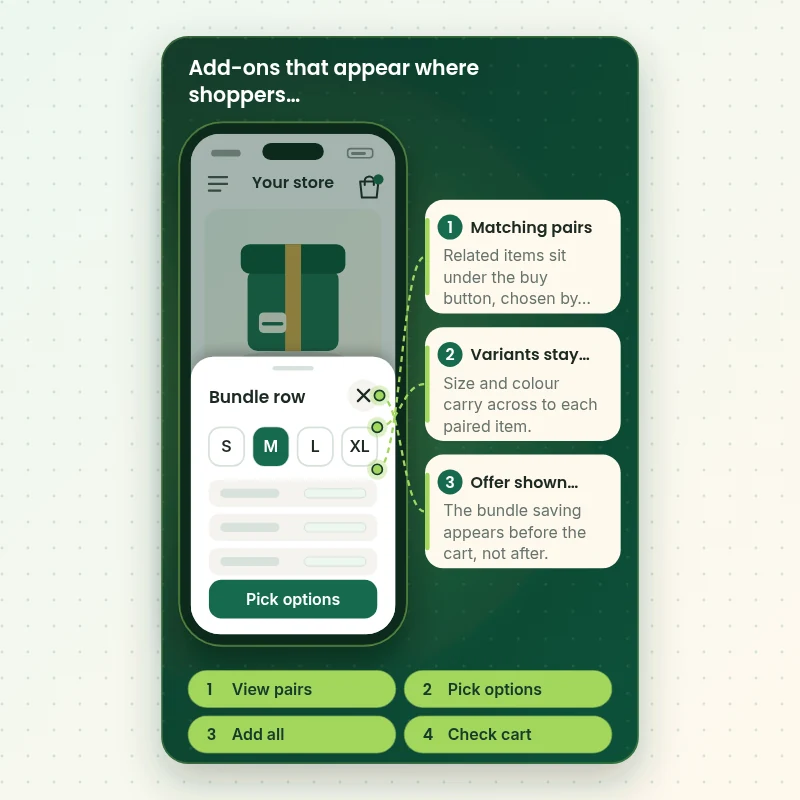
How the Add-On Widget Behaves on a Phone, Step by Step
Shoppers meet this feature on a small screen, so we test it there first. The walkthrough shows the moments we check: the pairing row under the buy button, the choice of options for each item, the bundle discount message and the cart that follows. Each one is verified on the live theme before handover.
Portfolio
Store Designs From Our Studio
These storefront designs show how layout, product detail and trust cues change from one niche to the next, which is the same care that goes into Frequently Bought Together App Setup for Shopify.
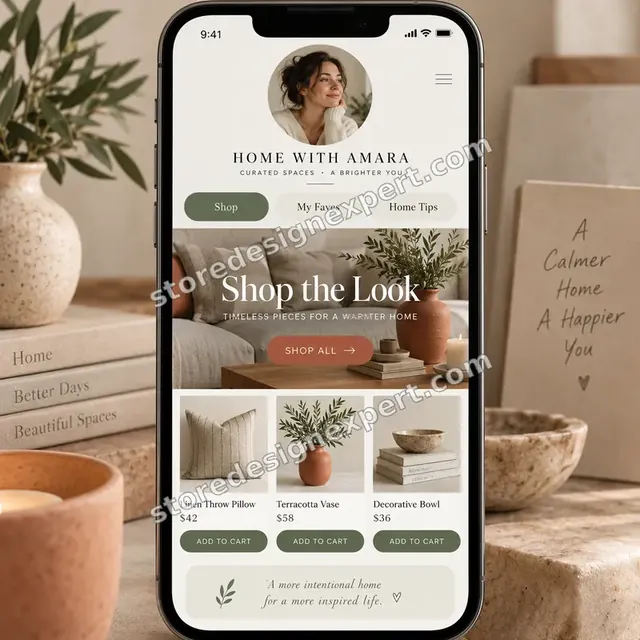
Home decor creator store design
Home decor creator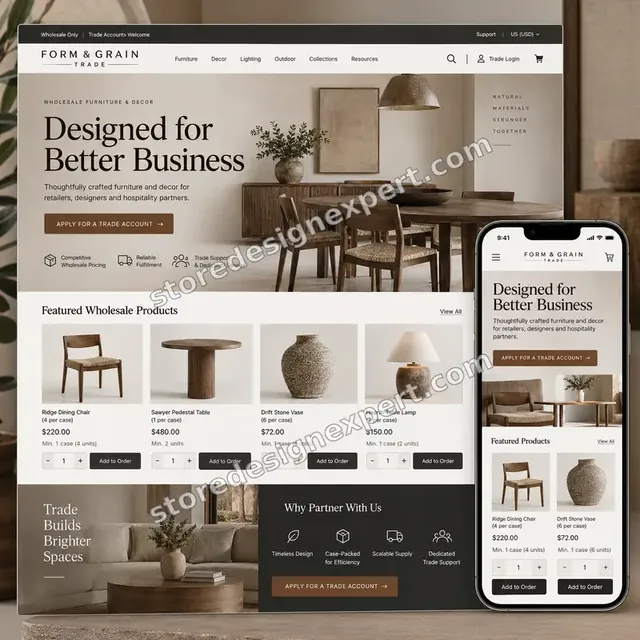
Furniture store design
Furniture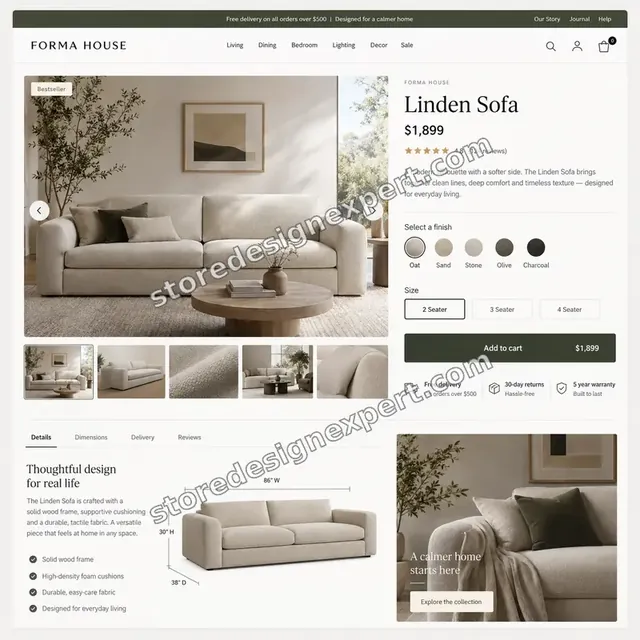
Furniture store design
Furniture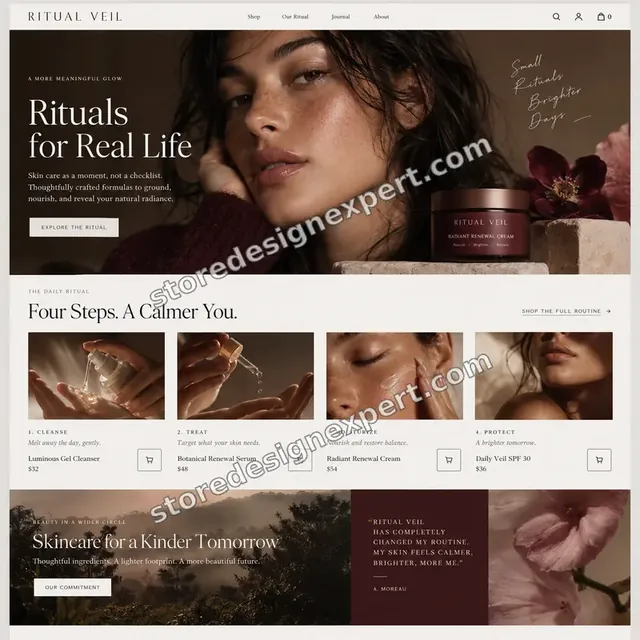
Beauty store design
Beauty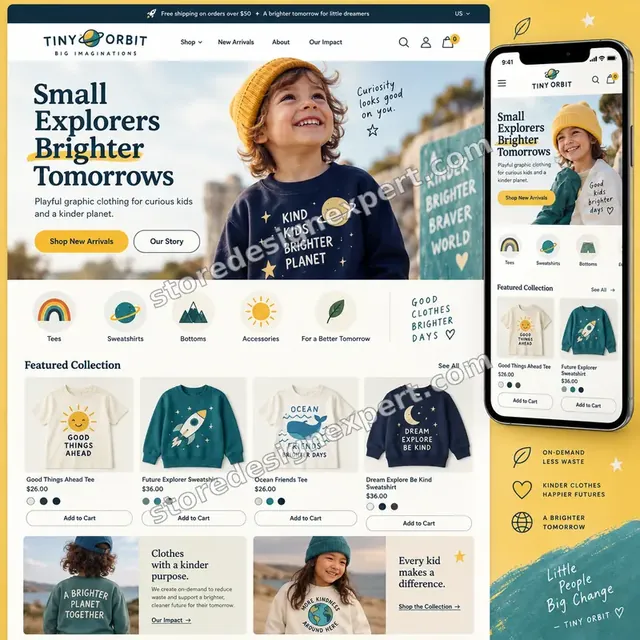
Kids clothing store design
Kids clothing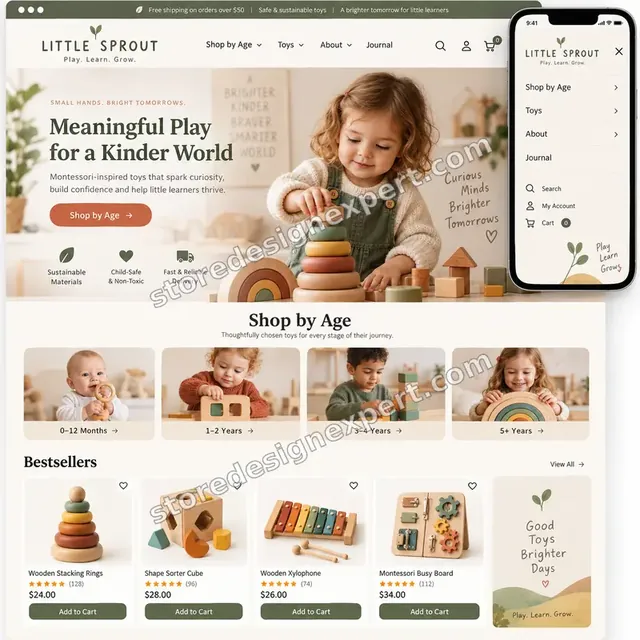
Montessori toys store design
Montessori toysProcess and timeline
How Your Frequently Bought Together App Shopify Setup Runs, Start to Finish
Six steps, no surprises, whichever frequently bought together app Shopify route you pick. Nothing changes on your live theme until you have approved a preview, and your calculator choices decide how long each step takes.
- 1
Brief and catalog review
You tell us which products are the heroes and which add-ons make sense. We look at your theme, templates and any app already installed, then write down the route we recommend.
- 2
Install and enable
The chosen app or native block is installed, permissions are approved and the embed or block is switched on in a duplicate theme, never first on the live one.
- 3
Pair the products
Pairings are entered for the key items, automatic suggestions are reviewed where relevant and every pair is checked for stock, price and sense.
- 4
Offers and variants
Discount rules are set, then tested against your existing codes and sale prices. Products with options are tried one by one so the right variant arrives in the cart.
- 5
Style and test
The widget is matched to your theme, checked on phones and desktops, and compared against page speed. We record each case as passed or fixed.
- 6
Publish and hand over
Once you sign off, the duplicate theme is published. You receive a recorded walkthrough and written notes on adding pairs, pausing the widget and what to review monthly.
Compare your options
Install It Yourself, Hire a Gig, Use an Agency or Choose Our Setup?
There are four usual ways to get an add-on widget live. This comparison covers the checks that decide whether it shows, sells and behaves.
| What matters | Install it yourself | Marketplace gig | Agency retainer | Store Design Expert |
|---|---|---|---|---|
| Right product template identified | You check | Rarely | Yes | Yes |
| Native and app routes compared | Seldom | Rarely | Sometimes | Yes |
| Variants tested on each product type | Spot check | Rarely | Yes | Yes |
| Discount stacking tested at checkout | Often skipped | Rarely | Yes | Yes |
| Phone layout checked | You test | Varies | Yes | Yes |
| Price known before work begins | Yes | Yes | Quote only | Yes |
| Written test log and walkthrough | No | Rarely | Extra cost | Yes |
| No retainer or minimum spend | Yes | Yes | No | Yes |
Inside every project
What Keeps Your Product Pages Safe While We Work
Product pages earn your money, so every change is handled carefully. Each of these six habits is part of every package, which is how a fixed fee stays a careful one.
A duplicate theme for every change
We save a backup, copy your live theme and do the work there. Shoppers keep buying on the existing theme until you approve the preview and we publish.
A written definition of done
The widget counts as finished only when it renders on every chosen template, adds the right variants, honours the discount and displays cleanly on phone and desktop.
Only the access the job needs
We ask for collaborator access or a staff account limited to apps and themes. Payment details and the owner password are not part of any route.
No hidden lock-in
You hold the app subscription and the theme. If you remove us the widget keeps working, and the notes explain how it was wired.
Documentation you can reuse
A written test log and a recorded walkthrough show what was configured and why, so a colleague can maintain the pairings later.
Clear scope and two revision rounds
The price is fixed before work starts. Wording, placement and styling changes inside scope are handled in two structured rounds, not an hourly meter.
Interactive price calculator
Build Your Add-On Widget Package
Choose a package, tell us how many products need pairings, where the widget should appear and what your theme looks like. The fixed price and the delivery window update with every choice.
Request a custom quote
Headless storefronts, custom Liquid or checkout extension builds, Shopify Plus checkout customisation, multi-store setups and migrations from another bundle tool with hundreds of existing offers are scoped separately for a fixed quote.
Request a QuoteChanged your mind? Choose Pairing Starter, Cart-Ready Bundles or Store-Wide Rollout above to return to the instant calculator.
Packages and comparison
Frequently Bought Together App Setup Package Comparison
Line-by-line detail on what each package covers. If you are weighing a frequently bought together setup guide you could follow yourself against a hired setup, count how many of these checks the DIY route would give you.
| What is included | Pairing Starter $290 | Cart-Ready Bundles $590Recommended | Store-Wide Rollout $990 |
|---|---|---|---|
| Route recommended in writing | Included | Included | Included |
| App or native block installed and enabled | Included | Included | Included |
| Up to 15 products paired | Included | Included | Included |
| Phone and desktop test | Included | Included | Included |
| Handover video | Included | Included | Included |
| Up to 40 products paired | Not included | Included | Included |
| Bundle discount configured and tested | Not included | Included | Included |
| Variant and stock checks | Not included | Included | Included |
| Cart or cart-drawer placement | Not included | Included | Included |
| Up to 100 products paired | Not included | Not included | Included |
| All product templates covered | Not included | Not included | Included |
| Custom styling and page speed review | Not included | Not included | Included |
| Fixes after launch | Not included | Not included | 14 days |
| Typical delivery | 2 to 3 days | 4 to 6 days | 7 to 10 days |
For Frequently Bought Together App Setup for Shopify, the price and the delivery estimate shown in the calculator above are the ones that apply.
Why Store Design Expert
Why Owners Hire Us to Add Frequently Bought Together on Shopify
Anyone can press install. Owners come to us for the decisions around it: which route, which pairs, which template and which discount rule, all tested on the live theme.
We work inside Shopify themes daily
Templates, sections, app blocks and cart drawers are our everyday material, so we notice which part of your theme will cause trouble before it does.
Rated 4.9+ by verified clients
Reviews on this page come from verified Store Design Expert clients, so you can read how past projects went before you spend anything.
Prices you can plan around
Every package, option and extra carries a visible price in the calculator. The app's own subscription is billed to you directly, so check its current pricing page.
Direct line to the person building
You message whoever has your theme open. Questions about a pairing, a variant or a strange discount get a direct answer.
Honest about when not to use an app
If the free native route does the job for your catalog, we say so. A smaller bill for you is better than a bigger subscription you do not need.
Experience since 2015
More than 450 Shopify stores launched means we have met most theme quirks and app conflicts that interfere with add-on widgets.
What we need to get started
What We Need Before We Open Your Theme
We need a way into your store, a short list of hero products and a decision on any discount. Pick whichever of the three routes below suits you.
Approve our collaborator request
Send your store address and accept the collaborator request we raise. You remain the owner, we see only what the role permits, and removing us later takes one click.
Store not live yet? We start it first
We can build the store inside our Shopify Partner account, set the widget up there and transfer ownership to you when the work is finished. A Shopify plan is something you pick once the transfer is made.
Or send staff login details
A limited staff account also works if that is easier. Collaborator access is still our preference because it is simple to revoke and no password has to travel.
Your hero products and pairs
List the products that bring most orders and any add-ons you want attached to them. If you are unsure, tell us and we will propose pairs for your approval.
Your discount rules
Tell us whether a bundle should carry a saving, how large, and which of your existing codes or sale prices it may combine with.
Any app you already pay for
Name the bundle or upsell tools installed now, and any app you prefer. We audit what exists, avoid duplicates and say which should stay.
Owner passwords and card details are not needed at any stage. Theme edits are made in a copy after a backup, and we record what we changed.
Testimonials
What Store Owners Say Before You Order Frequently Bought Together App Setup for Shopify
Verified Store Design Expert clients describe the brief, the build and the handover in their own words.
Verified
Store Design Expert is the best. The work is very professional, they pay close attention to detail and, more importantly, they listen. Their level of cooperation is second to none, and everything was delivered in a very timely manner. I will keep them in mind for future projects.
BN
Barbara N.United States
Verified
They kept communicating until the problem was fully resolved, and the result was great.
HJ
Henry J.United States
Verified
Super helpful and patient. I am new to ecommerce and Store Design Expert talked me through the whole process and even fixed my payment bridging for me!
LR
Lois R.United Kingdom
Verified
I am beyond satisfied! Store Design Expert went above and beyond on my project. Highly recommended!
MD
Michael D.United States
Verified
The experience was tailored to my brand and specifications to the letter. I love the result.
EP
Eric P.United States
Verified
They definitely get the job done. Very patient and understanding throughout the whole project.
BS
Brian S.United States
Verified
Thank you so much to Store Design Expert and the team. My site looks far more appealing to customers, and I will happily recommend your services to other new small businesses.
JS
Jennifer S.United States
Verified
Very patient, informative and transparent, and they did exactly what they said they would do. Thanks for all the help!
RO
Raymond O.United States
Verified
Store Design Expert is the only one I use for all things WordPress. They have a high level of understanding, deliver quality work and are easy to deal with.
SC
Scott C.United States
Related searches
Related Searches for Frequently Bought Together App Setup for Shopify
Owners reach this page from different searches. Here is how the common ones relate to Frequently Bought Together App Setup for Shopify.
If you searched for “frequently bought together shopify”, “how to add frequently bought together on shopify”, “frequently bought together shopify app” or “best frequently bought together app shopify”, Frequently Bought Together App Setup for Shopify is the work that answers it.
“frequently bought together shopify app free”, “how to set up frequently bought together on shopify”, “shopify frequently bought together” or “frequently bought together setup guide” all point to the same job, which Frequently Bought Together App Setup for Shopify covers from start to finish.
“frequently bought together app setup”: owners type these when they need Frequently Bought Together App Setup for Shopify, and the packages above are priced for that job.
You may also have come across “shopify bundle app”, “shopify search and discovery”, “complementary products” or “average order value” while reading about Frequently Bought Together App Setup for Shopify.
You may also have come across “hire shopify expert” while reading about Frequently Bought Together App Setup for Shopify.
FAQ
Frequently Bought Together Setup FAQs
Answers on cost, timing, access, the free native option and how the widget behaves on your theme.
How much does a frequently bought together app setup cost?
Pairing Starter is $290, Cart-Ready Bundles $590 and Store-Wide Rollout $990. Theme type, placements and catalog size add to the total, and the calculator shows the final number before you pay. Most projects fall between $290 and about $1,700, with delivery in roughly 2 to 12 working days.
How long does Frequently Bought Together App Setup for Shopify take?
The smallest package takes 2 to 3 working days, the middle one 4 to 6 and the largest 7 to 10. Older themes, page builders and big catalogs add days, shown beside each option. The Sooner and Fastest speed choices pull the schedule in when you have a sale approaching.
How to add frequently bought together on Shopify without code?
Install an app, enable its embed under App embeds in the theme editor or add its block to the product template, then choose pairings in the app dashboard. Themes that predate app blocks may need a small snippet. We handle all of it in a duplicate theme.
How to set up frequently bought together on Shopify for the first time?
Decide the route first: Shopify's free option or a dedicated app. Then install, enable the embed, pair a few best sellers and test one product on a phone. We follow that order and write down what we found, so you can repeat it for other products.
Is there a frequently bought together Shopify app free of monthly fees?
Many apps offer a free plan with limits, and Shopify's own Search and Discovery app is free. Plans and limits change, so check the current pricing page of any app. We tell you whether the free route covers your catalog or whether a paid plan earns its cost.
Which is the best frequently bought together app Shopify stores should choose?
There is no single best one. The right choice depends on whether you need a combined price, an add-all button, cart placement, your theme type and your budget. We compare two or three options against your catalog and recommend one, without being tied to any vendor.
Can Shopify Search and Discovery do this on its own?
Partly. Shopify Search and Discovery lets you pick complementary products for each item, and your theme can show them in a Complementary products block. It lists items individually, without a combined price or one add-all button. If those matter to you, an app is the better fit.
Do you need my Shopify password for Frequently Bought Together App Setup for Shopify?
No. We prefer a collaborator request, which keeps you as the owner and can be revoked instantly. Without a store yet, we assemble one in our Partner account and hand it over to you. A limited staff login is a last-resort option, and the owner password stays with you.
Will the widget slow my product pages?
Any app adds some script, so we review what loads and keep placement lean. In the larger packages we include a page speed check. We will not quote you a percentage, because it depends on your theme and other apps; we report what we observe on your store.
What happens if a paired product sells out?
Sold-out items can sit in a pairing and waste the space. We review stock behaviour, remove dead pairs and show you how the app treats unavailable products. A short monthly check, written into your handover notes, keeps the pairings healthy.
Can the bundle discount stack with my other discounts?
That depends on Shopify's discount combination settings and the app you use. We configure the bundle saving, then test it with your existing codes, sale prices and shipping offers, and record exactly which combinations work, so the cart total never surprises a customer.
Do you also fix an app I installed that shows nothing?
Yes. The usual causes are a disabled embed, a block missing from the template in use, hidden products or a theme update that removed the code. We find the reason, fix it and list what was wrong so it does not return.
Why hire Shopify expert help instead of installing it myself?
If you hire Shopify expert help you buy decisions and testing, not a button press: route, pairs, templates, variants and discounts, tested on phones. Installing alone is perfectly possible for a small catalog. Owners with many products or a custom theme usually save time by delegating.
Do you set up a Shopify bundle app that is not frequently bought together?
Yes, within reason. A Shopify bundle app that sells fixed kits, mix-and-match boxes or volume discounts needs different logic. Tell us the goal in the brief, and we will say whether this package fits or whether a custom quote would be the safer route.
Ready when you are
Order Your Frequently Bought Together App Shopify Setup
Choose a package, watch the fixed price settle and have your frequently bought together app Shopify setup built and tested by a team that has launched 450+ Shopify stores. Pairings, variants and discounts are checked before shoppers see a thing.
Secure payment · Two rounds of changes · Variant and discount test notes included