
Shopify stores designed and launched
Form and checkout field optimization
Shopify Custom Checkout Fields, Trimmed, Added and Tested
Shopify custom checkout fields done properly: we cut what shoppers do not need, add what you genuinely need and test every path with real orders on your plan. Contact and sign-up forms get the same care. Prices begin at $590, and the work draws on 450+ launched stores since 2015 plus a 4.9+ average from verified clients.
- A field-by-field review of checkout and your key forms
- Settings, guest checkout and phone rules set to match your needs
- Custom fields and checkboxes added by the method your plan supports
- Test orders on phone and desktop before anything is published
From$590
Delivery4 to 12 working days
Revisions2 rounds
Our track record
450+ Shopify Stores Launched Since 2015, and Every One Had a Checkout Form to Get Right.
Every field is a small question shoppers must answer before paying. Choosing which questions to keep is a design and operations decision, and we have made it across hundreds of stores.
Average rating from verified clients
Building Shopify stores since
Secure checkout
Pay through a protected checkout and keep a full order record.
Two revision rounds
Included in every package, so the result matches what you pictured.
Backup before changes
We work on a duplicate of your theme, never on your live store.
Who this is for
Made for Stores Where Forms Slow People Down
Field problems rarely show up as an error message. They show up as visitors who start paying and quietly leave. These are the situations where owners hand the form work to us.
Checkouts that ask for too much
Company name, a second address line and a required phone number appear because nobody switched them off. We decide which ones you actually use.
Mostly-mobile shoppers
Typing on a phone punishes every extra box. We check keyboard types, autofill and spacing so a thumb can get through quickly.
Stores that need extra information
Gift messages, delivery notes, engraving text or an age confirmation have to be collected somewhere. We pick the place your plan supports and wire the answer to the order.
Owners with an account wall
Forcing sign-in before paying costs sales. We set up guest checkout and sensible account prompts after the order instead.
International sellers
Postcode, state and phone rules differ by country. We review how your fields behave for the regions you really ship to.
Stores with patched-together forms
A newsletter popup, a contact form and a wholesale form built three different ways. We bring them to one consistent standard.
Problems solved
Why Shopify Checkout Forms Quietly Cost You Orders
Most field problems come from defaults and patches rather than bad intent. Here is what we usually find when we open the checkout, and how each one gets fixed.
The problem
Required fields nobody uses.
The outcome
A required phone number or company name that your team never reads still stops shoppers. We keep fields only when someone has a named use for the answer.
The problem
Account creation before payment.
The outcome
Guests who must register leave. We switch to optional accounts and move the invitation to the confirmation step.
The problem
Wrong keyboard, no autofill.
The outcome
Email boxes that open a full keyboard and address fields that ignore autofill make typing slow. We check input types and autofill support on real phones.
The problem
Errors that blame the shopper.
The outcome
A red message saying 'invalid' with no hint sends people away. We rewrite messages so each one says what to fix and how.
The problem
Extra data collected in the wrong place.
The outcome
Gift notes squeezed into an order note field get missed by fulfilment. We route extra information to the right place and make it visible in the order.
The problem
Privacy wording left vague.
The outcome
A pre-ticked marketing box or an unexplained phone request creates distrust and compliance risk. We make consent clear and optional.
What we can do
What Our Shopify Custom Checkout Fields Work Covers
Forms touch settings, theme code, apps and order data. These are the six areas where our hours go, including the awkward cases that default settings never cover.
Field-by-field review
We walk checkout and your key forms on phone and desktop, list every field and note who uses the answer. The list shows what to remove, reorder or explain.
Changing the checkout page by plan
Everyone can adjust contact method, name, company, address line two and phone rules in settings. Checkout design changes beyond that depend on your plan, and we say plainly which route applies.
Custom fields and checkboxes
On Shopify Plus we build or configure fields through checkout UI extensions. On other plans we collect the same information on the cart page and carry it to the order.
Guest checkout and accounts
We configure optional accounts, review sign-in prompts and make sure returning customers can still log in without being forced to.
Validation and clear errors
Phone, postcode and email rules are tuned so real customers pass and typos are caught, with messages that tell people what to change.
Testing and proof
Every change is checked with test orders, and where your plan allows we compare versions so the decision rests on shopper behaviour.
What is included
What Your Shopify Custom Checkout Fields Package Includes
The work is arranged in six streams so you can see where each hour goes. A table further down shows which stream sits in which package.
Field audit
- Every checkout and form field listed with its purpose
- Keep, hide, reorder or explain decision for each
- Mobile and desktop walk-through
- Written summary you approve first
Checkout settings
- Contact method and name settings reviewed
- Company, address line two and phone rules set
- Guest checkout and account prompts configured
- Marketing opt-in wording and default checked
Custom fields
- Fields or checkboxes added by the right method for your plan
- Answers visible on the order and in notifications
- Cart-page fields for stores without Plus
- Fallback behaviour when a field is left empty
Other forms
- Contact form fields and labels reviewed
- Newsletter and account forms tidied
- Input types and autofill attributes checked
- Consistent spacing and error styling
Testing
- Test orders in the guest and signed-in paths
- Wallet and card routes checked
- Countries you ship to sampled
- Order data confirmed in admin
Launch and handover
- Settings snapshot recorded before changes
- Theme backup before publishing
- Recorded explanation of every change
- Two revision rounds after review
Each stream finishes with a result you can check yourself, from a field list to a recorded test order.
See the review
A Field-by-Field Review of Your Checkout and Forms
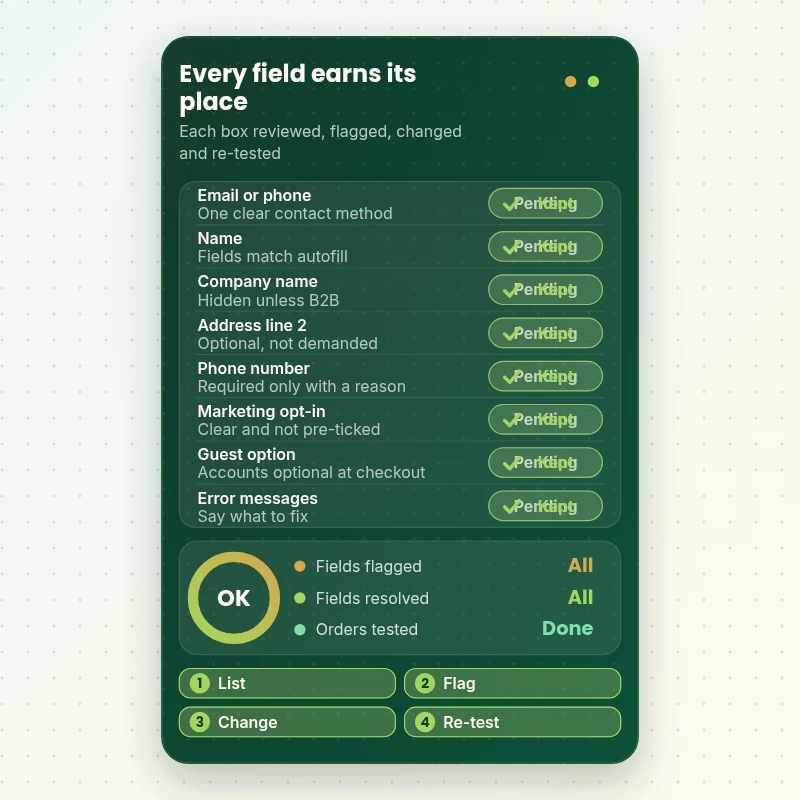
Every box a shopper meets gets looked at in turn. In this walkthrough each field is checked for a named purpose, an easy input on mobile and a clear error message. Anything unneeded is flagged to hide or explain, and the revised form is placed with test orders before we hand it over.
Portfolio
Shopify Store Designs We Create
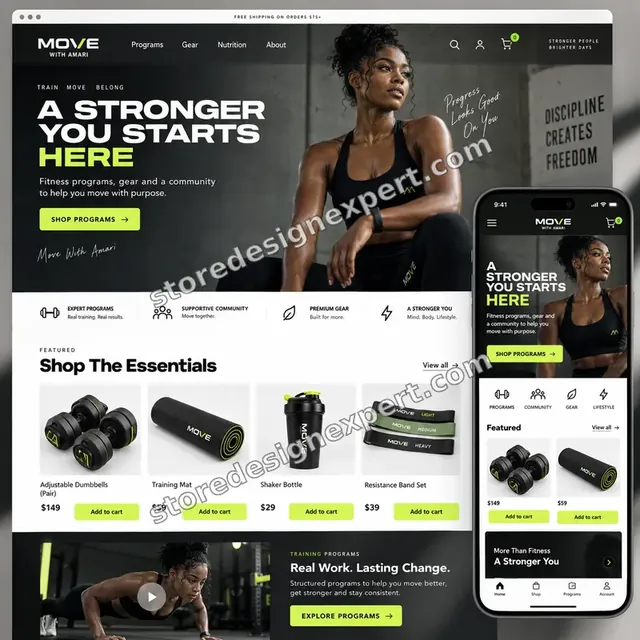
A look at store designs across fashion, home, beauty, pets and gifts, to show the standard of layout and finish behind Shopify Form and Checkout Field Optimization.
Food creator store design
Food creator
Salon supplies store design
Salon supplies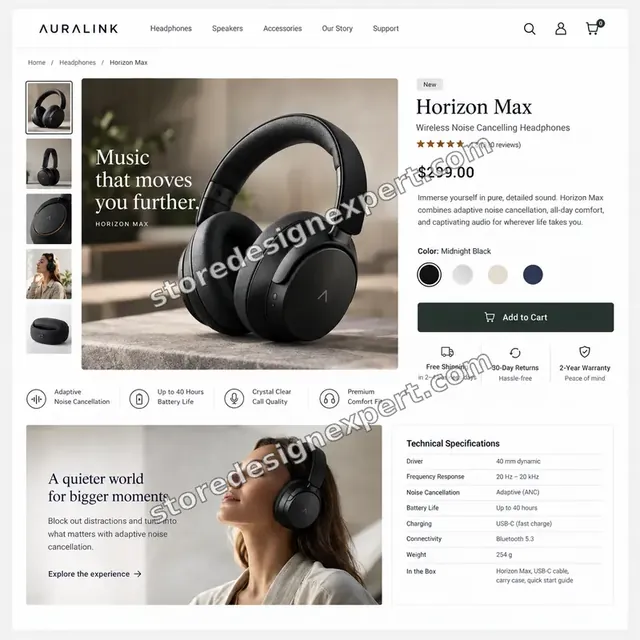
Audio store design
Audio
Food store design
Food
Summer fashion store design
Summer fashion
Technology store design
TechnologyProcess and timeline
From Field Audit to Live Form: Process and Timeline
Six stages take you from a messy form to a tested one, with the live store left alone until you approve. Field Trim usually takes 4 to 7 working days, and the calculator shows how options extend it.
- 1
Walk the form as a shopper
We place orders ourselves on phone and desktop, as a guest and signed in, noting every box, message and pause.
- 2
Keep, hide or explain
You receive a field list with a recommendation for each item and the reason. Nothing changes until you have approved it.
- 3
Apply settings and structure
We change checkout settings, guest options and account prompts, then rearrange cart-page or form layouts where needed.
- 4
Add the fields you truly need
Extra fields and checkboxes are built with the method your plan permits, and their answers are sent to the order.
- 5
Test with real orders
We run orders through guest, signed-in and wallet routes, in several countries if relevant, and check the data in admin.
- 6
Publish and hand over
After your sign-off we publish, keep a record of previous settings and send a recording that explains each change.
Compare your options
Settings Alone, a Field App, a Freelance Gig or Store Design Expert?
There are four common routes to better Shopify forms. Shopify's own settings cost nothing, a field app adds options for a monthly fee, a freelance gig is a quick edit, and a scoped project covers review, changes and testing together.
| What matters | Shopify settings only | Field app alone | Freelance gig | Store Design Expert |
|---|---|---|---|---|
| Field-by-field review with reasons | No | No | Rarely | Yes |
| Guest checkout and account prompts set | You do it | Varies | Varies | Yes |
| Custom field or checkbox added | No | Plus required | Varies | Yes |
| Cart-page route for non-Plus stores | No | Varies | Varies | Yes |
| Error messages and autofill checked | No | No | Rarely | Yes |
| Test orders on guest and wallet paths | You do it | You do it | Rarely | Yes |
| Settings recorded and reversible | No | No | Rarely | Yes |
| Fixed price up front | Yes | Monthly fee | Varies | Yes |
Inside every project
What Keeps Your Orders Safe While We Change the Form
The checkout is where money changes hands, so edits here deserve extra caution. These habits are part of every project and explain why the scope can be fixed.
Settings recorded first
We note every checkout setting as it stands before touching it, so any step can be reversed exactly.
Real orders, not guesses
Each change is exercised with test orders through guest, signed-in and wallet routes, and we confirm the data appears in the admin.
Theme work in a copy
Cart-page and form edits are built beside your live theme and previewed before they replace anything.
Scoped access only
We use permissions limited to the project. Payment settings, payouts and your owner login stay out of reach.
Honest about plan limits
We never promise a field inside checkout that your plan cannot host. If it needs Plus, you hear that before you pay.
Two revision rounds, fixed price
Your package covers the fields and forms listed and two rounds of changes. Extra ideas are quoted in writing before work starts.
Interactive price calculator
Price Your Shopify Custom Checkout Fields Project
Choose a package, then say how many forms are in scope, which plan route applies and how thoroughly we should verify. The total and delivery estimate update as you choose.
Request a custom quote
Headless checkouts, multi-store rollouts, B2B account workflows, bespoke validation logic or more than five forms receive a written custom quote.
Request a QuoteChanged your mind? Choose Field Trim, Form Rebuild or Checkout Field Suite above to return to the instant calculator.
Packages and comparison
Compare Field and Form Packages Row by Row
Every row names something we hand over. The calculator above adds forms in scope, your plan route and the verification depth to the package price.
| What is included | Field Trim $590 | Form Rebuild $1,090Recommended | Checkout Field Suite $1,790 |
|---|---|---|---|
| Field audit of checkout | Included | Included | Included |
| Checkout settings reviewed and set | Included | Included | Included |
| Guest checkout configured | Included | Included | Included |
| One additional form tidied | Included | Included | Included |
| Test orders on phone and desktop | Included | Included | Included |
| Recorded explanation and two revision rounds | Included | Included | Included |
| Custom field or checkbox added | Not included | Included | Included |
| Error message rewrite | Not included | Included | Included |
| Input type and autofill fixes | Not included | Included | Included |
| Order data confirmed in admin | Not included | Included | Included |
| Up to three extra fields or checkboxes | Not included | Not included | Included |
| Phone and address validation rules | Not included | Not included | Included |
| International path testing | Not included | Not included | Included |
| Written field policy | Not included | Not included | Included |
| Typical delivery | 4 to 7 days | 6 to 9 days | 8 to 12 days |
For Shopify Form and Checkout Field Optimization, the price and the delivery estimate shown in the calculator above are the ones that apply.
Why Store Design Expert
Shopify Specialists Who Treat a Form as Part of the Store
Fields are often left to an app or a quick fix. Here is how handling them as part of the design and operations of the store changes the result.
Shopify only, since 2015
We work with Shopify checkouts, themes and apps daily, so we know which fields are safe to change and which need a different approach.
Evidence before changes
Every recommendation cites the research behind it, such as how many fields are really needed and when a phone request backfires.
People who read the orders
We ask who in your team uses each answer, because a field nobody reads is a field to remove.
Fixed price, no retainer
You buy a defined set of fields and forms. There is nothing to cancel after handover.
Apps only when they earn it
Native settings first, then extensions, then an app. You avoid paying a monthly fee for something your plan already does.
You keep control
All settings and code live in your store. Anything built in our Partner account is transferred to you when finished.
What we need to get started
What We Need From You to Begin
You do not need a list of fields to change, only access and a sense of what your team collects and why. Pick the route that suits you.
Send a collaborator request
Give us your store address and accept our collaborator request in Shopify admin. You stay the owner, and removing our access takes one click.
Building from scratch? We start it
If the store is not yet open, we create it inside our Shopify Partner account and then transfer ownership, leaving you to choose a plan as the final step.
Share a staff account instead
Staff login details with the required permissions are also fine. We prefer collaborator access for its easy revocation, but either way works.
What you collect and why
List the information your team needs from every order, such as gift notes or delivery instructions, and who reads it.
Where you ship
Tell us your main countries and the carriers you use, so we test the address and phone rules that matter to you.
Apps and customisations
Name any checkout, form, popup or account apps installed, and whether you are on Shopify Plus, because it decides the method.
Your card details and Shopify owner password stay private. Every change is previewed first, with earlier settings recorded for easy reversal.
Testimonials
What Store Owners Say About Working With Us
Verified clients describe their experience with Store Design Expert on builds, fixes and conversion work.
Verified
Store Design Expert is the best. The work is very professional, they pay close attention to detail and, more importantly, they listen. Their level of cooperation is second to none, and everything was delivered in a very timely manner. I will keep them in mind for future projects.
BN
Barbara N.United States
Verified
Store Design Expert was great! They delivered exactly what I asked for and even offered helpful extra suggestions. Highly recommended.
PW
Paul W.United States
Verified
I request Store Design Expert every time I have a project. They are professional and give real attention to detail, which makes the work stand out.
LK
Laura K.United States
Verified
They kept communicating until the problem was fully resolved, and the result was great.
HJ
Henry J.United States
Verified
Super helpful and patient. I am new to ecommerce and Store Design Expert talked me through the whole process and even fixed my payment bridging for me!
LR
Lois R.United Kingdom
Verified
I am beyond satisfied! Store Design Expert went above and beyond on my project. Highly recommended!
MD
Michael D.United States
Verified
The experience was tailored to my brand and specifications to the letter. I love the result.
EP
Eric P.United States
Verified
They definitely get the job done. Very patient and understanding throughout the whole project.
BS
Brian S.United States
Verified
Thank you so much to Store Design Expert and the team. My site looks far more appealing to customers, and I will happily recommend your services to other new small businesses.
JS
Jennifer S.United States
Related searches
Related Searches for Shopify Form and Checkout Field Optimization
The searches below are the ones that lead people to Shopify Form and Checkout Field Optimization.
If you searched for “shopify customize checkout page”, “how to change checkout page in shopify”, “shopify add custom field to checkout” or “shopify guest checkout”, Shopify Form and Checkout Field Optimization is the work that answers it.
People who look up “shopify require phone number at checkout”, “shopify add checkbox to checkout”, “edit checkout page shopify” or “shopify checkout form template” usually want Shopify Form and Checkout Field Optimization; the calculator above shows the price and delivery estimate before you commit.
“shopify checkout ui extensions”, “shopify checkout optimization”, “shopify apps custom checkout” or “shopify checkout block app”: owners type these when they need Shopify Form and Checkout Field Optimization, and the packages above are priced for that job.
You may also have come across “hire a shopify expert” while reading about Shopify Form and Checkout Field Optimization.
FAQ
Shopify Custom Checkout Fields FAQs
Plain answers about price, plans, Shopify's limits, privacy and what happens after we finish.
How much does Shopify checkout field optimization cost?
Packages start at $590 for Field Trim, $1,090 for Form Rebuild and $1,790 for Checkout Field Suite. Forms in scope, your plan route and verification depth add their own prices, so most projects fall between about $800 and $2,700. App subscriptions, if any, are billed by their vendors. The calculator shows a fixed total before you pay.
Can you set up Shopify custom checkout fields on any plan?
Partly. Every plan lets us tune contact method, company name, address line two, phone and account settings. Adding new custom fields inside checkout requires Shopify Plus and checkout UI extensions. On other plans we collect the same information on the cart page and send it through to the order.
How do I use Shopify add custom field to checkout without Plus?
You cannot place a new field inside the checkout form without Plus. The usual alternative is collecting it on the cart page as a cart attribute, a note or a line item property, so it travels with the order. We build that and confirm it shows in the admin and notifications.
What are Shopify checkout ui extensions?
They are Shopify's modern, app-based way to add content and fields to checkout on Plus. They replace edits to the old checkout.liquid file, stay upgrade-safe and run inside Shopify's framework. We configure or build them, test them on live payment routes and document how to switch them off.
How to change checkout page in Shopify and what can I actually edit?
Every plan lets you change branding and some form behaviour in settings. Layout and added content inside checkout depend on your plan, with the most freedom on Plus. We start with a checkout review, tell you which edits are open to you and then make them safely.
Can you handle Shopify customize checkout page requests and edit checkout page Shopify settings for me?
Yes. We review what your plan allows, adjust the form options and, where permitted, add elements such as notes or checkboxes. Anything outside your plan is explained plainly, along with the closest alternative, so you do not pay for something that will not work.
Should I enable Shopify guest checkout?
For most stores, yes. Requiring an account before payment adds a step that many shoppers refuse, and Baymard reports that most checkouts still ask for or push account creation. Optional accounts with an invitation after purchase keep the sale and still build your customer list.
Can I make Shopify require phone number at checkout?
You can set the shipping phone field to required, but think first. Baymard found around 14% of users abandon when a phone number is simply required, and an explanation helps. If couriers need it, we keep it and add a line saying why. If not, we make it optional or remove it.
How does Shopify add checkbox to checkout work?
A checkbox, such as an agreement or gift option, needs a checkout UI extension on Plus. On other plans we place it on the cart page and store the answer with the order. We also make sure the wording is clear and that marketing boxes are never pre-ticked.
Is there a Shopify checkout form template I can copy?
A template helps less than you might expect, because your products, countries and fulfilment needs decide the fields. We start from a lean baseline, with contact, delivery and payment and little else, then add only fields your team will really use.
Do I need an app, or do Shopify apps custom checkout tools matter?
Often settings and extensions are enough. Apps help when you want a no-code interface or extra field types. We compare options, including any Shopify checkout block app, against your plan and budget, and we explain monthly costs before you choose.
How does this relate to broader Shopify checkout optimization?
Fields are one part of checkout. Shipping options, payment methods, trust signals and speed all matter too. Our field work focuses on the form itself, which is where many shoppers hesitate, and we can point to the next area once it is done.
Do you also fix contact forms and sign-up forms?
Yes. Contact, newsletter, account and wholesale forms get the same review: which fields are needed, whether input types and autofill work, and whether errors help. Package options let you add forms to the scope, each priced in the calculator.
Can you guarantee more completed orders?
No, and nobody honest can. Results depend on traffic, products and trust. We promise a documented field review, sensible changes and test orders on every path. Where your plan allows, we can compare versions so you can see for yourself.
Should I hire a Shopify expert for this, or do it myself?
Simple settings are easy to change yourself. If you need extra fields, validation rules or testing across countries, a specialist saves time and avoids broken orders. If you do hire a Shopify expert, ask how they test and how they reverse a change.
Ready when you are
Start Your Shopify Custom Checkout Fields Project Today
Pick a package, see your fixed price and delivery estimate, and order your Shopify custom checkout fields project from a team that has launched over 450 Shopify stores. You receive a field-by-field review, tested changes and a recording that explains everything, with your earlier settings recorded in case you want to go back.
- Secure payment
- Two revision rounds
- Recorded handover included