
Shopify stores designed and launched
Shopify quick repair
Fix Wrong Variant Image Showing Shopify: When They Choose Blue, Show Them Blue
Need to fix wrong variant image showing Shopify before customers order the wrong colour? We repair each variant's link and test every option on your product page. From $49, fixed price.
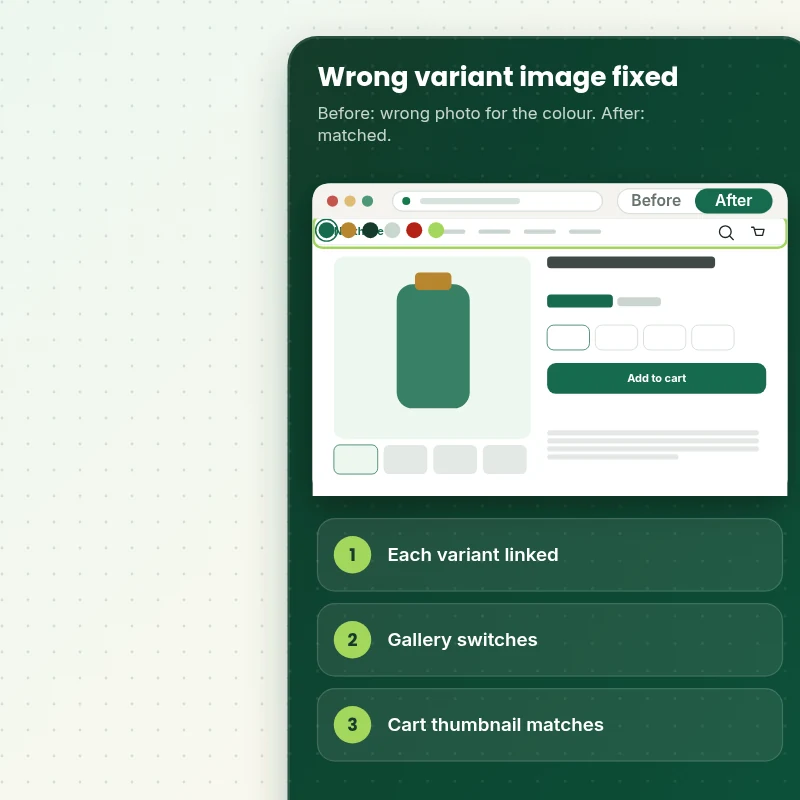
- Each variant linked to its photo
- Gallery switches correctly
- Cart thumbnail verified
- Every option tested
From$49
Delivery1 to 3 working days
Revisions2 rounds
Our track record
450+ Shopify Stores Launched Since 2015. Now Let Us Handle Your Variant Photo Mismatch.
Our team has launched more than 450 Shopify stores and holds a 4.9+ rating from verified clients. That experience goes into a task as small as a variant photo mismatch, which is why the scope and price are fixed up front.
Average rating from verified clients
Building Shopify stores since
Secure checkout
Pay through a protected checkout and keep a full order record.
Two revision rounds
Included in every package, so the result matches what you pictured.
Backup before changes
We work on a duplicate of your theme, never on your live store.
Problem and result
Fix Wrong Variant Image Showing Shopify: The Right Photo for Every Option
A shopper who picks red and sees green either leaves or orders the wrong thing and returns it. The fault is usually a missing or stale link between the variant and its photo, and sometimes the switching code in the theme.
A variant that shows the wrong photo
Choosing a colour shows another colour's photo, or the gallery does not move at all. Returns for wrong colour rise and shoppers lose trust.
Each option showing its own photo
Every variant is linked to the right photo and the gallery switches when an option is chosen. The cart thumbnail matches the choice.
What is included
What Your Variant Image Fix Includes
When you fix the wrong variant image, you get the link repair and a test of every option.
Implementation checklist
- Each variant's assigned image checked in the admin
- Missing and stale image links repaired
- Images reordered or removed after assigning put right
- The theme's gallery switching tested and repaired if broken
- Every option combination tested on the live page
- The cart and order email thumbnail checked
- The same fault searched for across other products, on request
- A short guide to assigning images to new variants
We repair the links and the switching, and we do not shoot or edit photos. A missing photo for a variant needs an upload from you, and a gallery built by an app may need that app's setting.
See how it works
From the Wrong Colour to the Right Photo for Each Option
Follow one product. We check each variant's image link, repair it and test every option on the live page.
Scope boundaries
Exactly What Is and Is Not Covered for Your Variant Photo Mismatch
Your variant photo mismatch is priced against a defined scope, so check what is covered, what is excluded, what we need and when a separate quote makes more sense.
Included
- Variant image links repaired on your live products
- Every option tested
- Cart thumbnail check
- Two revision rounds and a short guide
Not included
- Photography or editing
- Rebuilding the product page
- Fixing an app's own gallery code
- Edits to checkout areas that only Shopify can change
Access we need
- Collaborator access to your Shopify store
- A product address
- Missing variant photos
Quote triggers
- More than ten products
- A gallery built by an app
- Products with hundreds of variants
Typical turnaround
- 1 to 2 working days for most variant photo mismatch jobs
- Faster options in the calculator
- Timing confirmed before work starts
After launch
- Two revision rounds before go-live
- A short handover note for your variant photo mismatch
- Questions answered; anything bigger than Fix Wrong Variant Image Showing quoted as a separate task
Compare your options
Fix Wrong Variant Image Showing Shopify With Doing It Yourself, an App or a Freelancer?
See how the main ways of handling a variant photo mismatch stack up on the points that tend to cause trouble later.
| What matters | Free app or DIY | Gig marketplace | Large agency | Store Design Expert |
|---|---|---|---|---|
| Every option tested | Sometimes | No | Sometimes | Yes |
| Cart thumbnail checked | No | No | Rarely | Yes |
| Theme switching repaired | No | No | Sometimes | Yes |
| Guide for new variants | No | No | Rarely | Yes |
| Price known before work begins | Free but time-costly | Varies | Quote only | Yes |
| Theme backup before any change | No | Rarely | Usually | Yes |
| Two revision rounds included | No | Varies | Extra cost | Yes |
| Handover note for what changed | No | Rarely | Sometimes | Yes |
Price calculator
Price Your Variant Photo Mismatch
Pick a package, adjust the options for your variant photo mismatch and set your speed. The fixed price and delivery estimate update with every click, with no hidden fees.
Request a custom quote
More than ten products, galleries built by an app and products with hundreds of variants are scoped separately and quoted at a fixed price.
Request a QuoteChanged your mind? Choose Swatchsync Basic, Swatchsync Standard or Swatchsync Plus above to return to the instant calculator.
How it works
How We Handle Your Variant Photo Mismatch, Step by Step
Here is the route your variant photo mismatch takes in six steps, ending with a published result and a note on how it works.
- 1
Purchase
Select the package and options that fit your variant photo mismatch, and checkout locks in a fixed price and a delivery estimate.
- 2
Access
Accept our collaborator request from your Shopify admin and answer the short brief, so we can start the variant photo mismatch without ever holding your owner login.
- 3
Build in a duplicate theme
Every change for the variant photo mismatch goes into a safe theme copy before anything is considered for the live store.
- 4
QA
Every variant photo mismatch is tested across devices and browsers, and anything that does not match the list is fixed first.
- 5
Handover
Following your approval we release the variant photo mismatch and leave you with a clear record of the changes.
- 6
Support
After launch you can ask us about the variant photo mismatch, and any extra work is priced before it begins.
Compatibility and QA
Variant Image Checks and Acceptance Criteria
The variant photo mismatch is only handed over once it meets the acceptance list below, and a saved copy of your theme means nothing is ever final until you say so.
What we test
- OptionsChoosing each option shows its own photo on the product page.
- GalleryThe gallery moves to the chosen variant's photo.
- CartThe cart thumbnail matches the option chosen.
- DevicesThe variant photo mismatch is checked on recent iPhone, Android, tablet and desktop widths, including small phones at 320 pixels.
- BrowsersChrome, Safari, Firefox and Edge, each in its current version.
- MissingVariants with no photo are listed.
Acceptance criteria
- Each option shows its own photo
- The gallery switches on selection
- The cart thumbnail matches
- Switching works by tap on a phone
- The guide explains assigning images
What we need to get started
What We Need to Get Fix Wrong Variant Image Showing Started
Give access in whichever way you prefer, then send the short list of details for the variant photo mismatch, and nothing reaches your live theme before you approve it.
Collaborator access
The simplest route for the variant photo mismatch: send the store URL and accept our collaborator request, so no password changes hands and access ends when you say so.
No store yet? We build it first
We create the store in our own Shopify Partner account as a development store, finish the variant photo mismatch there and transfer ownership to you, so you only pick a plan at the end.
Prefer to share a login?
If you would rather not use the collaborator route for the variant photo mismatch, send staff login details, although we always recommend the easier-to-revoke option.
Which option is wrong
Tell us the product address and which colour or size shows the wrong photo.
Missing photos
Send photos for any variant that has none.
One decision maker
Pick one reviewer for the variant photo mismatch so every change request lands at once and fits the two included rounds.
If you are unsure which route suits the variant photo mismatch, say so in the short form after checkout and we will suggest the simplest one.
Testimonials
What Store Owners Say Before You Order Fix Wrong Variant Image Showing
Verified feedback from clients who trusted us with their Shopify stores and quick tasks alike.
Verified
Store Design Expert is the best. The work is very professional, they pay close attention to detail and, more importantly, they listen. Their level of cooperation is second to none, and everything was delivered in a very timely manner. I will keep them in mind for future projects.
BN
Barbara N.United States
Verified
I request Store Design Expert every time I have a project. They are professional and give real attention to detail, which makes the work stand out.
LK
Laura K.United States
Verified
They kept communicating until the problem was fully resolved, and the result was great.
HJ
Henry J.United States
Verified
Super helpful and patient. I am new to ecommerce and Store Design Expert talked me through the whole process and even fixed my payment bridging for me!
LR
Lois R.United Kingdom
Verified
I am beyond satisfied! Store Design Expert went above and beyond on my project. Highly recommended!
MD
Michael D.United States
Verified
The experience was tailored to my brand and specifications to the letter. I love the result.
EP
Eric P.United States
Verified
They definitely get the job done. Very patient and understanding throughout the whole project.
BS
Brian S.United States
Verified
Thank you so much to Store Design Expert and the team. My site looks far more appealing to customers, and I will happily recommend your services to other new small businesses.
JS
Jennifer S.United States
Verified
Very patient, informative and transparent, and they did exactly what they said they would do. Thanks for all the help!
RO
Raymond O.United States
FAQ
Fix Wrong Variant Image Showing Shopify Questions
Straight answers about cost, scope, timing, apps and what we need from you for your variant photo mismatch.
How do I fix wrong variant image showing Shopify, and can you do it for me?
Yes, we do it for you. Packages start at $49. The calculator adds options such as an assign-images guide, a cart thumbnail check, a theme switching repair and a list of variants with no photo, and shows your exact price and delivery estimate.
How long does Fix Wrong Variant Image Showing take?
Usually one to three days.
Is Fix Wrong Variant Image Showing safe for my live store?
Yes. We work on the variant photo mismatch in a duplicate theme first, check it against a written list and publish it only after you say yes, leaving your original theme as a backup.
What do you need from me for Fix Wrong Variant Image Showing?
Store access for us and the address of a product that shows the wrong photo. With no store yet, we set one up in our Partner account, build the variant photo mismatch there and hand ownership over to you.
What does Fix Wrong Variant Image Showing cost?
Fix Wrong Variant Image Showing starts at $49. With every option switched on the total reaches $317.
What packages are available for Fix Wrong Variant Image Showing?
You can choose between Swatchsync Basic at $49 (1 working day), Swatchsync Standard at $89 (1 to 2 working days) and Swatchsync Plus at $149 (2 to 3 working days) for Fix Wrong Variant Image Showing.
What is in the Swatchsync Basic package of Fix Wrong Variant Image Showing?
One product's variant images fixed so choosing a colour or size shows the right photo, with the link between each variant and its image corrected. It includes: One product fixed; Each variant linked to its photo; Gallery switches correctly; Phone tested; Up to ten products. Swatchsync Basic costs $49 and takes 1 working day.
What does the Fix Wrong Variant Image Showing calculator ask me?
Beyond the package, Fix Wrong Variant Image Showing needs 3 decisions from you: how many products (One product, Up to ten products); search for the same fault (Fix the named products, Also search your catalogue); how soon do you need it live (Standard, Sooner, Fastest).
What can I add on top of Fix Wrong Variant Image Showing?
Optional extras for Fix Wrong Variant Image Showing include An assign-images guide (+$5), Cart and email thumbnail check (+$10), Repair the theme's image switching (+$20), Reorder images sensibly (+$10) and A list of variants with no photo (+$10).
Ready when you are
Fix Wrong Variant Image Showing Shopify: Fewer Returns for the Wrong Colour
Pick your package, see the exact price and delivery estimate and get every option showing its own photo on every device. If you have more than ten products or an app-built gallery, request a quote and we will scope it with you.
- Fixed price
- Two revision rounds
- Backup before changes