
Shopify stores designed and launched
Editorial and lookbook page design for Shopify
A Shopify Lookbook That Reads Like a Magazine and Sells Like a Product Page
A Shopify lookbook should let a shopper fall for an outfit, a room or a ritual and buy every piece without leaving the page. We design the editorial layout, tag the products, tune the phone experience and build it as editable theme sections, from $690. Pick your depth below and the calculator shows the fixed price at once.
- Full-bleed editorial spreads with products tagged to every image
- Built as theme sections your team can reorder, not a locked-in app
- Phone-first galleries, swipe and tap targets tested on real handsets
- Set packages, two rounds of edits and a video handover
Our track record
Over 450 Shopify Stores Launched Since 2015. Now Give Your Photography a Page Worth Its Budget.
Campaign photography is expensive, and most stores bury it in a banner or an Instagram embed. We have shaped image-led pages on hundreds of storefronts, so we know where a caption helps, where a hotspot gets in the way and how many looks a phone can show before shoppers stop scrolling.
Average rating from verified clients
Building Shopify stores since
Secure checkout
Pay through a protected checkout and keep a full order record.
Two revision rounds
Included in every package, so the result matches what you pictured.
Backup before changes
We work on a duplicate of your theme, never on your live store.
Who this is for
Who Commissions an Editorial or Lookbook Page
The brief usually starts with a shoot, a season or a story that deserves more room than a collection grid gives it. If one of the situations below sounds familiar, the packages were sized around it.
You are a good fit if
- You have campaign or lifestyle photography ready or planned
- You want products bought straight from the imagery
- You would like editable sections instead of another subscription
- You value one agreed price over hourly billing
Fashion and apparel labels
Every season ends with a folder of styled shots and a collection page that shows none of the styling. You want outfits shoppable as outfits, with sizes picked per piece and a bundle button when it suits.
Furniture and home brands
Shoppers cannot picture a lamp until they see it beside a sofa. You need room scenes where every object links to its product page, including the ones that ship from different warehouses.
Beauty and lifestyle brands
A routine, a gift edit or a ritual involves five or six products used together. An editorial page tells that story and lets the reader add the full set or a single item.
Brands launching a campaign
A drop date is fixed and the assets arrive late. You need a page structure ready before the final images land, so swapping photos becomes a content job rather than a rebuild.
Stores with a content team
Marketers want to publish a new look each week without a developer. We build blocks and tidy settings so the team can add a spread, reorder it and retire old ones safely.
Owners leaving a lookbook app
The app adds a monthly bill, loads extra scripts and styles itself oddly. You want the same hotspots in native theme code that follows your fonts and loads with the page.
Problems solved
Why Most Lookbook Pages Look Lovely and Fail to Sell
We are asked to rescue image-led pages more often than to start them. These are the six faults we see repeatedly, along with how a well-built Shopify lookbook answers each of them.
The images are beautiful but nothing on them is clickable.
Outcome: We tag each product on the picture with hotspots that open a compact card showing name, price, variants and a buy button, so inspiration turns into a basket without a detour.
Hotspots are pin-sized dots that a thumb cannot hit.
Outcome: We make tap zones at least 44 pixels square, move the product card into a bottom drawer on phones and test the gallery swipe against the browser's own back gesture.
A lookbook app adds scripts, branding and a monthly fee.
Outcome: Native theme sections need no external widget, inherit your type and color settings and are included in the theme's own performance budget.
Looks pile up in one endless scroll that nobody finishes.
Outcome: We group looks into chapters, add a sticky filter by occasion or room and set a sensible number of spreads per screen so visitors can jump rather than slog.
A tagged product sells out and the hotspot becomes a dead end.
Outcome: Cards read live inventory, show a sold-out state, offer a back-in-stock path or hide the dot, so a past campaign never sends shoppers to an empty page.
The page is all pictures, so search engines read nothing.
Outcome: We add a real heading structure, descriptive alt text, captions and internal links to collections, giving crawlers and screen readers something to understand.
What we can do
What Our Shopify Lookbook Work Covers, Hands On
Editorial pages mix art direction with theme engineering. These are the six capabilities we bring, with the edge cases that tend to catch out a first attempt.
Shop the look Shopify section built natively
We write a shop the look Shopify section in Liquid with editor controls for image, hotspot positions, linked products and layout side. Dawn's built-in block stops at four tagged products and one image per section, so we extend that where your shoot needs more.
Editorial layout and art direction
Asymmetric grids, oversized type over images, text blocks between spreads and chapter breaks are drawn for your photography. If your shots vary in ratio, we crop with focal points so faces and products stay inside the frame on every screen.
Phone-first gallery behavior
Swipeable looks, a thumb-reach product drawer and lazy-loaded images are tested on iOS Safari and Android Chrome. We avoid scroll-jacking and hover-only controls, which fail on touch screens.
Shoppable video Shopify blocks
A short clip can carry products too. We build video blocks with tagged items that appear on a timeline, host them through Shopify's own file storage or your streaming source, and give viewers sound controls and a still poster.
Bundle and add-the-look buttons
One button can add a whole outfit with each piece's chosen size. We handle mixed variants, out-of-stock pieces and discount behavior so the cart shows exactly what the shopper selected.
Collection-style lookbook archive
Past campaigns live in a browsable archive driven by metaobjects or blogs, so adding next season's looks means filling fields rather than editing templates, and old looks stay linkable.
What is included
What Is Inside Your Shopify Lookbook Page Design
Deliverables sit in six groups. The packages differ in depth rather than in kind, and the comparison table below marks which item belongs where.
Editorial page design
- Page layout drawn for your photography and brand type
- Chapter headings, captions and pull quotes styled
- Spread patterns for portrait, landscape and square shots
- Extra layout variants in Editorial Page and Magazine Suite
Shoppable hotspots
- Products tagged on each image with positioned markers
- Product cards with price, variants and buy button
- Sold-out and low-stock states handled
- Add-the-whole-look button in the upper packages
Phone and tablet behavior
- Bottom-sheet product drawer on narrow screens
- Swipe galleries with visible position indicators
- Image sizes set per breakpoint
- Checks on iOS Safari, Android Chrome and tablets
Theme code
- Native sections with editor settings, no app script
- Reusable blocks for text, image, video and hotspot
- Clean Liquid and CSS added to a duplicate theme
- Optional metaobject archive in Magazine Suite
Search and sharing
- Heading structure and descriptive alt text
- Page title, meta description and social image
- Internal links from looks to collections
- Clean URL handles for each chapter
Launch and handover
- The live theme is backed up first, always
- Test add-to-cart from every hotspot type
- Recorded walkthrough and written editing guide
- Two edit rounds and a checklist before the lookbook goes live
Because this is a Shopify lookbook page design done for you, you supply the photography and approve the layouts, and we turn them into a page that is live, tested and editable.
Watch a lookbook turn into a basket
How a Shoppable Look Works on a Phone, Tap by Tap
A lookbook succeeds or fails on a small screen. Follow one look: the shopper taps a marker, a product card slides up over the photograph, a size is chosen, and the piece lands in the cart while the image stays in view behind it, ready for the next tap.
Portfolio
Store Designs From Our Studio
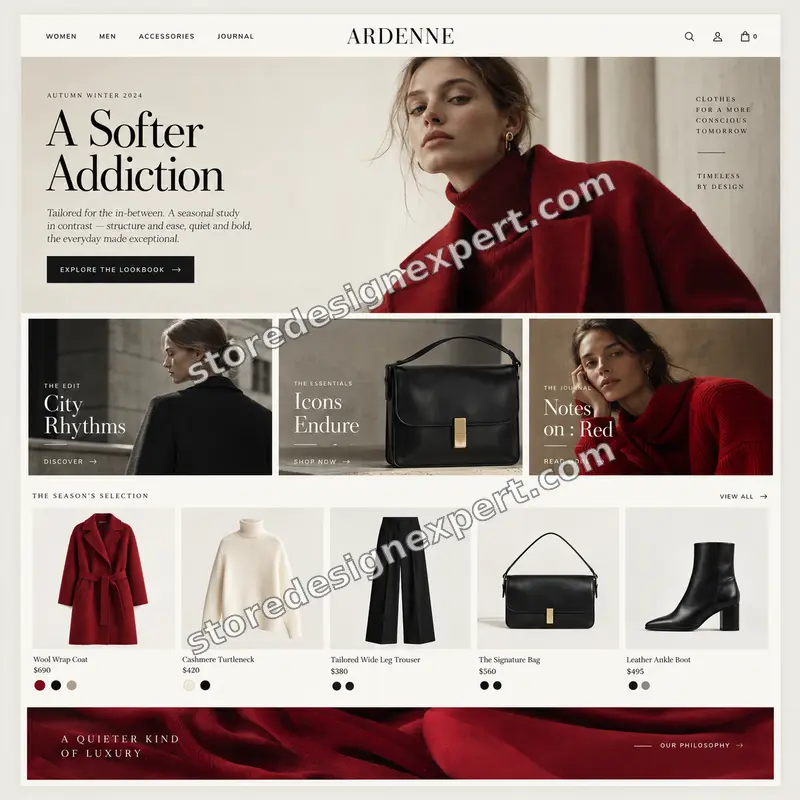
These storefront designs show how layout, product detail and trust cues change from one niche to the next, which is the same care that goes into Editorial / Lookbook Shopify Page Design.
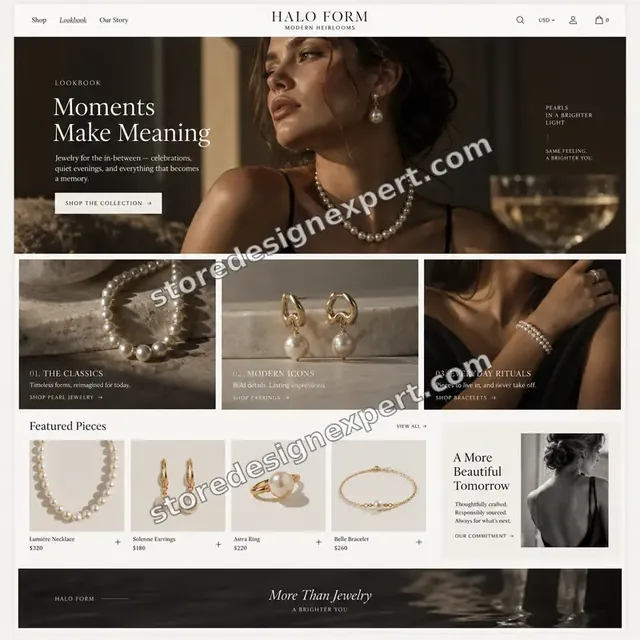
Jewelry store design
Jewelry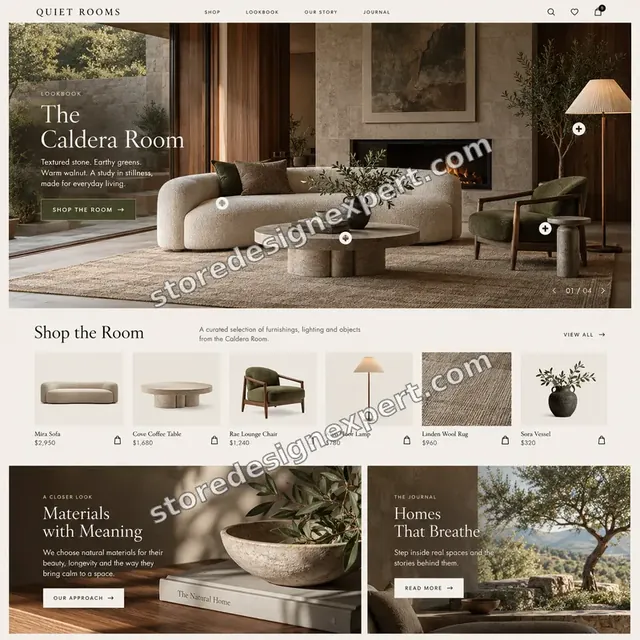
Interiors store design
Interiors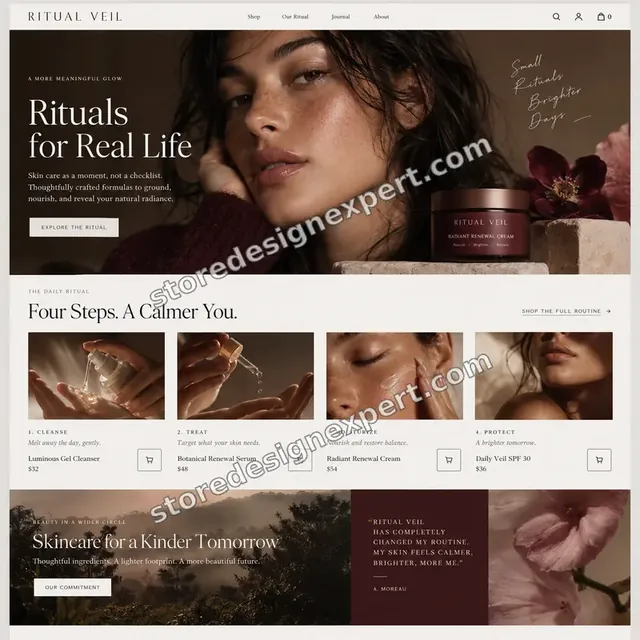
Beauty store design
Beauty
Outdoor store design
Outdoor
Streetwear store design
Streetwear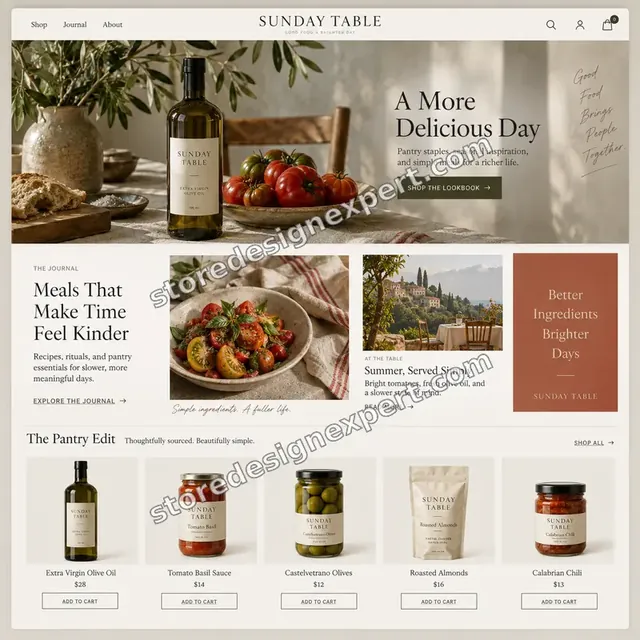
Food store design
FoodProcess and timeline
Shopify Lookbook Page Design: Six Stages From Shoot to Live Page
Every build happens in a duplicate theme, so your live store keeps selling while we work. The day ranges in the calculator tell you how long your own mix of looks and options will take.
- 01
Photography and story review
You share the shoot, the products involved and the story you want told. We list shots by orientation and crop risk, and point out any image that will need retouching before it can carry a hotspot.
- 02
Layout direction
You receive a page structure showing spread order, chapter breaks and caption style on desktop and phone, so the creative decisions are signed off before any code is written.
- 03
Section build
We write the lookbook sections, blocks and product cards, wire in your theme fonts and colors, and tag every product. You get a private preview link as soon as the first chapter works.
- 04
Review rounds
You walk through the preview on your own phone and laptop. Two structured rounds of changes are included, and each reply tells you what moved and why.
- 05
Testing
We test marker taps, drawers, swipe, sold-out states, add-to-cart from every look and image loading on slow connections, then fix whatever fails.
- 06
Launch and handover
We publish when you approve and send a recorded walkthrough with a short written guide covering how to add a look, tag a product and retire a campaign.
Compare your options
Lookbook App, Theme Block, Freelancer or Custom Build?
Owners usually weigh four ways to get a lookbook. This table compares them on the points that decide whether the finished page looks right, loads fast and stays easy to edit.
| What matters | Theme block | Lookbook app | Individual freelancer | Store Design Expert |
|---|---|---|---|---|
| Editorial layout drawn for your photos | No | Template | Varies | Yes |
| More than four products per image | No | Yes | Varies | Yes |
| No monthly subscription | Yes | No | Yes | Yes |
| No external script on your pages | Yes | No | Yes | Yes |
| Phone drawer tested on real devices | Basic | Varies | Rarely | Yes |
| Price fixed before work starts | Yes | Monthly | Varies | Yes |
| Recorded handover and editing guide | No | No | Rarely | Yes |
| Built in a duplicate theme | You manage | Not needed | Varies | Yes |
Inside every project
What Protects Your Theme, Your Photography and Your Budget
Image-heavy pages can slow a store or break a theme update if they are built carelessly. These six safeguards come with every project and explain the gap between our fixed price and a quote that skips them.
A duplicate theme, never your live one
All code is added to a copy of your theme. Customers keep shopping on the current version until you approve the new page, and the original remains one click away if you change your mind.
Access that you control
A collaborator request is our preferred route, so you keep ownership and can end our access instantly. We ask only for the permissions a theme job needs and never for card details.
A written definition of done
A look counts as finished when its markers work on touch, its images are sized per breakpoint, its products are correct and a test order goes through. You review work that already clears that bar.
Backup and rollback
Before any edit to an existing store we export the theme. If a change misbehaves, restoring the previous state takes minutes, not a rebuild.
Handover documents
A recorded walkthrough and a one-page guide show how to add a look, change a hotspot and swap a photograph, so routine campaign updates do not depend on us.
Fixed scope and two revision rounds
You see the price before paying. Changes inside the agreed scope never trigger hourly charges, and two organized revision rounds are part of each package.
Interactive price calculator
Build Your Shopify Lookbook Package
Pick the package closest to your campaign, answer three questions about looks, buying behavior and editing needs, then choose a speed. The price and delivery date follow every change.
Request a custom quote
Headless storefronts, Shopify Plus checkout customization, multi-language or multi-market lookbooks, custom video hosting and archives above 60 looks are quoted individually with a written scope and a fixed price.
Request a QuoteChanged your mind? Choose Hotspot Section, Editorial Page or Magazine Suite above to return to the instant calculator.
Packages and comparison
Shopify Lookbook Package Comparison
This table lists what each package contains, line by line. If you are weighing a Shopify lookbook page template, an app subscription or a freelancer quote, it shows what a fixed price here actually covers.
| What is included | Hotspot Section $690 | Editorial Page $1,290Recommended | Magazine Suite $2,190 |
|---|---|---|---|
| Native shoppable image section | Included | Included | Included |
| Product cards with variants | Included | Included | Included |
| Phone drawer and swipe behavior | Included | Included | Included |
| Test add-to-cart and recorded handover | Included | Included | Included |
| Full editorial page layout | Not included | Included | Included |
| Chapter navigation and captions | Not included | Included | Included |
| Reusable text, image and video blocks | Not included | Included | Included |
| Page SEO basics | Not included | Included | Included |
| Metaobject look archive | Not included | Not included | Included |
| Add-the-look bundle button | Not included | Not included | Included |
| Shoppable video block | Not included | Not included | Included |
| Speed and image audit | Not included | Not included | Included |
| 14 days of post-launch fixes | Not included | Not included | Included |
| Typical delivery | 4 to 6 days | 7 to 11 days | 12 to 18 days |
The calculator above gives the exact price and delivery estimate for your Editorial / Lookbook Shopify Page Design order, and that is what you pay.
Why Store Design Expert
Why Brands Pick a Shopify Specialist for Editorial Pages
You get agency-level care without an account manager or a retainer. These six habits are what clients notice most when a lookbook goes live.
Shopify only, since 2015
We build on Shopify every day, so sections follow platform conventions, work in the visual editor and survive theme updates far better than bolted-on widgets.
Layouts drawn for your pictures
We study your photography first. Crops, text placement and spread rhythm come from the shots themselves, so the page feels commissioned rather than templated.
Talk to the people doing the work
Feedback goes straight to the designer and developer, which keeps rounds short and avoids the telephone game that stretches agency timelines.
Prices you can plan around
Every package has a fixed scope and the calculator adds options before you pay, so the invoice matches the number you saw.
Rated 4.9+ by verified clients
Our reviews come from real Store Design Expert customers, and they sit further down this page so you can read how projects went.
You own the result
Theme code, photographs, copy and the store itself all belong to you. When we begin in our Partner account, ownership is transferred before you choose a plan.
What we need to get started
What We Need From You to Begin Your Lookbook
You do not need final retouched images on day one, only a way into Shopify and a sense of the story. Choose an access route, then send the inputs listed after it.
Send a collaborator request
Got a store already? Give us its URL and approve the collaborator request we send. You stay the owner, no password changes hands, and you can withdraw our access in a click.
Starting without a store
We assemble it in our own Shopify Partner development store, build the lookbook there and transfer ownership once you approve. You only pick a Shopify plan at the very end.
Staff account instead
If it is quicker, create a staff login for us. We lean toward collaborator access because it is easier to revoke, yet a staff account works perfectly well.
Photography and the story
Send the shoot in full resolution, with notes on which shots are hero images and which are supporting. A few lines about the season or theme help us write captions in your voice.
Product mapping per image
Tell us which products appear in each photo, or send a spreadsheet of look names and product handles. We flag any item missing a variant or image before the build starts.
Approver and deadline
Name the person who signs off layouts and give us any launch date, such as a drop or a sale. We plan the order of work backward from that date.
Passwords and payment cards stay with you. Existing themes are only changed in a duplicate, after a backup, and every change is noted for your records.
Testimonials
What Store Owners Say Before You Order Editorial / Lookbook Shopify Page Design
Verified clients describe the experience of working with Store Design Expert, from the first brief to the day the page went live.
Verified
Store Design Expert delivered an outstanding website development experience! Their professionalism and attention to detail exceeded my expectations, and their proactive communication kept everything running smoothly. Truly impressed by their deep understanding and dedication.
WG
Warren G.United States
Verified
Superb work! Store Design Expert is incredibly patient, and even when I did not fully understand my own questions, everything was explained again in detail. My vision was implemented perfectly, and the work is worth every cent I spent.
KB
Katrin B.Germany
Verified
Very impressed with the build-out. My store is ready to get started, and I am sure I will reach out for edits down the road, but this is everything I could ask for to get the party started. Thanks again, and I will be in touch for future projects.
DH
Dale H.United States
Verified
Very quick and detailed work! Store Design Expert does exactly what you want, in a very professional manner.
LF
Lena F.Germany
Verified
Store Design Expert did an outstanding job with top-notch professionalism on my website project. Everything was delivered quickly without compromising quality. I could not have asked for better!
JM
Jason M.United States
Verified
The website development work was nothing short of professional, with top-notch quality. Their exceptional level of cooperation made the collaboration seamless and enjoyable. Highly recommend working with Store Design Expert!
JC
Jeremy C.United States
Verified
Super great to work with, and super fair!
RO
Robert O.United States
Verified
The website development work was truly impressive. Their attention to detail and ability to exceed expectations made the project a success. Working with them was a breeze, thanks to quick responsiveness and a willingness to go above and beyond.
KD
Kevin D.United States
Verified
Store Design Expert was very knowledgeable about what I needed done to fix my Shopify store and how to improve the store layout. The project was completed very quickly, and I will definitely use them for support as my business grows.
ST
Samuel T.United States
Related searches
Searches That Bring Owners to Editorial / Lookbook Shopify Page Design
Owners reach this page from different searches. Here is how the common ones relate to Editorial / Lookbook Shopify Page Design.
People who look up “shopify lookbook page template”, “how to create a lookbook on shopify” or “shopify lookbook app” usually want Editorial / Lookbook Shopify Page Design; the calculator above shows the price and delivery estimate before you commit.
If you searched for “shopify lookbook section”, “lookbook shopify theme” or “shopify themes with lookbook”, Editorial / Lookbook Shopify Page Design is the work that answers it.
“shopify lookbook page design”: owners type these when they need Editorial / Lookbook Shopify Page Design, and the packages above are priced for that job.
Owners also search for “shop the look shopify”, “shop the look shopify app” or “shop the look shopify code”.
Related searches include “shop the look shopify section” or “shoppable video shopify”.
FAQ
Shopify Lookbook Page Design FAQs
Straight answers on price, timing, apps versus code, themes and what you receive.
How much does Shopify lookbook page design cost?
Packages start at $690 for Hotspot Section, $1,290 for Editorial Page and $2,190 for Magazine Suite. The number of looks, the buying behavior and the editing set-up add to that in the calculator, so most projects land between roughly $900 and $3,200. You see the final fixed price before paying.
How long does a Shopify lookbook take to build?
Hotspot Section takes 4 to 6 working days, Editorial Page 7 to 11 and Magazine Suite 12 to 18, before options. More looks and bundle behavior add days, and the calculator shows your date. Sooner and Fastest options shorten the schedule if a campaign date is fixed.
How to create a lookbook on Shopify without an app?
You build it from native theme sections: an image block, positioned hotspots stored as settings, and a product card pulled from your catalog. Dawn includes a basic version with limits. We write a fuller one with chapters, bundles and phone drawers, so no external script is needed.
Is a shop the look Shopify app enough for my store?
An app suits a quick test with a few images. It usually charges monthly, loads external scripts and styles itself separately from your theme. Custom sections cost more upfront, then cost nothing monthly and match your fonts. If you publish looks often, native code tends to win.
Can you add shop the look Shopify code to my existing theme?
Yes. We write Liquid, CSS and a little JavaScript inside a duplicate of your live theme, test it with your own apps installed, and publish only after you approve. The original theme is saved first, so removing the work later is straightforward.
Which lookbook Shopify theme should I choose?
Many themes can carry one, so the better question is how well the section is built. If your theme already ships a basic block, we extend it. If you are choosing a theme for this reason, send us two candidates and we will compare them for your photography.
Do Shopify themes with lookbook layouts already exist?
Some paid and free themes include a shop-the-look or collage block, with limits on tagged products and layout. They are a fair starting point for a few images. Anything editorial, such as chapters, bundles, video or an archive, usually needs custom section work on top.
What is a Shopify lookbook page template and do I need one?
A Shopify lookbook page template is a page layout in your theme that arranges looks. You may not need to buy one: we create a page template in your theme with reusable blocks, so every new campaign page starts from the same tested structure.
Is a Shopify lookbook app worth the monthly fee?
A Shopify lookbook app can be reasonable if you only need it briefly or want a no-code tool for a tiny team. For a store that will run lookbooks for years, a fixed build usually costs less within the first year and loads faster.
Can a lookbook section show more than four products per image?
Yes. The default Dawn block limits you to four tagged products per image, but a custom Shopify lookbook section has no such cap. We design the product card and drawer to stay readable with eight or ten pieces on a single image.
Do you build shoppable video on Shopify?
Yes. Shoppable video Shopify blocks show tagged products beside or under a short clip, with a still poster and sound controls. We keep file sizes sensible so the clip does not slow the page. It is an extra in the calculator.
Will hotspots work properly on mobile?
They will, because the phone version is designed first. Markers are generous touch targets, product details open in a bottom drawer, and we test on real iOS and Android handsets rather than only in a desktop browser's responsive mode.
Can I update the lookbook myself after launch?
Yes. Looks are built from blocks in the theme editor, or from metaobject records in the upper options. You get a recorded walkthrough and a written guide, so adding a look or swapping a photo takes minutes, without a developer.
What happens if a tagged product sells out?
The card shows a sold-out state and can offer a back-in-stock link, or the marker can hide automatically. Looks stay live, so an older campaign never sends a shopper to a dead end. We test these states before launch.
Ready when you are
Start Your Shopify Lookbook Order Today
Choose a package, see the exact price and delivery date, and order a Shopify lookbook from a team that has launched over 450 stores. Your page is built beside your live theme, tested on real phones and handed over with a recorded walkthrough.
Safe payment · 2 revision passes · Video tour of the finished page