
Shopify stores designed and launched
Custom icon set integration
Shopify Icon Setup That Puts Your Custom Set Into Every Corner of the Theme
Shopify icon setup is more than uploading a few SVG files. We prepare your set, build one clean icon snippet and replace the default cart, search, menu, benefit and payment icons so the whole store speaks one visual language. Fixed packages start at $290. Across 450+ Shopify stores launched since 2015, verified clients give us 4.9+ on average. Use the calculator below to price your icon project.
- One icon snippet that every section can call
- Cart, search, menu, benefit and payment icons all replaced
- Colors, sizes and hover states follow your theme settings
- One price, two revision passes and a recorded walkthrough at the end
Our track record
450+ Shopify Stores Launched Since 2015, Down to the Smallest Icon
Icons are small, but shoppers read them in every second of a visit. Across more than 450 launches we have seen how mismatched line weights and half-replaced defaults make a good store feel unfinished, and we fix that systematically.
Average rating from verified clients
Building Shopify stores since
Secure checkout
Pay through a protected checkout and keep a full order record.
Two revision rounds
Included in every package, so the result matches what you pictured.
Backup before changes
We work on a duplicate of your theme, never on your live store.
Who this is for
Who Needs a Shopify Icon Setup Like This
Icon work shows up in many forms. These six situations account for most of the requests we handle.
You are a good fit if
- You have icons, or want a set chosen or drawn
- You want one consistent look across the theme
- You want to choose icons yourself in the editor
- A quote beats an hourly bill for you
Brands with a finished identity kit
Your designer delivered a beautiful icon set as a folder of files. We turn that folder into working theme code, so the pieces appear in the store, not just in the brand guide.
Stores with three icon styles at once
Your cart is rounded, your menu is sharp and your trust row came from a free pack. We unify everything to one stroke weight, corner style and size scale.
Owners who want custom benefit rows
You sell on materials, craft or guarantees and want your own symbols for them. We build benefit and feature blocks that use your icons next to the product.
Merchants replacing a font-icon pack
A font-based pack loads an extra file and sometimes fails to render. We replace it with inline SVG so icons load with the page and scale cleanly.
Agencies and designers handing off
You designed the icons and need a developer who will implement them faithfully in Shopify. We build to your spec and send a proof sheet for sign-off.
Stores adding markets or payment options
New regions bring new payment and shipping marks. We set up a payment row that updates correctly and sits in the same visual style as the rest.
Problems solved
Why Adding Icons to a Shopify Theme Gets Messy
Putting one icon on one page is easy. Making a set behave across a whole theme is where stores end up with gaps, blurry marks and invisible code debt. Here is what we run into, and the fix.
The cart, account and search icons stay as theme defaults, so your new set sits beside old marks in the header.
Outcome: We find every place the theme draws an icon, including cart bubbles, drawers and forms, and route them all through one snippet, so nothing is left behind.
SVG files pasted straight into sections carry fixed sizes and colors that fight your theme styles.
Outcome: We clean each file, remove hard-coded dimensions and use the current text color, so size and color come from CSS and update with your settings.
Icons appear blurry or oversized at certain breakpoints, especially on small screens.
Outcome: We set a shared viewBox and size scale, then check each icon at header, card and footer sizes on a phone and a laptop.
Decorative icons get announced by screen readers, while meaningful ones carry no label at all.
Outcome: Decorative marks are hidden from assistive technology and functional ones, such as the cart button, receive a proper accessible name.
A third-party icon app adds a script to every page for a handful of symbols.
Outcome: We build the set into the theme itself, so icons render in the first response with no app, no monthly charge and no extra requests.
Nobody can say where each icon lives, so a theme update or a new section sends the set sideways.
Outcome: We keep one library file and a short guide of names and locations, so new sections reuse the set and updates do not scatter it.
What we can do
What We Do to Integrate Shopify Icons, Hands On
Integration covers art preparation, theme code and testing. These six capabilities make up the core of the service and can be combined within one project.
A single icon library for the theme
We combine your icons in one snippet, called by name from any section, block or template. Adding a new icon later means adding one entry, not hunting through files.
Shopify icon SVG cleanup and optimization
Each Shopify icon svg is stripped of editor metadata, fitted to a common viewBox, simplified where paths are heavy and set to inherit color, so files stay small and tidy.
Shopify change cart icon, done everywhere
A Shopify change cart icon request touches the header, the cart drawer, the add-to-cart button and the sticky bar. We update each place, including the item-count bubble, so they match.
Shopify mobile navigation icons
Menu, close, back, account and search icons are rebuilt for the mobile drawer with comfortable tap targets, clear active states and a hover or pressed look that suits touch.
Payment, shipping and trust marks
We restyle the footer and cart payment row, shipping and returns marks and trust badges, so required marks are recognizable while the surrounding set stays uniform.
Choose-your-icon settings in the editor
We add dropdown settings so your team can pick an icon for each benefit, feature or link block in the theme editor, without opening code or contacting us.
What is included
What Your Shopify Icon Setup Includes
The project breaks into six streams. Packages vary in how many icons and surfaces they reach, and the comparison table further down shows the difference.
Icon preparation
- Files cleaned, trimmed and fitted to one grid
- Stroke weight and corner style checked for consistency
- Missing icons flagged before build
- Optional drawing of missing symbols in higher options
Theme code
- One icon snippet called by name
- Color and size driven by theme CSS
- Inline rendering with no extra requests
- Clear naming for every icon
Header and cart
- Cart, search and account icons replaced
- Cart drawer and item-count bubble updated
- Add-to-cart and sticky bar icons matched
- Hover and active states set
Mobile navigation
- Menu, close and back icons for the drawer
- Tap target sizes verified
- Active and pressed states
- Account and search shortcuts
Product, benefit and footer
- Benefit and feature rows with your icons
- Delivery and returns marks near the price
- Footer payment and social icons restyled
- Editor icon picker in higher packages
Testing and handover
- Proof sheet of every icon at three sizes
- Accessibility pass on labels and hidden marks
- Recorded walkthrough and written icon guide
- Two rounds of notes and an icon QA checklist at launch
Every package ends with a proof sheet showing each icon at three sizes in your live theme, so sign-off is based on what the store looks like, not on a design file.
See icons in context
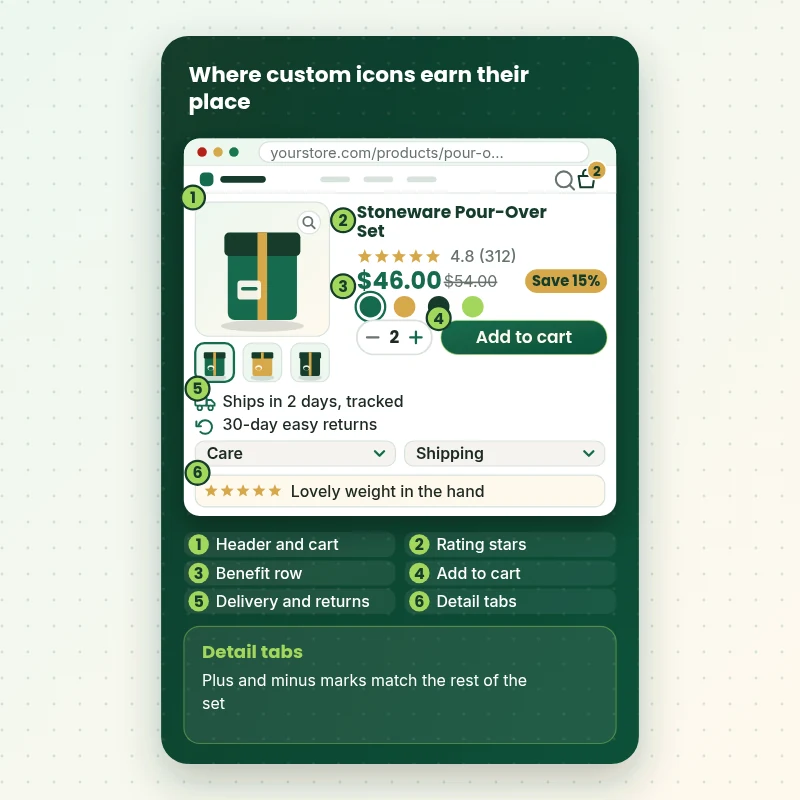
Where Custom Icons Do Their Work on a Product Page
Follow a single product page and watch each icon appear in its place: the header, the rating, the benefit row, the button, the delivery notes and the detail tabs. It shows how one set, used in the same weight and size everywhere, makes the page feel finished.
Portfolio
Shopify Storefront Designs by Niche
Different niches need different layouts. These store designs show how we shape a storefront around its products, and Custom Icon Set Integration for Shopify Stores follows the same approach.
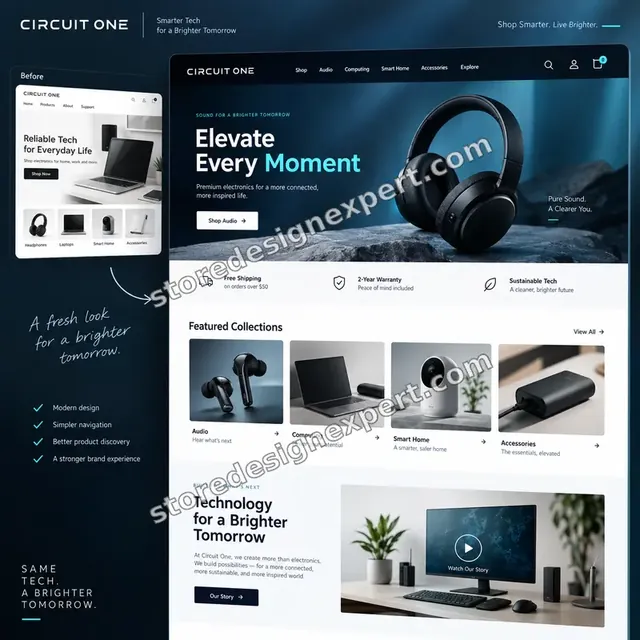
Electronics store design
Electronics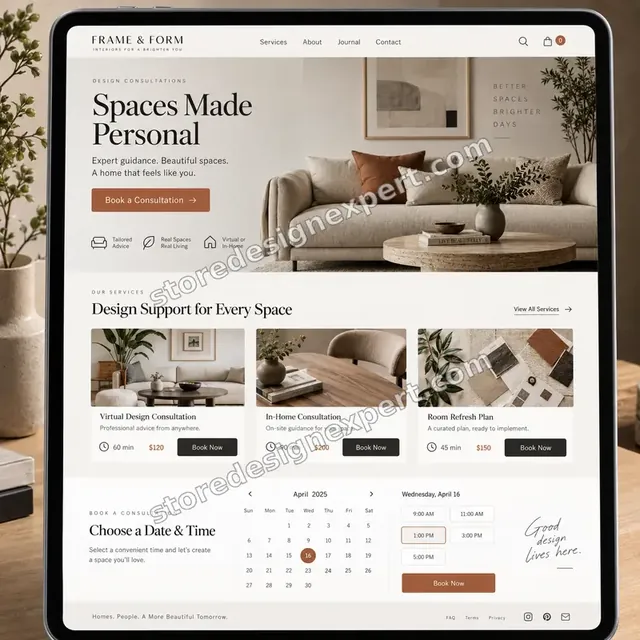
Interior design store design
Interior design
Craft creator store design
Craft creator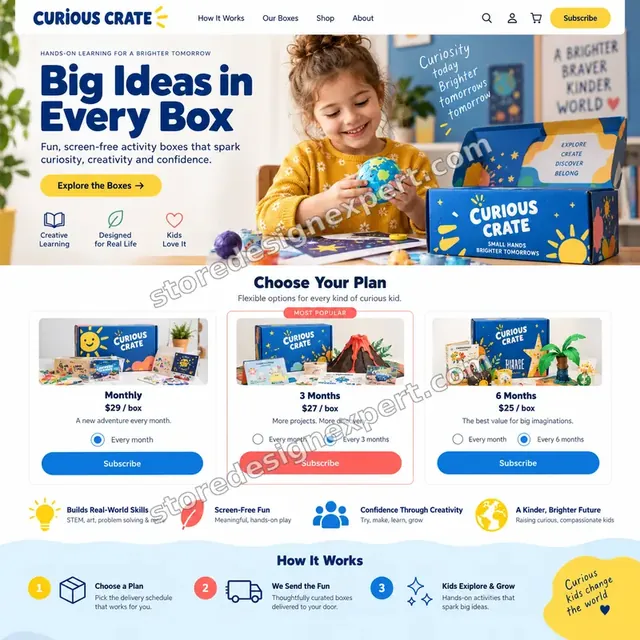
Kids activities store design
Kids activities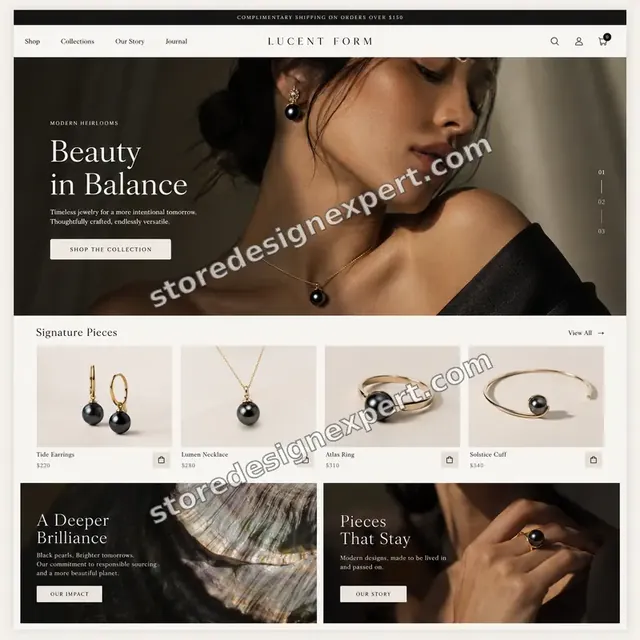
Jewelry store design
Jewelry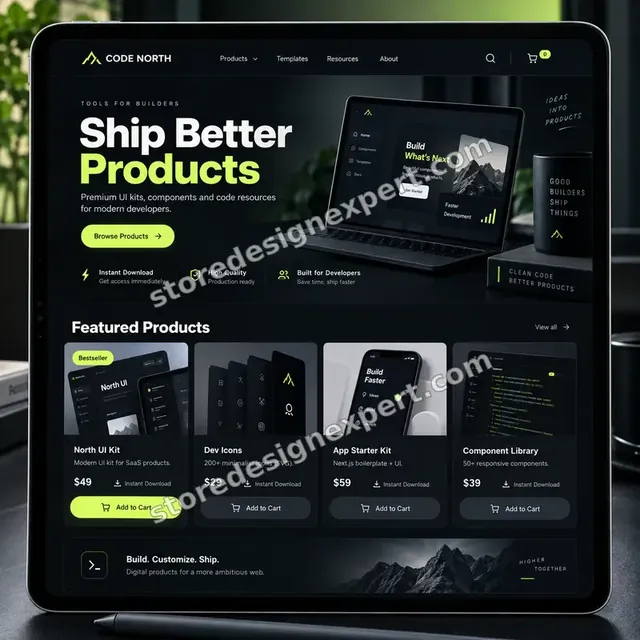
Developer resources store design
Developer resourcesProcess and timeline
How We Handle a Shopify Icon Setup, Step by Step
Each project runs through six stages in a duplicate theme, so your live store is never half converted. The calculator shows how long your own mix of icons, sources and surfaces takes.
- 01
Icon audit
We crawl your theme for every spot that draws an icon, from header buttons to drawer forms, and list what is custom, what is default and what is missing from your set.
- 02
Set review
We open your files, check grid, stroke and corner consistency, and flag anything uneven. You approve names and fixes before we touch the theme.
- 03
Library build
We clean the artwork and assemble the snippet in a duplicate theme, so every icon is available by name with color and size taken from your CSS.
- 04
Surface by surface swap
We replace the defaults in the header, cart, mobile drawer, product page, benefit rows and footer, checking each place on a phone and laptop as we go.
- 05
Testing and accessibility
We view the proof sheet at three sizes, check labels and hidden decorative marks, and look for blur or misalignment. You review a finished preview.
- 06
Launch and handover
On your approval we publish and send a recorded walkthrough and a written guide on adding icons, swapping one and choosing icons in the editor.
Compare your options
Theme Defaults, Icon Fonts, Apps or a Custom Integration?
Shopify owners usually weigh four ways to get icons into a theme. This table compares them on what determines whether the result looks consistent and stays fast.
| What matters | Theme defaults | Icon font or CDN | Icon app | Store Design Expert |
|---|---|---|---|---|
| Uses your own custom icon set | No | Fixed library | Their library | Yes |
| Consistent stroke and size everywhere | Theme only | Mostly | Varies | Yes |
| Cart and mobile menu icons replaced | No | Manual | Rarely | Yes |
| No extra file or script on every page | Yes | No | No | Yes |
| Editor picker for your team | Limited | No | In the app | Yes |
| Accessibility labels handled | Partly | Rarely | Varies | Yes |
| No monthly fee | Yes | Free or paid | No | Yes |
| Fixed price known up front | Yes | Yes | Monthly | Yes |
Inside every project
What Keeps Your Theme Safe While We Swap Icons
Icons are used everywhere, so a careless change can break buttons, forms and layouts at once. These safeguards come with every project.
Edited in a duplicate theme
All changes happen in an unpublished copy. Visitors keep seeing your live icons until you approve a preview link of the new set.
Backup and straightforward rollback
A saved copy of the current theme exists before the first edit, so reverting a surface or the whole project takes minutes.
Proof sheet sign-off
You approve every icon in your own theme at three sizes, not as a flat file, so details such as stroke weight and spacing are judged in context.
Accessibility checked, not assumed
Decorative icons are hidden from screen readers, and buttons such as cart, search and menu carry readable names and visible focus.
A guide your team can use
A written guide lists every icon name, where each appears and how to add or replace one, so nobody has to reverse-engineer the theme.
Fixed scope, two revision rounds
The price you see is the price you pay, and edits inside scope are not billed by the hour. Two structured rounds come with every package.
Interactive price calculator
Build Your Shopify Icon Setup Package
Choose a package, say how many icons, where they come from and how many surfaces they cover, then set your speed. Price and delivery update with each choice.
Request a custom quote
Multi-store icon systems, icon sets that must animate across Shopify Plus checkout pages, brand-wide iconography with a design-system library and sets above 150 icons are scoped separately, with a fixed fee agreed first.
Request a QuoteChanged your mind? Choose Icon Swap, Brand Icon Library or Full Icon System above to return to the instant calculator.
Packages and comparison
Shopify Icon Setup Package Comparison
Each deliverable is listed row by row. Combine a package with the icon count, source and surface options in the calculator to price your own project.
| What is included | Icon Swap $290 | Brand Icon Library $690Recommended | Full Icon System $1,290 |
|---|---|---|---|
| One icon snippet in your theme | Included | Included | Included |
| Icons cleaned and fitted to a shared grid | Included | Included | Included |
| Header, cart and menu icons replaced | Included | Included | Included |
| Proof sheet at three sizes | Included | Included | Included |
| Checks across phone, tablet and laptop | Included | Included | Included |
| Recorded handover and two feedback rounds | Included | Included | Included |
| Up to 30 icons installed | Not included | Included | Included |
| Benefit and feature blocks | Not included | Included | Included |
| Footer payment and social icons | Not included | Included | Included |
| Accessibility labels and hidden marks | Not included | Included | Included |
| Up to 60 icons installed | Not included | Not included | Included |
| Editor pickers on blocks | Not included | Not included | Included |
| Hover and alternate color variants | Not included | Not included | Included |
| Two weeks of post-launch fixes | Not included | Not included | Included |
| Usual turnaround | 2 to 4 days | 4 to 7 days | 7 to 11 days |
What the calculator above shows for Custom Icon Set Integration for Shopify Stores, the total and the estimated delivery, is what your order will use.
Why Store Design Expert
Why Brands Choose Us for Custom Icon Work
A gig gets you either icon art or a quick code edit. You get both done properly, as one tested piece of work. These are the reasons clients mention most.
Shopify specialists since 2015
We work only on Shopify, so snippets, settings and sections follow platform conventions and survive both theme and platform updates.
Rated 4.9+ by verified clients
The reviews on this page come from real clients of Store Design Expert, so you can see how projects went before you buy.
Design eye and code skill together
We notice optical alignment, stroke weight and spacing as well as clean Liquid, so icons look right and are built right.
Transparent prices
The calculator adds every option before you pay, so there is no hourly meter and no surprise bill for one more surface.
Direct line to the builder
You message the person doing the work, so questions about a particular icon get a fast, accurate answer.
Everything stays yours
You keep the theme, the icon files and the admin. Work built in our Partner account is transferred to you once finished.
What we need to get started
What We Need From You to Start Your Icon Integration
You do not need a complete icon set to begin. A route into Shopify and your files, or a few style references, is enough. Choose your access route first.
Invite us as collaborators
If your store already exists, send the address and approve our collaborator request. You remain the owner, no password is shared and access can be withdrawn whenever you like.
Build in our account
Without a store yet, we create it in our own Shopify Partner account, integrate the icons there and transfer ownership to you at the end. You only choose a plan when it is ready.
Share a staff login
If a staff login is easier for you, we can use it. A collaborator seat is simpler to withdraw later, though neither option delays the icon work.
Icon files and style notes
Send SVG files if you have them, ideally with original names, plus any icon pack licence. If not, tell us the look you want and we will propose a set.
List of places that need icons
Mention the surfaces you care about most, such as cart, mobile menu, benefits, footer and payment rows, and anything that currently looks wrong.
Approver and brand rules
Name the person who signs off and send brand colors or rules, such as minimum sizes, so the proof sheet matches your standards on the first pass.
We do not want your owner password or any card details. Icons go into a duplicate of the live theme once a backup exists, and written notes close out the job.
Testimonials
What Store Owners Say After Launch
Verified clients describe working with Store Design Expert on theme customization, redesigns and fixes.
Verified
Store Design Expert is the best. The work is very professional, they pay close attention to detail and, more importantly, they listen. Their level of cooperation is second to none, and everything was delivered in a very timely manner. I will keep them in mind for future projects.
BN
Barbara N.United States
Verified
They kept communicating until the problem was fully resolved, and the result was great.
HJ
Henry J.United States
Verified
Super helpful and patient. I am new to ecommerce and Store Design Expert talked me through the whole process and even fixed my payment bridging for me!
LR
Lois R.United Kingdom
Verified
I am beyond satisfied! Store Design Expert went above and beyond on my project. Highly recommended!
MD
Michael D.United States
Verified
The experience was tailored to my brand and specifications to the letter. I love the result.
EP
Eric P.United States
Verified
They definitely get the job done. Very patient and understanding throughout the whole project.
BS
Brian S.United States
Verified
Thank you so much to Store Design Expert and the team. My site looks far more appealing to customers, and I will happily recommend your services to other new small businesses.
JS
Jennifer S.United States
Verified
Very patient, informative and transparent, and they did exactly what they said they would do. Thanks for all the help!
RO
Raymond O.United States
Verified
Store Design Expert is the only one I use for all things WordPress. They have a high level of understanding, deliver quality work and are easy to deal with.
SC
Scott C.United States
Related searches
Related Searches for Custom Icon Set Integration for Shopify Stores
People describe Custom Icon Set Integration for Shopify Stores in different ways when they search. These are the common ones.
If you searched for “shopify icon pack”, “shopify icon svg”, “how to add custom icon in shopify” or “shopify change cart icon”, Custom Icon Set Integration for Shopify Stores is the work that answers it.
“shopify icon change” all point to the same job, which Custom Icon Set Integration for Shopify Stores covers from start to finish.
Related searches include “shopify icons”, “custom icons for shopify”, “how to add icons on shopify” or “shopify mobile navigation icons”.
You may also have come across “shopify accepted payment methods icons”, “shopify payment icons custom liquid”, “cost shopify theme customization” or “customize shopify with code” while reading about Custom Icon Set Integration for Shopify Stores.
FAQ
Shopify Icon Setup FAQs
Straight answers about price, timing, files, code, accessibility and what happens after you order.
How much does a Shopify icon setup cost?
Packages start at $290 for up to 12 icons, $690 for up to 30 and $1,290 for up to 60. More icons, drawing missing ones and covering extra theme surfaces are added in the calculator, so most projects fall between about $300 and $2,000. The price is locked and visible ahead of checkout.
What does a Shopify icon setup include?
Cleaned and fitted icon files, one icon snippet in your theme, replacement of the header, cart and menu icons, a proof sheet at three sizes, mobile checks, a recorded handover and two revision rounds. Higher packages add benefit blocks, footer marks, editor pickers and variants.
How long does custom icon integration take?
Icon Swap takes 2 to 4 working days, Brand Icon Library 4 to 7 and Full Icon System 7 to 11, before options. Drawing new icons and covering many surfaces add days, shown in the calculator. Sooner and Fastest options shorten the schedule when you have a launch date.
How to add custom icon in Shopify without an app?
You upload an SVG to your theme assets and render it inline, then style it with CSS. That works for one icon. For a whole set we build a snippet that renders any icon by name, so there is no app fee and no extra script on the page.
How to add icons on Shopify beyond the theme editor's built-in set?
The theme editor icon picker offers a limited list. We extend it with a library of your own icons and, in the higher package, add a dropdown so your team chooses them in the editor, even where the theme has no such field.
Can you provide custom icons for Shopify if I do not have any?
Yes. We can select and license a coherent pack with you, or draw missing icons in your style. Say which you prefer in the calculator. If a pack carries a licence cost, we tell you beforehand, and you pay the pack publisher directly.
Do you work with a Shopify icon pack I already bought?
Yes. Send the files and the licence details. We check that every icon matches in weight and grid, flag gaps and build the theme integration. Some licences limit modification, so we read yours before editing anything.
Why SVG, and what is the right Shopify icon SVG format?
SVG scales without blur, loads with the page when rendered inline and can inherit your text color. A good Shopify icon SVG has a clean viewBox, no fixed width or height and no editor metadata. We prepare every file to that standard.
Can you handle Shopify change cart icon requests, including the drawer?
Yes. A cart icon appears in the header, the cart drawer, the add-to-cart button and sometimes a sticky bar. We update every one and the item-count bubble, so nothing is left with the old design when a shopper adds an item.
Can you do a Shopify icon change for the whole header or just one icon?
Either. Some owners want one search icon replaced, others the full header set. A single replacement is quick, but we still check size, color, hover and mobile behavior, because a lone mismatched icon is easy to spot.
What about Shopify mobile navigation icons?
We rebuild the menu, close, back, account and search icons for the mobile drawer, with comfortable tap sizes and pressed or active states. We test on iOS and Android, because icons that look fine on a laptop can feel cramped under a thumb.
Can you restyle Shopify accepted payment methods icons and use Shopify payment icons custom Liquid?
Yes. Payment marks must stay recognizable, so we keep their shapes and recolor only the surrounding frame and spacing. For Shopify payment icons custom Liquid, we use the theme's payment type output where it helps and control size and layout with CSS.
What does it cost to customize a Shopify theme in general?
Small fixes often run $150 to $700 and larger customization projects $600 to $3,500. If you ask about cost Shopify theme customization for wider work, we quote after a short brief. Icon projects are a fixed-scope slice of that, priced from $290.
Can you customize Shopify with code beyond icons?
Yes. We customize Shopify with code for sections, templates and settings. If icon work leads into other theme changes, the same duplicate-theme, fixed-price and handover process applies. Describe the extra work on the quote page and we will price it separately.
Ready when you are
Start Your Shopify Icon Setup Today
Pick a package, see an exact price and delivery estimate and order a Shopify icon setup from a team that has launched more than 450 stores. You get a clean icon library, every surface updated and a proof sheet to sign off before launch.
Secure checkout · Two rounds of tweaks · Video guide and proof sheet