
Shopify stores designed and launched
Branded Shopify notification email templates
Shopify Notification Email Templates: Every Order Email in Your Brand, Tested Before It Ships
Shopify notification email templates rebuilt in Liquid so the order, shipping, delivery and refund emails look and sound like your store, from $590. Our Shopify agency dates from 2015, with 450+ stores launched and a 4.9+ average from verified clients.
- Order, shipping, delivery, refund and account emails recoded in Liquid
- Logo, colours, fonts and tone applied to every template, not just the header
- Test orders placed and checked in Gmail, Outlook and Apple Mail before launch
- Original templates saved, so you can revert any email in one click
From$590
Delivery4 to 14 working days
Revisions2 rounds
Our track record
450+ Shopify Stores Launched, and Every One Sends Emails You Never See Designed
The order confirmation is the email with the highest attention in a customer's week, yet most stores leave it on the default layout. After launching more than 450 stores since 2015 we treat Shopify notification email templates as part of the storefront, not an afterthought in Settings.
Average rating from verified clients
Building Shopify stores since
Secure checkout
Pay through a protected checkout and keep a full order record.
Two revision rounds
Included in every package, so the result matches what you pictured.
Backup before changes
We work on a duplicate of your theme, never on your live store.
Who this is for
Stores That Should Stop Sending the Default Receipt
Shopify sends these emails whether or not anyone designs them, which is why many stores discover the problem only when a customer forwards a confusing receipt. These are the situations where a rebuild earns its fee.
A polished storefront and a plain-text-looking receipt
The theme was designed with care, then the buyer receives a grey default email with a tiny logo. We carry your look into the one message every customer actually opens.
A rebrand that stopped at the website
New logo, new palette, old emails. We find every template still wearing the previous identity, including the ones customers only see once a year, like gift cards or refunds.
Stores selling in more than one language
Customers abroad get English receipts with a translated theme. We rebuild the templates so wording, date and currency formats behave in each language you sell in.
Pre-order, pickup and local delivery shops
A single generic shipping email cannot say 'ready for pickup' and 'ships in six weeks'. We write separate branches for each fulfilment path inside the right template.
Support teams answering 'where is my order?'
When the tracking link is buried the inbox fills up. We make the order status link, tracking details and delivery wording impossible to miss.
Wholesale and draft-order merchants
Invoices created by hand go out as draft order emails with payment links. We tidy those so a trade buyer sees a professional invoice, not a half-finished draft.
Problems solved
Why the Default Notifications Quietly Undermine a Good Store
Shopify's built-in editor lets you upload a logo and pick an accent colour, but it cannot move blocks, add sections or restyle the layout. That ceiling is where most brand inconsistency starts.
The problem
The logo-and-colour Shopify email template editor stops at the surface.
The outcome
Without touching the code you cannot reorder the order summary, add a recommendations block or change the footer, so every email keeps the same stock skeleton.
The problem
Liquid mistakes break emails silently.
The outcome
A mistyped variable prints an empty line or a blank price. We validate each template against the variables Shopify actually supplies for that notification type.
The problem
Wording sounds like a platform, not a brand.
The outcome
Phrases such as 'Your order is confirmed' can be warm or cold. We rewrite headings, button labels and sign-offs in your voice while keeping the legal lines intact.
The problem
Layouts shrink badly on a phone.
The outcome
Most receipts are opened on a handset. We build single-column layouts with large tap targets so the tracking button and order link work with one thumb.
The problem
Edits go live with no safety net.
The outcome
A saved template takes effect on the next order. We work on a copy first, send tests to real inboxes, and store the original so reverting is instant.
The problem
Nobody owns the notification set.
The outcome
Dozens of templates sit in Settings, edited by different people over the years. We audit what each one sends today and leave you a single reference sheet.
What we can do
What We Rebuild Inside Your Notification Set
Notification work is Liquid, HTML email constraints and Shopify's order data model in one job. These are the six areas we cover, and the edge cases we check inside each.
Order confirmation email template Shopify buyers can read, and how to edit Shopify order confirmation email layouts
We rebuild the summary table, discount lines, shipping method, payment details and order status link. Zero-price items, bundles, subscriptions, multiple currencies and partial payments are all rendered and checked.
Shipment notification email template set: shipping confirmation, update and delivered
Tracking company and number come from the fulfillment object, so we handle orders with several parcels, no tracking number and split fulfilments, and write the delivered and out-for-delivery wording to match.
Refund, cancellation and store credit emails
These are the emails people read with the most anxiety. We keep the amounts and reasons clear, show partial refunds correctly and use calm, plain wording that reduces follow-up questions.
Draft order invoices and payment reminders
Manual orders carry an invoice link, optional message and payment terms. We style the invoice email and place the custom message variable so staff notes still appear.
Customer account invites and password reset
The first email a new account holder gets is often a bare link. We brand it, keep the link expiry behaviour untouched and make sure the button works in every mail client we test.
Staff alerts and a branded Shopify new order notification
The internal email your team reads every day can show channel, tags, shipping method and notes in the order you prefer, so packing and support work from one clear summary.
What is included
Your Notification Template Checklist, Group by Group
Each package reaches a different number of templates, but every template is treated the same way: audited, redesigned, coded, tested and documented. The groups below show what is done to each one.
Audit of what is sent today
- Every active customer and staff notification listed
- Screenshots of the current version of each
- Variables and apps that already alter the templates noted
- Notifications Shopify sends that cannot be edited flagged
Brand system for email
- Logo lockup sized for email widths
- Colour roles for buttons, links and backgrounds
- Web-safe font stacks with a fallback for each
- Header and footer shared across templates
Liquid and HTML coding
- Single-column responsive layout, inline CSS
- Order lines, discounts, shipping and taxes mapped to Shopify variables
- Conditional blocks for pickup, pre-order and gift items
- Custom message variable kept in place
Copy and tone
- Subject lines and preview text rewritten
- Button labels and headings in your voice
- Plain-language refund and cancellation wording
- Legal and policy lines left exactly as supplied
Testing
- Test orders covering paid, partial, refunded and fulfilled states
- Sent to Gmail, Outlook and Apple Mail inboxes
- Phone and desktop screenshots checked
- Dark-theme appearance reviewed
Handover
- Original templates saved for instant revert
- Reference sheet of every template and its trigger
- Short recorded walkthrough of where to edit
- Two revision rounds after you review
Everything is delivered as Liquid you own. The templates sit in your own Settings > Notifications screen, so you do not depend on an app subscription to keep them working.
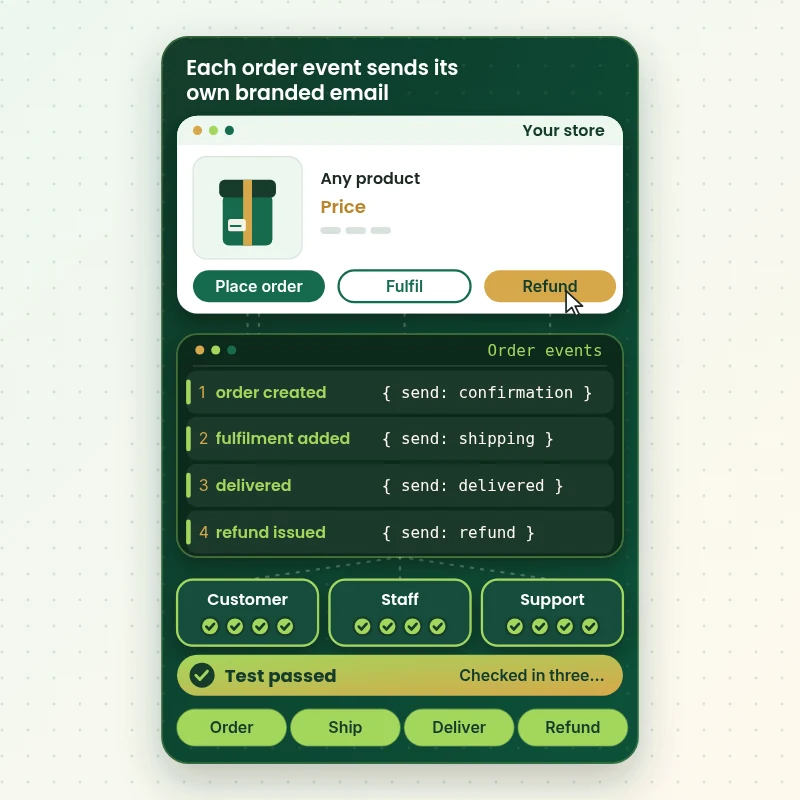
See how each email fires
From Order Event to the Right Branded Email
Every notification is tied to something that happens in your store. A purchase, a fulfilment or a refund triggers its own template, and each one pulls live data into the layout. We map that chain, then test it with real orders so every message arrives correct, on brand and in the right inbox.
Portfolio
Store Designs From Our Studio
Branded Shopify Notification Email Templates gets the same attention to layout, spacing and detail as each design below, every one built around a single catalog and one kind of buyer.

Electronics store design
Electronics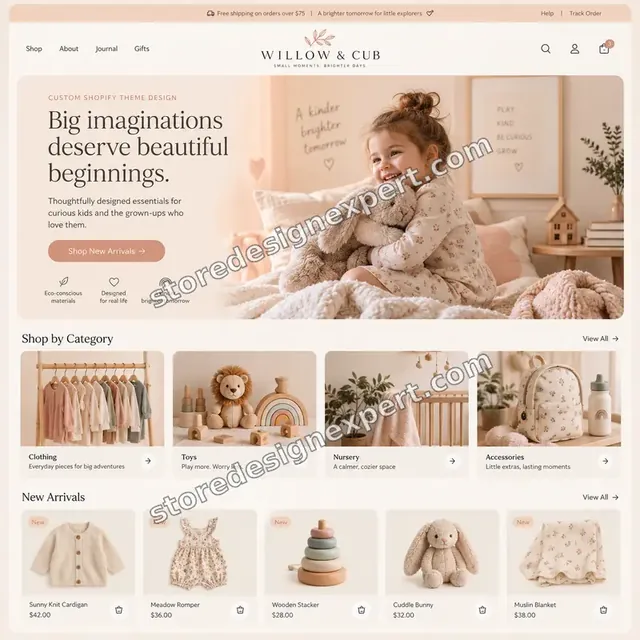
Children store design
Children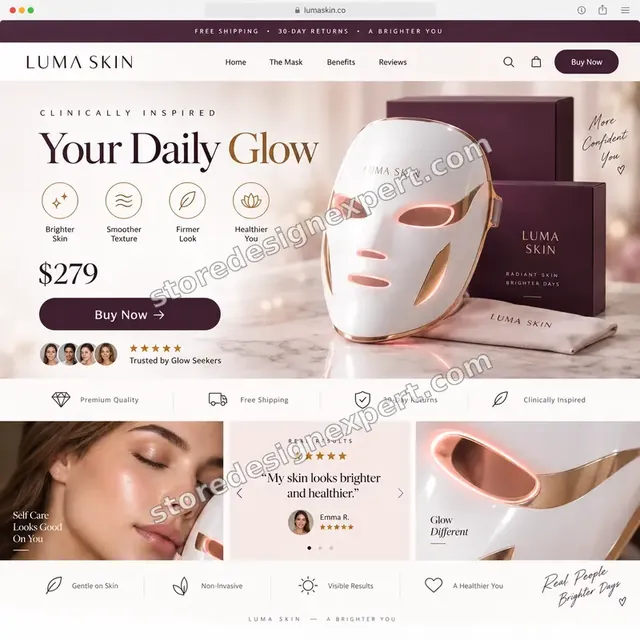
Beauty technology store design
Beauty technology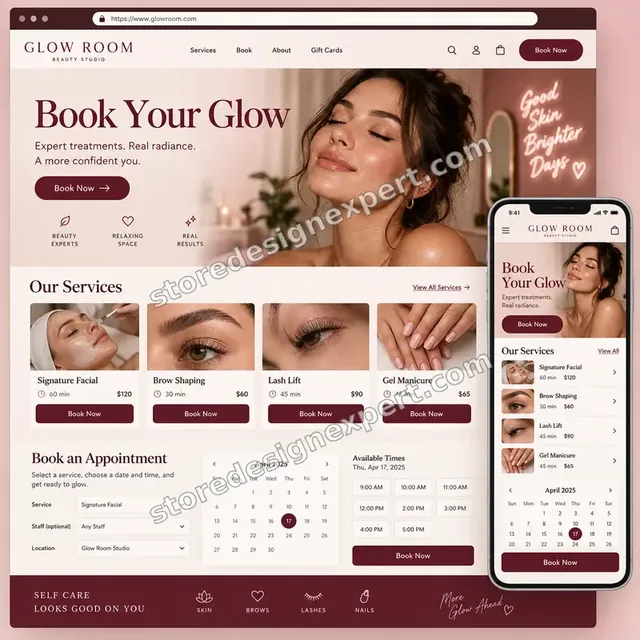
Beauty studio store design
Beauty studio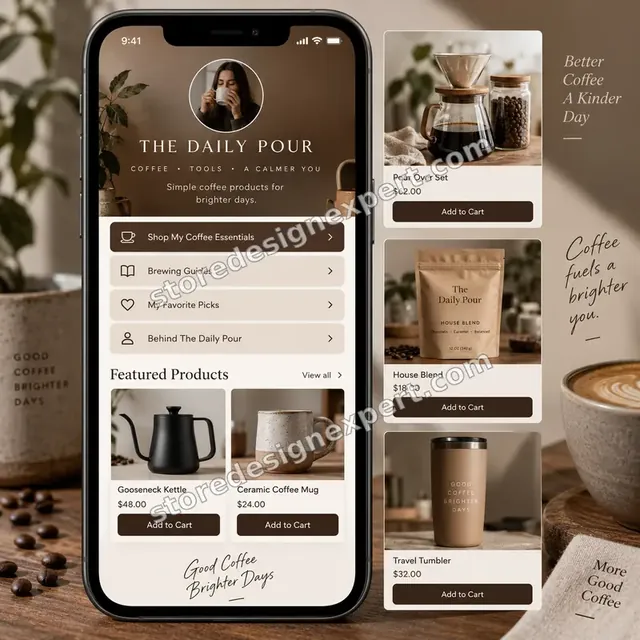
Coffee creator store design
Coffee creator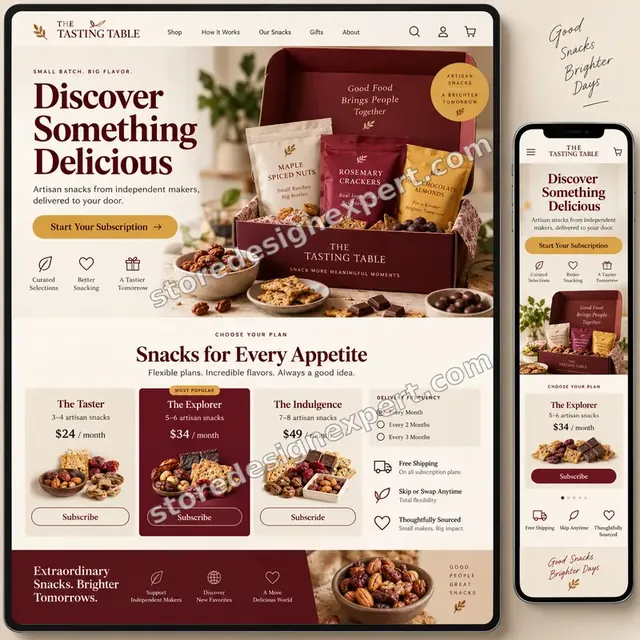
Artisan snacks store design
Artisan snacksProcess and timeline
How We Rebuild Your Notification Emails, Start to Finish
Six stages move the work from a read of Settings to a tested set of emails. Nothing reaches your live notifications until we have checked it, and the smallest package usually lands within 4 to 6 working days.
- 1
Access and inventory
You approve a collaborator request. We list every notification that is active, which apps alter them and which emails Shopify sends that nobody can edit, so scope is agreed before design starts.
- 2
Brand and layout design
We design one master layout in your colours and type, then draw how each message adapts it: summary tables for orders, a tracking panel for shipping, a calm tone for refunds.
- 3
Liquid build
Templates are coded with inline styles, table layout and the exact variables Shopify provides for each notification, with fallbacks wherever data may be missing.
- 4
Test orders
We place paid, discounted, partial and refunded test orders, fulfil them with and without tracking, and read the emails in several inboxes on phone and desktop.
- 5
Your review
You get screenshots and test emails to your own inbox. Wording and layout changes are applied in up to two rounds before anything is activated.
- 6
Go live and handover
We save the finished templates in Settings > Notifications, keep the originals for reverting, and give you the reference sheet and walkthrough.
Compare your options
Default Editor, Template App, Gig or Done-for-You Notification Templates?
Store owners usually weigh four routes to a better order email. The default editor is free but limited, an app is quick, a gig is cheap and a done-for-you set is fixed-price and tested. Here is what each route gives you.
| What matters | Default editor | Template app | Marketplace gig | Store Design Expert |
|---|---|---|---|---|
| Logo and accent colour changes | Yes | Yes | Yes | Yes |
| Full layout redesign | No | Preset themes | Varies | Yes |
| Conditional wording for pickup and pre-order | No | Sometimes | Rarely | Yes |
| Every editable notification covered | No | Most | Usually one | Yes |
| Tested with real orders in several inboxes | No | Preview only | Rarely | Yes |
| No monthly subscription | Yes | Yearly fee | Yes | Yes |
| Original templates kept for revert | Built in | Varies | Rarely | Yes |
| Handover notes | No | No | Rarely | Yes |
Inside every project
What Protects Your Live Orders While We Edit Emails
A notification template is live code: the next order uses whatever is saved. These habits keep customers from ever receiving a half-finished email.
Drafts built outside your live templates
We write and preview each email in a safe environment first, then paste the final version only once the tests have passed.
Originals saved for revert
Before any template is replaced, the current code is stored in your handover file so one click or one paste restores it.
Every order state tested
Paid, partially paid, refunded, cancelled, gifted and multi-parcel orders each get a test, because the failures hide in the unusual ones.
Collaborator access, no shared passwords
You keep the owner login. Access is limited to what the notification work needs and ends when the project does.
A reference sheet you can keep
Each template is listed with its trigger, its variables and where its wording lives, so a future editor never starts from zero.
Two revision rounds, fixed fee
Your fee covers the scope you chose and two rounds of changes after review, with no hourly clock running.
Interactive price calculator
Build Your Notification Email Package
Choose how many notifications you want rebuilt, how many languages the store sends in and which special order types need their own wording. The fixed fee and delivery estimate follow your selections.
Request a custom quote
Stores with several storefronts, Shopify Plus checkout extensibility notifications or more than four languages receive a written quote after we look at the setup.
Request a QuoteChanged your mind? Choose Order Journey Set, Complete Customer Set or Notification Suite above to return to the instant calculator.
Packages and comparison
Compare Notification Template Packages Line by Line
Each row is a line we can be held to. The calculator above adds language, order-type and brand-kit options to whichever package you choose, then shows the fixed fee.
| What is included | Order Journey Set $590 | Complete Customer Set $990Recommended | Notification Suite $1,590 |
|---|---|---|---|
| Order confirmation rebuilt | Included | Included | Included |
| Shipping confirmation, update, delivered | Included | Included | Included |
| Tested with real test orders | Included | Included | Included |
| Original templates kept for revert | Included | Included | Included |
| Refund, cancellation, store credit | Not included | Included | Included |
| Draft order invoice and payment reminder | Not included | Included | Included |
| Account invite and password reset | Not included | Included | Included |
| Branded staff new order alert | Not included | Not included | Included |
| Recommendations block | Not included | Not included | Included |
| Typical delivery | 4 to 6 days | 7 to 10 days | 10 to 14 days |
What the calculator above shows for Branded Shopify Notification Email Templates, the total and the estimated delivery, is what your order will use.
Why Store Design Expert
Why Stores Choose Us Over an App or a One-Off Gig
Apps give you a theme, gigs give you one template. We take responsibility for the full notification set as one coherent piece of the store.
We know the store the emails belong to
Having launched over 450 Shopify stores since 2015, we match the email to the theme, the product photography and the checkout it follows.
Priced above gigs, below design-system projects
Marketplace gigs start around $15 and agencies quote thousands for email systems. A fixed set from $590 sits in the sensible middle.
Shopify customize email template jobs in native Liquid, not another subscription
Your templates live in Shopify itself, so no monthly app fee, no extra tool login and nothing to break when an app changes.
Language and currency handled on purpose
Translated strings are checked inside the layout, so a long German word does not push the button off screen.
Fewer 'where is my order' messages by design
The tracking button, the order status link and the delivery wording are placed where a worried customer looks first.
No promises we cannot keep
We do not claim open rates or revenue. We promise readable, correct, on-brand emails that have been tested before launch.
What we need to get started
What We Need From You to Start the Rebuild
You do not need to write a brief or export any code. We need access to the store, your brand files and a sense of how you want customers to feel when they read these emails.
Approve our collaborator request
Send your store address and accept the collaborator invitation we send. You remain the owner, no password changes hands and you can revoke access whenever you like.
No store yet? Our Partner account hosts it until transfer
If the store is not yet created, we assemble it in our Shopify Partner development account and transfer ownership to you, so selecting a plan is your last step.
Or share a staff account
A staff login is possible if that suits you better, though a collaborator request is the cleaner option because you can remove it with a click.
Logo, colours and fonts
Send your logo as SVG or a transparent PNG, your hex colours and the typefaces you use, so templates match your site and packaging.
Tone and any fixed wording
Share a sentence or two on how you speak to customers, plus legal text, return conditions or messages that must stay unchanged.
Apps that touch orders
Tell us about subscription, shipping, review or loyalty apps that add content to emails, so we keep their blocks working inside the new layout.
Your owner password and cards stay private throughout. Existing templates are copied before anything is replaced.
Testimonials
What Store Owners Say About Working With Us
Verified clients describe working with Store Design Expert on store builds, fixes and customisation projects.
Verified
Store Design Expert delivered an outstanding website development experience! Their professionalism and attention to detail exceeded my expectations, and their proactive communication kept everything running smoothly. Truly impressed by their deep understanding and dedication.
WG
Warren G.United States
Verified
A pleasure to work with. They did pretty much everything I asked and definitely exceeded my expectations. I will be working with Store Design Expert again soon.
JL
Jerry L.United States
Verified
Superb work! Store Design Expert is incredibly patient, and even when I did not fully understand my own questions, everything was explained again in detail. My vision was implemented perfectly, and the work is worth every cent I spent.
KB
Katrin B.Germany
Verified
Very impressed with the build-out. My store is ready to get started, and I am sure I will reach out for edits down the road, but this is everything I could ask for to get the party started. Thanks again, and I will be in touch for future projects.
DH
Dale H.United States
Verified
Very quick and detailed work! Store Design Expert does exactly what you want, in a very professional manner.
LF
Lena F.Germany
Verified
Store Design Expert did an outstanding job with top-notch professionalism on my website project. Everything was delivered quickly without compromising quality. I could not have asked for better!
JM
Jason M.United States
Verified
The website development work was nothing short of professional, with top-notch quality. Their exceptional level of cooperation made the collaboration seamless and enjoyable. Highly recommend working with Store Design Expert!
JC
Jeremy C.United States
Verified
Super great to work with, and super fair!
RO
Robert O.United States
Verified
The website development work was truly impressive. Their attention to detail and ability to exceed expectations made the project a success. Working with them was a breeze, thanks to quick responsiveness and a willingness to go above and beyond.
KD
Kevin D.United States
Related searches
Searches That Bring Owners to Branded Shopify Notification Email Templates
Owners reach this page from different searches. Here is how the common ones relate to Branded Shopify Notification Email Templates.
“shopify order confirmation email”, “order confirmation email template shopify”, “customize shopify order confirmation email” or “how to edit shopify order confirmation email” all point to the same job, which Branded Shopify Notification Email Templates covers from start to finish.
“shopify edit shipping confirmation email”, “order delivered email template shopify”, “shipment notification email template” or “shopify new order notification” all point to the same job, which Branded Shopify Notification Email Templates covers from start to finish.
If you searched for “shopify customize email template”, “shopify custom email notifications”, “shopify app email notifications” or “how to edit shopify email templates”, Branded Shopify Notification Email Templates is the work that answers it.
People who look up “shopify email template editor” usually want Branded Shopify Notification Email Templates; the calculator above shows the price and delivery estimate before you commit.
Related searches include “how to resend order confirmation shopify”.
FAQ
Shopify Notification Email Templates FAQs
Answers on price, process, what Shopify lets you change and what you receive.
How much do branded Shopify notification email templates cost?
Packages start at $590 for the five order-journey emails, $990 for the full customer set and $1,590 for the suite with staff alerts and variants. Extra languages, special order types and brand-kit preparation are priced in the calculator, so you see one fixed fee before paying.
Which Shopify notification email templates can you change?
We can restyle every notification Shopify lets merchants edit under Settings > Notifications: order confirmation, shipping emails, refund, cancellation, invoices, abandoned checkout, account invites, password reset and staff alerts. Some notifications, such as Shop app messages, are controlled by Shopify and cannot be edited by anyone.
Can I customize Shopify order confirmation email layouts myself?
Open Settings > Notifications > Customer notifications, choose Order confirmation and use the logo and colour options or Edit code. The built-in route does not move or add blocks. If you want a different layout or Liquid logic, that is the work we take on.
How to edit Shopify order confirmation email wording without breaking it?
Change the text, never the Liquid tags in curly braces, and keep the custom message tag in place. Preview and send a test to your admin address before saving. If something looks wrong, the revert option returns the previous or default version.
Can you edit the shipping confirmation email with tracking details?
Yes. We style the shipping confirmation so the carrier name, tracking number and link appear clearly, and we test orders with no tracking number or several parcels. That covers the case where Shopify edit shipping confirmation email changes need conditional logic.
Do you offer an order delivered email template Shopify stores can use?
Yes. Delivered and out-for-delivery emails are included in the base package. They depend on your carrier or app providing delivery status, so we confirm during the audit which events actually trigger in your store and write the wording to fit.
Shopify app email notifications or Shopify custom email notifications: which is better?
Apps such as Orderly Emails or RenderKu are fast and cheap, with themes at about $99 a year or monthly plans. They suit simple needs. Custom Liquid suits stores that want unique layout, conditional wording and no subscription. We often start from a clean build.
What is the difference between notifications and Shopify Email?
Notifications are transactional messages triggered by orders and accounts. Shopify Email is a marketing tool for campaigns and automations. They live in different places and use different editors, so a branded store needs both styled. This page covers the notification set.
Do I need a developer, or can I learn how to edit Shopify email templates myself?
No. Once installed, the templates run by themselves for every new order. The handover sheet explains where each wording lives, so you can edit text safely. For layout changes, you can send us a request and we quote it.
How long does Branded Shopify Notification Email Templates take?
The Order Journey Set takes 4 to 6 working days, the Complete Customer Set 7 to 10 and the Notification Suite 10 to 14. Extra languages and special order types add days, which the calculator shows before you pay.
How to resend order confirmation Shopify customers already received after a template change?
Yes. Open the order, choose Resend email from the timeline or order menu, and the new design is used. We show you where this sits during the walkthrough.
Will the changes affect existing orders?
Saved templates apply to emails sent from that moment. Emails already delivered stay as they were. We test with new orders, so your live customers are not disturbed while we work.
How do you get into my store?
Accept a collaborator request inside Shopify and keep ownership, or hand over a staff account if that is easier. Where no store exists yet, we create it in our Partner account and transfer it to you at the finish.
What happens after delivery?
You receive the live templates, the original copies, the reference sheet and a recorded walkthrough, plus two revision rounds. A 30-day edit window is an optional extra if you expect more tweaks.
Ready when you are
Order Your Shopify Notification Email Templates Today
Pick a package, see your fixed fee and delivery date and order Shopify notification email templates built by a team that has launched over 450 Shopify stores. You receive tested Liquid templates, the originals for reverting and a clear handover.
- Secure checkout
- Two revision rounds
- Originals kept for revert