
Shopify stores designed and launched
Back in stock email alert flow
Shopify Back in Stock Notifications That Wait for the Exact Variant
Shopify back in stock notifications that capture the shopper on the sold-out page, hold them against the size or colour they wanted and send one clean alert the moment it returns. We build, wire and test the form, the flow and the inventory rules for you.
- Notify me form on every sold-out product and variant
- Waitlist held per variant, not per product
- One restock message with live image, price and link
- Tested by really zeroing and refilling stock
From$590
Delivery4 to 15 working days
Revisions2 rounds
Our track record
Over 450 Shopify Stores Launched Since 2015. Now Turn Your Empty Shelves Into a Waiting List.
Every store we have launched has run out of something popular at some point. We know how Shopify reports inventory, where a sold-out page can quietly lose the visitor, and how to capture an address before they leave so the restock message has someone to reach.
Average rating from verified clients
Building Shopify stores since
Secure checkout
Pay through a protected checkout and keep a full order record.
Two revision rounds
Included in every package, so the result matches what you pictured.
Backup before changes
We work on a duplicate of your theme, never on your live store.
Who this is for
Who Needs Shopify Back in Stock Notifications Most
Restock alerts earn their keep when demand regularly outruns supply. These are the store situations in which owners usually ask us for help.
Brands that sell out in drops
Limited runs vanish in hours and the visitors who arrive afterwards see a greyed button. We give them a way to ask for the next batch, so a sell-out stops being a dead end.
Apparel and footwear stores with size gaps
The medium sells first and the large sits there. A variant-level waitlist tells you which size is wanted and notifies only the people who asked for it.
Stores that depend on slow supplier restocks
When a purchase order takes weeks, shoppers forget you. The alert brings them back on the day boxes are received and counted.
Merchants running pre-orders next to stock
Some items are sold ahead of arrival, others not. We separate the two behaviours so nobody is told something is available when it is only reserved.
Owners with an old restock app and no trust in it
If alerts arrive late, twice or for the wrong size, we trace the cause in inventory settings and rebuild the logic cleanly.
Teams who answer restock questions by hand
Support inboxes fill with 'when is this back?' messages. A form and a flow take the question away from the inbox and into your list.
Problems solved
Why a Sold-Out Page Loses Shoppers Without Out of Stock Notification
A visitor who wants your product and cannot buy it has already told you something valuable. These are the usual ways stores waste that signal.
The problem
The button just says Sold out.
The outcome
We swap the dead end for a notify form that appears only on sold-out variants, so the visit ends with a captured address and a recorded request instead of a closed tab.
The problem
Sign-ups go to a form nobody connected.
The outcome
We route every request into your email platform as a tracked event, so the list lives where the flow can read it and nobody copies addresses out of an inbox.
The problem
Alerts follow the product, not the variant.
The outcome
We tie each subscription to the exact size or colour, so the person waiting for a small only ever hears about a small.
The problem
Smart Sending quietly holds messages back.
The outcome
We switch Smart Sending off for the alert, so a restock message sent shortly after another email is not suppressed by a frequency cap built for campaigns.
The problem
Small restocks drain a long waitlist.
The outcome
We set minimum inventory, customers per unit and the gap between batches, so ten arrivals reach the first ten people rather than four hundred.
The problem
Continue selling is switched on.
The outcome
We review the setting product by product and explain the trade-off, so sold-out states exist, the form appears and the event is recorded.
What we can do
What Our Shopify Back in Stock Email Alert Flow Build Covers
A restock alert is a small message resting on a surprising amount of plumbing. These are the six areas in which our hours go.
Notify me form that fits the theme
We install the back in stock form so it appears only when a variant is sold out, styled to your product page and tested on an Online Store 2.0 theme, including quick view and collection card placements.
Variant-level waitlists
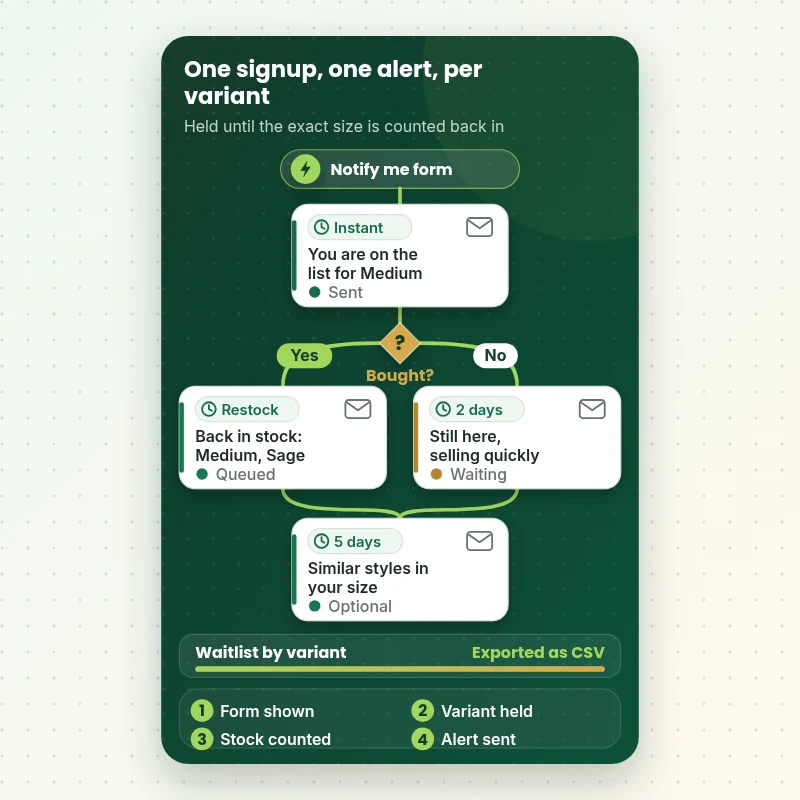
Each sign-up is tied to the exact variant, so the shopper waiting for a medium in sage is notified about that and nothing else. We also set up the CSV export of queued subscribers so you can see demand by size before you reorder.
Klaviyo back in stock flow, built properly
A back in stock notification Klaviyo can send reliably uses the Subscribed to Back in Stock trigger, a back in stock delay as the first step and Smart Sending switched off. We keep it to one to three messages because stock cannot be re-checked after the first one goes out.
Rules that protect small restocks
We configure minimum inventory, customers per unit and the wait time between batches, so ten arrivals do not become four hundred disappointed clicks. The rule is chosen with you per product type.
Email and SMS handled correctly
Texting needs explicit marketing consent with the legally required disclosure beside the phone field. We add the SMS option only when you hold a sender number and we word the consent text so it is truthful.
Testing against real inventory
We set a product to zero, submit the form from a clean browser, restock, then confirm the event, the alert and the image, price and link in the received message. Then we repeat the test on a multi-variant product.
What is included
What Your Back in Stock Email Alert Flow Includes
The deliverables sit in six groups, so you know what leaves our hands. The package table further down shows how each tier widens the scope.
Sign-up capture
- Back in stock form shown on sold-out variants only
- Placement on product page and quick view
- Email field, plus phone field when SMS is chosen
- Consent wording written for your market
- Thank-you state that confirms what happens next
Waitlist logic
- Subscriptions stored per variant
- Inventory tracking checked on each product
- Continue selling setting reviewed and noted
- Exportable queue of waiting subscribers
- Notes on how to read demand before reordering
Restock message
- Mobile-first email built in your brand
- Dynamic image, price, title and link
- Subject line and preview text options
- Clear button straight to the variant
- Optional SMS version
Send controls
- Smart Sending switched off for the alert
- Minimum inventory rule
- Customers per unit and batch spacing
- Optional second message for low stock
- Exit rules once a purchase is made
Deliverability basics
- Sending domain authentication checked
- Unsubscribe and footer details verified
- Sender name and reply address reviewed
- Warm-up advice for new lists
- Plain-text fallback checked
Testing and handover
- Live stock test on a single product
- Second test on a multi-variant product
- Phone, tablet and desktop checks
- Short recorded walkthrough
- Written notes on every setting
Anything in the lists below is covered by your fixed price; the calculator only adds the options you tick.
See how it works
From a Sold-Out Page to a Single Well-Timed Alert
A restock flow is short on purpose. The shopper signs up on a sold-out variant, waits in a holding step for that exact variant and receives one message the moment stock returns. This walkthrough shows the trigger, the optional follow-ups and what we confirm before launch.
Portfolio
Store Designs From Our Studio
A look at store designs across fashion, home, beauty, pets and gifts, to show the standard of layout and finish behind Back in Stock Email Alert Flow.
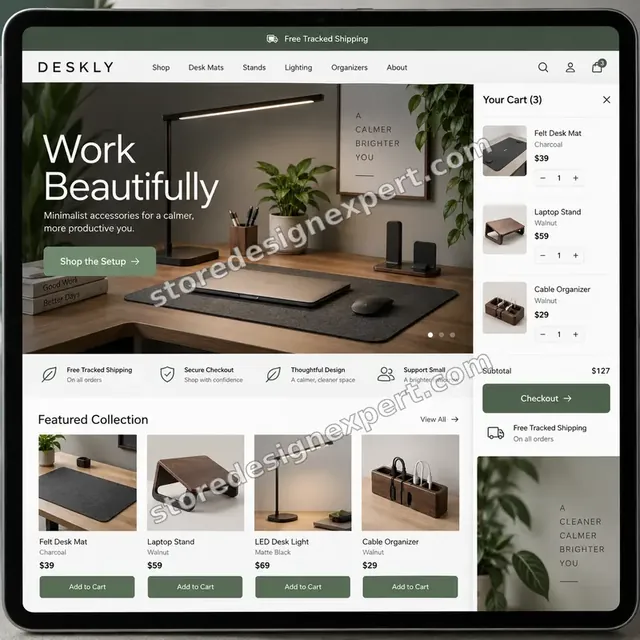
Home office accessories store design
Home office accessories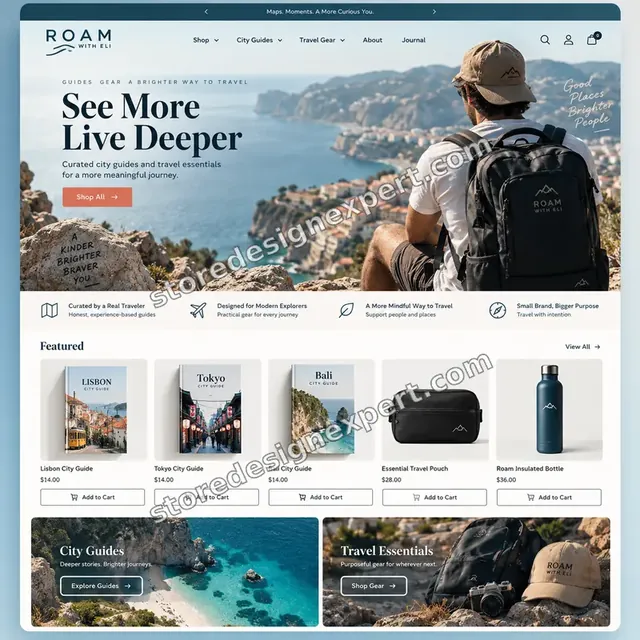
Travel creator store design
Travel creator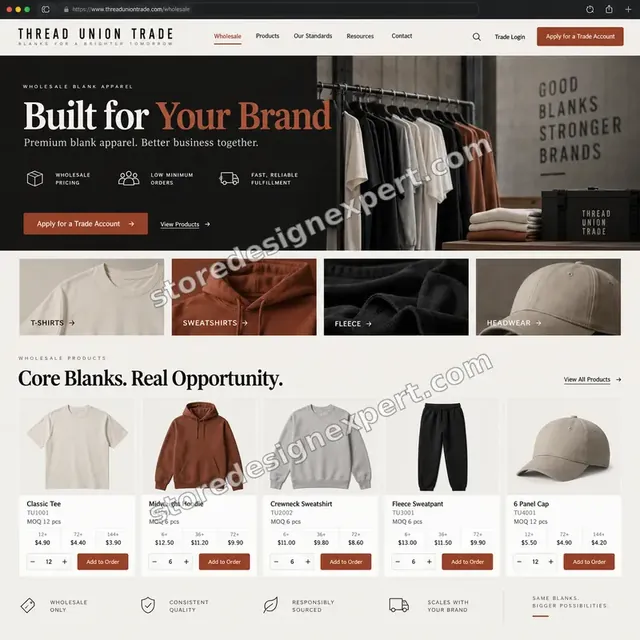
Blank apparel store design
Blank apparel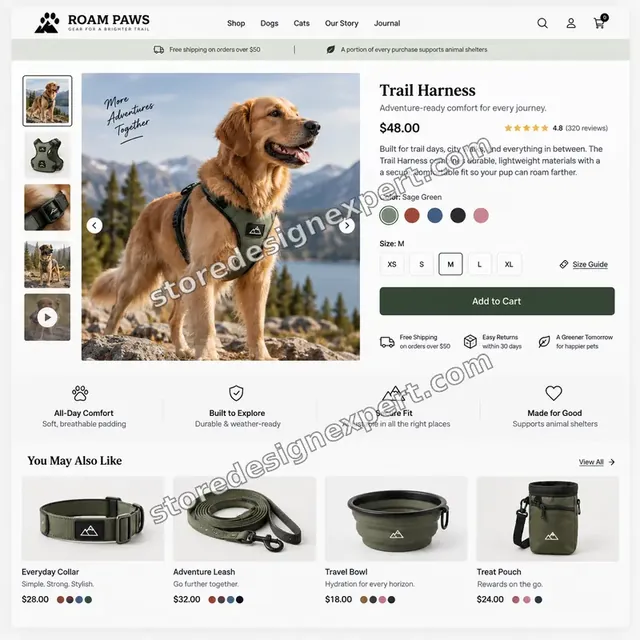
Pet store design
Pet
Beauty store design
Beauty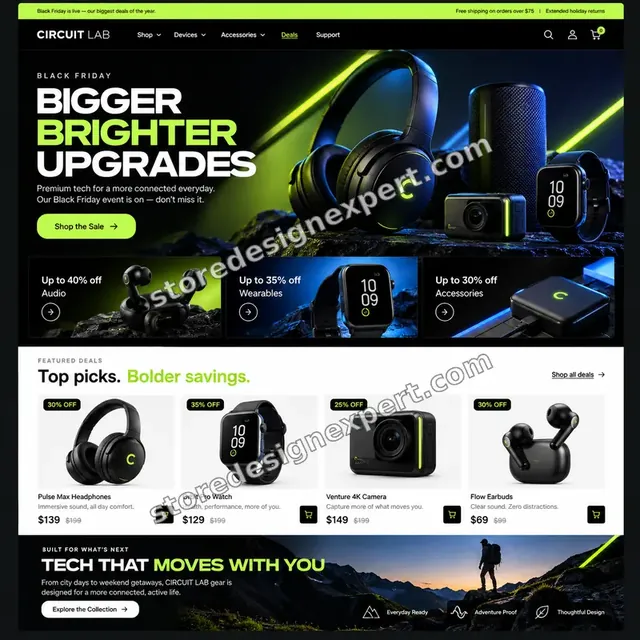
Electronics store design
ElectronicsProcess and timeline
Our Back in Stock Email Alert Flow Process and Timeline
Six stages take the work from a sold-out audit to a tested live flow. Restock Basics usually takes 4 to 6 working days, and the calculator shows how options extend that.
- 1
Inventory and theme audit
We open Shopify's inventory settings, check that tracking is on and note any product set to continue selling at zero. You receive a short list of products that cannot currently trigger an alert.
- 2
Rules and wording
We agree the minimum inventory, the batch size and the message wording with you, including how pre-orders should behave, before any build starts.
- 3
Form and flow build
The sign-up form is added to a duplicate theme and the flow is built in draft, with the back in stock delay as its first step.
- 4
Email and SMS design
The restock email is designed for a phone first, with dynamic product blocks that read image, price and link from the catalog at send time.
- 5
Live inventory test
We zero a test product, sign up from a clean browser, restock it and watch the alert land, then repeat it with a size and colour product.
- 6
Go live and handover
After you approve, the form is published and the flow set live. You receive a walkthrough recording, notes and the waitlist export steps.
Compare your options
Free Sold-Out Form, Restock App, Retainer Agency or a Done-For-You Flow?
Stores usually choose between four routes. The built-in theme form is free but disconnected, an app adds a monthly fee, a retainer is made for larger programmes, and a fixed-scope build sits in between.
| What matters | Theme notify box | Restock app | Retainer agency | Store Design Expert |
|---|---|---|---|---|
| Sign-ups reach your email platform | No | Yes | Yes | Yes |
| Waitlist held per variant | No | Varies | Yes | Yes |
| Small restocks capped by rules | No | Varies | Yes | Yes |
| Tested against real inventory changes | No | No | Sometimes | Yes |
| No monthly fee for the build | Yes | No | No | Yes |
| Pre-orders handled separately | No | Varies | Varies | Yes |
| Handover notes in plain language | No | No | Reports | Yes |
Inside every project
What Protects Your Store While We Wire the Alerts
Inventory and email both touch live revenue, so changes are staged and checked. These safeguards come with every order.
A duplicate theme for every form change
The notify form is built on a copy of your theme and previewed before you approve it. Live visitors keep seeing the current page until you say go.
Draft flows until the final test
The flow stays in draft while we build and test, so no shopper receives a half-finished message and no real customer is emailed by mistake.
Settings recorded before we touch them
We note your current inventory tracking and sale settings first. If something looks wrong afterwards, you can compare against what existed.
A written definition of done
Every flow passes the same list: form shows only when sold out, event recorded, alert sent once, correct variant, working link, correct sender.
Short written updates
You hear from us after the audit, after the build preview and after the live test, each with a plain summary.
Handover notes in plain language
The notes explain each setting, how to read the waitlist and how to add a new product, so you are not tied to us.
Interactive price calculator
Build Your Back in Stock Notification Package
Pick a tier, tell us which email platform sends the alerts, whether shoppers can opt in by SMS and how many sold-out products need covering, then choose a speed. Your fixed total and timeline update as you go.
Request a custom quote
Multi-warehouse inventory with location rules, headless storefronts, subscription products and fully custom catalog feeds are scoped individually in writing before any price is agreed.
Request a QuoteChanged your mind? Choose Restock Basics, Variant-Aware Restock or Demand-Led Restock System above to return to the instant calculator.
Packages and comparison
Compare Back in Stock Alert Packages Side by Side
Every row below is something we commit to delivering. The calculator above adds your platform, channel and catalog choices to the tier price.
| What is included | Restock Basics $590 | Variant-Aware Restock $1,190Recommended | Demand-Led Restock System $1,890 |
|---|---|---|---|
| Notify me form on sold-out variants | Included | Included | Included |
| One restock email in your brand | Included | Included | Included |
| Smart Sending switched off | Included | Included | Included |
| Live test with zeroed stock | Included | Included | Included |
| Variant-level waitlist checks | Not included | Included | Included |
| Minimum inventory and batch rules | Not included | Included | Included |
| Low-stock second message | Not included | Included | Included |
| Sending domain and footer review | Not included | Included | Included |
| SMS opt-in with consent text | Not included | Not included | Included |
| Pre-order behaviour separated | Not included | Not included | Included |
| Collection card placements | Not included | Not included | Included |
| 14 days of fixes | Not included | Not included | Included |
Choose your options in the calculator above: the total and the delivery estimate it shows for Back in Stock Email Alert Flow are final.
Why Store Design Expert
Why Merchants Choose Store Design Expert for Restock Email Work
Back in stock email Shopify work sits between theme code, inventory and the sending platform, which is exactly where one-skill freelancers tend to stumble.
Shopify only, since 2015
We spend our days inside product templates and inventory settings, so we find the setting that stops an alert before we build around it.
Theme and email under one roof
The person who places the form in your theme and the person who builds the flow talk to each other, so nothing is lost between them.
We test with real stock
A flow that has never fired is only a guess. We change real inventory and confirm the message arrives.
No inflated promises
We do not predict recovered sales. We promise a working, tested flow and a waitlist you can read.
Fixed price, no retainer
You see the scope and total up front, with no monthly commitment attached to a one-off build.
Everything stays yours
The flow, form and data live in your own accounts, and a store we start is transferred to you.
What we need to get started
What We Need From You to Start Your Restock Flow
There is no long brief. We need a way into the store, a view of your email platform and a few decisions about how restocks should work.
Accept our collaborator request
Share your store URL and approve our Shopify collaborator invitation. You stay the owner, nothing secret is exchanged and you can revoke access whenever you like.
Starting from scratch
If your store does not exist yet, we build it in our Shopify Partner account and transfer ownership to you at the end, so a plan choice is your only task.
Staff login as an alternative
You may instead create a staff account for us. It works, though a collaborator invitation is easier to withdraw later.
Email platform access
Add us as a user in Klaviyo or your current tool, with permission to edit forms and flows.
Your sold-out product list
Tell us which products and variants run out most, and how long a typical restock takes.
Brand and rules
Send logo and colours, state whether pre-orders exist and name the person who approves wording.
Your owner password stays with you. Changes are staged on a copy, and you get written notes on every setting.
Testimonials
What Store Owners Say Before You Order Back in Stock Email Alert Flow
Verified clients describe working with Store Design Expert on redesigns, theme work and fixes.
Verified
The website development work was truly impressive. Their attention to detail and ability to exceed expectations made the project a success. Working with them was a breeze, thanks to quick responsiveness and a willingness to go above and beyond.
KD
Kevin D.United States
Verified
Super great to work with, and super fair!
RO
Robert O.United States
Verified
Store Design Expert was very knowledgeable about what I needed done to fix my Shopify store and how to improve the store layout. The project was completed very quickly, and I will definitely use them for support as my business grows.
ST
Samuel T.United States
Verified
Very satisfied with the work. Most importantly, Store Design Expert responded promptly to my questions and concerns. Thank you!
KB
Kyle B.United States
Verified
Outstanding work and outstanding customer service. Five stars! I will absolutely use Store Design Expert again for my next book.
KM
Katharine M.United States
Verified
Store Design Expert was great! They delivered exactly what I asked for and even offered helpful extra suggestions. Highly recommended.
PW
Paul W.United States
Verified
I request Store Design Expert every time I have a project. They are professional and give real attention to detail, which makes the work stand out.
LK
Laura K.United States
Verified
They kept communicating until the problem was fully resolved, and the result was great.
HJ
Henry J.United States
Verified
Super helpful and patient. I am new to ecommerce and Store Design Expert talked me through the whole process and even fixed my payment bridging for me!
LR
Lois R.United Kingdom
Related searches
Searches That Bring Owners to Back in Stock Email Alert Flow
Owners reach this page from different searches. Here is how the common ones relate to Back in Stock Email Alert Flow.
“shopify back in stock email alert flow”, “klaviyo back in stock flow”, “shopify notify me when back in stock” or “back in stock notification app shopify” all point to the same job, which Back in Stock Email Alert Flow covers from start to finish.
“best back in stock app for shopify”, “back in stock email shopify”, “email me when back in stock shopify” or “restock email template for shopify”: owners type these when they need Back in Stock Email Alert Flow, and the packages above are priced for that job.
“shopify back in stock notifications klaviyo”, “back in stock notification klaviyo”, “shopify email when back in stock” or “notify back in stock preorder shopify” all point to the same job, which Back in Stock Email Alert Flow covers from start to finish.
People who look up “back in stock alerts”, “out of stock notification” or “back in stock email service shopify cost” usually want Back in Stock Email Alert Flow; the calculator above shows the price and delivery estimate before you commit.
FAQ
Shopify Back in Stock Notifications FAQs
Clear answers on cost, platform, inventory rules and what to expect.
How much do Shopify back in stock notifications cost to set up?
Packages start at $590 for Restock Basics, $1,190 for Variant-Aware Restock and $1,890 for the Demand-Led Restock System. SMS, a different email platform and large catalogs add priced options in the calculator. Your email platform bills separately according to its own plan.
What does back in stock email service Shopify cost compared with a freelancer or agency?
Marketplace gigs advertise from about $15 to $40, but rarely cover variant logic or testing. Agencies commonly quote $500 to $5,000 for one-time flow setups. Our fixed packages sit in between, with a defined scope and a live test.
Do you build a Klaviyo back in stock flow, or use a separate app?
Where you use Klaviyo, we use its native form, trigger and back in stock delay, so no extra monthly app is needed. For Shopify back in stock notifications klaviyo handles natively, nothing extra is installed. If you prefer a dedicated app, we configure it and connect its alerts to your sending platform.
What is the best back in stock app for Shopify?
It depends on your email platform and catalog. Klaviyo's built-in feature suits most Klaviyo stores. A separate app suits stores that use another sender. We compare them against your setup, then recommend, rather than selling a favourite.
Can shoppers use Shopify notify me when back in stock on every variant?
Yes. The form appears on any sold-out variant and records the exact option the shopper selected. They are alerted only when that variant is back, so a size small waiter is not emailed about a large.
Will an email me when back in stock Shopify request work if I allow overselling?
No. If a product is set to continue selling when out of stock, it never shows as sold out and no form appears. We review that setting product by product and explain the trade-off before changing anything.
How do you handle a back in stock notification app Shopify merchants already installed?
We audit what it does today: where it sends, how it handles variants and whether alerts are late or duplicated. Then we fix, reconfigure or replace it, and make sure two tools are not sending the same message.
Can you set up a restock email template for Shopify that matches my brand?
Yes. The email is built to your colours and fonts, with image, price and button pulled from the catalog at send time. You approve a preview, and we test it on phone and desktop mail clients.
How do you notify back in stock preorder Shopify products without confusion?
We separate the two states. Restocks tell people an item is available now, while pre-order notices say when it will ship. Each has its own wording and rules so nobody believes a reserved item is in the warehouse.
Can the alert go by text as well as Shopify email when back in stock?
Yes, as an option. Text alerts require explicit marketing consent with the required disclosure beside the phone field. We write the consent copy and confirm you have a sending number before switching SMS on.
What stops a small restock from sending thousands of alerts?
Send controls. Klaviyo lets you set a minimum inventory, a number of customers notified per unit and a wait between batches. We pick values that fit each product, so the first shoppers can buy and the rest wait for the next batch.
Will you guarantee extra sales from back in stock alerts?
No. Sales depend on demand, price and how quickly stock sells again. We guarantee the scope: a working form, a tested flow, correct variants and clear notes. We never quote invented figures.
How long does Back in Stock Email Alert Flow take?
Expect 4 to 6, 7 to 10 or 11 to 15 working days depending on the tier, before options. Starting faster is possible through the calculator. After launch, you get a recorded walkthrough and notes, and the 30-day support option covers questions.
What do I need to give you to start?
A collaborator request or staff login for Shopify, access to your email platform, a list of products that sell out and a point of contact for approvals. We never ask for your owner password.
Ready when you are
Start Your Shopify Back in Stock Notifications Today
Choose a tier, watch the fixed price and timeline settle, and order Shopify back in stock notifications from a team that has launched over 450 Shopify stores. You receive a working form, a tested flow and notes you can keep.
- Protected payment
- Two rounds of changes
- Walkthrough video included