
Shopify stores designed and launched
Amazon Seller Central to Shopify setup
Amazon to Shopify Migration That Turns Your Listings Into a Brand Customers Can Find
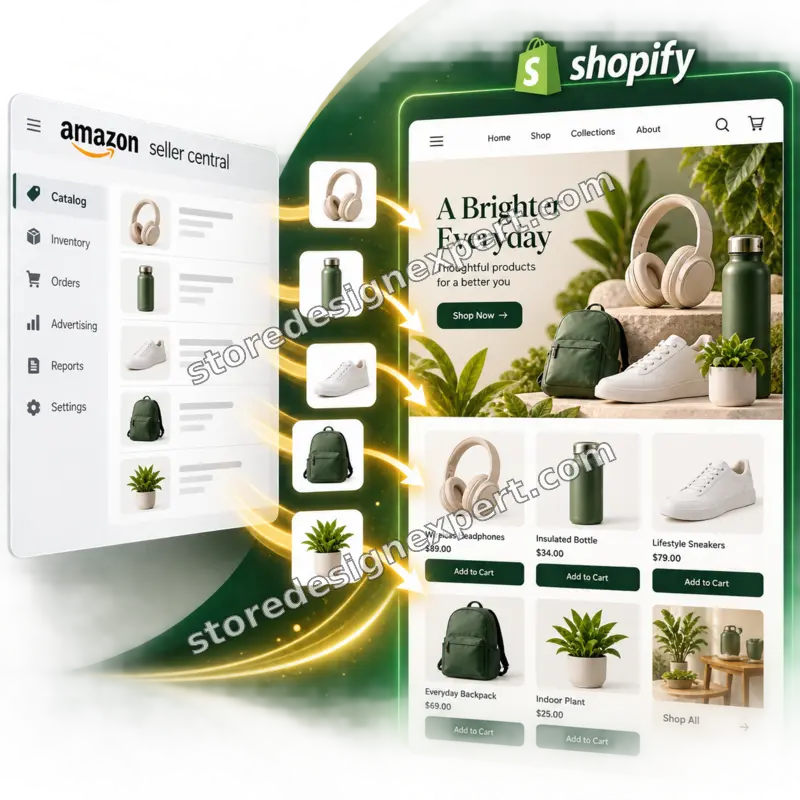
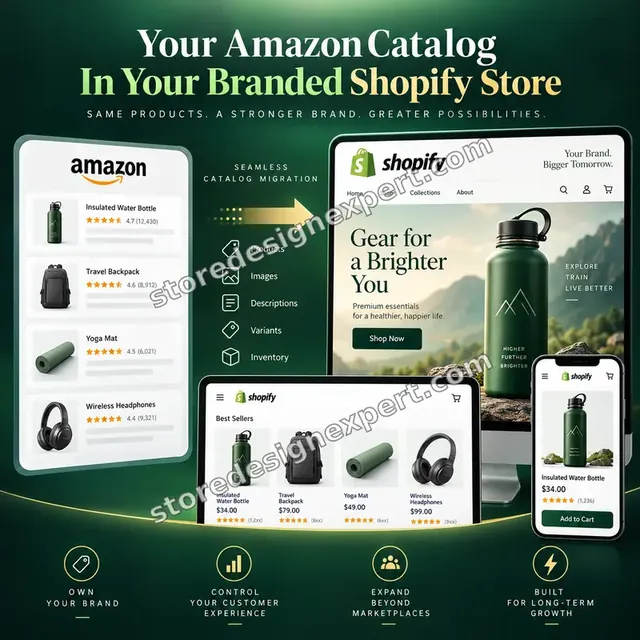
Our Amazon to Shopify migration converts your Seller Central listings into a branded Shopify catalog, with parent and child ASINs flattened, photos recovered and keyword-stuffed titles rewritten for shoppers. We then connect fulfillment and a way to collect customers who are yours to keep. Prices are fixed and start at $690. Behind them sit 450+ Shopify launches since 2015 and verified client ratings averaging 4.9 or higher.
- Seller Central reports reshaped into clean Shopify products
- Variation families rebuilt from parent and child ASINs
- Listing copy rewritten for your own brand, not Amazon's rules
- FBA or your own warehouse connected for Shopify orders
From$690
Delivery5 to 18 working days
Revisions2 rounds
Our track record
450+ Shopify Stores Launched Since 2015. Plenty Started Life as a Marketplace Listing.
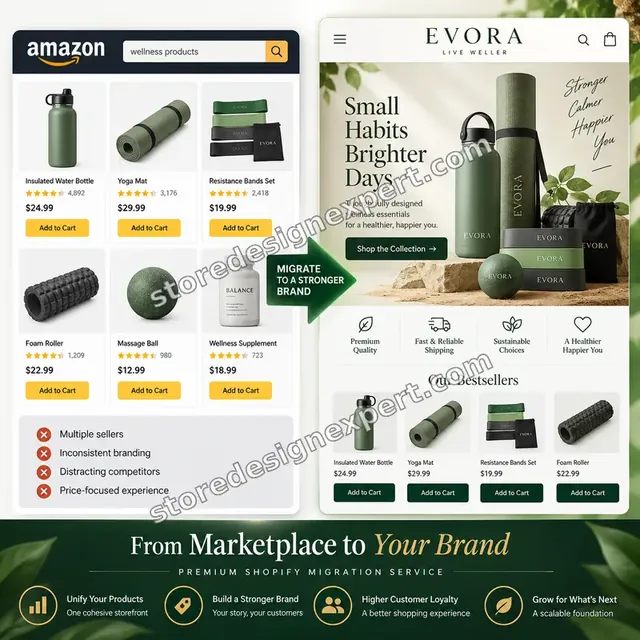
Marketplace sellers tell us the same thing: sales are healthy and control is thin. Amazon sets the price pressure, the buyer relationship and the rules. A store of your own gives you the customer list, the brand and the margin. We build that store and keep your Amazon income running meanwhile.
Average rating from verified clients
Building Shopify stores since
Secure checkout
Pay through a protected checkout and keep a full order record.
Two revision rounds
Included in every package, so the result matches what you pictured.
Backup before changes
We work on a duplicate of your theme, never on your live store.
Who this is for
Who Needs Amazon Seller Central Moved to Shopify
Most of our clients are not leaving Amazon overnight. They want a second, owned channel built properly, with their catalog carried over and their stock reused. Below are the six brand profiles that most often ask us for an Amazon-to-Shopify build.
Private label sellers squeezed by fees
Referral fees, advertising and storage charges take a growing share of each sale. You want a direct store where repeat buyers cost nothing to reach, with the same product and a healthier margin.
Brands with no customer list
Thousands of orders have gone out and you cannot email a single buyer. You want a store that captures addresses with consent, so launches and restocks stop depending on Amazon's ads.
Sellers with large variation families
Your best product comes in a dozen sizes and colors under one parent ASIN. You want it rebuilt as a tidy Shopify product with the right images switching on each option.
Anyone worried about a suspension
A listing takedown or account review showed how fast income can stop. You want an independent store ready to carry sales if a marketplace door closes.
FBA sellers with stock already in Amazon warehouses
You hold inventory in fulfillment centers and would like to ship Shopify orders from it. You need the connection set up and tested, not a new warehouse.
Sellers entering markets Amazon does not serve for them
You want local currency, other regions and wholesale accounts under your own domain. You need a store that can grow in directions a marketplace listing cannot.
Problems solved
Why Moving a Seller Central Catalog Is Harder Than Exporting It
Amazon is a marketplace, not a store platform, so there is no export that lands cleanly in Shopify. The gaps below are what we hear from sellers who tried an app first, and what this service is built to close.
The inventory report holds no pictures.
Outcome: The All Listings report is a tab-delimited text file with SKU, price, stock and ASIN, and no images. We recover photos from the listing pages and your own originals, then attach them to the right variants.
Parent and child ASINs create duplicate or broken products.
Outcome: Amazon stores a variation family as linked records, while Shopify wants one product with options. We flatten each family, cap options at three and keep every size and color tied to its SKU.
Titles and bullets are written for Amazon's search, not for a brand.
Outcome: Amazon titles pack in keywords and five bullets of shorthand. We rewrite them as readable product pages, strip badges like Amazon's Choice and keep every claim you can support.
Reviews and buyer emails cannot leave Amazon.
Outcome: Reviews stay with the marketplace, and Amazon hides buyer addresses and forbids steering shoppers off its site. We build proof again with a review app and a consent-based signup, never by scraping.
You cannot redirect Amazon listing links.
Outcome: Amazon pages are not yours to forward, so old product links stay on Amazon. We keep the listings running, add your store link where Amazon allows it and put your efforts into ads and search for the new pages.
Fulfillment and stock live in Amazon's system.
Outcome: If your stock sits in FBA, Shopify orders need the Multichannel Fulfillment connection and matching SKUs. We map them, test an order end to end and watch for double-selling between channels.
What we can do
Amazon Seller Central to Shopify Setup: What We Do Hands On
This is the detailed work behind the promise, written as scenarios so you can match it to your own account. Where Amazon's rules block something outright, we say so and offer the compliant route.
Report-driven catalog conversion
We request the All Listings and category listing reports in Seller Central, merge them and reshape the columns into Shopify's product format: handle, title, body, vendor, type, price, SKU, barcode and weight. Each product is then compared with its live Amazon page.
Variation family rebuilding
A parent with eighteen children becomes one Shopify product with up to three options. Where a family needs more than that, we split it into logical products and link them with a size or color switcher so shoppers see one range.
Photo recovery and cleanup
We gather images from your own files and the listing pages, then replace white-background-only sets with lifestyle and detail shots where you have them. Image order, ratio and alt text are set for the new theme.
Fulfillment through FBA or your own stock
We install Amazon's Multichannel Fulfillment and Buy with Prime app for Shopify, map seller SKUs to Shopify SKUs and test an order from payment to shipment tracking. If you ship yourself, we configure rates and labels.
Selling on Amazon and Shopify together
If you want both channels, we connect Shopify's Marketplace Connect or another sync tool so stock stays shared and Amazon is not oversold. If you prefer to leave Amazon, we prepare a quiet wind-down plan.
A customer list you actually own
We add a signup incentive, a post-purchase thank-you flow and a review request, all consent-based and compliant with Amazon's messaging rules. The goal is a customer list that starts growing from the first Shopify order.
What is included
What Is Included in Your Amazon Seller Central Move
Everything falls into six areas. The packages differ in depth, and the comparison table under the calculator shows exactly which line belongs to which package.
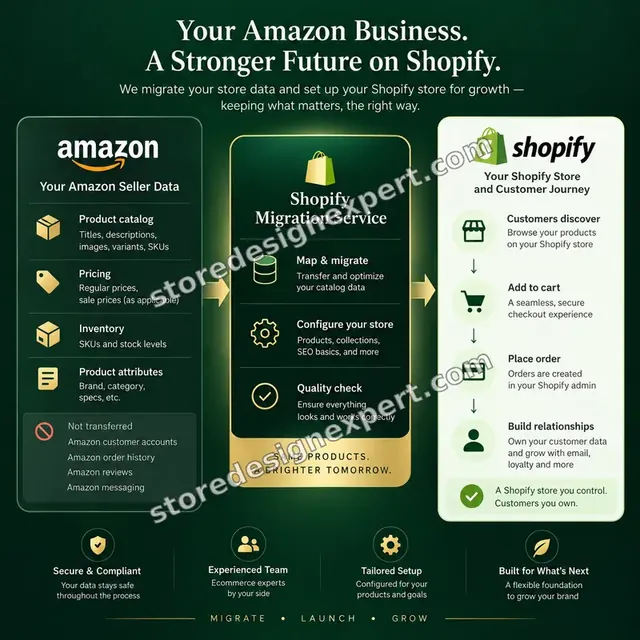
Catalog conversion
- Listing reports merged and reshaped for Shopify
- SKUs, ASINs, barcodes and prices carried across
- Weights and dimensions set for shipping rates
- Spot check of every product against Amazon
Variants and options
- Parent and child ASINs flattened into products
- Options capped at three and tied to SKUs
- Variant images assigned to their options
- Bundles and multipacks handled as variants or products
Listing copy and SEO
- Titles rewritten for shoppers and Google
- Bullets turned into scannable benefit copy
- Amazon badges and rank claims removed
- Meta titles and descriptions for key products
Photos and brand assets
- Images recovered from listings and your files
- Alt text written for the lead image of each product
- Lifestyle and detail shots placed first
- Logo, banner and brand colors applied
Fulfillment and checkout
- FBA Multichannel Fulfillment connected, or own shipping set up
- Shipping rates, tax and payments configured
- Test order from payment to tracking
- Stock sync set up if both channels stay live
Store, customers and launch
- Theme styled around your brand with collections built
- Signup, thank-you and review flows set up
- Domain, policies and tracking tested before launch
- Two feedback rounds, then a screen recording of how it all works
Importer apps can copy rows from a report in an afternoon. The value here is deciding what to keep, what to rewrite and what Amazon's own rules say you may not carry over.
Amazon catalog to connected store
How Your Seller Central Catalog Connects to a Working Shopify Store
See the store at the center and the tools that make it run: fulfillment pulling from FBA stock, reviews rebuilt, email capture and ad feeds. The activity log shows the checks that matter to an Amazon seller, such as matching SKUs and confirming that an order leaves the warehouse.
Portfolio
Shopify Storefront Designs by Niche
A look at store designs across fashion, home, beauty, pets and gifts, to show the standard of layout and finish behind Amazon Seller Central to Shopify Setup.

Digital course store design
Digital course
Fitness technology store design
Fitness technology
Skincare store design
Skincare
Music samples store design
Music samples
Sleep and recovery store design
Sleep and recovery
Yoga store design
YogaProcess and timeline
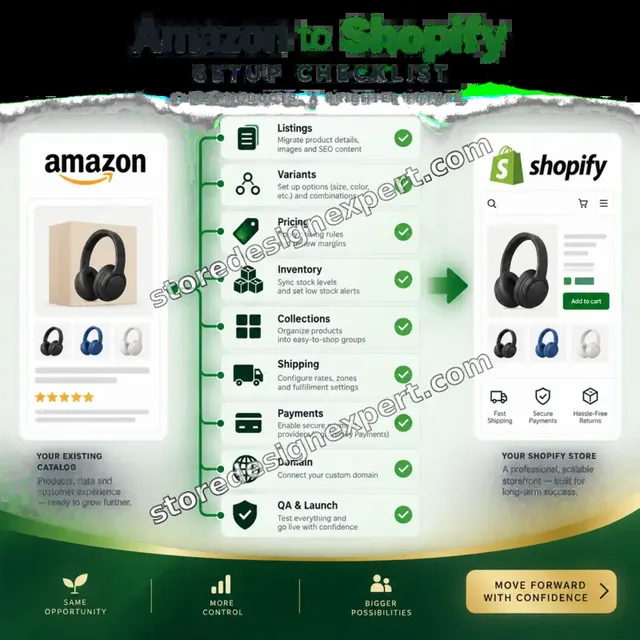
From Seller Central Report to Live Shopify Store in Six Steps
The order never changes between projects. Building happens on a private development store, we only read from your Amazon account, and your marketplace sales carry on untouched until you decide otherwise.
- 01
Account review
We look at your listings, variation families, fulfillment method, brand registry status and policies, then list the decisions that need you before we convert anything.
- 02
Reports and recovery
We request the listing reports from Seller Central, merge them and pull photos from listing pages and your files, so conversion starts from complete data.
- 03
Convert and import
Variation families are flattened, options trimmed to three, copy rewritten and the catalog loaded into a development store. One product of each type is checked line by line against its Amazon page.
- 04
Fulfillment and rules
Shipping, tax and payments are set, and FBA or your own route is connected and tested with a real order. The storefront takes shape on a private preview link.
- 05
Testing and customer flows
We test mobile widths, checkout, the stock sync and the signup and review flows. A failed check means a fix and a retest on our side, never a surprise on yours.
- 06
Launch and handover
Once you approve, the domain goes live and tracking is verified. You receive a recorded walkthrough and notes on editing products, stock and fulfillment rules.
Compare your options
Importer App, Cheap Gig, Agency or Fixed-Price Migration?
Four routes are open to a seller leaving a marketplace. The grid compares them on the points that determine whether the new store can take real orders.
| What matters | Importer app | Marketplace gig | Traditional agency | Store Design Expert |
|---|---|---|---|---|
| Parent and child ASINs flattened | Basic | Rarely | Yes | Yes |
| Listing copy rewritten for shoppers | No | Copy and paste | Extra cost | Yes |
| Storefront designed around your brand | No | Template | Yes | Yes |
| FBA fulfillment connected and tested | No | No | Quote only | Yes |
| Customer capture and review flows | No | No | Extra cost | Yes |
| Price known before work starts | Yes | Yes | Quote only | Yes |
| No retainer or minimum spend | Yes | Yes | No | Yes |
| You own the store and its customer data | Yes | Varies | Varies | Yes |
Inside every project
What Protects Your Amazon Account and Sales During the Build
An Amazon account is an asset, and we handle it as one. Six working habits explain why our fixed fee covers far more than an import and why sellers let us begin while Amazon keeps selling.
Read-only access to your Amazon data
Our source is the reports you download or a view-only user. Listings, prices and inventory in Seller Central stay as they are unless you specifically request a change.
Original reports kept unchanged
Whatever you send is archived as received, which means any product can be regenerated from the source if a later edit misfires.
Access you can withdraw
On the Shopify side we like to be a collaborator, so ownership never moves and one click removes us. The permissions requested cover the build and leave payouts out.
Compliance with Amazon's rules
We do not scrape reviews, email buyers or send traffic through messaging channels Amazon forbids. Customer capture happens on your own store, with consent.
Fixed scope and two revision rounds
The total is shown before you pay. Adjustments inside the agreed scope are never billed by the hour, and two structured feedback rounds are part of the fee.
Notes written for your team
A video tour plus a brief written guide show how to add products, alter stock rules and reconnect fulfillment, so running the store does not hinge on us.
Interactive price calculator
Build Your Amazon to Shopify Migration Package
Start with a package, enter your catalog size and fulfillment route, and choose how fast you need it. Cost and completion date update as you tick each box.
Request a custom quote
Catalogs beyond 1,500 products, multi-region or multi-currency launches, wholesale portals, subscriptions and anything needing custom apps or Shopify Plus get an individual proposal with its own deliverables list.
Request a QuoteChanged your mind? Choose Catalog Carry-Over, Direct Store Launch or Dual-Channel Store above to return to the instant calculator.
Packages and comparison
Amazon to Shopify Migration Packages Compared Row by Row
Each line sits beside the package that contains it, with expected delivery at the bottom. That lets you hold our scope up against an importer app or an agency proposal.
| What is included | Catalog Carry-Over $690 | Direct Store Launch $1,390Recommended | Dual-Channel Store $2,190 |
|---|---|---|---|
| Listing reports converted to Shopify products | Included | Included | Included |
| Variation families flattened and tied to SKUs | Included | Included | Included |
| Photos recovered and attached | Included | Included | Included |
| Shipping rates and payments set up | Included | Included | Included |
| Theme styled to your brand | Not included | Included | Included |
| Listing copy rewritten for shoppers | Not included | Included | Included |
| FBA fulfillment app connected and tested | Not included | Included | Included |
| Test checkout with discount code | Not included | Included | Included |
| Marketplace sync configured | Not included | Not included | Included |
| Review app and email capture flows | Not included | Not included | Included |
| Google product feed set up | Not included | Not included | Included |
| 21 days of fixes after launch | Not included | Not included | Included |
| Typical delivery | 5 to 8 days | 8 to 13 days | 12 to 18 days |
The calculator above gives the exact price and delivery estimate for your Amazon Seller Central to Shopify Setup order, and that is what you pay.
Why Store Design Expert
Why Amazon Sellers Choose Us for the Move to Shopify
Importer apps are fast and agencies are pricey. We sit in between: someone fluent in both platforms, a fee that stays put and a store with a real identity. Six reasons come up most often.
Shopify specialists since 2015
Years of launches across platform updates taught us where variant ceilings, collection logic and checkout rules trip up sellers coming off a marketplace.
A brand, not a copy of your listing
Marketplace pages share one look. We design the store around your story and photography so customers recognize you beyond a product title.
We verify what importers skip
An importer reports success when rows load. We open each product family, test options, check images and run an order through your fulfillment route.
Prices you can add up yourself
Every option is priced in the calculator before you commit. The figure on screen at the start is the figure on your invoice, with no timesheet behind it.
Rated 4.9+ by verified clients
The ratings are left by verified buyers of our services; read how earlier projects unfolded before selecting a package.
You own the store and its customers
Store, theme license and customer records all belong to you. If the build begins in our Partner account, it is handed across before you choose any Shopify plan.
What we need to get started
What We Need From You to Start Your Amazon Move
A polished brand book or tidy spreadsheet is not required. What we do need is your catalog data, a route into Shopify and some decisions. Select an access option, then supply the inputs listed after it.
Accept our collaborator request
Already on Shopify? Send us the store address and accept our collaborator invitation. Ownership stays with you, nothing secret is shared and removing us takes a single click.
No Shopify store yet? We start one
The build starts in a development store inside our Shopify Partner account and ownership is transferred to you on completion. Choosing a Shopify plan is the last thing you do.
Or send a staff login
Staff credentials are an alternative if the invitation is awkward. The invitation remains our preference since it is simple to revoke, and card details or your Amazon password are never requested.
Your Seller Central reports
Provide the All Listings report and, for fulfillment, your FBA inventory report. Not sure where to find them? A brief call walks you through the Seller Central menus.
Original photos and brand files
Share full-resolution originals if you hold them, along with logo, fonts, colors and any A+ content. If only Amazon's copies exist, we work from those and flag where quality falls short.
Fulfillment, tax and one approver
Tell us how you fulfill, where you ship, how tax is handled and your return terms, and name a single approver for each stage so decisions never stall.
Your Amazon password, bank information and payout settings are off limits to us. Every change is logged, and your marketplace account stays precisely as you operate it.
Testimonials
What Sellers Say After We Launch Their Store
Verified clients look back on the project, from the opening message to launch day for their own store.
Verified
Store Design Expert is the best. The work is very professional, they pay close attention to detail and, more importantly, they listen. Their level of cooperation is second to none, and everything was delivered in a very timely manner. I will keep them in mind for future projects.
BN
Barbara N.United States
Verified
Store Design Expert was great! They delivered exactly what I asked for and even offered helpful extra suggestions. Highly recommended.
PW
Paul W.United States
Verified
I request Store Design Expert every time I have a project. They are professional and give real attention to detail, which makes the work stand out.
LK
Laura K.United States
Verified
They kept communicating until the problem was fully resolved, and the result was great.
HJ
Henry J.United States
Verified
Super helpful and patient. I am new to ecommerce and Store Design Expert talked me through the whole process and even fixed my payment bridging for me!
LR
Lois R.United Kingdom
Verified
I am beyond satisfied! Store Design Expert went above and beyond on my project. Highly recommended!
MD
Michael D.United States
Verified
The experience was tailored to my brand and specifications to the letter. I love the result.
EP
Eric P.United States
Verified
They definitely get the job done. Very patient and understanding throughout the whole project.
BS
Brian S.United States
Verified
Thank you so much to Store Design Expert and the team. My site looks far more appealing to customers, and I will happily recommend your services to other new small businesses.
JS
Jennifer S.United States
Related searches
What People Search For Before Ordering Amazon Seller Central to Shopify Setup
Owners reach this page from different searches. Here is how the common ones relate to Amazon Seller Central to Shopify Setup.
People who look up “amazon seller central to shopify setup”, “amazon to shopify migration service”, “amazon to shopify migration cost” or “how to import amazon products to shopify” usually want Amazon Seller Central to Shopify Setup; the calculator above shows the price and delivery estimate before you commit.
“amazon to shopify product import”, “import amazon reviews to shopify”, “amazon fba vs shopify” or “amazon seller central vs shopify” all point to the same job, which Amazon Seller Central to Shopify Setup covers from start to finish.
People who look up “amazon seller central shopify integration”, “can shopify integrate with amazon”, “how to connect amazon seller central to shopify” or “shopify amazon integration cost” usually want Amazon Seller Central to Shopify Setup; the calculator above shows the price and delivery estimate before you commit.
“amazon fba alternatives shopify”, “how to sell from amazon to shopify” or “sell on amazon with shopify”: owners type these when they need Amazon Seller Central to Shopify Setup, and the packages above are priced for that job.
FAQ
Amazon to Shopify Migration FAQs
Plain answers on price, schedule, what Seller Central will and will not release, and how shipping works once you are live.
How much does an Amazon to Shopify migration cost?
Packages begin at $690 for Catalog Carry-Over, $1,390 for Direct Store Launch and $2,190 for Dual-Channel Store. Catalog size, variation complexity and fulfillment route add to that in the calculator, so most projects land between about $800 and $3,200. The price is fixed and shown before payment.
How long does an Amazon to Shopify migration service take?
Catalog Carry-Over takes 5 to 8 working days, Direct Store Launch 8 to 13 and Dual-Channel Store 12 to 18, before options. Big catalogs and heavy variation families add days, shown in the calculator. If a launch date is looming, faster schedules can be selected.
Will my Amazon sales stop while you build the store?
No. We work from reports and a private development store, so your listings, prices and orders stay as they are. The Shopify store goes live only when you approve it, and many sellers keep Amazon running alongside it for good.
How to import Amazon products to Shopify without duplicates?
To import Amazon products to Shopify cleanly, you need to flatten parent and child ASINs into single products with options before the import runs. We do that, cap options at three, tie each size and color to its SKU and check the result against the live pages.
Is an Amazon to Shopify product import app enough on its own?
An Amazon to Shopify product import app can copy titles, prices and images, and it is fine for a small, tidy range. It will not repair keyword-stuffed copy, restructure families, connect FBA or design the storefront. We handle those, and many sellers hire us after trying an app.
Can I import Amazon reviews to Shopify?
Amazon keeps reviews on its marketplace and does not export them, and copying them would breach its terms. We help you import Amazon reviews to Shopify only in the sense of rebuilding proof: a review app, a post-purchase request and your own testimonials.
Amazon FBA vs Shopify: which should I sell on?
Amazon FBA vs Shopify is rarely either-or. Amazon brings ready traffic with high fees and no customer list, while Shopify brings margin, branding and email. Many sellers run both, with FBA stock fulfilling Shopify orders. We build the second channel and leave the first alone.
Amazon Seller Central vs Shopify: what actually changes?
In Amazon Seller Central vs Shopify terms, you swap a marketplace's rules and traffic for your own store, branding and customer data. You also take over marketing, tax settings and support. We configure the store side, and you keep your Seller Central account untouched.
Does Amazon Seller Central Shopify integration exist, and can Shopify integrate with Amazon?
Yes. Amazon Seller Central Shopify integration works through Shopify Marketplace Connect and similar tools for listings and stock, and Amazon's own app for fulfillment. Can Shopify integrate with Amazon in both directions? Yes, and we choose the route that matches how you sell.
How to connect Amazon Seller Central to Shopify for fulfillment?
To connect Amazon Seller Central to Shopify for shipping, we install Amazon's Multichannel Fulfillment and Buy with Prime app, match your seller SKUs to Shopify SKUs and ship a test order. Fees apply for each fulfilled unit, and we show you the ones that matter.
How much is Shopify Amazon integration cost on top of the migration?
Shopify Amazon integration cost is mostly app plans and per-unit fulfillment fees, not our time. Marketplace sync tools usually charge a monthly plan, and Multichannel Fulfillment charges per order. Our calculator shows our fee, and we list the third-party costs before you commit.
What are the Amazon FBA alternatives Shopify sellers can use?
The usual options are your own stock, a third-party logistics partner, a dropship supplier, or FBA itself through Multichannel Fulfillment. We set up whichever fits, including rate tables and tracking emails, so the shopper sees a consistent delivery experience.
How to sell from Amazon to Shopify buyers without breaking Amazon's rules?
To sell from Amazon to Shopify buyers compliantly, you do not message Amazon customers off-platform. Instead you place your store address on packaging inserts where allowed, run ads, and build search and social traffic. We set up the store and signup to capture them.
Can I sell on Amazon with Shopify after the store is live?
Yes. To sell on Amazon with Shopify, we connect a marketplace sync tool so listings and stock flow from one admin and orders return to Shopify. If you prefer a clean break, we leave Amazon alone and plan the wind-down at your pace.
Ready when you are
Start Your Amazon to Shopify Migration Today
Choose a package, check the fixed price and completion date, and order an Amazon to Shopify migration from a studio with over 450 launches behind it. The catalog is converted carefully, the storefront builds a brand and Amazon sales run uninterrupted.
Secure payment · Two feedback rounds · Screen-recorded handover included