
Shopify stores designed and launched
Amazon sales channel setup for Shopify
Amazon Shopify Integration That Keeps Listings, Stock and Orders in Step
An Amazon Shopify integration joins two systems: Amazon sends buyers to your products, and Shopify runs your business. Joining them well takes the right connector, clean identifiers, sensible inventory rules and a tested order. We set up the whole path and prove it with a real listing. From $890, fixed scope.
- Connector chosen for your catalog and budget
- Listings mapped with identifiers and categories checked
- Stock and price sync rules that prevent overselling
- A test order followed from Amazon into Shopify
From$890
Delivery4 to 16 working days
Revisions2 rounds

Our track record
450+ Shopify Stores Launched Since 2015. Your Amazon Channel Gets the Same Care.
Amazon rewards accuracy and punishes mismatches: wrong stock, wrong price or a missing identifier can suspend a listing. We set the rules once, in the connector and in Shopify, so the two systems agree before the first order arrives.
Average rating from verified clients
Building Shopify stores since
Secure checkout
Pay through a protected checkout and keep a full order record.
Two revision rounds
Included in every package, so the result matches what you pictured.
Backup before changes
We work on a duplicate of your theme, never on your live store.
Who this is for
Who Needs Help With an Amazon Sales Channel Setup
Owners usually start with a connector and then meet Amazon's data rules. Here are the six situations that bring owners to amazon sales channel setup.
You are a good fit if
- You sell physical products Amazon allows
- You want a fixed price and written scope
- You will own the Amazon and Shopify accounts
- You can supply identifiers and brand details
Shopify brands adding Amazon reach
Shoppers search Amazon first. A listing there puts your products in front of buyers you would not otherwise reach.
Owners stuck on identifiers and categories
Barcodes, brand registration and category approval block listings. We work through each.
Stores worried about overselling
A sale on Amazon must reduce stock on Shopify at once. We set sync rules and a safety buffer.
Sellers choosing a fulfilment route
Self-shipping, Fulfilment by Amazon and Multi-Channel Fulfilment each change the work. We explain and set up the one you choose.
Merchants comparing connectors
You want a plain recommendation among the available apps for your catalog and order volume.
Founders short on time
You would rather hand over access and receive a working channel than learn Seller Central.
Problems solved
Why Amazon Shopify Connections Go Wrong
A connected account is not a healthy channel. These six problems explain most listing and stock trouble.
The problem
Listings fail on missing identifiers.
The outcome
Branded products need a valid UPC or EAN, or an approved exemption. Without one, listings never go live.
The problem
Category or brand approval is skipped.
The outcome
Some categories and brands need approval. Discovering that after mapping costs days.
The problem
Stock is not synced in time.
The outcome
Delays between a sale on Amazon and an update on Shopify cause overselling and cancelled orders, which hurt seller metrics.
The problem
Prices ignore Amazon's fees.
The outcome
A Shopify price carried straight across can leave no margin after Amazon's fees and shipping.
The problem
Titles and bullets break Amazon's rules.
The outcome
Copy written for your own store can break length and content rules, so listings are suppressed.
The problem
Fulfilment is set up late.
The outcome
Choosing Fulfilment by Amazon or self-shipping after launch means changing rules on live listings.
What we can do
What Our Amazon Sales Channel Setup Covers
Six jobs make up the service. Your Amazon package decides how many listings and rules are included.
Connector choice
We compare the connectors that suit your catalog, such as Shopify's own Marketplace Connect and third-party apps, and install the one you choose.
Seller account readiness
We check your Amazon seller account type, identity checks, brand and category approvals and listing restrictions before you map a single product.
Listing and identifier mapping
Products are mapped to Amazon categories with identifiers, attributes, titles and bullets checked against Amazon's rules.
Price and fee review
We show cost, Amazon fees, shipping and expected margin for sample products so you set prices with the numbers in front of you.
Inventory and order sync
Stock, price and order sync rules are set, with a small stock buffer and safeguards against overselling.
Test listing and order
A test listing goes live and an order is followed into Shopify to check stock, tax, shipping and status.
What is included
What Is Inside Your Amazon Setup
Six groups cover every deliverable in Amazon Sales Channel Setup. The comparison table below shows how far each group goes by package.
Connector
- Options compared
- Plan limits checked
- Choice recorded
- Install and connect
Account
- Seller account review
- Approvals checked
- Restrictions listed
- Access documented
Listings
- Category mapping
- Identifier check
- Title and bullet fit
- Image review
Pricing
- Fee and margin table
- Price rules
- Shipping rules
- Promotion notes
Sync
- Stock sync rules
- Safety buffer
- Order import
- Cancel and refund handling
Handover
- Test listing and order log
- Dashboard video
- Notes on adding products
- Two revision rounds
You provide access and identifiers. We handle choice, mapping and testing.
Listing data flow
How Your Listings and Stock Travel Between Shopify and Amazon
The walkthrough shows data moving from your store to Amazon: products, stock and prices through a field-mapping gate, with a check that catches duplicates and a stock rule that protects against overselling. Orders then travel back into Shopify.
Portfolio
Shopify Storefront Designs by Niche
Different niches need different layouts. These store designs show how we shape a storefront around its products, and Amazon Sales Channel Setup follows the same approach.
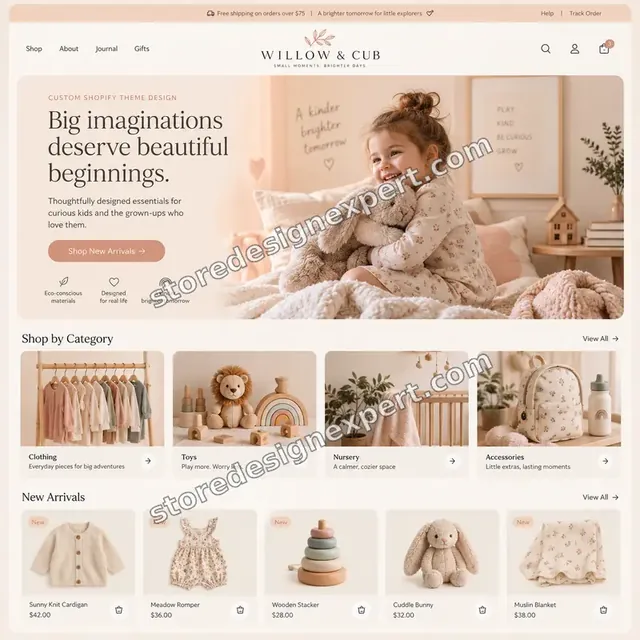
Children store design
Children
Beauty technology store design
Beauty technology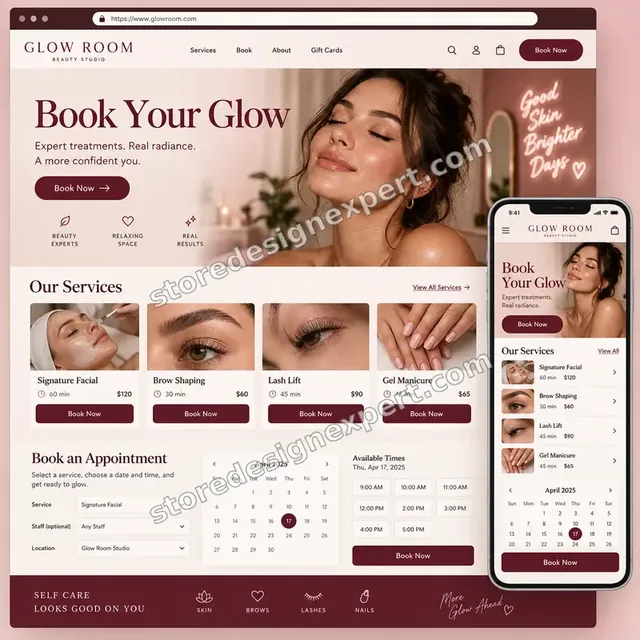
Beauty studio store design
Beauty studio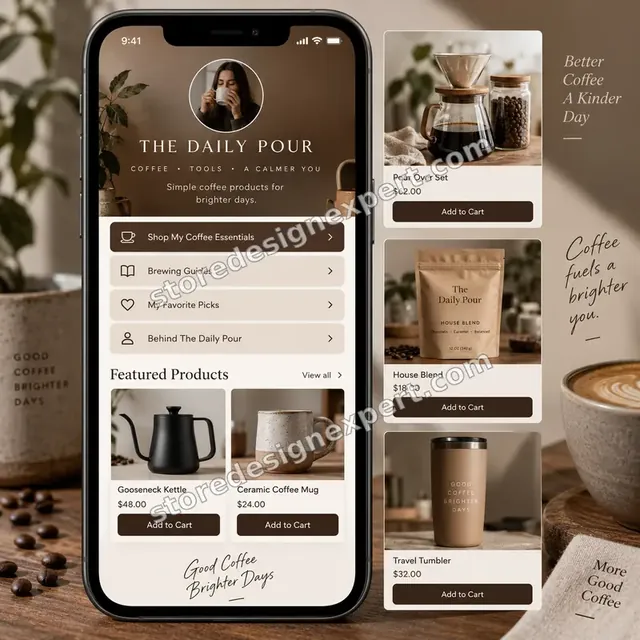
Coffee creator store design
Coffee creator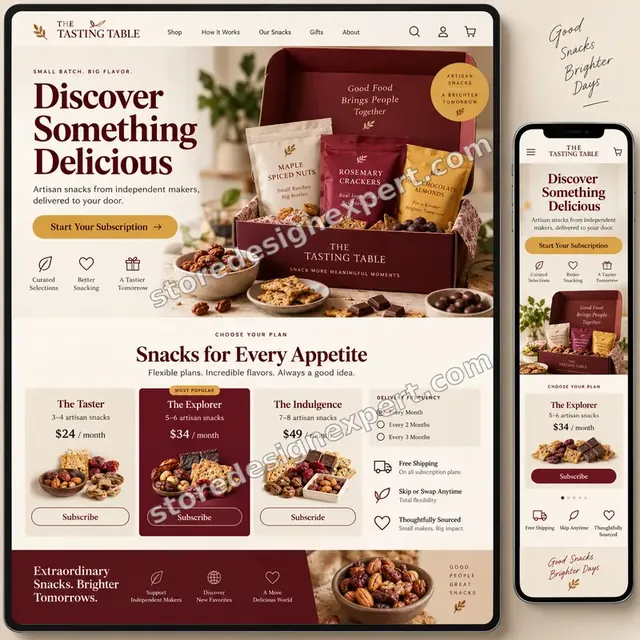
Artisan snacks store design
Artisan snacks
Pet store design
PetProcess and timeline
How an Amazon Channel Project Runs, Start to Finish
Six Amazon steps, with nothing changing on your live store until you approve it. Each step's length follows the options you picked in the calculator.
- 1
Brief and account review
You tell us your products, identifiers and fulfilment plans. We review the seller account and list restrictions.
- 2
Choose the connector
We compare connectors on cost, catalog size and features and recommend one in writing.
- 3
Map listings
Products are mapped to categories with identifiers, attributes and copy checked.
- 4
Set prices and rules
Fees and margins are shown, price rules agreed and stock sync rules set with a buffer.
- 5
Test a listing and an order
A test listing goes live and an order is followed into Shopify.
- 6
Go live and hand over
After sign-off the rest of the catalog is published. You receive the Amazon test log and notes.
Compare your options
DIY, Marketplace Gig, Agency or Our Amazon Setup?
Four usual routes to a working Amazon channel. This comparison shows who checks the parts that decide whether listings stay live and stock stays right.
| What matters | Set it up yourself | Marketplace gig | Agency retainer | Store Design Expert |
|---|---|---|---|---|
| Connectors compared for your catalog | No | No | Sometimes | Yes |
| Identifiers and approvals checked first | Trial and error | Rarely | Yes | Yes |
| Fees and margin shown per product | No | No | Extra cost | Yes |
| Stock buffer and sync rules set | Default | Rarely | Yes | Yes |
| Test listing and order followed through | No | No | Sometimes | Yes |
| Price known before work begins | Yes | Yes | Quote only | Yes |
| Written test log and walkthrough | No | Rarely | Extra cost | Yes |
| No retainer or minimum spend | Yes | Yes | No | Yes |
Inside every project
What Protects Your Accounts and Your Customers During Amazon Setup
A marketplace account carries your seller reputation, so these six habits come with every package.
Added by role, not by password
We ask to be added with only the roles Amazon work needs. Passwords and card details are never requested for Amazon work.
You keep ownership
The seller account, listings and store stay yours, and access can be removed at any time.
Stock buffer by default
We hold back a small buffer so a late sync does not cause an oversell that hurts your seller metrics.
Amazon's rules, not shortcuts
We fix listing causes rather than hiding errors, because workarounds risk suppression or suspension.
A test order before launch
A test listing and order are followed end to end before the whole catalog goes live.
Fixed scope, two revision rounds
The price is agreed before work starts, and changes inside scope run in two structured rounds.
Interactive price calculator
Build Your Amazon Channel Package
Choose a package, then tell us how many products you sell, the state of your seller account and how you fulfil orders. The fixed price and delivery window update with every click.
Request a custom quote
Brand registry work, restricted categories, multiple Amazon marketplaces, custom feeds, EDI and warehouse integrations and catalogs above five thousand products are scoped separately and quoted at a fixed price.
Request a QuoteChanged your mind? Choose First Listings, Catalog and Sync or Amazon Channel Suite above to return to the instant calculator.
Packages and comparison
Amazon Channel Package Comparison
Line-by-line detail of what each package covers, useful when choosing between connecting Amazon yourself and having it mapped and tested.
| What is included | First Listings $890 | Catalog and Sync $1,690Recommended | Amazon Channel Suite $2,690 |
|---|---|---|---|
| Connector compared and installed | Included | Included | Included |
| Seller account review | Included | Included | Included |
| Up to 20 products mapped | Included | Included | Included |
| Stock sync rule with buffer | Included | Included | Included |
| Test order log | Included | Included | Included |
| Up to 100 products mapped | Not included | Included | Included |
| Fee and margin table | Not included | Included | Included |
| Price and shipping rules | Not included | Included | Included |
| Order import and refunds tested | Not included | Included | Included |
| Up to 300 products mapped | Not included | Not included | Included |
| Fulfilment route set up | Not included | Not included | Included |
| Exception and suppression handling | Not included | Not included | Included |
| Fixes after launch | Not included | Not included | 30 days |
| Typical delivery | 4 to 7 days | 7 to 11 days | 11 to 16 days |
What the calculator above shows for Amazon Sales Channel Setup, the total and the estimated delivery, is what your order will use.
Why Store Design Expert
Why Owners Choose Us for Amazon Channel Work
Anyone can install a connector. Owners hire us for the mapping, sync rules and testing that keep a marketplace channel healthy.
Daily work inside Shopify stores
Product data, variants and inventory are everyday material for us.
Rated 4.9+ by verified clients
The reviews below come from verified Store Design Expert clients and are shown in their own words.
Prices you can plan around
Each package, option and extra has a price you can see. Amazon and connector fees go to those vendors, so check current plans.
A direct line to the builder
You speak with the person with your Amazon accounts open, not a ticket queue.
Honest advice on fit
If Amazon's fees leave no margin on your products, we say so before you pay.
Experience since 2015
More than 450 Shopify stores launched means we have met most catalog and inventory problems.
What we need to get started
What We Need Before We Open Amazon and Your Store
Three ways to give access, then a short list of decisions only you can make.
Accept our collaborator request
Send your store address, then approve the access request for Amazon Sales Channel Setup. You stay the owner and can remove our access in one click.
No store yet? We build it first
We can create the store in our Partner account, prepare the Amazon catalog there and transfer ownership when finished.
Or share a staff login
A restricted staff account works too, though the collaborator route is easier to revoke.
Access on Amazon
Add us as a user on your seller account with limited permissions, or tell us if one must be created.
Your barcodes and brand details
Send barcode lists and any brand registration or approval documents you hold.
Your fulfilment plan
Tell us whether you ship yourself, use Fulfilment by Amazon or a warehouse.
Neither owner passwords nor card details are ever needed for Amazon Sales Channel Setup. Amazon edits are made in a duplicate theme after a backup, and we log what changed.
Testimonials
What Store Owners Say Before You Order Amazon Sales Channel Setup
Verified Store Design Expert clients describe the brief, the build and the handover in their own words.
Verified
Super helpful and patient. I am new to ecommerce and Store Design Expert talked me through the whole process and even fixed my payment bridging for me!
LR
Lois R.United Kingdom
Verified
Very satisfied with the work. Most importantly, Store Design Expert responded promptly to my questions and concerns. Thank you!
KB
Kyle B.United States
Verified
Outstanding work and outstanding customer service. Five stars! I will absolutely use Store Design Expert again for my next book.
KM
Katharine M.United States
Verified
Store Design Expert was great! They delivered exactly what I asked for and even offered helpful extra suggestions. Highly recommended.
PW
Paul W.United States
Verified
I request Store Design Expert every time I have a project. They are professional and give real attention to detail, which makes the work stand out.
LK
Laura K.United States
Verified
They kept communicating until the problem was fully resolved, and the result was great.
HJ
Henry J.United States
Verified
I am beyond satisfied! Store Design Expert went above and beyond on my project. Highly recommended!
MD
Michael D.United States
Verified
The experience was tailored to my brand and specifications to the letter. I love the result.
EP
Eric P.United States
Verified
They definitely get the job done. Very patient and understanding throughout the whole project.
BS
Brian S.United States
Related searches
Related Searches for Amazon Sales Channel Setup
The searches below are the ones that lead people to Amazon Sales Channel Setup.
If you searched for “amazon sales channel setup”, “does shopify integrate with amazon”, “can shopify integrate with amazon” or “how to integrate shopify with amazon”, Amazon Sales Channel Setup is the work that answers it.
“shopify amazon integration requirements”, “shopify amazon integration cost”, “shopify amazon integration best practices” or “shopify amazon integration guide” all point to the same job, which Amazon Sales Channel Setup covers from start to finish.
People who look up “shopify amazon integration issues”, “how to connect shopify to amazon”, “how to sell on amazon through shopify” or “sell on amazon with shopify integration” usually want Amazon Sales Channel Setup; the calculator above shows the price and delivery estimate before you commit.
“how to link amazon and shopify sales channels” or “best shopify amazon integration” all point to the same job, which Amazon Sales Channel Setup covers from start to finish.
FAQ
Amazon Shopify Integration FAQs
Answers on cost, requirements, connectors, stock and fulfilment.
How much does Amazon Shopify integration setup cost?
First Listings is $890, Catalog and Sync $1,690 and Amazon Channel Suite $2,690. Account state, identifiers and fulfilment add to that, and the calculator shows the total before you pay. Amazon and connector fees are billed by those vendors.
What does an Amazon sales channel setup include?
An Amazon sales channel setup includes choosing a connector, preparing the seller account, mapping listings and identifiers, setting price and stock rules and testing an order. We do each and document it.
Does Shopify integrate with Amazon?
Does Shopify integrate with Amazon natively? Not with a built-in channel at the time of writing. You connect with Shopify's Marketplace Connect or another app, and we choose and configure it for you.
Can Shopify integrate with Amazon if I sell in several countries?
Can Shopify integrate with Amazon in more than one country? Usually yes, with extra seller accounts and mapping per marketplace. We scope that separately and tell you what each adds.
How to integrate Shopify with Amazon step by step?
How to integrate Shopify with Amazon: prepare the seller account, install a connector, map products, set price and stock rules, test an order and publish. Our process follows exactly that order.
What are the Shopify Amazon integration requirements?
Shopify Amazon integration requirements usually include a seller account, valid product identifiers or an exemption, approvals for some categories and a fulfilment plan. We check each before mapping.
What does Shopify Amazon integration cost?
Shopify Amazon integration cost has three parts: our one-off setup fee, a connector fee set by its vendor and Amazon's own selling fees. We show all three so margins are known.
What are Shopify Amazon integration best practices?
Shopify Amazon integration best practices include clean identifiers, a stock buffer, prices that cover fees, titles that follow Amazon's rules and a test order before launch. We build in each.
Is there a Shopify Amazon integration guide I can follow myself?
Yes. A Shopify Amazon integration guide from a connector or Amazon explains the steps. Our written notes add what applies to your catalog, so you can add products later.
What Shopify Amazon integration issues should I expect?
Common Shopify Amazon integration issues are missing identifiers, suppressed listings, stock delays and price mismatches. We design the setup to avoid them and show you how to spot them.
Do you need my Shopify password for Amazon Sales Channel Setup?
No. A collaborator request keeps you as owner and can be revoked instantly. If you have no store yet we build it in our Partner account and transfer it.
How to connect Shopify to Amazon if I already sell on Amazon?
How to connect Shopify to Amazon when you already sell there: match existing listings to Shopify products so stock syncs without duplicates. We plan the matching and test it.
How to sell on Amazon through Shopify and keep stock right?
How to sell on Amazon through Shopify and avoid overselling: use two-way inventory sync, a small buffer and clear rules for variants. We configure and test it.
How to link Amazon and Shopify sales channels, and what is the best Shopify Amazon integration?
To link Amazon and Shopify sales channels, we compare connector apps and pick the best Shopify Amazon integration for your catalog and budget. You can sell on Amazon with Shopify integration without FBA by shipping orders yourself.
Ready when you are
Order Your Amazon Shopify Integration Setup
Choose a package, watch the fixed price settle and have listings, stock and orders mapped and tested by a team that has launched 450+ Shopify stores. A test order is followed into Shopify before the catalog goes live.
- Secure payment
- Two rounds of changes
- Test log and walkthrough included