
Shopify stores designed and launched
Order tracking setup for Shopify
Aftership Shopify Setup That Answers Where Is My Order Before Customers Ask
Installing Aftership Shopify stores rely on is quick. Making sure the right carrier is matched, the tracking page looks like your brand and the emails reach buyers at each stage takes care. We connect it, style the page, edit your notifications and test a shipment. From $590, fixed scope.
- Carriers mapped so tracking numbers resolve
- Branded tracking page added to your store
- Shipment emails and SMS written in your voice
- A test order followed from dispatch to delivery
From$590
Delivery3 to 12 working days
Revisions2 rounds

Our track record
450+ Shopify Stores Launched Since 2015. Your Tracking Experience Gets the Same Care.
After the sale, customers judge you by one question: where is my parcel? A clear page and timely messages answer it. We build those with the same attention we give a product page, because support tickets cost more than a good setup.
Average rating from verified clients
Building Shopify stores since
Secure checkout
Pay through a protected checkout and keep a full order record.
Two revision rounds
Included in every package, so the result matches what you pictured.
Backup before changes
We work on a duplicate of your theme, never on your live store.
Who this is for
Who Needs Help With an Aftership Order Tracking Setup
Owners come to us when the app is installed but support tickets keep arriving. These are the six Aftership situations we meet most.
You are a good fit if
- You ship physical products
- You want a fixed price and written Aftership scope
- You will own the Aftership account and its plan
- You can approve email wording quickly
Stores buried in where-is-my-order emails
Customers cannot find tracking, so they write to you. We make the answer easy to reach from emails and from the account.
Merchants using several carriers
Tracking numbers from different services must map to the right carrier. We set rules so each shipment resolves.
Brands with a generic tracking page
A page that looks like another site breaks trust. We style it to match your store's fonts, colours and tone.
Teams with plain shipment emails
Default messages say little. We rewrite them so each stage tells the customer what happens next.
Owners who also want returns
Returns, refunds and exchanges need a simple route. We set up the returns portal alongside tracking.
Founders short on time
You would rather hand over access and get a tested flow than study every setting.
Problems solved
Why Order Tracking Setups Fall Short
The default install leaves gaps that customers fall into. These six are the most common.
- Customers cannot find the tracking page.
If the link is not in the order and shipping emails or the menu, shoppers contact support instead of tracking themselves.
- Tracking numbers do not resolve.
A carrier that is not matched, or a number in the wrong format, leaves a shipment stuck on a pending status.
- The page looks foreign.
Default styling clashes with your store and gives an impression of an outside service rather than your brand.
- Notifications arrive twice or not at all.
Shopify's own shipping emails and the app's messages can overlap, leaving customers confused or in the dark.
- Exceptions go unnoticed.
Delays and failed deliveries are visible in the dashboard but nobody is told, so customers hear before you do.
- Returns are handled by email.
Without a portal, each return becomes a thread of messages and manual labels.
What we can do
What Our Aftership Order Tracking Setup Covers
Six jobs make up the service. Your package decides how deep the page and email work goes.
Install and carrier mapping
We install the Aftership app, connect your store and map your carriers and shipping services so tracking numbers resolve first time.
Branded tracking page
The tracking page is styled to match your brand and added to the store through the supported route, with the right menu and footer links.
Notification emails and SMS
Shipment status messages are written and styled in your voice, and Shopify's own shipping emails are edited to carry the tracking link without duplicates.
Exception handling
We set up delivery exception and delay alerts so that you hear about a stuck parcel at the same time the customer does.
Returns portal
Where it is part of your package, we set a returns page with reasons, rules and labels that match your return policy.
Shipment testing
A test shipment is followed from dispatch to delivery to confirm the page, the emails and the dashboard agree.
What is included
What Is Inside Your Aftership Setup Package
Every Aftership deliverable belongs to one of six groups. The comparison table below shows how far each group goes in each Aftership package.
Connection
- Aftership installed
- Store connected
- Carriers mapped
- Plan fit confirmed in writing
Tracking page
- Page styled to your brand
- Menu and footer links
- Phone layout checked
- Search box and order lookup
Messages
- Status emails written
- Shopify emails edited
- SMS wording prepared
- Sender details aligned
Alerts
- Delay alerts
- Failed delivery alerts
- Internal exception email
- Escalation notes
Returns
- Returns page
- Reasons and rules
- Label settings
- Refund wording
Handover
- Test shipment log
- Dashboard video
- Notes on changing templates
- Two revision rounds
You provide access and approve wording. We handle connection, styling and testing.
Notification timeline
How Shipment Messages Follow a Parcel to the Door
The walkthrough shows the messages a customer receives as a parcel moves: dispatched, in transit, out for delivery and delivered. Each message is written and tested, so buyers always know what is happening without asking.
Portfolio
Store Designs From Our Studio
Different niches need different layouts. These store designs show how we shape a storefront around its products, and Aftership Order Tracking Setup for Shopify follows the same approach.
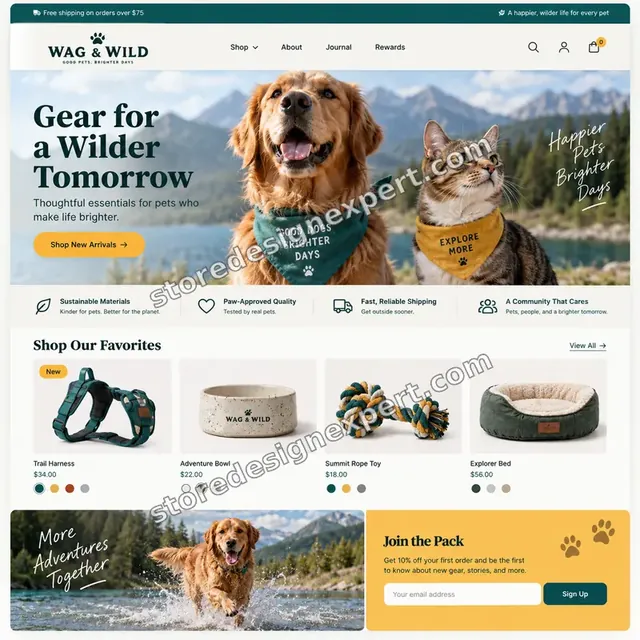
Pet store design
Pet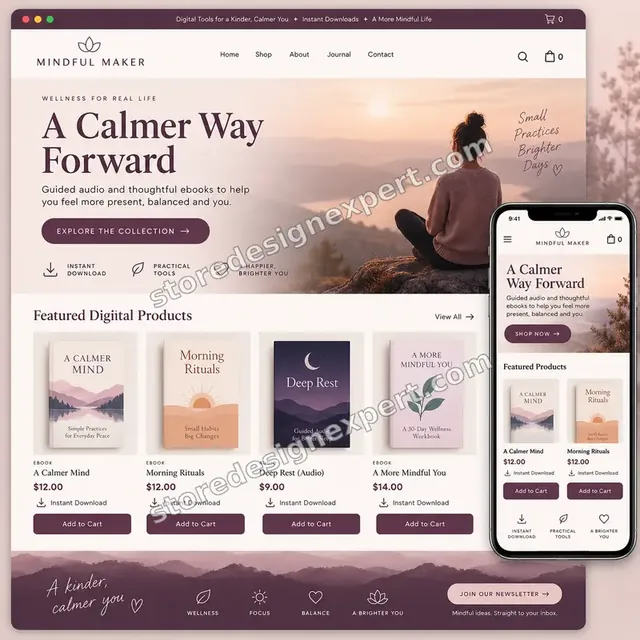
Wellness ebooks store design
Wellness ebooks
Wall art store design
Wall art
Beauty tools store design
Beauty tools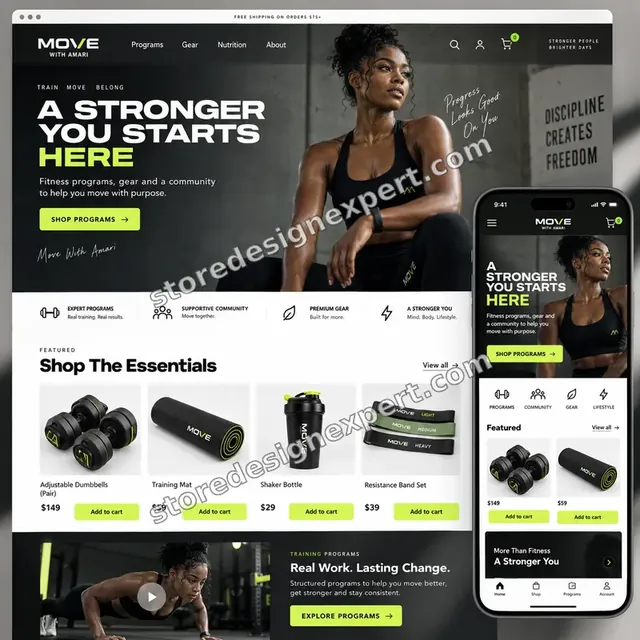
Food creator store design
Food creator
Salon supplies store design
Salon suppliesProcess and timeline
How an Aftership Project Runs, Start to Finish
Six Aftership steps, with nothing changing on your live theme until you approve a preview. Your calculator choices decide how long each Aftership step takes.
- 1
Brief and carrier list
You list your carriers, current shipping emails and any support pain points. We agree what the tracking experience should do.
- 2
Install and map
Aftership is installed and carriers and services are mapped, so tracking numbers resolve.
- 3
Style the page
The page is styled in a duplicate theme and linked from the menu, footer and order pages.
- 4
Write the messages
Status emails, SMS and Shopify shipping notifications are written and loaded.
- 5
Follow a test shipment
A real or sample shipment is followed from dispatch to delivery, with each message checked.
- 6
Publish and hand over
After sign-off the preview goes live. You receive the Aftership test log and a recorded dashboard tour.
Compare your options
DIY, Marketplace Gig, Agency or Our Aftership Setup?
Four usual routes to a working tracking experience. This comparison shows who checks the parts that decide whether customers can find their parcel.
| What matters | Set it up yourself | Marketplace gig | Agency retainer | Store Design Expert |
|---|---|---|---|---|
| Carriers mapped and tested | Default | Rarely | Yes | Yes |
| Tracking page styled to your brand | Default | Basic | Yes | Yes |
| Shopify emails edited without duplicates | Often missed | Rarely | Sometimes | Yes |
| Delay and exception alerts | No | No | Sometimes | Yes |
| Test shipment followed to delivery | No | No | Sometimes | Yes |
| Price known before work begins | Yes | Yes | Quote only | Yes |
| Written test log and walkthrough | No | Rarely | Extra cost | Yes |
| No retainer or minimum spend | Yes | Yes | No | Yes |
Inside every project
What Protects Your Store and Your Customers During Aftership Setup
Shipping messages reach real customers, so these six habits come with every package.
Changes in a duplicate theme
Your live theme stays untouched by Aftership work until you approve a preview. A backup is saved first.
Test messages go to us first
Emails and SMS are sent to test addresses before any customer receives a changed message.
Least access needed
A collaborator request is enough. Card details and owner passwords are never requested during Aftership work.
No lock-in
You own the Aftership account, the theme and the data. Notes let anyone else edit the templates.
A shipment is followed end to end
The job is not finished until a shipment shows correctly on the page and in each email.
Fixed scope, two revision rounds
The Aftership price is agreed before work starts, and changes inside scope run in two structured rounds.
Interactive price calculator
Build Your Aftership Setup Package
Choose a package, then tell us how many carriers you use, whether you want returns and which theme you run. The fixed price and Aftership delivery window update with every click.
Request a custom quote
Headless storefronts, custom carriers or private logistics feeds, Shopify Plus checkout changes, multi-store tracking and ERP connections are scoped separately and quoted at a fixed price.
Request a QuoteChanged your mind? Choose Tracking Basics, Branded Tracking Page or Post-Purchase Hub above to return to the instant calculator.
Packages and comparison
Aftership Setup Package Comparison
A package-by-package breakdown, useful when deciding between configuring Aftership yourself and having it built and tested.
| What is included | Tracking Basics $590 | Branded Tracking Page $1,090Recommended | Post-Purchase Hub $1,890 |
|---|---|---|---|
| Aftership installed and connected | Included | Included | Included |
| Carriers mapped | Included | Included | Included |
| Tracking page added to the store | Included | Included | Included |
| Tracking link in shipping emails | Included | Included | Included |
| Test shipment log | Included | Included | Included |
| Page styled to your brand | Not included | Included | Included |
| Status emails rewritten | Not included | Included | Included |
| SMS wording prepared | Not included | Included | Included |
| Delay and exception alerts | Not included | Included | Included |
| Returns portal set up | Not included | Not included | Included |
| Return and refund emails | Not included | Not included | Included |
| Reporting walkthrough | Not included | Not included | Included |
| Fixes after launch | Not included | Not included | 30 days |
| Typical delivery | 3 to 5 days | 5 to 8 days | 8 to 12 days |
Your Aftership Order Tracking Setup for Shopify price and delivery estimate come from the calculator above, so there is no surprise at checkout.
Why Store Design Expert
Why Owners Choose Us for Aftership Work
Anyone can install a tracking app. Owners hire us for a tracking experience that reads like their own brand and answers the question before it is asked.
Daily work inside Shopify stores
Notification templates, menus and footers are everyday material for us.
Rated 4.9+ by verified clients
The reviews shown here come from verified Store Design Expert clients, so you can weigh them before ordering Aftership work.
Prices you can plan around
Every Aftership package, option and extra has a visible price. Aftership's own plan fees go to Aftership, so check its current plans.
A direct line to the builder
You speak with the person with your store open, not a ticket queue.
Honest advice on tools
If Shopify's built-in tracking is enough for your volume, we tell you before you pay.
Experience since 2015
More than 450 Shopify stores launched means we have seen most shipping notification problems before.
What we need to get started
What We Need Before We Open Aftership and Your Theme
Three ways to give access for Aftership work, then a short list of decisions only you can make.
Accept our collaborator request
Send your store address and approve the Aftership request. You stay the owner and can remove our Aftership access in one click.
No store yet? We build it first
We can create the store in our Partner account, set tracking up there and transfer ownership when finished.
Or share a staff login
A restricted staff account works too for Aftership access, though the collaborator route is easier to revoke.
Your carriers and fulfilment
Tell us which carriers or fulfilment services you use and where tracking numbers come from.
Your current shipping emails
Send examples of the emails customers receive now so we can improve them rather than start blind.
Your brand files
Send logos, colours and tone notes so the page and messages look and sound like you.
For Aftership work, owner passwords and card details are never requested. Aftership edits are made in a duplicate theme after a backup, and we log what changed.
Testimonials
What Store Owners Say Before You Order Aftership Order Tracking Setup for Shopify
Verified Store Design Expert clients describe the brief, the build and the handover in their own words.
Verified
Store Design Expert is the best. The work is very professional, they pay close attention to detail and, more importantly, they listen. Their level of cooperation is second to none, and everything was delivered in a very timely manner. I will keep them in mind for future projects.
BN
Barbara N.United States
Verified
Very patient, informative and transparent, and they did exactly what they said they would do. Thanks for all the help!
RO
Raymond O.United States
Verified
Store Design Expert is the only one I use for all things WordPress. They have a high level of understanding, deliver quality work and are easy to deal with.
SC
Scott C.United States
Verified
A pleasure to work with. They did pretty much everything I asked and definitely exceeded my expectations. I will be working with Store Design Expert again soon.
JL
Jerry L.United States
Verified
Superb work! Store Design Expert is incredibly patient, and even when I did not fully understand my own questions, everything was explained again in detail. My vision was implemented perfectly, and the work is worth every cent I spent.
KB
Katrin B.Germany
Verified
Very impressed with the build-out. My store is ready to get started, and I am sure I will reach out for edits down the road, but this is everything I could ask for to get the party started. Thanks again, and I will be in touch for future projects.
DH
Dale H.United States
Verified
Very quick and detailed work! Store Design Expert does exactly what you want, in a very professional manner.
LF
Lena F.Germany
Verified
Store Design Expert did an outstanding job with top-notch professionalism on my website project. Everything was delivered quickly without compromising quality. I could not have asked for better!
JM
Jason M.United States
Verified
The website development work was nothing short of professional, with top-notch quality. Their exceptional level of cooperation made the collaboration seamless and enjoyable. Highly recommend working with Store Design Expert!
JC
Jeremy C.United States
Related searches
Related Searches for Aftership Order Tracking Setup for Shopify
People describe Aftership Order Tracking Setup for Shopify in different ways when they search. These are the common ones.
If you searched for “aftership order tracking setup”, “aftership shopify app”, “aftership tracking shopify” or “aftership shopify integration”, Aftership Order Tracking Setup for Shopify is the work that answers it.
If you searched for “aftership pricing”, “aftership cost”, “aftership returns” or “aftership package tracker”, Aftership Order Tracking Setup for Shopify is the work that answers it.
“aftership carriers”, “what is aftership”, “aftership tracking” or “aftership competitors” all point to the same job, which Aftership Order Tracking Setup for Shopify covers from start to finish.
“aftership customer service” or “aftership vs shopify”: owners type these when they need Aftership Order Tracking Setup for Shopify, and the packages above are priced for that job.
FAQ
Aftership Shopify Setup FAQs
Answers on cost, carriers, emails, returns and testing.
How much does Aftership Shopify setup cost?
Tracking Basics is $590, Branded Tracking Page $1,090 and Post-Purchase Hub $1,890. Carriers, theme type and channels add to that, and the calculator shows the total before you pay. Aftership's own plan fees are billed by Aftership.
What is Aftership and do I need it?
What is Aftership? The Aftership Shopify app is an order tracking service that adds a branded tracking page and shipment notifications to your store. You need it when customers keep asking where parcels are, or when you want tracking to look like your brand.
What does Aftership pricing not tell me?
Aftership pricing is based on plan tiers and shipment volumes. It does not tell you how many shipments you will send next quarter. We estimate your volume in the brief so you pick the right plan.
How much is the Aftership cost for a small store?
The Aftership cost depends on monthly shipments and the features you use, and it is billed by Aftership. We check your volume against the plan limits so you are not surprised halfway through the month.
How long does Aftership order tracking setup take?
A connected tracking page takes 3 to 5 working days, a branded page with new emails 5 to 8 and a full setup with returns 8 to 12. More carriers, an older theme or several channels add days.
How to set up Aftership tracking Shopify customers can find?
Install the app, map carriers, add the tracking page to the store and put the tracking link in your shipping emails and menu. We do each step and test with a real shipment.
Can you do an Aftership Shopify integration with my fulfilment service?
Yes in most cases. An Aftership Shopify integration works with many carriers and fulfilment services, and we check yours in the brief so tracking numbers arrive and resolve.
Which Aftership carriers are supported?
Aftership carriers cover a large network, but not every local service. We check each carrier you use and tell you early if one needs a workaround.
Is Aftership returns included?
The Post-Purchase Hub package sets up Aftership returns with reasons, rules and emails. The smaller packages focus on tracking and notifications, and returns can be added later.
Do I need an Aftership package tracker page on my own site?
A branded page keeps customers on your site instead of sending them to a carrier. The Aftership package tracker page can be placed in your menu and linked from emails, so buyers see your brand.
Do you need my Shopify password for Aftership Order Tracking Setup for Shopify?
No. A collaborator request keeps you as owner of the Aftership setup and can be revoked instantly. If you have no store yet we build the Aftership setup in our Partner account and transfer it.
Aftership vs Shopify tracking: which should I use?
Shopify provides basic tracking links. Aftership adds a branded page, richer messages and exception alerts. We compare them against your volume and tell you whether the extra tool is worth it.
What are the main Aftership competitors?
Other tracking and post-purchase apps exist, and they differ in carriers, price and returns. We compare two or three against your setup before you commit, and recommend one in writing.
Who handles Aftership customer service questions?
Aftership customer service supports the app itself, while we handle your store's setup. For later changes we quote a fixed price or you can add the 30-day support option.
Ready when you are
Order Your Aftership Shopify Setup
Choose a package, watch the fixed price settle and have tracking, emails and returns built and tested by a team that has launched 450+ Shopify stores. A shipment is followed end to end before any customer sees it.
Secure payment · Two rounds of changes · Aftership test log and walkthrough included