
Shopify stores designed and launched
Add to cart rate optimization
Shopify Add to Cart Rate Optimization for Product Pages That Get Looked At but Not Bought From
Shopify add to cart rate optimization is the work of finding why interested visitors never press the button, then removing the cause. We read your funnel, test the button on real devices, fix visibility, variant and error problems in a theme copy and verify that every add is tracked, from $590. Our record stands at 450+ launched stores and a 4.9+ rating from verified clients.
- Button, variant and error faults found by testing
- Sticky bar and quick add built where they help
- Add to cart events verified end to end
- Fixed tiers priced live in the calculator

From$590
Delivery3 to 14 working days
Revisions2 rounds
Our track record
Over 450 Shopify Stores Launched Since 2015. Now Let Us Make the Add to Cart Button Do Its Job.
The first tap on a buy button is the smallest commitment a shopper makes, and the easiest to lose. Having built hundreds of product pages, we know where that tap tends to go missing.
Average rating from verified clients
Building Shopify stores since
Secure checkout
Pay through a protected checkout and keep a full order record.
Two revision rounds
Included in every package, so the result matches what you pictured.
Backup before changes
We work on a duplicate of your theme, never on your live store.
Who this is for
Who Needs Shopify Add to Cart Rate Optimization
A low add rate can come from the page, the product, the traffic or a silent fault. These are the situations in which owners most often ask us to take a look.
Stores with healthy traffic and a thin add rate
Sessions are steady, product pages are viewed, and few of those sessions end with something in the cart. The button area is the first place to look.
Owners reporting that the button sometimes does nothing
A Shopify add to cart button not working for a share of visitors is a leak you cannot see in revenue alone. We reproduce the fault on the browsers where it happens.
Merchants with long product pages
Descriptions, size charts and review blocks push the buy area out of view. A visitor who has to scroll back up to buy may simply not bother.
Sellers with many variants
Colour, size and bundle choices can make the first tap feel like a form. We simplify how options are picked and what happens if one is missed.
Teams about to buy more traffic
A shopper who arrives from an ad and sees no clear way to add the item is an expensive loss. Fixing the button before a campaign is cheaper than fixing it after.
Shops that changed theme or apps recently
A new theme or a new app can quietly break the add flow or the tracking. We check what changed and put it right.
Problems solved
Why Shoppers Look at the Product and Still Do Not Add It
Most missed adds come from small, fixable causes rather than from the product itself. These are the ones we check first.
The problem
The button is hard to find.
The outcome
A pale button, a position below the gallery on a phone or a label like Select options leaves the next step unclear. The action should be obvious in the first view of the buy area.
The problem
Variant choice adds friction.
The outcome
Dropdowns that start blank, swatches that do not show stock and sold-out combinations that are still clickable all slow the first tap. Shoppers often leave rather than guess.
The problem
Errors appear silently.
The outcome
When stock limits, missing personalisation fields or a script clash stop an add, many themes show nothing. The shopper taps twice, sees no change and assumes the store is broken.
The problem
The page responds too slowly.
The outcome
A button that waits for scripts, or a cart update that lags, feels unreliable. Slow feedback after the tap makes some shoppers tap again and others leave.
The problem
Price and delivery are unclear.
The outcome
If a shopper cannot tell what they will pay in total or when it will arrive, adding feels like a risk. Cost and delivery details belong next to the button.
The problem
Nobody can see the real rate.
The outcome
Without a verified add to cart event, owners guess. A rate that is mismeasured, or duplicated by two tags, hides the true picture and sends fixes in the wrong direction.
What we can do
What We Can Do to Raise the Odds of the First Tap
This is hands-on theme and tracking work. Here are the six areas where an add-rate project spends its time.
Add rate diagnosis
We read Shopify's conversion funnel and, if you run it, GA4 by device, channel and product page. The aim is to know whether a low rate is a page problem, a traffic-mix problem or a measuring problem before touching the theme.
Buy box layout and add to cart button Shopify styling
We rework the order of title, price, options and button, restyle the button for contrast and size, and check it in the first view on common phone and laptop sizes. Reassurance lines sit beside it, not far below.
Variant and option handling
We tidy how options are picked, preselect a sensible variant where your catalogue allows it, mark unavailable combinations clearly and make sure required fields are explained before the tap rather than after.
Sticky add to cart Shopify builds
A bar that appears once the main button scrolls away can keep the action in reach on long pages. We build it into your theme, match its look, and make sure it never hides cookie notices or chat widgets.
Fault finding for stuck buttons
We reproduce failures in Safari, Chrome and other browsers, read console errors, test with apps switched off one at a time and fix the clash. You get a note of what caused it and what changed.
Verified add to cart tracking
We confirm that Shopify's product_added_to_cart event reaches GA4 and any ad pixels once per add, with the right product and value. Duplicate and missing events are corrected so your rate can be trusted.
What is included
What Your Add to Cart Project Includes
Work falls into six streams, each ending in a result you can try yourself. The package table below shows how much of each stream is in every tier.
Funnel reading
- Sessions to added-to-cart step reviewed
- Split by device, channel and product page
- Pages with most views and fewest adds ranked
- Plain-English note of likely causes
Buy box
- Order of price, options and button reviewed
- Button size, colour and label tuned
- Delivery and returns lines beside the button
- First-view check on phone and laptop
Variants and fields
- Default variant logic reviewed
- Unavailable options marked clearly
- Required fields explained before the tap
- Quantity and limits behaviour tested
Behaviour and feedback
- Button feedback after each tap
- Error messages when an add fails
- Sticky bar or quick add where suitable
- App and script conflicts resolved
Tracking
- Added-to-cart event checked in GA4
- Ad pixel add events checked
- Duplicates and gaps corrected
- Tracking notes in your handover
Testing and handover
- Duplicate theme made before any edit
- Test adds on phones, tablets and laptops
- Recorded walkthrough of every change
- Two revision passes after you have looked it over
Measuring and fixing are listed apart because a repaired button still needs a trustworthy count behind it.
See how it works
A Sticky Buy Bar That Follows the Shopper Down the Page
Long product pages push the main button out of sight. This walkthrough shows a compact bar that appears once the original button scrolls away, holds the option the shopper picked and changes to Added after the tap, so the action stays close and the result is obvious.
Portfolio
Shopify Store Designs We Create
Different niches need different layouts. These store designs show how we shape a storefront around its products, and Shopify Add to Cart Rate Optimization follows the same approach.
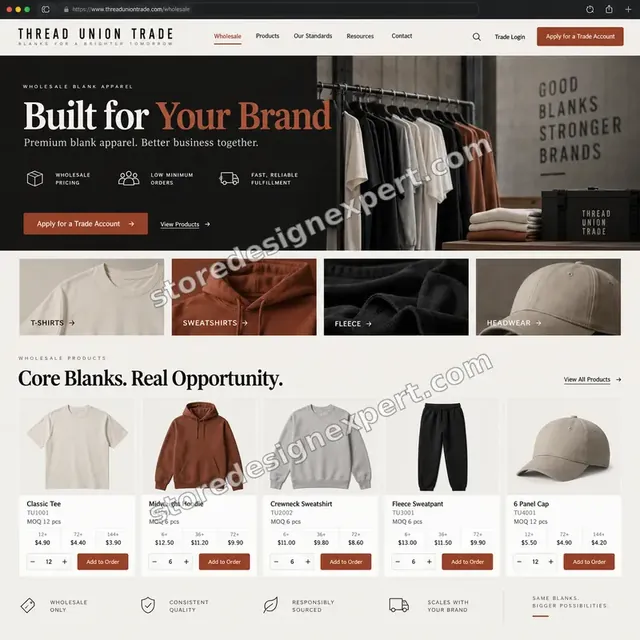
Blank apparel store design
Blank apparel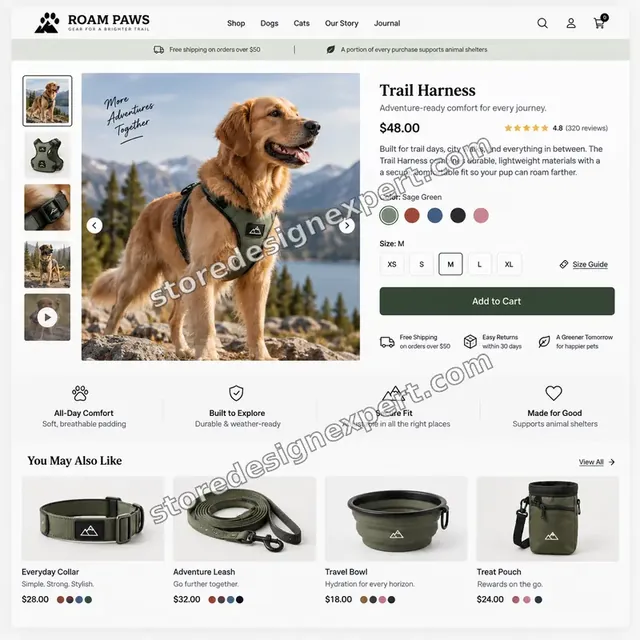
Pet store design
Pet
Beauty store design
Beauty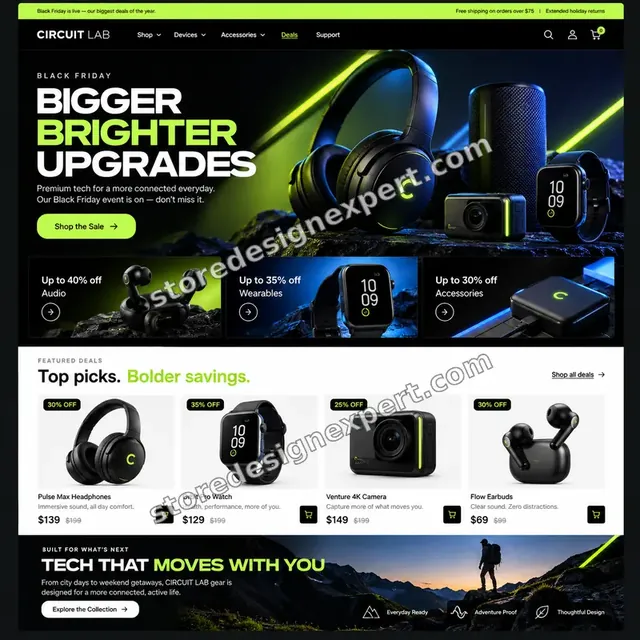
Electronics store design
Electronics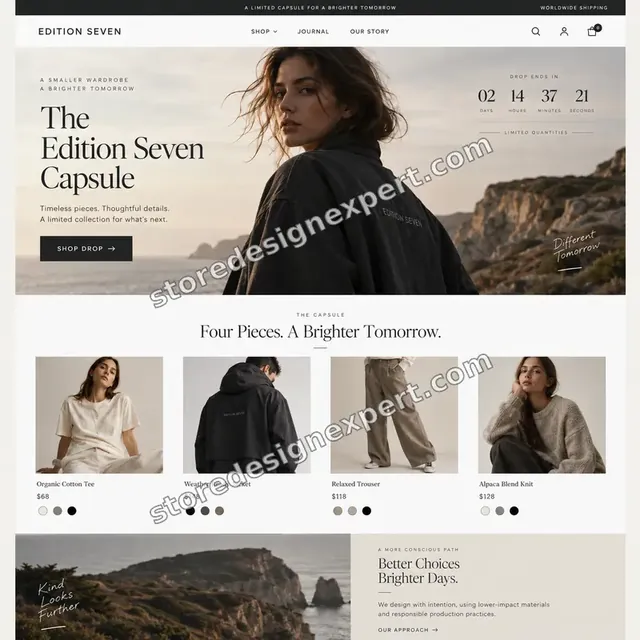
Fashion store design
Fashion
Furniture and interiors store design
Furniture and interiorsProcess and timeline
Our Shopify Add to Cart Rate Optimization Process and Timeline
Six stages move from defining your rate to a monitored launch. Button Check often finishes in 3 to 5 working days, and the calculator shows how options add time.
- 1
Define and read the rate
We agree what counts as an add, check how your reports count it and read the funnel by device and page. That fixes the baseline every later change is judged against.
- 2
Try to add, many ways
We test the button on real phones and laptops in several browsers, with and without variants chosen, at stock limits and with apps toggled. Every failed or unclear add is logged with steps to repeat it.
- 3
Agree the fix list
Issues are ranked by the number of product views they touch and the risk of changing them. You approve the list before we edit anything.
- 4
Build in a theme copy
Changes are made in a duplicate theme with a private preview link, so live shoppers keep a stable store.
- 5
Test and verify events
We repeat the add tests, check that one tap produces one event with the right product and value, and confirm nothing in the cart or checkout broke.
- 6
Publish and brief you
Once you approve, we publish, keep the old theme as a fallback and send a recording plus a note on how to read the add rate in the following weeks.
Compare your options
Theme Settings, an App, a Freelance Gig or Full Add to Cart Optimization?
Four routes can change the add rate. Each handles a different part of the problem, so compare them with what is actually going wrong on your product pages.
| What matters | Theme settings only | Button app | Freelance gig | Store Design Expert |
|---|---|---|---|---|
| Rate defined and read by device | No | No | Rarely | Yes |
| Stuck button fault finding | No | No | Varies | Yes |
| Variant and error behaviour fixed | Partly | No | Varies | Yes |
| Sticky bar or quick add built to match your theme | Some themes | Generic look | Varies | Yes |
| Add event verified once per tap | No | You check | Rarely | Yes |
| Tested on real phones and laptops | No | No | Rarely | Yes |
| Duplicate theme edited, old one kept as fallback | No | No | Rarely | Yes |
| Fixed price up front | Yes | Monthly fee | Varies | Yes |
Inside every project
How We Protect Your Sales While We Edit the Buy Button
The button is the most important element on the page. These protections come with every package and explain why we can quote a fixed price.
Edits only in a copy
The theme customers are using is left alone. We build in a duplicate, share a private preview and swap it in once you approve.
Collaborator access, no passwords
A project-scoped Shopify collaborator request is all we need. You stay the owner and can revoke access whenever you like.
An add test for each variant type
We try simple products, variants, sold-out items, quantity limits and personalised items, and record each result in your handover notes.
Instant rollback
The earlier theme stays in your library. If anything behaves oddly after launch, switching back takes moments.
One tap, one event
Before sign-off we confirm that each add creates a single event with the right value, so your rate is not inflated or understated.
Clear checkpoints
You hear from us after the diagnosis, when the build is ready to review and when testing is finished, each time with evidence.
Interactive price calculator
Build Your Add to Cart Optimization Package
Choose a package, then tell us how many product templates, what product complexity and which tracking you need. Your total and delivery date update as you click, so the figure is fixed before you commit.
Request a custom quote
Headless storefronts, product configurators, custom bundle builders or multi-brand catalogues with separate themes are quoted separately after a short scoping call.
Request a QuoteChanged your mind? Choose Button Check, Buy Box Rebuild or Full Buy Path above to return to the instant calculator.
Packages and comparison
Compare Add to Cart Packages Side by Side
Each line is something you can check for yourself. The final price depends on the template count, product complexity and tracking scope you pick below.
| What is included | Button Check $590 | Buy Box Rebuild $1,190Recommended | Full Buy Path $1,990 |
|---|---|---|---|
| Funnel and add rate reading | Included | Included | Included |
| Button visibility and styling fixes | Included | Included | Included |
| Stuck button fault finding | Included | Included | Included |
| Variant default and sold-out handling | Included | Included | Included |
| Add to cart event verified | Included | Included | Included |
| Recorded handover and two revision rounds | Included | Included | Included |
| Buy box layout rework | Not included | Included | Included |
| Sticky add to cart bar | Not included | Included | Included |
| Add feedback and error messages | Not included | Included | Included |
| Test adds on real devices | Not included | Included | Included |
| Quick add on collection cards | Not included | Not included | Included |
| Cart page or drawer review | Not included | Not included | Included |
| Ad pixel add events verified | Not included | Not included | Included |
| 30 days of fixes | Not included | Not included | Included |
| Typical delivery | 3 to 5 days | 6 to 9 days | 10 to 14 days |
The calculator above gives the exact price and delivery estimate for your Shopify Add to Cart Rate Optimization order, and that is what you pay.
Why Store Design Expert
Why Stores Choose Us for Shopify Add to Cart Work
Guides on this topic list dozens of ideas. What a store needs is the right few, built properly and checked. Here is how we do that.
Shopify only since 2015
We spend our days in product templates, the cart API and theme settings, so we know what a button can and cannot do on your plan.
Cause before cure
We find out why shoppers are not adding before choosing a fix, so the money goes into the cause and not into a guess.
Strategy and code in one team
Whoever spots a hidden button or a broken variant picker also repairs it, so nothing is lost between an audit and a developer.
Honest measurement
We define the add rate, agree a reading window and never promise a particular figure, because traffic and season also move it.
A fixed project, not a retainer
You pay a stated price for a stated scope and receive a handover. There is no monthly fee waiting at the end.
Priced between gigs and agencies
Costs sit above marketplace gigs because testing and tracking checks are included, and well below a single month of an agency retainer.
What we need to get started
Everything We Ask For Up Front
There is no long form. We need entry to the store, a look at your numbers and a few decisions.
Approve our collaborator invite
Share the store address, then accept the Shopify collaborator request we send. You remain the owner and nobody needs to share a password.
Store not built yet
We can start it in our own Shopify Partner account and pass ownership to you when the work is done, so your only task is choosing a plan.
Or give us a staff login
A staff account works too. We recommend the collaborator route because it is easier for you to shut off afterwards.
Reports and analytics
Grant read access to Shopify reports and GA4 so we can read the add step by device, channel and product.
Apps and theme history
List the apps that touch product pages or the cart, and tell us about recent theme or app changes, since they often explain a sudden drop.
Best sellers and an approver
Name the products that matter most and the person who signs off wording and layout changes before they go live.
Payment cards and owner passwords stay with you. Edits live in a theme copy, and written notes plus a recording arrive when the project ends.
Testimonials
What Store Owners Say Before You Order Shopify Add to Cart Rate Optimization
Verified clients describe working with Store Design Expert on builds, fixes and conversion work.
Verified
Store Design Expert delivered an outstanding website development experience! Their professionalism and attention to detail exceeded my expectations, and their proactive communication kept everything running smoothly. Truly impressed by their deep understanding and dedication.
WG
Warren G.United States
Verified
Very quick and detailed work! Store Design Expert does exactly what you want, in a very professional manner.
LF
Lena F.Germany
Verified
Store Design Expert did an outstanding job with top-notch professionalism on my website project. Everything was delivered quickly without compromising quality. I could not have asked for better!
JM
Jason M.United States
Verified
The website development work was nothing short of professional, with top-notch quality. Their exceptional level of cooperation made the collaboration seamless and enjoyable. Highly recommend working with Store Design Expert!
JC
Jeremy C.United States
Verified
Super great to work with, and super fair!
RO
Robert O.United States
Verified
The website development work was truly impressive. Their attention to detail and ability to exceed expectations made the project a success. Working with them was a breeze, thanks to quick responsiveness and a willingness to go above and beyond.
KD
Kevin D.United States
Verified
Store Design Expert was very knowledgeable about what I needed done to fix my Shopify store and how to improve the store layout. The project was completed very quickly, and I will definitely use them for support as my business grows.
ST
Samuel T.United States
Verified
Very satisfied with the work. Most importantly, Store Design Expert responded promptly to my questions and concerns. Thank you!
KB
Kyle B.United States
Verified
Outstanding work and outstanding customer service. Five stars! I will absolutely use Store Design Expert again for my next book.
KM
Katharine M.United States
Related searches
What People Search For Before Ordering Shopify Add to Cart Rate Optimization
People describe Shopify Add to Cart Rate Optimization in different ways when they search. These are the common ones.
“add to cart button shopify”, “shopify add to cart button not working”, “shopify add to cart button” or “sticky add to cart shopify”: owners type these when they need Shopify Add to Cart Rate Optimization, and the packages above are priced for that job.
“shopify sticky add to cart button”, “shopify how to change add to cart button”, “how to move an add to cart button on shopify” or “shopify edit cart page” all point to the same job, which Shopify Add to Cart Rate Optimization covers from start to finish.
If you searched for “increase add to cart rate shopify”, “improve add to cart rate”, “what is a good add to cart rate” or “add to cart rate formula”, Shopify Add to Cart Rate Optimization is the work that answers it.
“shopify add to cart conversion rate” or “shopify add to cart rate”: owners type these when they need Shopify Add to Cart Rate Optimization, and the packages above are priced for that job.
FAQ
Shopify Add to Cart Rate FAQs
Direct answers on price, timing, tools, access and how results are measured.
How much does Shopify add to cart rate optimization cost?
Packages start at $590 for Button Check, $1,190 for Buy Box Rebuild and $1,990 for Full Buy Path. Template count, product complexity and tracking add their own prices, so most projects land between about $800 and $3,000. The calculator shows a fixed total before you pay, and totals over $2,500 use a 50 percent deposit.
What is a good add to cart rate?
There is no universal answer, because price, product type and traffic source change it. Published guides quote broad ranges, but your own history is the fairer yardstick. We establish your current rate by device and channel first, and judge every change against that baseline.
What is the add to cart rate formula?
The add to cart rate formula divides sessions with at least one add by total sessions, then multiplies by 100. Some tools instead divide adds by product page views, so we first confirm which definition your reports use. Mixing the two is a common reason figures from different tools disagree.
Why is my Shopify add to cart button not working for some visitors?
Usual causes are a script error, a clash between two apps, a required variant or field that has no clear prompt, or a browser quirk. We reproduce the failure on the affected browsers, switch apps off one at a time and fix the cause. You receive a note describing it.
Can you build a Shopify sticky add to cart button?
Yes. We build a sticky add to cart Shopify bar into your theme that appears when the main button scrolls out of view, keeps the chosen option and gives clear feedback. We also check it against cookie notices, chat bubbles and the mobile browser toolbar so it never covers them.
How to move an add to cart button on Shopify, or restyle it?
Basic layout moves can be made in the theme editor. Shopify how to change add to cart button questions often involve custom code too, for styling, label text or placement beside price and delivery. We make these edits in a theme copy and test them before they replace the live version.
Can you help me increase add to cart rate Shopify stores struggle with on long pages?
Yes. Long pages bury the buy area, so we reorder the content, shorten what delays the button, add a sticky bar and place reassurance next to it. Whether the change helps depends on your traffic, so we agree how it will be read before launch.
What is the difference between add to cart rate and Shopify add to cart conversion rate?
They usually mean the same thing, the share of sessions with an add. Some reports use the Shopify add to cart conversion rate to mean the share of product page viewers who add. We name the definition in the handover so everyone reads the same number.
Do you handle the Shopify edit cart page work as well?
Yes, on Full Buy Path and as part of the cart review. For a Shopify edit cart page job we look at line item controls, messages, shipping notes and the drawer or page layout. Checkout itself is controlled by Shopify, so we keep to the settings it allows.
Will you guarantee a higher add to cart rate?
No. Honest providers cannot promise a number, because ad quality, season, pricing and stock all play a part. What we commit to is the scope, the testing and the handover, with a before-and-after window so you can judge the outcome against your own figures.
How do you improve add to cart rate without hurting the brand look?
We keep your fonts, colours and imagery, and change spacing, order, button contrast and feedback. Improve add to cart rate work rarely needs a redesign. If a bolder change would help, we show a preview first and you decide.
What access do you need and how long will it take?
A collaborator request is enough, or a staff login if you prefer, and a store that does not exist yet is built in our Partner account and then transferred. Button Check takes 3 to 5 working days, Buy Box Rebuild 6 to 9 and Full Buy Path 10 to 14 before options.
Why not just install an add to cart app?
Apps are fine tools and we sometimes use one. What they cannot do is find why your shoppers are not tapping, fix a clash between scripts, test on devices or confirm the tracking. You are paying for judgement and a verified result, not another subscription.
Ready when you are
Start Your Shopify Add to Cart Rate Optimization Today
Choose a package, see your fixed price and finish date, and order Shopify add to cart rate optimization from a team that has launched more than 450 stores. You get a clearer buy button, faults repaired in a theme copy and an add event you can trust.
- Protected payment
- Two rounds of changes
- Walkthrough recording included